How to Scrape Twitter Without API or Coding: X Guide

To scrape Twitter without API access, you need more than a clever extractor. You need a workflow that knows what it is allowed to collect, what should stop the run, and what evidence must be saved so the output is reviewable later. That distinction matters because X/Twitter data collection has become a moving target. The official API has endpoint-specific rate limits, 429 errors, access tiers, and usage caps. The website has login walls, changing front-end behavior, and automation risk. A “no A
- 1Scrape Twitter without API should mean a scoped, read-only research workflow, not a promise to bypass X’s controls or collect private data.
- 2The best no-code path starts with the target type: profile, post URL, search query, hashtag, replies, or account-growth dashboard. Each needs a different schema.
- 3X’s own docs describe endpoint rate limits and 429 errors for API workflows; X’s automation rules also warn against non-API website scripting, so stop rules are not optional.
- 4BrowserAct is the first workflow to try when you need a prompt-led browser run, custom fields, source URLs, screenshots, exports, and human review without writing code.
- 5A fixed no-login scraper or scraper API can be faster when the job is narrow, such as “give me tweets from these handles,” but it is less flexible when the research logic changes.
- 6Keep X/Twitter scraping separate from posting, liking, following, DMing, replying, or account-growth automation unless you have explicit permission and a compliant workflow.
What “without API” actually means
When users search for “scrape Twitter without API,” they usually mean one of five different jobs:
Search intent | What the user really wants | Better workflow framing |
No developer account | “I cannot get or do not want X API access.” | Use a browser or third-party scraper only for public, allowed research. |
No coding | “I want a CSV or Sheet, not Python.” | Use a prompt-led browser workflow or no-code scraper. |
No login | “I have public URLs but X shows a login wall.” | Test whether the content is publicly reachable; stop when login is required. |
No API key | “I do not want token setup, rate-limit math, or app review.” | Use a managed workflow, but keep source evidence and failure states. |
No fragile script | “My Selenium/Puppeteer setup keeps breaking.” | Use a maintained browser automation or scraper workflow with run logs. |
The keyword data you already collected supports this topic. In the X/Twitter topic workbook, scrape Twitter without API has US search volume 100 with KD 0 and CPC $1.50. view tweets without account has US search volume 150, KD 43, and CPC $0.04. The topic cluster also includes Twitter scraper no login, Twitter scraper no API key, X scraper no login, Twitter scraper no cookie, and Twitter to CSV no code. That is a small but very specific bottom-of-funnel demand pattern: people are not browsing casually; they are trying to get public X data into a table.
The safety boundary before the workflow
Before choosing a tool, draw the line.
Use this workflow for:
- Public posts, profile pages, search results, hashtags, or public account-growth signals.
- Source-linked market research, social listening, creator research, competitor monitoring, incident tracking, and content research.
- CSV, JSON, Google Sheets, Airtable, Notion, n8n, Clay, or webhook exports that a human will review.
Do not use this workflow for:
- Private, protected, deleted, restricted, or paywalled content.
- Automated posting, liking, following, unfollowing, replying, quoting, list-building, or direct messages.
- Bypassing login, CAPTCHA, 2FA, payment, account warnings, or unclear permission gates.
- High-volume collection that ignores X’s limits, robots-style boundaries, privacy expectations, or your own legal review.
X’s Automation Rules page, updated in April 2026, specifically warns developers not to abuse the X API, not to attempt to circumvent rate limits, and not to use non-API website scripting in ways that can put accounts at risk. The same page separates automated posting, replies, DMs, likes, and follows into stricter activity-specific rules. For a scraping article, the cleanest practical boundary is simple: keep it read-only, keep it public, and stop when the page asks for trust you do not have.
Pro Tip: Write the stop rules into the prompt. If your workflow does not explicitly say “stop on login, CAPTCHA, 2FA, private content, or paywall,” it is not production-ready.
The no-code workflow
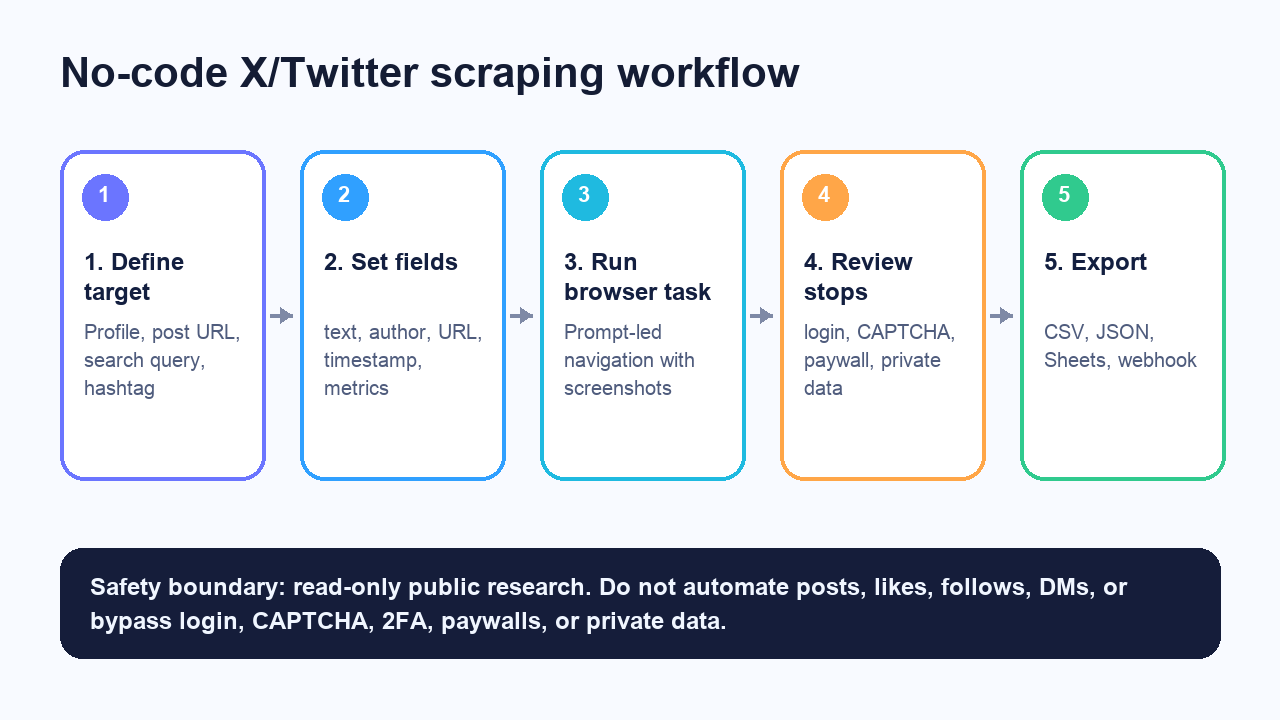
The workflow has five parts.
1. Define the target type
Do not start with “scrape Twitter.” Start with the page or input type.
Target type | Example input | Output shape |
Profile timeline |
| One row per post |
Single post URL |
| One post row, optional reply rows |
Search query |
| One row per matching post |
Hashtag |
| One row per post, plus hashtag/source fields |
Replies/comments | A list of post URLs | Posts table + replies table |
Follower dashboard | One or more public accounts | Snapshot rows over time |
2. Define the fields before running
A useful X/Twitter export is not “whatever the scraper found.” It is a predictable table.
For most public post workflows, start with:
Field | Why it matters |
| Lets reviewers reopen the exact page |
| Deduplication and refresh logic |
| Account-level grouping |
| Human-readable review |
| Core content |
| Time-window filtering |
| Visible engagement context |
| Topic and entity extraction |
| Video/image/text filtering |
| Audit trail |
|
|
| Evidence for high-value rows |
status field is not optional. It prevents silent bad data. If a scraper returns an empty table, you need to know whether the query had no results, X blocked the path, the account was private, the post was deleted, or the workflow broke.
Pro Tip: Keep the first run small. Ten handles, ten post URLs, or one search query is enough to validate fields, stop rules, and output shape.
3. Run a browser task
For a custom no-code run, the prompt should be specific enough that the browser workflow can be repeated.
Example prompt:
Open the provided public X/Twitter profile URLs.
For each visible public profile, collect the latest 20 posts.
For each post, capture source_url, author_handle, post_text, posted_at if visible,
visible reply/repost/like/view counts, hashtags, mentions, external URLs, and captured_at.
Save a screenshot for the profile page and for any post with more than 500 visible likes.
Export results to CSV.
Stop and mark the row as login_required, captcha_required, private, not_found, or manual_review
if the page requires login, CAPTCHA, 2FA, payment, or private access.
Do not like, reply, repost, follow, message, or change any account state.
That is the shape where BrowserAct Agent fits well: you describe the browser job, keep it read-only, preserve source evidence, then save a reusable workflow once the query and schema are stable.
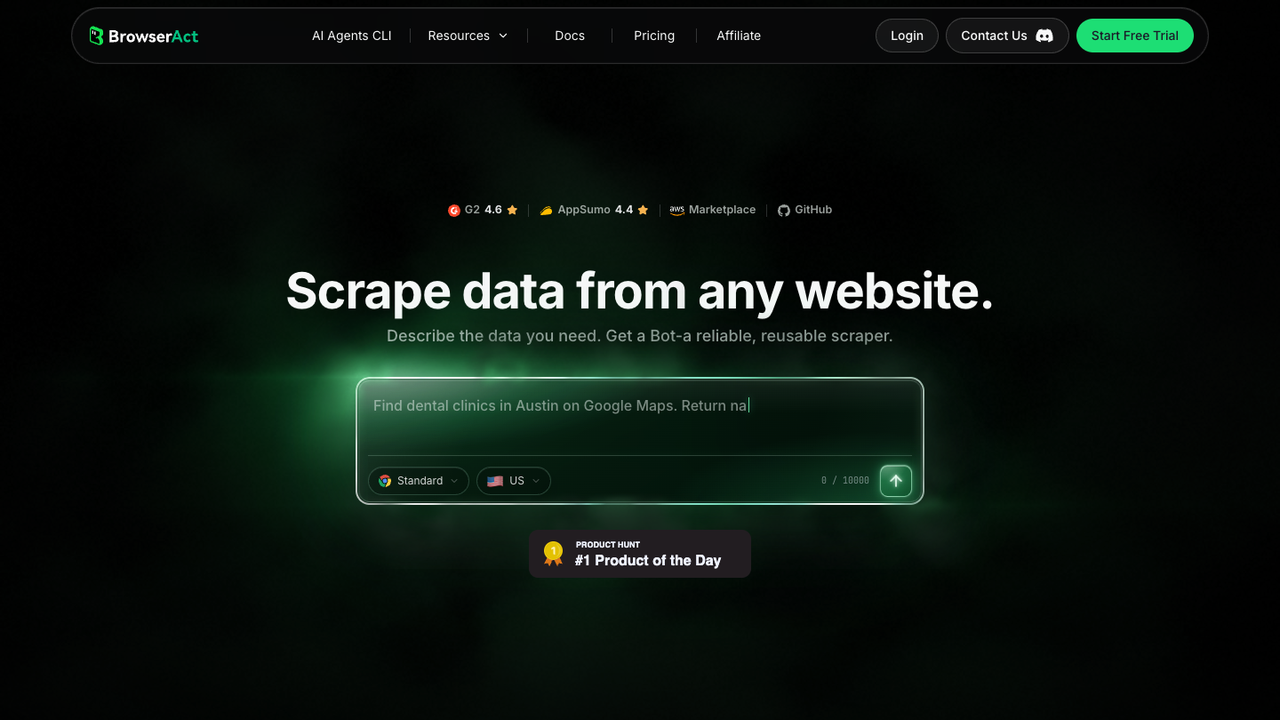
Use BrowserAct first when the logic is changing:
- The analyst is still testing which X queries matter.
- The field list changes by campaign.
- You need screenshots, not just JSON.
- You need a human-review column.
- You want to export to Sheets or CSV first, then automate later.
- You want to turn a successful prompt into a scheduled cloud Bot.
For recurring follower-growth tracking, start from the BrowserAct Twitter/X Follower Dashboard template. For a custom public-conversation workflow, start with Agent, then save a Workflow after the schema stops moving.
4. Review failure states
X/Twitter workflows fail in predictable ways. Your export should name those failures clearly.
Failure state | What it usually means | What to do |
| The page asks for an account | Stop or switch to an approved data path |
| The run hit a trust challenge | Stop and review scope |
| Protected/private content | Do not collect |
| Deleted post, changed URL, or unavailable page | Record status and move on |
| Too many requests or endpoint/window limit | Slow down; if API-based, wait for reset |
| Ambiguous content or missing fields | Let a person decide |
5. Export and dedupe
Export to the least fancy destination that your team will actually review.
For most teams:
- CSV is best for one-off analysis.
- Google Sheets is best for collaborative review.
- JSON is best for a developer pipeline.
- Webhooks are best after the schema has stabilized.
- n8n, Make, Zapier, or Clay are best only after the first rows have been checked.
Deduplicate by post_id when available and by normalized source_url when it is not. If the workflow runs daily, add first_seen_at and last_seen_at so your report can show new posts instead of re-exporting the same old rows.
Recommended routes after the workflow is clear
Once you understand the job, choose the route. BrowserAct should be first when the workflow is custom; a fixed scraper can be better when the task is narrow.
1. BrowserAct — best for custom prompt-led X/Twitter research
Use BrowserAct when the task is easier to describe than to code:
- “Open these public profiles and collect only posts about product launches.”
- “Search this hashtag during the event and flag posts with founder mentions.”
- “Collect public post URLs, screenshots, and visible engagement for a competitor-content review.”
- “Export to Google Sheets with
status,source_url, andscreenshot_pathcolumns.”
The advantage is flexibility. You can start with natural language, inspect the first rows, then turn the proven run into a repeatable BrowserAct Workflow. For technical teams, BrowserAct CLI is the bridge when you want browser execution inside a controlled pipeline without rebuilding the browser layer yourself.
Limitations: BrowserAct should still follow the same stop rules. A browser agent is not a license to bypass login, CAPTCHA, 2FA, private content, or account-state actions.
2. A no-login scraper actor — best for fixed public post exports
Apify’s Tweet Scraper page is a good example of the no-login/no-API-key category. It positions the actor around handles, post URLs, and search queries, with export options such as JSON, CSV, and Excel. It also documents practical limits: search can be rate-limited, and residential proxy settings may matter for sustained runs.
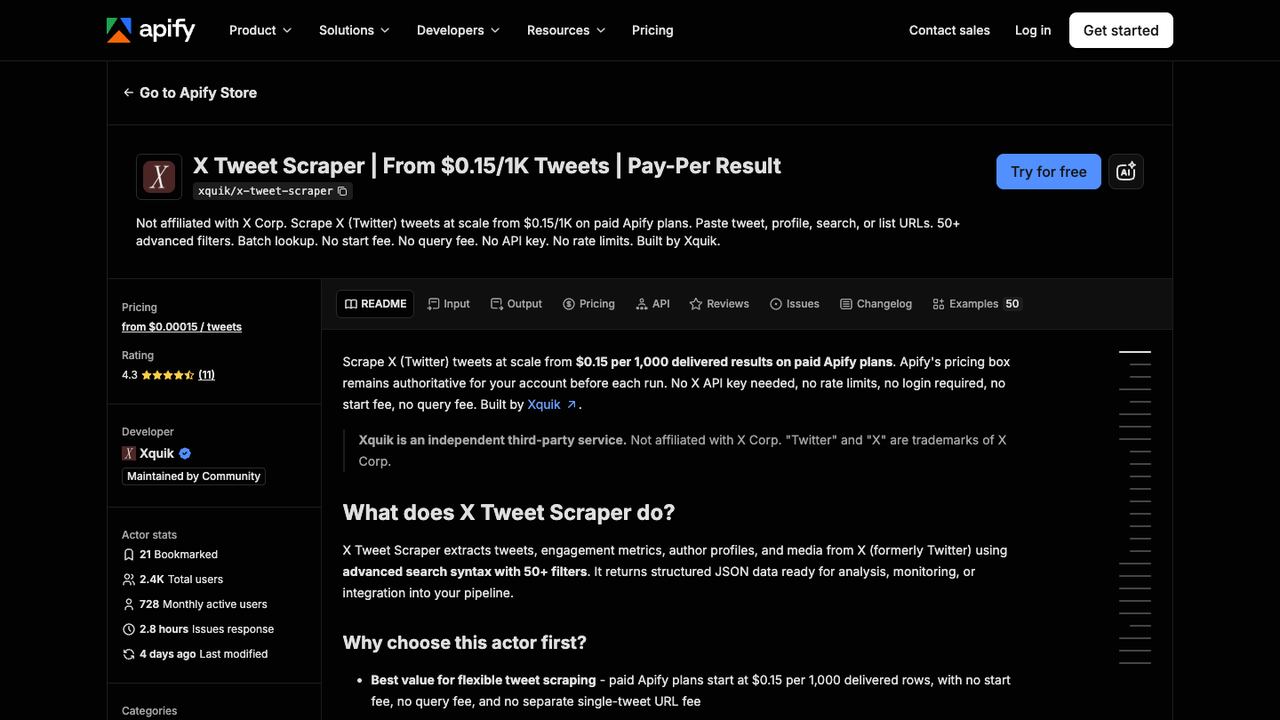
Use this route when:
- The input type is fixed.
- The output schema already matches your needs.
- You do not need custom screenshots.
- You are comfortable with the actor’s maintenance, pricing, fields, and failure codes.
Limitations: A marketplace actor can be excellent for a narrow job, but its logic is still a productized workflow. If your analyst keeps changing the rules, a prompt-led browser run is usually easier to iterate.
3. Official X API — best when access and limits match the job
If you have official access and the endpoint covers the data you need, start there. The official API gives clearer authentication, response codes, rate-limit headers, and developer-console visibility.
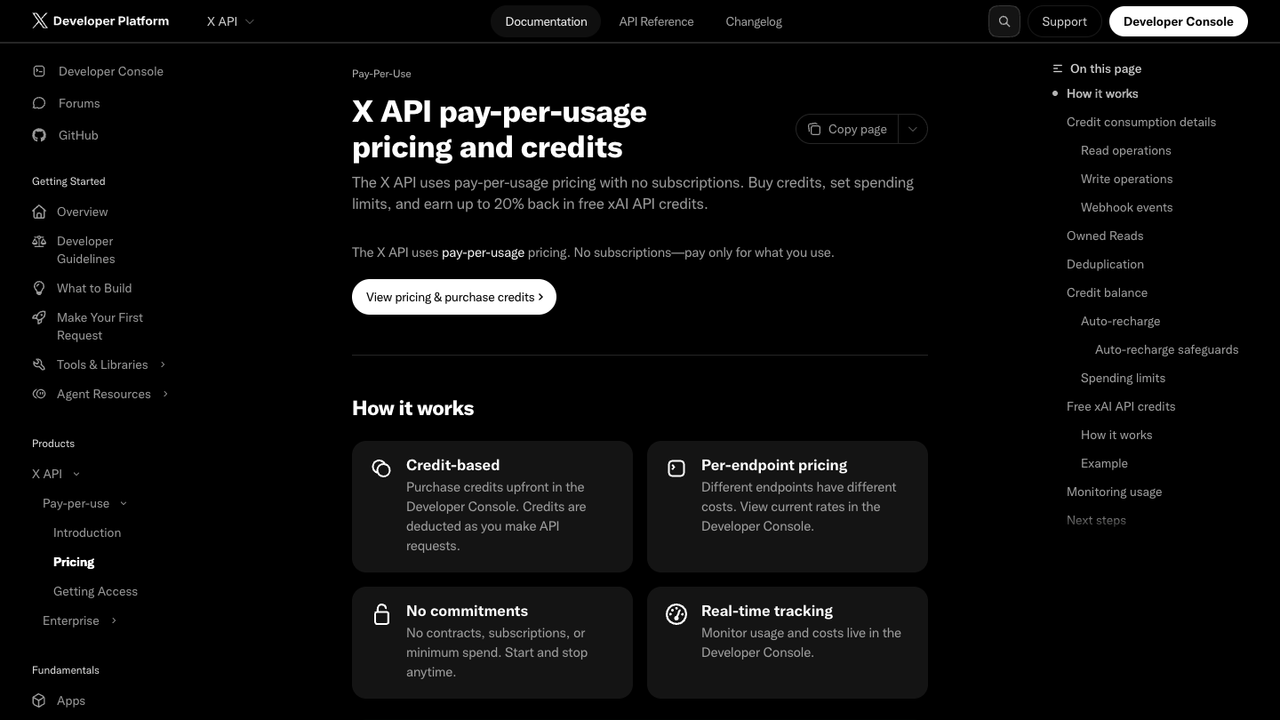
Use the official API when:
- You need a supported integration.
- You can stay within endpoint limits.
- You need predictable API responses.
- You have legal/compliance reasons to avoid browser collection.
Limitations: The API may not expose the exact data object, history depth, or price point your workflow needs. That is why “without API” searches exist, but the right answer is not always to avoid the API. The right answer is to match the data path to the job.
4. Local scripts — best for developers who want control
Local browser scripts, open-source tools, and MCP-style projects can be useful for technical teams. They give control over code, storage, and integration.
Use this route when:
- You have engineers who can maintain selectors, sessions, retries, and exports.
- You need local-only processing.
- You accept the maintenance cost.
Limitations: X’s front end changes. Login walls, dynamic rendering, rate limits, and trust challenges can turn a cheap script into a recurring maintenance job.
Give your agent a real browser, then turn the workflow into a Skill.
- 1. Use browser-act when an agent needs to open, click, scroll, extract, or inspect a live site.
- 2. Use browser-act-skill-forge when the workflow should become reusable across runs and agents.
- 3. Keep the operational boundary simple: automate what the user can already do in the browser.
Example schemas by use case
Brand and competitor monitoring
Use this when the question is “What is the market saying about us or a competitor?”
Fields:
querysource_urlauthor_handlepost_textposted_atvisible_engagementsentiment_labeltopic_labelscreenshot_pathcaptured_atstatus
BrowserAct fit: strong. The prompt can include brand names, competitor names, launch terms, and manual-review rules.
Hashtag and event tracking
Use this when a conference, launch, webinar, earnings event, or community campaign is active.
Fields:
hashtagpost_urlauthor_handlepost_textposted_atmedia_typementionsengagement_countscaptured_atstatus
BrowserAct fit: strong for live sampling and screenshots; a fixed scraper or API may be better for high-volume historical collection.
Public profile monitoring
Use this when you are following competitor accounts, creators, founders, analysts, journalists, or company handles.
Fields:
profile_urlauthor_handlepost_urlpost_textposted_atreply_countrepost_countlike_countview_countfirst_seen_atlast_seen_atstatus
BrowserAct fit: strong for custom review workflows. The Twitter/X Follower Dashboard template is better if the recurring job is account-growth tracking rather than post research.
Post and reply analysis
Use this when comments, replies, and thread context matter more than the original post alone.
Fields:
post_urlreply_urlreply_textreply_author_handlereply_parent_idposted_atvisible_engagementtopic_labelstatus
BrowserAct fit: good when you need source screenshots and manual review. Keep volume controlled; reply trees can grow quickly.
Common mistakes
Mistake 1: Treating “no login” as “no boundary”
No-login scraping does not mean everything public-looking is safe or appropriate to collect. It only means the workflow does not require you to provide a session. Keep the scope narrow and review the data type.
Mistake 2: Mixing scraping with engagement automation
Collecting public posts into a spreadsheet is one workflow. Liking, replying, following, adding to lists, or DMing people is another workflow with different rules and risk. Do not mix them.
Mistake 3: Exporting without source URLs
Rows without source_url are hard to trust. They cannot be reviewed, deduped, refreshed, or defended later.
Mistake 4: Ignoring deleted, private, or not-found states
If 20% of rows are missing, the workflow should tell you why. not_found, private, and manual_review are better than blank cells.
Mistake 5: Starting with automation before schema
If you cannot write the fields you want, you are not ready to automate. You are ready to prototype.
A practical BrowserAct prompt
Use this as a starting point:
Collect public X/Twitter posts for market research.

Input:
- Profile URLs or search queries provided in the spreadsheet.
- Max 30 posts per input for the first test run.

For each visible public post, extract:
- source_url
- author_handle
- author_display_name
- post_text
- posted_at if visible
- reply_count, repost_count, like_count, view_count if visible
- hashtags, mentions, external_urls
- captured_at
- status

Save screenshots for the profile/search page and for any post marked manual_review.
Export to CSV and Google Sheets.

Stop and record status if the page requires login, CAPTCHA, 2FA, payment, private access,
or if the content is unavailable.

Do not post, like, reply, repost, follow, unfollow, message, add users to lists, or change account state.
Run it once on a tiny sample. Review every column. Then save it as a recurring BrowserAct Workflow only after the output is boring and predictable.
When should you not scrape X/Twitter without API?
Do not use a no-API browser workflow when:
- The official API fully covers the job and your organization requires supported data access.
- The target content is private, protected, deleted, sensitive, or behind trust gates.
- The workflow needs account actions instead of read-only research.
- You need very high-volume historical archives without a compliant data path.
- You cannot explain the purpose, retention policy, or review process.
The honest answer is sometimes: use the official API, buy a licensed data provider, reduce the scope, or do not collect the data.
Final recommendation
If your job is a narrow public export from known handles or post URLs, a no-login scraper actor or scraper API may be enough. If your job is custom research—changing queries, campaign-specific fields, screenshots, source URLs, review states, Sheets exports, and repeatable browser runs—start with BrowserAct.
The winning workflow is not “scrape everything.” It is smaller and more useful: collect the public rows you can defend, preserve the source, export a clean table, and stop when the page asks for access you do not have.
Build a source-linked X/Twitter scraping workflow with BrowserAct
Two Skills, One Repeatable Browser Workflow
Start with live browser execution when the agent needs to understand a page. Move to Skill Forge when the same scraper should run again without re-exploring the site.
Run once with browser-act
Give Codex, Claude Code, Cursor, Windsurf, or another agent a real browser for rendered pages, clicks, scrolling, screenshots, DOM extraction, and network inspection.
Open browser-act SkillPackage with Skill Forge
Explore the site once, verify the extraction path, then generate a callable Skill package that other agents can reuse for batch jobs or scheduled workflows.
Open Skill ForgeFurther reading: X and Twitter data
Frequently Asked Questions
Can I scrape Twitter without API access?
Yes, for carefully scoped public read-only research, but you still need stop rules for login, CAPTCHA, 2FA, private content, paywalls, rate limits, and unclear permission.
What is the safest way to scrape tweets without coding?
Start with a small no-code browser workflow that captures source URLs, screenshots, status fields, and CSV/Sheets output before saving it as a recurring run.
Is a no-login Twitter scraper the same as an official API replacement?
No. A no-login scraper may help with public pages, but the official API remains the supported path when its access, fields, limits, and pricing fit the job.
What fields should a Twitter scraper export?
Export source URL, post ID, author handle, post text, visible timestamp, visible engagement, hashtags, mentions, captured time, status, and screenshot path for review.
Should I automate likes, follows, replies, or DMs with the same workflow?
No. Keep scraping workflows read-only and separate from account actions, which carry different platform rules, consent requirements, and account risk.
When should I use BrowserAct for X/Twitter scraping?
Use BrowserAct when the workflow needs prompt-led browser execution, custom fields, screenshots, source evidence, human review, scheduling, and exports without writing code.


