X API Alternative: Official API vs Scraper API vs Browser Bot

An X API alternative search usually starts after the official route stops being simple. Maybe pricing changed. Maybe a use case needs search, profiles, replies, or follower data beyond the endpoint and tier you can access. Maybe you are hitting 429 errors. Maybe a business workflow depends on X/Twitter data, and the team suddenly needs a fallback plan that does not take a quarter to ship. The answer is not automatically “use a scraper.” The better answer is to choose the right data path: offici
- 1An X API alternative is not one product category. It can mean a scraper API, no-code browser bot, marketplace actor, local script, data provider, or a smaller official API workflow.
- 2Use the official X API when your app is approved, the endpoint covers the data object, and the rate limits or pricing fit the job.
- 3Use BrowserAct first when the work is custom: prompt-defined navigation, screenshots, source URLs, Sheets/CSV export, scheduling, and human review.
- 4Use a scraper API when the input and schema are stable, such as known post URLs, known handles, or a fixed search export.
- 5X’s own docs make rate limits and 429 recovery explicit; any alternative should still preserve error states instead of returning silent blanks.
- 6Avoid framing alternatives as a way to bypass X controls. Keep workflows public, read-only, scoped, and separate from posting, liking, replying, following, DMs, or other account actions.
Why people look for an X API alternative
The demand is not imaginary vendor marketing. Your X/Twitter topic workbook shows several adjacent queries with real Ahrefs data:
Keyword | US volume | KD | CPC |
| 800 | 34 | $5.00 |
| 350 | 47 | $3.50 |
| 70 | — | — |
| 40 | — | — |
| 30 | — | — |
| 20 | — | — |
| 10 | — | $4.00 |
The same pain appears in community evidence. A Hacker News discussion around Twitter’s enterprise API pricing framed the problem bluntly: many developers and small companies were priced out. Another HN thread from businesses relying on the Twitter API shows the migration-risk side of the issue: if your product depends on one data access model, policy and pricing changes become operational risk.
So the real question is not “what tool can replace the API?” It is:
- What data object do you need?
- Is an official endpoint available?
- What limit or price makes the official route painful?
- Do you need fixed JSON or browser-context evidence?
- Who owns compliance review and failure handling?
- Is this a one-time export or recurring workflow?
Pro Tip: Before comparing vendors, write one sentence: “We need [data object] from [source/input] every [frequency] for [decision], and each row must include [evidence].” That sentence will eliminate half the wrong tools.
The four X/Twitter data paths
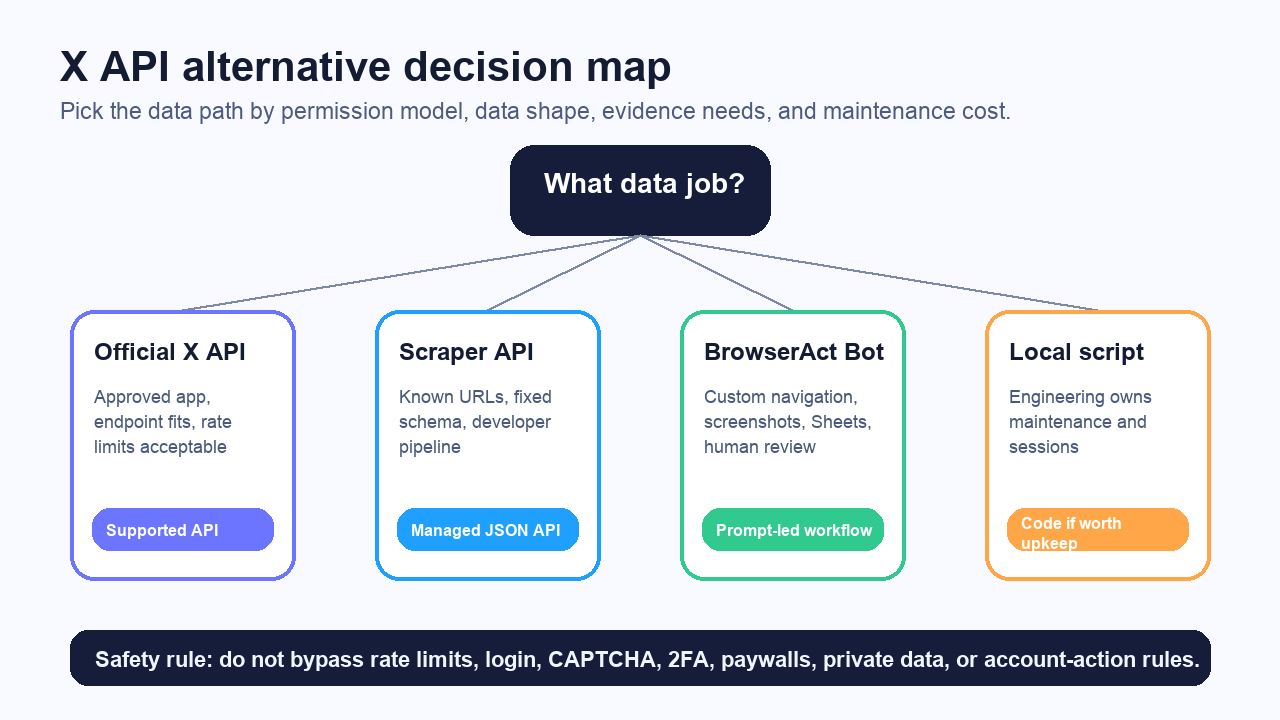
There are four practical routes.
Route | Best for | Typical input | Typical output | Main trade-off |
Official X API | Supported integrations and approved data access | App credentials, endpoint request | API response | Access, pricing, endpoint coverage, and limits |
BrowserAct browser bot | Custom public research, evidence, Sheets, screenshots | Prompt, allowed URLs, query, schema | Cloud Bot, CSV/JSON/Sheets, screenshots | Needs tight scope and stop rules |
Scraper API / actor | Fixed public inputs and developer pipelines | Handles, post URLs, search terms | JSON/CSV/API/webhook | Vendor maintenance, policy risk, schema fit |
Local script | Engineering-controlled workflows | Code, browser/session/proxy config | Custom output | Maintenance, fragility, compliance burden |
Endpoint-shaped jobs look like:
- “Given 10,000 post URLs, return the same 15 fields.”
- “Given 500 handles, return recent public posts.”
- “Run this query every hour and send JSON to a webhook.”
Browser-shaped jobs look like:
- “Open these public profiles, capture source screenshots, and flag ambiguous rows for review.”
- “Compare a competitor’s launch posts, replies, visible engagement, and linked pages.”
- “Try several public X searches, save only rows matching this campaign rule, and export a reviewer-ready Sheet.”
BrowserAct is built for the second shape.
Route 1: Official X API
Start with the official API when the endpoint, access tier, and policy model match the job.
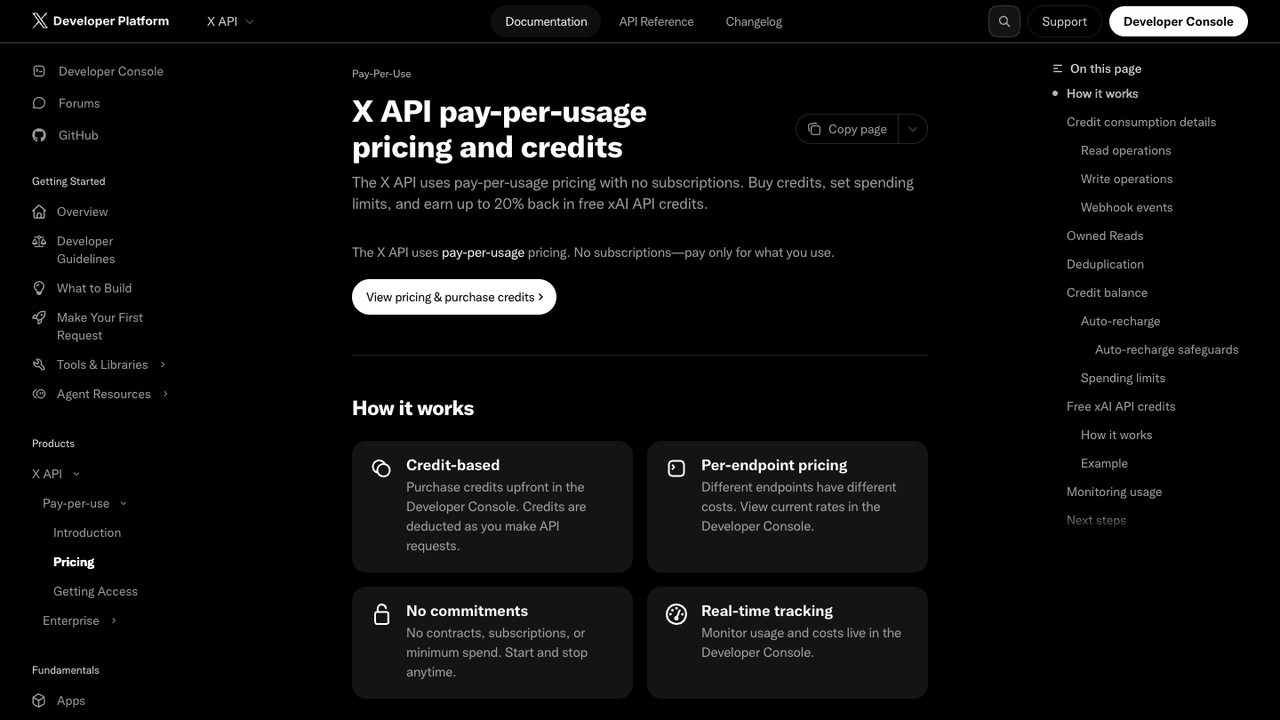
The official X API gives you a supported integration path, clear authentication, structured response objects, and documented rate-limit behavior. X’s rate-limit docs explain that limits are per endpoint and may be per app or per user. The docs also show response headers such as x-rate-limit-limit, x-rate-limit-remaining, and x-rate-limit-reset, which tell you how much room remains in the current window.
That is valuable when you are building a product, compliance-reviewed integration, or stable developer pipeline.
Use the official API when:
- Your app has or can get approved access.
- The endpoint exposes the data object you need.
- The rate limit is acceptable for your frequency.
- You need predictable authentication and response codes.
- Your legal or compliance team prefers official access.
The hard part is fit. For example, X’s docs show recent search and full-archive search as different endpoints with different caps, query lengths, and result limits. Tweets lookup, timelines, mentions, likes, and stream endpoints also have separate limits. If your job spans several data objects, the operational shape can become complicated quickly.
Pro Tip: Do not compare alternatives until you know the exact endpoint that would solve the official version of the job. “Twitter data” is too vague; “recent search for 20 keywords every 30 minutes” is actionable.
Route 2: BrowserAct browser bot
BrowserAct is the first workflow to try when the work is not a clean endpoint call.
Use BrowserAct when your request sounds like a research brief:
- “Collect public posts from these competitor profiles and save evidence screenshots.”
- “Monitor this hashtag during a launch window and export posts with source URLs.”
- “Open each source page, capture visible fields, mark missing/private/not-found rows, and export to Sheets.”
- “Let an analyst review the first 50 rows before this becomes a recurring run.”
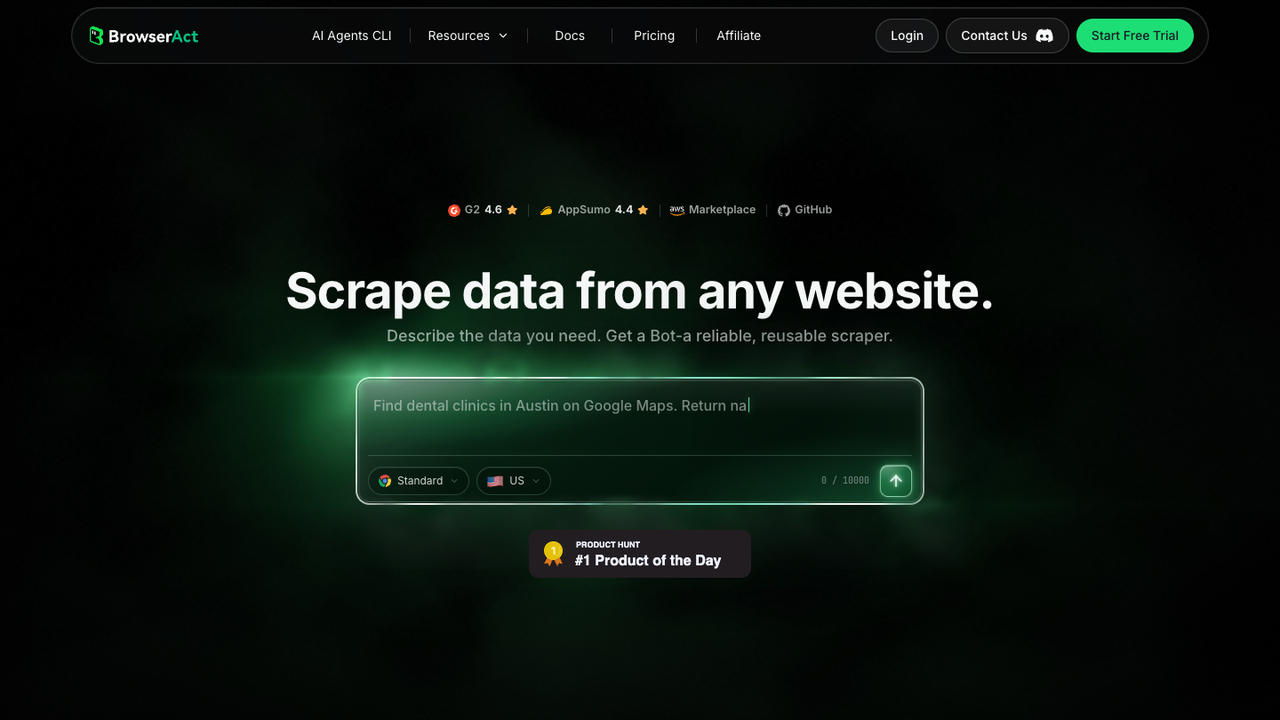
BrowserAct’s advantage is not that it magically ignores platform rules. The advantage is workflow shape. You can describe the browser task in plain English, keep the collection public and read-only, capture source URLs and screenshots, export structured rows, then save the run as a reusable cloud Bot once the schema is stable.
That makes it a strong X API alternative for:
- Social listening briefs.
- Launch monitoring.
- Competitor content research.
- Creator or journalist source discovery.
- Public profile tracking.
- Evidence-heavy analyst workflows.
- No-code data collection into Sheets or CSV.
BrowserAct is also useful when the user does not yet know the final schema. A fixed API forces you to decide fields first. A browser workflow lets you inspect the page, test a small sample, and then formalize the schema.
Limitations:
- It should stop on login, CAPTCHA, 2FA, payment, private data, or unclear permission.
- It should not automate posts, likes, follows, replies, DMs, reposts, or account changes.
- It is not the right path for indiscriminate high-volume archives.
If you need recurring account-growth tracking rather than custom research, start from the Twitter/X Follower Dashboard template. If you need a developer-owned browser run, BrowserAct CLI is the more technical route.
Route 3: Scraper API or marketplace actor
A scraper API is closer to the official API shape: you send inputs and receive structured output.
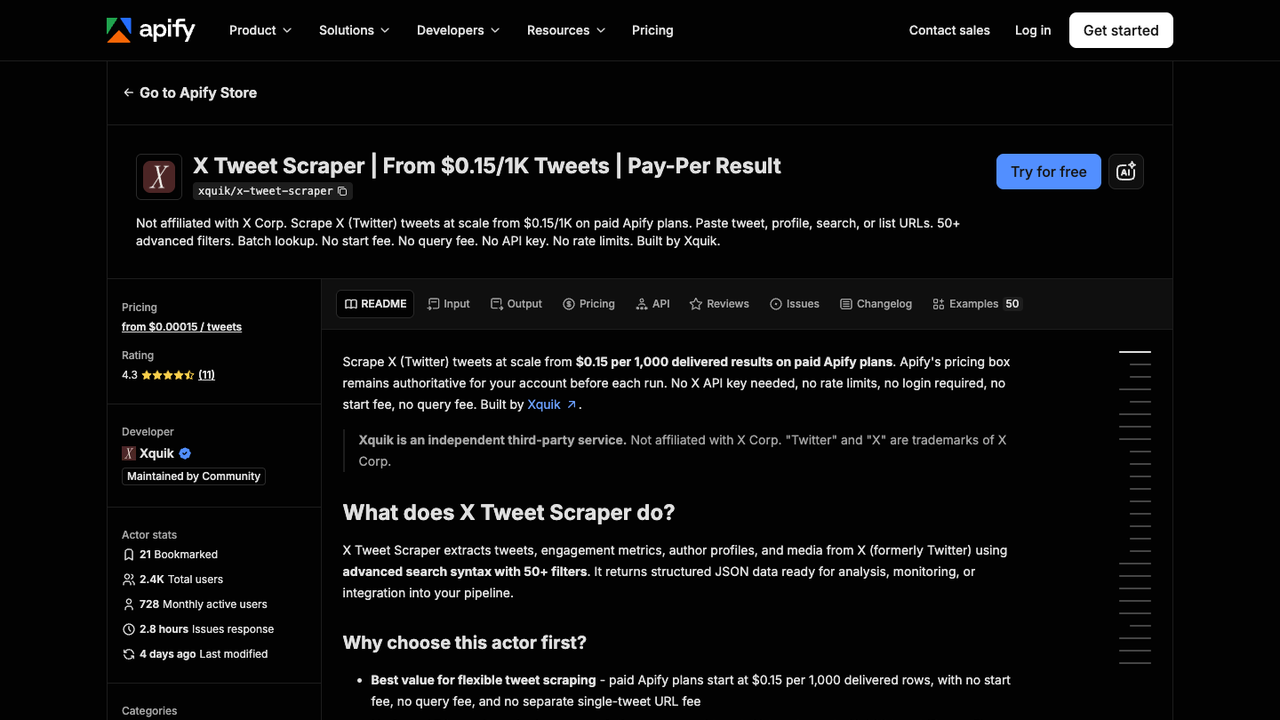
Apify’s Tweet Scraper actor is an example of this route. It positions itself around no-login/no-API-key public X/Twitter extraction, with inputs such as handles, post URLs, and search terms, and exports such as JSON, CSV, and Excel. It also documents a practical caveat: search can be rate-limited, while profile and post URL paths may be more reliable for certain runs.
Use a scraper API when:
- The inputs are stable.
- The vendor schema matches your required fields.
- You need JSON or webhook delivery.
- You do not need screenshots or page-level review evidence.
- You are comfortable with the vendor’s maintenance, pricing, and failure handling.
Limitations:
- You depend on the vendor’s scraping method and maintenance.
- You may not get source screenshots or custom review states.
- “No login” and “no API key” do not remove your compliance responsibilities.
- Output quality is only as good as the schema and error reporting.
Pro Tip: Ask every scraper API vendor how they represent failures. Good answers include explicit statuses like rate_limited, not_found, private, blocked, and partial. Bad answers quietly return empty rows.
Run the scrape once with browser-act. Package the repeatable path with Skill Forge.
- 1. An agent uses browser-act to search Google Maps, scroll listings, inspect place pages, and extract visible fields.
- 2. The team validates the schema: business name, category, address, phone, website, rating, review count, and source URL.
- 3. browser-act-skill-forge turns the proven flow into a reusable scraper Skill for future agent runs.
Route 4: Local script or open-source tool
Local scripts are attractive because they feel cheap and controllable. You can use a browser automation framework, open-source scraper, CLI, or MCP-style workflow and store data wherever you want.
Use this route when:
- Engineering wants full control.
- You can maintain selectors, sessions, retries, and exports.
- You need local-only processing.
- You have a clear review and compliance boundary.
Limitations:
- X’s front end changes.
- Login walls and trust challenges can break runs.
- Rate-limit behavior needs careful handling.
- Engineers inherit maintenance that a managed tool would otherwise absorb.
For teams that want control but do not want to own every browser edge case, a BrowserAct CLI or cloud Bot can be a middle ground: browser execution is managed, but the workflow can still connect into your pipeline.
How rate limits and 429s shape the decision
X API alternatives often get evaluated because someone hits a limit.
The official X rate-limit docs define the core model: limits are per endpoint, usually in 15-minute or 24-hour windows, and can apply per app or per user. The response-code docs define 429 as “Too Many Requests” caused by a rate limit or usage cap. They also distinguish errors such as 401 unauthorized, 403 forbidden, 404 not found, usage-capped, and rate-limit-exceeded.
That gives you a useful checklist for any alternative:
Question | Why it matters |
Does the tool preserve | Prevents silent bad data |
Does it expose source URLs? | Enables review and dedupe |
Does it support retries without duplicate rows? | Recurring jobs need stability |
Does it explain partial results? | X data often has unavailable resources |
Does it separate read-only collection from account actions? | Reduces policy and account risk |
Does it let a human review ambiguous rows? | Useful for sales, research, and brand workflows |
Choosing by use case
Public social listening
Best route: BrowserAct first, then saved Workflow.
Why: queries, competitor names, launch language, and review categories change often. Source URLs and screenshots matter.
Use BrowserAct when the prompt changes by campaign. Use a scraper API only after the schema is stable.
Fixed post URL enrichment
Best route: scraper API or official endpoint when available.
Why: this is endpoint-shaped. If you already have post URLs and need a fixed schema, a structured API is efficient.
Use BrowserAct only when screenshots, page context, or custom review logic matters.
Developer product integration
Best route: official X API when access fits; scraper API if the official route does not cover the needed object.
Why: product integrations need reliability, contracts, and predictable response handling.
Use BrowserAct for internal operations or research workflows, not as a hidden replacement for a user-facing API dependency without review.
Competitor profile monitoring
Best route: BrowserAct or a profile scraper API, depending on evidence needs.
Why: if the report needs visible source context, screenshots, and analyst notes, BrowserAct is stronger. If it only needs recent posts from known handles, a scraper API may be simpler.
Follower growth dashboard
Best route: template or official route, depending on fields.
If the job is recurring account tracking, start with the BrowserAct Twitter/X Follower Dashboard template. If the job is deep follower graph analysis, check official API access and limits before choosing another path.
A practical BrowserAct prompt for API fallback
Use this when the team needs a no-code fallback for public research, not a hidden replacement for an application API:
Build a public X/Twitter research table for the provided handles and search queries.

For each input, collect only visible public data:
- source_url
- author_handle
- post_url
- post_text
- posted_at if visible
- visible reply/repost/like/view counts
- hashtags, mentions, external_urls
- captured_at
- status
- screenshot_path for high-priority rows

Export to Google Sheets and CSV.

Stop and mark status if the page requires login, CAPTCHA, 2FA, payment, private access,
or if the content is unavailable.

Do not post, like, reply, repost, follow, unfollow, message, add users to lists,
or change account state.
That prompt makes the replacement boundary explicit. It is not “replace the X API for everything.” It is “build a reviewable public research workflow where official API access does not match the job.”
Decision checklist
Use this checklist before buying or building:
Decision question | Use official X API | Use BrowserAct | Use scraper API | Use local script |
Official endpoint covers the job | ✅ | Maybe | Maybe | Maybe |
Need source screenshots | No | ✅ | Rarely | Possible |
Need no-code analyst workflow | No | ✅ | Sometimes | No |
Need fixed JSON at scale | Sometimes | Maybe | ✅ | Possible |
Need custom navigation | No | ✅ | Rarely | Possible |
Need strict product integration | ✅ | Maybe | Maybe | Maybe |
Engineering wants full control | Maybe | Maybe | Maybe | ✅ |
Schema changes weekly | Hard | ✅ | Hard | Medium |
Compliance prefers official access | ✅ | Depends | Depends | Depends |
Final recommendation
Use the official X API when it covers your endpoint, access, limits, and compliance requirements. Use a scraper API when your inputs and output schema are stable. Use a local script only when engineering truly wants the maintenance burden.
Use BrowserAct first when the real job is custom public research: prompt-led browser execution, source URLs, screenshots, CSV/Sheets export, scheduled cloud Bots, and human review.
The best X API alternative is not the one that promises the most data. It is the one that makes your specific data job repeatable, reviewable, and safe enough to operate.
Build a source-linked X/Twitter data workflow with BrowserAct
Two Skills, One Repeatable Browser Workflow
Start with live browser execution when the agent needs to understand a page. Move to Skill Forge when the same scraper should run again without re-exploring the site.
Run once with browser-act
Give Codex, Claude Code, Cursor, Windsurf, or another agent a real browser for rendered pages, clicks, scrolling, screenshots, DOM extraction, and network inspection.
Open browser-act SkillPackage with Skill Forge
Explore the site once, verify the extraction path, then generate a callable Skill package that other agents can reuse for batch jobs or scheduled workflows.
Open Skill ForgeRelated reading: Google Maps Scraper: Build Local Data Pipelines That Actuall
Related reading: BrowserAct vs Bright Data Pricing: Transparent vs Hidden Fee
Related reading: For a deeper explanation of the topic and related workflows, read LinkedIn API Alternative: Official API vs Scraper API vs Browser Bot.
Further reading: X and Twitter data
Frequently Asked Questions
What is the best X API alternative?
The best X API alternative depends on the job: BrowserAct for custom source-linked research, a scraper API for fixed JSON, and the official API when endpoint access fits.
Is a Twitter scraper API better than the official X API?
Not always. The official API is better when it covers your use case and limits; scraper APIs are useful when official access, pricing, or endpoint coverage does not fit.
When should I use BrowserAct instead of a Twitter data API?
Use BrowserAct when you need prompt-led browser navigation, screenshots, source URLs, Sheets/CSV export, human review, and workflows that change by campaign.
What does X API 429 mean?
X’s docs describe 429 as too many requests caused by a rate limit or usage cap; recover by respecting the reset window or redesigning the workflow.
Can an X API alternative bypass rate limits or login walls?
Do not frame alternatives that way. Use scoped, public, read-only workflows and stop on login, CAPTCHA, 2FA, paywalls, private content, or unclear permission.
Should I build my own unofficial Twitter API?
Only if your engineering team accepts ongoing maintenance, failure handling, compliance review, and front-end changes; otherwise use a managed workflow or supported API.


