How to Scrape X Followers: 5 Proven Methods for 2026

Ever wondered how brands track competitor audience growth on X (formerly Twitter) or how creators analyze their follower demographics without scrolling for hours? Learning how to scrape X followers can unlock valuable insights—follower names, handles, growth trends, and audience composition—that fuel competitive analysis, influencer vetting, and social media strategy. X follower scraping means automatically extracting publicly visible follower data using tools or scripts instead of manually clic
- 1BrowserAct's login-aware technology detects when X requires authentication, pauses for manual login, then resumes extraction automatically—no ban risk.
- 2X's Official API costs $100+/month and enforces strict rate limits, making it impractical for large-scale follower scraping.
- 3Tweepy is the most popular Python library for X data but requires a paid API plan for follower list access.
- 4BeautifulSoup and Scrapy require reverse-engineering X's internal API endpoints and are easily blocked.
- 5Selenium can handle JavaScript-rendered follower modals but is extremely slow and easily detected by X's anti-bot systems.
Method 1: BrowserAct Agent Mode — Build an X Follower Scraper from One Prompt
BrowserAct Agent mode builds the follower scraper directly from your instructions. Tell the Agent which X account to inspect, which visible follower fields to collect, and where it must stop.
If X shows login, CAPTCHA, 2FA, or an account confirmation screen, BrowserAct pauses for manual completion before the Agent continues.
Build the X followers Bot with BrowserAct Agent
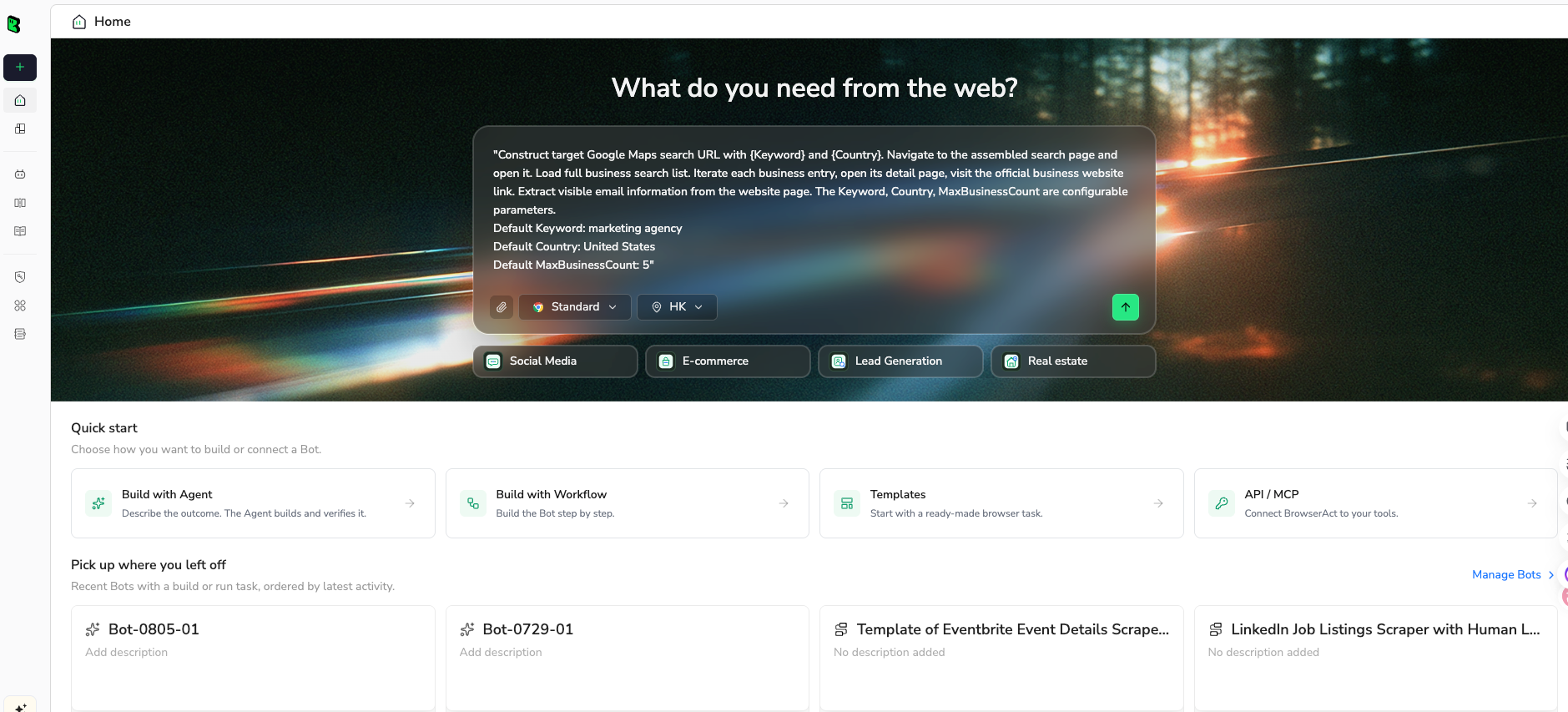
- Open BrowserAct Dashboard: Click the left-side + button to create a Bot, start from Quick start, or use the center Agent input.
The screenshot below shows the Agent input where BrowserAct turns your request into a verified, reusable Bot.
- Copy the complete prompt: Review the target, result limit, requested fields, and stop rules before pasting it into the Agent input.
Use the green Copy button. Scroll inside the prompt to review every line.
Go to https://x.com/ and open the target account's Followers page.

Target profile: @openai


Collect all visible follower profiles. Scroll until no additional followers can be loaded or until 500 unique followers are collected.


For each follower, extract:

Display name

Handle

Profile URL

Bio

Follower count, if visible

Following count, if visible

Location, if visible

Verification status

Website URL, if visible


Requirements:

If X asks for login, pause and let me complete login manually, then resume.

Do not follow, like, message, or interact with any account.

Remove duplicate profiles based on handle and profile URL.

Return the results as a structured table.

If a field is unavailable, leave it blank rather than guessing.

Include the total number of unique followers collected.
Scrape data from any website.
Describe the data you need. Get a Bot — a reliable, reusable scraper.
- Handle login only when asked: If the site shows login, CAPTCHA, 2FA, or account confirmation, BrowserAct pauses so you can complete it manually. Resume the Agent afterward.
- Review, dedupe, and export: Check the structured display name, handle, profile URL, bio, follower counts, location, and verification status rows, remove duplicates or bad rows, and export CSV, JSON, Markdown, or a Google Sheets-ready table.
Once the output is clean, save the Bot and rerun it with a new target, limit, or schedule.
What Data Can You Extract?
BrowserAct Agent for X follower research allows you to pull a wide range of publicly visible follower data for analysis. The Agent derives the extraction schema from your prompt, so you can request the fields that match your research goal, such as:
- Profile Metrics: Username, display name, following count, followers count, and profile URL for the target account.
- Follower List: Follower display names and usernames, loaded via scroll-based pagination.
The tool fully supports customization—you can adjust or add fields with follow-up instructions in the Agent (e.g., including bio text, profile image URLs, verified badges, or account creation dates). This flexibility lets you tailor the scraper to your specific project. Outputs sync directly to Google Sheets through Make.com, or you can export in CSV, JSON, XML, or Markdown for easy integration with your CRM or analytics tools.
Pros
- No coding needed—perfect for marketers, researchers, and non-technical users.
- Login-aware feature detects authentication requirements and pauses for manual login, preventing account bans.
- Handles X's scroll-based lazy loading automatically, extracting hundreds of followers per run.
- Free to use with trials, daily login for free credits, and lifetime deals (e.g., on AppSumo—pay once, use forever).
- Integrates with Make.com, n8n, and Zapier for automated workflows—sync follower data directly to Google Sheets, Slack, or Telegram.
- Built-in IP rotation avoids rate-limit blocks and temporary restrictions.
- Captures both profile-level metrics and individual follower entries in one run.
- No need to manage API keys, OAuth tokens, or developer portal approvals.
Cons
- Dependency on the tool, so updates or downtime could impact your workflow.
- Manual login step may be required when X session expires (though this is a security feature, not a limitation).
Ready to try it? Sign up for BrowserAct's free trial and start scraping X followers today!
Method 2: Using X's Official API
X's Official API is the most compliant way to access follower data programmatically. It provides authenticated access to follower lists and profile metrics through REST endpoints, though with significant tier-based limitations and pricing changes that have made it less accessible for many users.
Steps to Scrape X Followers with the Official API
- Apply for a Developer Account: Go to the X Developer Portal (developer.x.com) and apply for a developer account. Choose a plan (Free, Basic, Pro, or Enterprise) based on your needs and budget.
- Create an App and Get Keys: Create a new app to obtain your API Key, API Secret, Bearer Token, and Access Token.
- Authenticate: Use OAuth 2.0 or Bearer Token authentication to make API calls.
- Call the Followers Endpoint: Use the
GET /2/users/:id/followersendpoint to retrieve a user's followers, passing parameters likemax_results(up to 1000 per request) and pagination tokens for additional pages. - Handle Rate Limits and Pagination: Respect X's API rate limits (which vary by plan) and implement pagination using
next_tokento retrieve all followers.
Pros
- Official and compliant, with no risk of account bans when used within terms.
- Structured JSON data that's easy to integrate with databases and analytics tools.
- Reliable and maintained by X, with documentation and support.
- No anti-bot detection issues—API access is an approved method.
Cons
- Expensive—the Basic plan ($100/month) allows limited follower lookups, and Enterprise pricing is out of reach for most individuals.
- Rate limits are strict: the Basic plan allows 10,000 follower lookups per month, which may not cover large accounts.
- Free tier provides almost no useful follower access.
- Requires coding knowledge (Python, JavaScript, or HTTP requests) to implement.
- API changes and pricing shifts have historically reduced access without warning.
Method 3: Python Libraries Like Tweepy
For Python developers, Tweepy is the most popular library for interacting with X's API. It wraps the API endpoints in Python objects, making it easier to authenticate, paginate, and handle rate limits.
Steps to Scrape X Followers with Tweepy
- Install Tweepy: Run
pip install tweepyin your terminal. - Authenticate with API Credentials: Set up your API keys and access tokens from the X Developer Portal.
- Get the Target User's ID: Use
client.get_user(username=...)to retrieve the user's ID. - Fetch Followers with Pagination: Use
client.get_users_followers(id=user_id, max_results=1000)with pagination tokens to retrieve all followers. - Export Results: Save follower data (username, name, ID, description) to CSV, JSON, or a database.
Here's an example Python script to scrape followers from a target account:
import tweepy
import csv

# Authenticate with OAuth 2.0 Bearer Token
client = tweepy.Client(bearer_token="YOUR_BEARER_TOKEN")

# Get target user ID
user = client.get_user(username="elonmusk")
user_id = user.data.id

# Fetch followers with pagination
followers = tweepy.Paginator(
    client.get_users_followers,
    id=user_id,
    max_results=1000
)

# Export to CSV
with open("followers.csv", "w", newline="") as f:
    writer = csv.writer(f)
    writer.writerow(["Name", "Username", "ID\


