LinkedIn Scraper Workflow: Send Data to Sheets, n8n, Webhooks, and Clay

A LinkedIn scraper workflow usually breaks after the CSV export. The first run looks useful: company names, profile URLs, post links, maybe comments, followers, job titles, or engagement snapshots. Then the team asks the harder questions. Which rows are duplicates? Which source URL produced this lead? Which records are safe to enrich? Which ones should go to Clay, HubSpot, Salesforce, Airtable, or a weekly research report? What happens when the next scheduled run changes old values? That is why
-
1A LinkedIn scraper workflow should preserve evidence first:
source_url,captured_at,matched_query, screenshots, and extraction status. - 2Use Google Sheets or Airtable as a staging layer before pushing anything into Clay, HubSpot, Salesforce, or outbound tools.
- 3n8n, Make, and webhooks are best used for routing, validation, deduplication, alerts, and refresh jobs — not for blindly scraping and sending records downstream.
- 4BrowserAct should be the first workflow to try when the job starts with a human-readable LinkedIn research prompt and needs browser execution, screenshots, structured export, scheduling, and stop rules.
- 5Keep the workflow read-only. Do not automate likes, follows, comments, reposts, messages, connection requests, or publishing from a data collection workflow.
Why this topic is worth a standalone workflow
The BrowserAct LinkedIn topic workbook marks this cluster as LNK-10: “Workflow integration / n8n / Sheets.” It has 8 source-backed evidence rows, an average evidence score of 4.53, and 8 P0/P1 evidence rows. The content plan labels it as an integration tutorial: “LinkedIn Scraper to Sheets, n8n, Webhooks, and Clay.”
The workbook did not show visible Ahrefs search volume or KD for the exact primary keyword, and no fresh Ahrefs query was run for this article. That does not make the topic weak. It means the search demand is fragmented across operational phrases:
User phrase | What the user actually wants |
| Run or route LinkedIn data through a no-code automation tool |
| Refresh posts, companies, leads, or hiring signals on a cadence |
| Move post data into a spreadsheet or analytics workflow |
| Push reviewed rows into HubSpot, Salesforce, or another CRM |
| Combine source capture, enrichment, verification, and outreach |
| Preserve proof and traceability for every row |
The clean architecture: capture first, enrich later
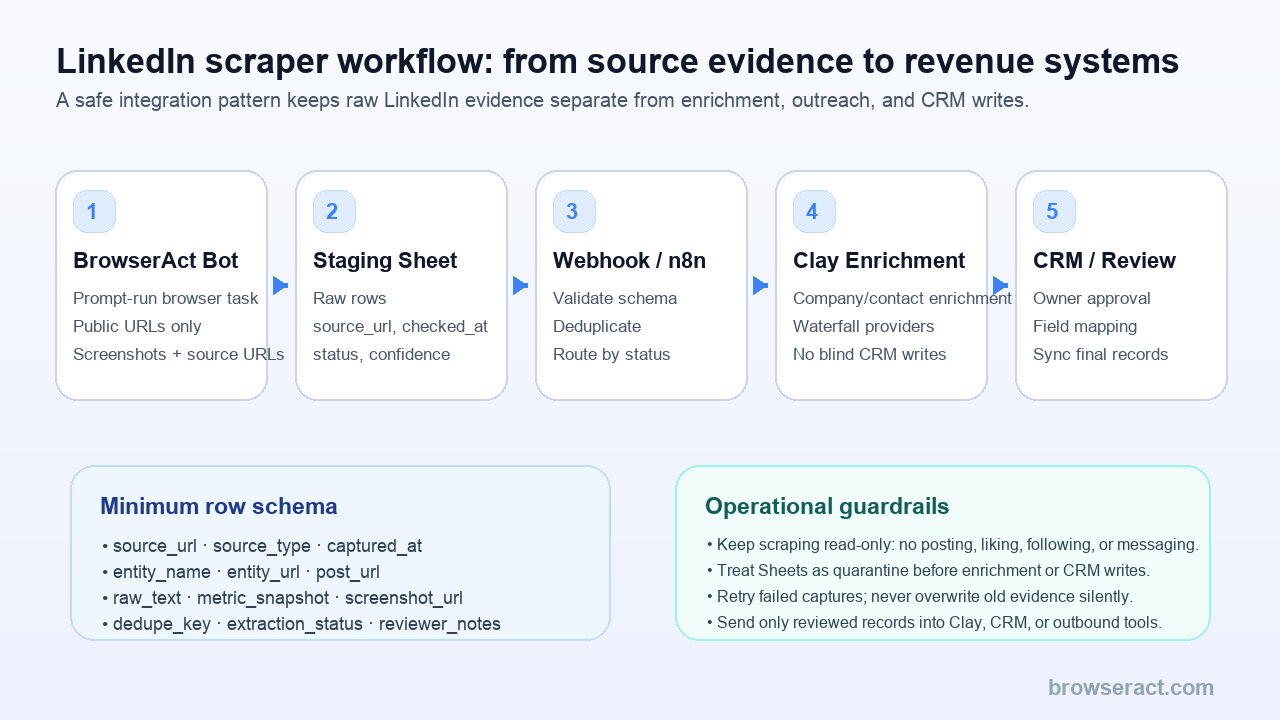
The workflow should have five layers:
- BrowserAct Bot for source capture.
- Sheets or Airtable for raw staging.
- Webhook or n8n for validation and routing.
- Clay for enrichment and waterfall research.
- CRM or human review for final approved records.
That order is not decorative. It protects the team from pushing messy scraped rows straight into systems where they look official.
Pro Tip: Treat your first spreadsheet as a quarantine table. Nothing enters Clay, CRM, outbound sequencing, or reporting until the raw row has a source URL, timestamp, status, and review decision.
Step 1: Define the LinkedIn source layer
Do not start by saying “scrape LinkedIn.” Start with the page type and evidence you need.
Source type | Good workflow goal | Risk if undefined |
Company pages | Build competitor or account research tables | Mixing company, post, and profile fields |
Public company posts | Monitor content, campaigns, hiring signals, and messaging | Losing post URL or timestamp context |
Post URLs | Collect comments and engagement snapshots | Duplicate comments across reruns |
Sales Navigator lists | Export account or lead research for review | Treating research rows as outreach-ready contacts |
Job pages | Track hiring or category signals | Stale job data entering GTM reports |
Search result pages | Build a source-linked research shortlist | Weak dedupe and unclear matched query |
With BrowserAct, the prompt can define those boundaries directly:
Open each public LinkedIn company page URL in this input sheet.
Collect visible company name, LinkedIn URL, website, location, industry, follower count if visible, description, and recent public post URLs.
Export one row per company.
Include source_url, matched_input, captured_at, screenshot_url, extraction_status, and reviewer_notes.
Stop and mark the row as needs_review if login, CAPTCHA, 2FA, payment, unusual activity, or access uncertainty appears.
Do not like, follow, comment, message, connect, repost, or publish.
That prompt is the control plane. It tells the browser what to collect and what not to do.
Step 2: Use a minimum schema that survives downstream automation
Most LinkedIn exports fail because the schema is optimized for the first screenshot, not the fifth system.
Use this minimum schema before sending rows to n8n, Clay, or CRM:
Field | Required? | Why it matters |
| Yes | Proves the row’s origin |
| Yes | Separates company, post, profile, job, and comment rows |
| Yes | Shows which URL, keyword, or segment produced the row |
| Yes | Makes refreshes and stale values visible |
| Yes | Human-readable row label |
| Yes | Canonical URL for dedupe and review |
| Usually | Description, post text, job text, or comment body |
| Optional | Visible counts at capture time, not permanent truth |
| Recommended | Visual proof when rows are disputed |
| Yes | Prevents repeated rows across scheduled runs |
| Yes | Success, partial, stopped, blocked, or needs review |
| Yes | New, approved, rejected, ignore, or follow up |
Step 3: Send LinkedIn data to Sheets before anything else
Sheets is not fancy, but it is the right first destination for most LinkedIn scraper workflows.
Why? Because humans can inspect it. A strategist can filter by extraction_status. A sales ops person can check duplicates. A data analyst can see which columns are inconsistent. A manager can approve rows before they reach Clay or CRM.
The staging sheet should have at least three tabs:
Tab | Purpose |
| Every row from BrowserAct or another source capture tool |
| Rows that need human approval or cleanup |
| Rows allowed to move into Clay, enrichment, CRM, or reporting |
raw_capture if you can. Raw data should stay raw. Use additional tabs for cleanup, scoring, dedupe, and routing.
Pro Tip: Never make the first automation “scraper → CRM.” Make it “scraper → staging table → review rule → downstream system.” It is slower for one test run and dramatically safer for every run after that.
Step 4: Use n8n or webhooks for routing, not magic
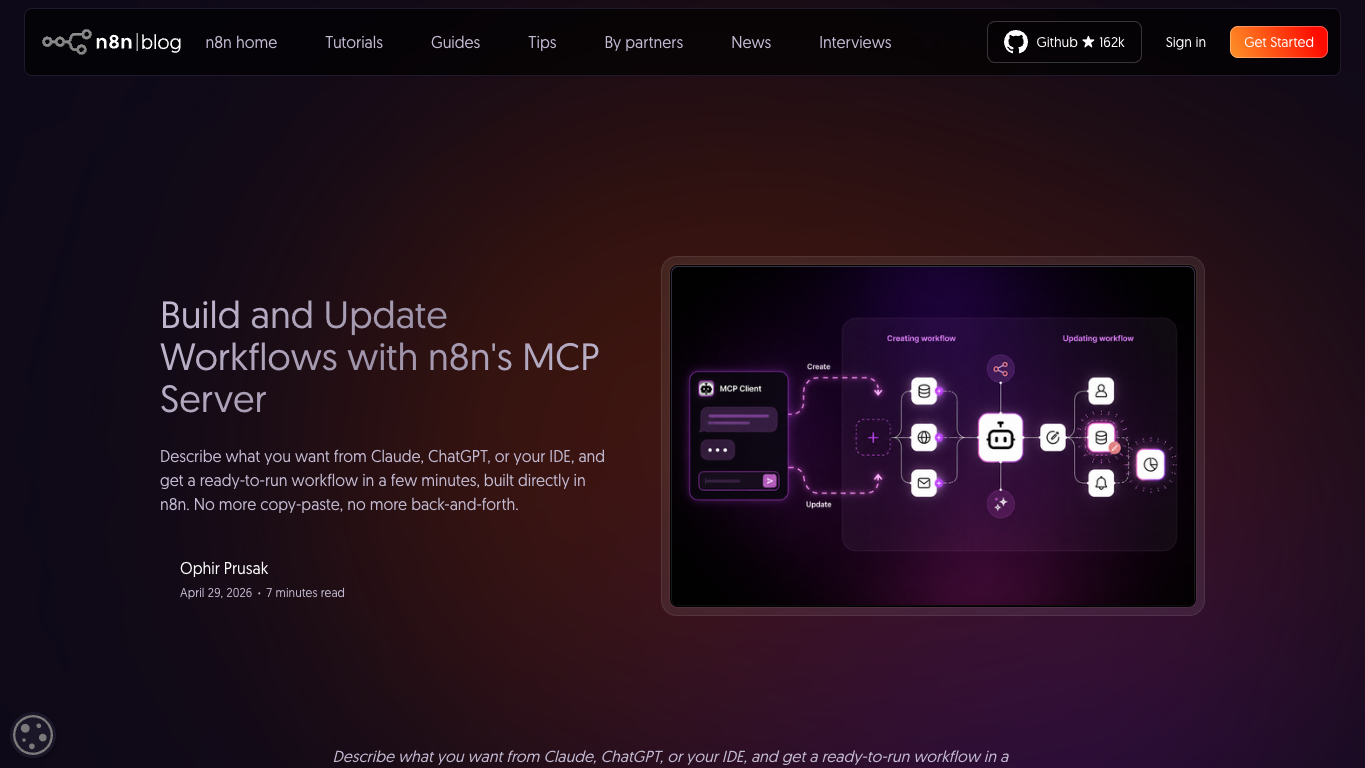
Official n8n screenshot. Source: n8n MCP server announcement.
n8n is useful after the capture schema is stable. Its job is to make decisions that are too repetitive for humans and too risky to hide inside the scraper.
Good n8n jobs:
- Receive a webhook when a BrowserAct run finishes.
- Validate that required fields exist.
- Generate a
dedupe_key. - Route failed rows to a review tab.
- Send approved company rows to Clay.
- Send stale rows back into a scheduled refresh.
- Alert the team when
extraction_statuschanges from success to partial. - Append clean records to a warehouse, Airtable, Notion database, or CRM import queue.
Bad n8n jobs:
- Automatically message leads.
- Automatically connect with profiles.
- Automatically comment, like, repost, or publish.
- Push unreviewed scraped rows directly into outbound.
- Hide capture failures because “the workflow completed.”
n8n’s own MCP direction is also a useful market signal. In April 2026, n8n described its first-party MCP server as a way to build and update workflows from prompts in supported AI clients, with a recommendation to use n8n 2.18.4 or higher for the best workflow-creation experience. That does not mean your LinkedIn workflow should become fully autonomous. It means prompt-driven workflow building is becoming normal, and you still need data boundaries.
Step 5: Push only approved rows into Clay
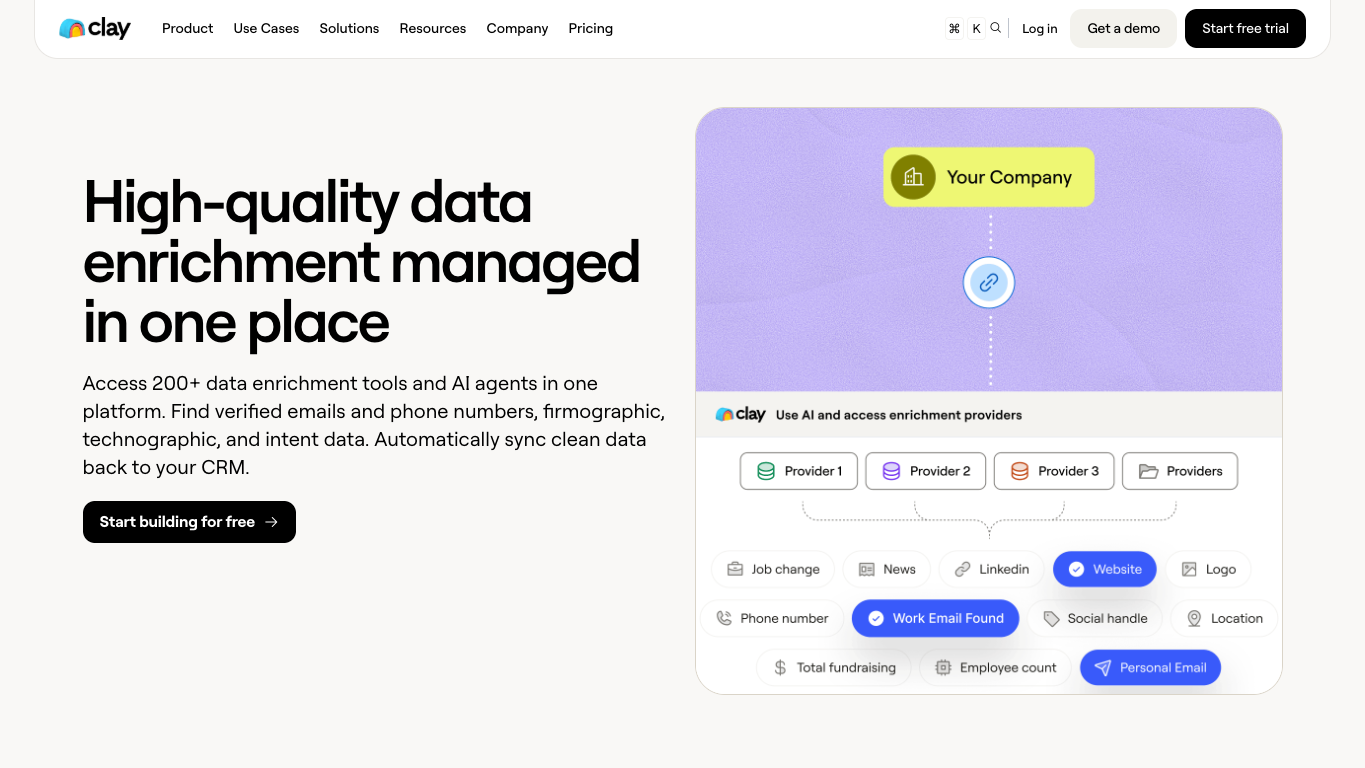
Official Clay screenshot. Source: Clay data enrichment use case.
Clay is powerful after the source rows are clean. It is the enrichment layer, not the proof layer.
Clay’s own positioning focuses on enrichment, AI agents, provider waterfalls, and syncing clean data back to CRM. Its FAQ also describes prospecting, enrichment, CRM integrations, webhooks, and HTTP API connectivity. That makes Clay a natural destination after your LinkedIn rows have been reviewed.
The safe handoff looks like this:
From staging field | Clay / enrichment use |
| Company enrichment |
| Website and firmographic match |
| Source context and possible enrichment input |
| Contact enrichment, if you have a legitimate use case |
| Review-only context, not proof of permission |
| Segment or campaign source |
| Gate for whether the row can enter Clay |
Run the scrape once with browser-act. Package the repeatable path with Skill Forge.
- 1. An agent uses browser-act to search Google Maps, scroll listings, inspect place pages, and extract visible fields.
- 2. The team validates the schema: business name, category, address, phone, website, rating, review count, and source URL.
- 3. browser-act-skill-forge turns the proven flow into a reusable scraper Skill for future agent runs.
Step 6: Design the webhook contract
A webhook should be boring and strict. Here is a simple payload shape:
{
  "run_id": "ba_2026_07_29_linkedin_company_monitor",
  "source": "browseract",
  "platform": "linkedin",
  "workflow": "company_page_monitor",
  "captured_at": "2026-07-29T09:00:00Z",
  "rows_url": "https://example.com/export.csv",
  "summary": {
    "total_rows": 250,
    "success_rows": 231,
    "partial_rows": 14,
    "stopped_rows": 5
  }
}
The webhook should not send every row if the table is large. Send a run summary and a secure export location, then let the workflow fetch and validate rows.
The receiving workflow should check:
- Is
run_idnew? - Is
platformexpected? - Are required fields present?
- Did stopped or partial rows exceed the allowed threshold?
- Does the export include
source_urlandcaptured_at? - Has the same
dedupe_keyalready appeared?
Pro Tip: If an automation cannot tell the difference between “no new LinkedIn posts” and “scraper failed,” it is not production-ready. Those two states need different alerts.
Step 7: Set up scheduled runs without overwriting evidence
Scheduled LinkedIn workflows are where teams quietly corrupt their own data.
The problem is not scheduling. The problem is treating the newest row as the only row. LinkedIn pages change. Posts get edited or deleted. Engagement metrics move. Job listings expire. Company descriptions shift.
Use one of these refresh models:
Model | Best for | How to store results |
Append-only | Audits, trend monitoring, engagement snapshots | New row per capture |
Upsert with history | Company metadata, account research | Current table + history table |
Alert-only | Competitor posts, hiring changes, funding signals | Store only deltas and source proof |
Manual review | Prospecting and CRM sync | Queue changed rows for approval |
Recommended workflow stack
Once the core search intent is answered, here is the practical stack I would use.
1. BrowserAct — source capture and browser execution
BrowserAct should be first when the job starts with a human-readable research task:
- “Monitor these LinkedIn company pages weekly.”
- “Export recent public posts from this competitor list.”
- “Collect source-linked profile research into a review table.”
- “Turn these Sales Navigator research results into a CSV for human review.”
How it works: you describe the workflow, provide input URLs or search targets, let a cloud browser execute the task, and export structured rows with source URLs, screenshots, and status fields.
Strengths:
- Prompt-to-cloud-Bot setup instead of maintaining code.
- Browser execution fits messy real-world pages better than rigid API-only assumptions.
- Good for custom fields, source proof, screenshots, and human handoff.
- Can be paired with Sheets, CSV, scheduled runs, and downstream tools.
Limitations:
- The workflow still needs clear boundaries.
- Private, restricted, or uncertain data should stop for review.
- It is not a permission slip to ignore platform rules.
Best for: Browser-based LinkedIn research workflows where the team needs structured export and proof before enrichment or CRM.
If you are still choosing the source-capture tool, start with the broader Best LinkedIn Scraper Tools guide. If you want a beginner path first, use the no-code LinkedIn scraper workflow.
2. Google Sheets or Airtable — staging and review
Sheets is the first place where operations people can catch errors. It is not glamorous, but it is visible, reversible, and easy to audit.
Best for: raw rows, review queues, QA tabs, dedupe checks, approval columns, and light scoring.
3. n8n or Make — routing and automation
n8n and Make are best for orchestration after the export is stable:
- Trigger on run completion.
- Fetch export files.
- Validate fields.
- Split success, partial, and failed rows.
- Route approved rows to Clay or CRM.
- Send Slack/email alerts for workflow failures.
Best for: low-code routing, scheduled refreshes, enrichment triggers, webhook glue, and alerts.
4. Clay — enrichment and GTM workflows
Clay belongs after review. Use it to enrich approved companies and contacts, run waterfall providers, research accounts, and sync clean data to CRM.
Best for: GTM enrichment, account research, CRM field completion, and outbound preparation after source rows are approved.
5. CRM — final system of record
CRM should receive only reviewed records. If every scraped row becomes a CRM record, the CRM becomes a junk drawer with dashboards.
Best for: approved accounts, owned leads, manually reviewed notes, campaign attribution, and owner assignment.
Example workflow: competitor post monitoring
Here is a realistic workflow for a marketing team:
- Put competitor LinkedIn company URLs in a sheet.
- Run a weekly BrowserAct Bot that collects recent public posts.
- Export
company_name,company_url,post_url,post_text,visible_reactions,visible_comments,captured_at,screenshot_url, andextraction_status. - Send the export to a staging sheet.
- Use n8n to dedupe by
post_url + captured_week. - Route posts containing launch, webinar, hiring, funding, benchmark, or pricing terms into a “signal review” tab.
- Send approved rows to a content intelligence report or Slack alert.
- Keep screenshots and source URLs for review.
This workflow avoids the biggest trap: pretending the scraper knows what matters. It does not. The scraper collects evidence. The workflow routes it. A human or a scoring layer decides what matters.
Example workflow: LinkedIn research to Clay and CRM
For GTM teams, the handoff is slightly different:
- Start with a reviewed ICP list or Sales Navigator research export.
- Use BrowserAct to capture public company/account evidence.
- Stage rows in Sheets with
review_status = new. - Require a reviewer to approve rows for enrichment.
- Send approved company rows to Clay.
- Use Clay to enrich domains, company size, technology signals, job changes, and contact data where appropriate.
- Sync only enriched, approved rows into CRM.
- Store
source_url,captured_at, andmatched_queryas CRM context fields.
If you skip step 4, the whole stack becomes faster and worse.
Safety boundaries for LinkedIn workflows
LinkedIn’s own help and user agreement restrict crawlers, bots, browser extensions, automated scraping, and unauthorized automated engagement. Treat that as a serious operating constraint, not a footnote.
For practical workflows, that means:
- Focus on public, visible, business-appropriate research.
- Do not bypass access controls.
- Do not use fake accounts.
- Do not automate connection requests, likes, comments, messages, reposts, or publishing.
- Stop on login, CAPTCHA, 2FA, unusual activity, payment, or unclear access.
- Keep an audit trail of source URLs and capture timestamps.
- Review your workflow with legal/compliance when the use case affects personal data, outreach, hiring, credit, employment, or regulated decisions.
This article is not legal advice. It is an operational pattern for reducing avoidable risk while keeping the workflow useful.
Common mistakes
Mistake | Why it hurts | Better pattern |
Sending scraper output directly to CRM | Pollutes the system of record | Stage, review, then sync |
Dropping source URLs | Removes auditability | Require |
Treating engagement metrics as permanent | Counts change | Store as |
Mixing row types | Breaks dedupe and reporting | Separate company, post, profile, job, and comment tables |
Automating outreach from raw rows | Creates compliance and brand risk | Add human approval before outbound |
Hiding partial failures | Makes bad data look complete | Route partial rows to review |
Overwriting old runs | Loses change history | Use append-only or history tables |
A simple rollout plan
If you are building this for a team, use a 7-day rollout:
Day | Goal | Output |
1 | Pick one use case | Competitor posts, company pages, Sales Navigator research, or hiring signals |
2 | Define fields and stop rules | Prompt, schema, review statuses |
3 | Run BrowserAct on 20–50 inputs | Test export and screenshots |
4 | Clean the staging sheet | Dedupe keys, required fields, validation |
5 | Add n8n/webhook routing | Success, partial, stopped, and alert paths |
6 | Send only approved rows to Clay | Enrichment test with a small batch |
7 | Decide CRM sync rules | Field mapping, owner, review, rollback |
Two Skills, One Repeatable Browser Workflow
Start with live browser execution when the agent needs to understand a page. Move to Skill Forge when the same scraper should run again without re-exploring the site.
Run once with browser-act
Give Codex, Claude Code, Cursor, Windsurf, or another agent a real browser for rendered pages, clicks, scrolling, screenshots, DOM extraction, and network inspection.
Open browser-act SkillPackage with Skill Forge
Explore the site once, verify the extraction path, then generate a callable Skill package that other agents can reuse for batch jobs or scheduled workflows.
Open Skill ForgeRelated reading: For additional setup guidance and a closer comparison, see LinkedIn Company Page Scraper: Competitor Research Workflow for 2026.
Related reading: For additional setup guidance and a closer comparison, see LinkedIn Post Scraper: Build a Clean Post and Comment Dataset.
Further reading: LinkedIn research
Frequently Asked Questions
What is a LinkedIn scraper workflow?
A LinkedIn scraper workflow is the end-to-end process for collecting visible LinkedIn data, exporting structured rows, validating the data, routing it through tools like Sheets or n8n, and sending only approved records into enrichment or CRM systems.
Can I send LinkedIn scraper data directly to Google Sheets?
Yes, and Sheets is often the best first destination. Use it as a staging layer with source URLs, timestamps, extraction status, dedupe keys, and review columns before sending rows downstream.
Can n8n run a LinkedIn scraper workflow?
n8n can orchestrate a LinkedIn data workflow after capture: receive a webhook, fetch exports, validate fields, dedupe rows, route failures, trigger enrichment, and alert the team. Keep the actual LinkedIn data collection bounded and read-only.
How do I connect LinkedIn scraper data to Clay?
Send only reviewed rows to Clay. Include company name, domain, LinkedIn URL, matched query, and review status. Use Clay for enrichment and CRM sync after the source data is clean.
What fields should a LinkedIn export include?
At minimum, include source_url, source_type, matched_input, captured_at, entity_name, entity_url, dedupe_key, extraction_status, and review_status. Add screenshots and metric snapshots when auditability matters.
Is it safe to automate LinkedIn actions?
Do not treat data collection as permission to automate engagement. Avoid automating likes, comments, follows, messages, connection requests, reposts, publishing, or access-control bypassing.
Where does BrowserAct fit in this stack?
BrowserAct fits at the source-capture layer. Use it to describe the LinkedIn research task, run a browser workflow, preserve source URLs and screenshots, export structured data, and then pass reviewed rows to Sheets, n8n, Clay, or CRM.


