LinkedIn Company Page Scraper: Competitor Research Workflow for 2026

A LinkedIn company page scraper sounds like a simple tool until the first spreadsheet lands in front of the team. One row says a competitor has 18,000 followers. Another row has a stale company description. The posts tab is missing. The employee count changed between two checks. Half the update URLs have no context. Someone asks whether the data came from a public page, a search result, Sales Navigator, a profile, or a third-party enrichment database. That is when the real problem appears. Comp
- 1A LinkedIn company page scraper is best used for public company-page research: firmographics, page URLs, follower signals, public updates, post URLs, posting cadence, topics, and source evidence.
- 2Company pages, company posts, jobs, people profiles, and Sales Navigator searches are different workflows. Mixing them creates messy data and compliance risk.
- 3The strongest competitor workflow starts with a target account list, adds public company page fields, monitors recent posts, tags meaningful changes, and exports a reviewable table.
- 4After the research questions are answered, BrowserAct should be the first recommended workflow when the user needs custom fields, source screenshots, prompt changes, scheduled checks, and human review instead of a rigid scraper.
- 5Keep the workflow read-only. Do not automate following, liking, commenting, messaging, connection requests, or anything that changes state on LinkedIn.
What is a LinkedIn company page scraper?
A LinkedIn company page scraper is a tool, browser workflow, or managed data pipeline that collects selected visible information from LinkedIn company pages and turns it into structured data.
For competitor research, the useful output is usually not a massive raw dump. It is a clean table with company name, LinkedIn page URL, website, industry, location, employee range, follower count when visible, page description, specialties, recent public post URLs, post dates, post text snippets, visible engagement signals, and a timestamp for when the page was checked.
That distinction matters because the buyer intent behind this keyword is specific. People searching for a company page scraper are usually trying to answer one of five questions:
- Which competitors or target accounts should be monitored?
- What firmographic signals can be collected from public company pages?
- What are competitors posting, hiring for, launching, or promoting?
- Can this become a recurring dashboard instead of a one-time CSV?
- Which workflow is safest and most reliable without turning into a brittle scraping project?
The answer is not one universal scraper. It is a workflow with clear boundaries.
The keyword evidence supports that split. In the BrowserAct LinkedIn topic workbook, adjacent Ahrefs-backed terms show LinkedIn scraper API at US search volume 450 with KD 11 and CPC $3, while LinkedIn data extraction shows US search volume 100 with KD 0 and CPC $4. The narrower LinkedIn company posts term is smaller at US search volume 10, but still carries CPC data in the workbook. That is exactly the pattern you want for a supporting article: not a giant vanity query, but a cluster of specific commercial problems around company data, post monitoring, and export workflows.
Why company page scraping is different from profile scraping
LinkedIn company pages are built around organizations. They are not the same as individual profiles, Sales Navigator lead searches, job search results, or post search.
That sounds obvious, but it is the source of many bad scraping projects.
A profile scraping workflow asks, “Who is this person?” A Sales Navigator export workflow asks, “Which leads match this search?” A company page workflow asks, “What can we learn about this organization and its public activity over time?”
That creates a different data model:
Research question | Better LinkedIn source | Typical fields |
What does this company do? | Company page | Name, URL, description, industry, specialties, website |
How large is it? | Company page / search result | Employee range, visible employee count, locations |
Is it actively hiring? | Jobs / company page activity | Job count, job titles, departments, locations |
What is it promoting? | Company posts | Post text, post date, media type, URL, visible engagement |
Is it growing in a segment? | Company page over time | Follower trend, hiring trend, posting cadence |
Which accounts changed this week? | Recurring monitor | New posts, edited descriptions, new jobs, campaign language |
Pro Tip: Start with one workflow per business question. “Competitor company profile database” and “weekly competitor post monitoring” can share account IDs, but they should not share the same extraction schema.
The company page data model that actually helps competitor research
The best company page datasets are boring in a good way. They do not try to collect everything on the internet. They capture the fields that let a strategist, marketer, SDR manager, or analyst make a decision without reopening 30 tabs.
Here is the minimum viable schema:
Field | Why it matters | Notes |
| The entity being tracked | Normalize naming before dedupe |
| Source link and stable reference | Keep the exact URL checked |
| Helps recurring monitoring | Useful when URLs redirect |
| Connects LinkedIn to the company domain | Useful for enrichment |
| Segment and competitor grouping | Often broad; do not over-trust it |
| Market and territory signal | Can be missing or ambiguous |
| Sizing and ICP fit | Treat as directional |
| Audience signal | Snapshot with timestamp |
| Positioning language | Useful for messaging changes |
| Keyword and category signal | Good for clustering |
| Evidence for activity | Store multiple rows per company if needed |
| Recency | Drives alert logic |
| Campaign and product signal | Avoid storing more than needed |
| Rough resonance signal | Likes/comments/reposts if visible |
| Audit timestamp | Required for trend comparisons |
| Human QA status | New, reviewed, ignored, needs follow-up |
For competitor research, stay small first. A clean 300-company dashboard reviewed weekly is more useful than a 40,000-row dump nobody trusts.
The workflow: from competitor list to monitoring dashboard
A reliable LinkedIn company page scraper workflow has six steps.
1. Define the competitor universe
Start with a known list before you scrape. Your list might include direct competitors, substitute products, target accounts, agencies in a region, fast-growing startups, or companies hiring for specific roles.
The input table should include:
Input column | Example |
Company name | Acme Analytics |
Website | acmeanalytics.com |
LinkedIn URL | linkedin.com/company/acme-analytics |
Segment | BI software |
Priority | Tier 1 |
Owner | Growth / Sales / Strategy |
Research reason | Pricing launch, hiring spike, category comparison |
2. Collect public company page fields
The first pass should capture static or slow-moving information: company name, URL, website, industry, location, description, specialties, follower count if visible, and employee range when available.
Do not treat every field as ground truth. LinkedIn pages are company-managed pages, and company-managed text is positioning material. That makes it useful, but not neutral. A competitor saying it is “AI-native revenue intelligence” tells you something valuable; it does not prove the product works.
3. Capture recent public posts separately
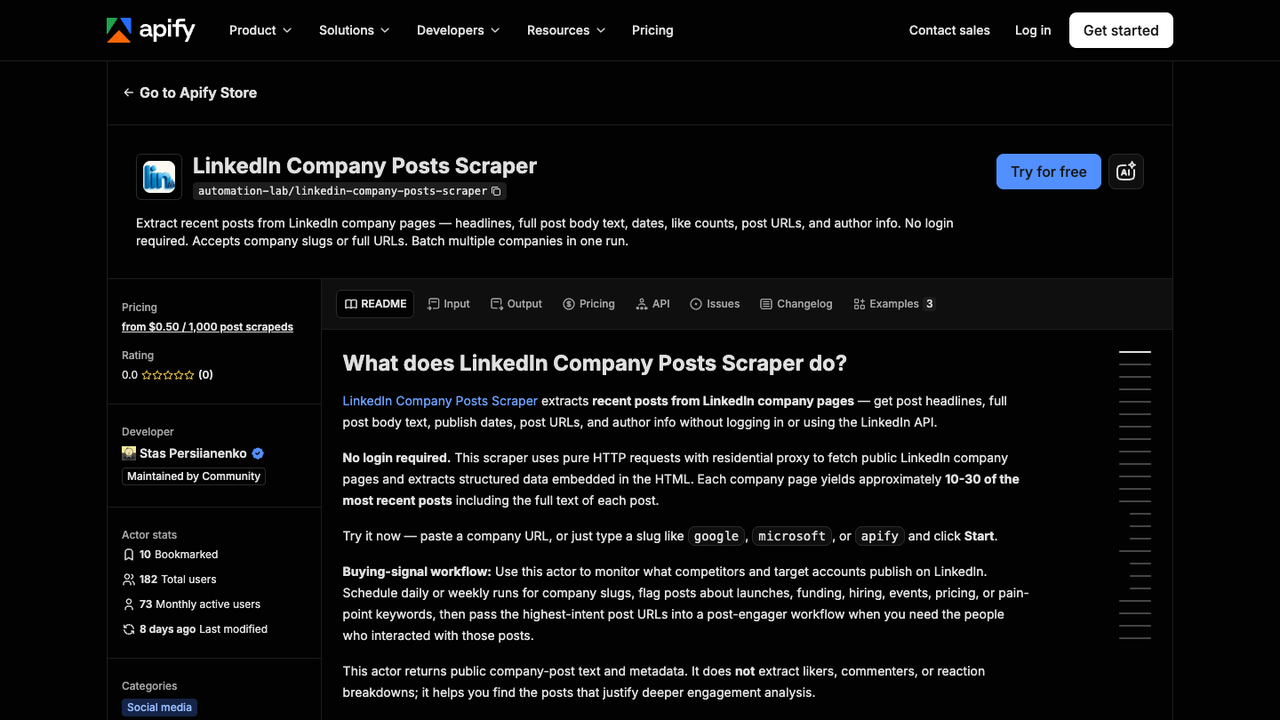
Official Apify screenshot. Source: LinkedIn Company Posts Scraper.
Company posts deserve their own table. The Apify company posts page is a good example of why: post monitoring has different fields from page-level firmographics. You care about post headline or text, publish date, post URL, media, visible engagement, author context, and whether the post mentions a launch, event, hiring push, partnership, pricing change, funding round, or customer story.
A useful post table might look like this:
Field | Example use |
| Join back to the account table |
| Source evidence |
| Recency and cadence |
| Campaign language |
| Product launch, hiring, funding, event |
| Prioritization, not absolute performance |
| Why the post matters |
| Analyst interpretation |
Pro Tip: Separate extraction from interpretation. Let the scraper collect source-linked facts. Let a human or a downstream classifier tag meaning: “pricing signal,” “hiring signal,” “positioning shift,” or “ignore.”
4. Add change detection
The real value appears on the second run.
A one-time scrape tells you what a company page looked like today. A recurring monitor tells you what changed. That difference is why account monitoring keywords show up in the topic library next to company page scraping.
Track changes like:
- New company description text.
- New follower count snapshot.
- New public posts.
- New product category language.
- Hiring or event-related posts.
- New partner, customer, or funding mentions.
- Sudden silence after an active campaign.
You do not need complicated infrastructure to start. A weekly table with previous_value, current_value, changed_at, and source_url is enough.
5. Export to the system that owns the decision
Competitor research rarely ends in a CSV. It usually flows into one of four places:
Destination | Best export shape |
Google Sheets | Analyst review, lightweight monitoring |
Airtable / Notion | Research database and editorial planning |
Clay | Enrichment and outbound prep |
CRM / sales workspace | Account notes, signal alerts, account prioritization |
Design the table for the owner.
6. Keep a human review loop
LinkedIn pages can change, hide fields, redirect, localize, or show different surfaces depending on browser state. The topic library includes a Stack Overflow thread where a public LinkedIn page behaved differently in Puppeteer than in manual Chrome. That is not an edge case worth ignoring. It is a reminder that automated browsing and manual browsing are not always identical.
Your workflow should record:
- Source URL.
- Screenshot or page snapshot when the row matters.
- Timestamp.
- Extraction status.
- Error reason.
- Human review status.
If a field is missing, the output should say missing. It should not hallucinate, guess, or silently copy an old value.
Recommended workflows for LinkedIn company page scraping
Once the intent is clear, the tool choice becomes easier. You are not choosing “the best LinkedIn scraper” in the abstract. You are choosing the workflow that fits your data model, risk tolerance, and operating style.
1. BrowserAct for prompt-led competitor research
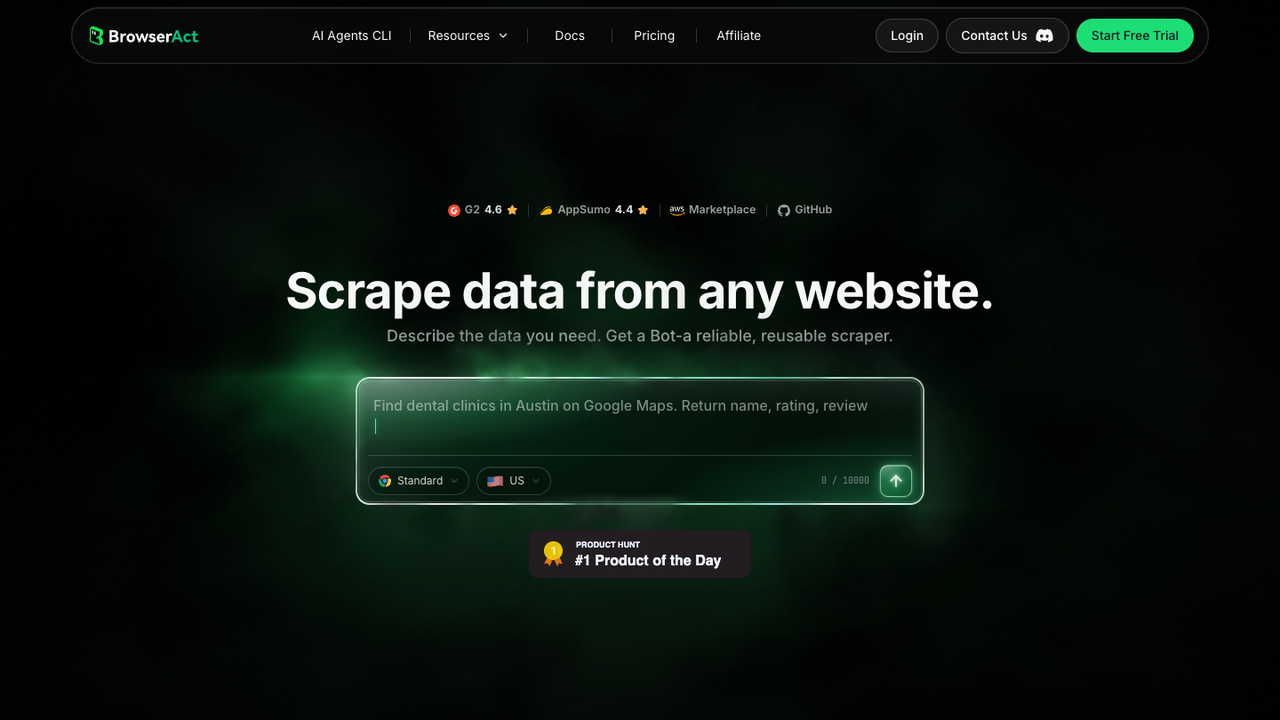
Official BrowserAct screenshot. Source: BrowserAct.
Use BrowserAct first when the job is not a rigid one-click scrape but a research workflow.
That is the common reality in competitor monitoring. You may start with 50 company URLs, then realize you need to collect page descriptions, recent posts, campaign keywords, source screenshots, and a why_this_matters note. Next week the marketing team asks to add hiring signals. The following week sales wants the output grouped by segment.
BrowserAct fits that shape because the workflow can be described in prompts and run in a real browser environment. Instead of writing and maintaining a custom scraper, you define the task:
Visit each public LinkedIn company page in this list. Collect company name, LinkedIn URL, website, description, visible follower count, employee range when visible, recent public post URLs, post dates, post text snippets, and a short signal note. Export the result to CSV. Stop and flag the row if login, CAPTCHA, missing access, or an unusual page state appears.
The important part is not magic. It is control. BrowserAct can turn a changing research workflow into a repeatable browser task with structured output, screenshots, scheduling, and human handoff rules.
Strengths: custom fields, source-linked output, prompt iteration, browser execution, scheduled monitoring, screenshots, useful when the target list or schema changes.
Limitations: not a license to collect private data or automate engagement; teams still need review rules, allowed data boundaries, and a clean export schema.
Best for: marketing intelligence, ABM account monitoring, competitor campaign tracking, analyst workflows, and teams that need “tell the browser what to collect” more than “run this fixed actor forever.”
Pro Tip: Put stop rules inside the prompt. A good BrowserAct workflow says what to collect and what not to do: no liking, no commenting, no following, no messaging, no connection requests, and stop if a login wall or CAPTCHA appears.
2. Apify actors for fixed scraping jobs
Apify is useful when your workflow maps cleanly to an existing actor. The LNK-05 research sheet includes several Apify-related sources: company data, company posts, posts without login, and broader LinkedIn scraper categories.
That makes sense. If you know you only need recent public company posts, an actor purpose-built for that job may be efficient. If you need profiles, companies, jobs, and search in one environment, Apify’s marketplace can help you evaluate actor coverage and output examples.
Strengths: marketplace variety, scheduled runs, API access, CSV/JSON exports, useful for technical teams comfortable evaluating actors.
Limitations: actor quality varies; some workflows require careful input formatting, cookies, or maintenance; less flexible when the research schema changes week to week.
Best for: repeatable technical jobs with stable inputs and teams comfortable with actor configuration.
3. Data providers for scale and procurement
Vendors such as Bright Data appear in the research sheet because buyers also search for managed data coverage, pricing, compliance posture, and enterprise-grade reliability.
That category can be the right choice when the business needs large datasets, formal procurement, service-level expectations, and data delivery beyond a lightweight workflow.
Strengths: scale, infrastructure, broad data-product positioning, enterprise procurement fit.
Limitations: can be more complex than a small team needs; pricing and setup may not fit simple research workflows; customization can require a heavier process.
Best for: enterprise datasets, larger enrichment programs, and teams with formal data procurement requirements.
4. Manual review plus first-party exports when available
Sometimes the best workflow is not scraping at all. If an official export, admin analytics view, CRM sync, or native report answers the question, use it. LinkedIn’s own product surfaces change by role, plan, and page ownership, so first-party routes should be checked before building anything new.
Strengths: lower operational risk, easier stakeholder explanation, better fit when you own the page or only need internal analytics.
Limitations: may not cover competitor pages, public post monitoring, or cross-company research.
Best for: owned-page analytics, internal reporting, and jobs where the data is already available through an approved route.
Workflow | Best fit | Main advantage | Watch-out |
BrowserAct | Custom competitor research | Prompt-led browser workflow, custom fields, screenshots, scheduling | Requires clear stop rules and review process |
Apify actors | Stable technical scraping jobs | Marketplace actors, API, CSV/JSON | Actor quality and input requirements vary |
Data providers | Large-scale datasets | Scale and procurement fit | Can be heavy for lightweight research |
First-party/manual | Owned-page or approved export jobs | Lower operational risk | Often limited for competitor monitoring |
Run the scrape once with browser-act. Package the repeatable path with Skill Forge.
- 1. An agent uses browser-act to search Google Maps, scroll listings, inspect place pages, and extract visible fields.
- 2. The team validates the schema: business name, category, address, phone, website, rating, review count, and source URL.
- 3. browser-act-skill-forge turns the proven flow into a reusable scraper Skill for future agent runs.
What to put in the BrowserAct prompt
If you use BrowserAct for this workflow, write the prompt like an operating procedure, not a vague instruction.
Here is a practical version:
Use the attached CSV of company names and LinkedIn company page URLs.

For each row:
1. Open the public LinkedIn company page URL.
2. Collect only visible public information: company name, page URL, website, industry, headquarters/location, employee range if visible, follower count if visible, company description, specialties, and recent public post URLs.
3. For up to 5 recent public posts, collect post URL, date if visible, text excerpt, media type if visible, and visible engagement counts if visible.
4. Add a signal tag: product launch, hiring, event, funding, partnership, thought leadership, pricing, customer story, or no clear signal.
5. Save a screenshot for rows tagged product launch, hiring, funding, partnership, or pricing.
6. Export a CSV with source URLs, checked_at timestamp, extraction_status, and review_status.

Do not like, comment, follow, message, connect, or post.
Stop and flag the row if a login wall, CAPTCHA, payment wall, unusual activity warning, or private data request appears.
This prompt does three things a generic scraper usually does not. It names the allowed fields. It creates a signal layer. And it defines stop conditions.
That is the difference between an automation that helps research and an automation that creates risk.
How to prioritize competitor signals
Not every company page change deserves a Slack alert.
Most teams should score signals with a simple model:
Signal | Priority | Why |
New pricing or packaging language | High | Can affect positioning and sales enablement |
Product launch or feature announcement | High | Changes comparison pages and battlecards |
Hiring spike in sales, partnerships, or engineering | Medium | Suggests GTM or product investment |
Funding, acquisition, or partnership post | Medium | Changes market narrative |
Event or webinar promotion | Medium | Useful for campaign timing |
Thought leadership post | Low | Good for messaging research, rarely urgent |
Generic culture post | Low | Usually not actionable unless hiring is the goal |
Pro Tip: Use a “changed since last run” column before you use AI summaries. A concise AI summary is useful, but the actual trigger should be a verifiable change: new post URL, changed description, follower count movement, or new hiring language.
Common failure modes
The failure modes are predictable.
The first is mixing pages and posts. A company page dataset is one row per company. A company posts dataset is one row per post. Put them in separate tables and join by company URL.
The second is ignoring browser state. LinkedIn can show different pages depending on geography, login state, rate patterns, language, or page access. Your workflow should flag uncertainty rather than fake completeness.
The third is exporting without dedupe. Company URLs can redirect, names can vary, and subsidiaries can have separate pages. Normalize by domain, LinkedIn URL, and company name.
The fourth is skipping screenshots. For routine rows, screenshots are overkill. For important signals — pricing, layoffs, funding, launch language, hiring spikes — a screenshot is useful evidence.
The fifth is turning research automation into engagement automation. That is a different risk category. Keep this workflow read-only unless your team has explicitly approved a separate action workflow.
When not to use a LinkedIn company page scraper
Do not use a company page scraper if the task is actually one of these:
- You need private profile data.
- You need to message leads.
- You need to bypass account restrictions.
- You need a legally definitive dataset without counsel or compliance review.
- You own the company page and can get the needed analytics from first-party admin tools.
- You need verified company revenue, headcount, or funding data that LinkedIn does not provide.
Also avoid scraping when the downstream team has not defined a decision. “Collect all competitor data” is not a decision. “Alert product marketing when Tier 1 competitors launch AI-agent features” is a decision.
A practical 7-day rollout plan
Here is how to launch the workflow without turning it into a quarter-long data project.
Day 1: Build the seed list
Start with 50 to 100 companies. Include direct competitors, adjacent tools, fast-growing accounts, and companies your sales or strategy team already tracks. Add LinkedIn URLs manually for the first batch if needed. The point is not scale yet. The point is schema quality.
Day 2: Run the company page pass
Collect static fields and source URLs. Review missing pages, redirects, duplicate entities, and ambiguous company names. Fix the seed list before adding posts.
Day 3: Add recent posts
Collect the latest public posts in a separate table. Tag each post with a simple signal label. Do not overbuild the classifier. A small controlled vocabulary is enough.
Day 4: Review with the stakeholder
Show the table to the person who will actually use it. Ask what they would do with each signal. Remove fields that do not change decisions.
Day 5: Add screenshots for high-priority signals
Only screenshot rows that need evidence. For example, launch announcements, hiring signals, pricing pages linked from posts, or new partner announcements.
Day 6: Schedule the monitor
Run weekly for most competitor research. Run daily only for fast-moving categories, launches, crisis monitoring, or campaign windows.
Day 7: Connect downstream
Export reviewed rows to a sheet, CRM note, Clay workflow, or content planning database. Do not send raw rows directly to outreach. Keep a review step.
Final recommendation
If your job is a fixed technical extraction task, start by evaluating a dedicated actor or data provider. If your job is competitor research — changing inputs, changing fields, source screenshots, signal tags, and human review — start with BrowserAct.
The winning workflow is not the one that collects the most LinkedIn data. It is the one that produces a smaller, source-linked table your team can actually trust.
That is the bar. Everything else is just rows.
Two Skills, One Repeatable Browser Workflow
Start with live browser execution when the agent needs to understand a page. Move to Skill Forge when the same scraper should run again without re-exploring the site.
Run once with browser-act
Give Codex, Claude Code, Cursor, Windsurf, or another agent a real browser for rendered pages, clicks, scrolling, screenshots, DOM extraction, and network inspection.
Open browser-act SkillPackage with Skill Forge
Explore the site once, verify the extraction path, then generate a callable Skill package that other agents can reuse for batch jobs or scheduled workflows.
Open Skill ForgeFrequently Asked Questions
What is a LinkedIn company page scraper?
A LinkedIn company page scraper collects selected visible information from public LinkedIn company pages and exports it into structured data for research, monitoring, or analysis.
What data should I collect from LinkedIn company pages?
Start with company name, LinkedIn URL, website, industry, location, employee range, follower count if visible, description, specialties, recent post URLs, timestamps, and source evidence.
Is a company page scraper the same as a Sales Navigator scraper?
No. A company page scraper focuses on organization pages and public company activity. A Sales Navigator scraper focuses on lead or account search results inside Sales Navigator workflows.
Can I monitor competitor LinkedIn posts automatically?
Yes, but keep the workflow read-only and source-linked. Collect post URLs, dates, text excerpts, visible engagement, and signal tags, then route high-priority changes to human review.
Should I use BrowserAct or an Apify actor?
Use BrowserAct when you need prompt-led custom research, changing fields, screenshots, stop rules, and human review. Use an Apify actor when the job maps cleanly to a fixed, stable actor.
How often should I run LinkedIn competitor monitoring?
Weekly is enough for most teams. Daily monitoring is useful for launches, events, crisis tracking, fast-moving categories, or high-priority target-account programs.
What is the safest way to use BrowserAct for LinkedIn company research?
Use BrowserAct for read-only public research, include clear stop rules, collect source URLs, export structured data, save screenshots for important signals, and avoid automated engagement actions.


