LinkedIn Jobs Scraper for Hiring Signals: Track Roles, Teams, and Market Moves

A LinkedIn jobs scraper should not just export job titles. The useful output is a hiring signal: which competitor is opening roles, where those roles are located, which departments are growing, how fresh the postings are, whether the same company keeps hiring for the same function, and whether the data is strong enough to send to sales, recruiting, market research, or strategy. That is the difference between a spreadsheet of jobs and a business signal. This guide shows how to build a source-lin
- 1A LinkedIn jobs scraper is most valuable when it turns job posts into hiring signals, not when it dumps every visible field.
-
2The minimum schema should include
job_url,company_url,job_title,location,posted_time,captured_at,source_query,extraction_status, andreview_status. - 3Track hiring by company, role family, seniority, location, remote/hybrid status, freshness, and repeated openings.
- 4BrowserAct should be the first workflow to try when the job starts as a business question: “Which competitors are expanding sales in EMEA?” or “Which accounts are hiring data engineering leaders this month?”
- 5Keep the workflow read-only and public-only. Do not automate applications, messages, connection requests, follows, likes, comments, or recruiter outreach.
Why LinkedIn jobs are a useful market signal
Hiring data is one of the earliest public hints that a company is changing direction.
A company does not always announce a new market, product line, implementation partner, or regional expansion. But it may quietly publish roles for “Head of Partnerships — APAC,” “Enterprise Account Executive — DACH,” “Security Compliance Lead,” “AI Infrastructure Engineer,” or “Customer Success Manager — Migration.”
Those openings can matter to several teams:
Team | Hiring signal they care about | Example action |
Sales | Target accounts that are expanding a relevant team | Prioritize accounts hiring RevOps, data, security, or ecommerce roles |
Marketing | Competitor campaign and market-entry clues | Watch new regions, product categories, and role language |
Recruiting | Talent market supply and employer demand | Map who is hiring similar roles and where |
Strategy | Expansion, restructuring, or investment hints | Track department-level growth across competitors |
Customer success | Change in account priorities | Flag customers hiring new admins, operators, or analysts |
What should a LinkedIn jobs scraper collect?
Start with the signal you need, then choose fields.
If your goal is “find all jobs,” the export will be noisy. If your goal is “detect which cybersecurity competitors are hiring senior sales and partner roles in Europe this month,” the schema becomes much cleaner.
Use this baseline:
Field | Why it matters |
| Shows which keyword, company, or job-search URL produced the row |
| Exact evidence link for review |
| Stable dedupe key when available |
| Primary role signal |
| Account or competitor name |
| Connects the job to a company entity |
| Region, country, city, or remote signal |
| Remote, hybrid, on-site, if visible |
| Full-time, contract, internship, etc. |
| Useful for strategy and sales prioritization |
| Freshness signal |
| Keyword and role-family analysis |
| Timestamp for refresh and audit |
| Success, partial, stopped, blocked, or needs review |
| New, approved, ignored, or follow up |
captured_at.
A hiring-signal tracker schema
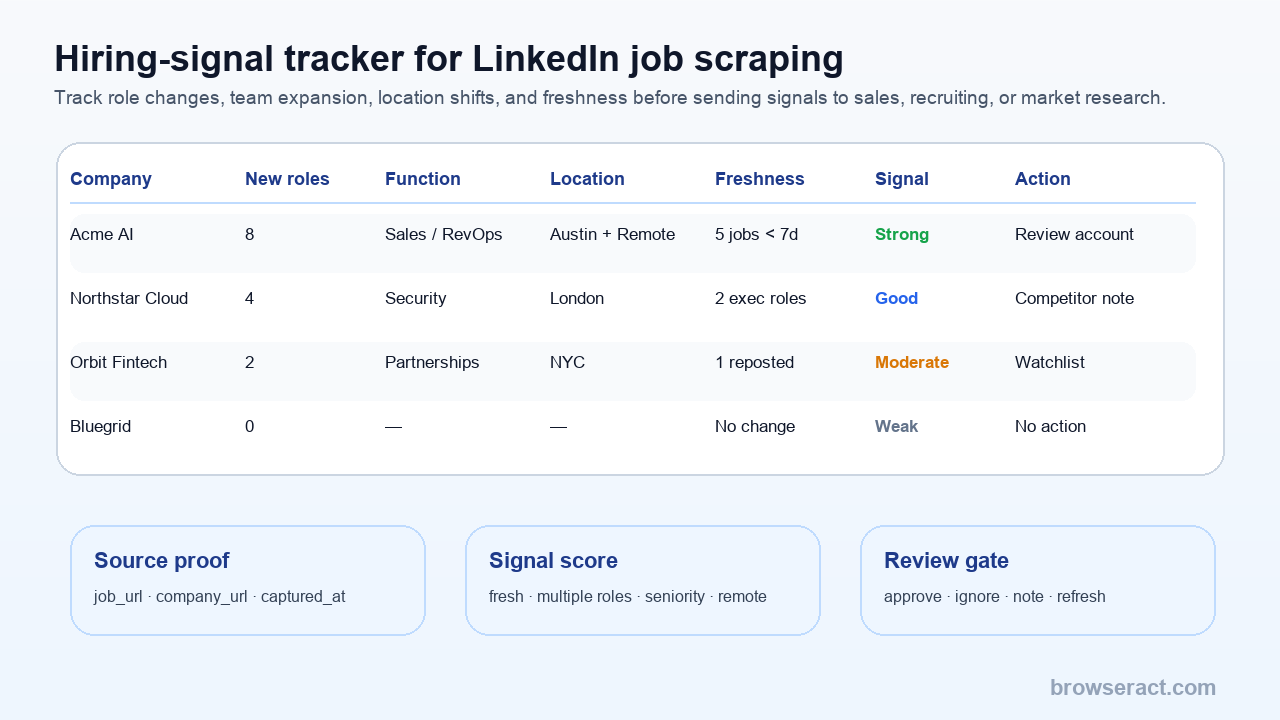
The tracker should separate raw job rows from interpreted signals.
Use two layers:
- Raw jobs table: one row per job post.
- Signal summary table: one row per company, role family, or account segment.
Raw job field | Signal summary use |
| Group jobs by competitor or target account |
| Classify role family: sales, engineering, data, security, operations |
| Detect region expansion |
| Score freshness |
| Extract product, market, tech, and team clues |
| Preserve proof |
| Compare runs over time |
- New jobs this week.
- New jobs by role family.
- New jobs by region.
- Senior roles opened.
- Repeated postings.
- Remote/hybrid shifts.
- Companies with multiple jobs in the same function.
- Accounts worth sales or research follow-up.
Step 1: Choose a monitored universe
Do not monitor all LinkedIn jobs. Pick a universe.
Examples:
Universe | Example query |
Competitor set | 50 competitor company pages or company job pages |
Target account list | 200 named accounts from CRM or ICP research |
Role family | “data engineer,” “RevOps,” “marketplace manager,” “AI agent engineer” |
Region | “enterprise sales” in Germany, Singapore, UAE, or Brazil |
Product category | Roles mentioning Shopify, Snowflake, compliance, migration, AI automation |
Hiring intent | Companies with 3+ fresh openings in a target function |
Pro Tip: Store both posted_time and first_seen_at. A job that says “posted 3 weeks ago” but first appeared in your tracker today is still a new signal for your system.
With BrowserAct, the workflow can start from a prompt like this:
Use this input sheet of LinkedIn company URLs and target role families.
For each company, open the public jobs page or public job search results.
Collect visible jobs matching sales, partnerships, data, security, or operations.
Return job_title, company_name, company_url, job_url, location, workplace_type, posted_time, description_excerpt, source_query, captured_at, extraction_status, and review_status.
Flag rows if the page requires login, CAPTCHA, 2FA, payment, unusual activity, or access is unclear.
Do not apply, message, connect, follow, like, comment, or post.
That prompt keeps the workflow grounded in source evidence.
Step 2: Export jobs to CSV or Sheets
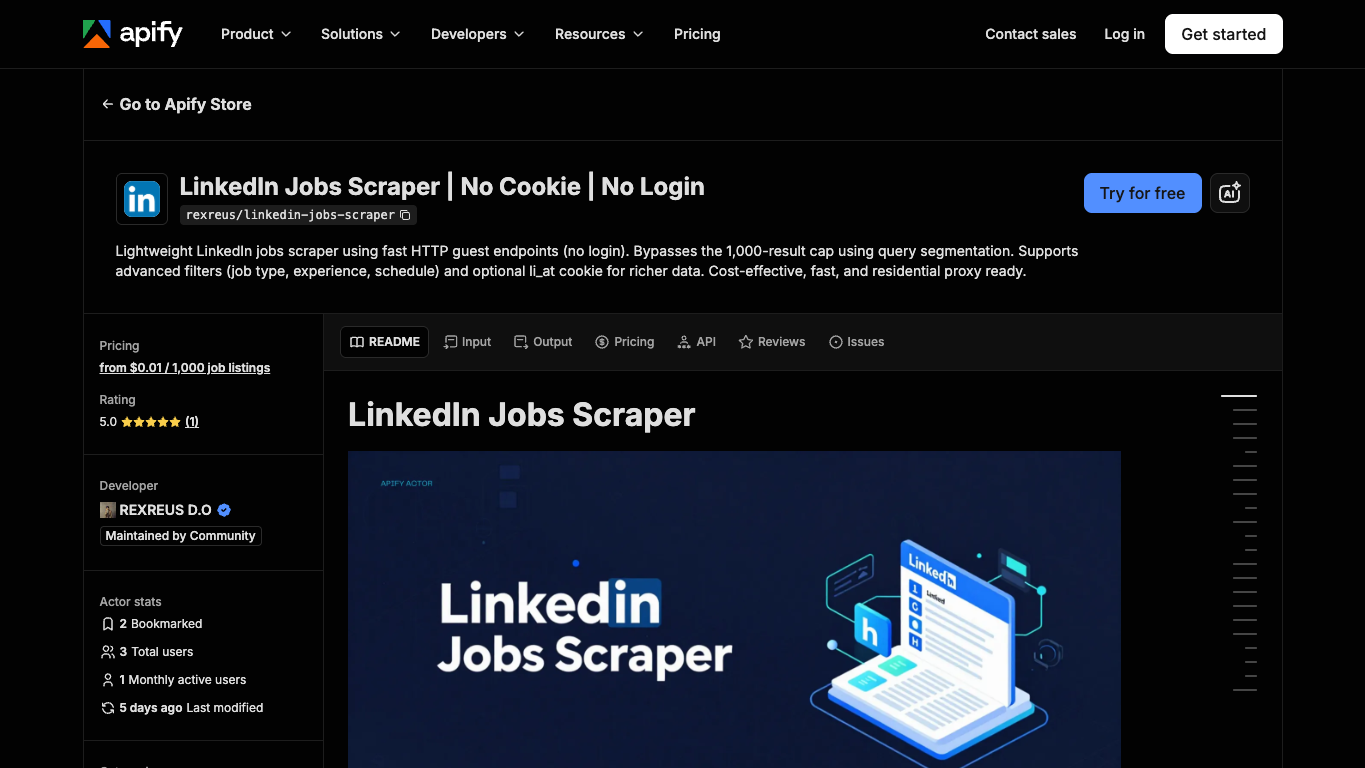
Official Apify screenshot. Source: LinkedIn Jobs Scraper | No Cookie | No Login.
Jobs-to-CSV demand is strong because job data is useful only when teams can filter, group, and compare it.
CSV or Sheets is usually the right first destination:
- Analysts can classify role families.
- Sales can map jobs to accounts.
- Recruiters can filter location and seniority.
- Strategy teams can compare competitors over time.
- Ops can identify duplicate jobs and failed rows.
Apify’s LinkedIn jobs actors show why the output schema matters. Current actor pages describe no-login guest-mode jobs workflows, job fields like title, company, location, posted time, job URL, employment type, seniority, job function, industries, applicant count when available, and scrapedAt. Another hiring-signal actor exposes a flat hiring-signals table with source URL, job URL, company LinkedIn URL, role category, remote flag, company jobs in run, signal score, label, and reason tags.
The lesson is not “use this exact actor.” The lesson is that hiring intelligence needs a row model, not a screenshot.
Run the scrape once with browser-act. Package the repeatable path with Skill Forge.
- 1. An agent uses browser-act to search Google Maps, scroll listings, inspect place pages, and extract visible fields.
- 2. The team validates the schema: business name, category, address, phone, website, rating, review count, and source URL.
- 3. browser-act-skill-forge turns the proven flow into a reusable scraper Skill for future agent runs.
Step 3: Score hiring signals conservatively
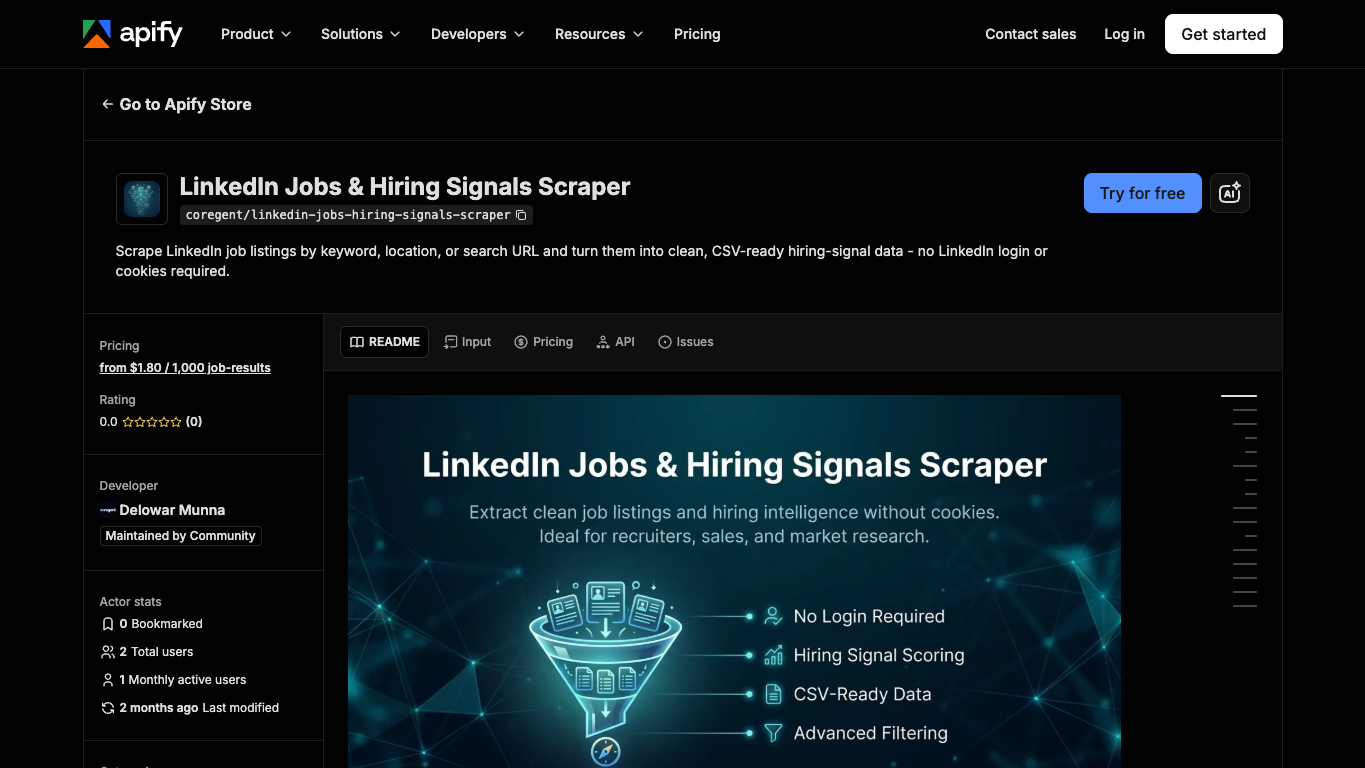
Official Apify screenshot. Source: LinkedIn Jobs & Hiring Signals Scraper.
A simple rule-based score is better than a mysterious AI score for the first version.
Start with transparent rules:
Signal | Example scoring logic |
Multiple open roles | +25 if company has 3+ matching jobs in the run |
Fresh posting | +15 if posted within 7 days |
Senior role | +10 for director, VP, head, principal, staff, executive |
Target role family | +15 if job title matches strategic category |
Target region | +10 if location matches priority region |
Detailed description | +5 if description is long enough to classify |
Remote/hybrid change | +5 if remote/hybrid is meaningful for your market |
Source proof present | Required; no proof means no score |
Score | Label | Action |
80–100 | Strong | Send to review or account owner |
60–79 | Good | Add to weekly signal digest |
40–59 | Moderate | Keep on watchlist |
0–39 | Weak | Store only, no action |
reason_tags next to the score. “Strong” is not enough; reviewers need to know whether the signal came from fresh postings, multiple roles, seniority, location, or a target keyword.
Step 4: Combine jobs with posts and company pages
Job pages are not the only hiring signal.
LinkedIn posts may reveal:
- “We are hiring” announcements.
- New office openings.
- Leadership hiring.
- Event booths for recruiting.
- Product team expansion.
- Customer success or sales hiring pushes.
- Recruiting posts before jobs are fully indexed.
Company pages may reveal:
- Follower growth.
- Recent posts about expansion.
- New locations.
- Tagline or description changes.
- Product or market emphasis.
For richer market intelligence, use three inputs:
Source | Signal |
Jobs | Open roles, locations, departments, seniority, freshness |
Posts | Hiring announcements, expansion language, campaign context |
Company pages | Firmographic context and source-linked account metadata |
Step 5: Review before sending to CRM or GTM tools
Hiring signals are not always lead signals.
A company hiring ten engineers may be expanding. Or it may be replacing a team, opening backfills, hiring for a one-off project, or posting roles globally to build a talent pool.
Use a review gate:
Review status | Meaning |
| Fresh row, not reviewed |
| Worth sending to sales, recruiting, or strategy |
| Interesting but not enough action yet |
| Not relevant |
| Needs company page, post, or account owner review |
| Collection hit access or reliability boundary |
Recommended workflow stack
After the search intent is answered, this is the workflow I recommend.
1. BrowserAct — prompt-led source capture
BrowserAct should be first when your hiring-intel request is more specific than a fixed job search.
Use it when you need to:
- Monitor named competitors or target accounts.
- Capture public job posts plus company-page context.
- Preserve source URLs and screenshots.
- Run a weekly or daily job watch.
- Apply custom role-family rules.
- Export source-linked rows to CSV or Sheets.
- Stop when login, CAPTCHA, 2FA, payment, unusual activity, or access uncertainty appears.
Best for: custom LinkedIn job research where a human-readable business prompt is the easiest way to define the workflow.
If you are still deciding between general tools, start with the Best LinkedIn Scraper Tools guide. If you need downstream routing, pair this with the LinkedIn scraper workflow to Sheets, n8n, webhooks, and Clay.
2. Job-specific actors or APIs — fixed searches and high-volume exports
Use a dedicated jobs actor or API when the task is stable:
- Same keyword query every day.
- Same location filters.
- Same output schema.
- Large export volume.
- Engineering team available for monitoring.
Best for: repeatable job searches where the fields are known and the tool’s schema already matches your use case.
3. Sheets or Airtable — staging and review
Use Sheets or Airtable as the human review layer.
Best for: dedupe, role-family classification, approval columns, weekly summaries, and team handoff.
4. n8n, Make, or webhooks — alerts and routing
Use automation after the export is stable:
- Notify sales when a target account opens 3+ relevant roles.
- Send recruiting a weekly region-role summary.
- Add competitor signals to a market research dashboard.
- Route failed runs to an ops review queue.
Best for: controlled alerts and summaries, not blind scraping-to-outreach.
Safety boundaries
LinkedIn’s official terms and help pages restrict unauthorized scraping, bots, browser extensions, and automated engagement. Treat that as a real constraint.
Practical boundaries:
- Focus on public, visible job and company information.
- Do not bypass access controls.
- Do not use the scraper to apply to jobs.
- Do not message recruiters, candidates, employees, or hiring managers automatically.
- Do not automate likes, follows, comments, reposts, connection requests, or publishing.
- Stop when login, CAPTCHA, 2FA, unusual activity, payment, or access uncertainty appears.
- Keep source URLs, capture timestamps, and review status.
- Review legal/privacy implications before using person-level data, employment decisions, recruiting, or outbound workflows.
This is operational guidance, not legal advice.
Common mistakes
Mistake | Why it fails | Better pattern |
Exporting every job for every company | Too noisy to act on | Monitor a defined universe |
Dropping job URLs | No proof for the signal | Require |
Treating reposted jobs as new expansion | Inflates signal | Compare job ID, title, company, and first-seen date |
Sending raw rows to CRM | Pollutes account records | Review and summarize first |
Using a black-box AI score | Hard to trust or debug | Start with transparent rule-based scores |
Ignoring failed rows | Makes blind spots invisible | Track |
Two Skills, One Repeatable Browser Workflow
Start with live browser execution when the agent needs to understand a page. Move to Skill Forge when the same scraper should run again without re-exploring the site.
Run once with browser-act
Give Codex, Claude Code, Cursor, Windsurf, or another agent a real browser for rendered pages, clicks, scrolling, screenshots, DOM extraction, and network inspection.
Open browser-act SkillPackage with Skill Forge
Explore the site once, verify the extraction path, then generate a callable Skill package that other agents can reuse for batch jobs or scheduled workflows.
Open Skill ForgeFurther reading: LinkedIn research
Frequently Asked Questions
What is a LinkedIn jobs scraper?
A LinkedIn jobs scraper collects visible job listing data such as job title, company, location, posted time, job URL, and description into a structured export for analysis or review.
Can I export LinkedIn jobs to CSV?
Yes, many workflows export LinkedIn job data to CSV or Sheets. The useful export should include source URLs, capture timestamps, dedupe keys, and review status, not only job titles.
Can LinkedIn jobs be scraped without login?
Some tools focus on public or guest-accessible job pages and do not require login for basic job fields. However, availability can change, and any workflow should stop when access is uncertain or restricted.
What are hiring signals?
Hiring signals are patterns in job data that suggest business movement: multiple fresh roles, new regions, senior hires, department expansion, product keywords, or repeated hiring in a target function.
How should I score hiring signals?
Start with transparent rules: multiple matching jobs, fresh postings, seniority, target role family, target region, and source proof. Keep reason tags so reviewers know why a company was scored.
Should I send hiring signals directly to CRM?
Not directly. Send raw job rows to a staging table first, review and summarize the signal, then sync only approved account-level insights to CRM.
Where does BrowserAct fit?
BrowserAct fits at the source-capture layer. Use it to describe the LinkedIn job-monitoring task, run a browser workflow, preserve source evidence, export structured rows, and hand reviewed signals to Sheets, n8n, or CRM.


