How to Transcribe TikTok Videos Without Captions

To transcribe TikTok video reliably, start with the least invasive source: existing captions or TikTok voice-to-text fields when you have authorized access. If captions are missing, use ASR on public or authorized media, then keep the transcript tied to the original video URL, creator, caption, sound, timestamp, and quality notes. That sounds simple until the first spreadsheet arrives with 300 links, half the videos have no copyable captions, some transcript tools return empty text, and the rese
-
1
transcribe TikTok videois not just a creator convenience query. Researchers, marketers, social listening teams, and ad analysts need spoken words linked back to the TikTok video, creator, caption, sound, and collection method. -
2The clean decision tree is: use available captions first, use official
voice_to_textfields when eligible, use a transcript API when the batch is stable, and use ASR only for public or authorized media when captions are absent. - 3BrowserAct is the collection and workflow layer: use Agent to collect source-linked video context, Workflow to repeat the approved brief, and CLI to hand off video URLs and metadata into a controlled ASR/reporting pipeline.
-
4A useful TikTok transcript dataset needs more than text. Keep
video_url,creator_handle,caption,sound,transcript_source,transcript_confidence,review_status, andsource_status. - 5Do not claim hidden access. Stop on private videos, login walls, CAPTCHA, 2FA, age gates, restricted media, payment, posting, liking, following, messaging, or account-changing steps.
Why TikTok transcripts are harder than they look
TikTok is a video-first platform, so a lot of the useful signal is spoken, not written. Captions and descriptions may contain the topic, but the persuasive part is often in the first three spoken seconds: the hook, the pain point, the product claim, the joke, the local phrase, the discount, or the CTA.
The demand shows up clearly in community questions. In one Reddit research thread about TikTok transcripts, a sociology student asked whether it is possible to scrape TikTok video transcripts for quantitative content analysis and whether the work should rely on built-in captions, scraping, APIs, or speech-to-text tools. Another founder building a TikTok analytics tool described the same product problem from the other side: frame analysis was missing “half the context” until audio transcription was added.
That is the real search intent behind “transcribe TikTok video without captions.” The user is not asking for a cute transcript button. They are asking for a repeatable way to turn short-form video into a source-linked text corpus.
The four ways to get a TikTok video transcript
There is no single perfect method. Choose based on volume, authorization, data quality, and whether the videos already expose captions.
Method | Best for | Strength | Limitation |
TikTok visible captions | One-off viewing and manual checks | Fastest when captions exist | Often not copyable or bulk-friendly |
TikTok Research API | Eligible academic/public-interest research | Official field and metadata context | Access is limited and not every video has text |
Transcript extractor or transcript API | Batch jobs with stable video URLs | Structured text and sometimes SRT/TXT export | Coverage depends on available captions or provider fallback |
ASR fallback | Videos with missing captions, creative analysis, multilingual review | Can generate text from audio when captions are absent | Requires authorized media access and transcript QA |
voice_to_text field, and an ASR-generated transcript are not identical evidence. Put the method in the row.
What official TikTok data can tell you
TikTok’s Research API documentation is useful even if you are not eligible for the API, because it defines what serious video-level metadata looks like. The Query Videos API documentation lists fields such as id, video_description, create_time, region_code, engagement counts, music_id, hashtags, username, duration, and voice_to_text.
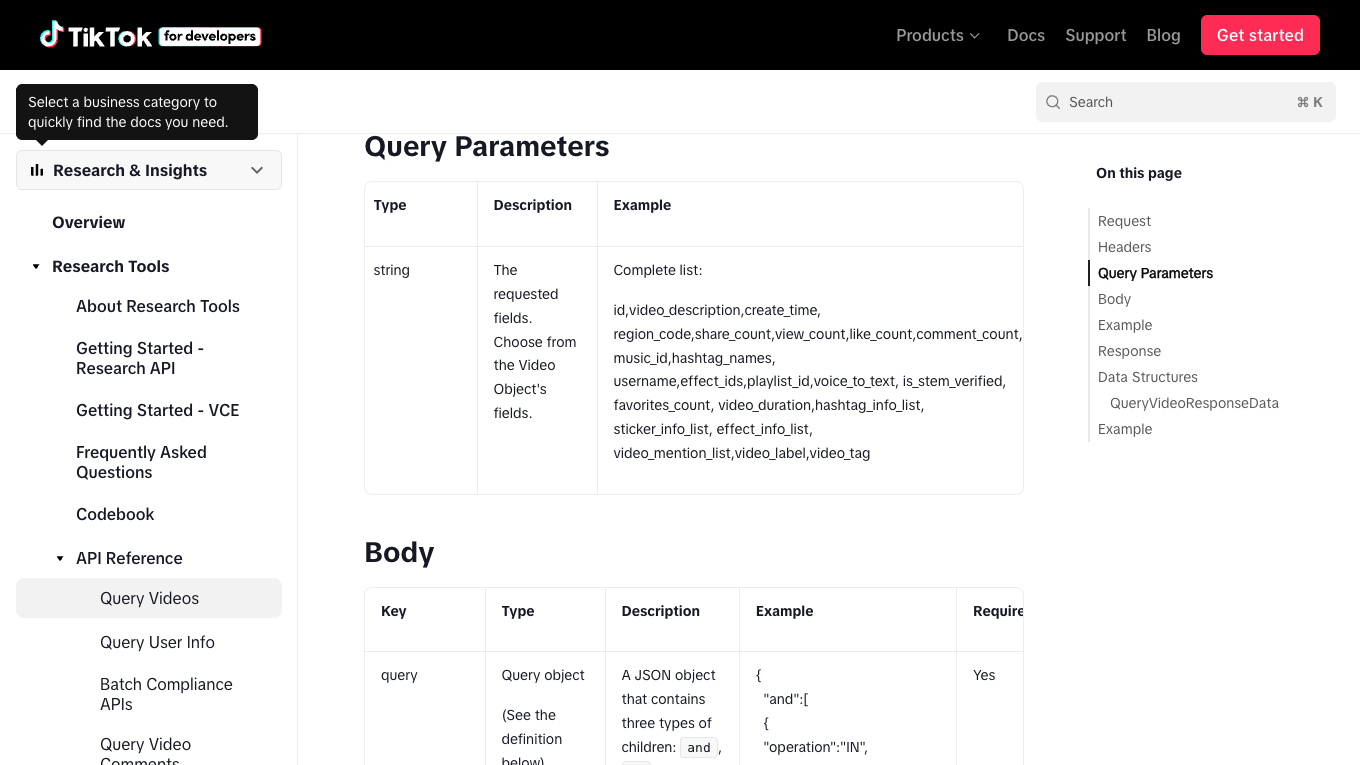
The voice_to_text field matters because it shows TikTok itself treats spoken text as a first-class research object for some eligible use cases. But the same documentation also makes the boundary clear: this route requires research API access and scopes. It is not a general public scraping promise.
So the practical workflow is not “always use the official API.” It is:
- If you qualify for the Research API and the needed fields are available, use it.
- If you are doing product, marketing, creator, or competitive research outside that access path, collect source-linked public context and choose a transcript method honestly.
- If no captions are available, use ASR only where you have the right to process the media.
What transcript tools already prove about the demand
Transcript-specific tools are a useful signal because they show the user job in plain language: paste a TikTok URL, extract captions or transcript text, and download or copy the result.
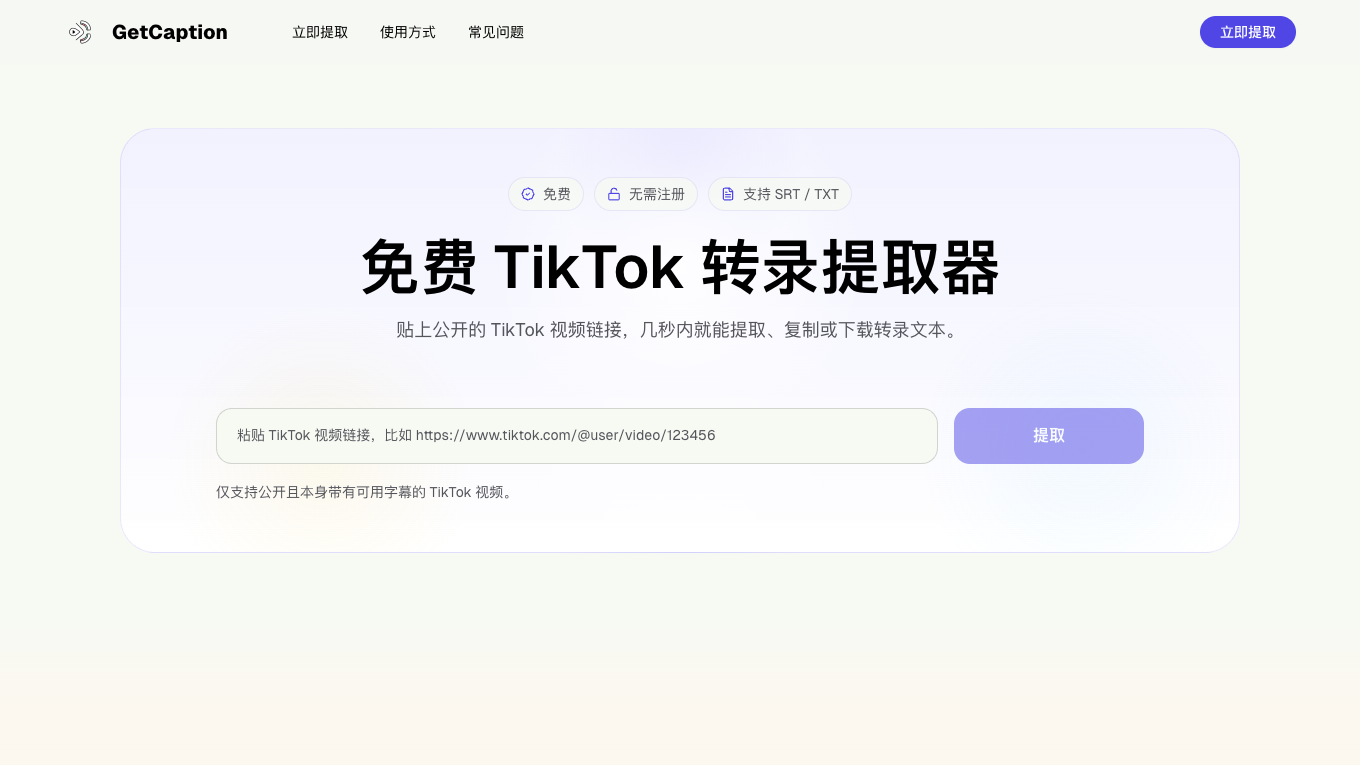
GetCaption’s TikTok transcript page, for example, positions the job around public TikTok links, available captions, SRT/TXT export, and no sign-up extraction. That is a narrow but valuable workflow: it is fast when captions exist.
Supadata’s 2026 guide frames the decision more explicitly. It compares manual captions, DIY scrapers, no-code automation, and an API path; it also distinguishes caption retrieval from AI fallback when captions do not exist.
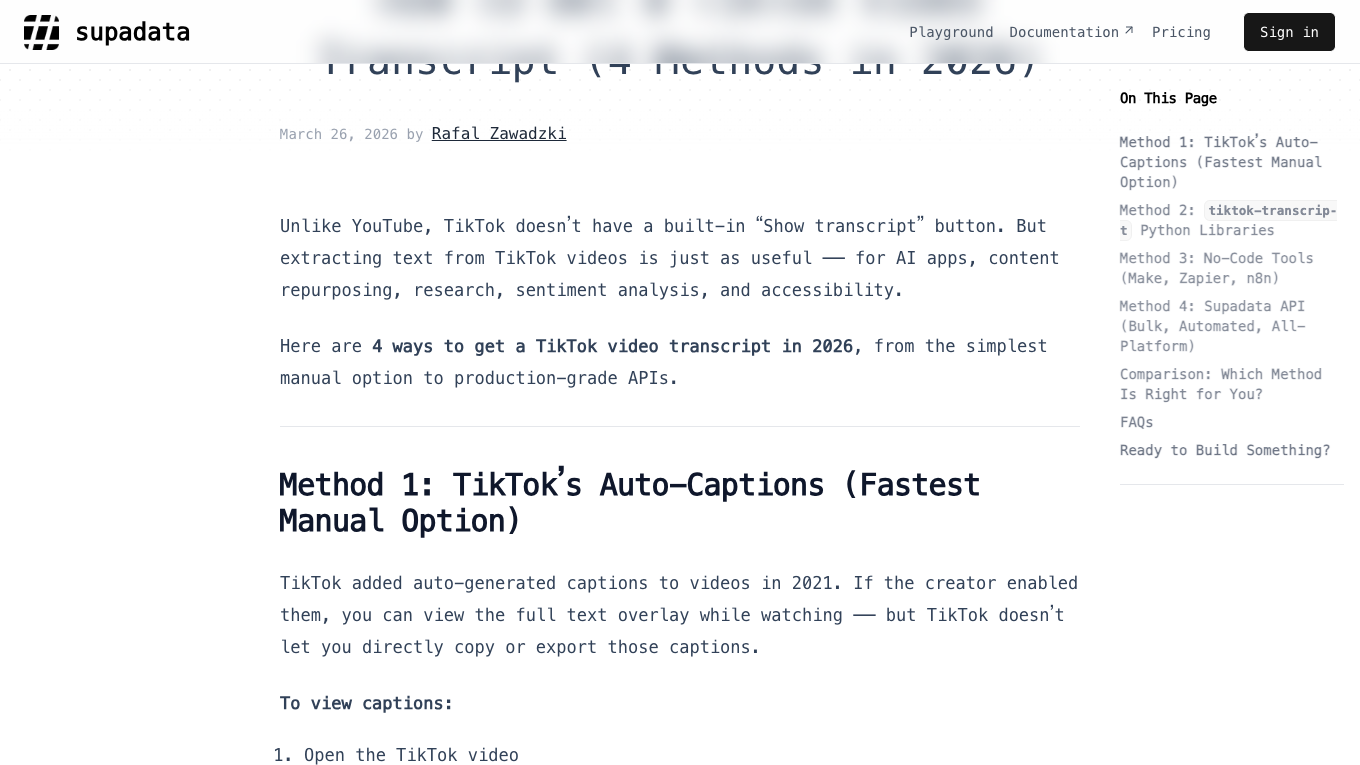
Those tools are not competitors to the whole BrowserAct workflow. They answer the transcript part. BrowserAct answers the surrounding job: finding the videos, preserving the source context, handling browser states, collecting metadata, and sending a clean batch to whichever transcript method your team chooses.
Build a source-linked TikTok transcript workflow with BrowserAct
Use this workflow when the job is more than one video: a creator shortlist, a campaign sample, competitor ads, product-review videos, hashtag research, or a weekly social listening corpus.
- Open BrowserAct Dashboard
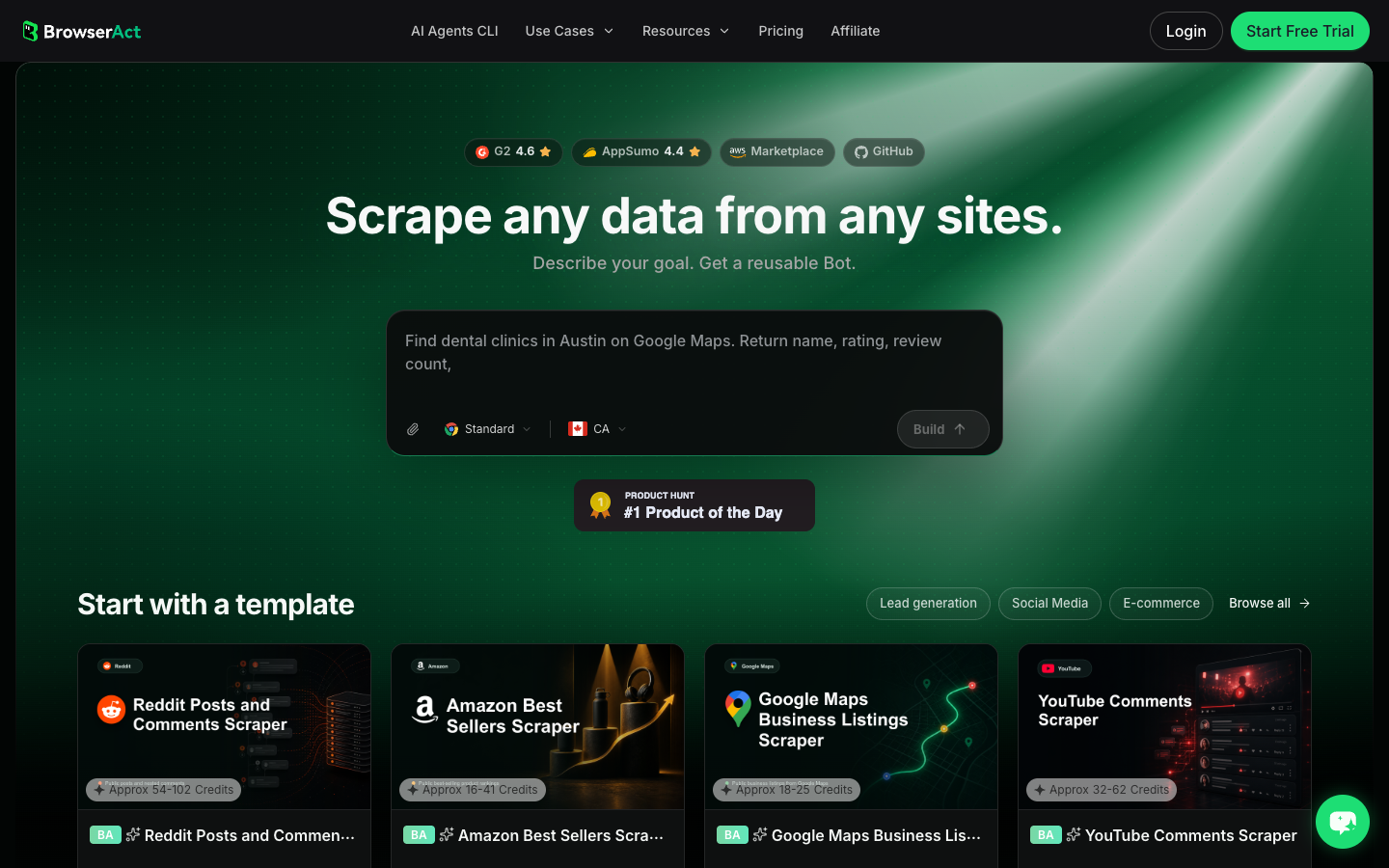
Click the left-side + button to create your own Bot, start from Quick start, or paste the prompt directly into the center Agent input to begin building.
- Copy the complete prompt
Replace the seed URLs, profile URLs, hashtag pages, or search phrases. Keep the stop rules and transcript-source labels.
Build a TikTok transcript research dataset from public or authorized sources.

Targets:
- Add TikTok video URLs, profile URLs, hashtag pages, or search phrases here.

Collect up to 80 relevant public or authorized videos. Do not keep scrolling forever.

For each visible video, capture:
- video_url
- creator_handle
- creator_profile_url
- video_caption_or_description
- hashtags
- sound_or_music_name when visible
- published_at or visible date when available
- visible_view_count when available
- visible_like_count when available
- visible_comment_count when available
- collected_at
- source_status: complete, partial, login_required, captcha_required, age_gate, private_or_restricted, unavailable
- transcript_status: caption_available, voice_to_text_available, needs_asr, not_authorized, failed, not_checked
- transcript_text if visible captions or authorized transcript text are available
- transcript_source: TikTok captions, TikTok Research API voice_to_text, transcript API, ASR fallback, manual review, none
- transcript_confidence: high, medium, low, unknown
- reviewer_note with hook, CTA, claim, product mention, language, or quality issue

Deduplicate by video_url. If the same video appears from multiple search terms or hashtags, keep the source terms in a separate source_context field.

Stay read-only. Do not like, follow, comment, message, post, download restricted media, purchase, change settings, bypass login, bypass CAPTCHA, or access private content.

If login, CAPTCHA, 2FA, age gate, account confirmation, private content, payment, or restricted access appears, pause and record the stop reason instead of continuing automatically.

Export a source-linked table suitable for CSV, JSON, Markdown, or Google Sheets. Flag rows that require a separate ASR step.
Scrape data from any website.
Describe the data you need. Get a Bot — a reliable, reusable scraper.
Prompt preview: collect TikTok videos, captions, transcript status, source URLs, metadata, and ASR handoff notes. Private session · Choose your region before you run
Get your Bot — Free- Handle login only when asked
If BrowserAct pauses on login, CAPTCHA, 2FA, age gate, account confirmation, private content, payment, or restricted access, treat it as a human checkpoint. The workflow should not convert a stop screen into a bypass attempt.
- Review, dedupe, and export
Inspect the first export. Remove duplicates, keep the transcript method, separate missing captions from failed access, and export the table to CSV, JSON, Markdown, or a Sheets-ready format. If the same collection should run weekly, promote the validated path to BrowserAct Workflow. If engineering needs to trigger it from a reporting job, run the approved workflow through BrowserAct CLI.
No fake BrowserAct transcript export screenshot is shown here. A transcript workflow depends on your authorized targets and chosen transcript method; until that live run exists, the honest artifact is the schema, prompt, and source-linked handoff.
The schema your transcript table should use
A transcript without metadata is just text. A useful research table can explain where the text came from, how it was produced, and whether it can be trusted.
Field | Why it matters |
| Makes every transcript auditable |
| Groups scripts by account or creator segment |
| Captures the written framing around the video |
| Helps separate spoken content from trend audio |
| Supports trend timing and campaign windows |
| Makes refreshes comparable |
| Stores the spoken or caption text |
| Labels TikTok captions, Research API, API provider, ASR, or manual review |
| Prevents low-quality ASR from being treated as fact |
| Supports multilingual analysis and routing |
| Captures the opening line for creative analysis |
| Captures spoken calls to action |
| Useful for competitor, ad, or compliance review |
| Explains complete, partial, restricted, missing, or failed rows |
| Keeps human judgment close to the source |
When to use ASR instead of captions
Use ASR when captions are missing, incomplete, not exportable, or not available through your authorized path. Do not use ASR as an excuse to process private or restricted media.
OpenAI’s speech-to-text documentation describes current transcription models and file-based transcription workflows, while the Whisper project describes multilingual speech recognition and translation. Those tools are useful when the audio itself is the only reliable source for spoken text.
ASR is especially helpful for:
- creator hook analysis where the first spoken sentence matters;
- UGC ad research where the caption does not contain the sales claim;
- social listening where sarcasm, complaint language, or product wording is spoken;
- multilingual campaign research where captions are missing or inconsistent;
- accessibility workflows where the output needs SRT, VTT, or plain text.
Pro Tip: Store ASR transcripts as “machine transcript, needs review” until a human or QA step checks names, brand terms, numbers, and unclear speech. Short videos feel easy, but music, slang, accents, overlapping speech, and background noise still produce errors.
BrowserAct vs transcript APIs vs DIY scripts
The right tool depends on which part of the workflow is hard.
Job | Best fit |
One public video already has captions | A transcript extractor |
Many known video URLs need structured transcripts | Transcript API or ASR pipeline |
You need official research metadata and qualify for access | TikTok Research API |
You need to discover videos, preserve source context, and test fields | BrowserAct Agent |
You need the same source-linked collection weekly | BrowserAct Workflow |
You need engineering control, logs, and downstream ASR/reporting handoff | BrowserAct CLI |
You need custom media processing or model control | DIY script plus ASR model |
Quality checks before you analyze transcripts
Before a transcript becomes a content insight, campaign report, or research corpus, run a small quality gate.
Check transcript coverage
Calculate how many rows have captions, voice-to-text, ASR, manual review, missing text, or restricted status. If half the dataset is missing transcripts, the analysis should say so.
Keep the source URL beside the transcript
Every transcript row should point back to the video URL. This is what lets a reviewer open the source and check whether the text matches the actual clip.
Do not flatten uncertain speech into clean quotes
If ASR is unsure, mark the uncertainty. Do not turn [inaudible], slang, music, or background speech into a confident claim.
Separate analysis fields from raw transcript
Keep transcript_text separate from hook_text, cta_text, claim_or_offer, and summary. Raw evidence and interpretation should not live in the same cell.
Record the transcript method
When a stakeholder asks why one transcript is better than another, transcript_source and transcript_confidence will save the analysis.
What not to do
Avoid these shortcuts:
- Do not scrape or process private videos.
- Do not bypass login, CAPTCHA, 2FA, age gates, or restricted access.
- Do not claim TikTok captions are always available.
- Do not mix official
voice_to_text, extracted captions, and ASR output without labels. - Do not publish transcripts as if they are human-verified quotes unless they were reviewed.
- Do not build an outreach or enforcement workflow from transcripts without human approval.
This article is not legal advice. Treat TikTok transcripts as research artifacts: source-linked, method-labeled, and reviewed before decisions.
Conclusion
To transcribe TikTok video without captions, do not start by forcing one tool to do everything. Start with the evidence path: check captions, use official voice-to-text where eligible, apply transcript APIs or ASR only when appropriate, and keep every transcript tied to its source video and method.
Use BrowserAct Agent when the target list and schema are still being tested. Use BrowserAct Workflow when the same collection should repeat. Use BrowserAct CLI when the approved video-context table needs to move into ASR, QA, and reporting pipelines.
Further reading: TikTok research
Frequently Asked Questions
Can I transcribe TikTok video without captions?
Yes, but captions are only one route. If captions are missing, use ASR on public or authorized media and label the transcript source and review status.
Does TikTok provide voice-to-text data?
TikTok Research API documentation lists a voice_to_text field for eligible research access, but it is not a universal public scraping endpoint.
What should a TikTok transcript scraper export?
Export video URL, creator, caption, sound, transcript text, transcript source, confidence, source status, timestamps when available, and reviewer notes.
Is ASR better than TikTok captions?
Not always. Captions are faster when available; ASR is useful when captions are missing, but it needs quality review for names, numbers, accents, and unclear speech.
Can BrowserAct transcribe the audio itself?
BrowserAct should collect source-linked TikTok context and hand off rows to an authorized transcript or ASR system; it is the workflow layer, not a replacement for speech-to-text QA.
Is it safe to transcribe private TikTok videos?
No. Stop on private, restricted, login-gated, age-gated, CAPTCHA, 2FA, or payment-gated content unless you have explicit authorization and a compliant workflow.


