Backlink Gap Analysis: Turn Semrush Data Into an Outreach Shortlist

Backlink gap analysis helps a team decide which publishers deserve further research. A competitor's referring domains are a starting pool, not a contact list. The useful outcome is a shortlist with a reason to investigate each source, a contribution you could offer, and a clear next check.
That focus matters when the same team handles SEO research, content, and outreach. It limits time spent on irrelevant sources and helps writers see whether an existing asset fits or a new one is worth creating. Semrush supplies the research; BrowserAct can bring supported records into the agent where the team reviews them.
- 1Use the right competitive scope to identify gaps as a starting point for research.
- 2Prioritize relevance and linking context, with authority scores as supporting information.
- 3Keep the source, rationale, and unanswered checks with every candidate.
- 4Reuse research collection, then verify candidates before moving into outreach.
What Is Backlink Gap Analysis, and Why Use It?
Backlink gap analysis compares your site's link profile with relevant competitors to identify sources worth investigating. A backlink is an individual link from another page; a referring domain is the website hosting one or more of those links. Keeping that distinction clear prevents a large number of links from one site from looking like many independent sources.
The comparison helps you learn what publishers cite and where your audience finds information. A resource page might suggest a useful format; a cited study might reveal a need for evidence. Those observations can guide content investment before anyone starts outreach.
Choose Competitors and Set the Right Comparison Scope
Choose sites that compete for the audience or topic behind the campaign. A business rival is a useful starting point, but a publication or specialist site may compete more directly for the searches you care about. Avoid choosing a famous brand simply because its link profile is large.
Use your own site as the baseline and record the comparison set. Domain-level research identifies potential sources across a market; page-level review explains why a particular asset earned a reference. Keep those questions separate when deciding which findings apply to your campaign.
Find the Links and Referring Domains You Are Missing
In Semrush, compare the selected competitors against your baseline and review referring domains it does not cover. Sources shared by several relevant competitors can be useful places to begin. The next question is what prompted those citations—not simply how many competitors appear.
Move from the domain to the linking context. Where available, retain the source URL, the competitor's destination page, anchor text, and link attributes. Visit the source page to check whether the reference is still present and relevant. A bare domain name is not enough to brief an outreach colleague.
Keep the comparison scope and collection date with the records. If a source URL or another important detail is unavailable, mark it for verification. Do not treat an incomplete result as confirmed absence from your site's link profile.
Evaluate and Prioritize Backlink Opportunities
Evaluate whether the source reaches the right audience and whether your material has a credible place in its content. Use authority metrics as supporting information, then apply the checks below to decide where further work is worthwhile.
Check | Question to answer | Effect on the decision |
Audience relevance | Would the source's readers have a reason to use our material? | Keep relevant sources; exclude clear mismatches |
Citation context | Why was the competitor mentioned or linked? | Identify the reason your material might also be useful |
Available asset | Can we offer research, a tool, expertise, or a genuinely useful resource? | Continue if there is a credible contribution |
Page and link status | Is the page accessible, and is the reference still present? | Verify before treating the record as actionable |
Link attributes and placement | What kind of link is it, and where does it appear? | Record the context rather than assuming equal SEO value |
Missing information | Which important details remain unverified? | Hold for review instead of inventing confidence |
Consider two illustrative cases. An industry guide cites original research on a topic your team also studies; a customer story links to the competitor's product because the customer uses it. The first suggests a possible editorial contribution to investigate. The second depends on a relationship that a generic pitch is unlikely to reproduce.
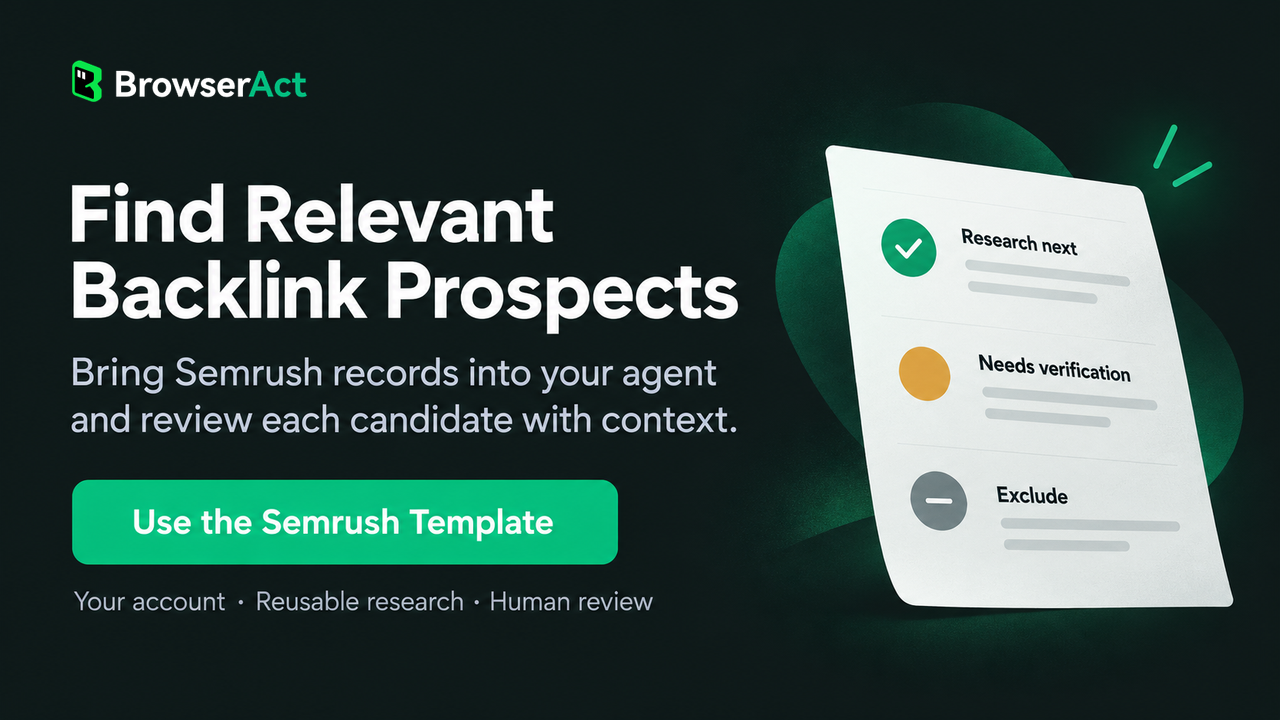
Give each candidate a review status and a reason. Use “Research next” for a relevant source with a plausible contribution, “Needs verification” for missing evidence, and “Exclude” for a clear mismatch. A colleague should be able to understand the decision without decoding a score.
Build an Outreach Shortlist With Reasons
The shortlist is a handoff between research and outreach. Its job is to show what is known, why the source fits, and what the next person needs to resolve. The structure below keeps those decisions attached to the records.
The following is an illustrative handoff structure, not a live BrowserAct result or a verified prospect.
Shortlist field | What to record |
Candidate | The referring domain and relevant source page, when available |
Evidence | The competitor reference and destination page |
Fit | The audience or topic that connects the source to your business |
Contribution | The asset or expertise you could offer |
Review status | Research next, needs verification, or exclude—with a reason |
Next check | The unresolved question and person responsible |
Research context | Comparison set, scope, and collection date |
If the gap points to an asset your team does not have, treat that as a content decision before an outreach task. Decide whether the asset would serve your audience and business even without a link. The same discipline applies when turning keyword gaps into content priorities.
Use BrowserAct and MCP to Repeat the Semrush Research
The BrowserAct Semrush Scraper template turns supported research into a reusable Bot connected to your account. Its Backlink Gap view collects candidates missing from the main domain. Backlinks and Referring Domains can provide additional supported records through separate runs. The Bot supplies the data for review; it does not qualify a publisher on your behalf.
MCP lets a compatible AI agent call that Bot as a tool. With the audience, campaign topic, available assets, and review rules you provide, the agent can help group returned records and draft reasons for further research. The team can check those reasons against the source evidence.
When a review raises another question about a domain, the agent can request a supported report without another manual export handoff. This keeps collection and discussion connected while SEO and content colleagues assess the proposed contribution. Source-page reading and contact verification remain separate where the returned records do not include them.
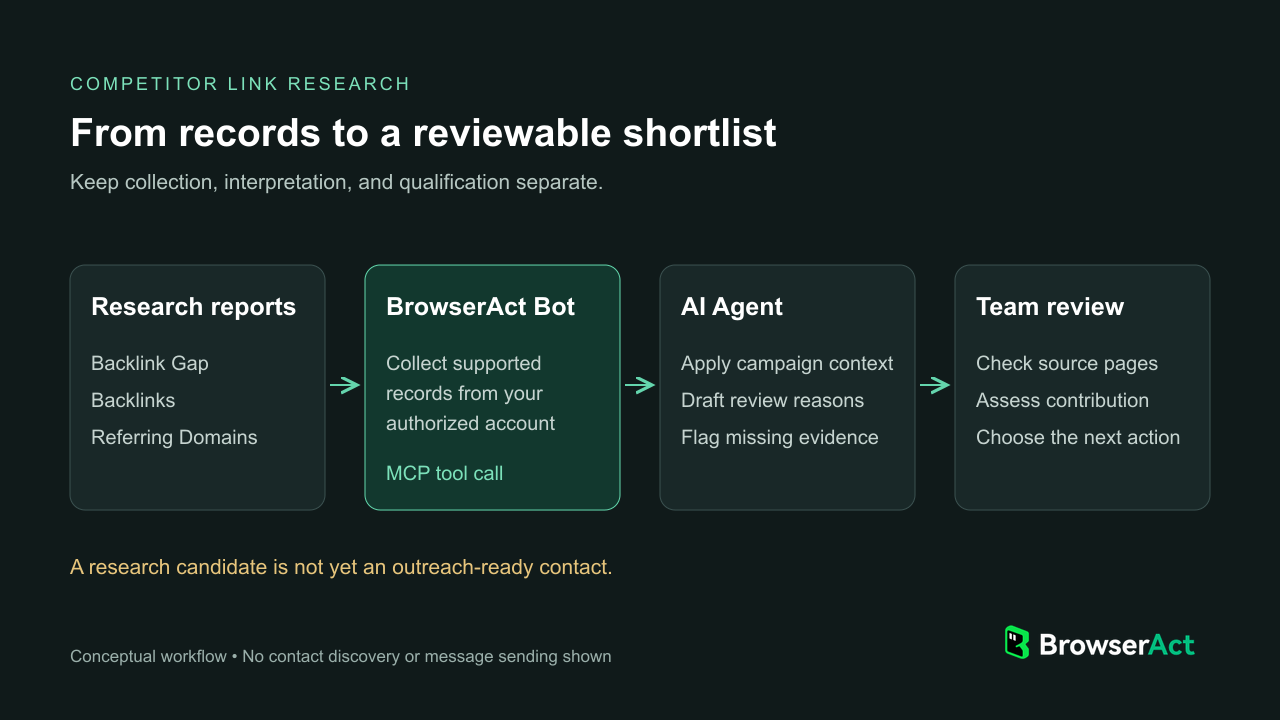
BrowserAct collects supported records; the agent organizes them with your campaign context; the team checks the evidence and chooses the next action.
You can reuse the research your existing Semrush plan permits; BrowserAct does not unlock reports outside that access. For team use, the owner can privately share the MCP Server URL and matching API Key with authorized colleagues using compatible clients, without distributing the Semrush web password. Account access and usage requirements still apply.
Use your own editable template copy, connect the account with Standard Browser and Website login, and publish the Bot. Connection details are in the MCP guide. Semrush's native reporting and MCP options may also suit other workflows.
Move From Research to Outreach and Review
Before outreach, verify the current source page, a suitable public contact route, and whether someone on the team already manages the relationship. Then explain the specific value of your contribution. “You link to our competitor” is research context, not a compelling pitch on its own.
Track the next status—checked, excluded, contacted, replied, or awaiting an asset—with a date and owner. This helps the team avoid duplicate work. Contact discovery and sending sit outside the Semrush template; publication and links remain the publisher's decision.
Useful backlink gap analysis ends with a better allocation of research and outreach effort. Use Semrush to find candidate sources, your business context to judge their fit, and BrowserAct to reuse supported research inside your agent. The result to aim for is a shortlist colleagues can review and act on, not a larger export.
FAQ
What is backlink gap analysis?
It compares link sources across your site and selected competitors to identify differences worth investigating. The result is a research starting point, not a list of links you should automatically try to acquire.
How do I choose competitors for backlink analysis?
Choose competitors relevant to the audience, topic, or search results behind your campaign. Keep your own site as the baseline and distinguish broad domain comparisons from the individual pages you inspect later.
Which backlink opportunities should I prioritize?
Prioritize relevant sources where you can explain the citation context and offer something useful. Verify the page and record any missing information. A high authority score alone is not enough to justify outreach.
Should I contact every site linking to a competitor?
No. Some links depend on a customer relationship, an unrelated topic, or an asset you cannot offer. Review each candidate's relevance and context before deciding whether there is a credible reason to contact it.
Can the BrowserAct Semrush template find contact emails or send outreach?
The Semrush Scraper template collects supported Semrush research reports. It does not include contact-email discovery or outreach sending. Your team needs to verify contact routes separately and review any proposed message before sending it.


