LinkedIn API Alternative: Official API vs Scraper API vs Browser Bot

A LinkedIn API alternative search usually starts after the official route gets confusing. You create a LinkedIn developer app. You look for the endpoint that exports the data your team needs. Then you hit the real wall: missing scopes, partner approval, Marketing API access tiers, Sales Navigator partner requirements, or a use case that simply does not map to the public API surface. So the question changes from “Where is the LinkedIn API?” to “What should I use instead?” This guide answers that
- 1The official LinkedIn API is the best option when your use case matches approved products, permissions, and partner programs.
- 2Many “LinkedIn API alternative” searches happen because users need data that the official API does not expose through open self-serve permissions.
- 3Scraper APIs are useful for stable, structured public-data needs; browser bots are better for custom workflows, screenshots, source review, and changing field requirements.
- 4BrowserAct should be the first recommended workflow after the search intent is answered when the user needs prompt-led browser execution, structured export, screenshots, scheduled checks, and stop rules.
- 5Do not treat scraping errors such as auth walls, 999 responses, 403s, or empty fields as problems to brute-force. Treat them as routing signals: official API, first-party export, licensed data, scraper API, browser workflow, or manual review.
What is a LinkedIn API alternative?
A LinkedIn API alternative is any approved, licensed, managed, or browser-based workflow used when the official LinkedIn API does not fit a data access job.
That can mean a scraper API, a data provider, a first-party export, a no-code workflow, a browser automation bot, a manual review process, or a CRM integration. It does not automatically mean “scrape everything.” It means choosing the safest and most useful route for the actual data problem.
The keyword data supports the intent. In the LinkedIn topic workbook, LNK-03 has 10 evidence rows, an average evidence score of 4.42, and 5 P0/P1 rows. The workbook shows LinkedIn API access at US search volume 200, KD 1, CPC $5, and Traffic Potential 1,000. It also includes LinkedIn automation API at US search volume 40, LinkedIn partner API at 10, and LinkedIn authwall at 20 with KD 1. This is not a huge awareness keyword. It is a decision keyword from people already stuck between API access, scraper tools, and browser automation.
Why the official LinkedIn API often does not solve the job
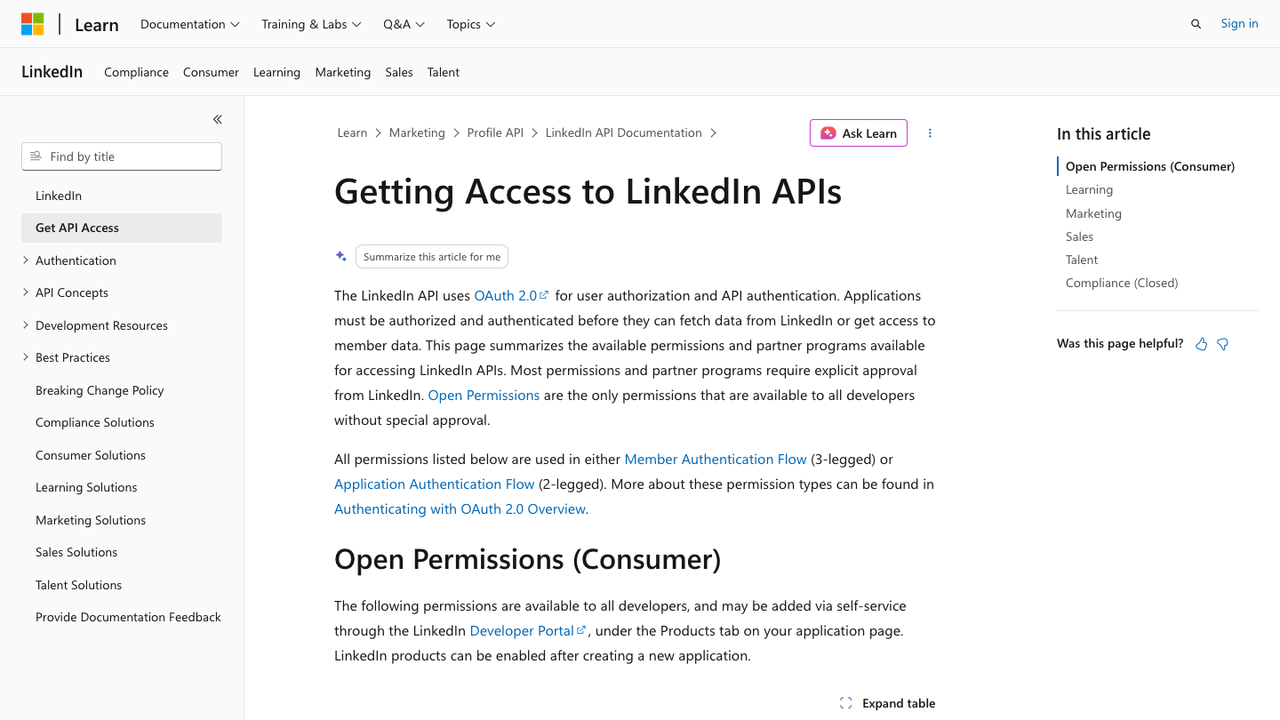
Official Microsoft Learn screenshot. Source: Getting Access to LinkedIn APIs.
The official API is not “bad.” It is just specific.
Microsoft Learn’s LinkedIn API access page explains the important constraint: LinkedIn APIs use OAuth, applications must be authorized and authenticated, and most permissions or partner programs require explicit LinkedIn approval. Open permissions are the exception, not the whole product surface.
That has a practical consequence. If you want a supported integration for sign-in, sharing, advertising, lead sync, learning, talent, or approved partner workflows, the official API can be the right path. If you want arbitrary public profile scraping, flexible post monitoring, competitor company-page research, or custom LinkedIn-to-spreadsheet workflows, the official API may not expose what you need through a simple self-serve endpoint.
That is why people search for alternatives.
Pro Tip: Before evaluating any alternative, write down the exact data object you need: member-owned data, ad account data, organization data, Sales Navigator analytics, public post data, company-page fields, comments, jobs, or search results. “LinkedIn data” is too vague to choose a route.
The official API route: use it when scopes match
The official route is best when four things are true:
- The API product supports your use case.
- Your app can receive the required permissions.
- The data belongs to an approved integration context.
- Your team can comply with the platform’s terms, storage, consent, and launch requirements.
For example, a marketing platform working with ad accounts should start with LinkedIn Marketing APIs. A learning platform connected to enterprise learning data should look at LinkedIn Learning APIs. A Sales Navigator integration should evaluate Sales Navigator Application Platform requirements.
The advantage is obvious: better governance, clearer permissions, and a stronger compliance story.
The trade-off is also obvious: the official API is not a general-purpose LinkedIn extraction layer.
Official API fit | Good reason |
Sign in with LinkedIn | Authenticated identity use case |
Share on LinkedIn | Member-authorized publishing |
Marketing API | Ad accounts, campaign management, reporting, approved scopes |
Lead Sync API | Approved lead form workflows |
Sales Navigator platform | Approved partner/integration path |
Learning / Talent APIs | Specific business-line integrations |
Pro Tip: Do not ask “Can the API get LinkedIn data?” Ask “Which approved product owns this data object?” That wording forces the team to identify whether the job belongs to Marketing, Sales, Talent, Learning, owned-page analytics, or a custom public research workflow.
The access-tier problem
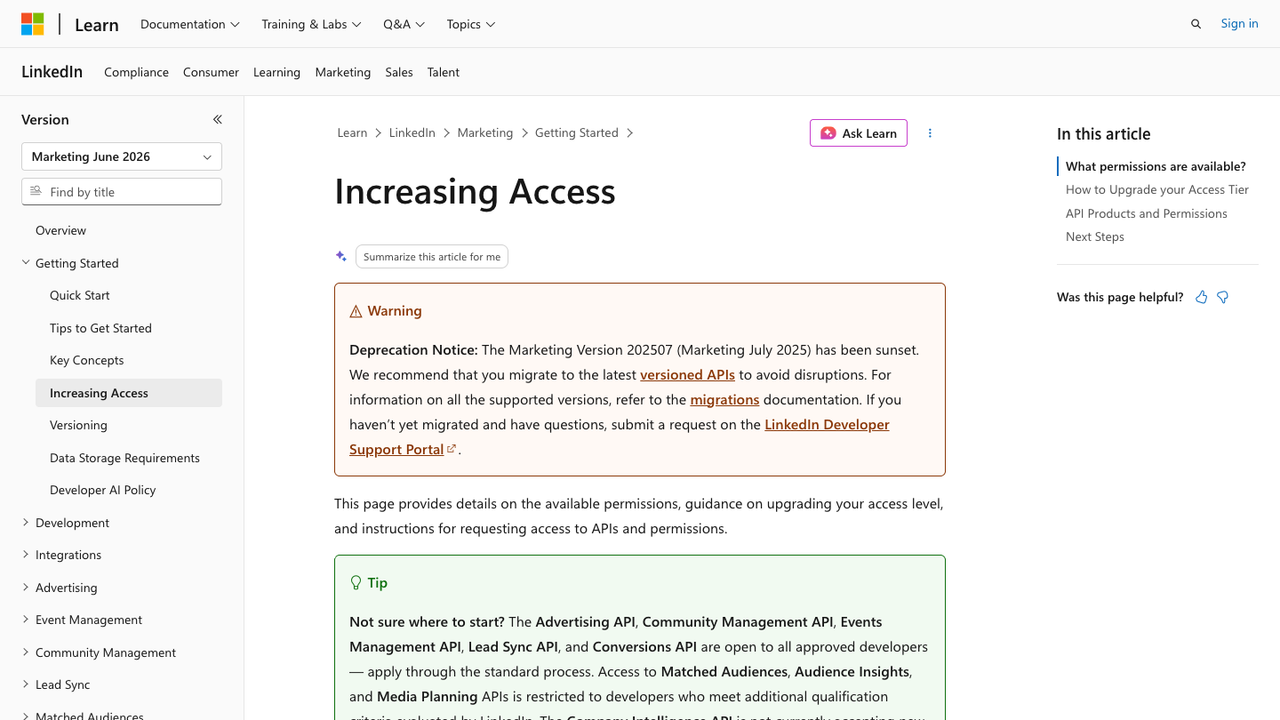
Official Microsoft Learn screenshot. Source: Increasing Access - LinkedIn Marketing APIs.
The Marketing API access documentation shows the second reason alternatives exist: access is not simply on or off.
Some API products are open to approved developers through a standard process. Others are restricted and require additional qualification. Some products have development and standard tiers. Some access paths are tied to ad accounts you administer. Some require support tickets or program review.
That is completely reasonable for an enterprise API. But it means a growth team, analyst, founder, or data operator cannot assume the official API is the fastest route to a CSV.
Here is the decision rule:
If your problem is... | Start with... |
Approved ad/account reporting | Official LinkedIn Marketing API |
Owned-page/admin reporting | First-party export or admin analytics |
CRM sync / Sales Navigator supported workflow | Official CRM/Sales Navigator integration path |
One-off public research table | BrowserAct or manual review |
Stable public-data endpoint at scale | Scraper API or managed data provider |
Custom visual workflow with changing fields | BrowserAct browser bot |
Scraper APIs: useful when the endpoint is the product
A LinkedIn scraper API usually packages public-data extraction behind a structured endpoint. You send a profile URL, company URL, job URL, post URL, or search input. It returns JSON or CSV.
This can be excellent when the job is stable:
- Enrich a list of public company URLs.
- Retrieve public post fields for known URLs.
- Collect job postings for a fixed search.
- Pull profile-like public records where the provider has an established data product.
The advantage is operational simplicity. Developers like APIs because they are predictable. You can call an endpoint, store the response, retry failures, and pipe results into a database.
The trade-off is workflow nuance. A scraper API may not know why a field matters, when to take a screenshot, how to adapt to a slightly different visual page, when to stop for review, or how to add a custom field next week without a new endpoint.
That is not a criticism. It is the category boundary.
Pro Tip: Choose a scraper API when the schema is stable and the output is the product. Choose a browser workflow when the research logic is changing faster than the endpoint.
Run the scrape once with browser-act. Package the repeatable path with Skill Forge.
- 1. An agent uses browser-act to search Google Maps, scroll listings, inspect place pages, and extract visible fields.
- 2. The team validates the schema: business name, category, address, phone, website, rating, review count, and source URL.
- 3. browser-act-skill-forge turns the proven flow into a reusable scraper Skill for future agent runs.
Browser bots: useful when the page is the workflow
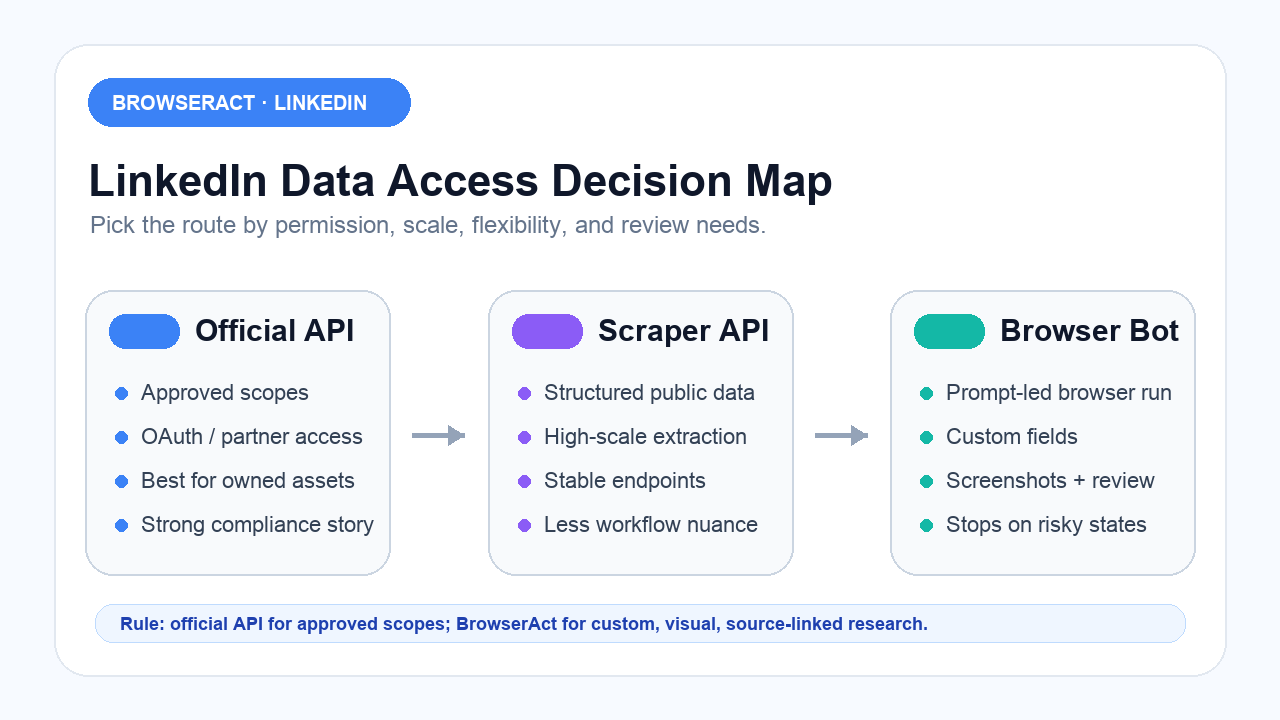
A browser bot is different from a scraper API. It operates through a browser workflow: open pages, follow visible steps, collect fields, save source URLs, capture screenshots, export structured data, and stop when a risky state appears.
That makes BrowserAct useful for jobs like:
- “Visit these public company pages and collect visible firmographics plus recent post URLs.”
- “Open these post URLs and extract comments into a separate table.”
- “Review Sales Navigator search results and export a source-linked CSV with review status.”
- “Search for product mentions and tag posts as hiring, launch, funding, partnership, or pain point.”
- “Run this weekly and show me which rows changed.”
Those jobs are not just endpoints. They are research workflows.
BrowserAct is strongest when you need prompt-led browser execution, flexible fields, source screenshots, stop rules, scheduling, and human handoff. It is not a replacement for official permissions when the official API cleanly supports your use case. It is the first workflow to consider when the job is custom, visual, and review-driven.
Recommended workflows after you understand the intent
Once you understand the search intent, the recommendation order becomes clear.
1. BrowserAct for custom browser workflows
Use BrowserAct when the user needs to describe the job in plain language and have a browser workflow collect structured output.
How it works: you provide a prompt, input list, allowed fields, stop rules, and export format. BrowserAct runs the browser task, collects source-linked facts, flags risky states, and exports the table.
Strengths: custom fields, visual page handling, screenshots, scheduled runs, source URLs, human review flags, no-code iteration.
Limitations: not a license to collect private data, bypass platform restrictions, or automate engagement. The workflow still needs a clear allowed-data policy.
Best for: public research workflows, competitor monitoring, post/comment datasets, Sales Navigator CSV-style research, and custom extraction where the field list changes.
2. Official LinkedIn APIs for approved integration use cases
Use the official API when you can get approved access and the endpoint matches the job.
How it works: your app authenticates through OAuth, receives approved permissions, and calls LinkedIn API products for supported business-line use cases.
Strengths: official path, clear permissions, stronger governance.
Limitations: approval gates, product boundaries, and restricted programs. It is not a general web data API.
Best for: owned data, ads, lead sync, learning, talent, Sales Navigator integrations, and supported partner workflows.
3. Scraper APIs for stable structured data
Use scraper APIs when the target object and output schema are stable.
How it works: call an endpoint with a URL or query, receive structured output, integrate with your system.
Strengths: developer-friendly, scalable, easy to pipe into databases.
Limitations: less flexible when the workflow changes; provider coverage and freshness vary.
Best for: recurring structured public datasets, enrichment workflows, and API-first teams.
4. First-party exports and manual review
Use first-party exports when LinkedIn already provides the data through an admin report, CRM sync, or native analytics view. Use manual review for sensitive or ambiguous workflows.
How it works: export or review through the official product surface; document source and limitations.
Strengths: lower operational risk, clear provenance.
Limitations: limited scope; may not cover competitor research or custom public-data workflows.
Best for: owned-page analytics, admin reports, CRM syncs, and high-risk decisions.
Workflow | Best fit | Main advantage | Watch-out |
BrowserAct | Custom public research workflow | Prompt-led browser run, screenshots, flexible fields | Needs stop rules and human review |
Official LinkedIn API | Approved integration | Official permissions and governance | Limited by products/scopes |
Scraper API | Stable structured public data | Developer-friendly endpoint | Less workflow nuance |
First-party export | Owned/admin data | Lowest complexity | Narrow scope |
Manual review | Sensitive decisions | Human judgment | Slower |
How to handle auth walls, 999, 403, and empty fields
The LNK-03 research sheet includes several developer pain points: Selenium request limits, Puppeteer seeing a login wall where manual Chrome works, and Scrapy receiving 999 responses.
Do not turn those into a bypass tutorial.
Treat them as diagnostic signals:
Symptom | What it usually means | Safer response |
Login wall / AuthWall | Browser state or access context changed | Stop, flag, review the data route |
999 / 403 response | Automated request blocked or not accepted | Do not brute-force; reassess method |
Empty profile fields | Field not visible or not supported by workflow | Mark null with reason |
Rate-limit uncertainty | Limits are dynamic and context-dependent | Reduce scope and add review |
Cookie-dependent fields | Richer data may require authenticated context | Evaluate risk and permission |
A practical BrowserAct prompt
For a custom LinkedIn API alternative workflow, use a prompt like this:
Use this CSV of LinkedIn source URLs and research goals.

For each row:
1. Open the public LinkedIn URL in the browser.
2. Collect only visible public fields requested in the schema.
3. Save the source URL, checked_at timestamp, extraction_status, and any missing-field reason.
4. Capture a screenshot only when the row contains a high-priority signal or needs human review.
5. Export a structured CSV with one row per source object.

Do not like, comment, follow, connect, message, repost, publish, or change account state.
Stop and flag the row if login, CAPTCHA, unusual activity, payment wall, private data, or access uncertainty appears.
That prompt does what a good alternative should do: it turns a vague scraping request into a controlled data workflow.
Decision checklist
Before choosing a LinkedIn API alternative, answer these questions:
- Is there an official API product for this exact use case?
- Can the app get approved scopes or partner access?
- Is the data owned/admin data, public visible data, or private/member data?
- Does the output schema change often?
- Do you need screenshots or source audit?
- Do you need a one-time CSV or scheduled monitoring?
- Does the workflow include engagement actions? If yes, separate it from data collection.
- What should happen when a field is missing or a page state changes?
If the official API matches, use it. If the schema is fixed, evaluate a scraper API. If the workflow is custom and source-linked, use BrowserAct. If the risk is high, keep a human in the loop.
Final recommendation
The best LinkedIn API alternative is not the most powerful tool. It is the route that matches the data object, permission model, workflow shape, and review burden.
Use the official API when it fits. Use scraper APIs when you need stable structured endpoints. Use BrowserAct when the work is visual, custom, source-linked, and better described as a browser research workflow than an endpoint call.
That framing saves time. More importantly, it keeps the automation honest.
Two Skills, One Repeatable Browser Workflow
Start with live browser execution when the agent needs to understand a page. Move to Skill Forge when the same scraper should run again without re-exploring the site.
Run once with browser-act
Give Codex, Claude Code, Cursor, Windsurf, or another agent a real browser for rendered pages, clicks, scrolling, screenshots, DOM extraction, and network inspection.
Open browser-act SkillPackage with Skill Forge
Explore the site once, verify the extraction path, then generate a callable Skill package that other agents can reuse for batch jobs or scheduled workflows.
Open Skill ForgeFurther reading: LinkedIn research
Frequently Asked Questions
What is the best LinkedIn API alternative?
The best LinkedIn API alternative depends on the job: official API for approved scopes, scraper APIs for stable public data, and BrowserAct for custom browser workflows.
Why is LinkedIn API access limited?
LinkedIn API access is tied to OAuth permissions, products, approval gates, and partner programs. Many permissions require explicit approval.
Should I use the official LinkedIn API or a scraper API?
Use the official API when your use case and permissions match. Use a scraper API when you need stable structured public data outside the official endpoint model.
When should I use BrowserAct as a LinkedIn API alternative?
Use BrowserAct when you need prompt-led browser execution, custom fields, source URLs, screenshots, scheduled checks, and human review rules.
Can a LinkedIn API alternative bypass auth walls or 999 errors?
Do not treat auth walls or 999 errors as bypass targets. Treat them as signals to stop, review access, and choose a safer data route.
Is a browser bot the same as a scraper API?
No. A scraper API exposes fixed endpoints. A browser bot runs a visual workflow and is better for custom, changing, source-linked research tasks.
Should I automate LinkedIn engagement with an API alternative?
Keep data collection separate from engagement. Do not automate likes, comments, follows, messages, reposts, or connection requests from a scraping workflow.


