Username Search: 5 Ways to Find Accounts Across Social Media in 2026

You know someone's username on one platform, but you want to find out whether the same handle appears anywhere else. For example, you may know that a creator uses johnsmith23 on TikTok. Searching that username could lead you to a matching YouTube channel, Reddit profile, GitHub account, old forum page, or personal website.
What Is a Username Search?
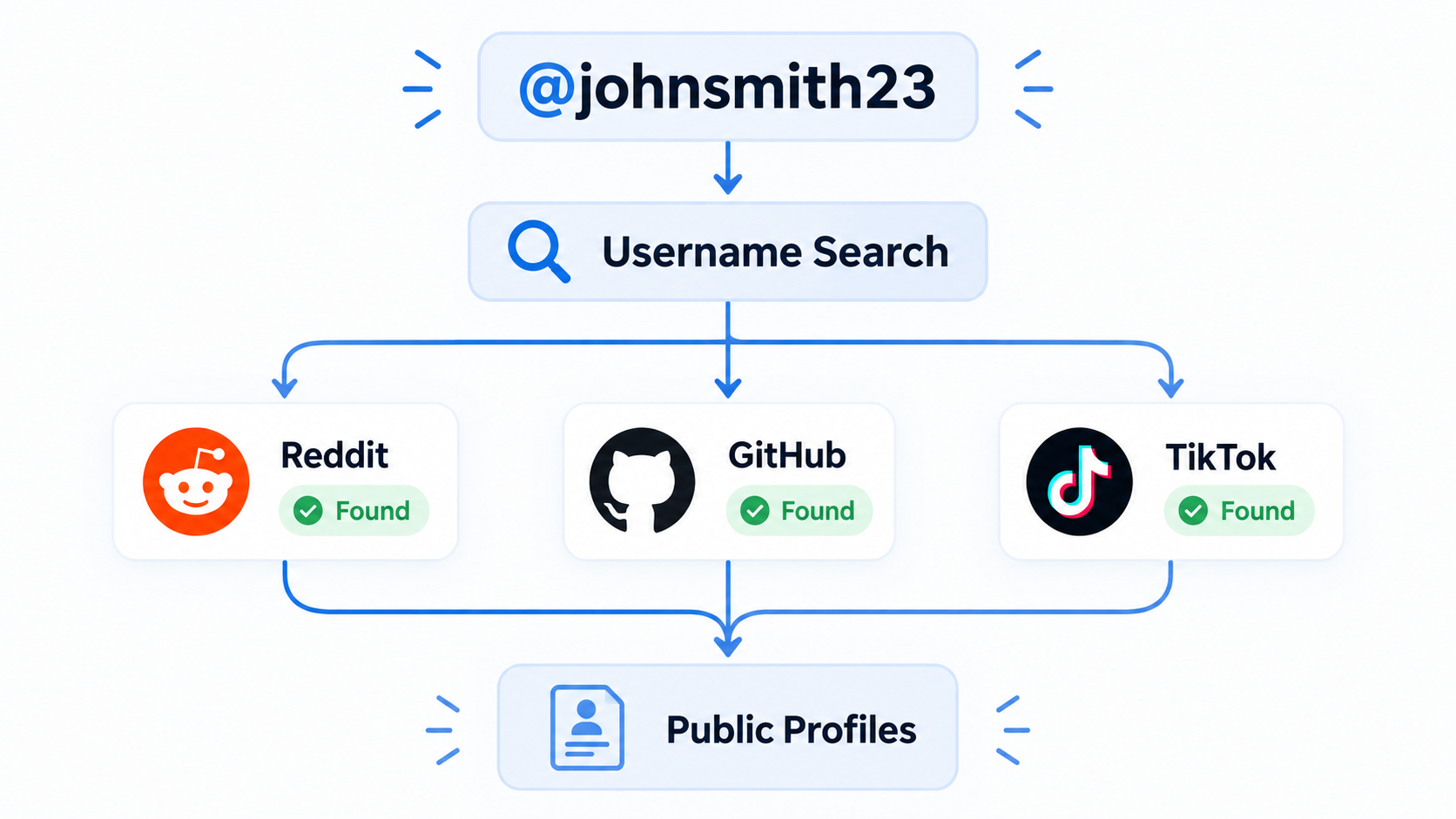
One username can surface matching public profiles on several platforms.
A username search starts with a handle you already know and checks where else that handle appears online.
Suppose you search:
johnsmith23
You might find a Reddit account using u/johnsmith23, a GitHub profile at github.com/johnsmith23, and a TikTok profile at tiktok.com/@johnsmith23.
That does not mean all three belong to the same John Smith. What it gives you is a shortlist of public profiles worth checking.
You may also see this type of search described as a username lookup, username finder, or reverse username search. The wording changes, but the basic action is similar: start with a username and look for public accounts connected to that handle.
This is slightly different from a username checker.
A username checker is usually designed for someone creating a new account:
"Is johnsmith23 still available on Instagram?"
A username search asks the opposite question:
"Where is johnsmith23 already being used?"
That difference becomes important when choosing a tool later in this guide.
The easiest way is to search the username manually on Google or individual platforms. Dedicated username search tools can check many websites at once. If you need to repeat the search for dozens or hundreds of usernames, you can also turn the process into an automated workflow.
This guide walks through five practical ways to do it.
A quick note before you start: the same username appearing on two websites does not automatically mean both accounts belong to the same person. A username search gives you possible matches. You still need to look at the profile itself and verify the connection.
1. Search the Exact Username on Google
For a quick search, Google is often the easiest place to start.
Put quotation marks around the username:
"johnsmith23"
Quotation marks tell Google that you want results containing that exact string.
If the username is fairly unique, the results may immediately surface social profiles, forum posts, author pages, public comments, portfolio websites, or other places where the handle appears.
You can make the search much more precise with Google's site: operator.
For example:
"johnsmith23" site:reddit.com
checks Reddit results, while:
"johnsmith23" site:github.com
focuses on GitHub.
This is particularly useful when Google gives you too many unrelated results.
Imagine searching the username alex. The normal results would be extremely broad. Searching:
"alex" site:github.com
does not solve the identity problem, but at least narrows the search to one platform.
You can also add information you already know:
"johnsmith23" photographer
or:
"johnsmith23" Austin
If the person mentions their occupation or city publicly, those extra terms may help separate the right profile from unrelated accounts.
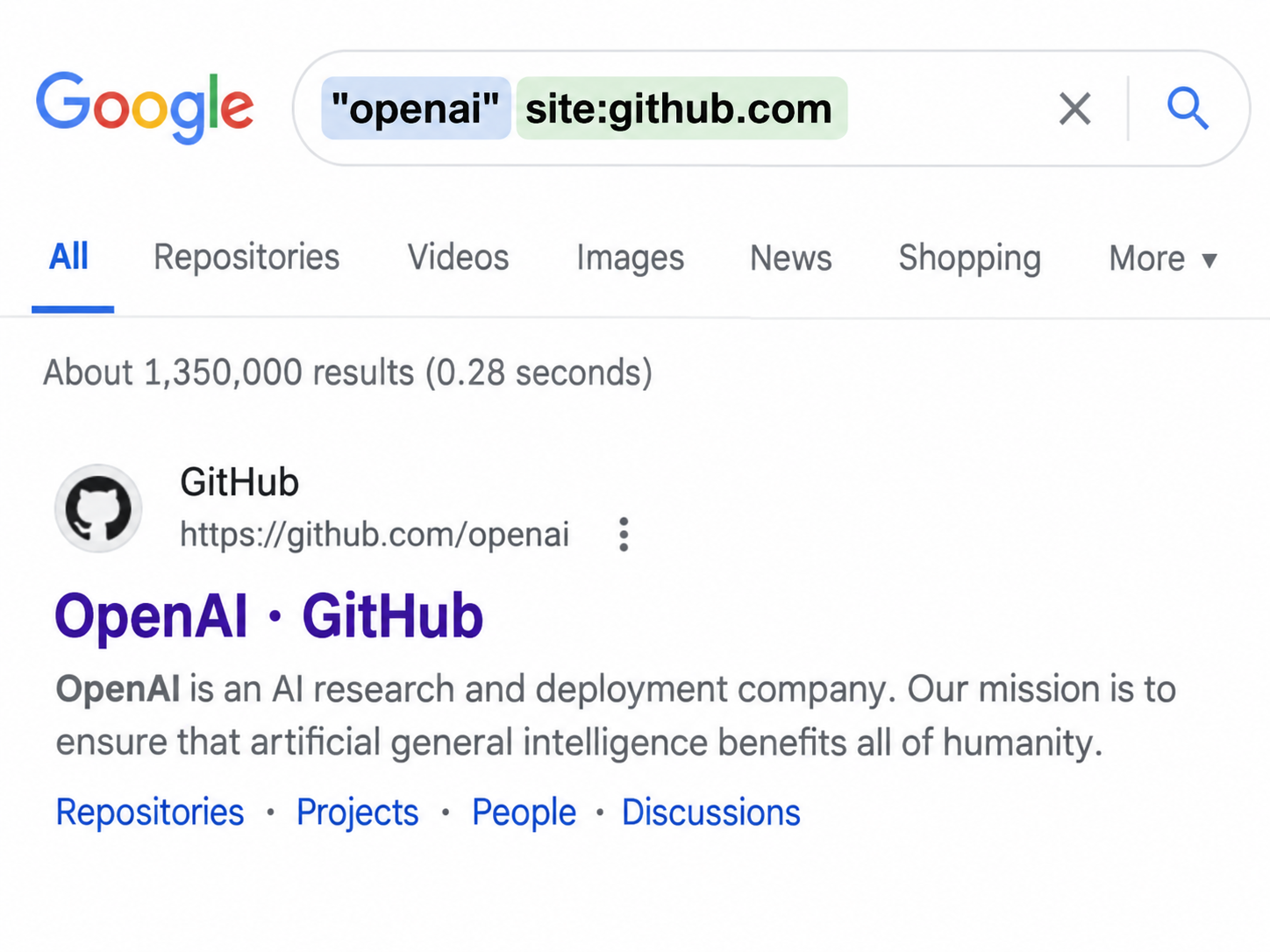
Use quotation marks and the site: operator when you already know which platform you want to check.
Google works well for a few searches. It becomes tedious when you have to repeat the same process across ten platforms or work through a spreadsheet containing hundreds of usernames.
2. Try the Username as a Direct Profile URL
Many platforms use predictable profile URLs.
If you know the username, you can sometimes skip search entirely and open the likely profile page.
For example, if the username is johnsmith23, you could try:
github.com/johnsmith23
reddit.com/user/johnsmith23
tiktok.com/@johnsmith23
youtube.com/@johnsmith23
This method is especially fast when you already know which platforms matter.
A developer research team, for example, might care mainly about GitHub. A creator marketing team may check TikTok, Instagram, and YouTube first.
But a working URL is only the beginning.
Suppose github.com/johnsmith23 exists. Open the page and compare what you can actually see: the display name, profile picture, bio, employer, personal website, repositories, or links to other accounts.
If those details do not match the person you are researching, the identical username may simply be a coincidence.
Short and common usernames create this problem more often. Someone using mike, alex, or designer is much harder to identify through the handle alone than someone using a distinctive username such as johnsmithphotography92.
3. Use the Platform's Own Search
Direct profile URLs work best when you know the exact current username.
Real accounts are not always that tidy.
Someone may change johnsmith to john_smith, add a number because their original handle was unavailable, or keep "John Smith" as their display name while changing the actual username completely.
For example, searching johnsmith on TikTok might surface:
- john_smith — the same name with an underscore
- johnsmith23 — the original handle with numbers added
- John Smith — an account where the phrase appears only as the display name
This is where the platform's native search can find results that an exact profile URL misses.
It also gives you context immediately.
Instead of only learning that johnsmith23 exists, you can open the result and see whether the account talks about the same profession, uses the same profile picture, links to the same website, or publishes content consistent with another profile you already know.
Consider a creator who changed their TikTok username after building a following. An old Google result may still point to the previous handle, while TikTok's current search may surface the renamed account.
Native search is therefore useful when an exact match fails or when you are dealing with a common username. The downside is simple: you have to repeat the search separately on every platform.
4. Use a Username Search Tool
If you want to check more than a couple of websites, a username search tool can save a lot of repetitive work.
Instead of opening Reddit, GitHub, TikTok, forums, gaming websites, and community platforms individually, you enter the username once and review the possible matches.
The tools in this category are not all trying to solve exactly the same problem. (If you want a broader comparison of finder tools, we cover them in 10 Best Social Media Finder Tools in 2026.)
WhatsMyName
WhatsMyName is a browser-based public username search tool.
Enter a handle such as:
johnsmith23
and it checks that handle against a large catalog of public website patterns. Results are organized so you can open the possible profiles and inspect them yourself.
WhatsMyName explicitly describes the matches as leads for manual review rather than proof that the accounts belong to one person.
This makes it useful for a quick digital-footprint search.
For example, if you want to check your own old username, you can enter the handle once and look for forgotten profiles on communities or websites you no longer use.
The important part is still the manual review. If the same common username exists on ten sites, those ten profiles could belong to ten different people.
Sherlock
Sherlock is one of the better-known open-source projects for searching usernames across social networks.
Instead of entering a username into a normal web form, you can run a command such as:
sherlock johnsmith23
Sherlock then checks the username against its supported sites and reports the accounts it finds. The official project describes its purpose as hunting down social-media accounts by username across social networks.
It can also take several usernames in one command.
For example:
sherlock johnsmith23 alexdev sarahphoto
That makes it useful if you are comfortable working in a terminal and want more control over the search process.
For someone who simply wants to enter a username and see a result in the browser, however, installing and running a command-line tool adds unnecessary setup.
Maigret
Maigret takes a similar approach but offers more options for larger research workflows.
You can run a username directly:
maigret johnsmith23
or provide a file containing multiple identifiers. Its current documentation supports reading multiple usernames from an input file, which is useful when the search list is already stored as a dataset.
For example, instead of copying usernames one by one, a researcher could prepare:
johnsmith23
alexdev
sarahphoto
brandaccount
and process the list in one workflow.
That flexibility is useful for technical users, but it also means Maigret is more of an investigation tool than a simple one-click username lookup.
Namechk
Namechk belongs in the same conversation, but it solves a different problem.
Suppose you are launching a product called AcmeAI and want the same handle everywhere. You can enter:
AcmeAI
and check whether that username is available across social networks and whether related domain names are still free. Namechk currently positions itself around username and domain availability rather than identifying who owns existing accounts.
So if your question is:
"Can I still register this username?"
Namechk makes sense.
If your question is:
"Where is this person's existing username being used?"
you need a username lookup rather than a brand-name availability checker.
5. Turn Username Search Into a Repeatable Workflow with BrowserAct
All of the methods above work well when you have one username.
The problem changes when you have 50, 500, or 5,000.
Imagine a creator marketing team with a spreadsheet like this:
creator_username
alextravels
jennytech
mikefitness
sarahdesign
...
The team wants to check public profiles for every creator.
A researcher could open Google, search each username, visit several platforms, copy profile URLs back into the spreadsheet, and repeat the same process for the next person.
The research itself is not particularly difficult.
The repetition is the problem.
BrowserAct turns a plain-language request into a reusable web-scraping or automation Bot. Describe the public profiles and fields you need, and BrowserAct builds and verifies a Bot that can run in the cloud. You can review its output, improve the instructions, and use the same Bot again when the research task returns.
For username research, that means defining the platforms, visible profile fields, and how uncertain matches should be reported once, then reusing that setup for later checks. BrowserAct manages the browser infrastructure; CSV or JSON exports, scheduling, and integrations support the next stage of your workflow.
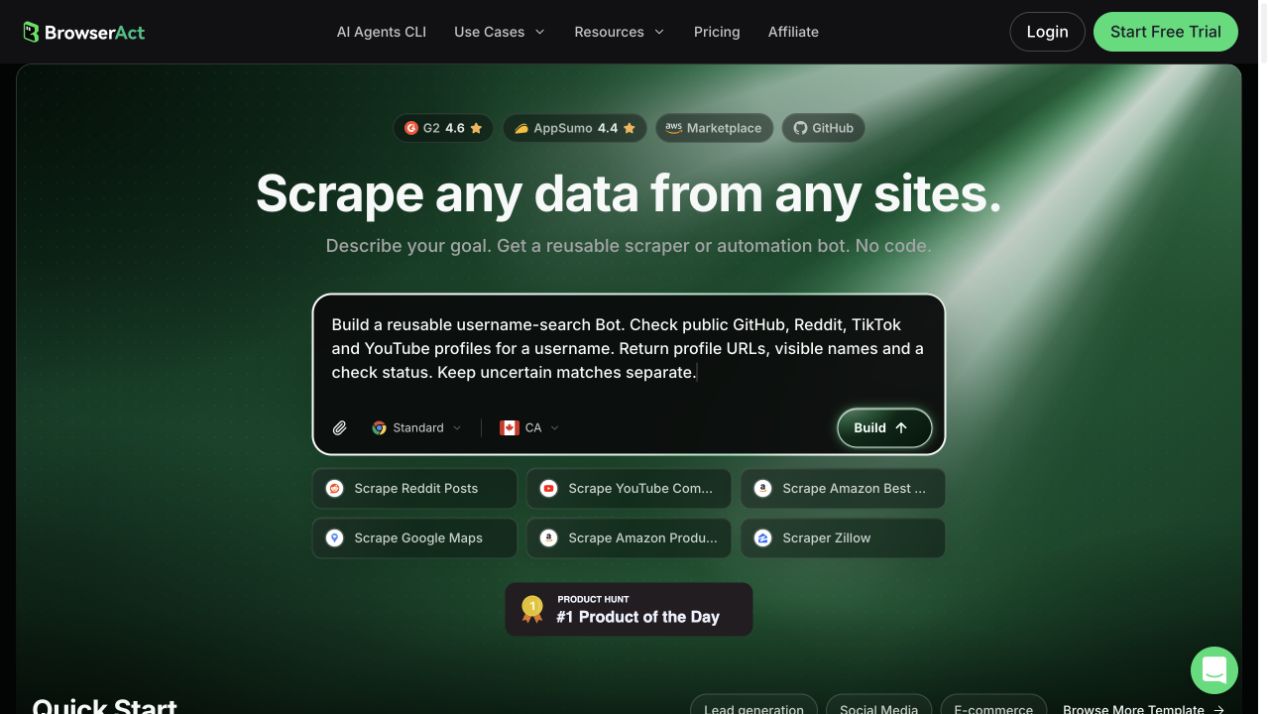
BrowserAct’s current Bot creation entry, with an example username-search request entered. This screenshot shows the setup, not a completed run.
For a ready-made starting point, the Social Media Username Finder Bot accepts one username per run and checks supported public profile pages. Its published example separates confirmed profile records from the status of other platform checks. Template coverage and available fields depend on the Bot; a confirmed page is not proof that two accounts share the same owner.
For example, the current template uses:
openai
as its sample input.
A confirmed result can include fields such as:
platform_name: GitHub
profile_url: https://github.com/openai
display_name: OpenAI
username: openai
validation_status: confirmed
The template's published example currently shows that GitHub result for the openai username.
What Happens During the Search?
The basic flow is:
openai
↓
Normalize username
↓
Check supported public profile pages
↓
Review visible profile information
↓
Confirmed / Missing / Ambiguous
↓
Structured result
BrowserAct's published template separates confirmed profiles from missing or ambiguous checks and includes validation information in its structured result.
That distinction matters.
A simple username checker may tell you that a URL exists. A reusable research workflow needs to tell you what it found and return the information in a format that another system can use.
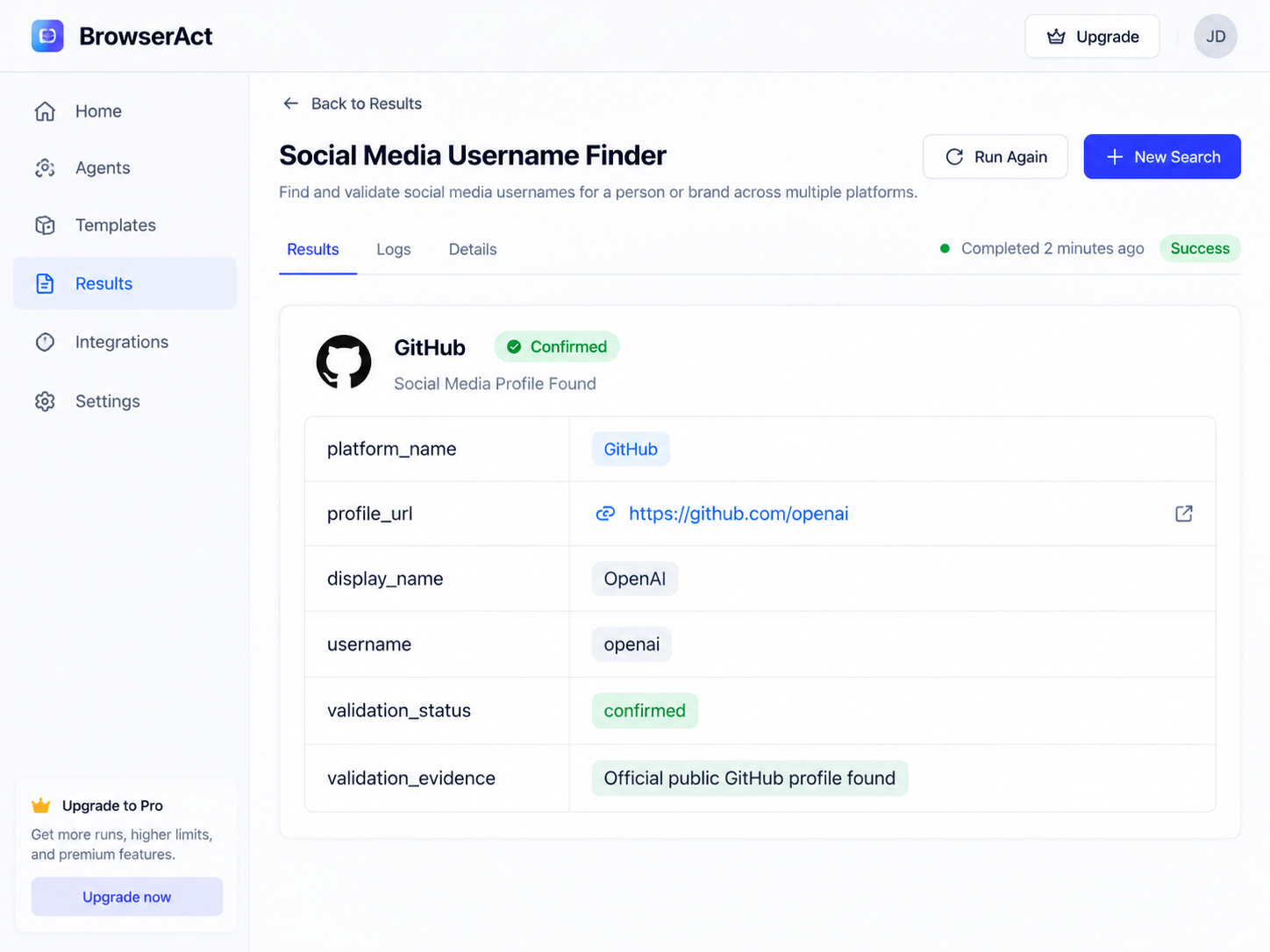
Official template example: a structured profile record for openai. This is the template’s published sample, not a new run performed for this article.
How Do You Know Whether Two Username Matches Belong to the Same Person?
Suppose your search produces three results:
Reddit   → johnsmith23
GitHub   → johnsmith23
TikTok   → johnsmith23
The username alone is not enough.
Open the profiles and look for independent signals that connect them.
- Check linked websites. If both GitHub and TikTok link to
johnsmith.com, that is much stronger evidence than a matching handle alone. - Compare names and profile images. The same full name, logo, or recognizable photo can strengthen the match, although images should not be treated as proof on their own.
- Read the bio. "Frontend developer at Acme" appearing on two profiles is more informative than a generic description such as "Love tech."
- Look for direct cross-links. A personal website linking to both profiles, or one social account directly linking to another, gives you a clearer connection.
- Check whether the overall context makes sense. A GitHub profile belonging to a developer in London probably has little to do with a same-named TikTok account belonging to a restaurant in Texas.
For a rare username, a match may look convincing very quickly.
For a common username, expect to do more verification.
Username Search vs. Username Checker
The two terms sound similar enough that search results often mix them together.
They are useful for different jobs.
Dimension | Username Search | Username Checker |
Main question | Where is this username already used? | Is this username still available? |
Typical starting point | An existing handle | A new handle you want to register |
Typical result | Public profile URLs | Available / unavailable |
Common use | Research, profile discovery, digital footprint | Branding, account creation |
Example | Find | See whether |
If you already know someone's Reddit or TikTok handle and want to locate related public profiles, you want username search.
When One Username Search Becomes 500 Searches
This is where the difference between a free lookup tool and an automated workflow becomes clearer.
Suppose an influencer marketing agency receives a list of 300 TikTok creators.
For each creator, the team wants to collect a public YouTube profile, GitHub account if relevant, website, and other available public profiles.
Doing the first creator manually is easy.
Doing creator number 217 is the same easy task for the 217th time.
With an API workflow, the process can instead look like this:
Creator Spreadsheet
↓
Read username
↓
BrowserAct API
↓
Check public profiles
↓
Structured result
↓
CRM / Database / Google Sheets
BrowserAct describes its Username Finder as suitable for direct API calls and composition with other workflows because the Bot uses a narrow username input and a consistent response structure.
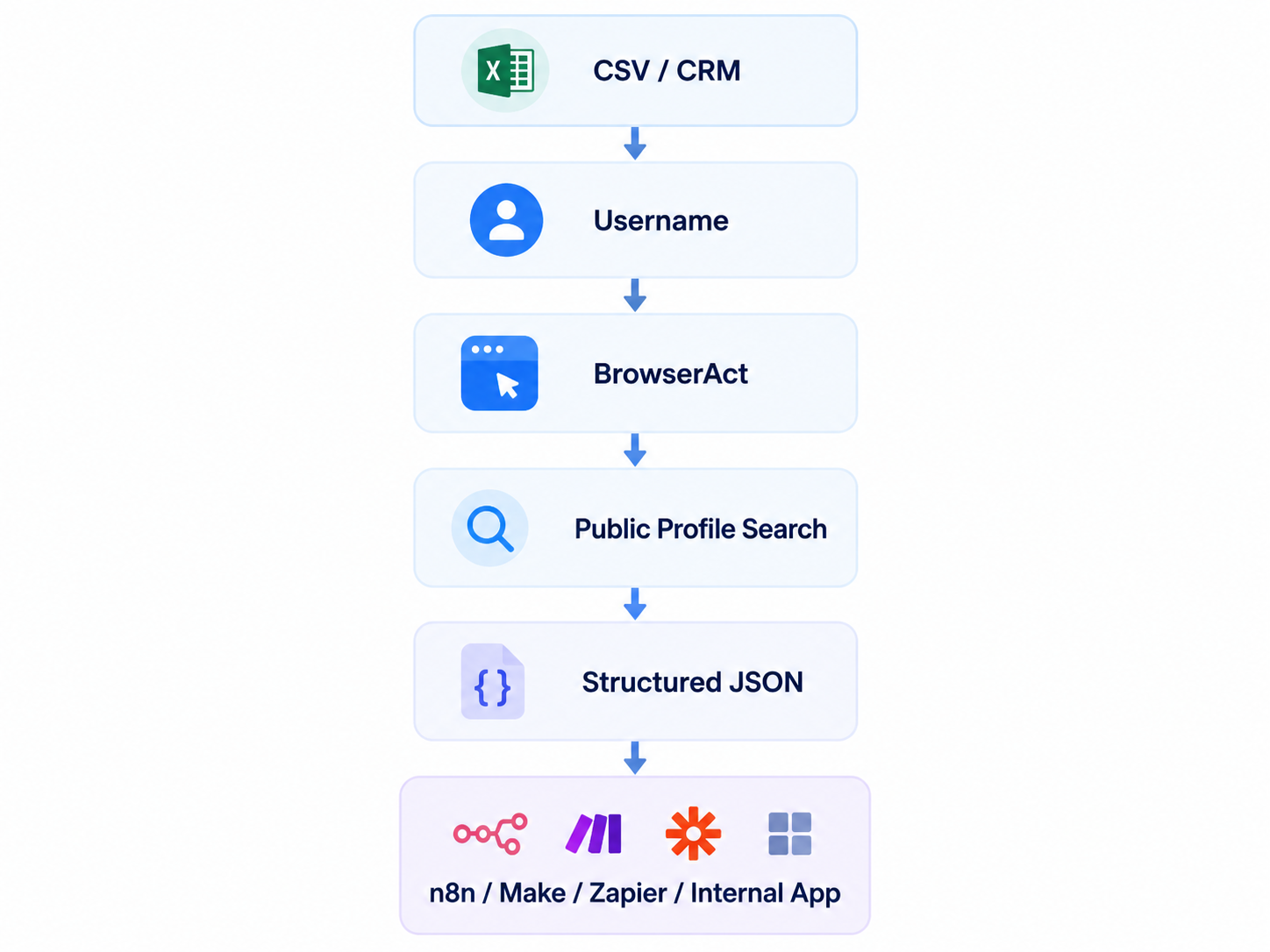
At this scale, the username check becomes one step inside a larger data workflow.
Someone searching one username does not need an automation pitch. Someone repeating the same task hundreds of times probably does.
Where Username Search Is Actually Useful
Creator Research
Imagine discovering a creator through TikTok.
Their TikTok bio is minimal, but you want to understand what else they publish publicly.
Starting from their handle may lead you to a YouTube channel, personal website, GitHub account, Reddit activity, or other public profiles.
The username gives you a starting point. The profiles themselves give you the context.
Brand Handle Audits
Companies often open social accounts over several years, sometimes through different employees or agencies.
Searching the same brand handle can reveal old public profiles, forgotten accounts, inconsistent usernames, or places where someone else already uses the brand name.
For example, a company using AcmeAI on X and GitHub may discover that its Instagram account still uses an older Acme_AI handle.
That is useful information even when no identity investigation is involved.
Checking Your Own Digital Footprint
Searching your own old usernames can be surprisingly useful.
A handle you stopped using five years ago may still appear on an abandoned forum profile, gaming account, developer community, or social platform.
Tools such as WhatsMyName explicitly support this kind of public digital-footprint review.
You can then decide whether those profiles should be updated, secured, or closed.
Public Profile Enrichment
Sometimes a business already has a username from a lead form, creator application, public dataset, or CRM.
Instead of treating the handle as an isolated field, a username search can help connect it to additional public profile URLs.
For one lead, that is a manual research task.
For an incoming stream of leads, it becomes a data workflow.
Which Username Search Method Should You Use?
If you have one username and five minutes, start with Google.
Search the exact handle, add site: filters, and open the profiles that look relevant.
If the exact username no longer works, try the platform's native search and look for variations.
If you want a fast scan across many websites, use a dedicated username finder such as WhatsMyName.
If you are comfortable with command-line research, Sherlock and Maigret give you more control.
And if username checks are becoming part of a repeatable business process, use a workflow that returns structured results instead of manually rebuilding the same search every time.
The right tool depends less on whether it can "find usernames" and more on what you need to do after the first result appears.
Frequently Asked Questions
What is a username search?
A username search starts with a known handle and looks for public websites and profiles where the same username appears. For example, searching johnsmith23 may surface matching profiles on Reddit, GitHub, TikTok, forums, or other public websites.
What is a reverse username search?
Reverse username search usually means starting with a username rather than a person's real name. You already know the handle and work outward to find other public accounts where it appears. The phrase reverse username lookup is often used for the same type of search.
Can I search a username across multiple social media platforms?
Yes. You can search platforms individually, use Google queries such as "username" site:reddit.com, or use a username finder that checks multiple public sites from one input.
Can I find someone by username?
A username can help you find public profiles that use the same handle, but a matching handle alone does not prove that the profiles belong to the same person. Use public details such as names, bios, websites, profile images, and direct cross-links to verify the connection.
Is username search the same as people search?
No. A username search begins with an online handle. Traditional people-search services may begin with a person's real name, phone number, email address, address, or public-record information. BrowserAct's Social Media Username Finder is intentionally narrower: it accepts a username and checks supported public profile pages rather than searching by a person's name, email address, or phone number.
Can I search usernames for free?
Yes. Google searches, direct profile URLs, native platform search, and tools such as WhatsMyName can all be used without building an automated workflow. Automation becomes more useful when the same search needs to be repeated regularly or connected to another application.
Can I automate username searches?
Yes. BrowserAct can turn a plain-language request into a reusable Bot for public-profile checks. Review a small run first, keep uncertain matches separate, then reuse the Bot or connect its output to an API workflow.
Start with One Username. Reuse the Bot When You Need More
For one username, start with Google or a direct profile URL and verify the pages you find. When the same checks become a recurring task, a reusable Bot can save you from rebuilding the process each time.
Start from the Social Media Username Finder Bot or describe your own public-profile research task in BrowserAct. Review the source URLs and uncertain matches before using the results.
Build your reusable username-search Bot.
Describe the public profiles you want to check. Review the results, then run the same Bot again.
Get your Bot — Free


