Twitter Search Scraper Workflow: Keywords, Hashtags, CSV, and Alerts

A Twitter search scraper is useful only if it turns a messy public conversation into a table your team can review. The job is rarely “scrape Twitter.” It is usually more specific: monitor a launch hashtag, collect posts mentioning a competitor, export search results to CSV, sample a trend every hour, capture posts with links, or build a dataset for sentiment analysis. The problem is not just finding posts. The problem is query design, date windows, dedupe, source URLs, review states, exports, a
- 1A Twitter search scraper should start from a research question, not from a tool. Keywords, hashtags, handles, links, language, and date windows define the dataset.
- 2Use BrowserAct first when you need prompt-led public search collection, screenshots, source URLs, custom fields, Sheets/CSV export, and human review.
- 3Use a scraper API or actor when the query shape is stable and the output schema already matches your pipeline.
-
4The minimum useful schema includes
query,source_url,post_text,author_handle,posted_at, visible metrics, hashtags, mentions,captured_at, andstatus. -
5Dedupe by post ID or normalized source URL. Recurring search exports need
first_seen_atandlast_seen_at, not just a new dump every run. - 6Stop on login, CAPTCHA, 2FA, paywall, private content, or unclear permission. Keep search scraping separate from posting, liking, replying, following, or DMs.
What does a Twitter search scraper actually do?
A Twitter/X search scraper collects public posts that match a keyword, phrase, hashtag, handle, URL, or advanced search expression, then exports those posts into a structured format such as CSV, JSON, Google Sheets, Airtable, Notion, or a webhook.
The search intent has real demand in your X/Twitter workbook. Twitter hashtag scraper shows US search volume 60 with KD 5. Twitter search scraper shows US search volume 30. Adjacent long-tail terms include scrape Twitter search results, X search scraper, Twitter search to CSV, Twitter keyword monitoring, and Twitter advanced search scraper. The exact volumes are not huge, but the intent is sharp: users want workflow-level help, not a generic list of “social media monitoring tools.”
Competitor content confirms the same pattern. Apify’s 2026 Twitter/X scraper comparison says data teams need keyword or hashtag search for topics, trends, and events, plus structured outputs for dashboards and LLM pipelines. X Scraper API positions search, hashtag, and trends as a distinct endpoint category. Stack Overflow threads around Selenium/Scrapy show the developer pain underneath: dynamic pages, scrolling, waits, and pipeline output can break quickly.
Start with the search brief
Do not open a scraper until you can answer these questions:
Brief question | Example |
What decision will this support? | “Which launch objections should product marketing address?” |
What query types are in scope? | Brand names, competitor names, hashtag, founder handles |
What time window matters? | Launch week, conference day, last 24 hours |
What language or region matters? | English-only, US audience, global sample |
What rows are excluded? | Spam, giveaway posts, unrelated job posts, duplicates |
What evidence is required? | Source URL, screenshot, captured time, query used |
What is the stop rule? | Login, CAPTCHA, 2FA, paywall, private content |
Pro Tip: Write a “negative query” list before the first run. If your brand name overlaps with a common word, you will need exclusions.
Query design: keywords, hashtags, handles, and operators
Use several small queries instead of one heroic query.
Query type | Example | Best for |
Exact phrase |
| Narrow topic collection |
Hashtag |
| Events, campaigns, communities |
Brand mention |
| Brand monitoring |
Competitor query |
| Launch, content, and PR tracking |
Handle query |
| Official account monitoring |
Date-limited query |
| Campaign windows |
Language query |
| Cleaner review samples |
The best first test is usually:
- 3–5 query strings.
- 20–50 rows per query.
- One language.
- One narrow time window.
- Manual review before scheduling.
The workflow
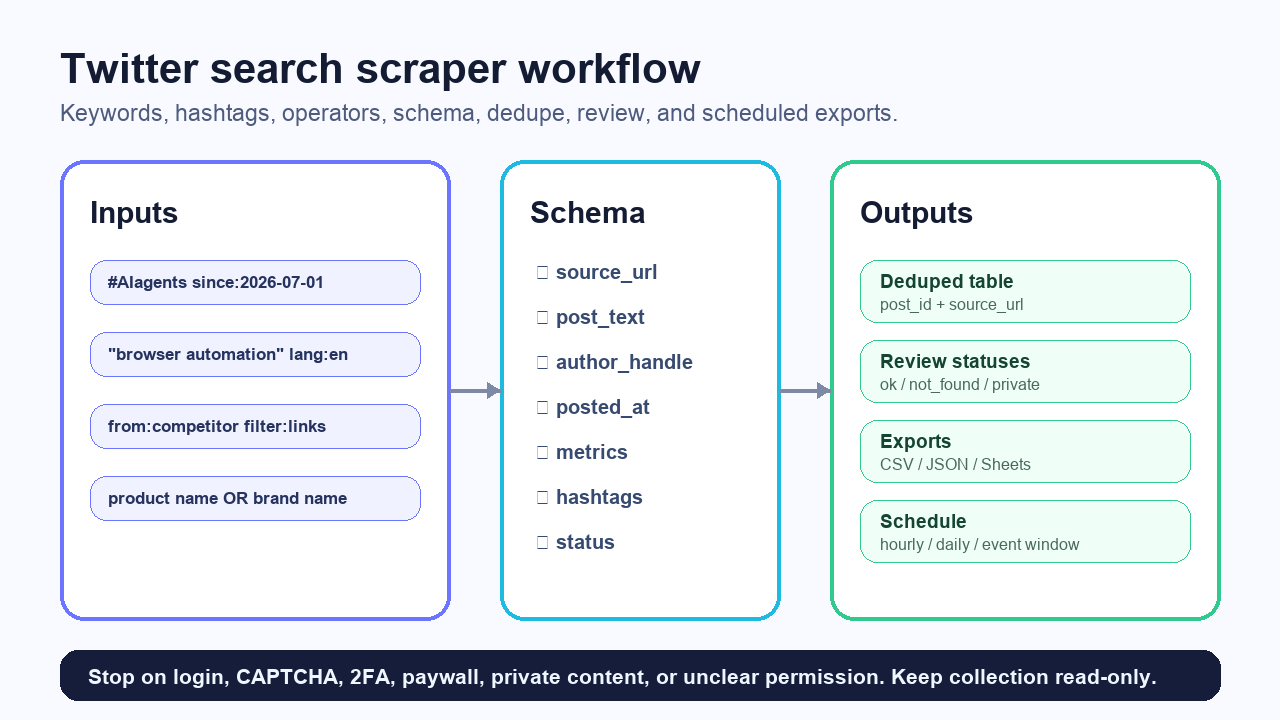
1. Define inputs
Start with a small input table:
query_id | query | purpose | max_rows | schedule |
Q1 |
| event tracking | 100 | hourly |
Q2 |
| topic research | 50 | daily |
Q3 |
| competitor content | 30 | daily |
Q4 |
| brand monitoring | 100 | hourly during launch |
2. Define the schema
For search and hashtag scraping, use a schema that supports dedupe and review:
Field | Why it matters |
| Ties every row back to its input |
| Debugs false positives |
| Lets reviewers reopen the post |
| Deduplication |
| Main content |
| Account grouping |
| Review readability |
| Time-window analysis |
| Visible engagement context |
| Topic/entity extraction |
| Image/video/text filtering |
| Audit trail |
|
|
| Evidence for high-value rows |
language, topic_label, and review_note. If it will feed sales or PR workflows, add account_type, relevance_score, and owner.
3. Run the browser or API collection
For custom, changing search briefs, BrowserAct Agent is the fastest first workflow. You can describe the search job, provide the query input table, ask for source URLs and screenshots, export a test CSV, then save the workflow only after the sample looks right.
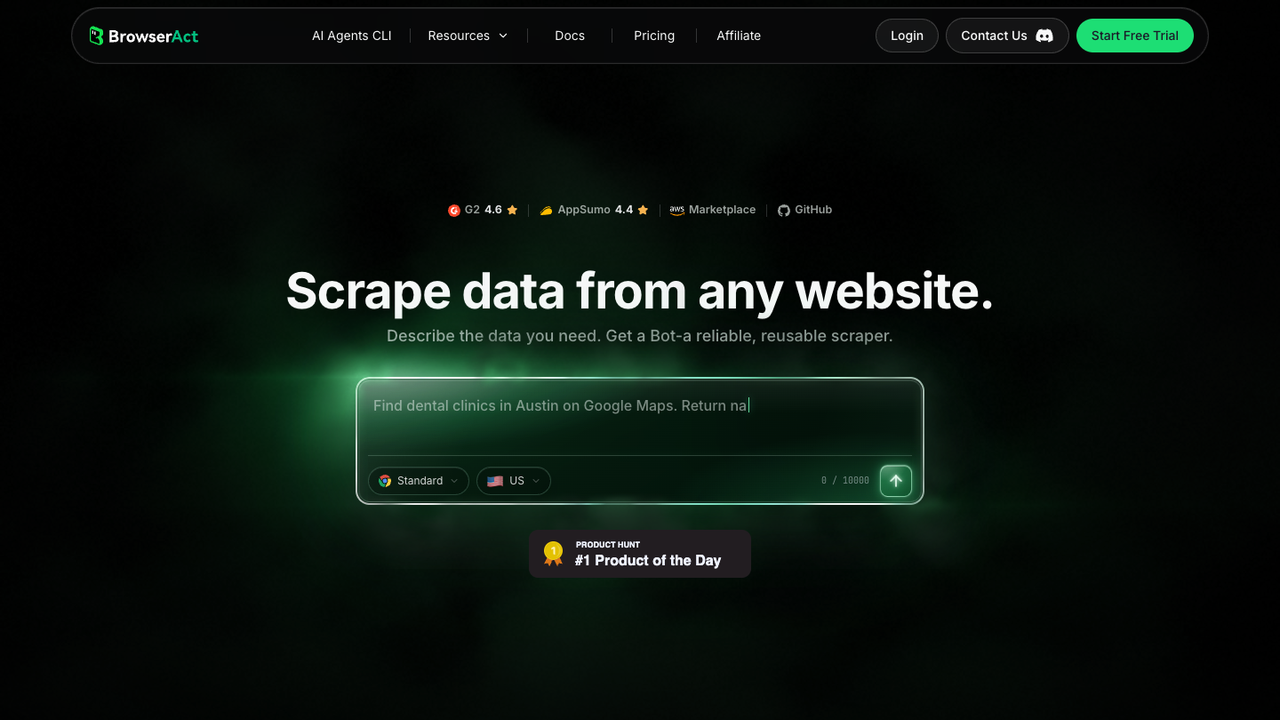
Example prompt:
Collect public X/Twitter search results for the query table.

For each query, collect up to 50 visible public posts.
Extract query_id, query, source_url, post_text, author_handle, posted_at if visible,
visible reply/repost/like/view counts, hashtags, mentions, external_urls,
captured_at, and status.

Save screenshots for the search results page and any row marked manual_review.
Deduplicate by post URL or post ID.
Export to CSV and Google Sheets.

Stop and mark status if X requires login, CAPTCHA, 2FA, payment,
private access, or unclear permission.
Do not post, like, reply, repost, follow, unfollow, message, or change account state.
This is where BrowserAct differs from a fixed endpoint. The analyst can change the prompt, query list, fields, screenshot rule, or review status without maintaining a Selenium script.
4. Dedupe and normalize
Search results overlap. A post may match your brand query, hashtag query, and competitor query. Do not delete that context. Separate row identity from query membership.
Use two tables if the workflow is recurring:
Table | Primary key | Purpose |
|
| One row per unique post |
|
| Tracks which query found the post |
matched_queries so reviewers know why a row appeared.
Pro Tip: Do not dedupe only by text. Reposts, quotes, screenshots, and repeated campaign language can look similar but mean different things.
5. Export and schedule
Use CSV for one-off analysis. Use Google Sheets for human review. Use JSON or webhooks after the schema is stable. Use a scheduled BrowserAct Workflow when the same query set needs to run hourly, daily, or during a launch window.
For recurring runs, add:
first_seen_atlast_seen_atrun_idnew_this_runquery_version
Those fields turn a pile of posts into a monitoring system.
Advanced search patterns worth testing
Search quality usually improves more from query design than from larger scrape volume. Start with separate query families and compare the first 30 rows from each.
Pattern | Example | When to use it |
Exact phrase |
| Narrow category monitoring |
OR variants |
| Brand spellings and spacing variants |
Author filter |
| Official account monitoring |
Link filter |
| Campaign and content tracking |
Media filter |
| Visual launch assets and screenshots |
Question pattern |
| User-pain discovery |
Date window |
| Launch, incident, and event windows |
Language filter |
| Cleaner English review samples |
For event monitoring, run three windows:
- Pre-event baseline: one or two days before the event.
- Live window: hourly or every few hours during the event.
- Post-event recap: 24–72 hours after the event.
That gives you a cleaner narrative than one export at the end. You can see which phrases appeared early, which accounts amplified them, and which complaints or questions persisted.
Run the scrape once with browser-act. Package the repeatable path with Skill Forge.
- 1. An agent uses browser-act to search Google Maps, scroll listings, inspect place pages, and extract visible fields.
- 2. The team validates the schema: business name, category, address, phone, website, rating, review count, and source URL.
- 3. browser-act-skill-forge turns the proven flow into a reusable scraper Skill for future agent runs.
Alert design: when should a row matter?
A scheduled search scraper becomes useful when it can separate “new row” from “important row.”
Use lightweight alert rules first:
Alert rule | Example |
New high-engagement post |
|
New competitor link |
|
Repeated complaint | Same pain phrase appears in 3+ rows in one run |
Influencer mention | Author handle is in your watchlist |
Launch risk | Brand query + negative phrase list |
Pro Tip: Add alert_reason as a column. A reviewer should know whether a row was flagged because of engagement, a watched account, a negative phrase, or a query match.
Tool routes
1. BrowserAct — best for custom search and hashtag workflows
Use BrowserAct when the search brief changes by campaign, event, competitor, or research question.
BrowserAct fits when you need:
- Prompt-led query collection.
- Screenshots and source URLs.
- Custom fields and review states.
- CSV, JSON, or Google Sheets export.
- Scheduled public search runs.
- Human handoff before downstream automation.
Limitations: keep the workflow public and read-only; stop on login, CAPTCHA, 2FA, payment, private content, or unclear permission.
2. Scraper API — best for stable search-to-JSON
X Scraper API positions keyword and hashtag search as a structured JSON endpoint. It describes use cases such as brand monitoring, social listening datasets, hashtag campaign research, and topic/trend sampling.
Use this route when:
- You know the query shape.
- You want API responses.
- You do not need screenshots.
- Your downstream pipeline expects JSON.
Limitations: you depend on the provider’s schema, maintenance, and error handling. Also treat claims around anti-bot handling as vendor claims, not guarantees for your use case.
3. Marketplace actor — best for packaged exports
Apify’s Tweet Scraper category is useful when the actor already supports your input mode: keyword, hashtag, profile, post URL, or conversation ID.
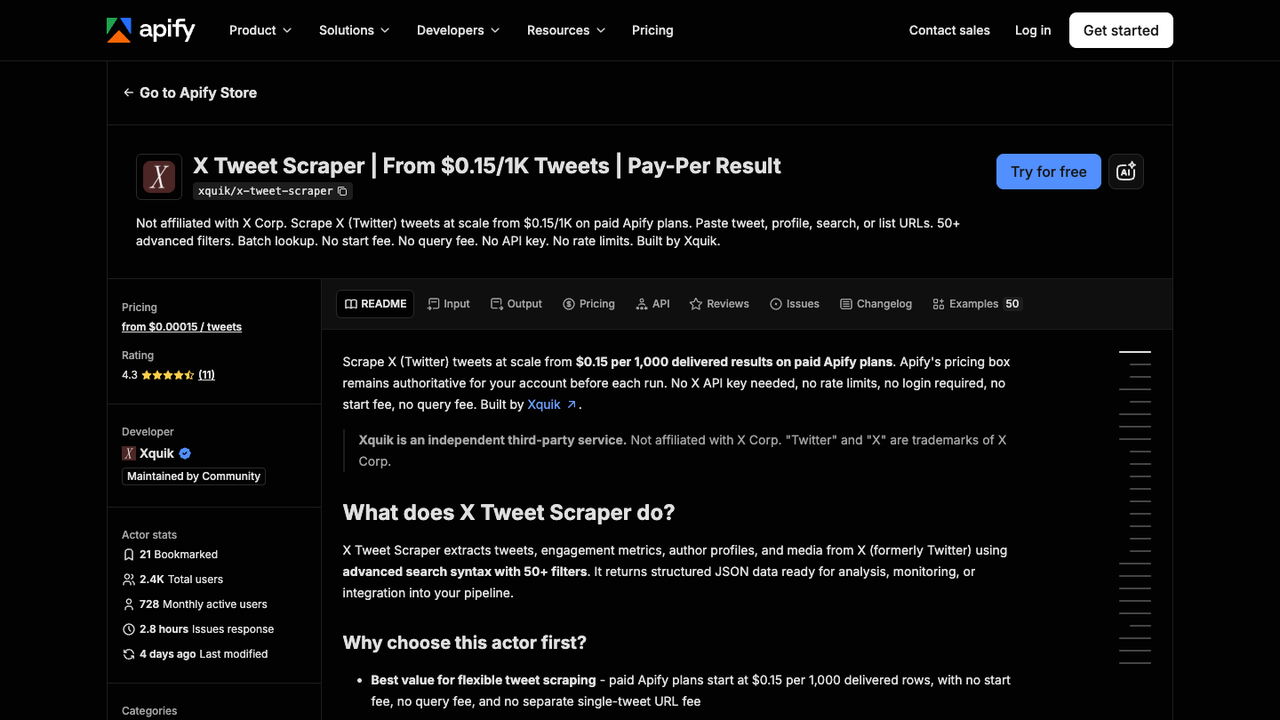
Use this route when:
- The actor’s fields match your required schema.
- You want CSV/Excel/JSON.
- You are comfortable with actor-level settings and maintenance.
Limitations: actor quality varies. Always inspect sample rows, failure statuses, pricing, and maintenance date before committing.
4. Local Selenium/Scrapy workflow — best only when engineering owns it
Stack Overflow threads around Scrapy and Selenium show why search scraping gets annoying fast: JavaScript rendering, infinite scroll, pipeline output, waits, and integration details all need attention.
Use this route only when:
- Your team wants full control.
- Engineers will maintain selectors and retries.
- You need local-only processing.
- You have clear compliance boundaries.
For most marketing, research, and ops teams, a prompt-led workflow is easier to keep alive.
Example use cases
Launch monitoring
Queries:
brand name OR product name#launchhashtagfounder handle OR company handlecompetitor name launch
Output:
- Top posts by visible engagement.
- Objections and questions.
- Influential accounts.
- Screenshots of high-impact posts.
- New rows since the last run.
Event hashtag tracking
Queries:
#conference#conference product categoryspeaker handle OR sponsor handle
Output:
- Posts by time.
- Repeated themes.
- Mentioned brands.
- Media-heavy posts.
- Source URLs for recap writing.
Competitor content monitoring
Queries:
from:competitorcompetitor filter:linkscompetitor product name
Output:
- Posts with links.
- Campaign themes.
- Engagement changes.
- Repeated CTAs.
- Content ideas for internal review.
Social listening dataset
Queries:
- Product terms.
- Pain-point phrases.
- Competitor comparisons.
- Hashtags.
Output:
- Clean text.
- Language.
- Topic label.
- Sentiment label after review.
- Source URL and captured time.
Common mistakes
Mistake 1: Exporting without the query
If the row does not include query_id and query, you cannot debug why it appeared.
Mistake 2: Treating search results as complete truth
Search results are samples shaped by query, timing, visibility, ranking, and access state. Treat them as research evidence, not a complete archive.
Mistake 3: Ignoring duplicate rows
The same post can match many queries. Dedupe by post ID or source URL, but keep query membership.
Mistake 4: Sending raw rows straight into automation
Do not trigger outreach, replies, DMs, or account actions from raw search results. Review first.
Mistake 5: Scheduling before the first manual review
Run the workflow once, review the rows, fix the query list, then schedule.
Final recommendation
Use a scraper API or marketplace actor when the search query and output schema are stable. Use a local script only if engineering wants the maintenance burden.
Use BrowserAct first when the workflow is still being shaped: keyword research, hashtag monitoring, source URLs, screenshots, dedupe rules, review states, CSV/Sheets export, and scheduled public search runs.
The best Twitter search scraper workflow is not the one that returns the most rows. It is the one that returns rows your team can trust.
Build a source-linked Twitter search workflow with BrowserAct
Two Skills, One Repeatable Browser Workflow
Start with live browser execution when the agent needs to understand a page. Move to Skill Forge when the same scraper should run again without re-exploring the site.
Run once with browser-act
Give Codex, Claude Code, Cursor, Windsurf, or another agent a real browser for rendered pages, clicks, scrolling, screenshots, DOM extraction, and network inspection.
Open browser-act SkillPackage with Skill Forge
Explore the site once, verify the extraction path, then generate a callable Skill package that other agents can reuse for batch jobs or scheduled workflows.
Open Skill ForgeFurther reading: X and Twitter data
Frequently Asked Questions
What is a Twitter search scraper?
A Twitter search scraper collects public X/Twitter posts matching keywords, hashtags, handles, or search operators and exports them to CSV, JSON, Sheets, or a database.
How do I scrape Twitter search results to CSV?
Define the query list, choose fields, collect a small public sample, dedupe by post ID or source URL, add status fields, then export to CSV or Sheets.
What fields should a Twitter hashtag scraper collect?
Collect query, source URL, post ID, post text, author handle, posted time, visible metrics, hashtags, mentions, external URLs, captured time, and status.
Is Twitter search scraping the same as trend monitoring?
No. Search scraping collects rows for defined queries; trend monitoring adds recurring schedules, change detection, alerts, and reporting.
When should I use BrowserAct for Twitter search scraping?
Use BrowserAct when you need prompt-led collection, custom queries, screenshots, source URLs, dedupe rules, review states, Sheets export, and scheduled runs.
Should I automate replies or DMs from search results?
No. Keep search scraping read-only and separate from account actions such as replies, likes, follows, reposts, DMs, or list operations.


