How to Scrape DuckDuckGo SERP Data: 4 Effective Approaches

DuckDuckGo's HTML endpoint is easy to parse until the response becomes a challenge page instead of ten clean results. To scrape DuckDuckGo SERP data reliably, first decide whether you are building a quick research script, a maintained rank tracker, or a browser workflow that stops safely when the page changes. Those are different engineering problems. In one controlled check on September 18, 2026, we tested two DuckDuckGo entry points with the query
- 1Static HTML is the cheapest starting point, not the most dependable endpoint. It is easy to parse, but challenges and markup changes must become explicit result states.
- 2DDGS reduces code, not platform risk. The current project is a metasearch library with a DuckDuckGo backend, not an official DuckDuckGo organic-results API.
- 3Managed SERP APIs buy operational convenience. They can normalize results, locations, and retries, but introduce per-request cost and vendor dependence.
- 4A real browser is useful when rendered behavior matters. BrowserAct local mode can run without API fees and preserve screenshots, challenge states, and structured output.
- 5A rank tracker needs a data contract. Query, region, device, result type, canonical URL, observed rank, timestamp, and run status matter more than the extraction method.
What Counts as DuckDuckGo Search Results Data?
DuckDuckGo SERP data is the structured representation of what appeared on a DuckDuckGo results page for a defined query and search context. A useful organic-result record includes:
Field | Why it matters |
| Connects every result to the requested keyword |
| DuckDuckGo's |
| The |
| Desktop and mobile result sets can differ |
| Position among the result type being tracked |
| Visible result title |
| Destination or redirect URL |
| Useful for domain-level aggregation |
| Context shown to the searcher |
| Organic, news, image, instant answer, or another module |
| Makes changes measurable |
| Distinguishes success, partial data, challenge, and error |
kl for region and kp for Safe Search. It also says those parameters are intended for individual use and places restrictions on applications that remove branding or advertising. Review the current documentation and DuckDuckGo terms before turning a script into a commercial product.
Do not confuse DuckDuckGo's Instant Answer API with a full SERP API. api.duckduckgo.com returns topic summaries and related entities for some queries; it is not a general endpoint for ranked organic links.
Which endpoint you target—static HTML or the JavaScript page—determines how reliably you can collect those fields, which is where the four approaches begin.
Why the Static and Dynamic Pages Behave Differently
DuckDuckGo exposes two surfaces that developers commonly test:
https://duckduckgo.com/?q=...is the main JavaScript-driven search experience, including richer modules and interactive behavior.https://html.duckduckgo.com/html/?q=...is a simpler server-rendered interface that is easier to parse when it returns results.
The simpler endpoint is not a promise of unrestricted automated access. During our controlled check, both paths produced a challenge signal from the same network environment.
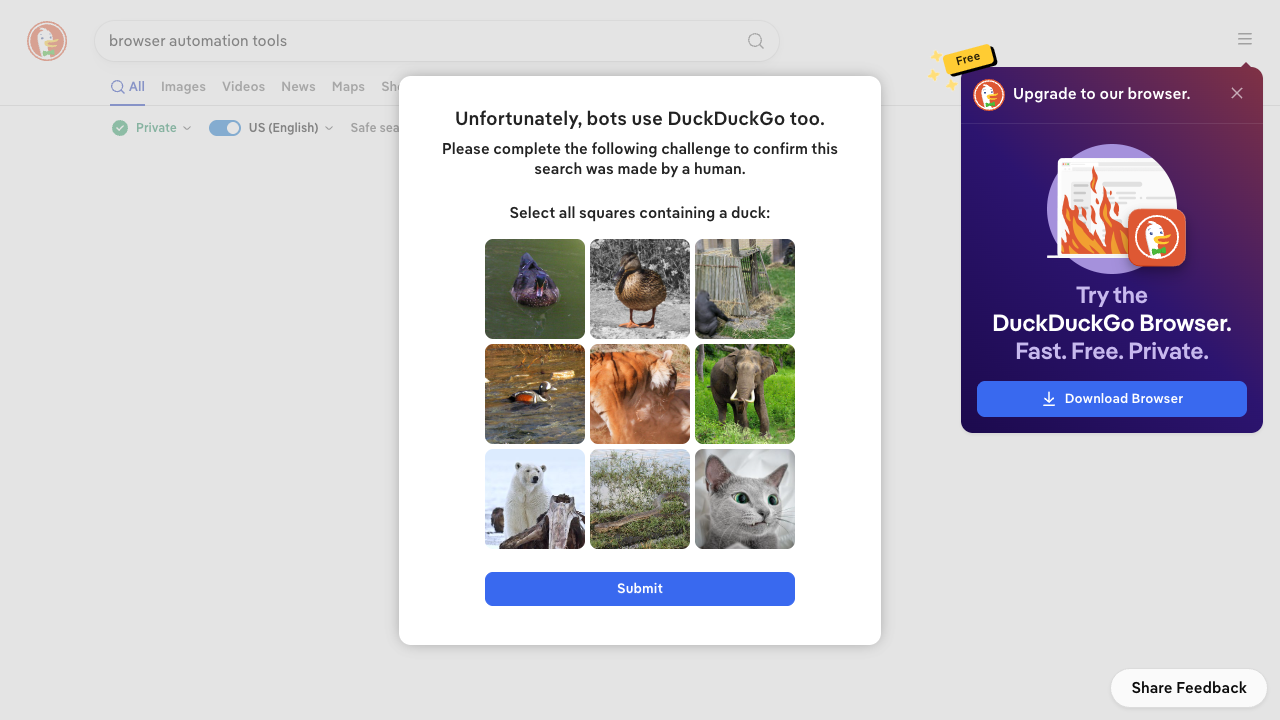
Controlled test evidence: the page loaded, but extraction had to stop at DuckDuckGo's human-verification challenge.
That is a valid result. A production collector should record run_status=challenge and preserve evidence instead of returning an empty list. Empty results, a challenge page, and a genuine zero-result query are not the same outcome.
For a broader diagnostic path, see why AI-agent web scraping fails and how to debug it.
Pro Tip: Store a small fingerprint for every successful run: page title, result count, first organic selector, and a screenshot path. These signals make silent parser failures easier to spot.
Approach 1: Parse the Static HTML Endpoint
The smallest workable DuckDuckGo scraper uses requests and BeautifulSoup against the static HTML endpoint. It is appropriate for learning, occasional checks, and environments where you can tolerate manual maintenance.
from urllib.parse import parse_qs, unquote, urlparse
import requests
from bs4 import BeautifulSoup

SEARCH_URL = "https://html.duckduckgo.com/html/"

def decode_result_url(href: str) -> str:
    # DuckDuckGo wraps destinations as /l/?uddg=<encoded-url>.
    # Decode the real URL; otherwise return the raw href unchanged.
    parsed = urlparse(href)
    target = parse_qs(parsed.query).get("uddg")
    return unquote(target[0]) if target else href

def search_duckduckgo(query: str, region: str = "us-en") -> dict:
    response = requests.get(
        SEARCH_URL,
        params={"q": query, "kl": region},
        headers={"User-Agent": "Mozilla/5.0"},
        timeout=20,
    )

    html = response.text
    # Example signals observed on 2026-09-18; inspect current challenge HTML
    # and update the literals before production use.
    challenge = (
        response.status_code in (202, 403, 429)
        or "anomaly" in html.lower()
        or "bots use duckduckgo" in html.lower()
    )
    if response.status_code != 200 or challenge:
        return {
            "query": query,
            "region": region,
            "run_status": "challenge" if challenge else "http_error",
            "http_status": response.status_code,
            "results": [],
        }

    soup = BeautifulSoup(html, "html.parser")
    results = []
    for rank, result in enumerate(soup.select(".result"), start=1):
        link = result.select_one(".result__a")
        snippet = result.select_one(".result__snippet")
        if not link:
            continue
        url = decode_result_url(link.get("href", ""))
        results.append({
            "rank": rank,
            "title": link.get_text(" ", strip=True),
            "url": url,
            "display_domain": urlparse(url).netloc,
            "snippet": snippet.get_text(" ", strip=True) if snippet else None,
            "result_type": "organic",
        })

    return {
        "query": query,
        "region": region,
        "run_status": "success" if results else "unexpected_empty",
        "http_status": response.status_code,
        "results": results,
    }
Three details are more important than the CSS selector itself. First, decode redirect links rather than storing only the DuckDuckGo redirect URL. Second, detect challenge content before parsing. Third, treat an unexpectedly empty result list as an error until you confirm the query genuinely has no results.
Results can also involve links.duckduckgo.com; review DuckDuckGo's result-links documentation and extend the decoder if that host appears in your observed URLs.
This approach has no per-request vendor fee. Its real cost is engineering time: parser fixes, network behavior, logging, scheduling, retries, and data validation. Do not respond to a challenge by trying to defeat it. Slow down, stop the run, or move to an authorized browser or managed data source.
Approach 2: Use the DDGS Python Package
DDGS is useful when you want a Python interface and structured results without maintaining page selectors. Install it with:
pip install ddgs==9.16.0
The example below was checked against ddgs==9.16.0. Pin the version and run contract tests before upgrading, then call the DuckDuckGo backend explicitly:
from ddgs import DDGS

rows = DDGS().text(
    "browser automation tools",
    region="us-en",
    safesearch="moderate",
    max_results=10,
    # Documented in the ddgs==9.16.0 README; run a contract test before production.
    backend="duckduckgo",
)

for rank, row in enumerate(rows, start=1):
    print({
        "rank": rank,
        "title": row.get("title"),
        "url": row.get("href"),
        "snippet": row.get("body"),
    })
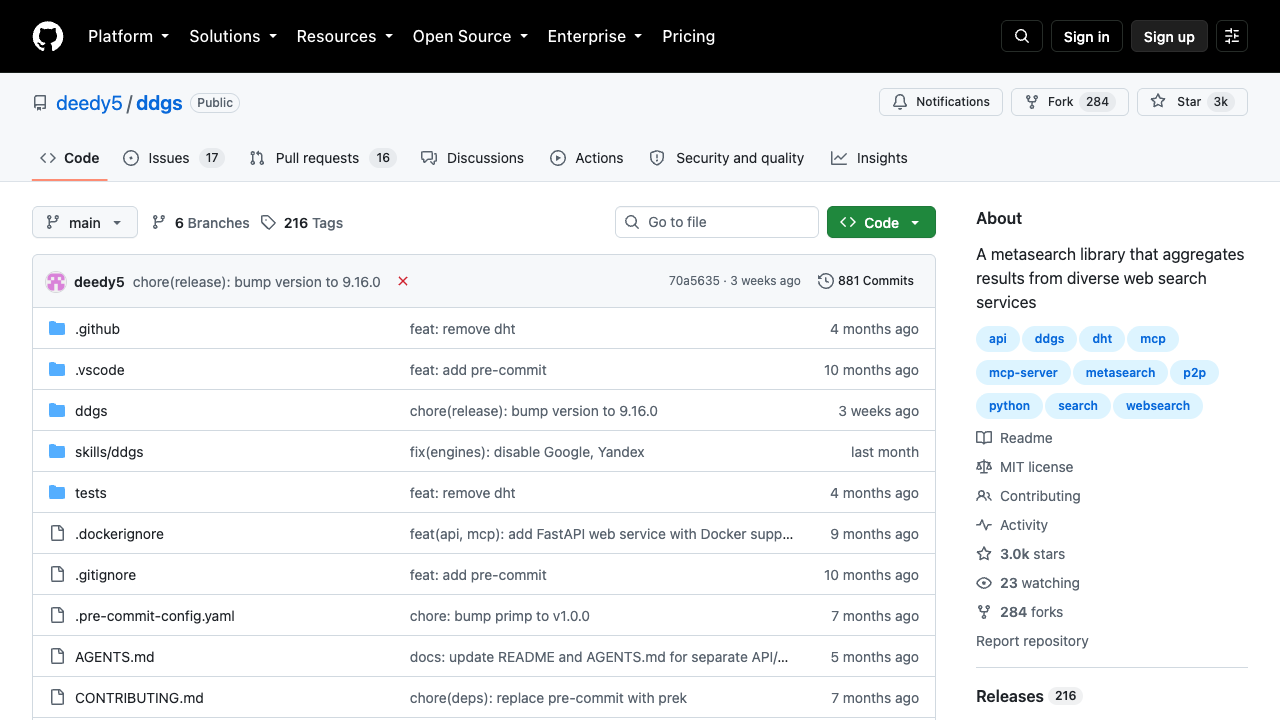
DDGS is currently described as a metasearch library that aggregates several search services.
The important caveat is ownership. DDGS is an open-source metasearch package, not an official DuckDuckGo organic-results API. Its backend behavior can change when upstream search pages or internal adapters change. The repository's release history regularly includes engine fixes, which is normal for this class of software and a reminder to pin versions and test upgrades. In ddgs==9.16.0, setting backend="duckduckgo" selects the DuckDuckGo backend explicitly; re-verify that contract when upgrading.
Wrap the call so your application owns the output contract:
def normalize_ddgs(rows, query, region):
    normalized = []
    for rank, row in enumerate(rows or [], start=1):
        normalized.append({
            "query": query,
            "region": region,
            "rank": rank,
            "title": row.get("title"),
            "url": row.get("href"),
            "snippet": row.get("body"),
            "result_type": "organic",
        })
    return normalized
Pin a known-good package version, run contract tests for a few stable queries, and review release notes before upgrades. If DDGS switches backend or falls back to another provider, your rank data may no longer represent DuckDuckGo.
In ddgs==9.16.0, text rows are documented with title, href, and body keys. Add those keys to your contract test so a future field rename fails visibly.
Pro Tip: Persist the package version and backend name with every run. Without that metadata, an unexplained ranking shift may actually be an implementation change.
Approach 3: Use a DuckDuckGo SERP API
A managed DuckDuckGo SERP API is the lowest-maintenance option when you need consistent JSON, location controls, high concurrency, or a service-level support path.
For example, Bright Data's SERP API lists DuckDuckGo among its supported search engines and returns HTML or JSON. Its pricing page lists a free tier and pay-as-you-go rates; check the current page before budgeting. SerpApi's DuckDuckGo Search API is another option; it uses engine=duckduckgo and documents DuckDuckGo-specific parameters.
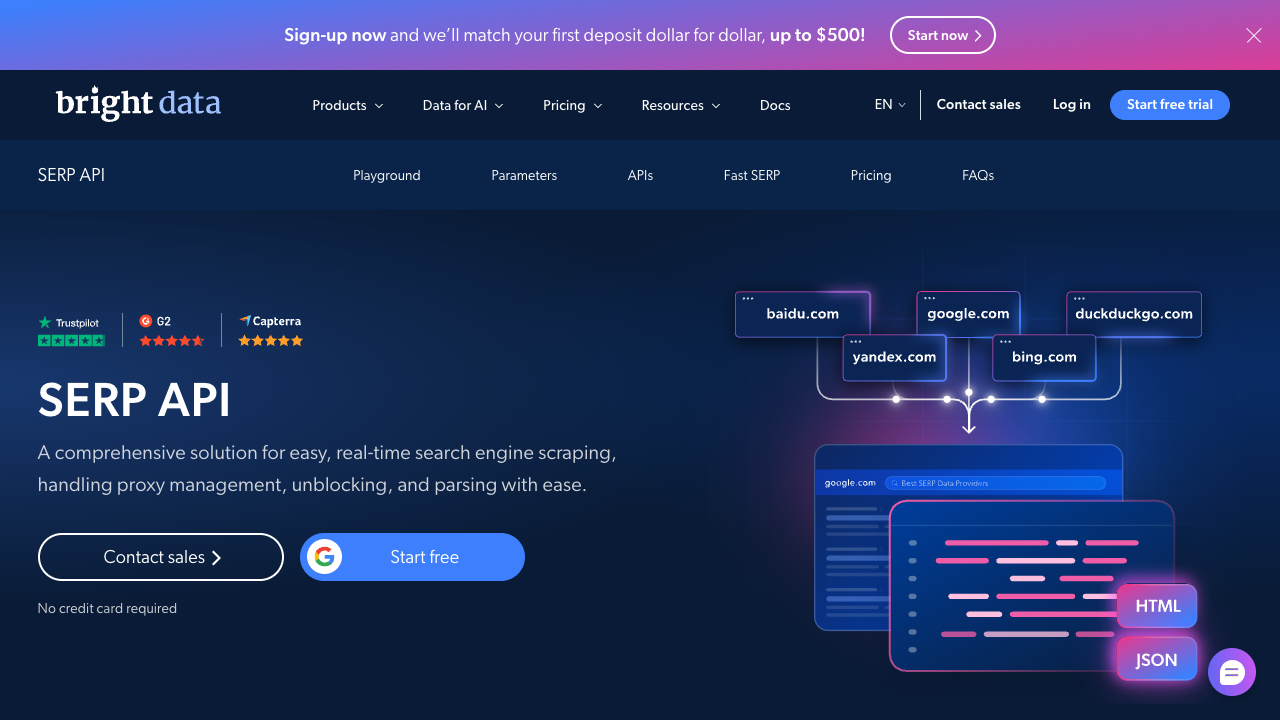
A managed API packages proxy, rendering, parsing, and normalized delivery behind one request.
The vendor-neutral snippet below illustrates secure credential handling, not Bright Data's current request schema. Copy the endpoint, authentication scheme, and payload fields from your provider's live documentation before running it:
import os
import requests

endpoint = os.environ["SERP_API_ENDPOINT"]
authorization = os.environ["SERP_API_AUTH_HEADER"]
payload = {}  # Copy the exact request fields from your provider's API reference.
response = requests.post(
    endpoint,
    headers={
        "Authorization": authorization,
        "Content-Type": "application/json",
    },
    json=payload,
    timeout=60,
)
response.raise_for_status()
data = response.json()
Verify the provider's exact current request schema before deployment; vendor endpoints and parameters can change. Also test what “rank” means. Some APIs mix organic links with instant answers, news, videos, or ads. If your tracker compares only organic results, normalize those modules before assigning position.
The trade-off is straightforward: you pay to outsource network management, parsing, and part of the maintenance burden. At low volume, the cost may be negligible. At millions of monthly checks, a small per-request price becomes a budget line, so model the full query × region × device × frequency matrix first.
Give your agent a real browser, then turn the workflow into a Skill.
- 1. Use browser-act when an agent needs to open, click, scroll, extract, or inspect a live site.
- 2. Use browser-act-skill-forge when the workflow should become reusable across runs and agents.
- 3. Keep the operational boundary simple: automate what the user can already do in the browser.
Approach 4: Use BrowserAct for a Local Browser Workflow
A real browser workflow is useful when you care about what the rendered DuckDuckGo page actually shows, need screenshots for audit, or want a human handoff when a challenge appears. BrowserAct's current automation page lists Chrome and Chrome-direct browser automation as available locally without signup; managed proxies and higher-volume stealth capacity are paid features.
Local mode does not make access controls disappear. Its advantage is that the workflow can observe the page, preserve the failure state, and stop honestly. For repeated work, you can turn the validated path into a reusable BrowserAct Bot or Skill.
Create a Bot in the Dashboard, or use the local browser skill for an ad-hoc run. Start with one query, one region, organic results only, and a fixed maximum result count.
The same workflow can also run locally; the BrowserAct skills repository maintains the current commands and flags.
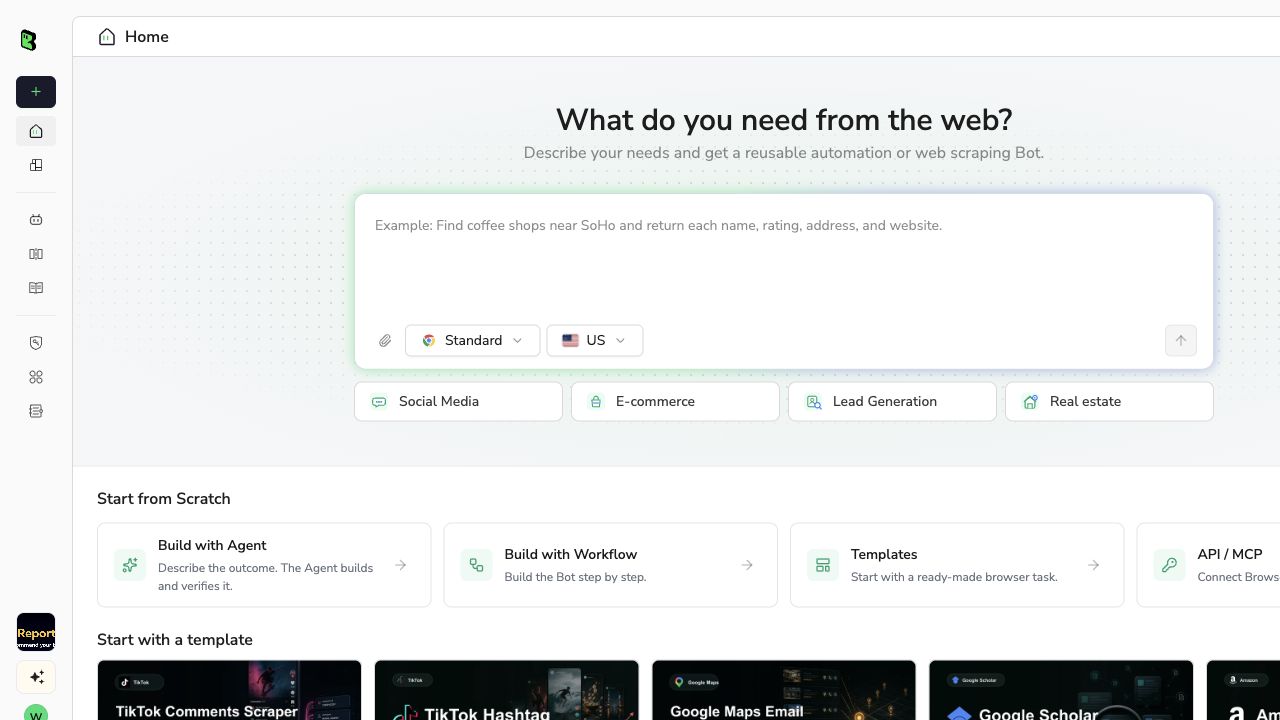
BrowserAct Dashboard: define the target, fields, limits, and stop conditions before running.
The prompt makes the output schema and challenge behavior explicit, so an empty export cannot silently pass as success.
Describe the data you need. Get a Bot — a reliable, reusable scraper.Scrape data from any website.
Confirm that result types are classified correctly. If DuckDuckGo presents a challenge, preserve the screenshot and stop instead of attempting to solve it automatically.
Check rank order, canonical URLs, duplicates, region, and timestamp. Schedule only after several bounded runs produce the same schema and every failure has a visible status.
What a Safe Result Looks Like
A successful row contains the requested context and an observed organic position. A challenge result contains no claimed rankings:
{
  "query": "browser automation tools",
  "region": "us-en",
  "observed_rank": null,
  "title": null,
  "result_url": null,
  "result_type": "organic",
  "observed_at": "2026-09-18T04:00:00Z",
  "run_status": "challenge",
  "review_note": "DuckDuckGo requested human verification; extraction stopped."
}
The challenge screenshot earlier in this guide is the real observed evidence from our controlled browser check. We are deliberately not showing a fabricated BrowserAct success export. The schema above is the contract your workflow should produce when the page cannot be evaluated.
If you want a broader comparison of agent-oriented search services, see the best search APIs for AI agents. If browser extraction is failing across several sites, use the web scraping failure diagnostic guide.
Which DuckDuckGo Scraper Approach Should You Choose?
Approach | Setup | Direct vendor cost | Main strength | Main failure mode | Best for |
Static HTML + BeautifulSoup | Low | $0 | Full parsing control | Challenge or selector change | Learning and occasional checks |
DDGS | Low | $0 | Small Python interface | Backend/package behavior changes | Prototypes and low-volume research |
Managed SERP API | Low | Per request | Normalized delivery and location controls | Vendor cost or provider-specific schema | Production services and high concurrency |
BrowserAct local/browser workflow | Medium | Free locally; cloud optional | Rendered evidence, screenshots, explicit handoff | Browser challenges and higher runtime | Audited workflows and repeated browser tasks |
- For one-off data exploration, start with DDGS.
- For a transparent learning project, write the static parser and log every failure.
- For a customer-facing API with predictable volume, price a managed SERP API.
- For rendered-page audits, troubleshooting, or workflows that need screenshots and human handoff, use a real browser.
If you prefer a visual interface, compare the options in our no-code web scraper guide.
BrowserAct is not a substitute for a licensed bulk SERP feed. Its value is browser execution: observing what loaded, handling JavaScript, preserving evidence, and turning a proven path into a reusable workflow.
Whichever method you pick, extraction is only half the problem. The next step is turning raw rows into a tracker that can explain why a URL moved.
Build a DuckDuckGo Rank Tracker That Can Explain Changes
Extraction is only the first layer of a rank tracker. The tracker needs stable definitions. Use a composite observation key:
query + region + safesearch + device + observed_at + canonical_url
Keep raw observations immutable. Derive daily position, best position, appearance rate, and movement in a separate table. That prevents a normalization change from rewriting historical evidence.
def compare_positions(previous_rows, current_rows):
    previous = {row["canonical_url"]: row["rank"] for row in previous_rows}
    current = {row["canonical_url"]: row["rank"] for row in current_rows}

    changes = []
    for url in sorted(previous.keys() | current.keys()):
        old = previous.get(url)
        new = current.get(url)
        changes.append({
            "canonical_url": url,
            "previous_rank": old,
            "current_rank": new,
            "movement": None if old is None or new is None else old - new,
            "status": "new" if old is None else "dropped" if new is None else "tracked",
        })
    return changes

# Example:
# changes = compare_positions(previous_rows, current_rows)
# changes[0] -> {"canonical_url": "https://example.com", "previous_rank": 4,
#                "current_rank": 2, "movement": 2, "status": "tracked"}
# Positive movement means the URL moved up; negative means it moved down.
Do not compare a successful run with a challenge run. Mark the observation window incomplete and retry later within your approved rate policy. Also avoid mixing regions. A URL moving from position 6 in us-en to position 3 in uk-en is not a ranking improvement; it is a different search context.
Pro Tip: Alert on data-quality drift before rank movement. A sudden drop from 10 collected results to 2 is more likely an extraction problem than a market-wide ranking event.
Compliance, Rate Limits, and Responsible Collection
DuckDuckGo's current results-sources documentation says traditional links are largely sourced from Bing alongside DuckDuckBot and other sources. Result freshness and ranking can still differ from native Bing or Google pages, which matters when comparing engines. This sourcing does not grant unrestricted automated access to every interface. Follow these boundaries:
- Review the current terms and URL-parameter guidance for your use case.
- Use low, bounded request rates and cache repeat queries.
- Do not bypass CAPTCHAs, verification challenges, login walls, or other access controls.
- Keep user-authorized sessions and credentials private.
- Avoid collecting personal data that is not required for the stated purpose.
- For commercial scale, prefer a licensed SERP provider or contact DuckDuckGo about an approved integration.
- Keep screenshots, timestamps, and failure states so operators can audit what the system actually saw.
The goal is not to make blocking invisible. The goal is to make the collection process honest, maintainable, and easy to stop.
Conclusion
There are four sensible ways to scrape DuckDuckGo SERP data, but no single method wins every workload. Static HTML parsing gives control, DDGS gives convenience, managed APIs reduce infrastructure work, and BrowserAct gives a real browser with evidence and human-handoff boundaries.
Start with the smallest approach that satisfies your reliability requirement. Define the schema first, test one query in one region, and make challenges a first-class status. Only then add scheduling, concurrency, or more markets.
For an auditable browser-based workflow, start with BrowserAct, use free local automation for the first bounded run, and move to a reusable Bot or cloud execution only when the operating requirement justifies it.
Two Skills, One Repeatable Browser Workflow
Start with live browser execution when the agent needs to understand a page. Move to Skill Forge when the same scraper should run again without re-exploring the site.
Run once with browser-act
Give Codex, Claude Code, Cursor, Windsurf, or another agent a real browser for rendered pages, clicks, scrolling, screenshots, DOM extraction, and network inspection.
Open browser-act SkillPackage with Skill Forge
Explore the site once, verify the extraction path, then generate a callable Skill package that other agents can reuse for batch jobs or scheduled workflows.
Open Skill Forge


