Grok Bot Review: Our Small Web-to-CSV Test

For this Grok Bot review, we wanted to answer a simple question: can it read a webpage and give us a file we can actually use? We asked it to collect five books from a public demo site, downloaded the CSV, and checked the records against the page ourselves. Then we asked it to add one more field without losing the original data.
Both requests worked in this test. The files contained the right records, prices, links, and ratings. That is a useful result, but it is a small one: this was a static demo page, not a difficult login, a large scraping job, or a month of business use.
What is Grok Bot?
Grok Bot is an agent app that can work with websites, apps, and files on a persistent cloud computer. It is separate from the Grok chat app. The official FAQ describes background work, named Bots, app connections, and file-based tasks.
That makes a file task a reasonable place to begin a review. A conversational answer can sound convincing even when it misses a detail. A CSV gives us something more concrete to inspect: are the requested rows there, are the values correct, and do the links point to the right products?
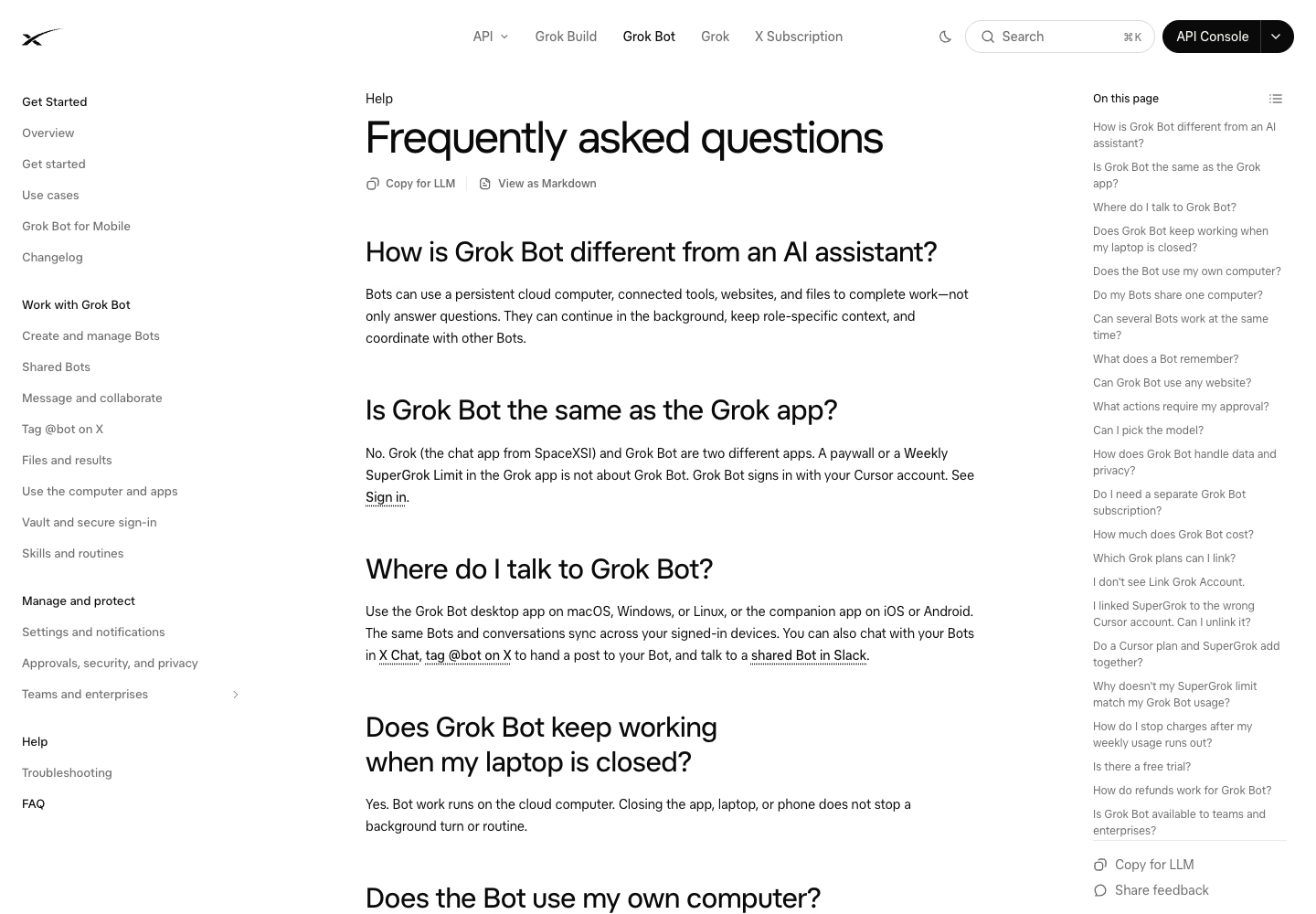
Official documentation screenshot. The hands-on result below comes from a separate task we ran on November 3.
How we tested it
We used the Grok Bot macOS app, version 0.78.1, on November 3, 2026. We created a separate Bot for the review and used only Books to Scrape, a public website built for scraping practice.
The request was deliberately small: read the first five books shown on the homepage, in the same order, and create a downloadable UTF-8 CSV. We asked for six columns:
- The full book title.
- The displayed price in GBP.
- The availability wording.
- The absolute product URL.
- The source page URL.
- The date checked.
We also told it not to use private accounts or files, send messages, publish anything, buy anything, or create a recurring task. None of those actions was needed to answer our question.
After downloading the result, we independently fetched the homepage and compared the values with its HTML. We checked the actual file, rather than accepting the assistant's statement that the task was finished.
Test one: did it return a real, correct CSV?
Yes. Grok Bot returned grok-review-books-5.csv, and we saved it locally. It contained the requested six columns and five records in the correct order.
The first record was A Light in the Attic, priced at £51.77, with the availability In stock. Its product link pointed to the corresponding book page. The other four records also matched the source.
Book, in homepage order | Price in the file | Availability | Our source check |
A Light in the Attic | £51.77 | In stock | Matched |
Tipping the Velvet | £53.74 | In stock | Matched |
Soumission | £50.10 | In stock | Matched |
Sharp Objects | £47.82 | In stock | Matched |
Sapiens: A Brief History of Humankind | £54.23 | In stock | Matched |
Grok Bot said it had switched from a plain-text view to parsing the original HTML because the former truncated titles and missed links. We could verify the final values; we did not independently inspect every internal tool step. The full titles and correct links in the downloaded CSV are the evidence that matters here.
What felt useful about this
We asked for a file and received a file. We did not need to copy a table out of a chat or explain what a CSV was supposed to contain after the result arrived.
That sounds basic, but it is the difference between a demo you can admire and an output you can use. The requested columns were clear, and the task was small enough that we could check every record.
Test two: could it change the file without breaking it?
For the follow-up, we asked for a new CSV containing the same five books and the original six columns, plus star_rating as an integer from one to five. We wanted the rating shown on the demo homepage, not a rating found in outside reviews.
Grok Bot returned grok-review-books-5-ratings.csv. We downloaded it and compared it with both the first CSV and the homepage.
All original fields were preserved. The new values were 3, 1, 1, 4, and 5, matching the page's rating classes for those five books. The assistant also explained its interpretation: the website uses class names from One to Five, which it mapped to integers.
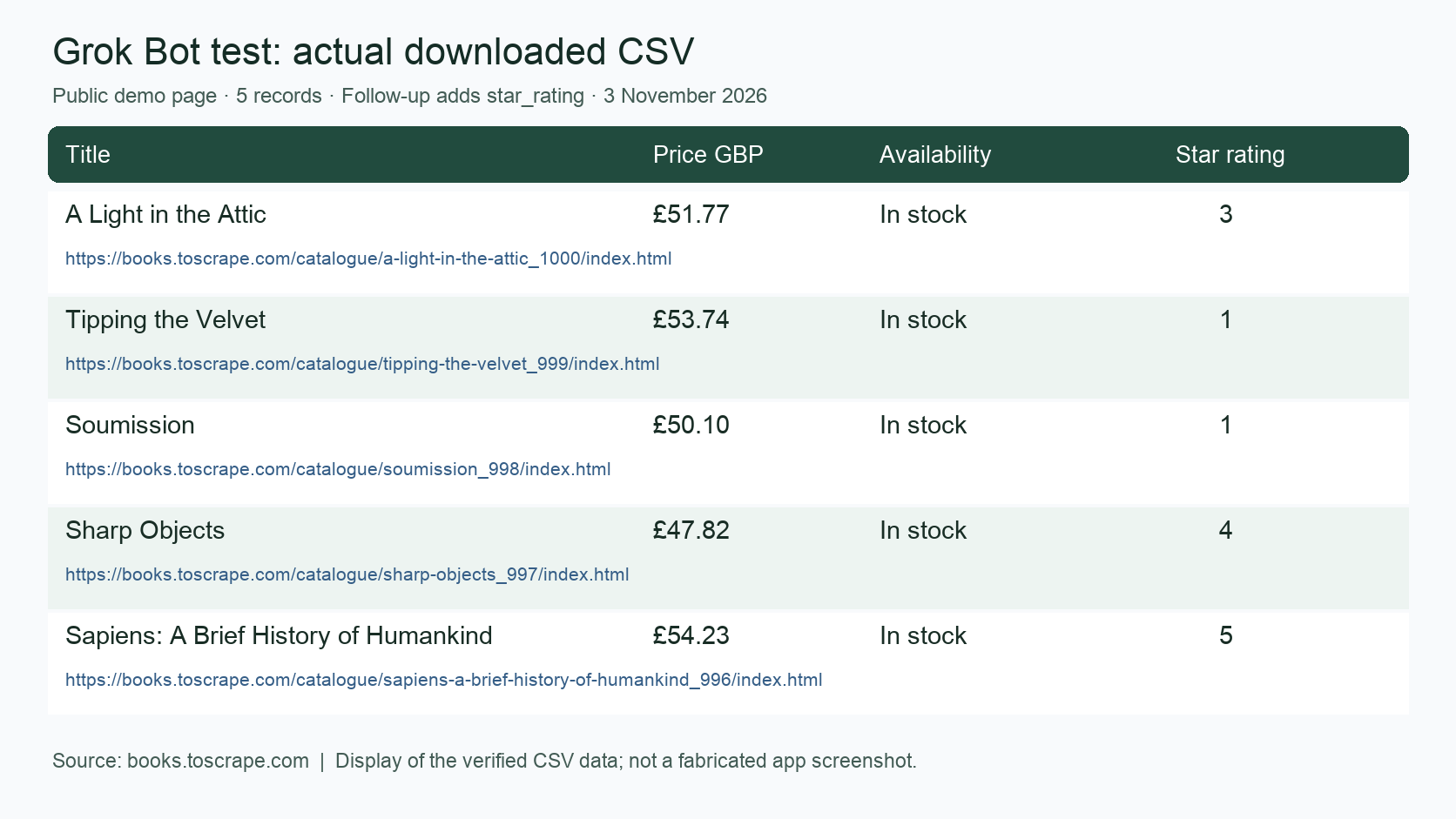
The verified CSV displayed as a table. This is a view of the actual downloaded data, not an app screenshot or generated example. Star rating refers to the books on the demo site, not a score for Grok Bot.
The follow-up was the more interesting part of the trial. In everyday work, you rarely get the final spreadsheet right on the first request. You notice a missing field and ask for a change. Here, that change worked without us having to repeat the whole task or repair the original columns.
What this test does not tell us
Five records from a simple public page are a forgiving task. We did not test pagination, hundreds of records, changing page layouts, login-required sites, or sites that block cloud browsers.
We also did not test routines, CRM connections, team sharing, email, shopping, or payments. Those are separate features with separate failure points. Success on a book demo does not establish that an unattended sales or purchasing workflow will work.
We did not measure the account's usage change or additional charges. That means we cannot tell you what a normal working week would cost, or claim that Grok Bot is cheaper than another agent or scraping service. Nor did we run this task in Muse, so there is no head-to-head winner here.
We have not given Grok Bot a star score. Two related tasks in one session are useful evidence for this workflow, but they are too narrow to support a product-wide accuracy or reliability rating.
What does Grok Bot cost?
The current public product page lists Premium at $30, Super at $100, and Ultra at $200 per month in USD. Eligible existing subscriptions can already include access, so check your account before paying for another plan.
For new unified subscriptions, included usage is shared across the covered Grok apps, Grok Bot, and Cursor. Older accounts can follow a different billing path. The usage documentation is the place to check your applicable allowance and extra-usage settings.
For a trial, we would start with a task you genuinely need, open the resulting file, and look at the usage your account shows. The monthly starting price alone does not tell you how many of your tasks will fit.
Who might find it useful?
Grok Bot is worth trying if you want an assistant that can work across a page and a file, then make changes through a follow-up conversation. Our small test showed that sequence working: a clear request, a usable CSV, and a correct additional field.
For repeated collection from the same sites, we would also look at whether the job belongs in a reusable scraping workflow. BrowserAct lets users describe website data, build a reusable Bot, and export structured results. That is a different starting point from asking a general assistant to investigate a new task each time.
We did not compare the two products on this task, so this is a workflow distinction, not a performance or price claim. If you are choosing between personal assistants, our Grok Bot vs Meta Muse comparison looks at the subscription and everyday-use questions separately.
Our take after the two tasks
The part we liked was straightforward: Grok Bot delivered files we could open, and the files matched the requested source data. The follow-up also preserved what was already correct while adding the new field.
We would try it on another small task with a different page structure before expanding the job. For a business workflow, the next questions would be how it handles missing data, awkward sites, and repeated runs, and what those runs consume. This first test gives us a reason to keep evaluating it, rather than a reason to assume every larger task will work.
Frequently Asked Questions
Was Grok Bot actually tested for this review?
Yes. We ran two related tasks in the macOS app on November 3, 2026, downloaded both CSV files, and independently checked their values against the public demo page.
Can Grok Bot create a downloadable CSV?
It did in this test. Both requested files were downloadable UTF-8 CSVs. That result does not guarantee that every website or larger dataset will work.
Did it get all five records right?
Yes. The requested titles, prices, availability, product links, source URLs, date, and follow-up ratings matched our checks for these five records.
Is Grok Bot better than Muse for web research?
This test cannot answer that. We did not run the same task in Muse, and a single static-page example would be too narrow for a general winner anyway.
Can this result be applied to large scraping jobs?
No. The test covered five records on one public demo page. Larger jobs need their own checks for completeness, page changes, access limits, repeated runs, and cost.


