Grok Bot Pages: Reports, Dashboards and Fresh Data

A dashboard can look finished long before its data is up to date. That is the question worth asking about Grok Bot Pages: what produced the numbers, when were they checked, and what happens the next time the job runs?
Pages are useful for turning an assistant's work into something easier to read than a long conversation. But an attractive page and a reliable recurring report are different achievements.
What are Grok Bot Pages?
The official files-and-results guide describes Pages as outputs such as reports, memos, and dashboards. Bots can create and edit them, and routines can create or update a Page. The guide describes a gradual rollout and says Pages are not yet available for Enterprise accounts, so check availability on your own account.
The feature appeared in the October 22 changelog. The October 27 update added improvements to applying several Page edits together. Those are product changes, not proof that a dashboard automatically refreshes every connected source in real time.
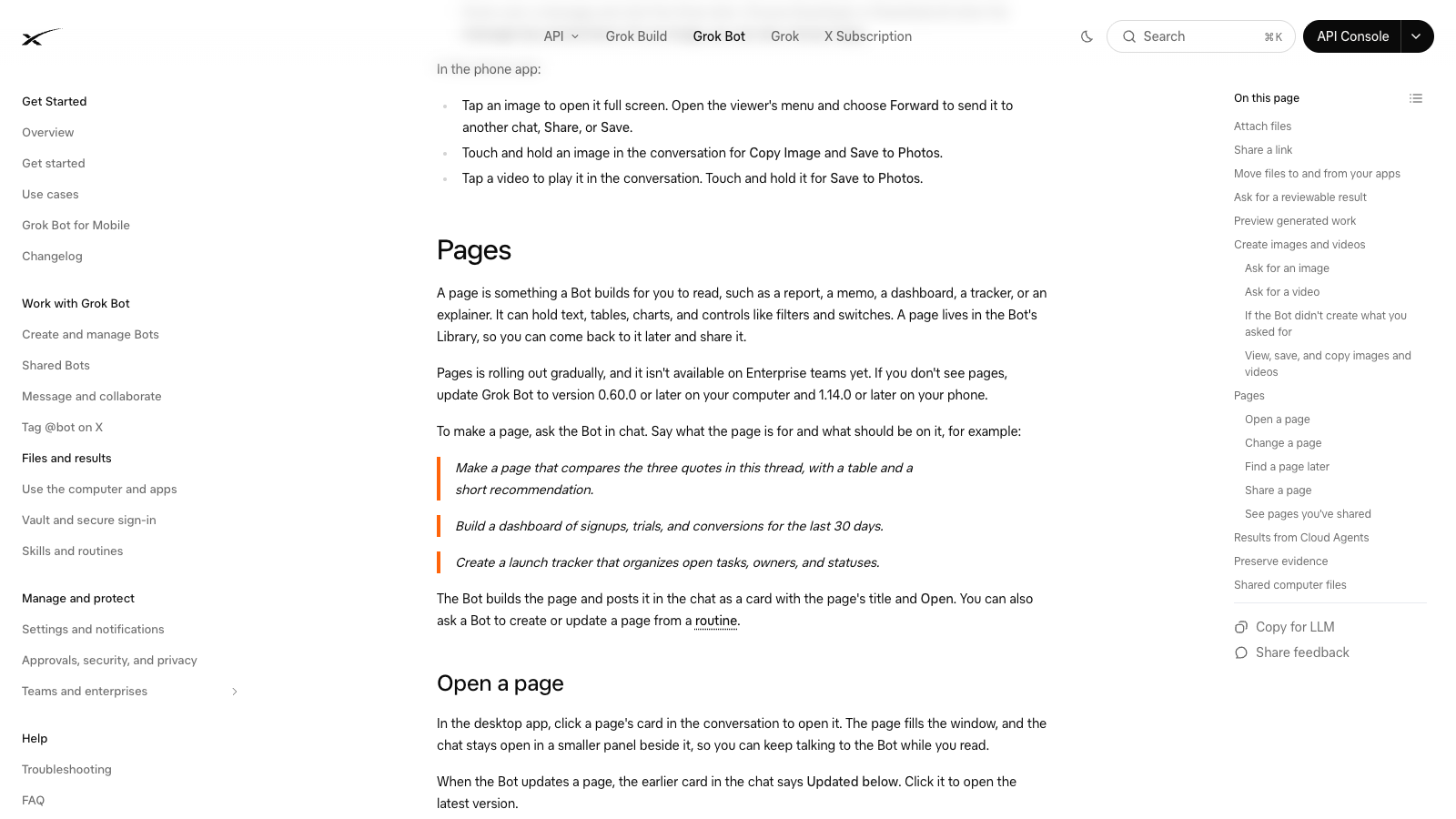
Official Pages documentation, including routine updates.
What actually changes the Page?
The Bot edits the content. A routine can ask it to do that work again on a schedule. A view control, such as a filter, can change what you see without editing or saving the underlying Page content.
That distinction matters when a reader clicks a filter and assumes the report has fetched new data. A different view of old numbers is still old data.
Thing you see | What it can establish | What it does not establish |
A published Page | There is an output to open | Its sources were checked recently |
A filter or switch | The view can change | A new collection job has run |
A configured routine | A recurring job has been set up | Its most recent run succeeded |
A new update time with checked records | New work may be available to inspect | Every source and record was complete |
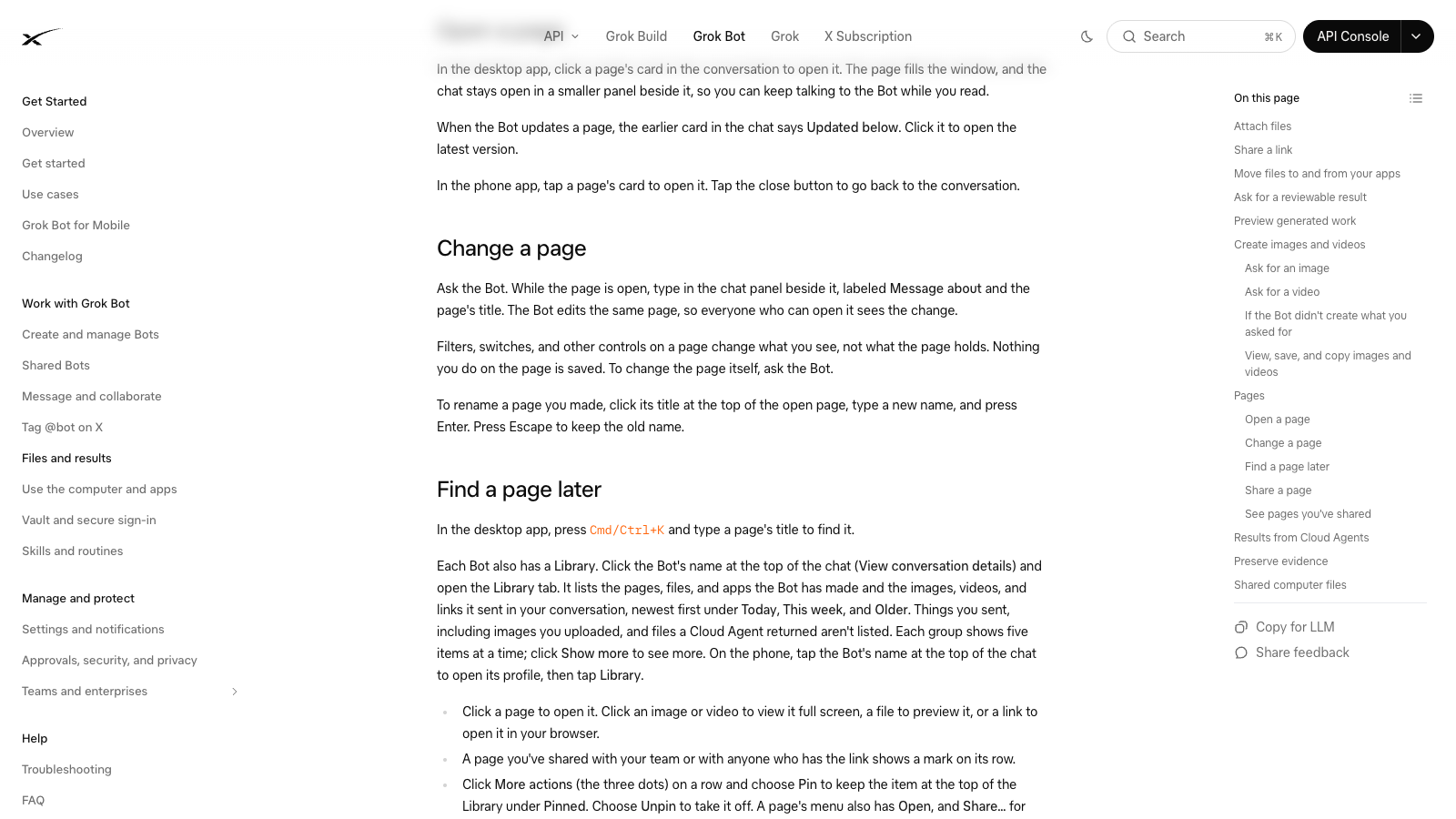
The guide separates content edits from filters and switches that change the view.
Start with a report you need
Suppose you check several competitors' public pricing pages every week. A useful report might show the listed plan, price, billing period, source URL, and date checked. A short note can explain what changed since last week.
Before worrying about colors or charts, open the sources and check a few entries. Annual and monthly prices should not silently end up in the same comparison. A page that would not load should appear as a failed check, rather than a blank price that looks like a free plan.
The example is a proposed report design. We have not run a Pages routine for this article, so it is not an end-to-end tutorial or a claim of successful automatic refresh.
Make the update status easy to see
Put the data-check time near the figures. If different sources were checked at different times, preserve those dates instead of using one new timestamp to make the whole report look fresh.
Also show whether the latest attempt finished. “Last successful check: Monday” and “Tuesday check failed” give the reader a clearer picture than a single “updated Tuesday” label.
For a small report, a short status line may be enough. For a larger list, include the source and result for each row. The purpose is to let someone see what needs checking without reopening the entire conversation.
Where repeated website collection fits
If the same public fields need collecting again and again, you can evaluate a reusable BrowserAct Bot for that collection job. Check its exported CSV or JSON before asking another assistant to explain the changes or build a report.
We have not verified a native BrowserAct-to-Grok-Page connection or a live synchronization flow. A file-based handoff is a possible design, and it still needs its own test. A Page should not promise fresher data than the collection job actually provides.
Check sharing before using business data
The official guide describes public links that can be opened without signing in. That is useful for an example or a public report, but it matters if the page contains private customer or financial information.
Check who can access the actual Page before sharing it. Use a small public-data example when learning the feature, and keep private business information out of a public test link.
For a smaller example of getting a file you can check, see our Grok Bot web-to-CSV test.
Is Pages worth trying?
Try it when a report needs to be easier to read, revisit, or share than a chat answer. Begin with a small set of sources and a clear question. Get one accurate report first, then test what happens on the next run.
The most useful improvement may be a clear source link and update status, rather than another chart. Readers need to know whether the report still describes the world they are making decisions about.
Frequently Asked Questions
Can a Grok Bot routine update a Page?
Yes, the current documentation describes routines creating or updating Pages. You still need to verify that your own run completed and changed the expected content.
Does clicking a Page filter refresh its source data?
Do not assume so. The documentation distinguishes view controls from edits to the Page's content.
Is every Page automatically a live dashboard?
No. Check the source, collection time, latest successful run, and actual refreshed records before calling it live.
Has a BrowserAct-to-Pages integration been tested here?
No. The collection and file-handoff example is a proposed workflow, not a verified native connection or automatic refresh.


