Grok Bot Vault and 1Password: What Works and Why It Still Asks

You connect a password manager so your assistant can sign in. Later, it asks for help again. That does not automatically mean the connection failed. Grok Bot Vault, permission to use a 1Password login, and the website's own signed-in session are separate parts of the process.
Here is what the current documentation supports, and what to check when the Bot stops at a login screen.
Vault and 1Password do different jobs
Grok Bot Vault is the product's built-in place for supported login details and other secure information. The external 1Password connection lets the Bot request eligible login items from your password manager.
Connecting 1Password does not mean every item in every vault becomes available. The official support guide, published October 30, lists specific account, app-version, and item requirements.
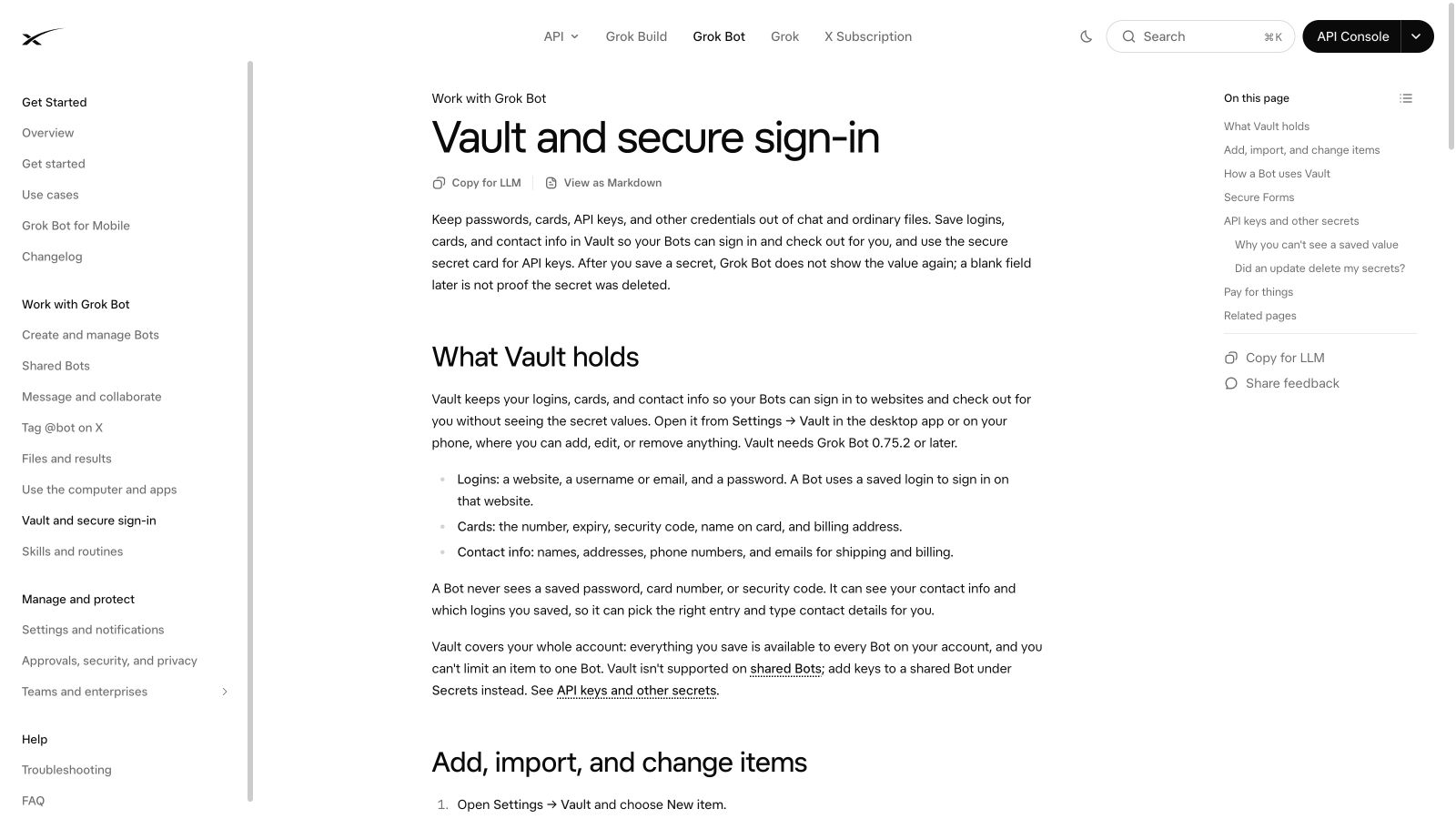
Official Vault documentation, checked November 3, 2026.
Which 1Password setup is supported?
The support guide currently lists individual and family accounts on 1password.com. It does not extend that support to Team or Business accounts, or accounts on 1password.ca and 1password.eu.
It also lists minimum versions: 1Password 8.12.42 or later, Grok Bot desktop 0.75 or later, and Grok Bot mobile 1.16 or later. Check the current guide if your installed version differs.
Eligible Login items come from the supported Personal or Private vault. Shared vaults, passkeys, other item types, and Login items that depend on a sign-in provider are currently unsupported by this connection.
If this is your situation | What to check first |
The connection option is missing | Account type, account region, and installed versions |
One saved login is missing | Item type and whether it is in a supported vault |
The Bot asks for login approval again | Whether the permission to use that login has expired |
The website asks for a code | The website's own MFA or sign-in requirements |
A team assistant behaves differently | Which Bot, account, and Vault configuration it is using |
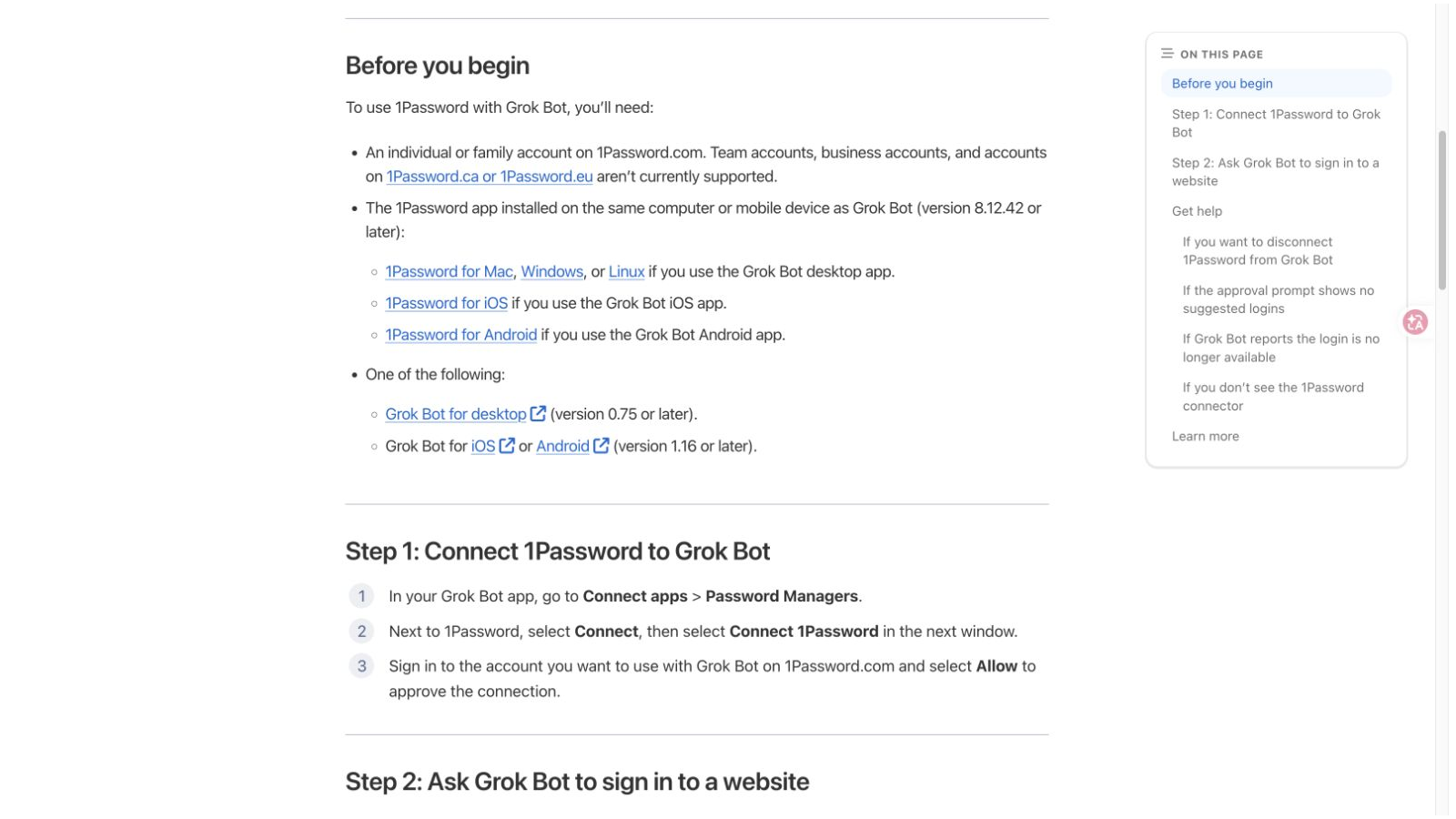
1Password support documentation lists account and app-version requirements.
Why approving a login is not permanent sign-in
1Password's guide describes login-use approval lasting 30 days before another approval is needed. The website still decides how long its own session lasts.
Those two clocks can expire at different times. You may have permitted the Bot to use a login while the website still asks for MFA. Or the browser may remain signed in while the password-manager permission is due for renewal.
When it stops, read the actual request. Is it asking for a 1Password approval, a website verification code, a passkey, or permission to perform an action? Responding to the wrong problem can lead to repeatedly reconnecting something that was already working.
Be careful with advice about shared Bots
The current Vault guide says personal Vault is not supported in shared Bots. The October 27 changelog describes managers adding logins to a Team Bot’s own Vault. These are different personal and team contexts. That should not be rewritten as “every shared Bot can use your personal Vault.”
If you are setting this up for a team, check the configuration of the actual Team Bot and which resources its members can use. A personal Bot working on one person's account is not a test of the team arrangement.
Login approval is not approval for every later action
Being signed in lets the assistant reach the account. It does not answer whether it should send an email, publish a page, or place an order.
Payment behavior also differs by route. The Vault documentation describes saved-card filling and a separate Link one-time-card flow. Do not assume every payment step always presents the same approval prompt, or that letting it fill a checkout field means you intended it to buy the item.
For your first trial, choose an account and a read-only job you can check easily. Tell the Bot where to stop. Avoid making a real payment merely to find out whether a login integration works.
What to do when it gets stuck
Write down the exact step and the message shown. Then check the current support guide against your account and app versions. If a login item is unsupported, reconnecting repeatedly will not turn it into a supported item.
If the website requests a human step, complete that step yourself through the product's normal handoff. If you cannot tell whether it is a password-manager problem or a website-session problem, keep the two questions separate when contacting support.
Related: our Grok Bot review shows a task that used only a public page and required no saved login.
Frequently Asked Questions
Does Grok Bot work with every 1Password account?
No. The current support guide lists individual and family accounts on 1password.com, with specific app and item requirements.
Can I assume shared vaults work?
No. The documented connection has item and vault restrictions. Check the current supported scope before moving or exposing any login.
Why does it still ask for MFA?
The website controls its own sign-in checks. Permission to use a saved login does not remove the website's MFA requirement.
Is this an independent security audit?
No. This guide explains the documented setup and its limits; it does not establish a zero-risk or universally unattended login workflow.


