Grok Bot Usage Limits: Why a Few Tasks Can Use So Much

You have barely chatted with your Bot, but the weekly meter is already moving. Grok Bot usage limits are easier to understand once you stop counting messages and look at the work behind them. A short request can start a long research job, and a routine can keep doing work when you are not in the conversation.
Before buying more capacity, check which subscription your account uses. The newer unified subscription and older Cursor accounts do not all follow the same billing path.
First, find the right allowance
The official Grok Bot subscription guide distinguishes the newer X Subscription from legacy Cursor plans. On the unified subscription, eligible first-party Grok, Grok Bot, and Cursor activity draws from a shared weekly pool. Cursor usage of third-party models is paid Additional Usage, rather than part of that included pool. If you use more than one of those apps, the Bot conversation alone will not explain the whole meter.
Older accounts can have different usage and billing arrangements. Check the dashboard your account currently uses rather than following an old screenshot from another user's plan. Migration can also change where you need to look.
The general FAQ separately warns that Grok chat and Grok Bot are different apps. A message about a limit in the chat app is not enough to diagnose your Bot account. Start with the product, plan, and dashboard shown on your own account.
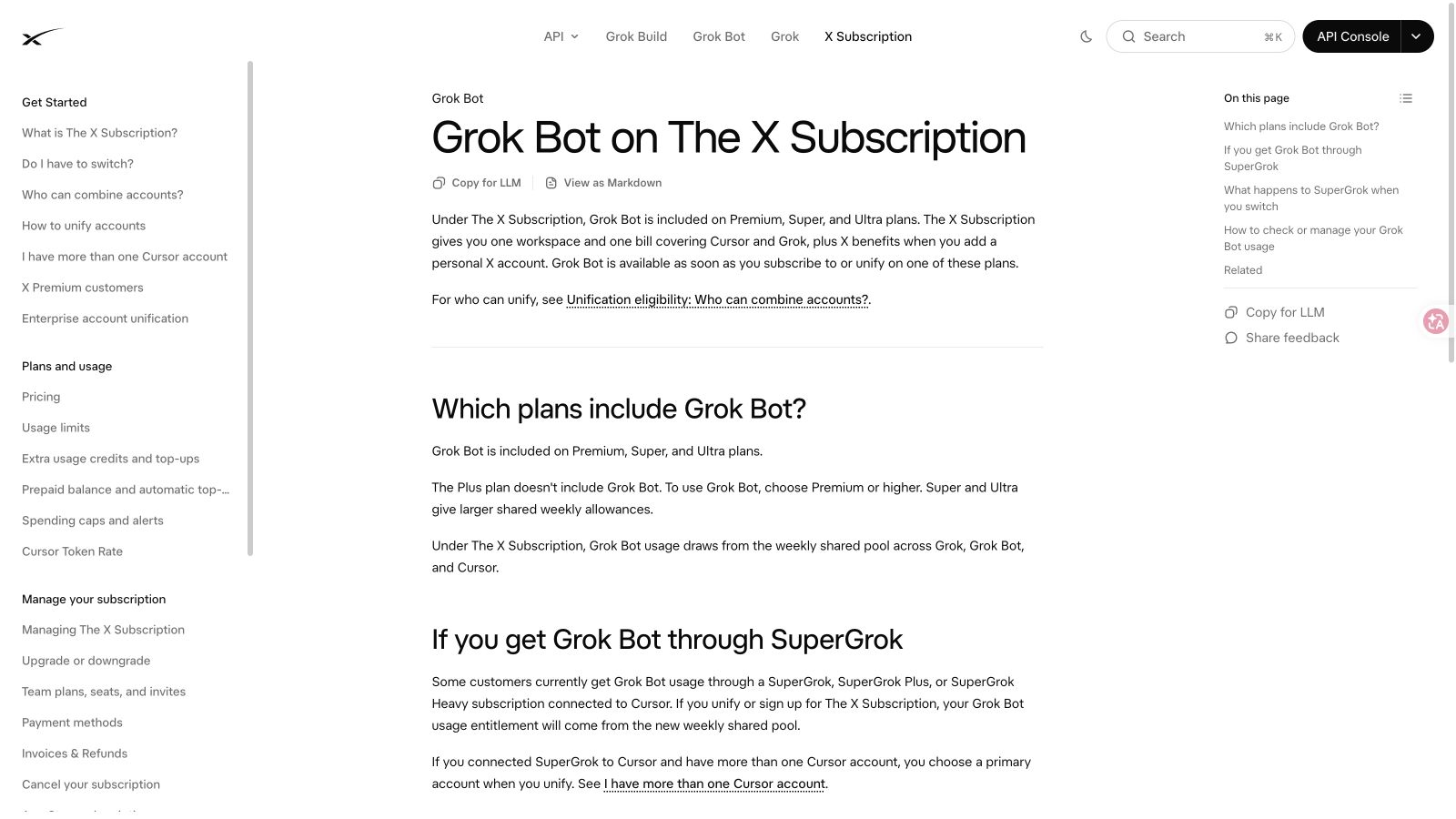
Official subscription documentation, checked November 3, 2026.
Why one request can consume more than another
“Summarize this paragraph” and “research these companies and build a report” may each be one message. They are not the same amount of work.
A research task may visit several pages, read documents, retry a failed step, and revise the result. A recurring task can do those things again tomorrow. The usage documentation also distinguishes included eligible activity from extra paid usage; it does not establish a universal price per completed Bot task.
That makes message count a poor way to compare two weeks. Look at what the agent actually attempted, how often it ran, and how much of the output you kept.
What to check when usage seems unexpectedly high
Start with the period shown on the dashboard. Then list the bigger jobs and recurring tasks that ran during it. Include tasks that failed: a failed result can still involve substantial work.
Check | What it helps explain |
Account and plan | Which allowance and billing rules apply |
Other included apps | Whether the weekly pool covers more than Bot chats |
Routines and their frequency | Work that happened without a new manual request |
Long research or browser jobs | Several steps behind one short prompt |
Retries and revisions | Work spent reaching a usable result |
Extra-usage settings | Whether the account can continue beyond included usage |
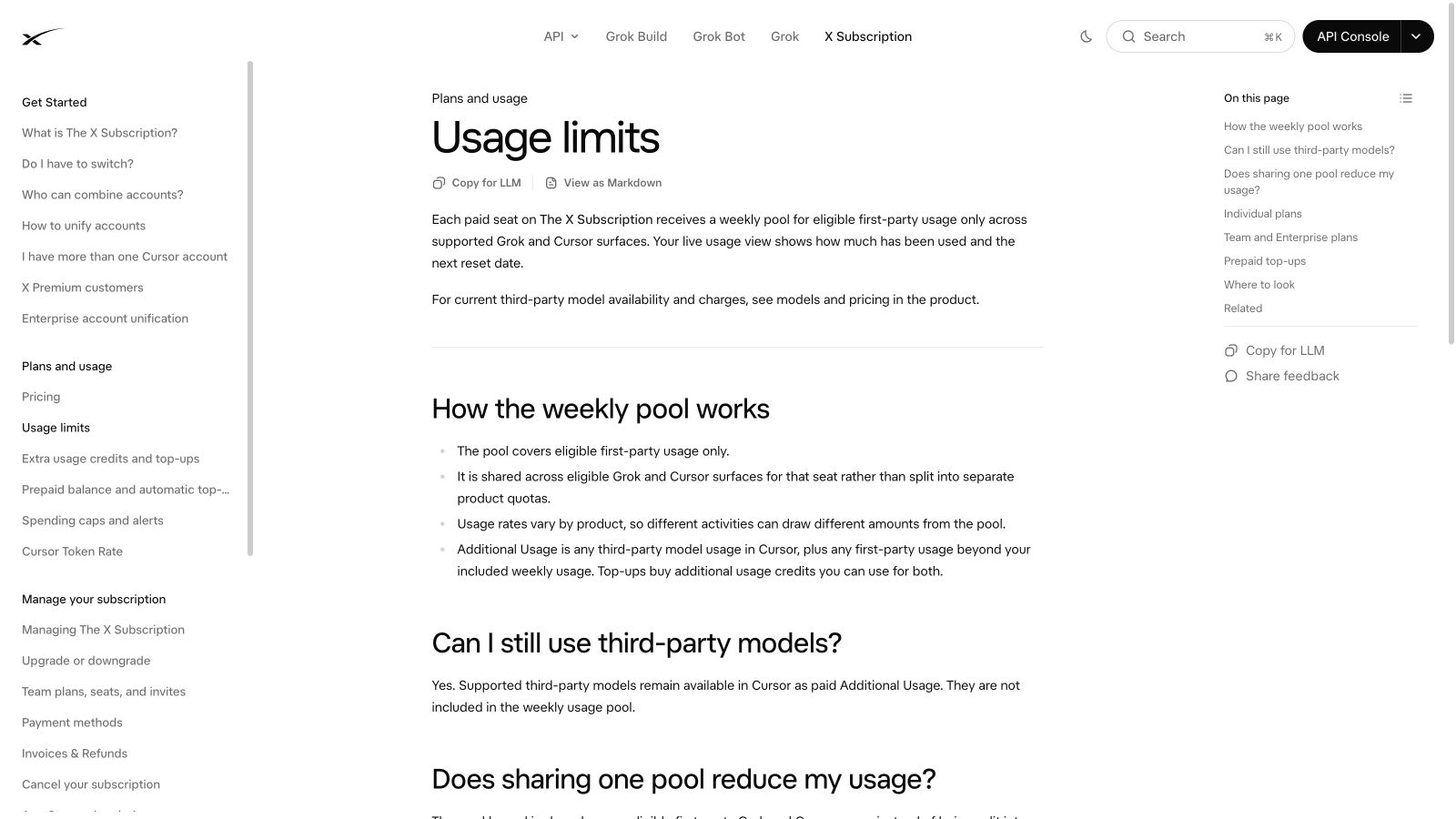
Official usage guide. The weekly pool covers eligible first-party usage.
Try a smaller job before changing your plan
Take one task you actually need. Give it a short input list and a clear result, such as five company websites and a table of product categories with source links. Look at usage before and after, then open the file and check whether it is useful.
Do not turn that first result into an estimate for every future job. A page requiring several retries can be very different from a simple public directory. But a small trial gives you more information than comparing your chat count with another person's screenshot.
For repeated website collection, you can separately evaluate a reusable BrowserAct Bot and give the checked CSV or JSON to an assistant for analysis. That is a workflow option, not a claim that it costs less. A fair cost comparison would need the same inputs, a comparable usable result, and both accounts' actual usage.
For an example of a small job with a checked output, see our Grok Bot CSV test.
When does an upgrade make sense?
An upgrade makes sense when you know which useful jobs are running into the allowance and want more capacity for those jobs. It is harder to judge while the task is still vague or most of the output needs rewriting.
Check the current extra-usage rules before relying on them. Do not assume a spending setting has exactly the same effect on every account or interrupts every in-progress step instantly. Keep the first paid experiment small enough that you can inspect the bill and the result together.
Frequently Asked Questions
Why did a few Grok Bot messages use so much of my allowance?
A message can start several steps or a background task. Also check whether other apps share the account's weekly pool.
Does every Grok Bot account use the same dashboard?
No. New unified subscriptions and legacy Cursor accounts can follow different billing paths. Check the account and plan you are actually using.
Do recurring tasks use capacity?
Yes, background work can consume usage. Check both the task frequency and what each run is doing.
Has everyone's allowance definitely been cut?
The materials checked for this guide do not establish a universal cut or a precise reduction. Individual reports and changing meter displays are not enough to prove that.


