Best LinkedIn Scraper Tools in 2026: 6 Options by Workflow

The best LinkedIn scraper is not automatically the tool that extracts the most fields. It is the one that fits the exact job: exporting a Sales Navigator list, monitoring company posts, collecting hiring signals, enriching known profile URLs, or building a custom research workflow that keeps the source beside every record. That distinction matters because “LinkedIn scraping” covers several very different products. An official API, a managed scraper API, an Apify Actor, a Chrome-based sales tool
- 1The best LinkedIn scraper depends on the unit of work: known profile URLs, company pages, posts, jobs, a Sales Navigator search, or an open-ended research brief.
- 2This guide compares six product shapes: LinkedIn’s official API and exports, BrowserAct, Bright Data, Apify, PhantomBuster, and Scrupp.
- 3Use an official API or first-party export when it covers the data and permission model you need. Use a scraper API for standardized developer pipelines, and a dedicated Sales Navigator exporter for a narrow list-to-CSV job.
- 4Use [BrowserAct](https://www.browseract.com/?co-from=blogbotlinkedin) when the workflow is easier to describe than to code: navigate a live page, apply custom conditions, open detail pages, preserve source evidence, and export structured results from a reusable cloud Bot.
- 5Do not treat any vendor’s “safe,” “no-ban,” or “compliant” language as a guarantee. LinkedIn’s current User Agreement restricts scraping and unauthorized automated access; your use case, data, account, permissions, and applicable law still matter.
- 6A strong production workflow records source URLs, collection time, missing fields, blocked states, and a human-review step instead of silently returning incomplete data.
The short answer: which LinkedIn scraper should you choose?
Option | Best for | Typical input | Typical output | Main trade-off |
LinkedIn official API and first-party exports | Approved integrations and data you own or administer | Approved app, account, organization, or archive request | API response or first-party archive | Access and available fields are limited by product and approval |
Custom no-code research, multi-page navigation, source-linked evidence | Natural-language prompt, allowed URLs, filters, and output schema | Reusable cloud Bot plus structured export | The workflow still needs narrow scope, review, and explicit stop rules | |
Bright Data | Standardized developer pipelines at higher volume | Profile, company, job, or post URLs; API request | JSON, NDJSON, CSV, webhook, or cloud delivery | More engineering-oriented; standardized endpoints may not fit unusual UI workflows |
Apify | Choosing or adapting a marketplace Actor | URLs or Actor-specific inputs | Dataset, API, webhook, CSV, JSON, or Excel | Actor quality, fields, maintenance, and data method vary by developer |
PhantomBuster | Prebuilt prospecting and multi-step GTM workflows | LinkedIn/Sales Navigator inputs, often session-based | Spreadsheet, enrichment, and workflow actions | Extraction and outbound actions can be mixed; account and action scope need close control |
Scrupp | Sales Navigator list export and lead-to-CRM handoff | Sales Navigator search or lead list | CSV/Excel, enriched records, HubSpot, or API | Narrower than a general research browser; enrichment may be unnecessary for simple exports |
Pro Tip: Write the desired output schema before choosing a tool. If you cannot specify the fields, source evidence, failure state, and review rule, a larger tool list will not rescue the project.
What buyers actually mean by “LinkedIn scraper”
The keyword hides at least five jobs:
- First-party export: download your own connections or data archive.
- List export: move a Sales Navigator result or saved list into CSV.
- URL enrichment: take known profile or company URLs and return a fixed set of fields.
- Discovery: search for profiles, companies, posts, jobs, or keywords before extraction.
- Research automation: navigate several pages, apply business rules, preserve evidence, and hand uncertain cases to a person.
These jobs should not share one purchasing checklist. A Sales Navigator exporter can be excellent at list-to-CSV and poor at competitor-content monitoring. A scraper API can be reliable for known URLs but awkward when the research logic changes every week. A browser Bot can handle custom page logic but should not be used as an excuse to collect unnecessary person-level data.
The pain is also visible outside vendor pages:
- A 2025 r/sales question asks for a low-cost Sales Navigator export containing only names and LinkedIn URLs—no enrichment.
- A 2025 r/linkedin thread asks for a simple CSV/Excel export because many plugins bundle extra credit-based services.
- A 2026 r/linkedin thread asks whether any export method is responsible enough to avoid account problems.
- Stack Overflow reports show two common technical failures: public pages redirecting to an AuthWall in Puppeteer and LinkedIn returning nonstandard
999responses.
Those questions shape the evaluation criteria below.
How we evaluated the tools
We did not rank tools by the longest feature list. We evaluated each option against seven workflow questions:
Criterion | What to check before choosing |
Target coverage | Profiles, companies, posts, comments, jobs, search results, or Sales Navigator |
Input model | Known URLs, keywords, saved searches, browser pages, prompts, or approved API resources |
Output quality | Flat CSV, nested JSON, source URLs, timestamps, screenshots, and missing-field flags |
Workflow flexibility | Can the tool open detail pages, apply conditions, branch, deduplicate, or stop for review? |
Repeatability | Scheduling, reusable configurations, API/CLI triggers, webhooks, and run history |
Evidence and failure visibility | Can a reviewer see where each row came from and why a record failed? |
Data and account boundary | Public vs. authenticated data, minimum necessary fields, session handling, and automated actions |
1. BrowserAct — best for prompt-built, source-linked research workflows
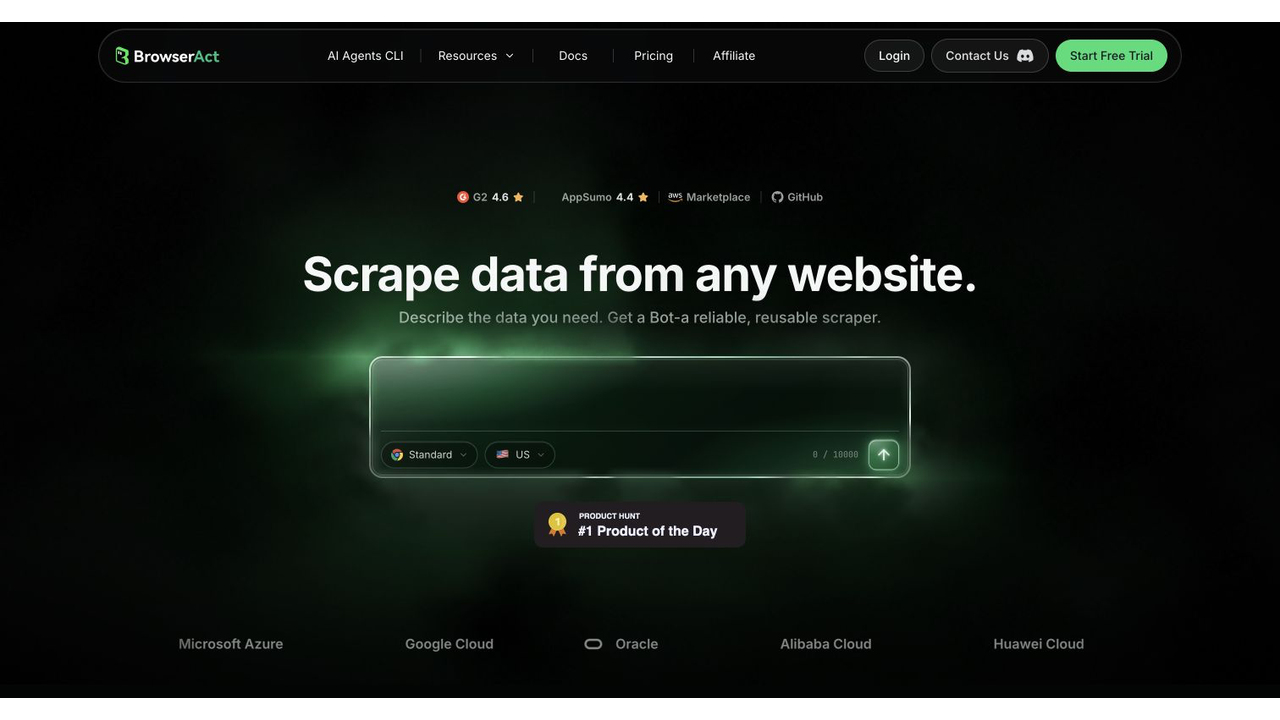
Official BrowserAct page screenshot. Source: BrowserAct.
BrowserAct is the strongest fit when the workflow cannot be reduced to “submit URLs, receive fixed JSON.” You describe the target pages, filters, fields, page actions, output schema, and stop conditions in a prompt. BrowserAct tests the task in a browser and turns the approved path into a reusable cloud Bot.
That makes BrowserAct useful for workflows such as:
- Visit a controlled list of public company pages and collect displayed industry, location, size, specialties, website, latest post date, and source URL.
- Search public job pages for defined roles, open matching details, and return hiring signals with posted dates.
- Review company posts that match a topic, preserve post URLs, and structure visible engagement fields for later analysis.
- Compare several companies with the same schema and flag missing or ambiguous values instead of inventing them.
- Run the same approved research weekly and export the results to a spreadsheet or downstream process.
Why BrowserAct stands out
The differentiator is not simply “no code.” Fixed no-code templates still force the user into someone else’s schema. BrowserAct is useful when the research brief itself is the workflow.
A practical BrowserAct prompt can define:
Start from the public company-page URLs in the input list.

For each company, return only publicly displayed business information:
- company name
- company page URL
- website
- industry
- headquarters or location
- displayed company size
- latest visible company post date
- source URL
- collection timestamp

Open a company detail page only when needed.
Do not collect personal email addresses, phone numbers, private fields,
or sensitive attributes.

If the page requires a new login, CAPTCHA, 2FA, payment, or access bypass,
stop and mark the record for human review.
Return one structured row per company.
The prompt gives BrowserAct Agent both a build brief and a safety boundary. Once the path and schema work, save them as a BrowserAct Workflow. If an engineering or RevOps team later needs a controlled trigger, use BrowserAct CLI with the same approved inputs and fields.
Where BrowserAct is weaker
BrowserAct is not the default choice for every bulk job. If you already have millions of known URLs, an unchanging schema, and a data team that wants a conventional endpoint, a managed scraper API may be more direct.
BrowserAct also does not remove the need to define authorization and purpose. Use narrow, read-only workflows; minimize person-level fields; preserve source evidence; and keep a human between collection and consequential decisions or outreach.
How it works: Describe the browser path, fields, limits, and stop conditions in a prompt; test the run; then save the approved task as a reusable cloud Bot.
Strengths: Custom navigation, changing research logic, evidence capture, human-review branches, and no scraper code.
Limitations: Less direct than a fixed endpoint for very large batches of known URLs and an unchanging schema.
Pricing: Credit-based plans; confirm the current allowance and successful-record economics on the official BrowserAct pricing page.
Best for: custom research, competitor monitoring, company and job signals, mixed list/detail pages, source-linked datasets, and workflows whose logic changes faster than scraper code.
2. LinkedIn official API and exports — best when first-party access covers the job
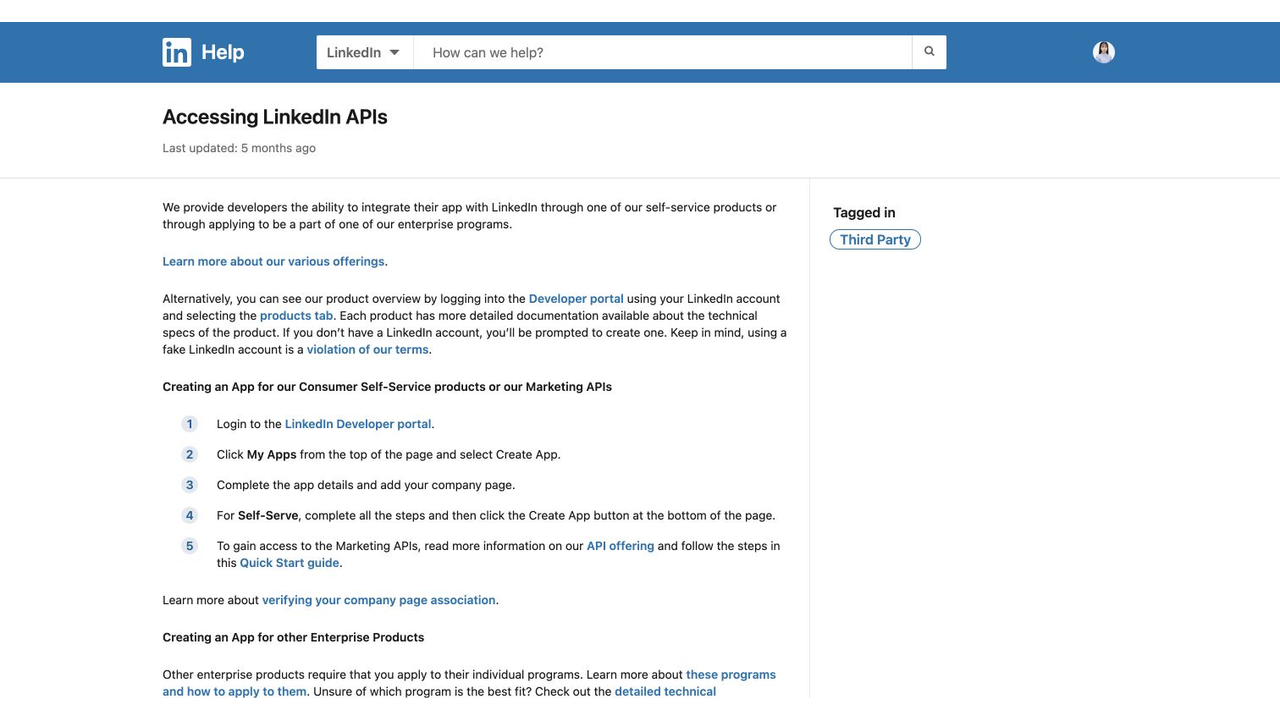
Official LinkedIn Help screenshot. Source: Accessing LinkedIn APIs.
The first question should be: can LinkedIn’s own API or export solve this?
LinkedIn lets members request an archive and export their own connections, although its help page notes that some email addresses may be missing and non-first-degree contacts cannot be exported. For platform integrations, API access depends on the LinkedIn product, app, permissions, and in some cases review or approval.
This route is the strongest choice when:
- You need your own member archive or connections.
- You administer the organization or resource being accessed.
- An approved Marketing, Lead Sync, or other LinkedIn API product exposes the required operation.
- Your legal, security, or procurement team requires a first-party integration.
It is not a general replacement for research across arbitrary profiles, companies, posts, or Sales Navigator results. LinkedIn’s Sales Navigator community FAQ states that downloading or exporting a Custom List is not currently available and points eligible customers toward sharing and CRM Sync alternatives.
How it works: Request an account archive or use an approved LinkedIn product and permission set for supported resources.
Strengths: First-party access, documented permissions, and the clearest fit for owned or administered data.
Limitations: Product approval and field coverage are narrow; Sales Navigator Custom Lists still do not have a general download option.
Pricing: Archive exports are first-party account features; API commercial terms depend on the approved LinkedIn product and agreement.
Best for: approved first-party data flows, owned resources, organization administration, and use cases where the available API product precisely matches the requirement.
3. Bright Data — best for a standardized LinkedIn Scraper API
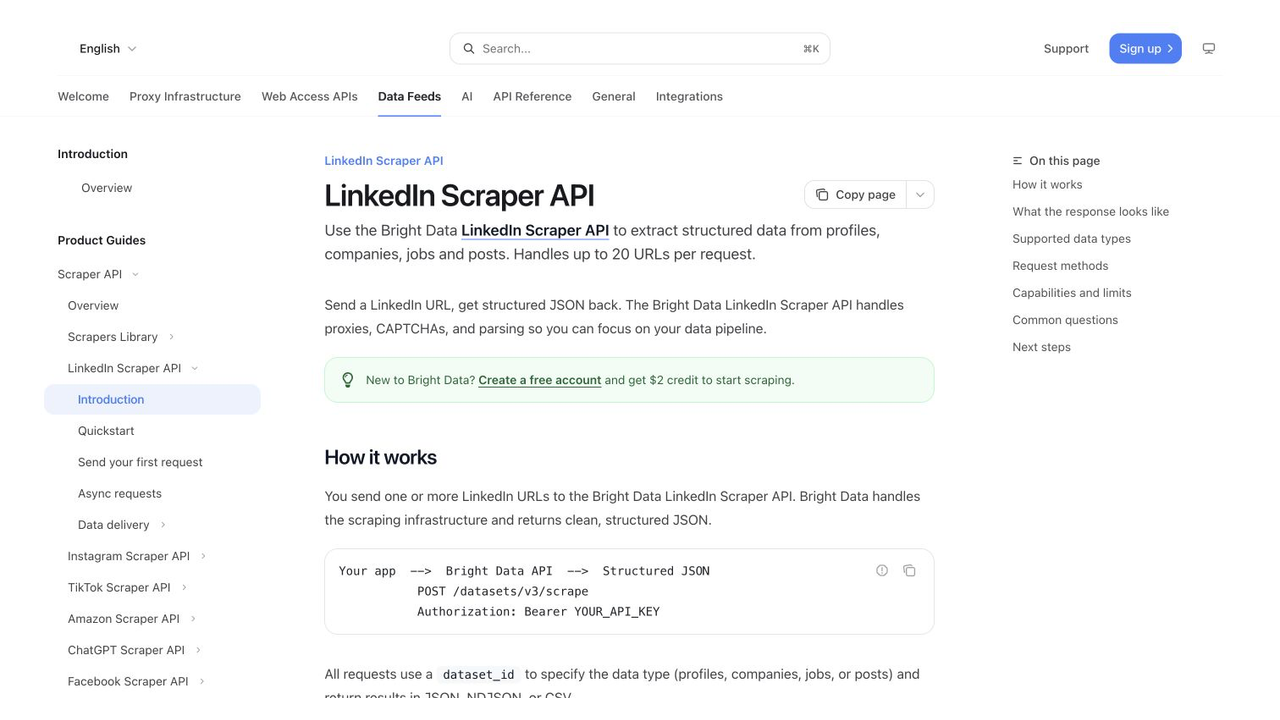
Official documentation screenshot. Source: Bright Data LinkedIn Scraper API.
Bright Data offers a dedicated LinkedIn Scraper API for profiles, companies, jobs, and posts. Its official documentation describes a URL-in, structured-data-out model with JSON, NDJSON, and CSV formats, plus synchronous and asynchronous request patterns.
This is a strong fit when developers want:
- A conventional API contract.
- Standardized schemas for common LinkedIn object types.
- Batch processing of known URLs.
- Webhook or cloud-storage delivery.
- Scraping infrastructure handled outside the application team.
The main limitation is the same thing that makes it easy to integrate: the workflow is endpoint-shaped. If your job requires navigating an unusual search flow, combining several UI states, taking evidence screenshots, or changing business rules frequently, a prompt-built browser workflow may be easier to adapt.
Use Bright Data when the object and schema are known. Use BrowserAct when the browser journey and qualification logic are the main problem.
How it works: Send supported LinkedIn object URLs to a managed API and receive structured data synchronously or through asynchronous delivery.
Strengths: Conventional API integration, standardized schemas, batches, webhooks, and managed collection infrastructure.
Limitations: Endpoint-shaped workflows are less flexible when qualification depends on several live UI states or changing page logic.
Pricing: Usage-based; compare current per-record or per-request economics against the number of successful, usable records.
Best for: engineering teams, standardized profile/company/job/post extraction, known URL batches, and production data delivery.
4. Apify — best for Actor choice and composable automation
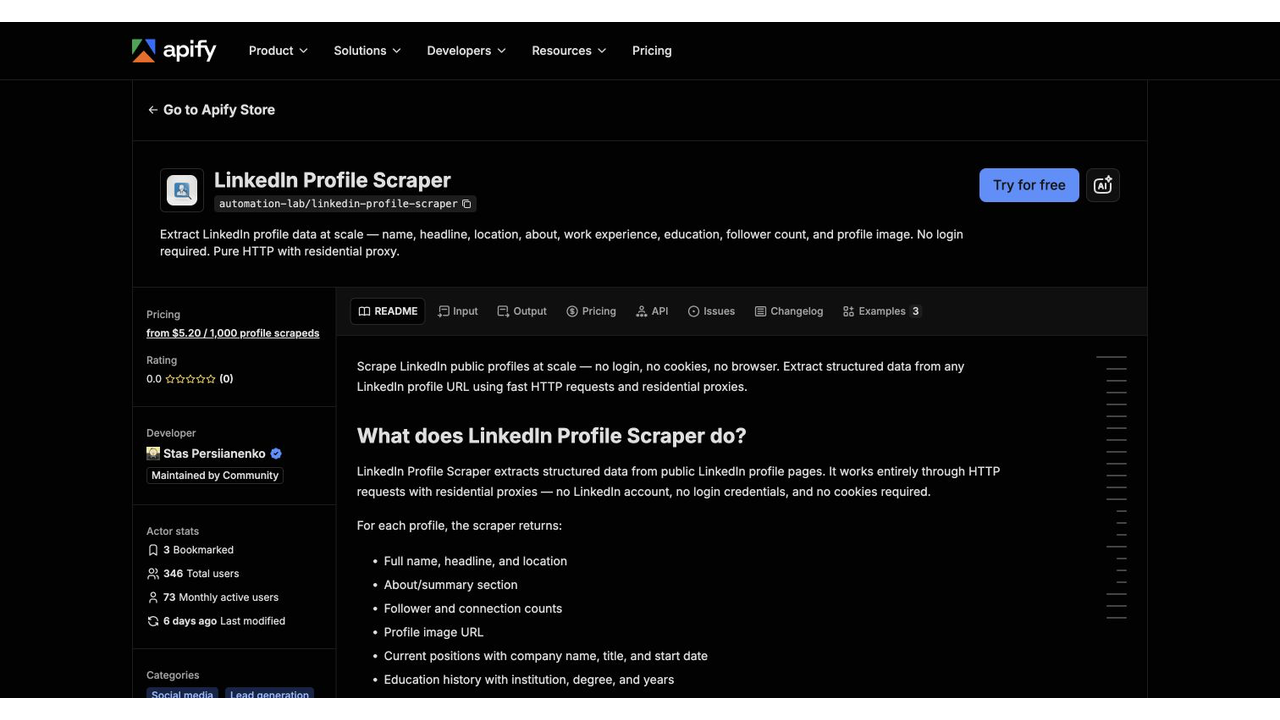
Official Actor page screenshot. Source: Apify LinkedIn Profile Scraper.
Apify is a platform and marketplace rather than one LinkedIn scraper. Its Store contains Actors for profiles, company posts, jobs, comments, and broader all-in-one extraction. Actors can expose a web form, API, schedules, datasets, webhooks, and integrations.
That flexibility is useful when:
- A maintained Actor already matches the exact target.
- You want a quick proof of concept without operating scraper infrastructure.
- The dataset needs to feed n8n, Make, an API client, or another Apify Actor.
- Your team can evaluate an Actor’s developer, update history, inputs, output schema, and failure behavior.
The critical buying step is Actor-level due diligence. Two Actors with similar names may use different access methods, require different inputs, return different fields, and have very different maintenance histories. Treat every Actor as a separate product.
Before using one, check:
- Is it maintained by Apify or a community developer?
- Does it require cookies or an authenticated account?
- Does it access only the pages and fields you are authorized to use?
- How does it represent partial records, restricted profiles, retries, and failures?
- Does the sample output contain the source URL and collection timestamp?
If no Actor cleanly fits the workflow, BrowserAct Agent can be a better option for defining the task in natural language and validating the page path before you standardize it.
Pro Tip: Never evaluate “Apify” as one scraper. Open the exact Actor page, check the developer, update history, input contract, sample output, pricing event, and failure behavior.
How it works: Configure a specific Actor through its web form or API, run it on Apify infrastructure, and consume the resulting dataset or webhook.
Strengths: Marketplace breadth, scheduling, integrations, datasets, and fast proofs of concept.
Limitations: Quality and access methods vary by Actor, so maintenance risk belongs to the chosen listing—not the marketplace label.
Pricing: Compute- or event-based depending on the Actor; inspect the exact Actor page and expected run volume.
Best for: teams that want an existing Actor, marketplace choice, scheduled jobs, datasets, and composable integrations.
Run the scrape once with browser-act. Package the repeatable path with Skill Forge.
- 1. An agent uses browser-act to search Google Maps, scroll listings, inspect place pages, and extract visible fields.
- 2. The team validates the schema: business name, category, address, phone, website, rating, review count, and source URL.
- 3. browser-act-skill-forge turns the proven flow into a reusable scraper Skill for future agent runs.
5. PhantomBuster — best for prebuilt GTM workflows, with a wider action surface
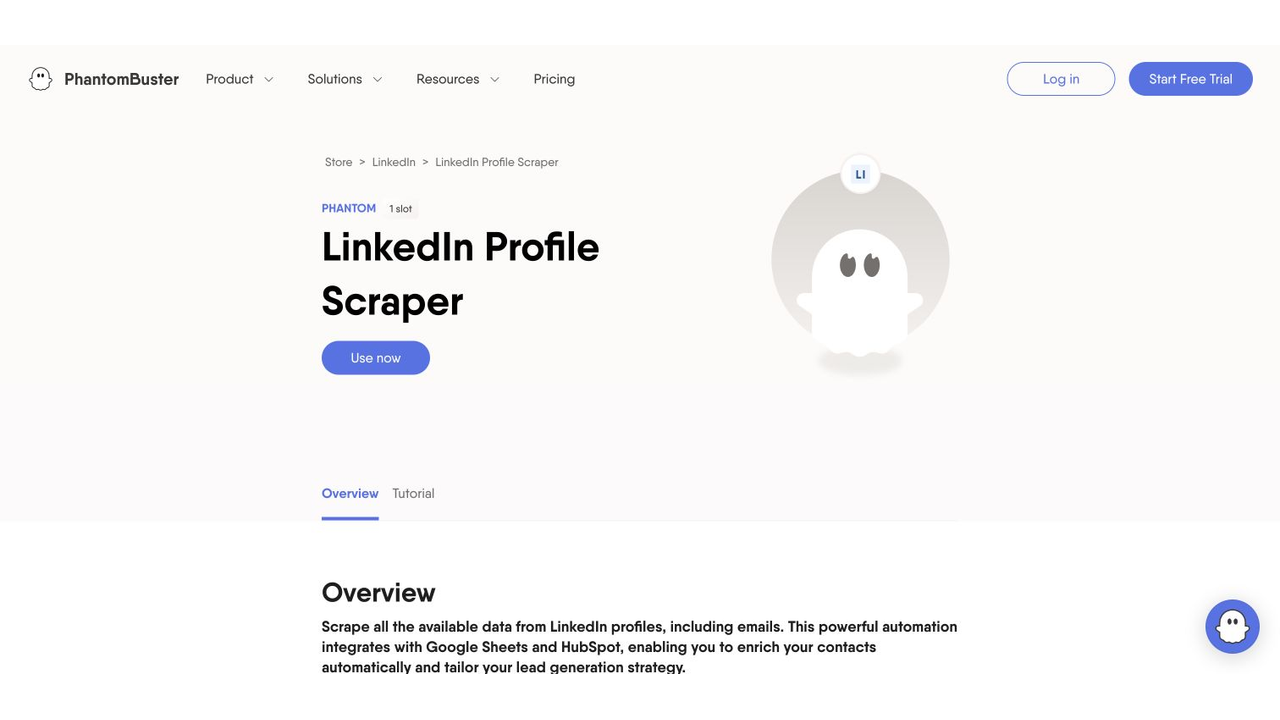
Official PhantomBuster page screenshot. Source: PhantomBuster LinkedIn Profile Scraper.
PhantomBuster packages extraction and prospecting tasks as “Phantoms” and chains them into workflows. Its official pages cover LinkedIn search exports, profile extraction, post-engager collection, enrichment, CRM sync, follows, messages, and other outbound actions.
That breadth makes PhantomBuster attractive to sales teams that want a prebuilt path from discovery to enrichment and CRM. It also creates the most important distinction in this comparison: a research scraper and an action automation are not the same risk.
If the business requirement is read-only research, do not casually enable follows, likes, connection requests, or messages just because the platform supports them. Separate collection from engagement, and require explicit human approval for any external action.
PhantomBuster’s pricing is organized around plan resources such as automation slots, execution time, and enrichment credits. Estimate the full workflow rather than comparing only the headline plan.
Choose PhantomBuster when its existing workflow matches the GTM process. Choose BrowserAct when you want a custom, evidence-first research Bot without bundling automated outreach.
How it works: Select a prebuilt Phantom, connect the required source or session, then export or chain the result into enrichment and CRM steps.
Strengths: Prebuilt sales workflows, spreadsheet outputs, enrichment, CRM handoff, and multi-step GTM automation.
Limitations: Research and outbound actions share a wider automation surface, so session use and external actions need explicit controls.
Pricing: Plan resources include automation slots, execution time, and enrichment credits; cost the whole workflow rather than one extraction step.
Best for: sales teams that want prebuilt extraction, enrichment, and CRM workflows and can manage session and action boundaries carefully.
6. Scrupp — best for Sales Navigator export plus optional enrichment
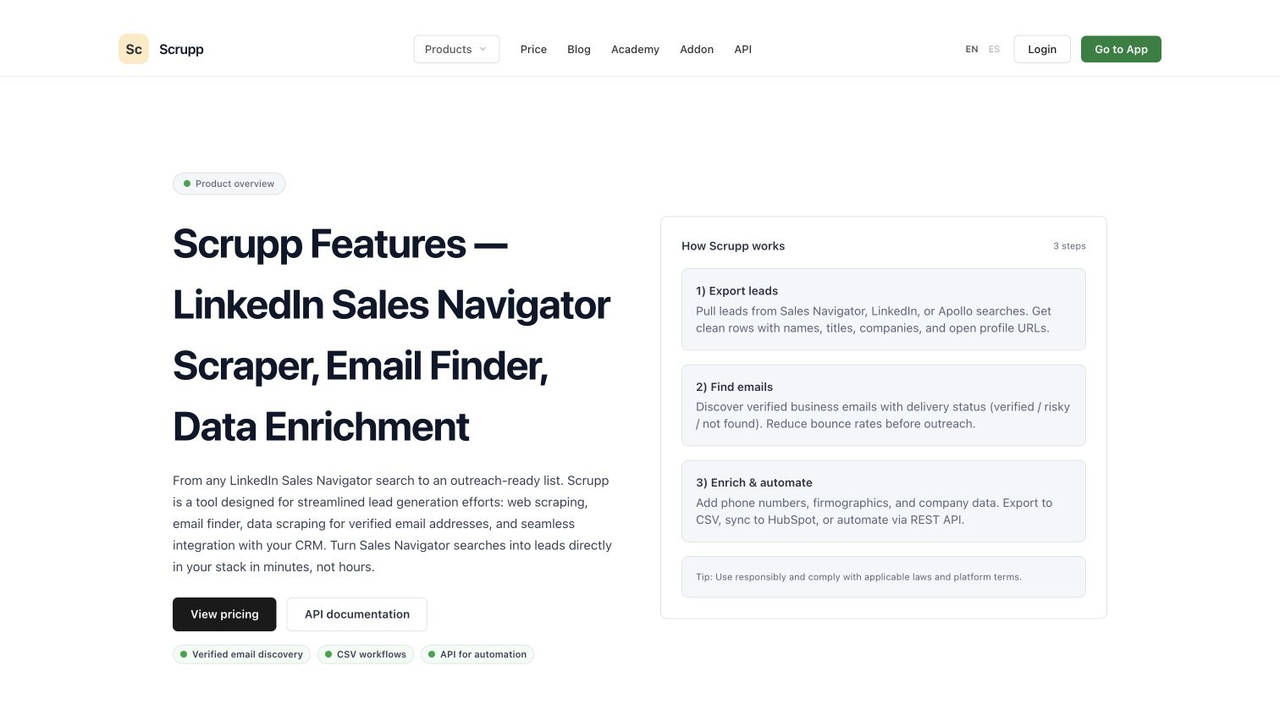
Official Scrupp page screenshot. Source: Scrupp Features.
Scrupp is the most focused tool in this list. Its product centers on extracting leads from LinkedIn Sales Navigator, exporting them to CSV or Excel, optionally finding and verifying business emails, and sending data to HubSpot or an API workflow.
That focus matches the question users repeatedly ask on Reddit: “I already built the search. Can I get names and LinkedIn URLs into a spreadsheet?”
Scrupp is a better fit than a general browser automation platform when:
- Sales Navigator is the fixed source.
- The primary job is list export.
- The destination is CSV, Excel, HubSpot, or a straightforward API handoff.
- Email enrichment and verification are part of the same approved process.
It is a weaker fit for monitoring posts, comparing company pages, collecting hiring signals, or running multi-source research outside the list-export path. For those jobs, use a broader API, Actor, or BrowserAct Workflow.
How it works: Start from a Sales Navigator search or lead list, export the records, and optionally enrich or send them to HubSpot or an API.
Strengths: Focused list-to-CSV workflow, optional business-email enrichment, and a direct sales-operations handoff.
Limitations: Narrower than a general research browser and potentially wasteful if the only requirement is names plus profile URLs.
Pricing: Plan and credit based; separate the cost of export from optional enrichment when comparing alternatives.
Best for: Sales Navigator list-to-CSV, lead enrichment, and a direct CRM handoff.
Best LinkedIn scraper by use case
Company and competitor research
Use BrowserAct when the company-research schema is custom, requires list and detail pages, or needs source screenshots. Use Bright Data when you already have company URLs and want a standardized API response. Use an Apify Actor when a maintained company or company-post Actor matches the fields. For the step-by-step workflow, see LinkedIn prospect research automation.
Recommended minimum fields:
- Company name and canonical source URL
- Public website
- Industry and location
- Displayed company size
- Public description
- Latest visible company post date
- Collection timestamp
- Missing-field reason
LinkedIn profiles from known URLs
Bright Data and Apify are the most direct choices for fixed URL batches. Before collecting person-level data, remove fields that are not necessary for the legitimate business purpose. Do not assume that a field is appropriate merely because a tool can return it.
Use BrowserAct for a smaller, higher-context research workflow where a reviewer needs the profile source, related company page, and clear evidence for each qualification decision.
Posts, comments, and content monitoring
Choose an endpoint or Actor that explicitly supports posts and comments if the schema is stable. Choose BrowserAct when the workflow includes custom search terms, page navigation, evidence screenshots, exclusions, and a human-review queue.
Do not turn visible engagement into an automated outreach list by default. Research and contacting people are separate purposes.
Sales Navigator export
Start with LinkedIn’s available first-party options, including eligible CRM Sync workflows. If the required export is not available, Scrupp is the most focused third-party option in this comparison. PhantomBuster fits when the export is one step in a larger GTM workflow.
BrowserAct fits when the goal is not indiscriminate bulk export but a narrow, prompt-defined review—for example, collect public business fields for a limited list, keep source URLs, remove duplicates, and route uncertain records to a person.
Jobs and hiring signals
Bright Data and Apify offer job-oriented endpoints or Actors. BrowserAct is useful when the signal requires business logic:
Find public job listings from the target companies that mention “RevOps,” “sales automation,” or “web data.” Return the company, role, location, posted date, job URL, matched phrase, and collection time. Do not collect applicant data.
That is a good example of where the prompt is more valuable than a generic profile scraper.
A practical decision framework
Ask these questions in order:
- Can an official API or first-party export solve it? If yes, start there.
- Is the target a fixed object with a stable schema? Use a managed API or well-maintained Actor.
- Is the task specifically Sales Navigator list-to-CSV? Use a focused exporter.
- Does the workflow require custom navigation and business rules? Build it with BrowserAct Agent.
- Does it include posting, liking, following, connecting, or messaging? Split those actions from research and require explicit approval.
- Can every row be audited? Store the source URL, collection time, and failure state.
- Are you collecting more person-level data than the purpose needs? Remove fields before the first production run.
Pro Tip: Run a 20-record validation set before scheduling anything. Include at least one missing page, one restricted page, one duplicate, and one record with an ambiguous field so failure handling is tested on purpose.
Common reasons LinkedIn scrapers fail
AuthWalls and inconsistent page access
A Stack Overflow report shows a public company page opening manually in Chrome but redirecting Puppeteer to an authentication form. The lesson is not to search for a clever bypass. It is to design a workflow that recognizes the state, stops, and records what happened.
Nonstandard blocked responses
Developers have reported LinkedIn returning status 999 to automated requests. A production system should record the URL, timestamp, response state, and retry decision. It should never convert a blocked page into an empty “successful” record.
Schema drift
Profile, company, job, and post layouts change. Fixed selectors break; fields move; labels differ by locale. Use a tool with active maintenance, and keep a small validation set of known pages.
Partial visibility
The same page may expose different fields based on geography, account state, relationship, or authentication. Mark missing values as missing. Do not infer them from unrelated sources without labeling the enrichment source.
Duplicates and stale records
Sales and research datasets often merge results from searches, saved lists, profile URLs, and company pages. Deduplicate by canonical URL or another defensible key, preserve the most recent collection time, and keep the original sources.
Responsible-use boundary
LinkedIn’s current User Agreement says users must not use crawlers, browser plugins, scripts, robots, or other means to scrape or copy the service, and must not bypass access controls or automate actions such as messaging and engagement without authorization.
That means no tool in this comparison can promise that your intended workflow is acceptable. Public availability, technical accessibility, contractual permission, privacy obligations, and applicable law are separate questions.
For BrowserAct and every other option:
- Prefer first-party exports and approved APIs when available.
- Use only pages, accounts, and data you are authorized to access.
- Keep the workflow read-only unless external actions are separately approved.
- Do not bypass login, CAPTCHA, 2FA, payment, or other access controls.
- Minimize person-level data and avoid sensitive attributes.
- Preserve source URLs, timestamps, and consent or purpose records where relevant.
- Put a human reviewer before outreach, scoring, recruiting decisions, or other consequential use.
- Stop the workflow when the page state no longer matches the approved path.
This is operational guidance, not legal advice. Review current platform terms and obtain qualified legal advice for your specific use case.
Our recommendation
There is no universal winner:
- Choose LinkedIn’s official API or export when it covers the job.
- Choose Bright Data for a standardized developer-facing scraper API.
- Choose Apify when a maintained Actor already matches the target.
- Choose PhantomBuster for a prebuilt GTM workflow with carefully separated research and outbound actions.
- Choose Scrupp for a focused Sales Navigator export and optional enrichment flow.
- Choose BrowserAct when the differentiator is the workflow itself: prompt-defined navigation, custom filters, page-level evidence, structured export, and a reusable cloud Bot.
For most new BrowserAct projects, the clean path is:
- Define the allowed sources, fields, record limit, and stop conditions.
- Test the brief in BrowserAct Agent.
- Review source URLs, screenshots, missing values, and blocked states.
- Save the approved run as a BrowserAct Workflow.
- Use BrowserAct CLI only when the schema and review process are stable enough for an internal trigger.
Build a source-linked LinkedIn research Bot with BrowserAct
Two Skills, One Repeatable Browser Workflow
Start with live browser execution when the agent needs to understand a page. Move to Skill Forge when the same scraper should run again without re-exploring the site.
Run once with browser-act
Give Codex, Claude Code, Cursor, Windsurf, or another agent a real browser for rendered pages, clicks, scrolling, screenshots, DOM extraction, and network inspection.
Open browser-act SkillPackage with Skill Forge
Explore the site once, verify the extraction path, then generate a callable Skill package that other agents can reuse for batch jobs or scheduled workflows.
Open Skill ForgeFurther reading: LinkedIn research
Frequently Asked Questions
What is a LinkedIn scraper?
A LinkedIn scraper collects selected page fields into structured output. Tools differ by target, access model, evidence, scheduling, and whether they use an API, extension, Actor, or browser workflow.
What is the best LinkedIn scraper in 2026?
Use BrowserAct for custom source-linked browser research, Bright Data for a fixed scraper API, Apify for a suitable Actor, Scrupp for Sales Navigator export, and LinkedIn’s official options when available.
Can I scrape LinkedIn without coding?
Yes. BrowserAct turns a natural-language brief into a reusable browser Bot, while PhantomBuster, Scrupp, and many Apify Actors provide configurable workflows without scraper code.
What is the best LinkedIn scraper for Sales Navigator?
Scrupp is the most focused list-to-CSV option here. PhantomBuster suits broader GTM workflows, while eligible teams should also evaluate LinkedIn CRM Sync.
What is the best LinkedIn scraper API?
Bright Data is the most direct standardized API in this comparison. Apify exposes individual Actors by API; BrowserAct fits better when the browser journey and business rules are custom.
Can a LinkedIn scraper export to CSV or Google Sheets?
Yes. The compared tools provide structured files, datasets, APIs, webhooks, CRM integrations, or downstream automation. Verify exact columns and destination support before choosing.
Is LinkedIn scraping legal or safe?
There is no universal answer. LinkedIn restricts scraping and unauthorized automation; contracts, privacy duties, access, purpose, and local law all matter. Get qualified advice for the intended workflow.


