YouTube Scraping Terms: API Rules, Privacy Boundaries and Safer Workflows

YouTube scraping terms is a risky search because people often want a simple yes-or-no answer: can I scrape YouTube or not? The better answer is layered. YouTube has Terms of Service for the main service, API Services Terms for official API access, Developer Policies for API clients, robots.txt rules for crawlers, and privacy/copyright boundaries that depend on the exact data and use case. This is not legal advice. It is a workflow guide for teams that need public or authorized YouTube data and w
-
1
YouTube scraping termsshould be read as a policy stack, not a single rule: YouTube Terms, API Services Terms, Developer Policies, robots.txt, privacy, copyright, and internal approvals all matter. - 2The highest-risk workflow is not "collect a title once." It is automated collection at scale, personal-data harvesting, transcript or audiovisual copying, login-wall access, restricted content, or account-changing actions.
- 3Official API routes reduce some ambiguity, but they add API-specific rules around consent, privacy policies, attribution, storage, refresh, quota, and compliance review.
- 4BrowserAct fits as a risk-aware validation layer: use Agent for the first read-only workflow review, Workflow for a narrow approved checklist, and CLI for controlled internal runs with logging and limits.
- 5If your use case involves user identifiers, children's content, copyrighted material, private/authorized data, commercial redistribution, or long-term storage, ask counsel before you automate.
The short answer: separate terms risk from legal risk
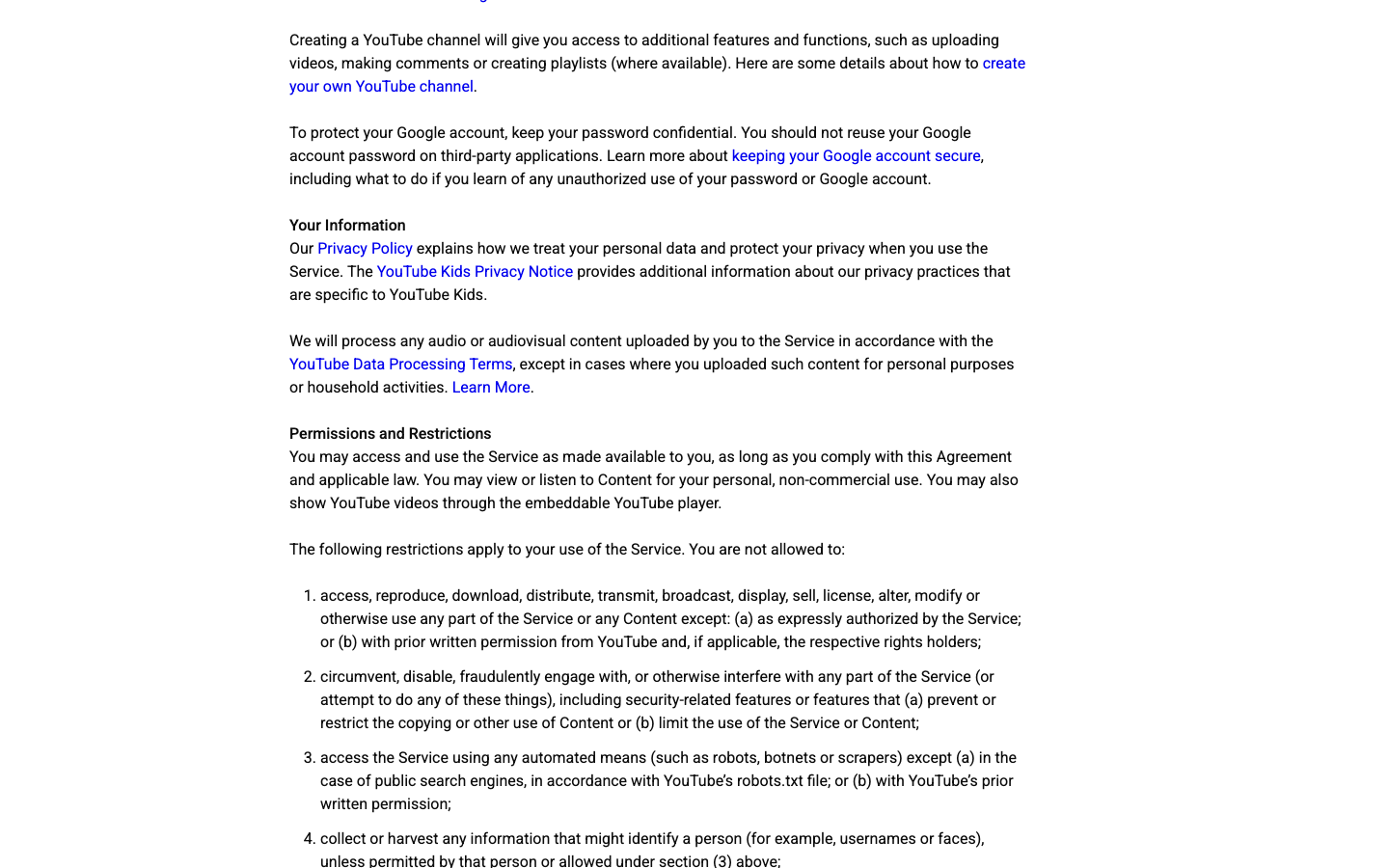
The YouTube Terms of Service are the first document to read. The current page is dated December 15, 2023 and includes restrictions on automated access and harvesting information that might identify a person.
That does not automatically answer every legal question in every country. A platform-term issue, a copyright issue, a privacy issue, an API compliance issue, and a computer-access-law issue are different categories.
Question | What it really means | First document to check |
Can I scrape YouTube? | Are automated access and data collection allowed for this use case? | YouTube Terms of Service |
Can I use the API instead? | Does the official API support the data and storage pattern? | YouTube API Services Terms |
Can I store the data? | Is it Authorized Data, Non-Authorized Data, or audiovisual content? | Developer Policies |
Can I collect usernames or faces? | Does the workflow touch identifiable personal data? | YouTube Terms + privacy law |
Can a bot follow robots.txt? | Is this crawler behavior or a permitted YouTube use? | robots.txt + YouTube rules |
Can BrowserAct automate it? | Is the run public/authorized, read-only, bounded, and reviewed? | Internal risk checklist |
What YouTube's main Terms say about automated access
The main Terms say users may access and use the service as made available, subject to the Agreement and applicable law. In the restrictions section, YouTube lists automated means such as robots, botnets, or scrapers as restricted except for public search engines following robots.txt or with YouTube's prior written permission.
The same section also calls out collecting or harvesting information that might identify a person, such as usernames or faces, unless that collection is permitted by the person or allowed by the referenced exception.
This matters because many "YouTube scraper" workflows are not just video-title collection. They may include:
- channel names and handles;
- commenter usernames;
- profile images or faces in thumbnails;
- transcripts that may copy creator speech;
- comments that may contain personal information;
- view, like, subscriber, and engagement metrics;
- live chat messages;
- member-only, age-gated, deleted, private, or restricted content.
Pro Tip: Classify the data object before choosing the tool. A video URL, a transcript, a comment author, and a face in a thumbnail are not the same risk class.
What changes when you use the official YouTube API
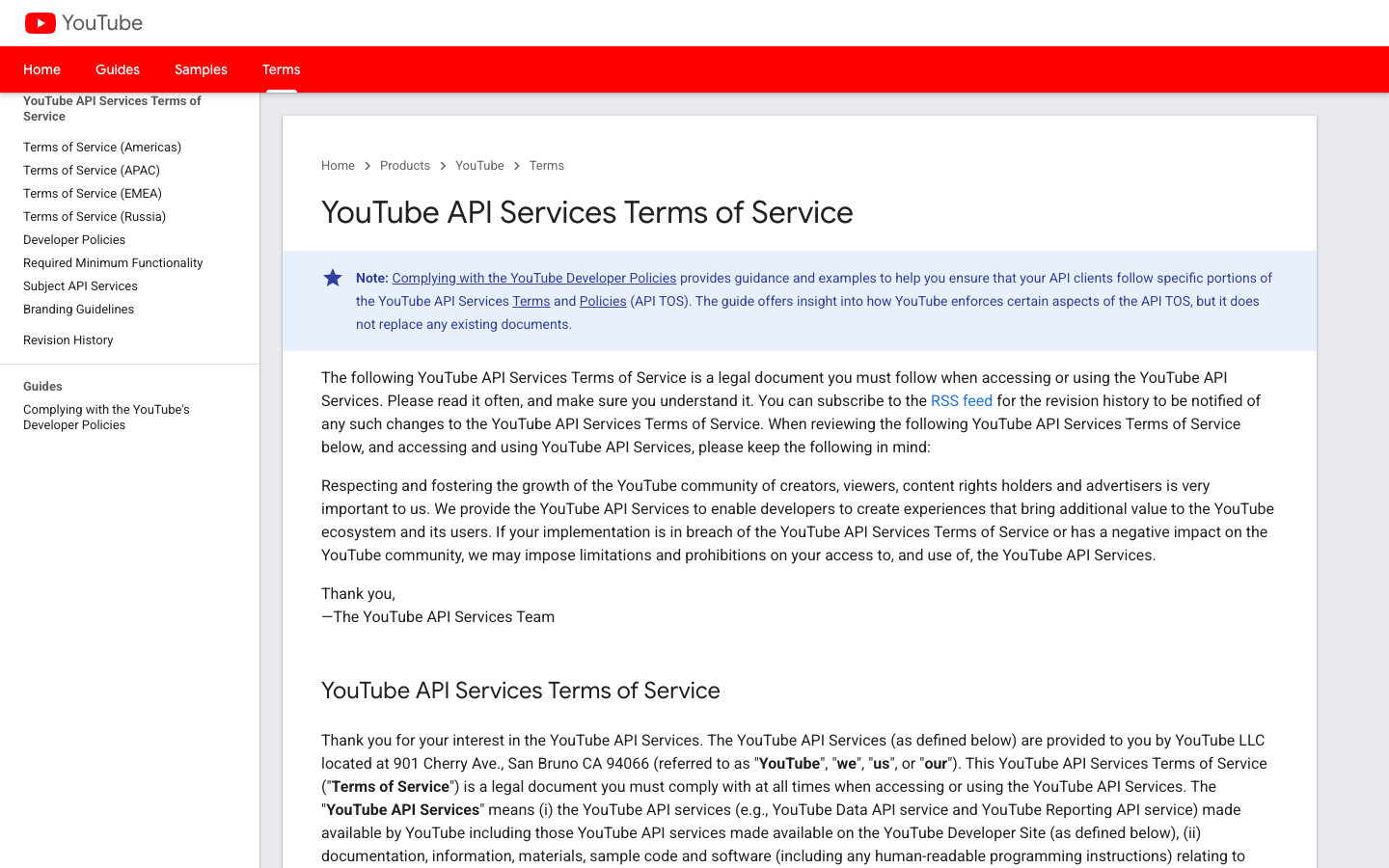
The official API does not mean "anything goes." The YouTube API Services Terms of Service say the API Terms are a legal document that developers must comply with when accessing or using YouTube API Services. The page also says implementations that breach the API Terms or negatively affect the YouTube community may face limitations or prohibitions.
API access can be the right route when:
- the endpoint supports the field you need;
- you can accept quota and rate limits;
- your app can display required attribution;
- your privacy policy and consent flow match the data you collect;
- you can refresh, delete, or limit stored data as required;
- you are not using the API to recreate YouTube's core experience.
The API route is often cleaner than page scraping, but it is still a governed workflow.
The Developer Policies are where many teams get surprised
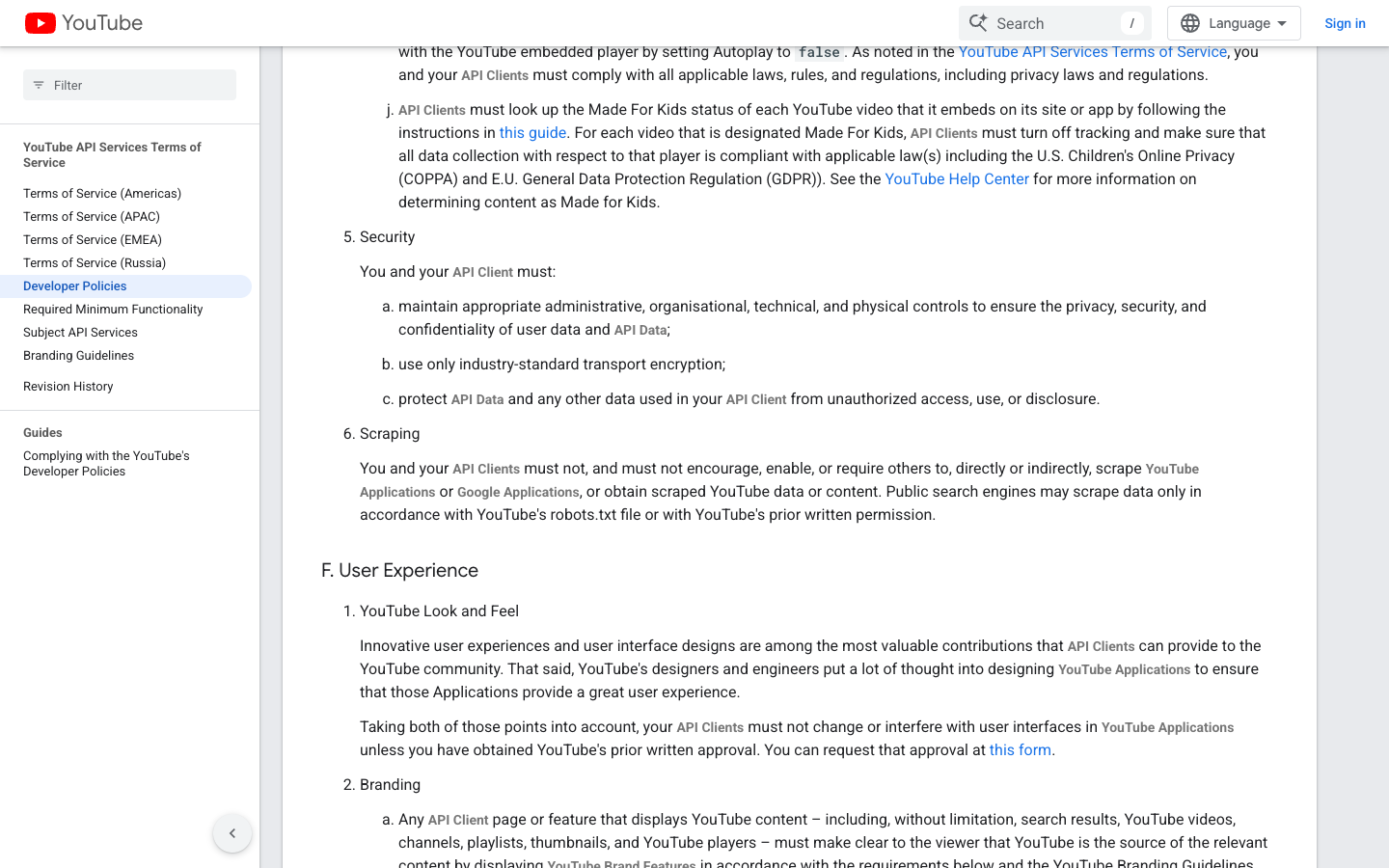
The YouTube API Services Developer Policies are especially important because they translate API compliance into product requirements: terms links, privacy policies, consent, storage, attribution, playback integrity, and prohibited access.
The most relevant sections for data workflows are:
Policy area | Practical meaning |
API client terms and privacy policy | Your app needs clear terms, a privacy policy, and user-facing disclosure of API data practices. |
User control | The user must know and consent before the client inserts, shares, updates, deletes, uploads, comments, or changes visibility. |
Data handling | API data storage, refresh, deletion, and display rules depend on the data type and authorization state. |
Scraping | API clients must not scrape YouTube or Google applications or obtain scraped YouTube data unless a specific permitted route applies. |
Attribution and branding | YouTube source attribution must not be hidden or obscured. |
Privacy and children | Made for Kids and personal-data scenarios need extra care. |
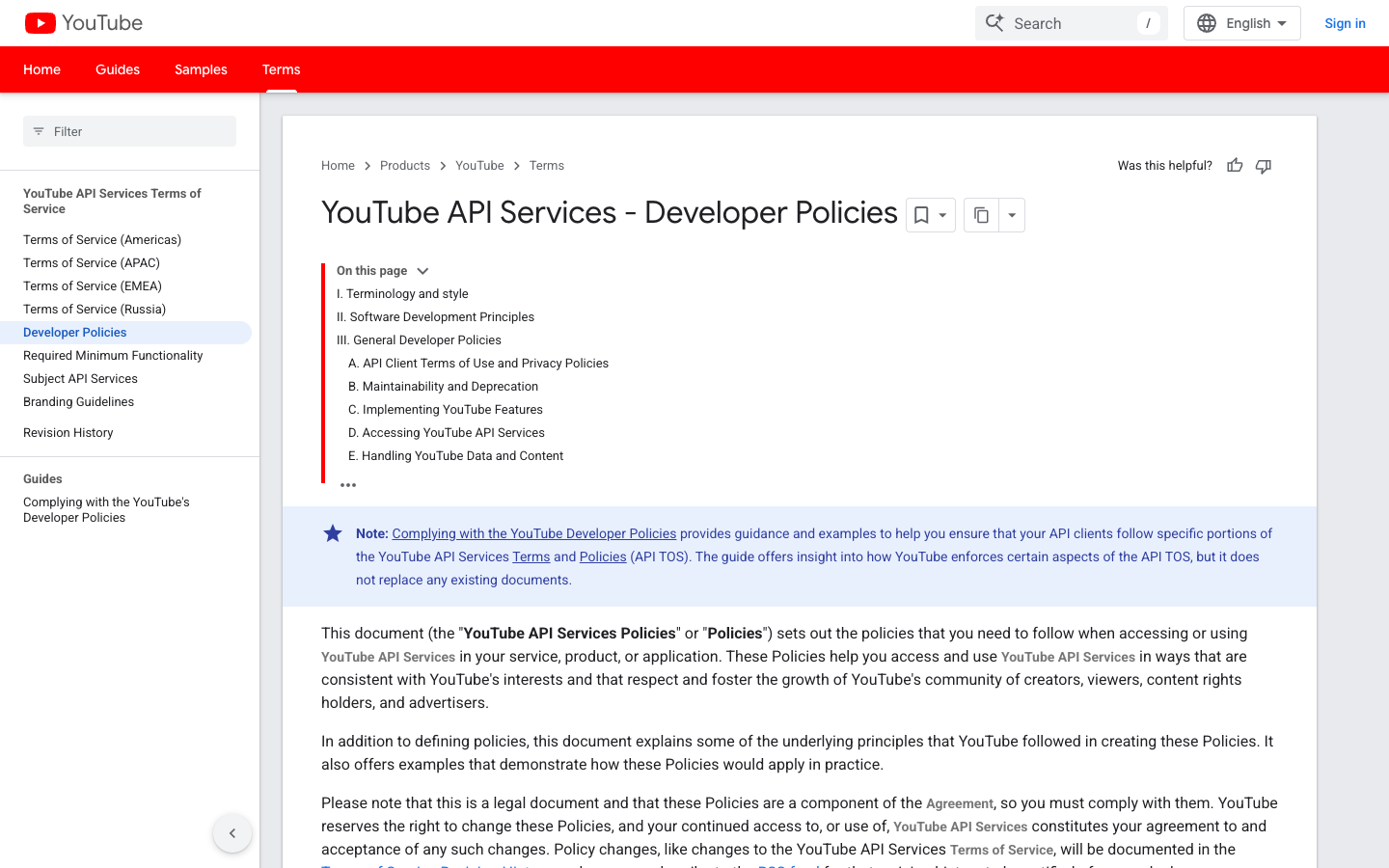
The policy details matter. For example, the Developer Policies discuss 30-day refresh/delete patterns for certain stored API data, and the Stack Overflow question about the API 30-day storage rule shows why real developers get stuck on this exact issue.
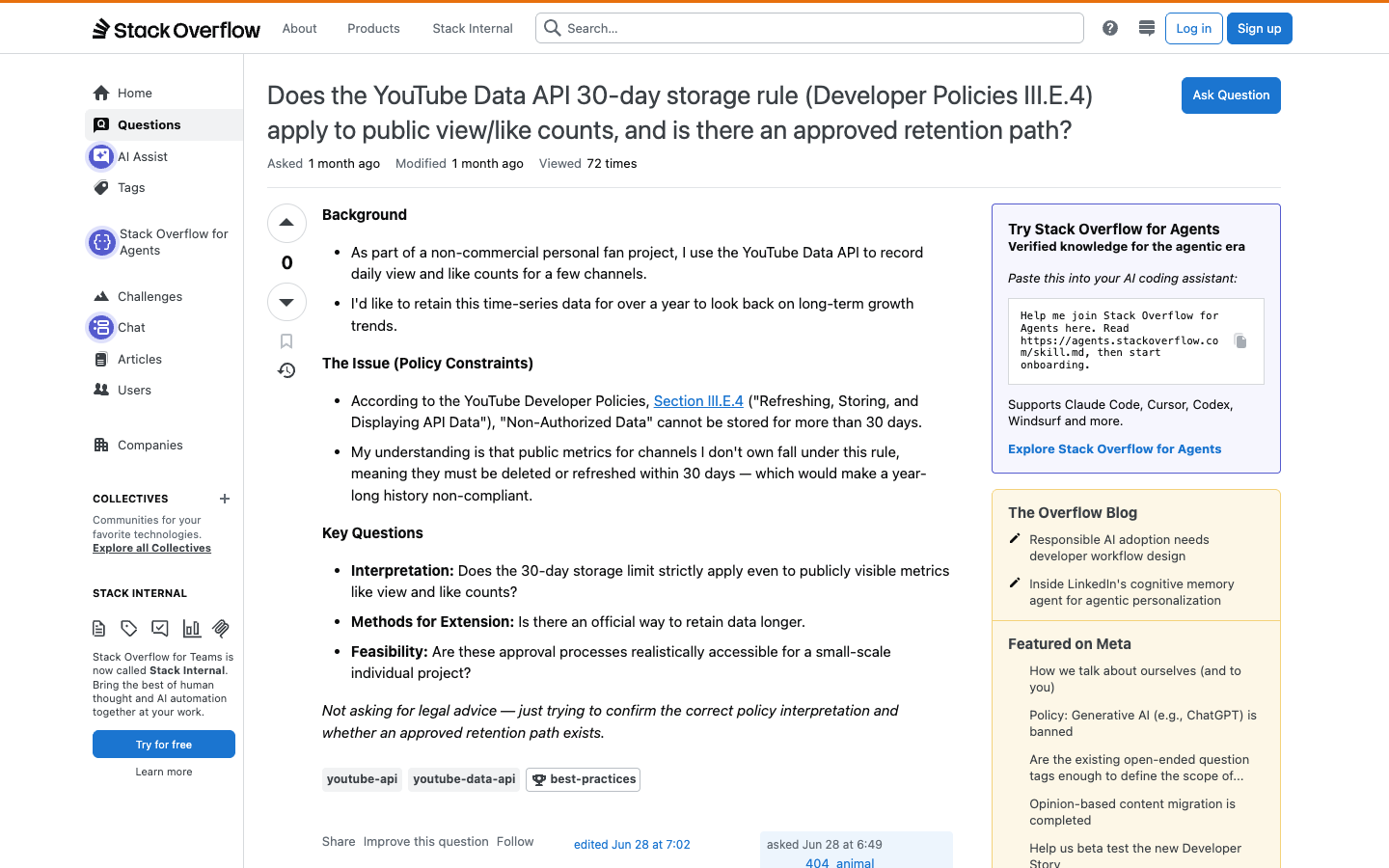
Pro Tip: If your spreadsheet keeps YouTube API data indefinitely, write down the exact data category, authorization state, refresh path, deletion path, and business reason. If you cannot explain those five things, you are not ready to automate.
Where robots.txt fits
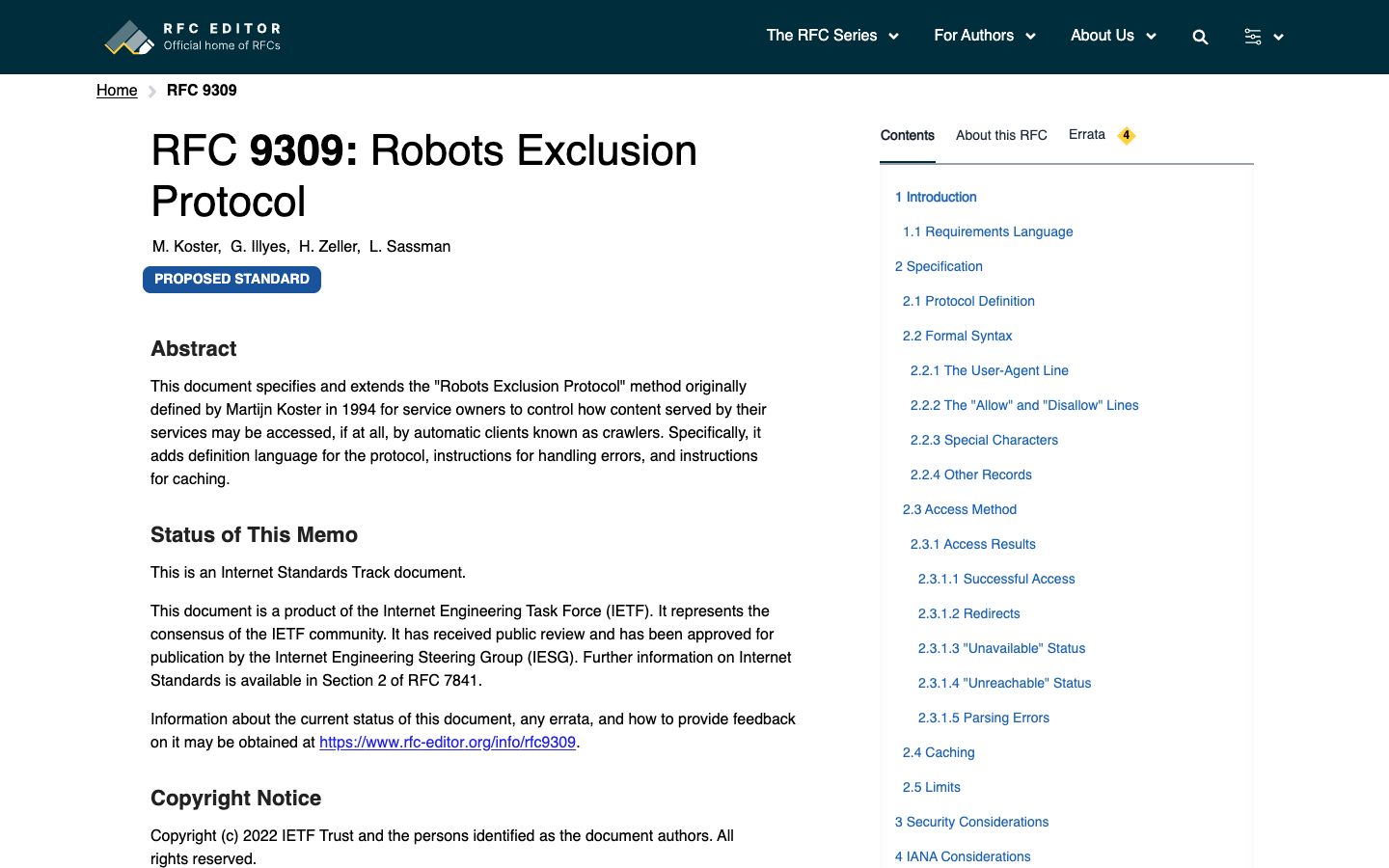
Robots.txt is not a universal permission slip. RFC 9309 describes the Robots Exclusion Protocol as a way for service owners to tell crawlers which URI paths they are requested to honor. It also states that those rules are not a form of access authorization.
YouTube also exposes a robots.txt file.
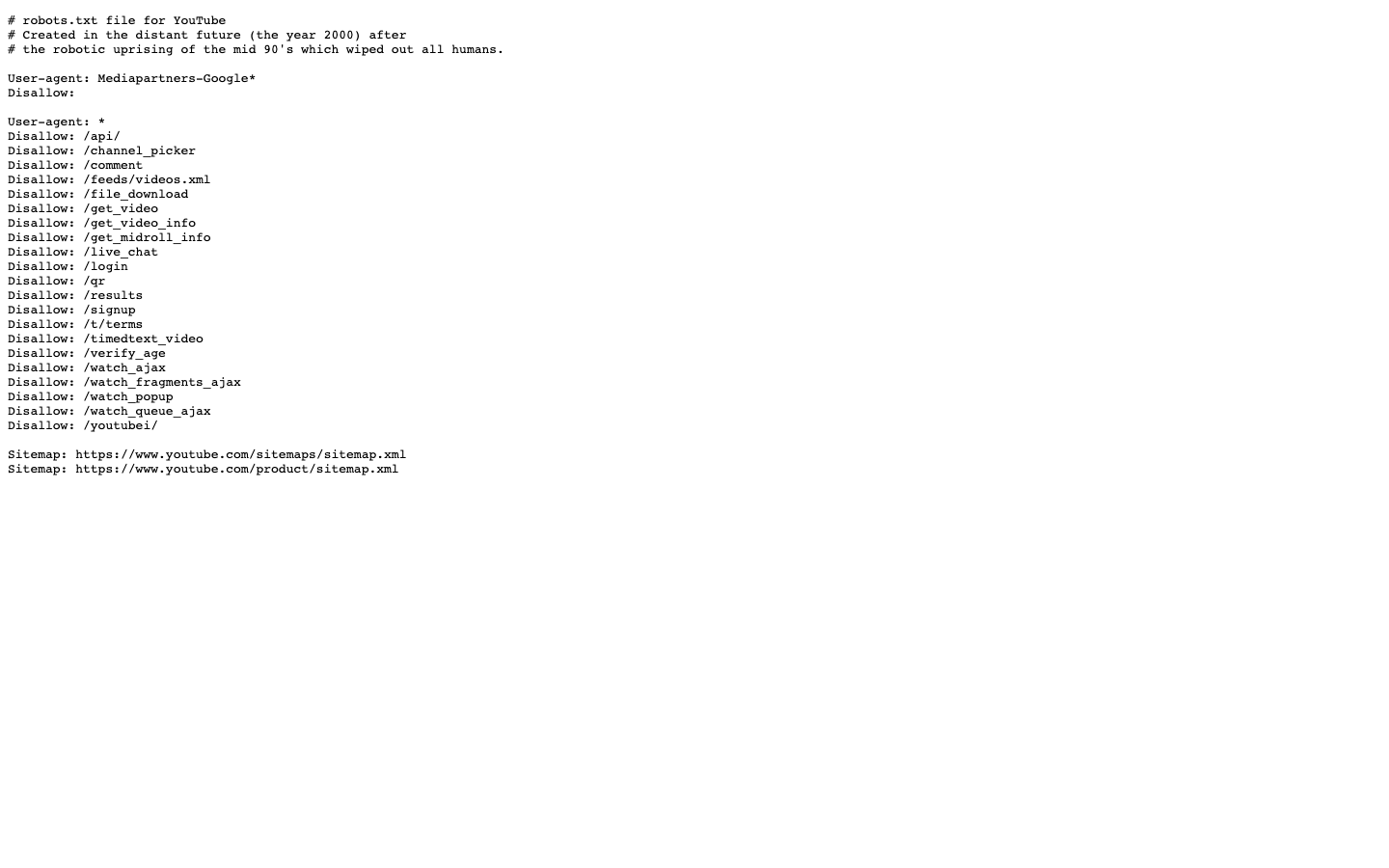
For teams, the practical rule is simple:
- do not treat robots.txt as a substitute for YouTube Terms or API Terms;
- do not use robots.txt to justify a workflow that collects restricted, personal, or copyrighted material;
- if you operate a public search engine or crawler, evaluate robots.txt and YouTube's explicit terms together;
- if you are building an internal research workflow, document the approved source, limit, fields, and stop conditions.
A risk map for common YouTube data workflows
Workflow | Lower-risk version | Higher-risk version |
Search result research | Record public video title, URL, channel name, and visible position for a small review set | Large-scale automated crawling, evasion, or hidden endpoint use |
Channel monitoring | Use official API or reviewed public fields with limits and attribution | Copying full channel content, scraping restricted pages, or bypassing access controls |
Comment analysis | Analyze public or authorized comments with minimization and deletion rules | Harvesting usernames, faces, sensitive content, or private/member comments |
Transcript research | Use official captions/transcripts where permitted for summarization and source review | Downloading, storing, redistributing, or training on audiovisual/text content without rights review |
Competitor tracking | Store source URLs, timestamps, and summarized metrics | Building a substitute YouTube experience or selling access to YouTube content |
Live chat export | Review public replay availability and source limits | Capturing private chat, member-only streams, or personally identifying chat histories |
A policy-aware BrowserAct workflow
Use BrowserAct when the team needs to validate a browser-visible workflow before deciding whether it should become an API job, an n8n workflow, or a scheduled BrowserAct run. Do not use BrowserAct to bypass YouTube restrictions.
BrowserAct Agent is the right first step when the fields, stop rules, or review logic are still being tested. BrowserAct Workflow is better after the checklist is stable. BrowserAct CLI fits approved internal runs that need logging and controlled execution.
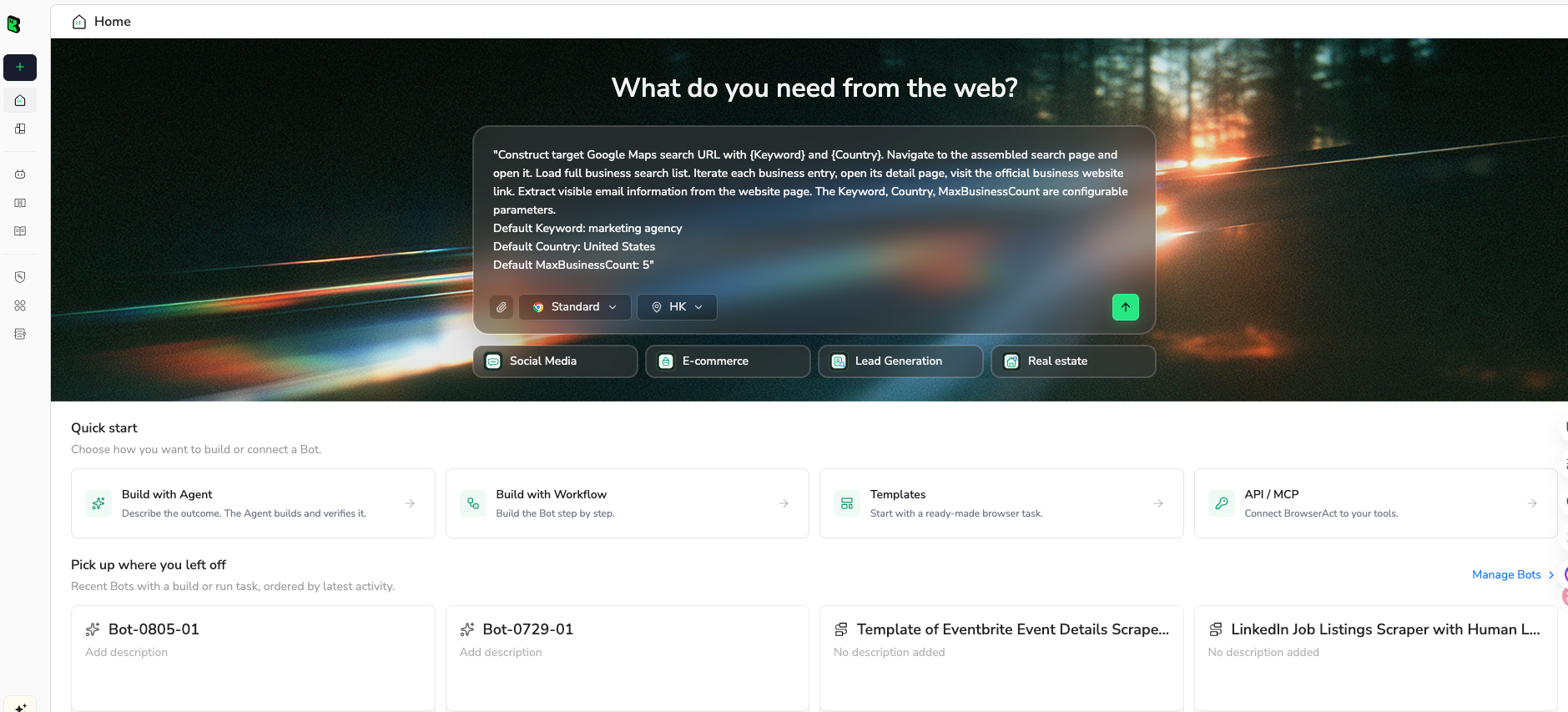
1. Open BrowserAct Dashboard
Click the left-side + button to create your own Bot, start from Quick start, or paste the prompt directly into the center Agent input to begin building.
2. Copy the complete prompt
Use this prompt before any YouTube data workflow becomes repeatable.
Review this YouTube data workflow before any scraping, API, browser automation, or scheduled run.

Target workflow:
[PASTE THE EXACT WORKFLOW, URL LIST, API ENDPOINTS, OR BROWSER PATH]

Research goal:
[PASTE THE BUSINESS RESEARCH QUESTION]

Return a risk-aware review table with up to 50 rows or checks.

Fields:
- workflow_step
- data_source: YouTube page, YouTube API, embedded player, transcript source, comments, channel page, search page, other
- data_object: title, URL, channel, comment, username, transcript, thumbnail, view count, live chat, other
- source_url_or_endpoint
- public_or_authorized: public, authorized, restricted, unknown
- personal_data_risk: low, medium, high, unknown
- copyright_or_content_copy_risk: low, medium, high, unknown
- api_policy_issue_if_any
- terms_or_robots_issue_if_any
- stop_condition_triggered
- recommended_route: official API, manual review, BrowserAct read-only validation, do not automate, ask counsel
- reason
- evidence_link
- row_status: approved_for_test, needs_review, blocked

Rules:
1. This is not legal advice. Mark uncertain issues as needs_review.
2. Use only public or authorized data.
3. Do not log in, solve CAPTCHA, pass 2FA, confirm age, access paid/member/private/restricted content, or bypass technical controls.
4. Do not subscribe, like, comment, reply, upload, edit metadata, moderate, message, report, or change account settings.
5. Do not collect or store usernames, faces, profile images, comments, transcripts, or other identifiable data unless the workflow has a documented lawful basis, permission, or approved policy route.
6. Prefer official API routes when they support the data object and the API policy requirements can be met.
7. Deduplicate by source_url_or_endpoint and data_object.
8. Do not invent permissions, legal conclusions, API policy interpretations, or missing source URLs.

Output:
- risk review table
- blocked items
- safer alternative route
- questions to ask legal, compliance, or the data owner
Scrape data from any website.
Describe the data you need. Get a Bot — a reliable, reusable scraper.
Prompt preview: review a YouTube data workflow against terms, API rules, personal-data fields, stop rules, and export boundaries. Private session · Choose your region before you run
Get your Bot — Free3. Handle login only when asked
If YouTube shows login, CAPTCHA, 2FA, age confirmation, payment, member-only content, private videos, deleted videos, restricted comments, or any account-changing action, pause. The workflow should move to manual review, not automation.
4. Review, dedupe, and export
Export only a reviewed risk table. Keep the first run narrow.
workflow_step | recommended_route | row_status | reason |
Collect public video title and URL for 20 search results | BrowserAct read-only validation or official API | approved_for_test | Public metadata only, limited run, source URLs preserved |
Store comment authors and text indefinitely | ask counsel | needs_review | Personal-data and retention questions |
Download transcripts for model training | ask counsel | blocked | Copyright/content-copy and policy risk |
Access member-only video comments | do not automate | blocked | Restricted access |
Internal approval checklist
Before a YouTube data workflow runs on a schedule, answer these questions:
- What exact data objects are collected?
- Is the source public, authorized, or restricted?
- Which official policy document was checked?
- Is the workflow API-based, browser-visible, or a mix?
- Does it collect identifiers, faces, comments, transcripts, or audiovisual content?
- What is the retention period?
- How can a user or data owner request deletion?
- Does the output preserve source URLs and run dates?
- What stop conditions halt automation?
- Who approved the workflow?
Pro Tip: Put the approval checklist in the same repository or workspace as the automation. A separate policy doc that nobody opens will not protect a scheduled job.
When to choose API, BrowserAct, or do-not-automate
Situation | Better route |
You need supported metadata and can meet API terms | YouTube Data API |
You need a one-off browser-visible field check | BrowserAct Agent with read-only stop rules |
The same approved visible workflow repeats weekly | BrowserAct Workflow |
The approved run belongs in a controlled internal pipeline | BrowserAct CLI |
The data includes private, member-only, age-gated, or payment-gated access | Do not automate |
The workflow collects identifiable people data at scale | Legal/privacy review first |
The workflow downloads, stores, or redistributes transcripts or audiovisual content | Legal/copyright review first |
Further reading: YouTube data collection
Frequently Asked Questions
Is YouTube scraping allowed?
There is no universal yes-or-no answer. YouTube terms, API policies, data type, access method, privacy, copyright, and jurisdiction all matter.
Is using the YouTube API safer than scraping pages?
Usually it is clearer, but API use has its own terms around consent, privacy policy, attribution, storage, refresh, quota, and compliance.
Does robots.txt make YouTube scraping allowed?
No. RFC 9309 says robots.txt rules are crawler instructions, not access authorization. You still need to check YouTube terms and laws.
Can I collect YouTube comments for sentiment analysis?
Treat comments and usernames as sensitive workflow inputs. Use public or authorized data, minimize fields, preserve source links, and review privacy and retention rules.
Can BrowserAct bypass YouTube limits or login walls?
No. Use BrowserAct for read-only public or authorized workflow validation, with stop rules for login, CAPTCHA, 2FA, private access, and account changes.
What should I do before scheduling a YouTube data workflow?
Document the data objects, source, policy basis, retention, deletion path, stop conditions, approval owner, and audit log before the workflow repeats.


