Open-Source YouTube Scrapers on GitHub: What Works, What Breaks and What to Maintain

Searching for a YouTube scraper GitHub repo usually means you want control. You want to avoid another scraper subscription, modify the fields yourself, run the job locally, or understand what is actually happening under the hood. That is reasonable. But GitHub is not a product category; it is a maintenance commitment. On August 27, 2026, yt-dlp/yt-dlp had 187,105 stars, youtube-transcript-api had 8,116, and youtube-comment-downloader had 1,247. Those numbers tell you community gravity. They do n
-
1
YouTube scraper GitHubis not one category. The useful map is: downloaders, transcript APIs, comment downloaders, metadata/search scrapers, API-style examples, GUI suites, and archived repos. - 2Stars are a signal, not a decision. Check data type, last push, open issues, license, export format, auth assumptions, and whether the project handles YouTube changes.
- 3Use yt-dlp-style tools for media/download workflows, transcript APIs for subtitle extraction, comment tools for comment exports, and general scrapers only when their schema matches your use case.
- 4BrowserAct fits when the business question is still changing: test the public dataset shape with Agent, save a repeatable Workflow, and use CLI after the path is approved.
- 5Keep the workflow read-only. Use public or authorized visible data, stop at login/CAPTCHA/2FA/payment/private access, and do not automate posting, liking, subscribing, messaging, or account changes.
The six categories of YouTube scraper GitHub repos
Most repo roundups flatten the landscape into a lazy list. That is not helpful. A transcript extractor, a media downloader, and a comment downloader solve different jobs.
Category | Typical data | Best for | Main risk |
Downloaders | Video/audio files, metadata, subtitles | Archiving and media workflows | Not a clean research table by default |
Transcript APIs | Captions and transcripts | LLM input, content repurposing, lecture research | Transcript availability and language edge cases |
Comment downloaders | Comments, replies, authors, timestamps | Audience research and sentiment prep | Pagination, replies, sorting, deleted comments |
Metadata/search scrapers | Video/channel/search fields | Content research and SEO datasets | Selectors and result-page changes |
API-style examples | Wrapper endpoints, demos, hosted API starter kits | Developer prototypes | Often not a maintained end-user tool |
GUI suites and archived repos | Desktop exports or old scripts | One-off analyst jobs or historical patterns | Staleness, no active maintenance |
open source YouTube scraper does not need a trophy list. They need to know what they will be maintaining six weeks from now.
1. yt-dlp — best open-source baseline for download and metadata workflows
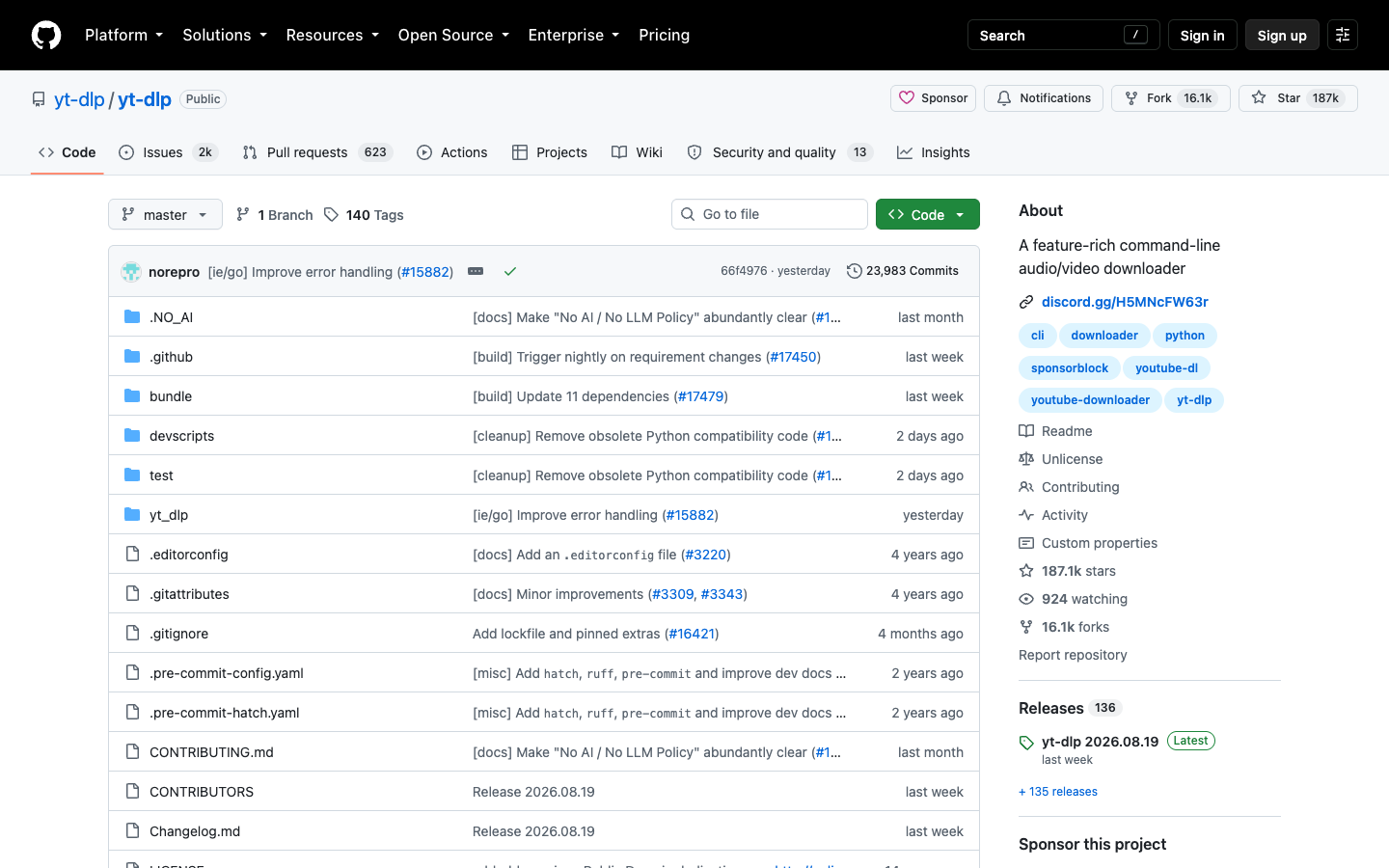
yt-dlp is the largest project in this set. The GitHub API showed 187,105 stars, 16,140 forks, an Unlicense license, and an August 25, 2026 push when checked on August 27, 2026.
How it works
yt-dlp is a feature-rich command-line audio/video downloader. It is useful when the core job is downloading media, extracting available metadata, grabbing subtitles, or building a local archive workflow.
Strengths
It has huge community gravity, broad site support, frequent maintenance, and a mature CLI. If your job is media-centric, this is usually the first open-source project to evaluate.
Limitations
It is not a turnkey "export every YouTube research field into a clean CRM-ready table" product. You may need wrappers, post-processing, storage, retries, and schema control.
Maintenance cost
No software subscription, but real engineering cost: package updates, command compatibility, storage, error handling, and downstream parsing.
Best for
Engineering teams that need media download or metadata workflows and can own CLI automation.
Pro Tip: Do not use yt-dlp as a generic answer to every YouTube scraping problem. If the job is comments, transcripts, search rankings, or live chat, start with a tool built for that object.
2. youtube-transcript-api — best fit for transcript extraction
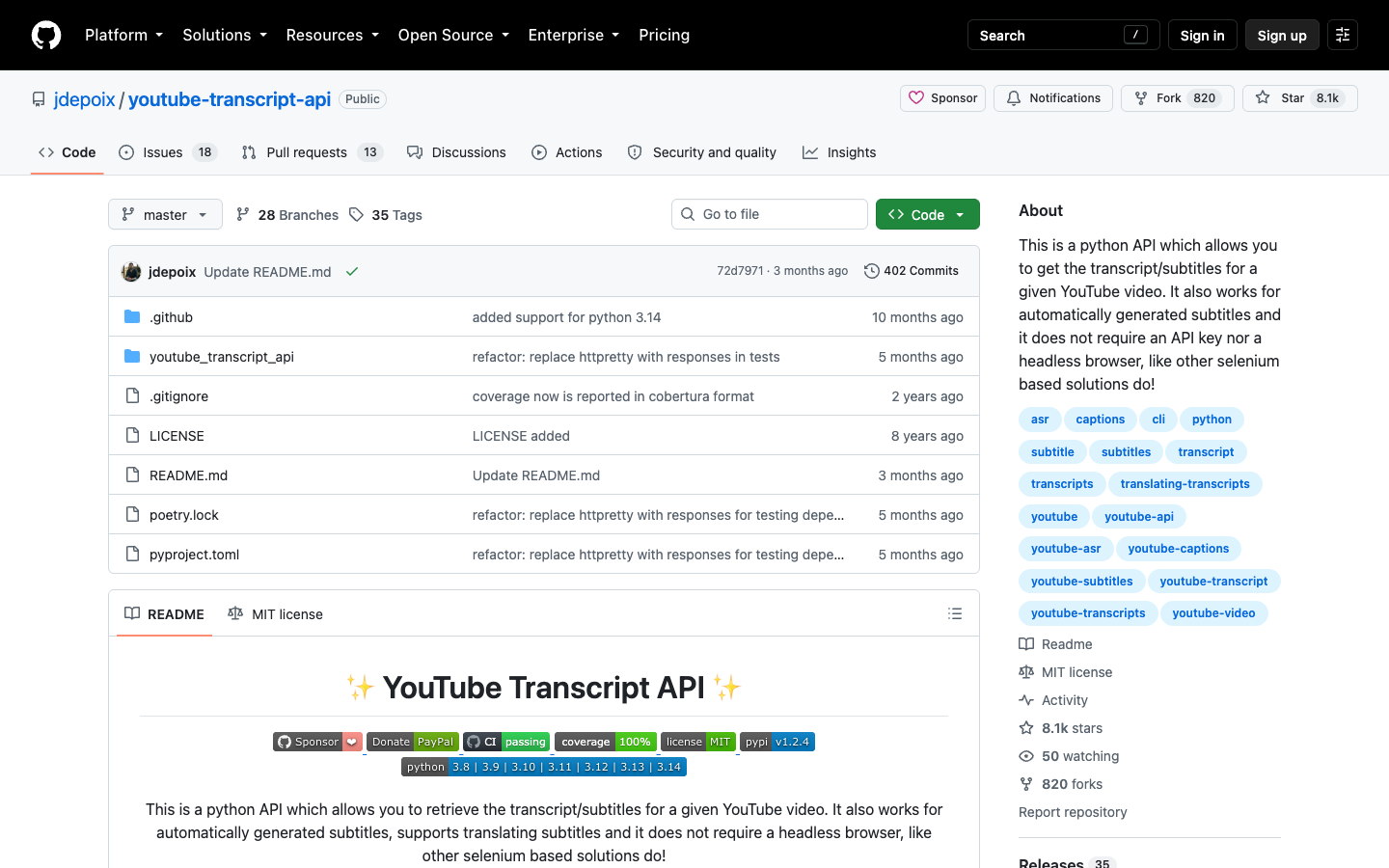
youtube-transcript-api is focused and clear. The GitHub API showed 8,116 stars, 820 forks, an MIT license, and a May 19, 2026 push.
How it works
The project describes itself as a Python API for getting transcripts and subtitles for a given YouTube video. It also notes that it works with automatically generated subtitles and does not require an API key or a headless browser.
Strengths
It is narrow in a good way. If your team needs transcripts for summarization, LLM pipelines, course notes, podcast research, or content repurposing, a transcript-specific library is easier to reason about than a generic scraper.
Limitations
The limitation is the data object. It does not solve comments, search results, channel metadata, Shorts trends, live chat, or creator discovery. It also depends on transcript availability and language behavior.
Maintenance cost
Lower than a broad scraper because the target object is narrow, but still real: dependency management, failed video handling, unavailable transcripts, multilingual handling, and retry logic.
Best for
Teams building transcript-to-LLM or transcript-to-database workflows.
3. youtube-comment-downloader — best lightweight comment export starting point
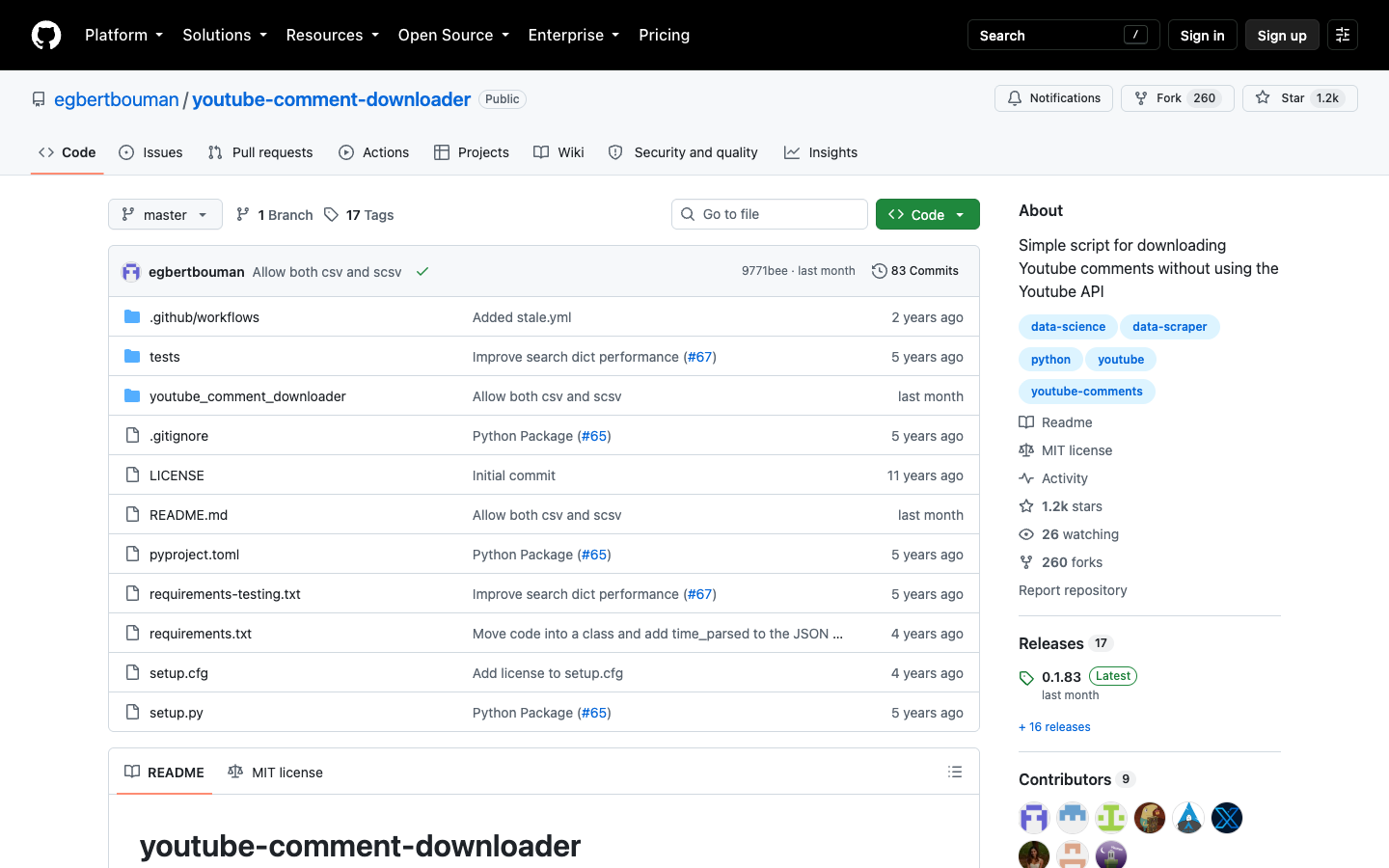
youtube-comment-downloader is a focused comment tool. The GitHub API showed 1,247 stars, 260 forks, an MIT license, and a July 30, 2026 push.
How it works
The repo positions itself as a simple script for downloading YouTube comments without using the YouTube API. That maps directly to common SEO and research searches: "export YouTube comments," "YouTube comments scraper GitHub," and "comment downloader no API."
Strengths
It is lightweight, focused, and easier to inspect than a large all-purpose scraper. If your only job is collecting comments for analysis, a small script can be faster than a generalized framework.
Limitations
Comment scraping has irritating edge cases: replies, sort order, pinned comments, deleted comments, hidden replies, throttling, and fields that do not line up with your analysis schema.
Maintenance cost
Moderate. You will own updates, output normalization, dedupe, and the analysis pipeline after extraction.
Best for
Researchers or developers who want a self-hosted comment export and can validate the rows before reporting.
4. YouTube Comment Suite — best GUI-oriented comment archive option
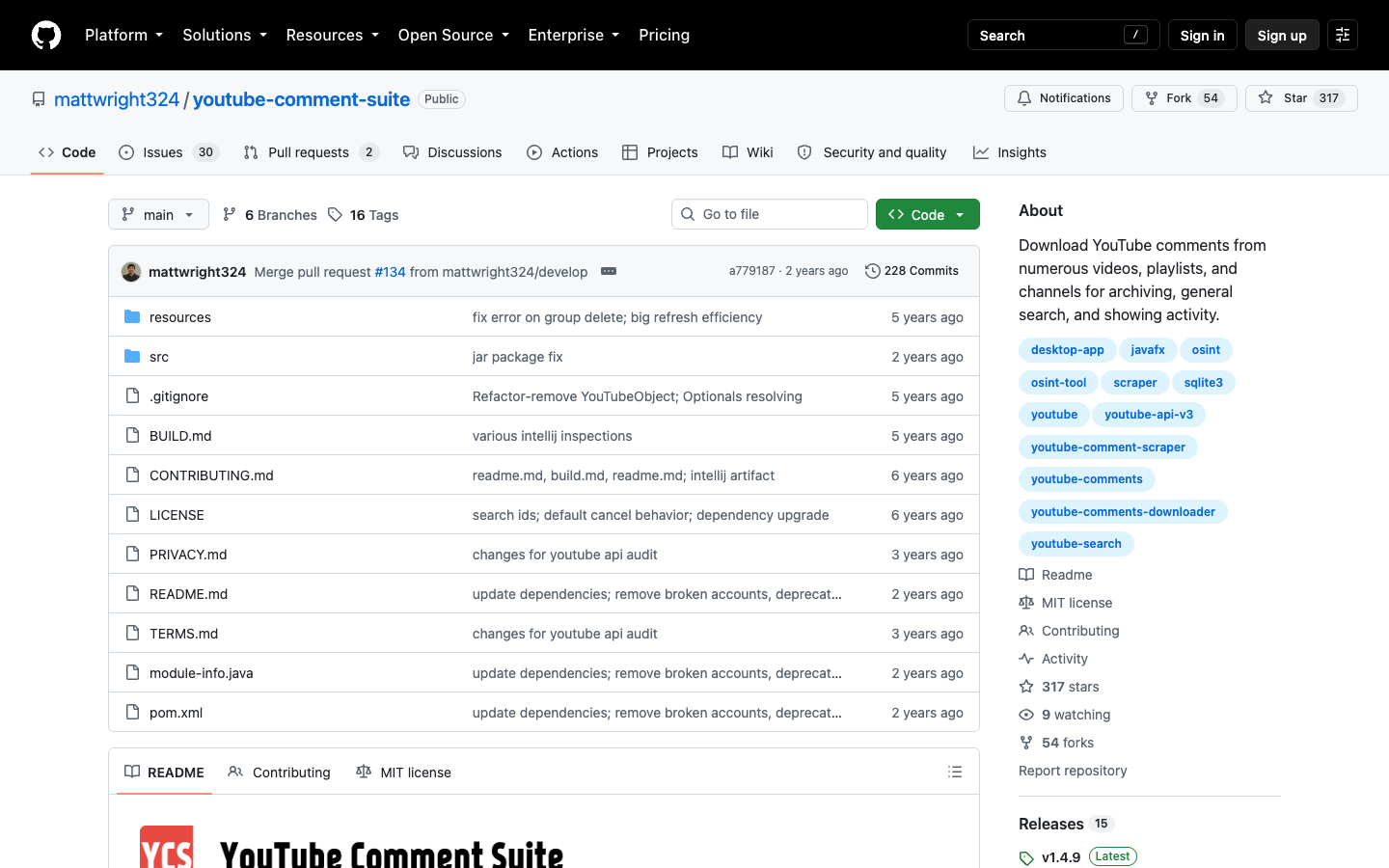
YouTube Comment Suite is a different style of tool. The GitHub API showed 317 stars, 54 forks, an MIT license, and a December 19, 2025 push.
How it works
The repo describes downloading comments from videos, playlists, and channels for archiving, search, and activity review. This is closer to an analyst-facing export workflow than a pure library.
Strengths
It can be easier for non-developers than a Python-only script. For one-off archival jobs, GUI-oriented projects can reduce setup friction.
Limitations
GUI tools can be harder to integrate into repeatable pipelines. If the output needs to land in a warehouse, CRM, or scheduled workflow, a library or managed workflow is usually easier to operationalize.
Maintenance cost
Moderate. You still need to watch for app compatibility, YouTube changes, and export schema drift.
Best for
Analysts who need comment archives and do not want to write code for every run.
5. ytscrape and API-style repos — useful for prototypes, not automatic production
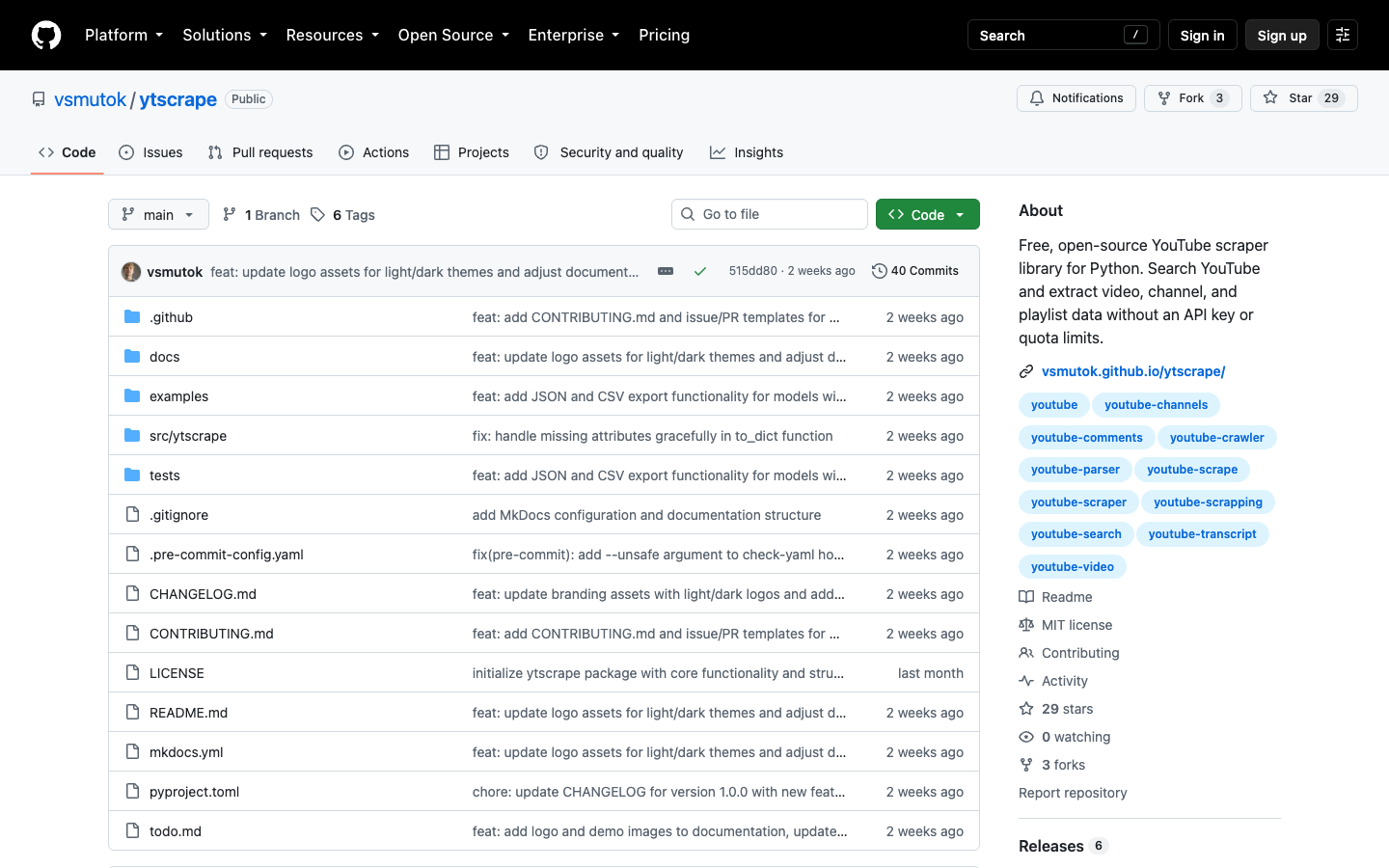
ytscrape is a newer, smaller repo. The GitHub API showed 29 stars, 3 forks, an MIT license, and an August 14, 2026 push. Its description focuses on YouTube search and video/channel/playlist data without an API key or quota limits.
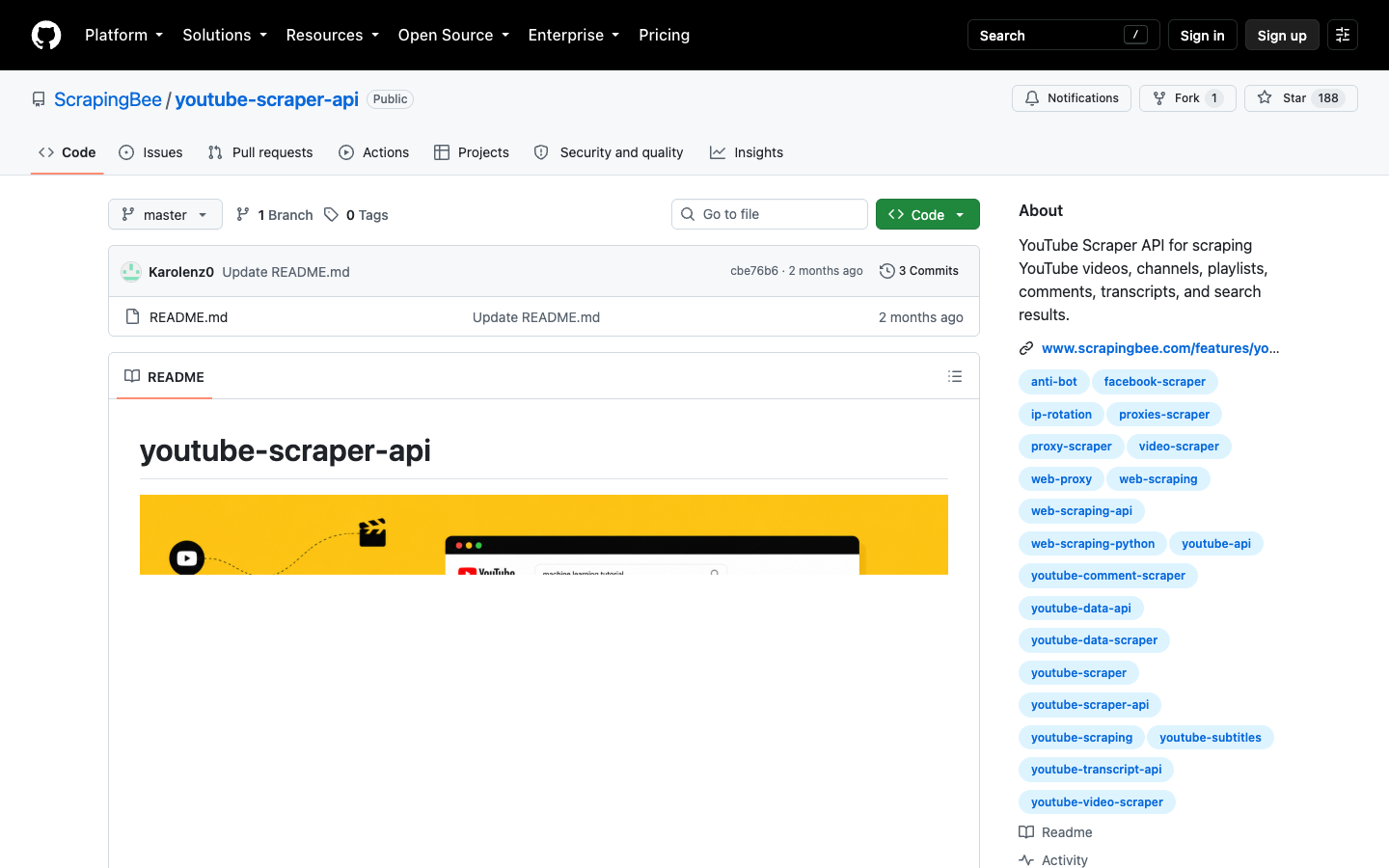
ScrapingBee/youtube-scraper-api is another category: an API-style example repo. The GitHub API showed 188 stars, 1 fork, no listed license in the API response, and a June 17, 2026 push.
How they work
These repos are useful when you want to understand a data model, an API wrapper pattern, or a smaller extraction library. They may cover search, videos, channels, playlists, comments, transcripts, or endpoint-style use cases depending on the project.
Strengths
They can be easier to read than massive repos. Small projects are useful for prototypes and learning how a scraper structures fields.
Limitations
Small repos have less battle testing. A recent push is good, but it is not proof of reliability. Look for tests, issue handling, parser updates, examples, and whether the maintainer responds to YouTube breakage.
Maintenance cost
Potentially high if your team becomes the de facto maintainer after the first break.
Best for
Developer prototypes, internal experiments, and teams comfortable forking code.
6. Archived repos — useful as patterns, risky as foundations
Archived repositories are not always worthless. They can show selectors, schemas, or old workflows. But they should trigger a production stop sign.
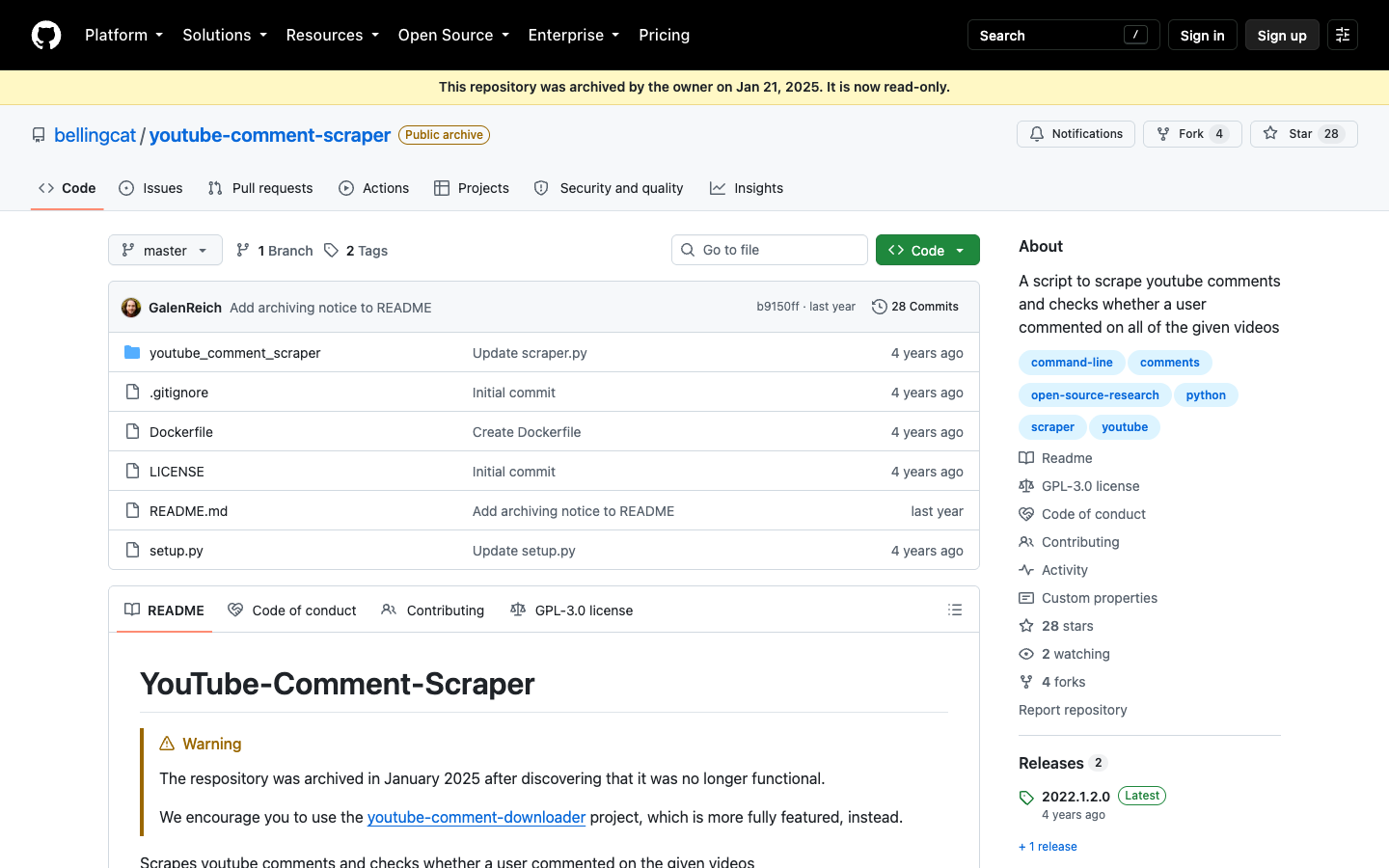
bellingcat/youtube-comment-scraper is an example. The GitHub API showed 28 stars, 4 forks, GPL-3.0, archived status true, and a January 21, 2025 push.
How it works
The repo describes scraping YouTube comments and checking whether a user commented on all given videos. That is a specific research/OSINT-style use case.
Strengths
Archived repos can still teach a field model or workflow idea. They may also be useful for historical work if the code still runs in a narrow environment.
Limitations
Archived means you should not expect active fixes. YouTube changes too often for an archived scraper to carry a weekly reporting workflow without an owner.
Maintenance cost
High if you rely on it. You own all future fixes.
Best for
Reference, learning, or one-off experiments—not production extraction.
Pro Tip: A repo can be old and still useful, but it should not be invisible in your risk model. Put archived, last_push, and owner directly into your scraper decision sheet.
GitHub scraper vs BrowserAct workflow
GitHub is best when engineering wants ownership. BrowserAct is better when the team wants to validate the data job before owning selectors, browser state, exports, retries, and scheduling.
Job | GitHub scraper | BrowserAct Agent | BrowserAct Workflow | BrowserAct CLI |
Test a changing research brief | Slow if every change needs code | Best fit | Good after first validation | Too early |
Download media or transcripts at scale | Strong when repo matches object | Not primary route | Useful for custom browser steps | Useful after validation |
Export comments for one campaign | Good if script schema fits | Good for custom public rows | Good for repeat campaigns | Good for scheduled pipelines |
Handle unusual UI paths | Often brittle | Stronger for visible browser workflow tests | Stronger after review | Stronger for controlled runs |
Own all maintenance | Best fit | Not the goal | Lower maintenance | Lower maintenance |
Avoid hidden/private data risk | Depends on implementation | Stop rules can be explicit | Stop rules can be repeated | Stop rules can be enforced in pipeline |
A prompt-first way to validate the dataset before choosing a repo
Before committing to a GitHub scraper, test the target dataset shape. You may discover that the "YouTube scraper" you wanted is really a transcript job, a comment job, a search ranking job, or a channel metadata job.
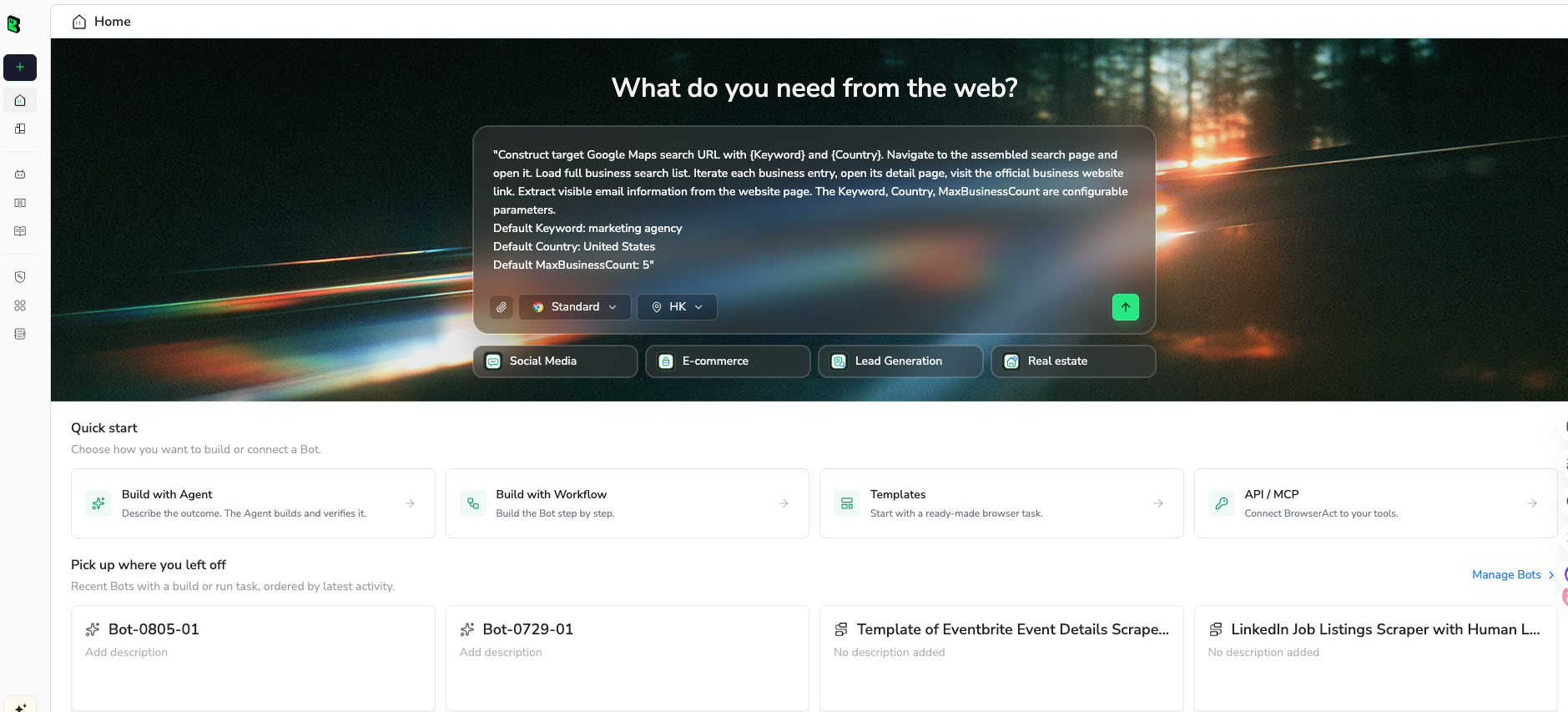
1. Open BrowserAct Dashboard
Click the left-side + button to create your own Bot, start from Quick start, or paste the prompt directly into the center Agent input to begin building.
2. Copy the complete prompt
Edit the target, data object, fields, and limit. The goal is to validate the dataset before deciding whether to maintain an open-source repo.
Build a read-only YouTube dataset test from public or authorized visible pages.

Target:
[PASTE ONE]
- a public YouTube video URL
- a public channel URL
- a playlist URL
- a search results URL
- a seed list of public URLs

Data object to test:
[video_metadata / channel_videos / comments / transcript / search_results / live_chat_replay]

Return up to 50 rows for the first test.

Fields:
- run_date
- source_url
- data_object
- title_or_video_name
- channel_name_if_visible
- video_url_if_visible
- author_or_commenter_if_visible
- text_or_transcript_segment_if_visible
- timestamp_if_visible
- visible_metric_if_available
- export_field_gap
- recommended_repo_category: downloader, transcript_api, comment_downloader, metadata_scraper, api_wrapper, browser_workflow
- row_status: complete, partial, duplicate, gated, needs_review
- source_note

Rules:
1. Use only public or authorized visible data.
2. Do not log in unless I manually approve and complete the login step.
3. Stop and ask for manual help if YouTube shows login, CAPTCHA, 2FA, age confirmation, payment, private access, deleted video, disabled replay, or restricted access.
4. Do not subscribe, like, comment, reply, message, report, or change account settings.
5. Deduplicate by source_url + video_url_if_visible + text_or_transcript_segment_if_visible.
6. Do not invent missing titles, authors, timestamps, metrics, transcript text, or comments.
7. Mark rows as partial or needs_review when the visible page does not expose a field.

Output:
- CSV-ready dataset sample
- list of missing fields
- recommendation: GitHub repo category vs BrowserAct Workflow vs official API
Scrape data from any website.
Describe the data you need. Get a Bot — a reliable, reusable scraper.
Prompt preview: test a public YouTube dataset, identify field gaps, and decide whether a GitHub repo, BrowserAct Workflow, or official API fits. Private session · Choose your region before you run
Get your Bot — Free3. Handle login only when asked
If YouTube shows login, CAPTCHA, 2FA, age confirmation, payment, private access, deleted video, disabled replay, or restricted access, BrowserAct should pause. Complete that step manually only when the account and target are authorized. Keep the workflow read-only: no subscribing, liking, commenting, replying, messaging, reporting, or account changes.
4. Review, dedupe, and export
Use the first run as a decision sheet, not a production export.
source_url | data_object | field gap | recommended_repo_category | row_status |
video-url-1 | transcript | transcript exists, timestamps available | transcript_api | complete |
video-url-2 | comments | replies missing from visible sample | comment_downloader or browser_workflow | partial |
search-url-1 | search_results | rank and channel visible, views/date partial | metadata_scraper or browser_workflow | needs_review |
After validation, pick the maintenance model. If the schema is stable and engineering wants control, a GitHub repo may be enough. If the target changes weekly, save the approved browser path as a BrowserAct Workflow and trigger it with BrowserAct CLI when it belongs in a controlled stack.
Repo evaluation checklist
Before adopting a YouTube scraper GitHub repo, answer these questions:
- Data object: Does it collect the exact thing you need: comments, transcripts, search results, videos, channels, playlists, live chat, or media files?
- Maintenance: Was the last meaningful parser or extraction change recent, or was only the README updated?
- License: Can your team legally use the repo in the intended environment?
- Export: Does it output CSV, JSON, SQLite, API responses, or something you must normalize?
- Auth boundary: Does it require cookies, login, private API behavior, or account state?
- Failure mode: What happens when YouTube returns a consent page, age gate, 429, missing transcript, disabled comments, or changed markup?
- Owner: Who on your team will fix it during a campaign week?
Pro Tip: If no one owns the failure mode, the repo is not free. It is deferred maintenance.
Conclusion
The best YouTube scraper GitHub repo depends on the data object. Use yt-dlp-style tools for media workflows, transcript libraries for captions, comment downloaders for comment exports, and smaller metadata scrapers only when their schema matches the job.
If the data question is still moving, validate it before you commit to maintenance. A prompt-first BrowserAct run can expose the fields, gaps, and stop conditions; a GitHub repo can take over when engineering truly wants ownership.
Further reading: YouTube data collection
Frequently Asked Questions
What is the best YouTube scraper GitHub repo in 2026?
There is no single best repo; choose by data object, such as yt-dlp for media, youtube-transcript-api for transcripts, or comment downloaders for comments.
Is yt-dlp a YouTube scraper?
yt-dlp is primarily a media downloader with metadata support; it is powerful, but it is not a complete research-table scraper for every YouTube data object.
Which GitHub repo can scrape YouTube comments?
youtube-comment-downloader and YouTube Comment Suite are comment-focused options, but you should test replies, sorting, missing fields, and export format before relying on them.
Are open-source YouTube scrapers free?
They may have no software fee, but you still pay maintenance cost through setup, updates, retries, schema normalization, and breakage handling.
When should I use BrowserAct instead of a GitHub scraper?
Use BrowserAct when the target, fields, or workflow is changing and you need a public, browser-verified dataset before committing engineering time.
Is scraping YouTube with GitHub scripts safe?
It depends on the target, implementation, and use case; stay read-only, use public or authorized data, respect access limits, and stop at restricted or private pages.


