TikTok Ad Library vs Creative Center: Which Data Is Available?

TikTok ad library vs Creative Center is not a choice between two versions of the same database. TikTok’s Commercial Content Library is closer to an ad transparency surface, while TikTok Creative Center is a creative research and inspiration surface for marketers. That distinction matters. If your team wants evidence that a brand ran an ad, start with the Commercial Content Library. If your team wants winning hooks, ad patterns, regions, industries, objectives, or trend context, start with Creati
-
1
TikTok ad library vs Creative Centercomes down to purpose: use TikTok Commercial Content Library for ad transparency and use TikTok Creative Center for creative inspiration, Top Ads, trends, keywords, and production tools. - 2This guide compares the sources by seven practical questions: what data appears, who it helps, filters, coverage, evidence quality, repeat monitoring, and export readiness.
- 3Use the Ad Library when the job is compliance, advertiser lookup, country-targeted ad evidence, or “is this brand running paid ads?” Use Creative Center when the job is creative research, hook analysis, ad examples, trends, or campaign inspiration.
- 4Use [BrowserAct Agent](https://www.browseract.com/agent?co-from=blogbottiktok) when the research brief is still changing, [BrowserAct Workflow](https://www.browseract.com/workflow?co-from=blogbottiktok) when the same competitor set must refresh weekly, and [BrowserAct CLI](https://www.browseract.com/cli?co-from=blogbottiktok) when ad evidence needs to move into Sheets, Slack, BI, or a compliance queue.
- 5Keep the workflow read-only. Do not click ads, submit lead forms, log into advertiser accounts, download restricted assets, bypass access controls, or treat visible ad examples as complete platform-wide spend data.
The short answer
TikTok’s Ad Library and Creative Center answer different questions.
Research question | Better starting point | Why |
Is a brand running ads in a specific target country? | TikTok Commercial Content Library | It is built around ad lookup and transparency fields. |
Which ads are high-performing or useful for creative inspiration? | TikTok Creative Center / Top Ads | TikTok describes Top Ads as high-performing creatives and creative examples. |
Which filters matter for campaign inspiration? | Creative Center | It exposes creative-oriented filters such as region, industry, objective, language, format, likes, reach, and CTR surfaces. |
Which source should a compliance team archive? | Commercial Content Library | It provides a more evidence-oriented starting point for ad existence and reporting. |
Which source should a creative strategist review weekly? | Creative Center | It is built for examples, trends, best practices, and creative tools. |
Which source exports clean competitor rows by default? | Neither | You need a collection workflow, manual export process, or BrowserAct workflow to structure rows. |
What TikTok Commercial Content Library shows
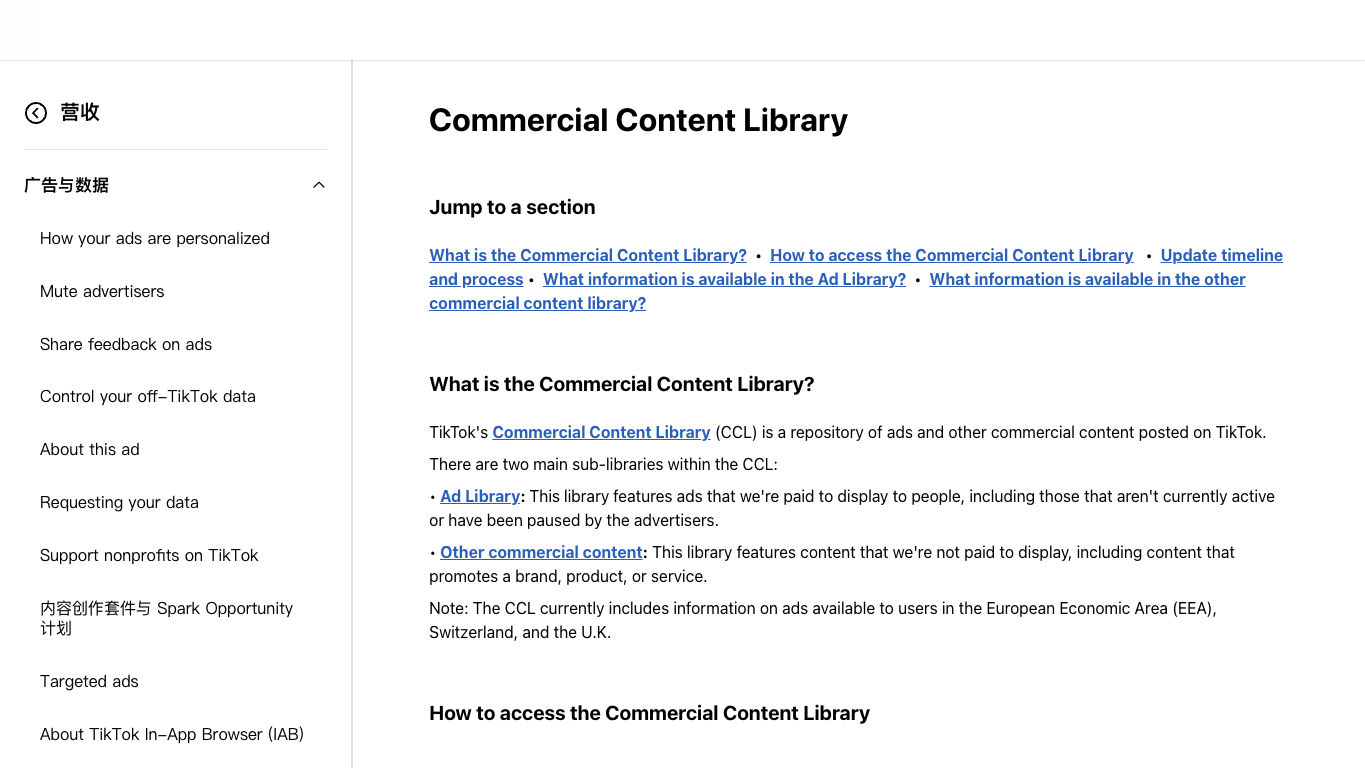
TikTok’s support page describes the Commercial Content Library as a set of public libraries that includes an Ad Library and other commercial content resources. In the live Ad Library interface, the visible starting filters include ad target country, last shown date, and advertiser name or keyword.
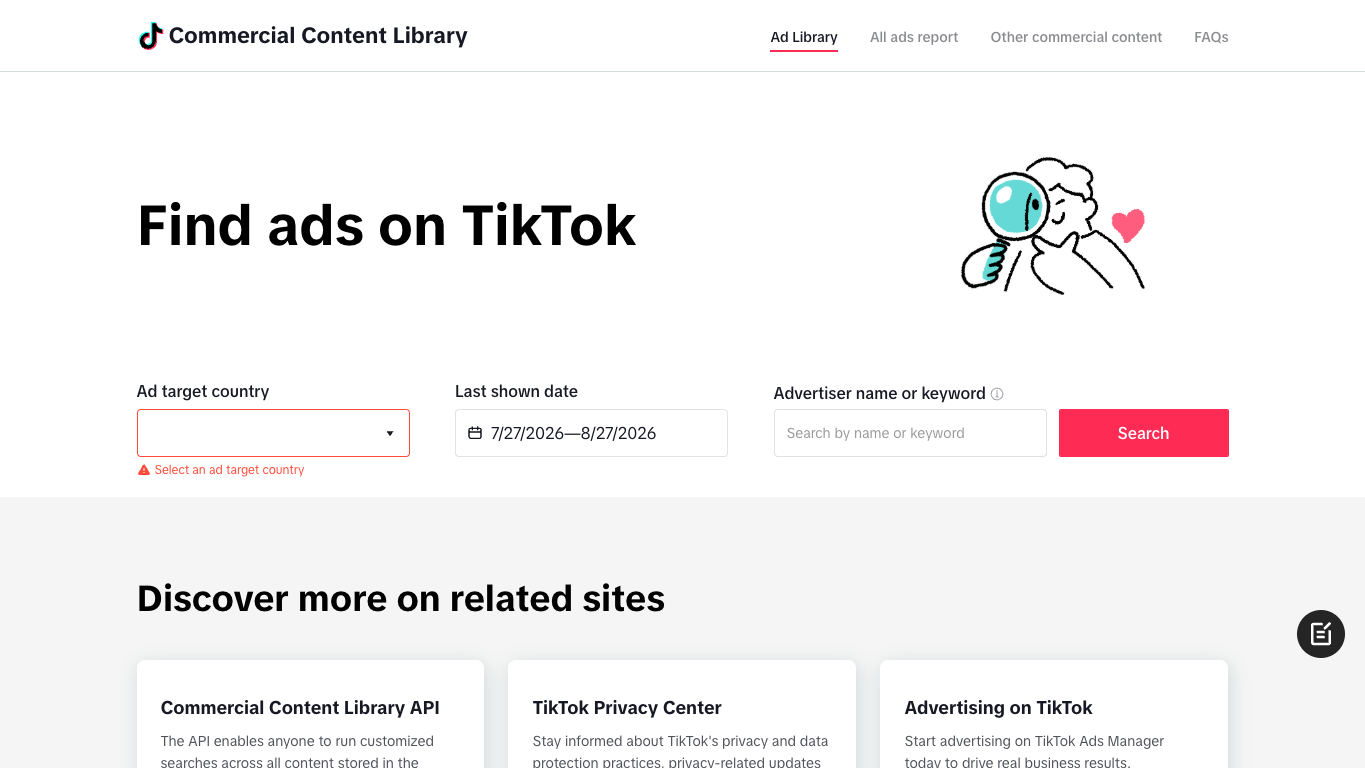
For marketers, the Commercial Content Library is best treated as an evidence source. It helps answer whether an advertiser or keyword appears in the library and gives a source URL your team can preserve in a review sheet.
Best fit
Use it for:
- advertiser lookup;
- compliance review;
- campaign evidence snapshots;
- target-country checks;
- public transparency research;
- brand or competitor monitoring where the first question is “what is visible in the library?”
Limits to remember
Do not read the Commercial Content Library as a complete paid-media intelligence suite. It is not designed to replace Ads Manager, private account reporting, third-party ad intelligence tools, or TikTok’s internal delivery data.
It also should not be treated as a spend database unless TikTok exposes that field for the specific library view you are using. The honest dataset starts with visible page fields: advertiser, country filter, dates, source URL, visible ad metadata, and source status.
What TikTok Creative Center shows
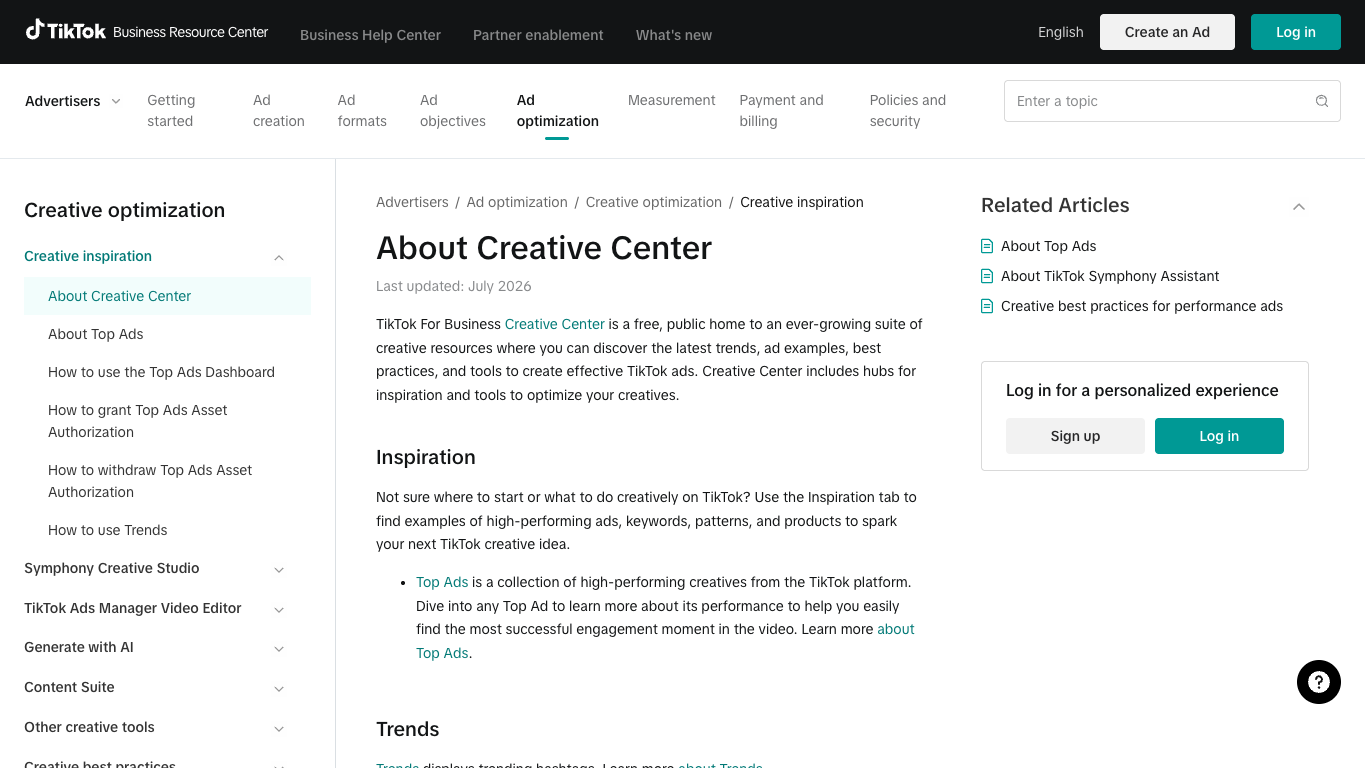
TikTok’s Creative Center help page says Creative Center is a free public home for creative resources where advertisers can discover trends, ad examples, best practices, and tools for TikTok ads. The same help page groups Creative Center into Inspiration, Trends, and Creative Tools.
Top Ads is the part most marketers mean when they say “TikTok Creative Center ad library.” TikTok’s Top Ads page describes it as a place to explore high-performing auction ads, search by brand or product keywords, and filter by region, industry, objective, ad language, ad format, likes, reach, and CTR.
Best fit
Use Creative Center for:
- finding ad examples by market or industry;
- studying hooks, CTAs, pacing, and formats;
- building creative swipe files;
- checking trends, hashtags, or keyword inspiration;
- briefing a creative team before production;
- comparing competitor messaging patterns over time.
Limits to remember
Creative Center is optimized for inspiration. That makes it powerful for creative research, but weaker as an audit trail. A high-performing example in Top Ads does not mean you know the advertiser’s full media spend, targeting setup, conversion performance, or complete creative library.
Pro Tip: When you use Creative Center for competitor research, tag the row as creative_example, not confirmed_full_campaign. That one field prevents teams from overclaiming what the source proves.
Comparison table: Ad Library vs Creative Center
Dimension | TikTok Commercial Content Library / Ad Library | TikTok Creative Center / Top Ads |
Primary job | Transparency and ad lookup | Creative inspiration and performance examples |
Strongest user | Compliance, PR, legal, brand safety, competitive monitoring | Performance marketers, creative strategists, agencies, growth teams |
Typical filters | Target country, date, advertiser name or keyword | Region, industry, objective, language, ad format, likes, reach, CTR |
Best evidence | A visible ad-library result and source URL | A high-performing ad example and creative context |
Weak point | Not a full creative strategy workspace | Not a complete compliance or spend database |
Export readiness | Manual unless you structure it | Manual unless you structure it |
BrowserAct fit | Collect repeat advertiser evidence and source URLs | Build a weekly creative watchlist with hooks, CTAs, formats, and source URLs |
Build one shared schema
The reason teams get messy output from these tools is not the source. It is the absence of a shared schema.
Field | Why it matters |
| commercial_content_library, creative_center, top_ads, other |
| preserves the evidence trail |
| maps the row to a competitor |
| prevents mixing market context |
| supports weekly monitoring |
| useful when visible in Ad Library |
| useful for Creative Center comparisons |
| explains why an ad was included |
| core creative insight |
| captures conversion angle |
| likes, reach, CTR bucket, or any visible metric, never invented |
| transparency result, high-performing example, trend signal |
| complete, partial, login_required, popup_blocked, unavailable |
| save, monitor, brief creative, escalate, ignore |
Pro Tip: Keep visible_metrics as a text field, not a number-only field. Creative Center may expose labels, buckets, or relative signals such as likes, reach, or CTR views; your schema should preserve the exact visible wording instead of forcing a false precision.
Build the workflow with BrowserAct
Use this BrowserAct module when your team needs to compare TikTok Ad Library and Creative Center results without turning every weekly review into manual clicking.
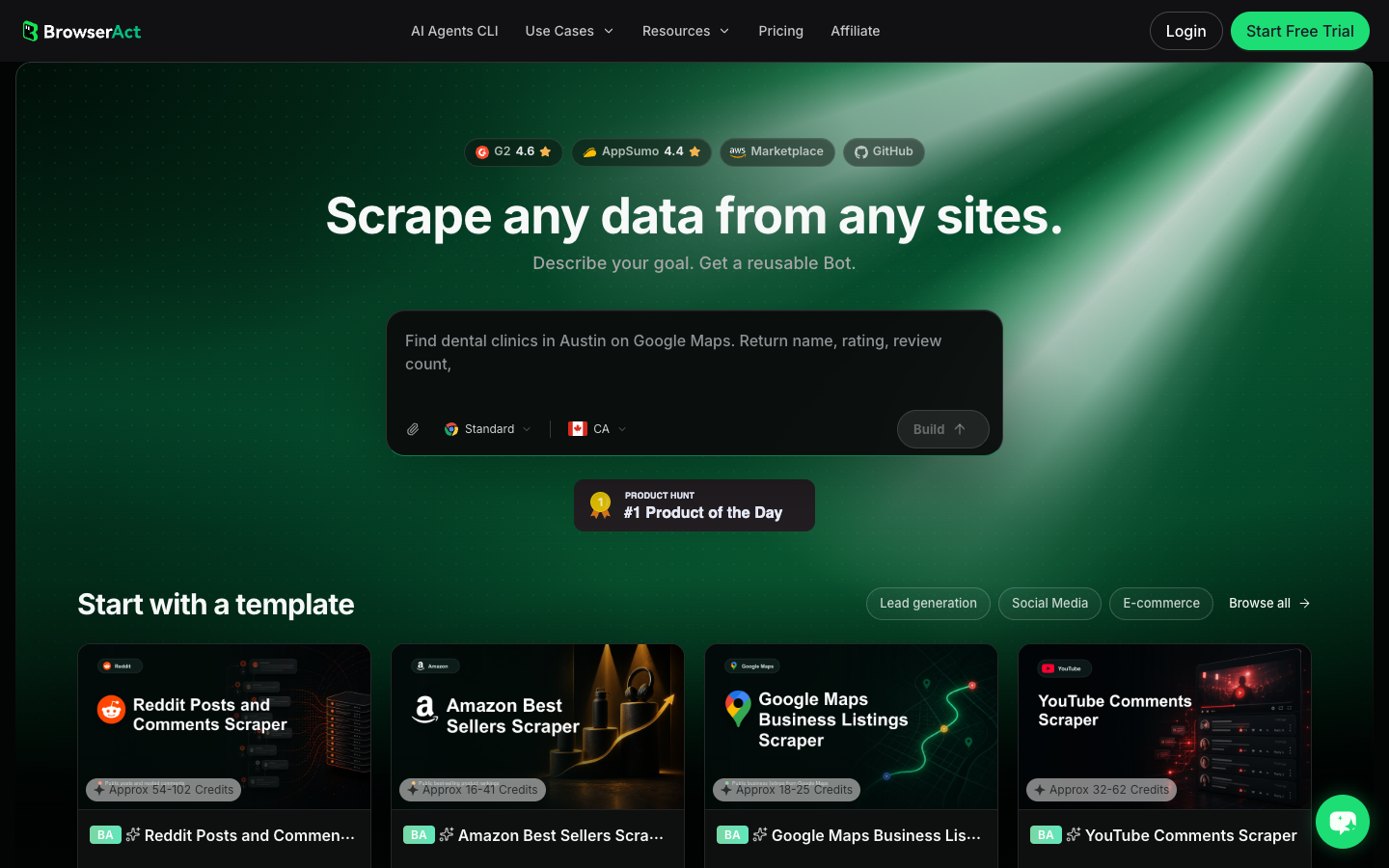
- Open BrowserAct Dashboard
Click the left-side + button to create your own Bot, start from Quick start, or paste the prompt directly into the center Agent input to begin building.
- Copy the complete prompt
Replace the competitor list, market, date window, and source URLs. Keep the stop rules.
Build a read-only TikTok ad research table from public or authorized sources.

Sources:
- TikTok Commercial Content Library / Ad Library: https://library.tiktok.com/ads
- TikTok Creative Center / Top Ads: https://ads.tiktok.com/business/creativecenter/inspiration/topads/pc/en
- TikTok Creative Center help/reference pages when needed for field definitions.

Competitors:
- Replace with the brand, advertiser, product, or keyword list supplied by the user.

Market and time window:
- Use the target country or region supplied by the user.
- Use the last 30 days by default, or the visible date filters available on the page.

Collect up to 120 relevant rows. Do not keep scrolling forever.

For each visible result, capture:
- source: commercial_content_library, creative_center, top_ads, other
- source_url
- advertiser_or_brand
- keyword_or_query
- target_country_or_region
- date_seen
- last_shown_date when visible
- industry_or_category when visible
- objective_or_format when visible
- ad_caption_or_visible_text
- hook_or_first_three_seconds when inferable from visible text only
- cta_or_offer when visible
- visible_metrics: likes, reach, CTR bucket, or other visible metrics
- evidence_type: transparency_result, high_performing_example, trend_signal, unknown
- source_status: complete, partial, login_required, popup_blocked, unavailable
- recommended_action: save, monitor, creative_brief, compliance_review, ignore

Deduplicate by source_url plus advertiser_or_brand plus visible ad text. Keep separate rows when the same advertiser appears in both Commercial Content Library and Creative Center.

Stay read-only. Do not click ads, submit forms, log into advertiser accounts, purchase anything, message accounts, download restricted assets, bypass access controls, or make account changes.

If login, CAPTCHA, 2FA, popup gating, private content, payment, or restricted access appears, pause and record the stop reason instead of continuing automatically.

Export the result as a CSV-ready table with source URLs and source_status preserved.
Scrape data from any website.
Describe the data you need. Get a Bot — a reliable, reusable scraper.
Prompt preview: compare TikTok Ad Library and Creative Center results, keep source URLs, mark missing fields, and export a weekly competitor ad table. Private session · Choose your region before you run
Get your Bot — Free- Handle login only when asked
If BrowserAct pauses on login, CAPTCHA, 2FA, account confirmation, popup gating, private content, payment, or restricted access, treat it as a human checkpoint. Record the stop reason instead of forcing the run.
- Review, dedupe, and export
Check that every row has a source URL, source label, and source status. Then export to CSV, JSON, Markdown, or a Sheets-ready table. Save the approved process as BrowserAct Workflow for weekly monitoring, and use BrowserAct CLI when the table needs to feed Slack, Sheets, BI, or a compliance review queue.
No fake export screenshot is shown here. Until your team runs the actual competitor list and market filters, the honest artifact is the prompt, schema, real Dashboard screenshot, and CLI handoff path.
When to use each BrowserAct mode
BrowserAct mode | Best fit for this topic | Example |
BrowserAct Agent | One-off exploration while the query is still changing | “Check these five competitors in the Ad Library and Creative Center.” |
BrowserAct Workflow | Repeatable weekly competitor monitoring | “Every Monday, refresh visible ad examples for this brand list.” |
BrowserAct CLI | Controlled handoff into an internal stack | “Send cleaned rows to Sheets and notify the creative team in Slack.” |
Decision framework
Choose Commercial Content Library when proof matters
If the stakeholder asks, “Can we prove this advertiser is visible in TikTok’s public ad library?” start there. Capture the search query, target country, date filter, advertiser name, source URL, and source status.
Choose Creative Center when creative learning matters
If the stakeholder asks, “What hooks and formats are working?” start with Creative Center and Top Ads. Capture the region, industry, objective, visible metrics, ad text, hook pattern, and creative takeaway.
Use both when the brief is competitive intelligence
Competitor monitoring usually needs both layers. The Commercial Content Library gives a transparency-oriented view. Creative Center gives examples of creative patterns. BrowserAct turns both into a single table so your team can compare the same competitor set over time.
Pro Tip: Separate “observed evidence” from “strategy interpretation.” A visible CTA is evidence. “This brand is shifting to performance marketing” is interpretation unless you have multiple source-linked rows over time.
Common mistakes
Mistake 1: Treating “TikTok ad library” as one thing
Search results and marketing blogs often use “TikTok ad library” loosely. In practice, you need to distinguish the Commercial Content Library, Creative Center, Top Ads, and third-party ad intelligence tools.
Mistake 2: Mixing countries without labeling them
Country and region filters change the interpretation. A competitor appearing in one market does not prove the same campaign is active everywhere.
Mistake 3: Inventing metrics that are not visible
If spend, conversions, audience targeting, or full delivery history are not visible on the page, do not add them. Use unknown or leave the field blank.
Mistake 4: Saving screenshots without source URLs
Screenshots are helpful, but URLs and timestamps make the row auditable. BrowserAct should preserve both.
Mistake 5: Automating actions, not research
The workflow should collect and structure visible information. It should not click ads, submit forms, change account settings, message advertisers, or bypass restricted surfaces.
Conclusion
TikTok ad library vs Creative Center is a data-source decision, not a winner-takes-all comparison. Use the Commercial Content Library when the job is ad transparency and source-linked evidence. Use Creative Center when the job is creative inspiration, Top Ads research, and market pattern discovery.
The strongest workflow combines both: define the competitor set, market, date window, and fields; collect visible results with source URLs; then use BrowserAct Agent, Workflow, or CLI depending on whether the job is exploratory, repeatable, or integrated into a larger reporting stack.
Further reading: TikTok research
Frequently Asked Questions
Is TikTok Ad Library the same as TikTok Creative Center?
No. TikTok Ad Library usually refers to the Commercial Content Library, while Creative Center is a broader creative research hub with Top Ads, trends, and tools.
Which source is better for competitor ad research?
Use both: Commercial Content Library for visible ad evidence and Creative Center for high-performing creative examples, hooks, filters, and inspiration.
Can TikTok Creative Center show every ad a competitor runs?
No. Treat Creative Center as a creative inspiration and Top Ads surface, not a complete spend or campaign-history database.
What should I export from TikTok ad research?
Export source, source URL, advertiser, market, date, visible ad text, format, objective, visible metrics, source status, and recommended action.
Can BrowserAct scrape TikTok Ad Library and Creative Center automatically?
BrowserAct can collect public or authorized visible fields into a structured table, but it should pause on login, CAPTCHA, restricted access, or popup gating.


