Instagram Story Monitoring: Track Competitor Stories Before They Disappear

Instagram Story monitoring is a different job from ordinary Instagram scraping. Feed posts, Reels, and comments can usually be revisited later; Stories are time-sensitive, campaign-heavy, and often gone before the team has turned them into evidence. That is why the real search intent behind “Instagram story scraper” is usually not “give me every Story on Instagram.” It is closer to: “Can we stop screenshotting competitor Stories every morning, save the useful ones, search them later, and prove w
- 1Instagram Story monitoring is mainly about time-sensitive competitor and creator evidence: save the Story, preserve the source, and make the text, stickers, mentions, links, and campaign context searchable before the 24-hour window closes.
- 2Pick the route by intent: use official Instagram Insights for owned or authorized Story metrics, social monitoring platforms for brand/influencer dashboards, marketplace actors for public Story extraction, and BrowserAct when you need a custom prompt-to-workflow scraper.
-
3A good Story dataset needs more than media files. Track
source_profile,captured_at,story_text_or_ocr,mentions,link_sticker_url,campaign_label,source_status, screenshot or media evidence, and reviewer notes. - 4BrowserAct fits the gap between manual screenshots and rigid tools: Agent for first-run testing, Workflow for repeat monitoring, and CLI for controlled reporting pipelines.
- 5Do not promise hidden access. Keep Instagram Story monitoring read-only, public or authorized, and stop on login walls, CAPTCHA, 2FA, private accounts, or unclear access boundaries.
What people actually want from Instagram Story monitoring
Most teams do not wake up wanting “a scraper.” They want the disappearing parts of Instagram to become a searchable research record.
User job | What the team wants | Better output than screenshots |
Competitor campaign watch | See launches, discounts, creator posts, UGC pushes, and link stickers before they vanish | Story evidence table grouped by competitor and campaign |
Creator vetting | Review what a creator posts in Stories, not only feed/Reels | Creator Story archive with mentions, topics, brand fit, and screenshots |
Brand mention tracking | Catch untagged or visual mentions in Story images and videos | OCR/search table with mention type and source evidence |
Launch intelligence | Monitor countdowns, affiliate links, promo codes, and partner drops | Timeline of Stories with links, claims, and creative angles |
Weekly reporting | Turn scattered Story observations into a repeatable report | Deduped CSV/Sheets-ready table plus summary |
Pro Tip: If the team only needs owned account performance, start with official Instagram/Meta routes. If the team needs competitor Story evidence, treat it as a public/authorized monitoring workflow with strict stop rules.
The four routes: API, monitoring platform, actor, or prompt workflow
Instagram Story monitoring has four practical routes. They overlap, but they solve different jobs.
Route | Best fit | Watch-outs |
Official Instagram Insights | Owned or authorized Business/Creator Story metrics | Not a competitor archive; metrics are permissioned and time-sensitive |
Social monitoring platform | Influencer/brand dashboards, campaign reporting, competitor creator monitoring | Good dashboards, less custom row-level control |
Marketplace actor | Fast public Story extraction from a known account list | Actor maintenance, pricing, access assumptions, black-box completeness |
BrowserAct prompt workflow | Custom monitoring briefs, source-linked evidence, changing schema, human review | Requires a clear prompt, sample QA, and access-boundary rules |
Route 1: official Instagram Insights for owned Stories
Meta’s Instagram Media Insights documentation is the right starting point when you are working with your own authorized Instagram Business or Creator media. It is useful for metrics and governed access, not for pulling competitors’ private or expired Stories.
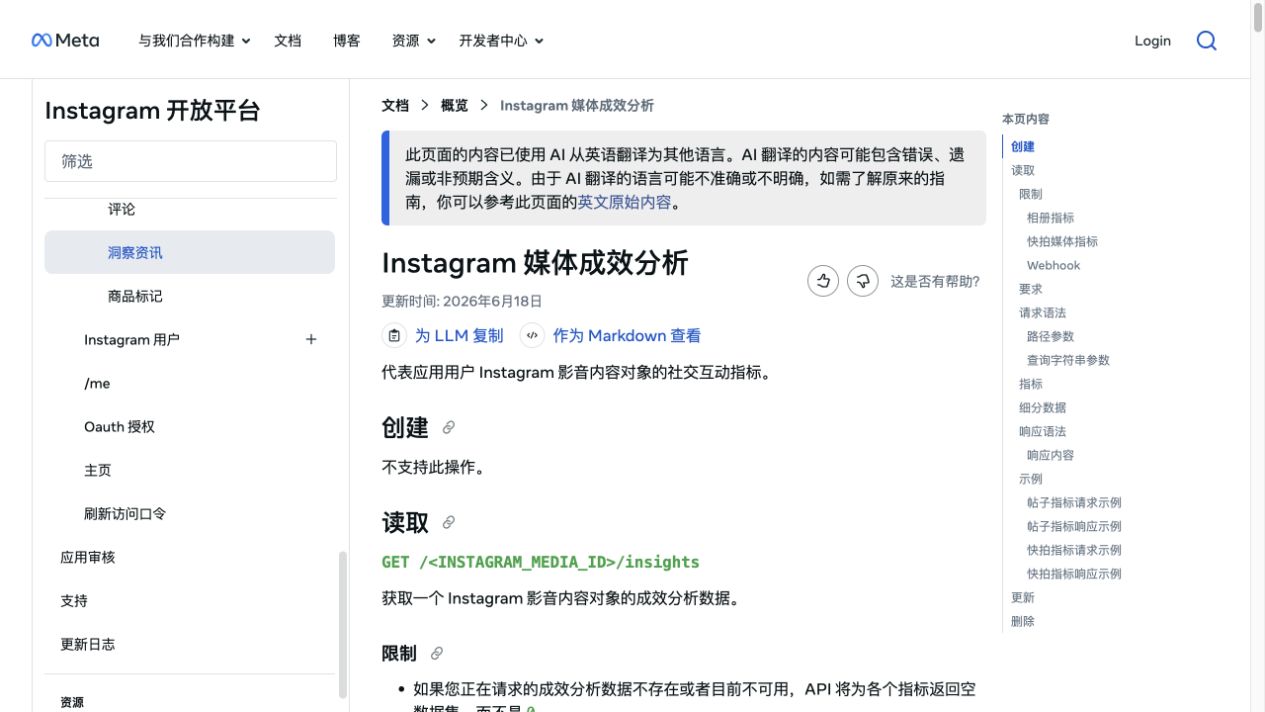
Google’s indexed Meta documentation also highlights a practical boundary: Story media metrics are only available for a short window, and the official route is built around authorized media and webhook-style timing. That matters because a marketing team may need both owned-performance reporting and competitor monitoring, but those are not the same job.
Use this route when:
- you control the Instagram account;
- the app has the right permissions and review status;
- you need official metrics rather than visual campaign evidence;
- the team accepts the platform’s time windows and metric definitions.
Do not use this route as a shortcut for competitor Story archives. It is not designed for that.
Route 2: Instagram Stories monitoring platforms
Dedicated platforms frame the problem around marketing and creator decisions. Storyclash, for example, describes Instagram Stories monitoring for influencer lists, brand mentions, text recognition in pictures and videos, competitor creator tracking, saved Stories for 1 year rather than 24 hours, keyword search, filters, and shareable reports.
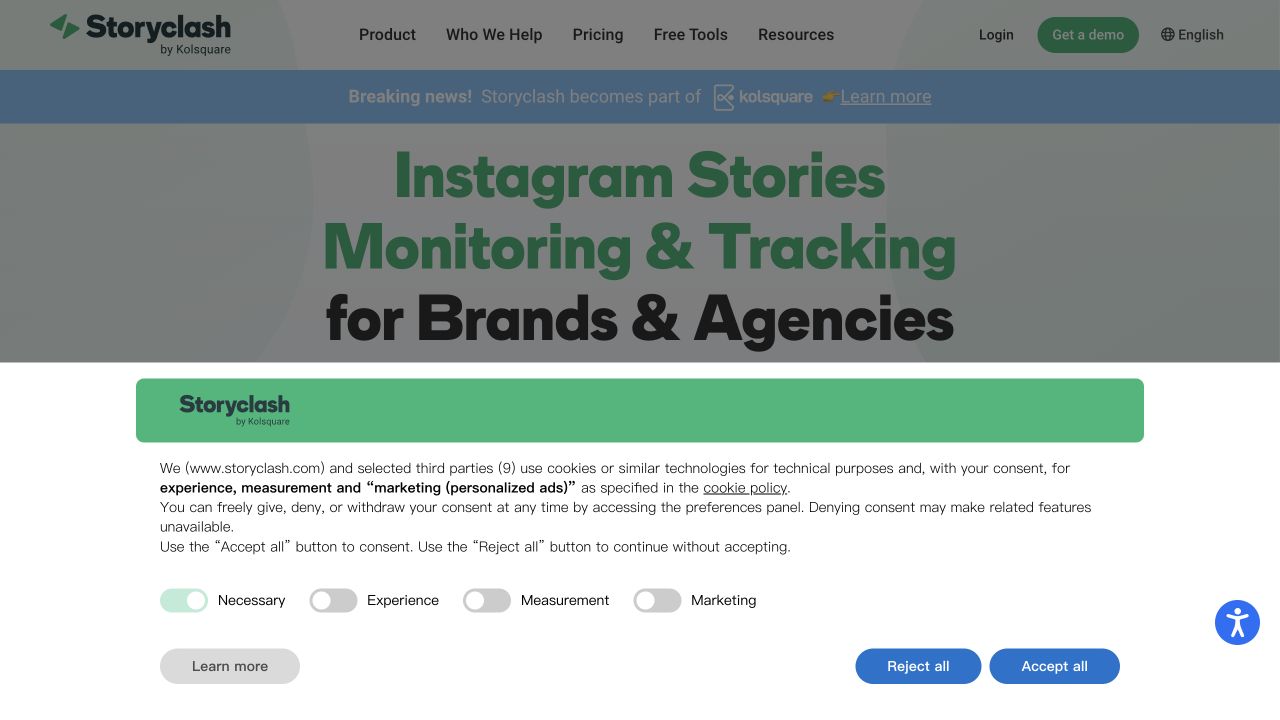
Kolsquare makes the same pain obvious: Stories disappear after 24 hours, and teams often fall back to manual screenshots when they want to review influencer or competitor activity later. It also describes use cases around brand mentions, creator monitoring, metrics, and competitor collaborations.
This category is useful when the buyer wants a dashboard more than raw control. The team can answer questions like:
- Which creators mention a competitor?
- Which formats or campaigns appear repeatedly in Stories?
- Which influencers are a better fit based on Story behavior?
- How does Story activity compare with feed posts and Reels?
The limitation is flexibility. If you need your own schema, source-by-source QA, a very specific account list, or a workflow that stops safely when access changes, a dashboard may be too rigid.
Route 3: marketplace Instagram Story scrapers
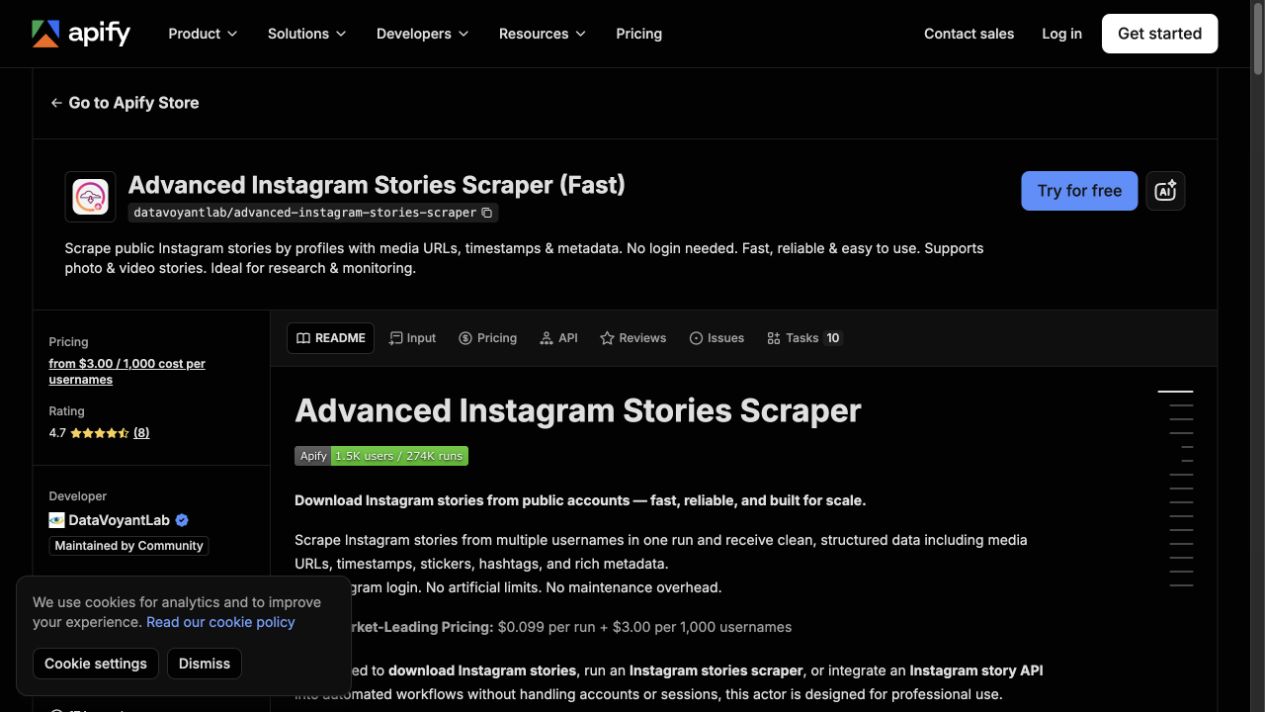
Marketplace actors are the fastest way to test whether public Story extraction already fits your job. Apify’s Advanced Instagram Stories Scraper says it extracts public Instagram Stories by profile with media URLs, timestamps, metadata, stickers, hashtags, and other structured fields. Its page showed pricing from $3.00 per 1,000 usernames, a 4.7 rating from 8 reviews, and 1.5K users during this review.
This is a strong fit when:
- you already have a clean list of public accounts;
- the actor returns the exact fields you need;
- output completeness is good enough for the decision;
- billing and maintenance trade-offs are acceptable.
It is weaker when the task is still fuzzy. A founder, analyst, or social media manager often changes the question after the first sample: “Also capture link stickers,” “split paid partnerships,” “flag discount language,” “separate launch teasers from influencer mentions,” or “pause if the profile is private.” That is where a prompt-first workflow becomes useful.
Pro Tip: Test 10-20 profiles before scheduling a larger run. A Story workflow fails quietly if the output has no source status, no capture timestamp, or no evidence link back to the profile.
Route 4: BrowserAct prompt-first Story monitoring
BrowserAct is useful when Instagram Story monitoring is not yet a fixed tool job. The first pass should feel like a research brief: target accounts, public or authorized scope, fields, stop rules, and a reviewable output table.
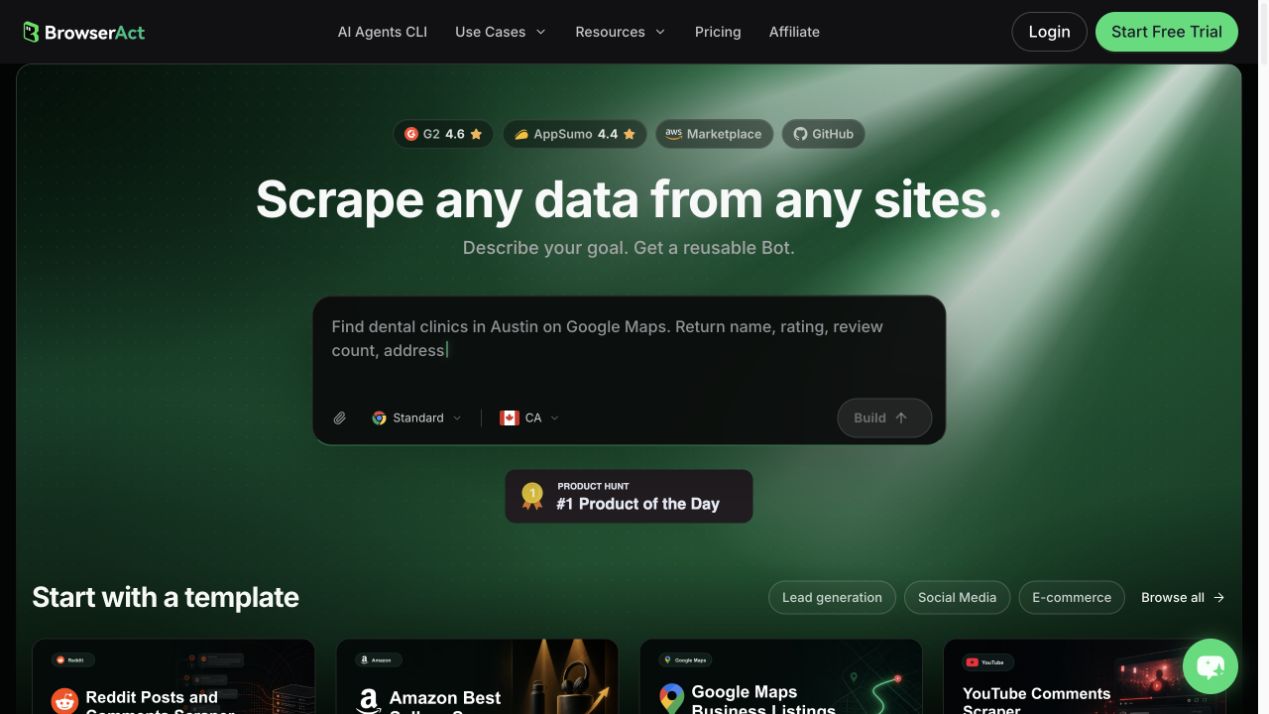
The product fit is:
- Use BrowserAct Agent when the monitoring question is still changing and you need a live browser sample.
- Use BrowserAct Workflow when the same account list, capture rules, and schema should run again.
- Use BrowserAct CLI when the approved workflow needs to feed a controlled internal stack, such as Sheets, n8n, a BI folder, or a weekly Slack/Feishu report.
BrowserAct should not be framed as “unlimited Story access.” The right promise is narrower and more useful: describe the visible public or authorized data you need, run a browser test, inspect the evidence, and package the repeatable path only after the sample is trustworthy.
The Story monitoring schema to use
A Story archive is only useful if it can be searched and audited later. Do not stop at saving images.
Field | Why it matters |
| The account being monitored |
| Reviewable source page |
| Best available Story/source reference |
| When the Story was observed |
| Helps prioritize urgent review |
| image, video, carousel, unknown |
| Searchable text from the Story creative |
| Polls, countdowns, tags, overlays, CTAs |
| Creators, brands, partners, competitors |
| Campaign tags and topic clues |
| Landing pages, offers, affiliate links |
| Useful for creative trend research |
| Human-readable creative note |
| Launch, discount, influencer, UGC, event |
| complete, partial, login_required, private, captcha_required |
| Evidence for review |
| Why this row matters |
Build the workflow in BrowserAct
Use this module when the team wants a custom monitoring workflow rather than a fixed actor or dashboard.
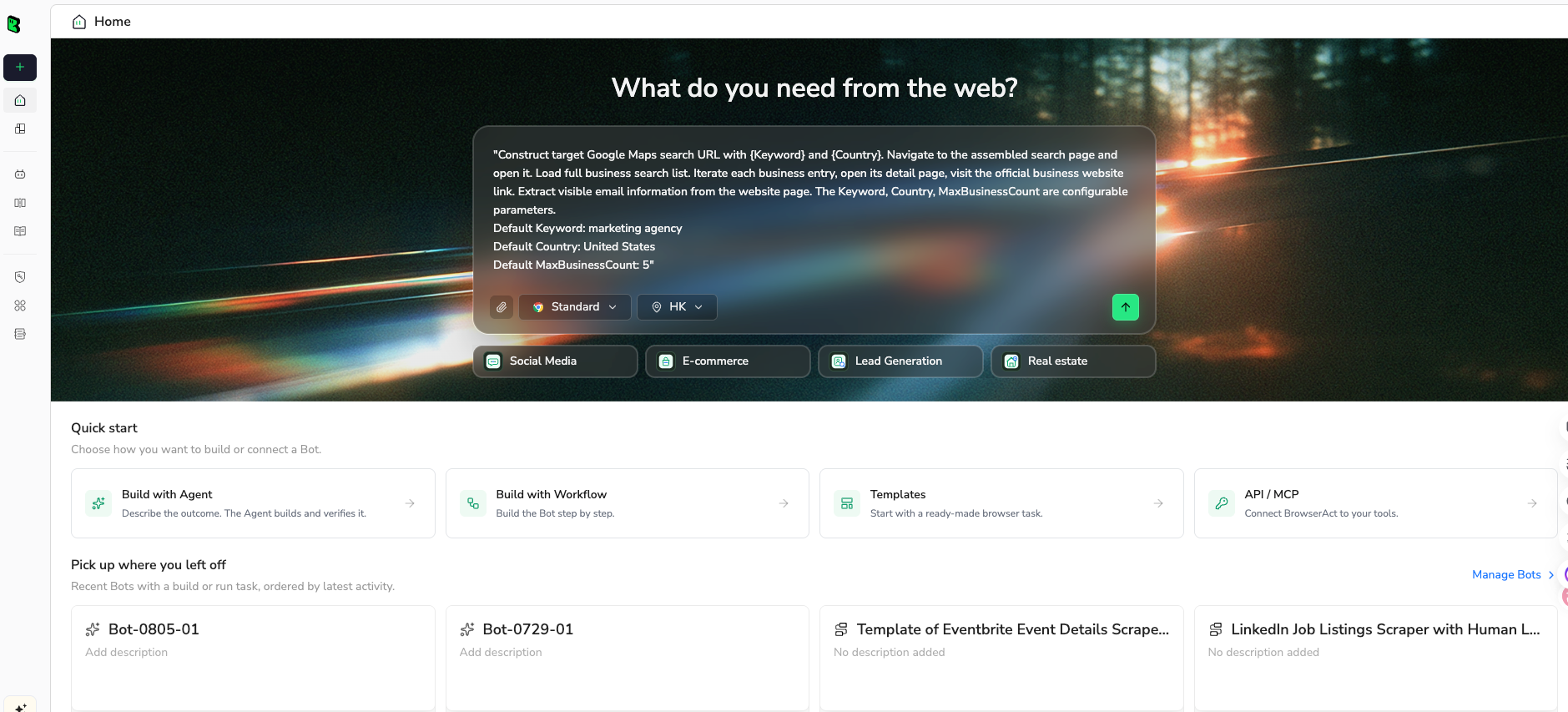
1. Open BrowserAct Dashboard
Click the left-side + button to create your own Bot, start from Quick start, or paste the prompt directly into the center Agent input to begin building.
2. Copy the complete prompt
Edit the account list, field list, and limit before you run it. Keep the safety rules in place.
Go to Instagram and build a public or authorized Instagram Story monitoring sample.

TARGET:
Monitor these public or authorized profiles:
- https://www.instagram.com/examplebrand/
- https://www.instagram.com/examplecreator/

LIMIT:
Return up to 50 currently visible Story items or clear stop reasons, whichever comes first.

FIELDS:
- source_profile
- profile_url
- story_url_or_reference if visible
- captured_at
- expires_at_if_visible if visible
- media_type
- story_text_or_ocr
- sticker_text
- mentions
- hashtags
- link_sticker_url if visible
- music_or_audio if visible
- visual_summary
- campaign_label: launch, discount, influencer, UGC, event, product, other
- source_status: complete, partial, no_active_story, login_required, private, captcha_required, restricted, unavailable
- screenshot_path_or_media_url if available
- review_note

RULES:
- Use public or authorized data only.
- Keep the task read-only.
- Do not follow, like, comment, save, message, post, download private media, or change account settings.
- Do not access private accounts, hidden Stories, DMs, restricted pages, or content that requires unclear authorization.
- If Instagram asks for login, CAPTCHA, 2FA, account confirmation, private access, or anything unclear, pause and report the stop reason.
- Deduplicate by source_profile + story_url_or_reference + captured_at.
- Keep partial rows if useful, but mark source_status clearly.

OUTPUT:
Return a clean table suitable for CSV or Google Sheets.
Add a short summary with profiles checked, Stories captured, rows with OCR text, rows with link stickers, duplicates removed, and stop reasons.
Scrape data from any website.
Describe the data you need. Get a Bot — a reliable, reusable scraper.
Prompt preview: monitor public Instagram Stories, capture source-linked evidence, OCR text, mentions, link stickers, campaign labels, and stop reasons. Private session · Choose your region before you run
Get your Bot — Free3. Handle login only when asked
If Instagram asks for login, CAPTCHA, 2FA, private-account approval, membership confirmation, or account confirmation, BrowserAct should pause and record the stop reason. Do not ask the workflow to bypass the boundary.
4. Review, dedupe, and export
Before the data becomes a campaign recommendation:
- dedupe by profile and Story reference;
- keep source URLs or screenshots beside OCR text;
- separate raw visible text from AI summaries;
- flag private, unavailable, or partial rows;
- review link stickers and campaign labels manually;
- export CSV, JSON, Markdown, or a Sheets-ready table.
Once the sample is trusted, save it as a BrowserAct Workflow. If the same report should run every Monday morning, trigger the approved workflow from BrowserAct CLI and keep the logs.
A weekly competitor Story monitoring playbook
The most useful recurring workflow is small and disciplined.
1. Build account groups
Separate competitors, creators, retailers, affiliates, and category media. Do not mix them without labels.
2. Set a capture window
Stories expire quickly, so schedule checks around the moments your market actually posts: product launches, campaign drops, creator posting windows, or weekly promo cycles.
3. Tag campaigns after capture
Use campaign_label after the first sample, not before. The sample will reveal categories you did not expect: countdowns, flash sales, reposted UGC, creator unboxings, event clips, recruiting pushes, and partner announcements.
4. Search the archive
The archive becomes valuable when it answers questions like:
- Who mentioned this competitor last month?
- Which Stories contained “launch,” “sale,” “waitlist,” or a promo code?
- Which creators showed the product without tagging the brand?
- Which landing pages appeared in link stickers?
- Which Story creative later turned into feed/Reels content?
5. Ship a decision, not a gallery
End the report with actions:
- creators to review;
- claims to benchmark;
- offers to watch;
- landing pages to inspect;
- campaign hooks to test;
- accounts to add or remove from the monitor.
Pro Tip: A Story archive without search is just a prettier screenshot folder. Add OCR, labels, and source status early, or the dataset will become expensive clutter.
Common mistakes
Mistake 1: Treating Stories like posts
Stories are temporary and context-heavy. A delayed scrape can miss the entire campaign. Add capture time and source status to every row.
Mistake 2: Mixing owned analytics with competitor monitoring
Official Insights and competitor monitoring answer different questions. Keep them in separate reports, then compare conclusions at the strategy layer.
Mistake 3: Saving media without search fields
A folder of images is hard to query. OCR text, mentions, stickers, link URLs, and campaign labels are what make the archive usable.
Mistake 4: Ignoring access boundaries
Private accounts, restricted pages, login walls, CAPTCHA, 2FA, or unclear authorization should stop the workflow. The row should say why it stopped.
Mistake 5: Automating engagement
Story monitoring is a research workflow. Do not automate follows, likes, comments, DMs, saves, or account changes unless that is a separately approved operation.
When BrowserAct is the best fit
Use BrowserAct when the team wants custom evidence rather than a generic dashboard:
- “Monitor these 25 public competitor profiles and capture launch Stories.”
- “Flag Stories with discount language, creator mentions, or link stickers.”
- “Archive Story evidence into a weekly Sheets report.”
- “Pause on private accounts and label stop reasons.”
- “Turn the approved prompt into a repeatable workflow.”
Use a dashboard when the team mainly wants packaged reporting. Use an actor when the account list and fields match the actor exactly. Use official APIs when the task is authorized owned-account analytics.
BrowserAct sits in the middle: flexible enough for a changing research brief, structured enough to become a repeatable scraper once the team approves the path.
Further reading: Instagram data collection
Frequently Asked Questions
What is Instagram Story monitoring?
Instagram Story monitoring is the process of capturing, labeling, and reviewing public or authorized Instagram Stories before they disappear, usually for competitor, creator, campaign, or brand-mention research.
Can you scrape Instagram Stories after they disappear?
No reliable workflow should promise that. Build the monitoring job to capture public or authorized Stories while they are visible, and mark rows clearly when a Story is unavailable.
What is the difference between Instagram Story monitoring and Instagram Story analytics?
Story analytics usually means owned or authorized metrics. Story monitoring usually means preserving visible Story evidence, text, links, mentions, and campaign context for later review.
What fields should an Instagram Story scraper collect?
Useful fields include source profile, captured time, media type, OCR text, stickers, mentions, hashtags, link sticker URL, campaign label, source status, screenshot or media evidence, and reviewer notes.
Is BrowserAct better than an Instagram Stories scraper actor?
BrowserAct is better when the schema, stop rules, and review logic are still changing. A fixed actor can be faster when its fields, access assumptions, and pricing already fit your exact job.
How should teams use BrowserAct for Instagram Story monitoring?
Use BrowserAct Agent to test the first prompt, BrowserAct Workflow to repeat the approved path, and BrowserAct CLI to run the workflow inside a controlled reporting pipeline.
Can BrowserAct access private Instagram Stories?
No. The workflow should use only public or authorized data and pause on private accounts, login walls, CAPTCHA, 2FA, or unclear access boundaries.


