Evaboot vs PhantomBuster: Sales Navigator Export and Email Enrichment

The useful Evaboot vs PhantomBuster comparison starts with one Sales Navigator search and one required output: a reviewed file of people, companies and professional emails. Comparing Evaboot's export with an unrelated PhantomBuster operation would answer a different question.
Evaboot packages cleaning, filtering and email lookup into its documented lead export. PhantomBuster's Sales Navigator Search to Emails runs the search-to-enrichment task in the cloud, within a wider automation platform.
For a focused search-to-file purchase, start by evaluating Evaboot. For a job that needs to sit inside an ongoing cloud process, evaluate the specific PhantomBuster operation and its required resources. Both choices need a closer look at billing when no usable email is returned.
Evaboot: a focused export with cleaning and email lookup
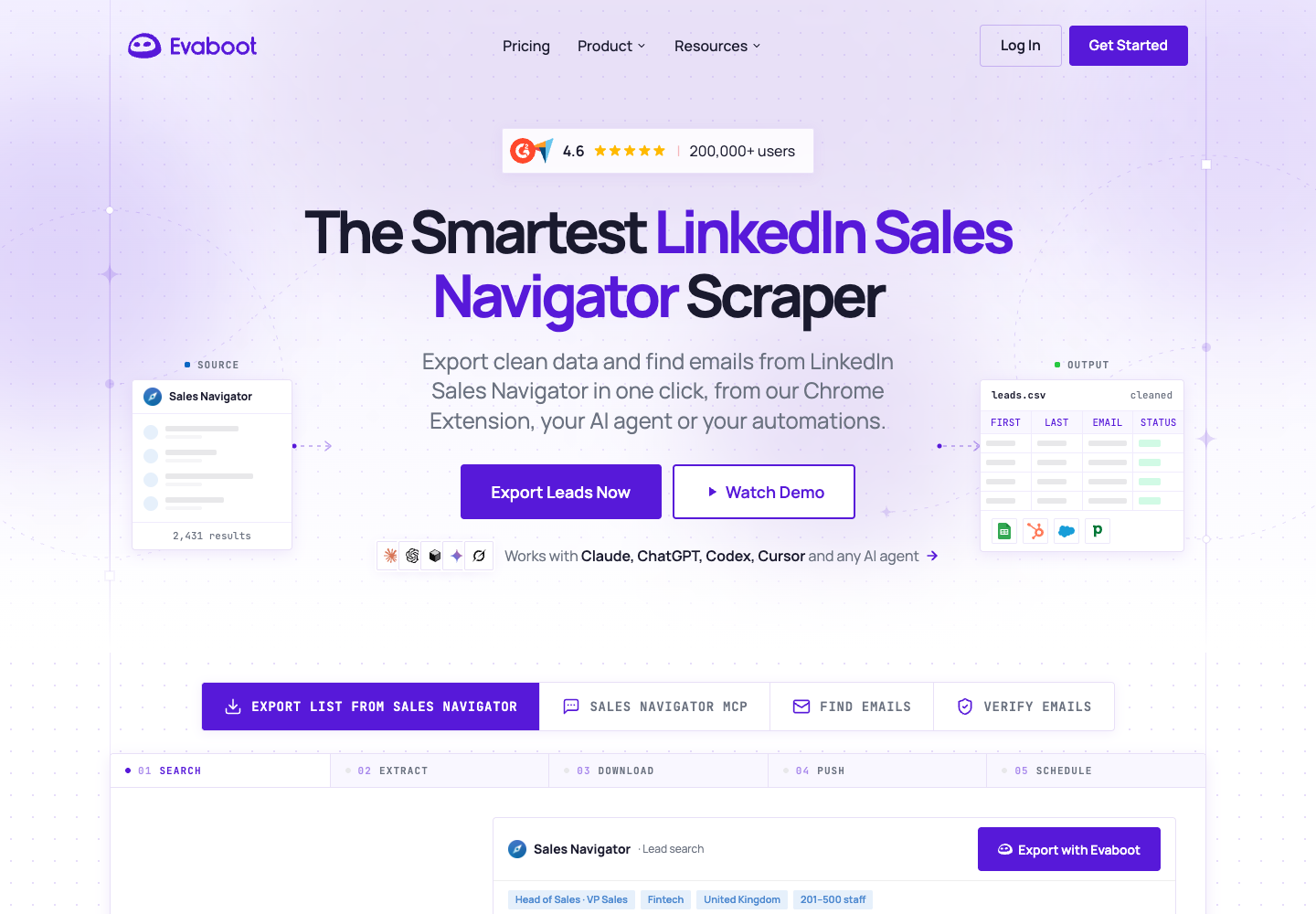
Evaboot starts from a supported Sales Navigator search or list. Its extension supplies the export entry point; the dashboard then tracks the job and provides CSV or XLSX downloads.
Its export instructions say professional email finding is included automatically in every lead export. The documented route does not offer a leads-only export without email lookup.
Relevant features:
- Initiate an export from Sales Navigator.
- Clean supported identity and company fields.
- Filter or flag leads that do not fit the source search.
- Include professional email lookup in the exported lead.
- Track and download the resulting job through the dashboard.
Pricing
- Starter: $9 per workspace per month with 100 credits.
- A lead export consumes one credit per lead with professional email lookup included; the lead is still charged when no email is found.
- The standalone Email Finder uses a found-email credit rule, and verification has its own checked-address rule.
- Sales Navigator access is a separate expense for search/list export. A current annual price and free-credit quantity were not established by the public pages checked.
The product is easy to frame: you are buying a completed lead-export operation rather than separate source-extraction and email-finding resources. That is useful when the included workflow already matches your recurring task.
It also gives you a specific cost question. An exported lead can consume a credit even when its email is missing. Compare the actual usable-email count with the full export cost, not only the number of leads in the file.
Pros: One export handles list cleaning and email lookup together.
Cons: An exported lead still consumes a credit when no address is found.
PhantomBuster: the Search to Emails operation
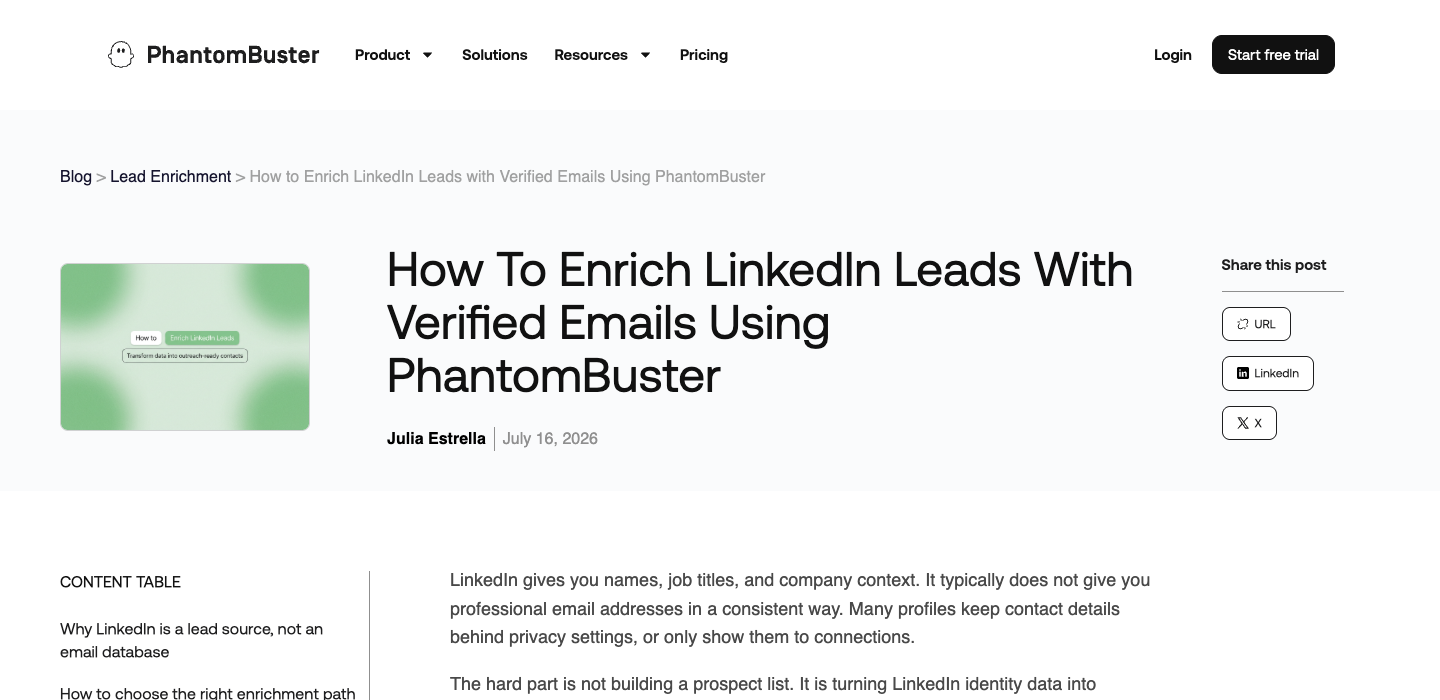
PhantomBuster's Sales Navigator Search to Emails accepts supported searches and a connected LinkedIn session. It extracts identity data, performs email discovery and delivers enriched records through CSV or JSON.
The product page says this work takes place in the cloud. A connection extension is an entry point for session setup, not evidence that the extraction runs in your local browser.
Relevant features:
- Use a defined Sales Navigator search-to-email operation.
- Run the configured job on managed cloud infrastructure.
- Receive structured identity and email results.
- Continue with supported delivery or wider automation workflows.
- Manage the operation within execution-time, slot and discovery allowances.
Pricing
- Start: $69 per workspace per month. Annual billing is $672, displayed as $56/month.
- The checked Start allowance includes 20 execution hours, 5 slots and 500 email credits per month.
- A 14-day trial includes limited execution resources and 50 email credits, but exports and API access are limited to 10 rows.
- Execution time, slots, discovery and any external provider are separate resources. Confirm the precise email debit rule for the configuration you use.
PhantomBuster is most relevant when the task belongs in a repeatable process and the rest of the platform has value to you. The cost of a single file can be less attractive if the wider capabilities go unused.
Its enrichment documentation also discusses collecting identities first and enriching them afterward. Choose the actual configuration you intend to run. Do not add every provider mentioned elsewhere in the platform to the capabilities of one specific operation.
Pros: Keep a reusable cloud flow for a recurring search.
Cons: You must budget execution time as well as email credits and maintain the connected session.
Evaboot vs PhantomBuster on the same job
| Decision | Evaboot | PhantomBuster |
|---|---|---|
| Compared operation | Sales Navigator lead export | Sales Navigator Search to Emails |
| Starting point | Supported search or list | Supported Sales Navigator search |
| Email step | Included in every documented lead export | Included in the selected Search to Emails operation |
| Cleaning emphasis | Built into the documented export | Inspect the selected operation's output and any added processing |
| Delivery | CSV or XLSX | CSV or JSON |
| Cost unit to inspect | Exported leads; separate rules for standalone email tools | Workspace plan, execution resources and email discovery |
| Main workflow question | Does its packaged output satisfy the job? | Does the configurable cloud process justify its extra setup and resources? |
This is where the choice becomes concrete. If both outputs satisfy your schema, compare the time and money required to get the file reviewed. If either output is missing a field, determine whether it can be added within the product or needs a separate research step.
Keep the input genuinely identical
Use the same search filters and a bounded sample you are authorized to process. Record the date, result count and input reference. Search results can change between runs, so check whether both jobs actually received the same identities.
Use canonical profile URLs to deduplicate the files. Names alone can merge two people or leave the same person duplicated under different spelling.
Treat the first run as a sample. A successful small job supports that sample and configuration; it does not prove stable unattended extraction at every scale.
Check cleaning before judging the email count
Cleaning can remove formatting noise, but you still need to confirm that the right people and employers remain. A normalized company name can be easier to read while still pointing to the wrong subsidiary.
Review the rows that were excluded, flagged or returned without an email. A higher email count is not necessarily better if it includes off-target people. Keep identity matching and email discovery as separate measures.
The credit difference when an email is missing
Evaboot's credit documentation says a lead export consumes one credit with its email lookup included. The base lead charge still applies if no email is found.
Its standalone Email Finder has a different rule: a found email consumes the credit. Do not apply that standalone rule to a Sales Navigator lead export.
PhantomBuster separates execution hours, automation slots and email discovery allowances. Its pricing page and official pricing explanation describe those plan resources, but the precise debit event for every email-discovery configuration still needs confirmation in the current account.
For the purchase decision, record:
- The plan and billing period actually used.
- The number of distinct identities exported.
- The number with a business email and the returned status.
- Actual execution and discovery resources consumed.
- Any extra provider, verification or Sales Navigator charges.
Divide the actual task cost by the number of usable, deduplicated emails after review. If there are no acceptable results, leave unit cost uncomputed and investigate the failure. A zero denominator does not mean the task was free.
Compare trial access with trial delivery
PhantomBuster's documented trial includes limited execution and email resources, while exports and API access are limited to ten rows. That is enough to inspect part of a flow, not to conclude that an entire generated list is freely downloadable.
For Evaboot, the public pages checked here provide a free sign-up route but did not establish a current free-credit quantity. Test access and free allowance should therefore be confirmed in the account rather than copied from an older review.
Do not judge either tool from a trial screenshot alone. Inspect the file you can actually download and the resources shown after the job.
Session maintenance and cloud operation
PhantomBuster's compared operation explicitly uses a connected LinkedIn session and cloud execution. Session renewal and execution settings belong in the operational comparison.
Evaboot documents an extension-initiated export with dashboard status and delivery. Evaluate that user-facing behavior without inventing internal execution details that the cited export instructions do not establish.
For either product, check the practical recovery path. Can you identify which rows finished? Can you resume without paying to duplicate the same work? Is an expired session distinguishable from an empty result?
Those questions matter more for recurring work than a screenshot of a completed first job. Require visible status and an accountable owner for reviewing exceptions.
When either export needs additional website research
An exported list may still need a company website, a public contact page or evidence that the employer match is current. A general LinkedIn export is not always the right place to add that custom research.
BrowserAct can build a reusable Bot for the permitted website research around the list. Keep the original export's identity key, visit approved company pages and return only visible fields with their sources.
The module below teaches that separate stage. It does not claim BrowserAct has independently reproduced either vendor's email discovery engine.
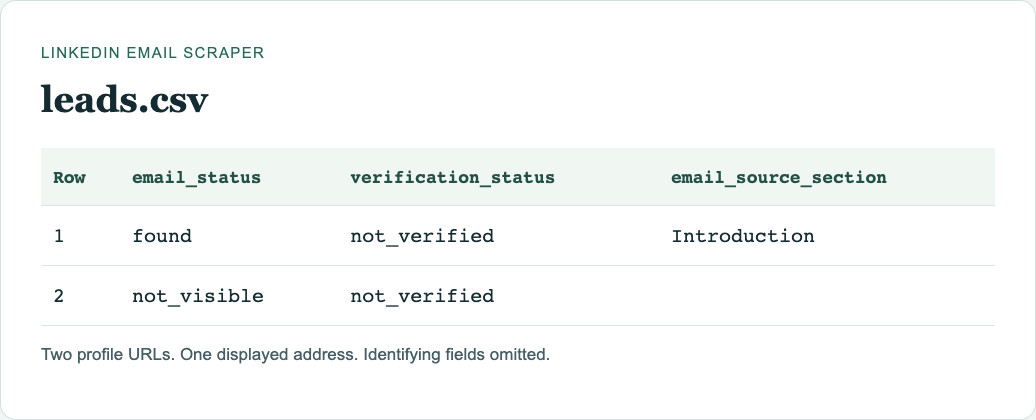
If you need to see where an address appeared, the LinkedIn Email Scraper template takes personal profile URLs or a LinkedIn People keyword search. It does not take the Sales Navigator search URL used by the two exporters above. Compare the observed addresses in emails.csv with the full person list in leads.csv; delivery status is not verified.
Supply a short list of approved profile URLs and the fields you need. For an exported lead list, keep its original identity key and provide the company website where available.
1. Open BrowserAct and define the input
In the Dashboard, use the left-side +, a Quick start entry or the center Agent input to start a Bot. Choose the browser/session mode and region for the approved source.
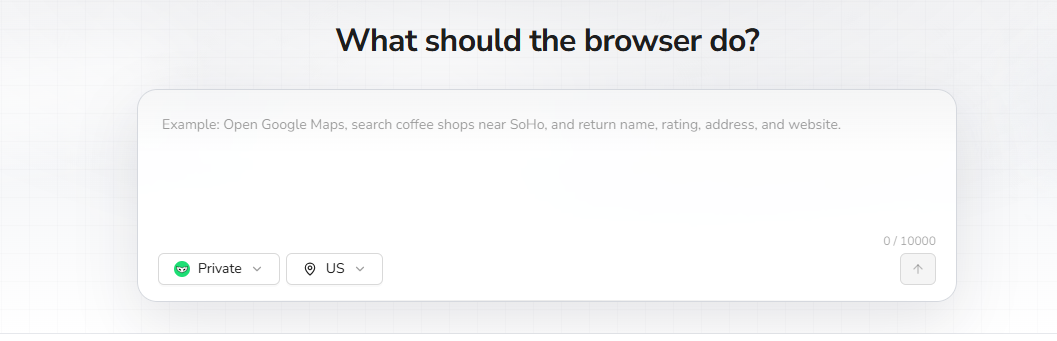
2. Copy the request, then review the build plan
Provide the approved URL list or lead file with this request. Confirm the proposed sources, fields and sample limit before BrowserAct explores and tests the task.
Scrape data from any website.
Describe the data you need. Get a Bot — a reliable, reusable scraper.
3. Complete required confirmation manually
If BrowserAct pauses for login, CAPTCHA, 2FA or account confirmation, handle it yourself. Leave restricted or unavailable rows flagged for review rather than changing the task to bypass the restriction.
4. Review the sample, export and reuse the Bot
Check the identity, company domain and source page for each sample row. Remove duplicates and wrong matches; preserve empty emails and their reasons. Export CSV or JSON, save the Bot and rerun it with new approved inputs after the sample is reliable.
Check these output columns: profile_url, company_domain, company_source_url, visible_business_email, email_source_url, email_type, extraction_status. These are requested fields, not a claim that a completed run has returned emails.
The ready-made template returns its own files. Here are the status columns from a two-profile URL run:
After checking the Bot's sample, combine results through a stable record ID or profile URL. Keep vendor-provided emails and visible website emails in separate fields; record where each came from.
For more detail on the build and test flow, see build and run your first Bot.
Use a small acceptance checklist before paying for scale
Define the output columns before the trial: identity key, company, source URL, email, discovery provider, verification state and failure reason. Then specify which states qualify as usable.
Inspect these cases in the exported file:
- An identity already present in your CRM.
- A person with a recent employer change.
- A company with an ambiguous or subsidiary domain.
- A row without an email and a row with an uncertain status.
- A duplicate returned through another source search.
Record the manual work those cases require. A workflow that needs a separate spreadsheet cleanup step may still be suitable, but its cost should be visible when choosing between products.
For repeat work, retain the input and output from each run. Compare coverage against the same identity keys, not just aggregate email counts. That makes missing data and accidental reruns easier to diagnose.
Which should you choose?
Choose Evaboot when a Sales Navigator search needs to become a cleaned export with professional email lookup included, and its credit model fits your usable-email count.
Choose PhantomBuster when the specific Search to Emails operation fits a broader cloud process you need, and the combined execution and discovery resources make sense for that process.
The Evaboot vs PhantomBuster decision should come down to the completed, reviewed task. Keep custom company research as an explicit stage, and evaluate it separately from the two tools' email outputs. The LinkedIn scraping risk framework provides context for access and permitted use.
FAQ
Q: Which is better for exporting Sales Navigator leads with emails? A: Evaboot fits a focused packaged export. PhantomBuster fits a cloud process using its specific Search to Emails operation. Compare reviewed output and full task cost.
Q: Does Evaboot charge when an exported lead has no email? A: Its lead-export rule charges per exported lead with lookup included. Its standalone Email Finder uses a different found-email credit rule.
Q: Is PhantomBuster's Search Export the same as Search to Emails? A: No. Compare the specific operation that includes email discovery. An export-only configuration does not establish email-finding capability for that job.
Q: Can I export the full PhantomBuster trial result? A: The checked trial terms limit exports and API access to ten rows. Verify current account limits before treating a generated list as fully downloadable.
Q: Where would a BrowserAct Bot help? A: It can collect custom company and public-contact evidence from permitted pages around the exported identities, while keeping the original provider's email output separate.


