Why Facebook Suspended My Account & How to Fix It (2026)

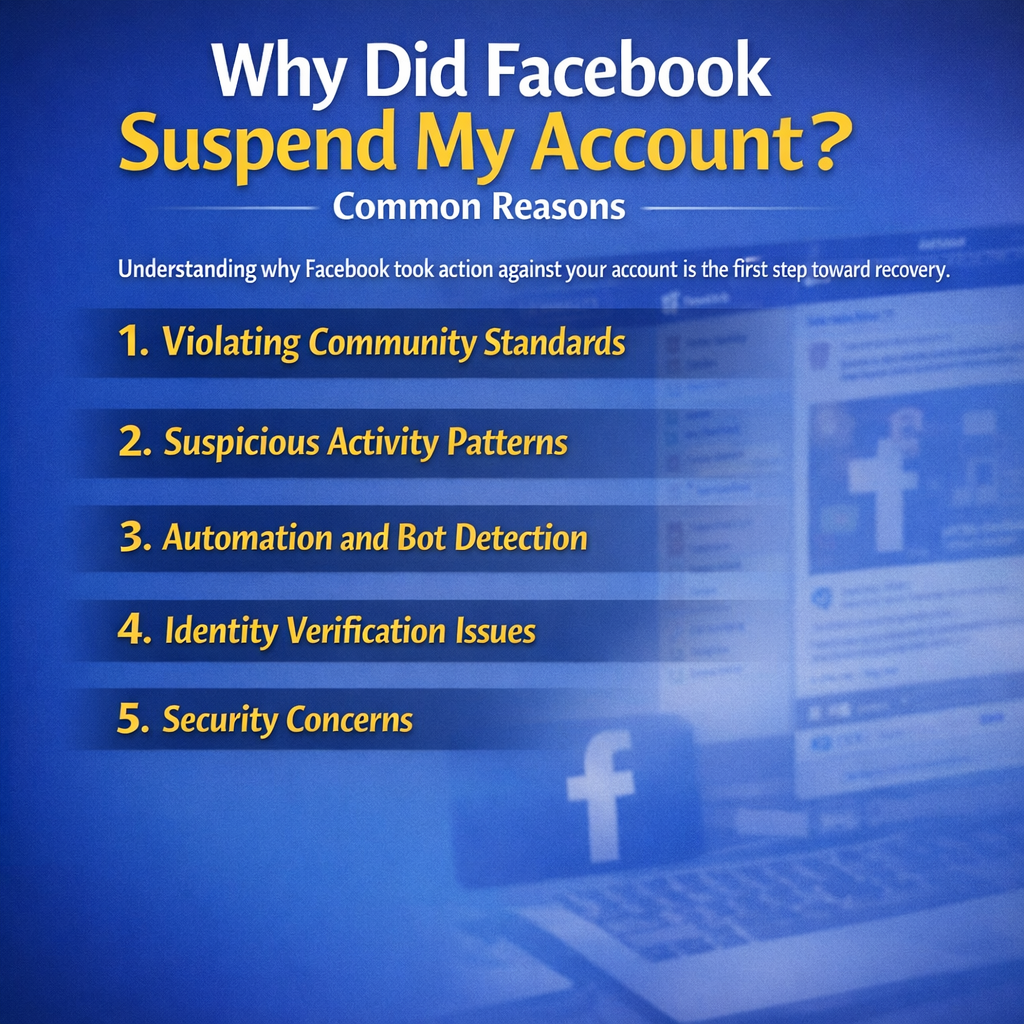
Why Facebook Suspended My Account: 1. Violating Community Standards 2. Suspicious Activity Patterns 3. Automation and Bot Detection 4. Identity Verification Issues 5. Security Concerns
BEFORE YOU CONTACT SUPPORT
BrowserAct is not affiliated with Facebook or Meta.
We cannot restore accounts or submit appeals on your behalf.
Visit Facebook Help CenterExternal link to facebook.com

This guide is for information only.
Do not send BrowserAct your password, verification codes, or ID documents.
Woke up to find your Facebook account suspended? You're not alone. Every day, thousands of users face the frustrating experience of being locked out of their Facebook accounts without warning. Whether you use Facebook to stay connected with friends and family, run a business, or manage marketing campaigns, an account suspension can feel devastating.
According to recent reports, Facebook suspends millions of accounts annually due to policy violations, suspicious activity, and automated detection systems. The good news? Most suspensions are temporary and reversable if you understand why they happen and know the right steps to take.
In this comprehensive guide, you'll learn exactly why Facebook suspended your account, how to appeal the decision, and most importantly—how to prevent it from happening again. We'll also explore professional solutions for businesses that need to manage multiple accounts or automate activities while staying compliant with Facebook's terms of service.
Why Did Facebook Suspend My Account? Common Reasons
Understanding why Facebook took action against your account is the first step toward recovery. Facebook's algorithms and moderation teams monitor billions of activities daily, and several triggers can lead to suspension.
1. Violating Community Standards
Facebook's Community Standards serve as the foundation for acceptable behavior on the platform. Violating these standards is one of the most common reasons for account suspension.
- Spam or Fake Engagement: If you've been sending excessive friend requests to strangers, posting the same content repeatedly across multiple groups, or engaging in artificial engagement schemes (like buying likes or followers), Facebook's systems will flag your account. The platform uses sophisticated algorithms to detect unnatural engagement patterns that don't match genuine user behavior.
- Inappropriate Content Posting: Sharing content that violates Facebook's policies—including graphic violence, adult content, hate speech, or misinformation—can result in immediate suspension. Even if you didn't create the content yourself, sharing it can get you in trouble.
- Harassment or Hate Speech: Bullying, threatening other users, or posting content that targets individuals or groups based on race, ethnicity, religion, gender, or other protected characteristics will trigger enforcement actions ranging from content removal to account suspension.
2. Suspicious Activity Patterns
Facebook's security systems constantly monitor for unusual behavior that might indicate a compromised account or malicious activity.
- Unusual Login Locations: If your account suddenly logs in from a different country or shows login attempts from multiple geographic locations within a short time frame, Facebook may temporarily suspend your account to protect it from potential hijacking.
- Rapid Friend Requests or Messages: Sending too many friend requests in a short period, especially to people you don't know, signals spammy behavior. Similarly, mass messaging multiple users with identical content triggers spam filters.
- Mass Posting or Commenting: Publishing numerous posts in quick succession or leaving identical comments on multiple posts can make Facebook's algorithms suspect you're using automation tools or engaging in spam activities.
3. Automation and Bot Detection
This is an increasingly common reason for account suspensions, especially among businesses and marketers who try to scale their Facebook presence.
- Using Unauthorized Third-Party Tools: Facebook explicitly prohibits the use of unauthorized bots, scrapers, or automation tools that interact with the platform in ways that violate their Terms of Service. Many users unknowingly use apps or browser extensions that automate likes, follows, or posting—all of which can trigger suspensions.
- Automated Posting and Scraping Activities: While scheduling posts through Facebook's official tools is allowed, using third-party software to automatically scrape data, extract user information, or post content without proper authorization violates Facebook's policies.
- Facebook's Anti-Bot Algorithms Triggering Suspensions: Facebook employs advanced machine learning algorithms that analyze hundreds of behavioral signals to distinguish humans from bots. These systems look at mouse movements, typing patterns, scroll behavior, click timing, and even how you interact with CAPTCHA challenges.
4. Identity Verification Issues
Facebook requires users to provide authentic information about their identity, and discrepancies can lead to suspension.
- Fake Name or Information: Using a pseudonym, celebrity name, or false information instead of your real name violates Facebook's "real name" policy. While Facebook has become more flexible about names in recent years, they still require identity verification if your account is flagged.
- Multiple Account Violations: Facebook's Terms of Service state that each person should have only one personal account. Operating multiple personal accounts (as opposed to Pages or Business accounts) can result in all accounts being suspended.
- Age Requirement Violations: Facebook requires users to be at least 13 years old. If the platform suspects you're underage or if you created your account before turning 13 and Facebook discovers this, your account may be suspended until you can verify your age.
5. Security Concerns
Sometimes Facebook suspends accounts not as punishment, but as a protective measure.
- Compromised Account Detection: If Facebook's security systems detect that your account may have been hacked—such as unusual login attempts, suspicious password changes, or activities that don't match your normal behavior—they may temporarily suspend the account to prevent further damage.
- Malware or Phishing Attempts Linked to Your Account: If your account has been used to spread malware, share phishing links, or compromise other users' accounts (often without your knowledge if you've been hacked), Facebook will suspend it immediately to protect the broader community.
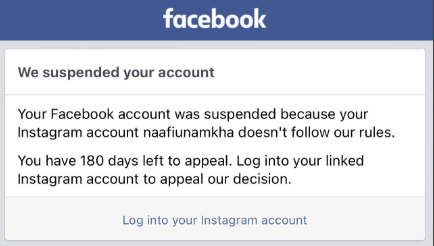
How to Know If Your Facebook Account Is Suspended vs. Disabled
Understanding the difference between suspension and disabling is crucial because it affects your recovery options.
Temporary Suspension
A suspension is usually temporary and related to a specific violation or security concern. You'll typically receive a notification explaining the reason and may be asked to complete certain actions (like verifying your identity or removing specific content) to restore access. Suspensions can last from a few hours to 30 days, depending on the violation's severity.
Permanent Disabling
A disabled account is more serious and often permanent. Facebook disables accounts for severe or repeated violations of their Community Standards or Terms of Service. When your account is disabled, you'll receive a message stating that your account has been disabled and that the decision is final. However, you can still appeal this decision.
What the Notification Messages Mean
Pay close attention to the exact wording of Facebook's message. Messages like "Your account has been suspended" or "We've restricted your account" typically indicate temporary action. Messages stating "Your account has been disabled" or "You can't use Facebook because your account was disabled" indicate more serious, potentially permanent action.
Key Indicators:
- Suspension: Usually includes a time frame or specific action required; appeals often processed quickly; account data remains intact
- Disabling: No time frame given; labeled as permanent or indefinite; requires identity verification to appeal; higher chance of being irreversible
If you're unsure about your account's status, try logging in from a different device or browser. The specific error message or notification you receive will clarify whether you're suspended or disabled.
Immediate Steps When Facebook Suspends Your Account
Taking the right actions immediately after discovering your suspension can significantly improve your chances of recovery.
1. Don't Panic - Check Your Email
Your first step should be to take a deep breath and check the email address associated with your Facebook account. Facebook typically sends detailed notifications about account actions to your registered email.
- Look for Official Facebook Notifications: Check your inbox, spam folder, and promotions tab for emails from Facebook (usually from security@facebookmail.com or no-reply@facebook.com). These emails often contain crucial information about why your account was suspended and what steps you can take.
- Verify the Suspension Reason: The email should specify which policy you violated or what security concern triggered the suspension. Common reasons include "violating Community Standards," "suspicious activity detected," or "identity verification required." Understanding the specific reason helps you prepare an appropriate response.
Keep in mind that if you don't find an email, the suspension notification usually appears when you try to log in. Screenshot this message for your records, as it contains important information you'll need for your appeal.
2. Review Facebook's Community Standards
Before submitting an appeal, take time to thoroughly review Facebook's Community Standards and Terms of Service. This isn't just a formality—understanding these policies is essential for crafting an effective appeal.
- Understand What You Might Have Violated: Visit Facebook's Help Center and read through the specific section related to your suspension reason. If you're accused of spam, read the spam policy. If it's about content violations, review the relevant content standards. This knowledge helps you address the issue directly in your appeal.
- Prepare Your Appeal: Once you understand the policy in question, reflect honestly on your recent Facebook activity. Did you unknowingly violate a rule? Was your account possibly compromised? Or is this a mistake? Your appeal should directly address the specific violation cited and explain your situation clearly and respectfully.
Being familiar with Facebook's policies also helps you avoid future violations once your account is restored.
3. Gather Documentation
Having the right documentation ready can expedite the appeal process and improve your chances of success.
- Screenshots of Your Account: If you have access to any part of your account or have previous screenshots, gather them. These can help prove your identity and demonstrate your legitimate use of the platform. Screenshots of your profile, your posts, and your typical activities can be valuable.
- ID Verification Documents: Facebook often requires government-issued identification to verify your identity during the appeal process. Prepare clear, legible copies or photos of your driver's license, passport, national ID card, or other official documents that match the name on your Facebook account.
- Evidence of Legitimate Activity: If your suspension relates to business activities or automation accusations, gather evidence that your activities were legitimate. This might include documentation of your business, screenshots showing you use official Facebook tools (like Business Suite or Ads Manager), or any correspondence with Facebook prior to the suspension.
Having this documentation organized and ready before starting your appeal demonstrates professionalism and can significantly speed up the review process.
How to Appeal a Facebook Account Suspension
The appeal process is your primary path to recovering a suspended account. Following the correct procedure and crafting a compelling appeal significantly increases your success rate.
Official Appeal Process
Facebook provides specific channels for appealing account suspensions, and using the correct one is crucial.
Step-by-Step Guide to Submitting an Appeal:
- Access the Appeal Form: When you try to log in to your suspended account, Facebook typically displays a message with a link or button to appeal the decision. Click this link to access the official appeal form.
- Select the Appropriate Category: Choose the appeal option that matches your situation—whether it's "My Personal Account Was Disabled," "I Think My Account Was Hacked," or another relevant category.
- Fill Out the Form Completely: Provide all requested information accurately. This typically includes your full name (as it appears on your account), email address or phone number, and any additional details requested.
- Explain Your Situation Clearly: In the text field provided, write a concise but complete explanation. Be honest, professional, and specific about why you believe the suspension was a mistake or what you've learned if you did violate a policy.
What to Write in Your Appeal Message:
Your appeal should be respectful, concise, and factual. Here's a structure that works:
- Acknowledge the situation: "I recently discovered my Facebook account was suspended on [date]."
- State your case clearly: "I believe this may have been an error because [specific reason]" or "I understand I may have violated [specific policy], and I sincerely apologize."
- Provide context: Explain any extenuating circumstances—was your account hacked? Did you unknowingly violate a policy? Were you unaware a third-party tool violated terms?
- Show accountability: If you made a mistake, own it and explain what you've learned.
- Request restoration: Politely request that Facebook review your account and restore access.
- Commit to compliance: Assure Facebook that you understand their policies and will comply going forward.
Keep your appeal to 200-300 words maximum. Being concise shows respect for the reviewer's time and makes your key points clearer.
Expected Response Times:
Facebook's response time varies significantly depending on their current review volume and the complexity of your case. You might receive a response within 24-48 hours, or it could take several weeks. During high-volume periods, delays of 2-4 weeks aren't uncommon. Don't submit multiple appeals, as this can delay the process further—be patient and wait for a response to your initial appeal.
Providing Identity Verification
Identity verification is often required during the appeal process, especially if Facebook suspects your account might be fake or compromised.
Acceptable Forms of ID:
Facebook accepts various government-issued identification documents, including:
- Driver's license
- Passport
- National ID card
- Birth certificate (in some cases)
- Immigration documents
The document must clearly show your name, date of birth, and photo. Facebook is particularly strict about the name matching what's on your account, so if you've used a nickname or variation, be prepared to explain this.
How to Submit Documents Securely:
When Facebook requests ID verification, they'll provide a secure upload link within the appeal process or via email. Follow these best practices:
- Use a clear, high-resolution photo or scan where all text is easily readable
- Ensure the entire document is visible with all four corners showing
- Use good lighting and avoid glare or shadows
- Don't edit or obscure any information (though you can blur sensitive details like ID numbers if you're concerned about privacy—Facebook primarily needs to verify your name and photo)
- Upload in a common format like JPG or PNG
Never send your ID via regular email or post it publicly. Only use Facebook's official upload channels. For your security, Facebook states they delete these documents after verification is complete.
What to Do If Your Appeal Is Denied
Receiving a denial can be discouraging, but you still have options.
Secondary Appeal Options:
If your first appeal is denied, you may be able to submit a second appeal, though Facebook doesn't always allow this. Check the denial message carefully—sometimes it includes information about whether you can appeal again or if the decision is final.
For business accounts or if you've invested significantly in Facebook advertising, you might have access to Facebook Business Support, which can sometimes intervene in account issues. If you have a Facebook Business Manager or have spent money on ads recently, try contacting support through those channels.
When to Accept the Decision and Move On:
Sometimes, despite your best efforts, Facebook's decision is final. This is particularly true if you've violated serious policies multiple times or engaged in activities like buying fake followers, using aggressive automation, or posting prohibited content.
If you've submitted appeals, provided all requested documentation, and still received denials, it may be time to accept the outcome and consider your alternatives. This might mean creating a new account (following all rules carefully) or focusing your social media efforts on other platforms.
Remember that attempting to circumvent a suspension by creating multiple new accounts can result in those accounts being disabled as well. If you do need to move on, do so thoughtfully and in compliance with Facebook's terms.
Preventing Future Suspensions: Best Practices
Whether you've just recovered your account or want to ensure you never face suspension in the first place, following these best practices is essential.
1. Follow Community Guidelines Strictly
The most fundamental way to avoid suspension is to thoroughly understand and consistently follow Facebook's Community Standards.
Content Posting Dos and Don'ts:
Do:
- Share original, authentic content that adds value to your network
- Give credit when sharing others' content
- Engage in respectful discussions, even on controversial topics
- Report content you believe violates Facebook's standards
- Think before you post—consider how your content might be perceived
Don't:
- Share graphic violence, adult content, or illegal materials
- Post misleading information or participate in coordinated misinformation campaigns
- Engage in bullying, harassment, or hate speech
- Share content that exploits or endangers children
- Post spam or engage in artificial engagement schemes
Engagement Best Practices:
Genuine engagement is key to maintaining a healthy Facebook presence:
- Send friend requests primarily to people you actually know or have legitimate connections with
- Personalize connection requests when possible, especially for professional networking
- Limit your friend requests to 20-30 per day maximum to avoid triggering spam filters
- Avoid copy-pasting identical messages or comments across multiple posts
- Space out your activities—don't like, comment, or post in rapid-fire succession
- Engage meaningfully rather than just collecting connections
2. Understand the Automation and Scraping Problem
While the suspension reasons we've discussed so far apply primarily to personal Facebook use, automation-related violations have become increasingly common among businesses and marketers. Many turn to automation tools to manage multiple accounts, maintain posting schedules, and respond to inquiries at scale—a single social media manager might handle 10, 20, or even 50 client accounts. However, this is exactly where countless users unknowingly trigger Facebook's enforcement systems and face suspension.
How Facebook Detects Bots and Scrapers:
Facebook has invested billions in developing sophisticated anti-bot technology. Their detection systems analyze multiple behavioral signals simultaneously to distinguish humans from automated scripts:
- Timing Patterns: Bots post at exact intervals (every 5 minutes, every hour on the hour), while humans have natural variations. Facebook flags accounts showing mechanical precision in their activity schedules.
- Interaction Speed: Actions completed faster than humanly possible are immediate red flags. If someone "reads" a long article and comments within 2 seconds, or sends 50 friend requests in 30 seconds, the system knows it's automation.
- Repetitive Behavior: Identical actions without variation signal bots—posting the same comment on multiple posts, sending identical messages, or clicking in precisely the same screen location every time.
- Browser Fingerprinting: Facebook analyzes dozens of characteristics including canvas fingerprinting, WebGL rendering, installed fonts, screen resolution, and hardware specifications. Bots often have missing plugins, inconsistent device profiles, or signs of headless browsers.
- Mouse and Scroll Patterns: Real humans move their mouse in curved paths with speed variations and scroll irregularly. Bots move in straight lines or follow identical patterns repeatedly.
- CAPTCHA Challenges: When suspicious activity is detected, Facebook presents increasingly difficult human verification challenges—identifying objects in images, solving puzzles, or typing distorted text. Automated scripts typically fail these challenges, triggering immediate account reviews and potential suspension.
Additionally, Facebook uses advanced device fingerprinting, IP address analysis flagging unusual geographic patterns, and machine learning models trained on millions of examples of human versus bot behavior. These systems continuously evolve, becoming more sophisticated each month.
The Risks of Using Unauthorized Automation Tools:
The consequences can be devastating:
- Immediate account suspension or permanent disabling – Often without warning
- Loss of access to all Pages and Business assets – Everything becomes inaccessible
- Inability to advertise on Facebook and Instagram – Ad accounts may be permanently banned
- Damage to business reputation – Catastrophic if managing multiple client accounts
- Loss of valuable data and history – Years of customer conversations and analytics disappear
Many users don't realize they're violating terms. Even seemingly innocent browser extensions, scheduling tools, or "engagement boosters" may use unofficial APIs that violate Facebook's Terms of Service.
Use Professional Solutions: BrowserAct for Secure Facebook Automation
For businesses that genuinely need automation capabilities while avoiding suspensions, professional solutions like BrowserAct offer a legitimate path forward.
BrowserAct is an enterprise-grade browser automation platform designed for businesses managing social media activities at scale. Unlike basic automation scripts, BrowserAct uses sophisticated technology that mimics genuine human behavior to prevent detection and suspension. The platform is valuable for social media marketing agencies, e-commerce businesses, market research companies, and customer service teams.
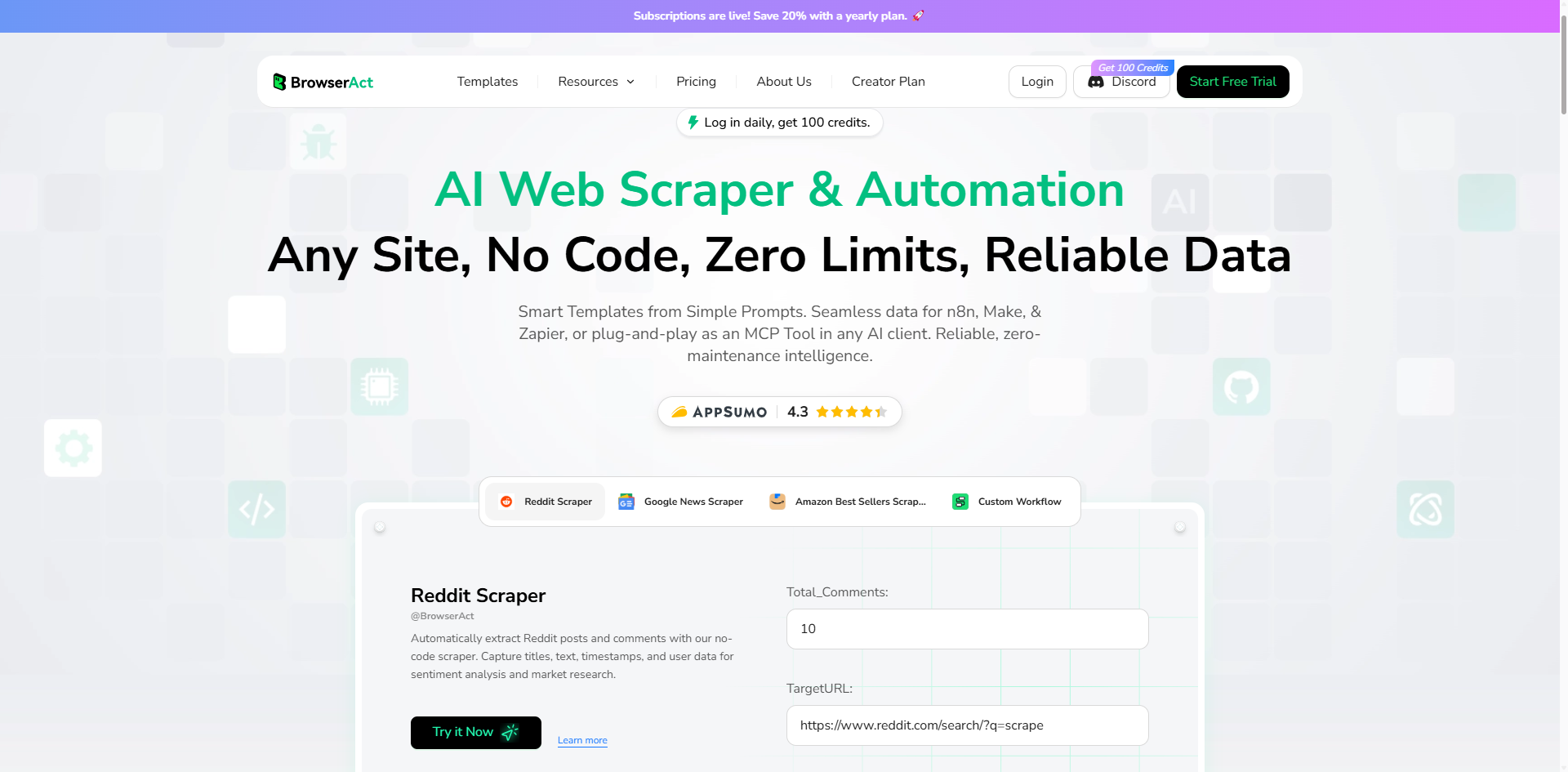
Key Features That Prevent Suspensions:
- Advanced Anti-Detection Technology: BrowserAct bypasses Facebook's anti-bot systems by replicating authentic human browsing patterns, successfully passing CAPTCHA challenges and mimicking natural mouse movements, scroll behavior, and typing rhythms.
- Account Management & Hosting: Provides secure account hosting with professional infrastructure that maintains consistent, legitimate-looking activity patterns across all managed accounts.
- Global IP Network: Offers access to worldwide residential IP addresses with consistent geolocation matching. Uniquely allows you to upload your own static IPs for greater control and authenticity.
- Fingerprint Browser Technology: Simulates real human behavior with natural variations in timing, movement, and interaction. Each session uses unique browser fingerprints including realistic canvas fingerprinting, WebGL characteristics, and device simulation.
Getting Started with BrowserAct:
BrowserAct makes Facebook automation simple and suspension-proof in three steps:
Step 1: Build Your Facebook Automation Workflow
Use BrowserAct's visual workflow builder—no coding required. Simply describe what you need in natural language, and the platform creates a drag-and-drop workflow. Configure actions like posting, commenting, messaging, or data collection through an intuitive interface.
Step 2: Configure Browser & Account Settings
- Host Your Accounts: Securely manage your Facebook accounts with BrowserAct's hosting infrastructure
- Set Up Static IP: Upload your own static IP to maintain consistent identity across sessions, making your account activity appear stable and trustworthy to Facebook
- Choose Browser Mode: Select Standard Browser to preserve login sessions and cookies
Step 3: Connect to Your Automation Platform
- Native Integrations: BrowserAct is officially integrated with n8n and Make as a native node—simply add BrowserAct to your workflow and start automating
- API Access: Call BrowserAct's API to connect with any custom automation platform or internal system
Pro Tip: For Facebook accounts that require consistent user identity, always use Standard Browser with your own static IP. This combination ensures Facebook recognizes you as a returning, legitimate user rather than flagging suspicious behavior.
Ready to automate Facebook safely? Visit BrowserAct to start your free trial and protect your accounts from suspension while scaling your social media operations efficiently. Stop risking manual management or dangerous bot tools—get enterprise-grade automation that Facebook won't detect.
Conclusion
Having your Facebook account suspended can feel overwhelming, but as we've explored in this guide, it's often solvable. The key is understanding why suspensions happen—whether from Community Standards violations, suspicious activity patterns, unauthorized automation, or identity verification issues—and taking the right steps immediately. Check your email, gather documentation, and submit a well-crafted appeal following the process outlined above.
The most important principle is to prioritize authentic, human-centered engagement on Facebook. Whether you're using the platform for personal connections or business growth, genuine activity that adds value to the community is always the safest and most sustainable approach.
For businesses that need to scale Facebook operations professionally, the challenge is clear: manual management is impossible, but crude automation tools lead to suspensions. BrowserAct bridges this gap—offering enterprise-grade automation with advanced anti-detection technology that mimics human behavior, passes CAPTCHA challenges, and maintains account safety.
Start your free trial with BrowserAct to automate Facebook safely, scale your social media operations, and protect your accounts from suspension while achieving the efficiency your business demands.
Further reading: Facebook data collection
FAQs
Q: How long does a Facebook account suspension last?
A: Suspension duration varies by severity. Minor first-time violations typically last 24-48 hours, while more serious issues can result in 7, 14, or 30-day suspensions. Some suspensions are indefinite until you complete specific actions like identity verification. If your account is "disabled" rather than "suspended," this usually indicates a more serious, potentially permanent action.
Q: Can I create a new Facebook account if mine is suspended?
A: If temporarily suspended, wait for it to be lifted—creating a new account could result in both being disabled. If permanently disabled after exhausting appeals, wait at least 30-60 days before creating a new account, and ensure you understand what caused the original suspension. Creating multiple accounts to circumvent a suspension violates Facebook's Terms of Service and can result in all accounts being permanently disabled.
Q: Will Facebook tell me why my account was suspended?
A: Yes, Facebook typically provides a reason when you try to log in, such as "violating Community Standards" or "suspicious activity detected." They also send an email with more details. However, they don't always specify exactly which post or action triggered the suspension. You can request clarification during the appeal process.
Q: Can using automation tools get my account suspended?
A: Absolutely. Unauthorized automation tools, bots, or scrapers are one of the most common suspension causes. Facebook's Terms of Service prohibit automated access without permission, including many third-party scheduling tools and auto-liker apps. Facebook's official tools like Business Suite are safe. For advanced automation needs, professional solutions like BrowserAct use sophisticated anti-detection technology to mimic human behavior and avoid triggering suspensions, unlike basic scripts that Facebook easily detects.
Q: Is it possible to get a permanently disabled account back?
A: While challenging, recovery is sometimes possible though success rates are low. Submit a thorough appeal with government-issued ID and a clear, honest explanation of your situation. If your account was disabled due to a mistake, explain clearly. However, if Facebook determined you repeatedly violated serious policies, recovery is unlikely. If multiple appeals over several months are denied, it's time to accept the decision and consider creating a new account following all guidelines carefully.


