Your AI Agent Is Brilliant — Until You Ask It to Look Something Up Online

I assistants fail when you ask them to pull data from Amazon, YouTube, or Reddit. BrowserAct gives them real web scraping superpowers — no code neede
AI agent web scraping should be simple. These tools can write code, analyze documents, build entire applications — but the moment you ask one to go grab something from the internet, it falls apart.
You've probably been there. You're in the middle of a workflow, everything is going great, and then:
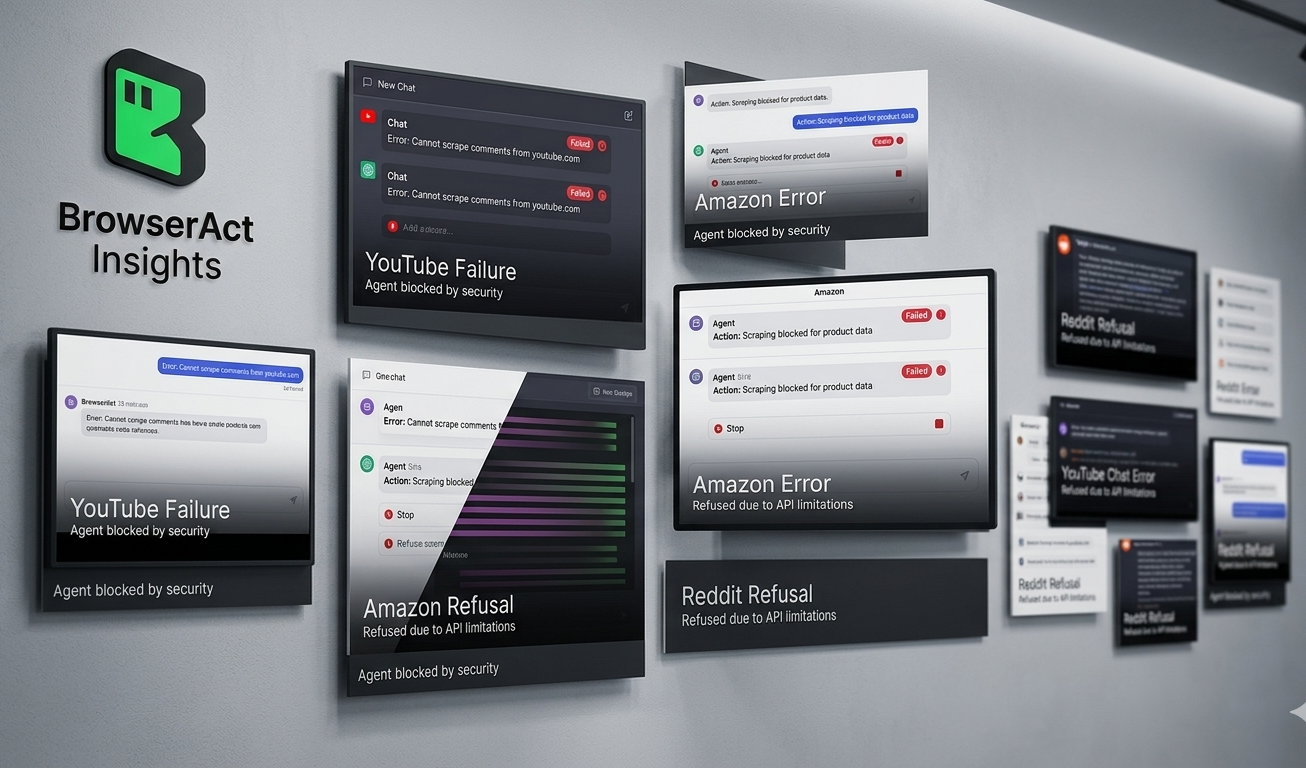
📺 "Summarize this YouTube video for me" → "I'm sorry, I can't access YouTube videos directly. I can help if you paste the transcript here..."
🛒 "Pull the top 10 bestselling products in this Amazon category" → "I don't have the ability to browse Amazon in real time. However, I can suggest some general strategies..."
⭐ "Check the Google Maps reviews for this restaurant" → "I'm unable to access Google Maps. If you could copy and paste the reviews, I'd be happy to analyze them..."
💬 "See what people on Reddit are saying about this product" → "I can't browse Reddit directly. You might try searching Reddit manually and sharing the relevant posts with me..."
🔗 "Find this person's LinkedIn profile and summarize their background" → "I don't have access to LinkedIn. For privacy reasons, I'm unable to look up individual profiles..."
🐦 "Search Twitter for what people think about this new feature" → "I'm not able to search Twitter/X. You could try using Twitter's search function and sharing the results..."
Sound familiar?
It's the same loop every time. You ask something completely reasonable. The AI apologizes. Then it tells you to go do the thing yourself and come back with the results. At that point, why even bother asking?
And it's not just one AI. ChatGPT does it. Claude does it. Gemini does it. They all hit the same wall. Here's an actual response from ChatGPT when asked to walk through a YouTube tutorial:
"One caveat: I could verify the video title and tool stack, but I could not reliably fetch the full transcript from YouTube in this environment."
That's the polite version. The blunt version is: your AI can't use the internet the way you can.
Why Every AI Agent Hits the Same Wall
This isn't really the AI's fault. The internet just wasn't built to be read by machines.
What happens behind the scenes when your AI tries to grab a webpage? Here's what it runs into — explained in terms of what you actually see:
"Page won't load" / "I got a blank page" → Many websites (Google Maps, Amazon, most modern sites) don't put their content in the raw HTML. They load everything through JavaScript after the page opens. When an AI agent sends a simple request, it gets back an empty shell. It's like opening a book and finding only the table of contents — the chapters load later, and the AI never sees them.
"403 Forbidden" / "Access denied" → Sites like Reddit and LinkedIn can tell when a request comes from a server instead of a real person's browser. They just... block it. Your AI agent gets a locked door with no key.
"You need to sign in" → Twitter, LinkedIn, and many other platforms now hide content behind logins. Your AI agent doesn't have an account, doesn't have cookies, can't type in a password. So it can't see what you can see.
"I can only get limited data" / "API rate limit exceeded" → Even platforms with official APIs (YouTube, Reddit) put strict limits on how much data you can pull. YouTube's API quota runs out fast. Reddit's free tier barely lets you do anything. Your AI hits the ceiling within minutes.
"I got the page but it's a mess" → When an AI does manage to fetch a webpage, the raw HTML is full of navigation bars, ads, scripts, and tracking code. Finding the actual content is like finding a paragraph buried in a phone book.
None of these problems are new. Developers have been fighting them for years. But the promise of AI agents was supposed to be: "just tell it what you want and it handles the rest." Right now, "the rest" stops at the browser's edge.
What If Your AI Could Actually Browse the Web?
This is the gap that BrowserAct fills.
BrowserAct is a web scraping and browser automation platform that does the things AI agents can't do on their own — open real browser sessions, handle JavaScript-rendered pages, manage logins, rotate IP addresses, solve CAPTCHAs, and return clean, structured data.
Think of it this way: your AI agent is the brain, but it's been locked in a room with no windows. BrowserAct gives it a browser, a VPN, and a library card.
Here's what changes:
"Summarize this YouTube video" → BrowserAct extracts the full transcript, video metadata, comments, and channel info. The AI gets everything it needs to give you a real summary.
"Pull the top Amazon bestsellers in home electronics" → BrowserAct opens Amazon, navigates the bestseller page, handles the dynamic loading, and returns structured product data — titles, prices, ratings, review counts, ASINs. Ready for analysis. Teams already do this daily using the Amazon bestsellers scraper template.
"Check Google Maps reviews for coffee shops near downtown Seattle" → BrowserAct renders the full Maps page, scrolls through reviews, and delivers business names, addresses, ratings, and review text in clean format. The Google Maps scraper template makes this a one-click setup.
"What's Reddit saying about the new iPhone?" → BrowserAct bypasses the 403 blocks, accesses threads, and pulls post titles, upvotes, comments, and sentiment data. The Reddit posts and comments scraper handles the authentication and rate limiting automatically.
"Find this brand's social media profiles" → BrowserAct searches across platforms simultaneously and returns profile links, follower counts, and recent activity. The social media finder tool does exactly this.
No code. No proxies to configure. No APIs to wrangle. Just tell BrowserAct what you want, and the data comes back clean.
[Image suggestion: BrowserAct template library showing pre-built automations for Amazon, YouTube, Google Maps, Reddit — each with a "Run" button and sample output preview] 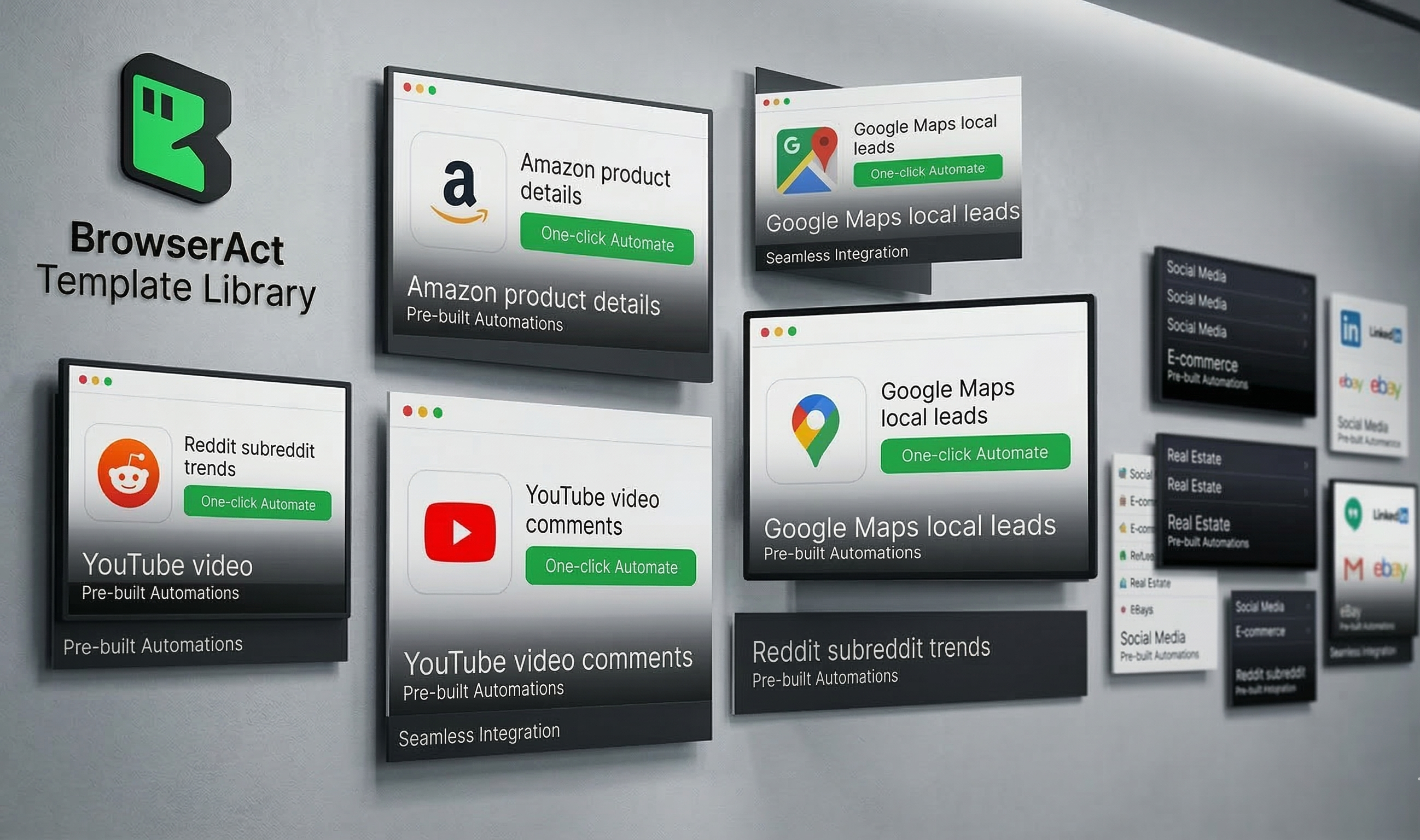
How It Works — Without Getting Technical
BrowserAct runs real browser sessions in the cloud. This matters because it means websites see BrowserAct as a normal visitor, not a bot. Pages load fully, JavaScript executes, and content renders just like it would on your laptop.
Three things make this actually practical for non-developers:
Pre-built templates. The most common scraping tasks already have templates ready to go. Amazon product research, Google Maps lead generation, YouTube analytics, Reddit monitoring — pick a template, enter your target, hit run. For Amazon product data extraction, there are dedicated API skills that return structured JSON without any configuration.
Built-in anti-detection. BrowserAct handles proxy rotation, browser fingerprinting, and CAPTCHA solving automatically. These are the things that cause 90% of scraping failures, and they're handled without you touching a single setting.
API and integration support. For teams that want to connect scraping results to other tools — spreadsheets, databases, dashboards, CRMs — BrowserAct offers API access and integrations with automation platforms. Data doesn't have to stay in the scraping tool.
Who's Already Using This
E-commerce sellers track competitor pricing on Amazon daily. Instead of manually checking listings, they run the Amazon competitor analyzer and get a structured comparison of prices, ratings, and inventory status across their product category.
Marketing agencies generate local business leads from Google Maps, monitor brand mentions across Reddit and Twitter, and pull YouTube channel analytics to evaluate potential influencer partnerships — all without hiring a scraping developer.
Researchers and analysts collect public data from forums, news sites, and social platforms to study trends, sentiment patterns, and market dynamics. Automated collection replaces the painful copy-paste-into-spreadsheet workflow that used to eat entire afternoons.
Startups and solo founders who can't afford a data engineering team use BrowserAct templates to get the same data their larger competitors have. Competitive intelligence isn't just for companies with big budgets anymore.
[Image suggestion: Side-by-side showing the same user request handled with and without BrowserAct — left side shows AI error messages, right side shows clean structured data output]
The Mistakes That Waste Your Time
Most people who try web scraping (with or without AI) make the same mistakes. Avoid these:
Trying to build everything from scratch. Writing a custom Python scraper for every website is like building a new car every time you need to drive somewhere. If a template exists for your use case, use it. Custom development should be the last resort, not the first instinct.
Scraping everything when you only need something. "Get all the data from Amazon" is not a plan. "Get the title, price, rating, and review count for the top 50 products in this category" is a plan. Clear data targets produce usable results. Vague targets produce a mess.
Ignoring rate limits and politeness. Hammering a website with thousands of requests per minute is a fast way to get your IP banned — and potentially a faster way to get a legal letter. Responsible scraping means spacing out requests, respecting robots.txt, and not overwhelming servers.
Forgetting about data quality. Getting data out of a website is only half the job. If the output has duplicates, missing fields, or scrambled formatting, it's not useful. Build basic validation into your workflow — check that the number of results matches expectations, that prices are actually numbers, that review text isn't truncated.
Not planning where the data goes. Before you start any scraping project, know where the data will live afterward. A Google Sheet? A database? A Notion table? Figuring this out after you have 10,000 rows of messy data is much harder than deciding upfront.
Key Takeaways
- AI agents today hit a hard wall when asked to access the open web. Blocked pages, login requirements, JavaScript rendering, and API limits stop them cold — and users are left doing the work themselves.
- The problem isn't intelligence, it's access. AI assistants are capable of analyzing any data you give them. The gap is in actually getting that data from websites into their hands.
- Browser automation platforms bridge that gap. Tools like BrowserAct run real browser sessions that websites treat as normal visitors, bypassing the blocks that stop AI agents.
- Pre-built templates eliminate the learning curve. Amazon, Google Maps, YouTube, Reddit — the most common scraping targets already have ready-to-use workflows. No coding required.
- Start specific, stay responsible. Define exactly what data you need, respect site terms, and validate output quality. Scraping at scale is powerful — and that power comes with responsibility.
Conclusion
The irony of the current AI moment is this: these tools can write entire codebases, analyze complex documents, and generate creative work — but ask them to check a product price on Amazon, and they apologize and suggest you do it yourself.
That gap between AI capability and internet access isn't something users should have to work around. It's a problem that the right tool can solve. BrowserAct gives AI-powered workflows the web access they're currently missing — through real browser automation, built-in anti-detection, and pre-built templates for the platforms that matter most.
Stop copy-pasting data for your AI. Try BrowserAct free and give your workflows real internet superpowers.