BrowserAct Templates: No-Code Web Data Extraction You Can Run in One Click

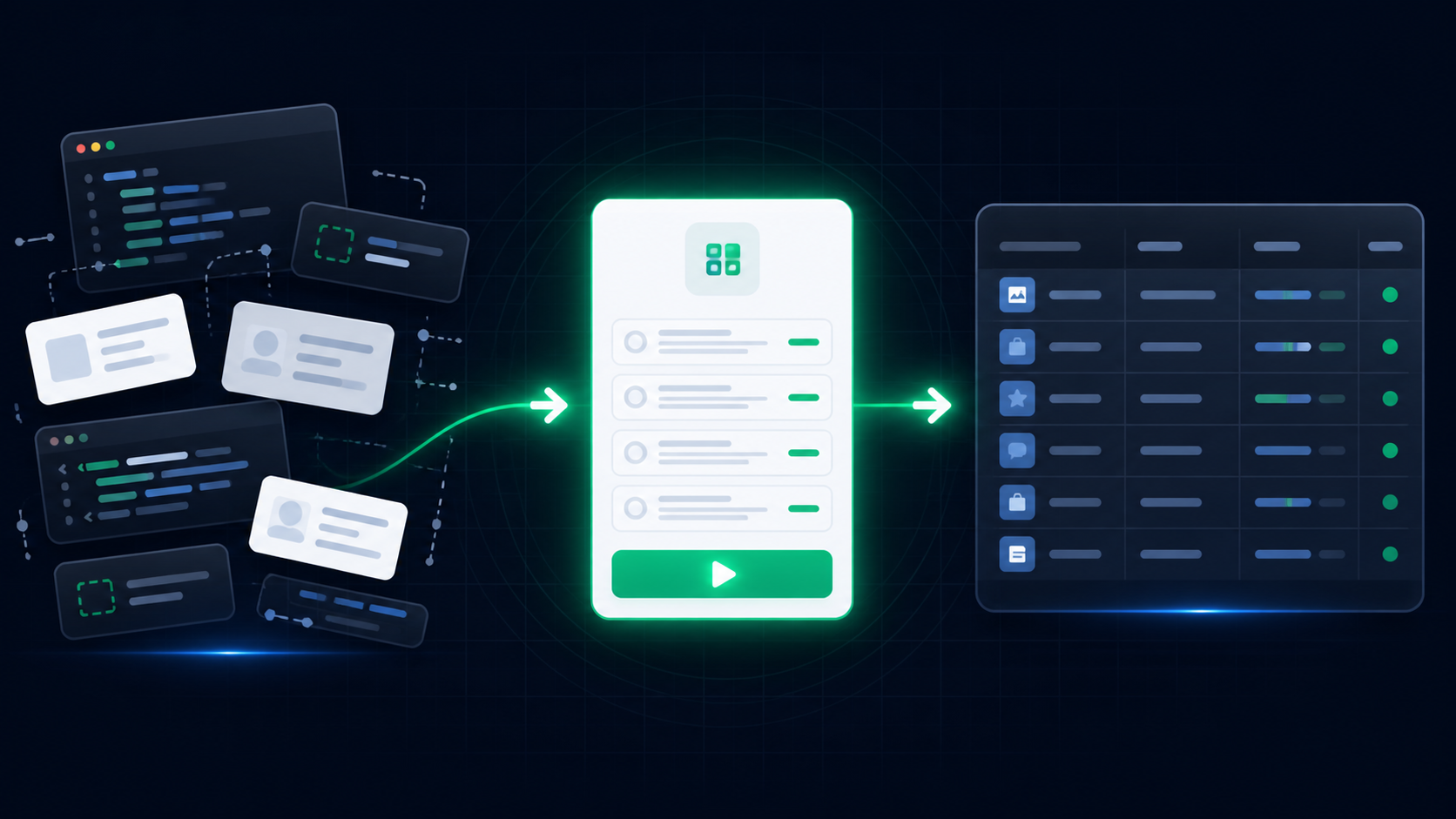
BrowserAct Templates turn common web data extraction tasks into ready-to-use Bots you can run without writing code. Instead of opening a blank prompt, writing selectors, or rebuilding the same browser steps again and again, you can choose a template, adjust the inputs, run the Bot, and receive structured results.
BrowserAct Templates turn common web data extraction tasks into ready-to-use Bots you can run without writing code. Instead of opening a blank prompt, writing selectors, or rebuilding the same browser steps again and again, you can choose a template, adjust the inputs, run the Bot, and receive structured results.
For teams that collect public web data for research, content monitoring, ecommerce analysis, lead generation, recruiting, product discovery, or developer ecosystem tracking, templates create a faster starting point. You still control the keyword, URL, count, location, date range, or other runtime inputs, but you do not need to design every extraction flow from scratch.
- 1BrowserAct Templates help users start web data extraction from reusable Bots instead of blank prompts.
- 2Each template is built around configurable inputs and structured output fields.
- 3The template marketplace includes examples across search, social, ecommerce, jobs, trends, research, local business, and developer data.
- 4You can click a template, review its inputs, run the Bot, and use the returned structured data.
- 5If no template fits your task, BrowserAct can still help you build a custom Bot from a natural-language request.
- 6Website access rules, visible-field availability, and page changes still apply.
What are BrowserAct Templates?
BrowserAct Templates are ready-to-use starting points for common web data extraction tasks. Each template is built around a repeatable Bot pattern: a target website or website type, configurable inputs, expected output fields, and a structured result format.
A template can help you collect data such as:
- product listings, prices, ratings, reviews, and availability
- news headlines, publishers, article URLs, and publish times
- public social posts, comments, scores, and engagement signals
- local business names, addresses, phone numbers, ratings, and websites
- research papers, authors, abstracts, citations, and source links
- package metadata, repositories, downloads, stars, and ecosystem records
The goal is simple: make repeatable web data extraction easier to start, easier to run, and easier to connect to the rest of your work.
BrowserAct still lets you build a custom Bot from a natural-language request. Templates add another path: when the task is common, you can begin with a tested structure instead of starting from zero.
Why start from a template?
Many web data extraction tasks share the same shape. Someone needs a list of products, a page of search results, public posts around a keyword, business listings in a city, or metadata from a developer registry. The target site changes, the inputs change, and the output fields change, but the underlying work is often familiar.
Without a template, teams often repeat the same setup work:
- define the fields manually
- check which page contains the data
- decide how to handle pagination or scrolling
- normalize output fields
- test whether the result is reusable
- rebuild the same task later for a new keyword or page
BrowserAct Templates reduce that blank-page work. A template gives you a reusable Bot pattern with defined inputs and output fields. You enter the runtime parameters, run the Bot, and review the structured data.
Manual setup | With BrowserAct Templates |
Start from a blank prompt or script. | Start from a reusable Bot template. |
Decide fields and navigation from scratch. | Use a predefined input and output structure. |
Copy and paste results manually. | Run the Bot and receive structured output. |
Rebuild similar tasks repeatedly. | Reuse the same template with new inputs. |
Maintain selectors or scripts yourself. | Use BrowserAct to handle the browser workflow. |
Featured templates you can run from the marketplace
The BrowserAct template marketplace includes ready-to-use templates across search, social, ecommerce, jobs, trends, and research scenarios.
Template | What it helps you collect | Open |
Reddit Posts and Comments Scraper | Public Reddit posts, subreddit records, post metadata, and visible top comments when requested. | Open template |
Google Maps Business Listings Scraper | Public business records from Google Maps search results, including names, ratings, categories, addresses, and place URLs. | Open template |
Google Maps Email Finder | Structured public Google Maps records for contact research, lead review, and downstream enrichment workflows. | Open template |
Google Maps Local Lead Finder Bot | Local lead records from configurable business type and location searches on public Google Maps pages. | Open template |
TikTok Comments Scraper | Structured records from public TikTok pages for comment review, audience research, and content monitoring. | Open template |
YouTube Comments Scraper | Public YouTube comment records for video engagement analysis, audience research, and content feedback review. | Open template |
How BrowserAct Templates work
Using a BrowserAct Template follows a straightforward path:
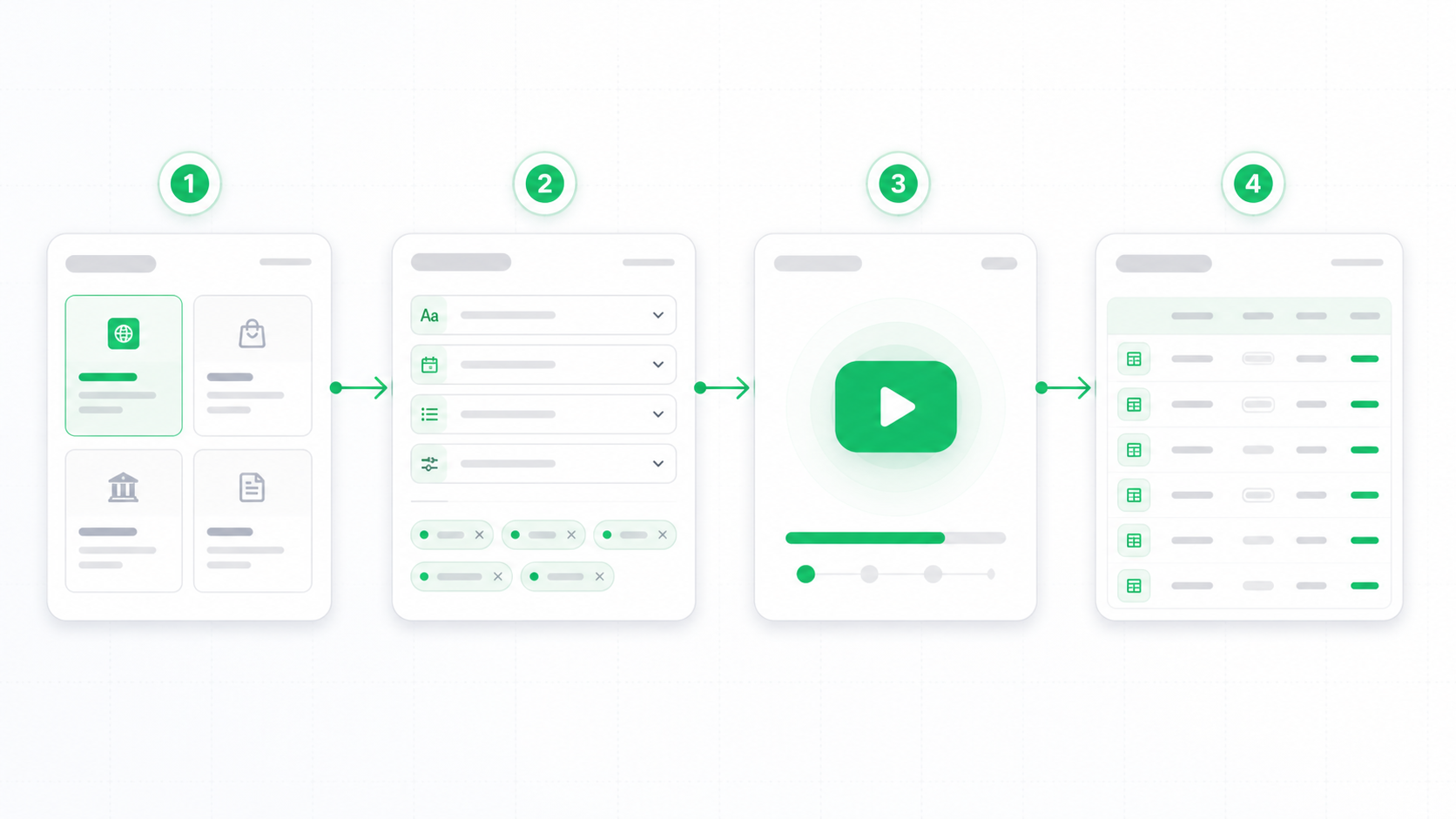
- Open the BrowserAct template marketplace.
- Search for the website, data type, or task you need.
- Choose a template that matches your use case.
- Review the input fields and expected output.
- Enter runtime parameters such as keyword, URL, location, count, date range, or language.
- Run the Bot.
- Download or use the structured result in your workflow.
The important part is that templates are not just static examples. They are designed around reusable Bot behavior. You can run the same template again with a different keyword, a different page, a different count, or a different location.
For example:
- A marketer can run a Google News template every time they need recent coverage around a product category.
- A researcher can collect public academic records for a new keyword.
- A sales team can gather local business listings for a different city.
- A content team can monitor public YouTube comments for multiple videos.
- A developer relations team can track package or repository metadata across open-source ecosystems.
The template gives you the starting structure. Your inputs define the specific run.
What makes a good web data extraction template?
A useful web data extraction template should be repeatable, configurable, and clear about what it returns.
That means each template should answer questions like:
- What website or website type does it work with?
- What inputs does the user need to provide?
- What fields should the Bot return?
- Does the task use public pages, or does it require account access?
- What happens if a field is not visible on the page?
- Is the output useful for analysis, reporting, enrichment, or automation?
BrowserAct Templates are built for practical data work, not one-off demos. The best templates focus on tasks that users need to run repeatedly: search results, listings, rankings, reviews, posts, articles, profiles, repositories, packages, and other structured public records.
Where BrowserAct Templates fit in your workflow
BrowserAct is built for structured web data extraction from complex websites. Templates make the starting point faster, but the result is still workflow-ready data.
You can use template results for:
- market research and competitor tracking
- lead research and local business discovery
- content monitoring and trend analysis
- ecommerce product discovery
- recruiting and public job market research
- academic and technical research
- AI agent context, enrichment, and reporting workflows
Once a Bot returns structured data, the next step depends on your team. You may download the result, review it manually, feed it into a spreadsheet, use it in an automation flow, or connect BrowserAct through supported integration paths such as API, Make, n8n, Zapier, or MCP where available.
When should you build a custom Bot instead?
Templates are fastest when your task matches an existing pattern. But not every web data workflow fits a prebuilt template.
Build a custom Bot in BrowserAct when:
- you need a website that is not covered by the template marketplace
- you need fields that are not included in an existing template
- your workflow has custom filters, navigation steps, or business rules
- the target site requires a specific authorized session
- you need a reusable internal data workflow for your team
In those cases, you can describe the data you need in natural language. BrowserAct can explore and test the live website, build a reusable Bot, and return structured results when you run it.
Build your own Bot in BrowserAct
What to expect when you run a template
BrowserAct Templates are designed to give you a faster starting point, but every run still depends on the website, the inputs you provide, and the fields visible during that run.
Before running a template, review its inputs and expected output fields. If a page exposes fewer records than requested, or if a field is not visible on the page, the result may contain fewer rows or empty values for that field.
If your task needs a different field set, a custom website path, or a specific authorized session, you can use BrowserAct to build a custom Bot for that workflow.
Conclusion
BrowserAct Templates give teams a faster path from “I need this web data” to a reusable Bot that returns structured results.
If your task matches a common pattern, start from the template marketplace. Choose a template, configure the inputs, run the Bot, and use the output in your research, reporting, or automation workflow.
If your task is more specific, build your own BrowserAct Bot from a natural-language request.


