Amazon Price Scraper: Monitor Competitor Pricing in Real-Time | No Coding Required

Amazon price tracker for smart sellers. Monitor competitor prices, track Buy Box changes, and automate repricing strategies. Start tracking 10-20 competitors free. Set up in under 10 minutes.
How Smart Sellers Stay Ahead on Pricing
Reading Time: 8 minutes | Audience: E-commerce sellers, pricing analysts, B2B sales teams Key Takeaway: Track competitor prices automatically and make smarter pricing decisions—no coding required. |
The Sellers Who Know What Their Competitors Charge (and the Ones Who Don't)
By the time you notice your competitor dropped their price, you've already lost sales.
Here's the reality: some Amazon sellers react to competitor price changes days later, while others know within hours and adjust instantly. The difference isn't luck or insider knowledge—it's automated price scraping.
If you're selling on Amazon (or sourcing products, or doing market research), you already know that pricing can make or break your margins. What you might not know is how straightforward it is to set up your own price monitoring system—one that runs in the background while you focus on actually running your business.
This guide shows you exactly how to use an Amazon price scraper to gain a real competitive edge—with practical steps, clear ROI examples, and a simple 3-step setup you can complete today.
How Amazon Price Scraping Actually Helps You Sell More
Let's skip the theory and talk outcomes. Here are five concrete ways scraped price data translates into real revenue:
Use Case | What It Means for Your Business |
Dynamic Repricing | Automatically adjust your prices based on competitor movements. If your main competitor drops to $24.99, you know within hours—not days. |
Promotion Tracking | Know immediately when a competitor undercuts you or runs a flash sale. Respond in time to protect your sales velocity. |
Price Gap Analysis | Find categories where you can price higher (because competitors are overpriced) or lower (to capture market share). |
Seasonal Timing | Use historical price data to plan your own promotions around market patterns—like pricing strategically before Prime Day. |
MAP Monitoring | Catch unauthorized resellers violating minimum advertised price agreements before they erode your brand value. |
What You're Actually Scraping—The Data That Matters
Not all price data is equally useful. Here's what to focus on when you set up your Amazon price scraper:
- Current price vs. list price vs. Buy Box price — These are different numbers, and the Buy Box price is what most customers actually see and buy at.
- Shipping costs — A $25 product with free shipping beats a $22 product with $5 shipping in most customers' minds.
- Stock availability — When competitors run out of stock, that's your moment to capture their customers.
- Historical price trends — Spot patterns, predict when competitors will drop prices, and time your moves.
- Seller information — Know if you're competing against Amazon directly or third-party sellers with different pricing strategies.
💡 Pro Tip: Focus on the Buy Box price first. That's what 82% of Amazon sales go through. If you're not tracking Buy Box specifically, you're missing the number that actually matters. |
Picking the Right Tool for Your Situation
Different businesses need different tools. Here's a straightforward breakdown:
Your Situation | Best Tool Fit | Monthly Cost | Technical Skill Needed |
Solo seller (20-50 ASINs) | BrowserAct (easy setup, free tier) | $0 - $29 | None |
Mid-size brand (500-5K products) | BrowserAct Pro, Scrapingdog | $50 - $150 | Basic |
Enterprise/Agency (10K+ products) | Bright Data, Oxylabs | $500+ | Developer |
Honest take: You probably don't need the most expensive tool. Most sellers do great with mid-tier options that handle the complexity for you. BrowserAct's Amazon Bestsellers Scraper template, for example, lets you start tracking top-selling products in your category within minutes—no API calls, no code, no proxy configuration.
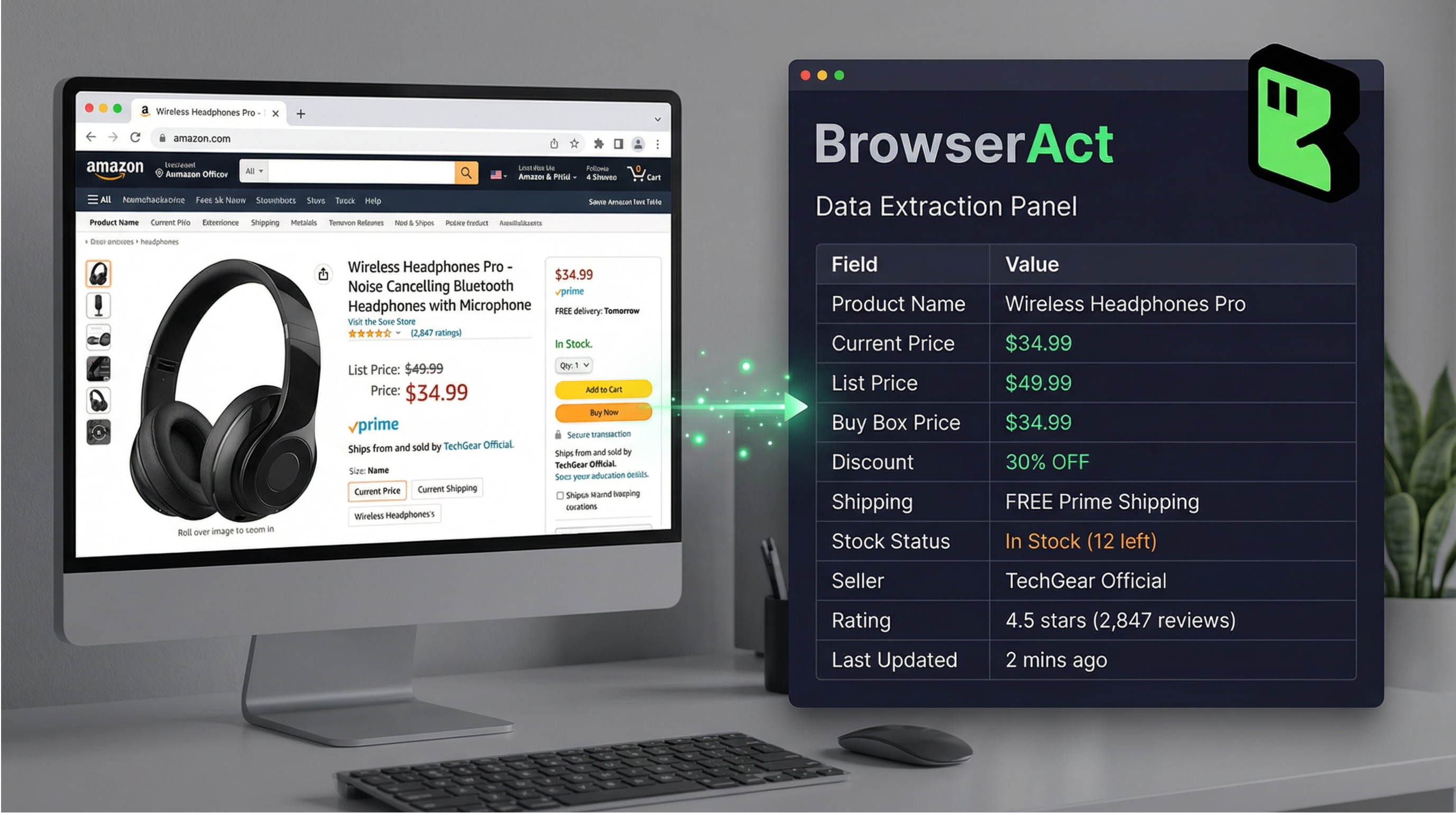
🚀 Your 3-Step Setup (Under 10 Minutes) Step 1: Build your competitor list — Gather the ASINs or Amazon product URLs you want to track (start with 10-20 per product category) Step 2: Configure your scraper — Start BrowserAct's Amazon Product Search template, paste your ASINs, select the data fields you need (price, availability, seller, ratings)
Step 3: Run and export — Export to Google Sheets, CSV, or your existing analytics stack. |
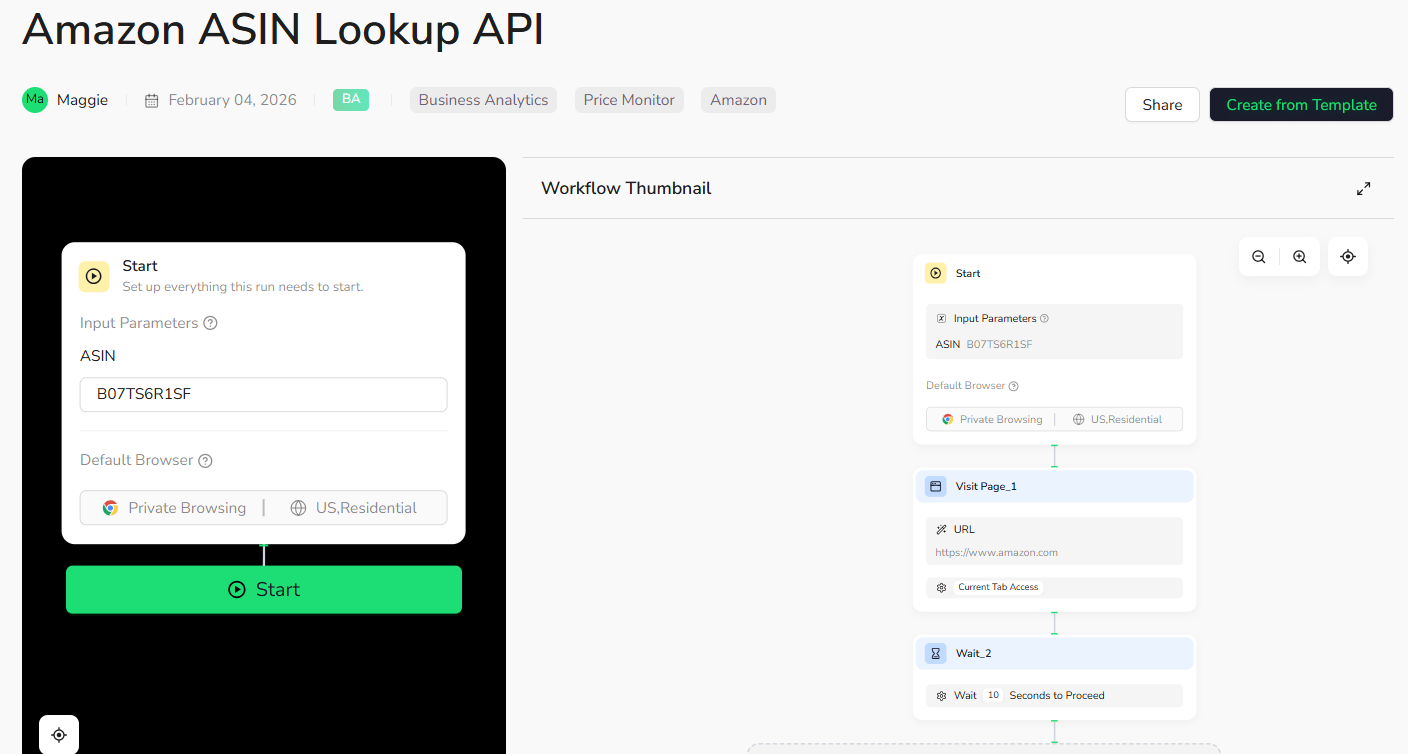
Setting Up Your Price Tracking Workflow
Here's the complete workflow that successful sellers use:
- Identify your top 10-20 competitors per product. Search your main keywords on Amazon, note who consistently appears on page one. These are the sellers whose prices you need to track.
- Set up your scraper using BrowserAct. Use the ASIN Lookup API template if you have specific products, or the Deep Scraper template if you want reviews and detailed product data.
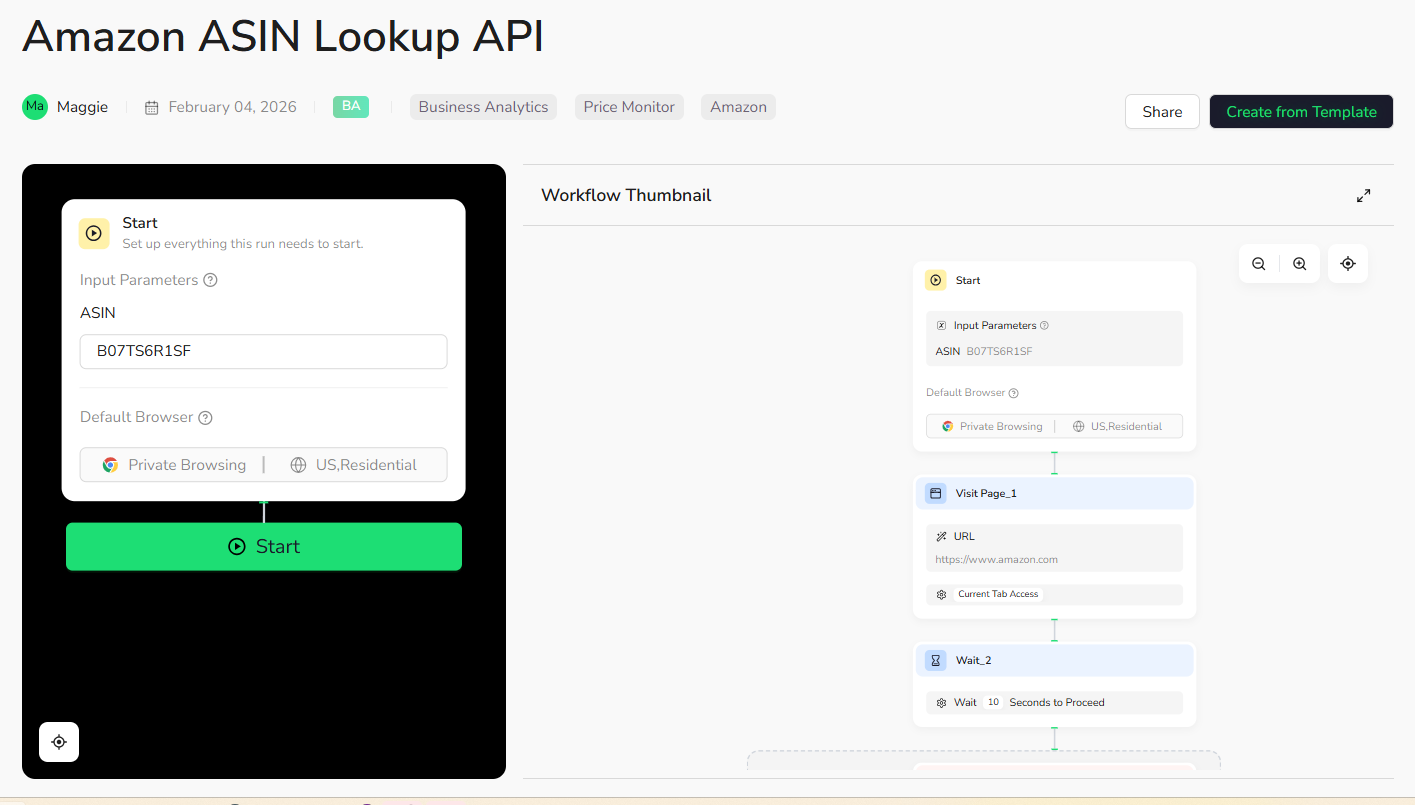
- Select your data fields. At minimum: price, availability, and seller. Add ratings and review count if you're also tracking product quality signals.
- Schedule automated runs. Daily is enough for most products. Set hourly only for categories with frequent price changes (electronics, trending items).
- Configure price-change alerts. Get notified when a competitor drops below a threshold. This is where the real value kicks in—you can respond same-day instead of discovering changes a week later.
- Review weekly and adjust. Look for trends, spot opportunities, update your pricing strategy based on real data.
What About Getting Blocked? (Let's Be Honest About It)
Amazon doesn't love scrapers—let's address that directly.
What Amazon does: CAPTCHAs, IP blocks, behavioral detection. If you're sending thousands of requests from the same IP in minutes, you'll get flagged.
What you should do: Use residential proxies, rate-limit your requests, avoid scraping at suspicious volumes. Or—use a managed tool that handles all of this for you.
This is exactly why tools like BrowserAct exist. The anti-detection work (proxy rotation, request timing, browser fingerprinting) happens behind the scenes. You just see clean data in your dashboard.
Legal reality: Scraping publicly available pricing data is common practice and generally accepted for personal and business analysis. Avoid storing personal customer data or violating terms of service at scale.
Real ROI—Is It Worth the Effort?
Let's do the math:
📊 Quick ROI Calculation Scenario: You're selling a product at $29.99. Your main competitor drops to $24.99, but you don't notice for 3 days. Average daily unit sales: 10 units Sales lost over 3 days (conservative 40% drop): 12 units × $29.99 = $359.88 Cost of price monitoring tool: $0-50/month → One pricing adjustment based on scraped data pays for a year of the tool. |
Your 2-Week Pilot Plan
Not ready to commit? Here's a low-risk way to prove the value to yourself (or your team):
Week | Actions | Success Metrics |
Week 1 | • Sign up for BrowserAct free tier• Set up tracking for 1 product category (10 ASINs)• Run daily scrapes | • Scraper runs successfully without blocks• Data exports clean to your spreadsheet |
Week 2 | • Configure price change alerts• Analyze collected data• Make one pricing decision based on insights | • Received at least 2 price change alerts• Identified one actionable pricing opportunity• Calculated potential revenue impact |
At the end of two weeks, you'll have concrete data showing whether price monitoring is worth scaling up for your business. Most sellers who try this find at least one "I had no idea" moment—a competitor move they would have missed without automated tracking.
Related reading: For additional setup guidance and a closer comparison, see Build an Amazon Best Seller Price Tracker with AI Agent (100+ Products in 60 Seconds).
FAQ: Questions Sellers Actually Ask
Can I track my competitors' prices on Amazon automatically?
Yes. Tools like BrowserAct let you set up scheduled scrapes that run daily or hourly without any manual work. Once configured, you'll get updated pricing data delivered automatically.
What's the best Amazon price scraper for FBA sellers?
For simplicity and quick setup: BrowserAct. For maximum customization at enterprise scale: Bright Data or Oxylabs. Most FBA sellers don't need enterprise-grade tools—a managed solution that handles proxies and anti-detection is usually the better fit.
How do I track Buy Box price changes specifically?
Configure your scraper to pull the Buy Box field explicitly. In BrowserAct, this is a selectable data point. Make sure you're capturing the Buy Box holder (seller name) as well—the Buy Box can shift between sellers multiple times per day.
Can I use scraped data to automate my repricing?
Yes. Export your scraped data to repricers or build custom rules. Many sellers pipe BrowserAct data into tools like RepricerExpress or Aura, or build simple Google Sheets formulas that flag when action is needed.
How many competitor ASINs should I track?
Start with your top 10-20 per product. Expand as you learn which competitors actually matter. Tracking 50 ASINs when only 5 are real threats wastes resources. Quality over quantity.
Better Pricing Starts with Better Data
Here's the bottom line: you can't out-price competitors you can't see. An Amazon price scraper gives you the visibility to make smarter decisions—faster.
The sellers who consistently win on Amazon aren't necessarily the cheapest. They're the ones who know exactly what's happening in their market and respond before their competition does.
Start small. Track 10 competitors. See what you learn. Then scale from there.
Ready to See What You've Been Missing? Start tracking competitor prices with BrowserAct — free to start, no coding required. |
Additional Resources
- Amazon Product Search API Template — Search and monitor products by keyword
- Amazon ASIN Lookup API Template — Look up specific products by ASIN
- Amazon Deep Scraper Template — Get detailed product data including reviews


