
Amazon Product Search API
Extract product data from Amazon search result lists via API. Fast pagination, pricing, ratings, and availability—built for monitoring and research.
Published by
Ma
Maggie
October 29, 2026
Approx.Credits
200-250 Credits
Categories
BA
Amazon APICompetitor AnalysisBusiness AnalyticsPrice MonitorAmazon
Template ID
77809217106347580

Brief
⭐ Copy and send this to your Agent:
Install this skill for me:

https://github.com/browser-act/skills/tree/main/amazon-product-search-api-skill
What is Amazon Product Search API?
BrowserAct’s Amazon Product Search API lets you extract structured product data from Amazon search result lists through a single API request — without opening individual product detail pages.
This API focuses on list-level data extraction and supports automatic pagination, making it ideal for large-scale product discovery, market scanning, and competitive monitoring.
Simply pass your KeyWords, Brand, set Maximum_date (number of products to extract), and choose language. BrowserAct runs the workflow in the background and returns clean, structured product list data directly via API.
What data can you get through Amazon Product Search API?
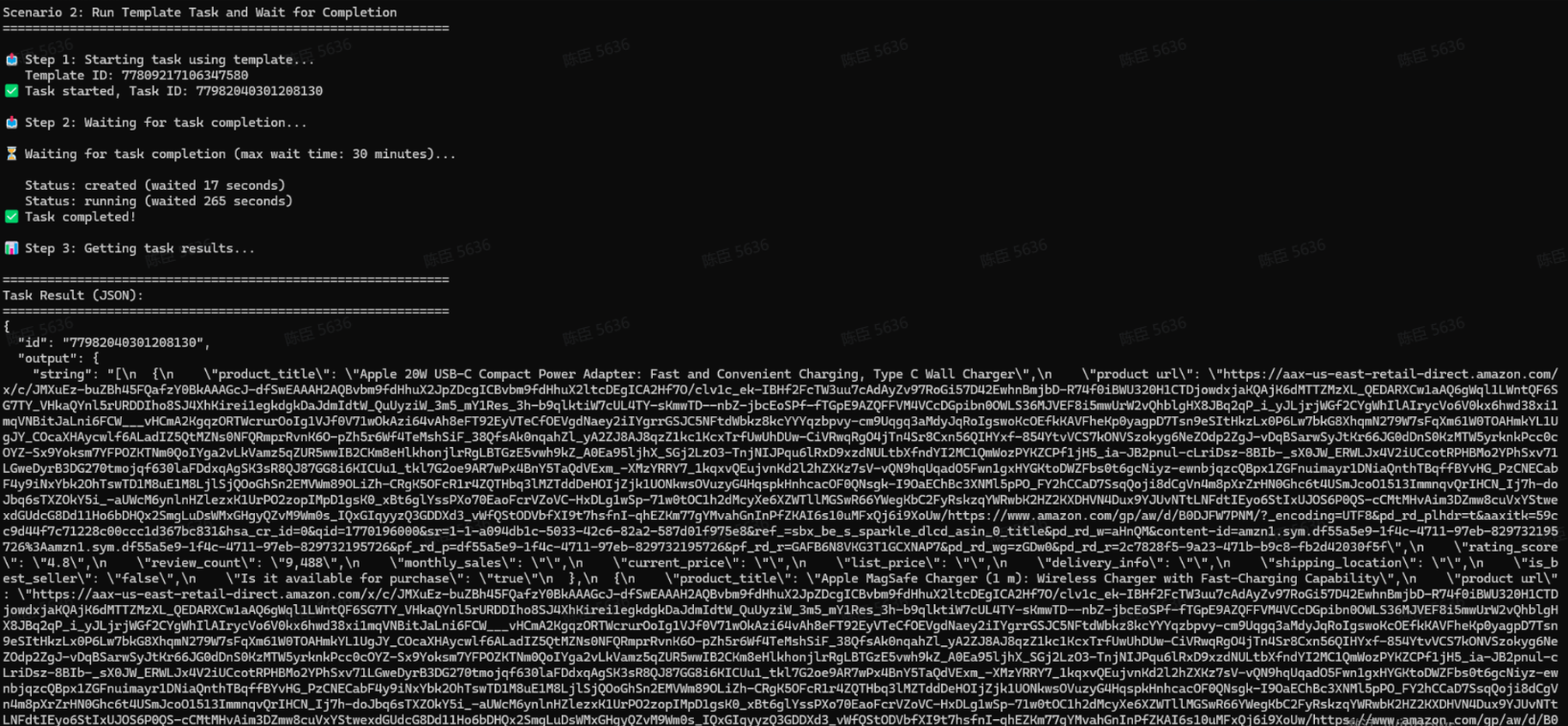
The API extracts list-level product fields from Amazon search results, including:
- product_title: Product name shown in the search result
- product_url: Resolved product detail page URL
- rating_score: Average star rating
- review_count: Total number of reviews
- monthly_sales: Estimated monthly sales shown on the listing (when available)
- current_price: Current selling price
- list_price: Original or crossed-out list price (if available)
- delivery_info: Delivery or fulfillment information shown in the list
- shipping_location: Shipping origin or location indicator
- is_best_seller: Whether the product is marked as Best Seller
- is_available: Whether the product is available for purchase
This API does not enter product detail pages. All fields are extracted from the outer search results list only, ensuring faster execution and higher throughput.
Why Amazon Product Search API is right for you
Built for large-scale discovery
Scan hundreds of products across multiple pages without the overhead of loading individual product pages.
Pagination-first design
Automatically paginates Amazon search results to collect more products efficiently.
Zero operational overhead
No crawler scripts, proxy configuration, or anti-bot handling required.
Production-ready output
Consistent, structured list-level data designed for analytics, monitoring, and automation.
In short:
Search → Pagination → Product list delivered
Amazon Product Search API is built for market research, competitive scanning, catalog discovery, and pricing intelligence.
API Parameters
Parameter | Description | Default | Supported values (examples) |
KeyWords | Search keywords used to find products on Amazon | phone | Any keyword or phrase (e.g. phone, wireless earbuds, laptop stand) |
Brand | Filter products by brand name shown in the listing | Apple | Any brand name (e.g. Apple, Samsung, Sony) |
Maximum_date | Maximum number of products to extract across pages | 50 | Positive integer (e.g. 20, 50, 100) |
language | UI language for the Amazon browsing session | en | en, de, fr, it, es, ja, zh-CN, zh-TW |
Code to Integrate
Click Get code, replace the API key, and run the code directly in your application.
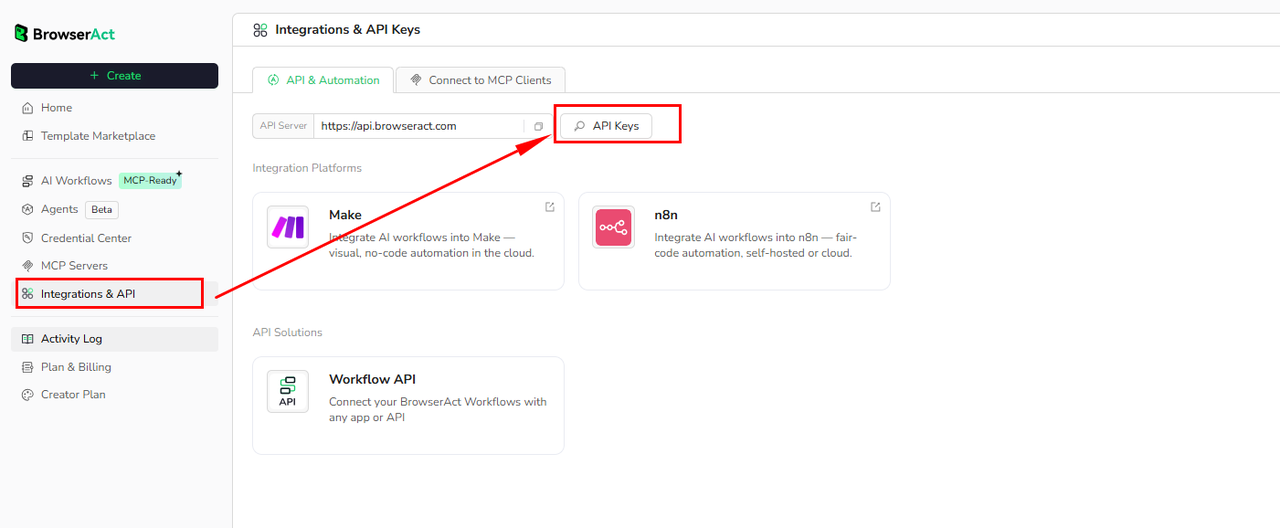
API Key, get from: https://www.browseract.com/reception/integrations
API_KEY = os.getenv("BROWSERACT_API_KEY", "app-abcdefghijklmn")
Replace:
app-abcdefghijklmn
with your own API key, and the code will run successfully.
You can find your API key in the API & Integrations section of the BrowserAct dashboard.
API Example
Input
- KeyWords:
phone - Brand:
Apple - Maximum_date:
50 - language:
en
Steps
- Click Get the Code
- Run the request
- Receive structured product list data via API
Create Your Own Amazon Product Search API
To create your own Amazon Product Search API, simply start from a prebuilt template.
- Click Create from Template in the top-right corner
- Complete the setup
- You’ll receive a callable workflow_id
Once created, you can use the BrowserAct API to invoke your workflow programmatically and retrieve Amazon product search results directly in your application.
Need help?
E-mail: service@browseract.com
 What can we do for you