n8n HTTP Request Node: Why You Get Blocked & How to Fix

50% of websites return 403 Forbidden when using n8n HTTP Request node. Learn why you're blocked by anti-bot systems and the real fix with BrowserAct node.
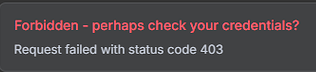
If you've been using n8n for automation, you've probably relied on the HTTP Request node to fetch web content. It's free, fast, and built right into n8n. But here's the frustrating reality: approximately 50% of websites return a "Forbidden - perhaps check your credentials?" error when you try to scrape them.
The truth is, this isn't a credentials issue at all. Modern websites have sophisticated anti-bot protection that can easily detect and block automated HTTP requests. In this guide, we'll explain exactly why this happens and show you a reliable solution using real browser simulation technology.
What is the n8n HTTP Request Node?
The HTTP Request node is one of n8n's most versatile built-in nodes. It allows you to make HTTP requests to any URL, supporting all standard methods (GET, POST, PUT, DELETE, etc.). You can use it to interact with APIs, fetch web pages, submit forms, and integrate with virtually any web service.
For simple tasks like calling REST APIs or fetching data from cooperative servers, the HTTP Request node works perfectly. However, when it comes to web scraping modern websites, things get complicated.
n8n HTTP Request Node Example: Building a Web Scraper
Let's walk through a practical example. Say you want to scrape product information from an e-commerce website. Here's how you'd typically set it up:
Step 1: Add the HTTP Request Node
In your n8n workflow, add an HTTP Request node and configure it:
- Method: GET
- URL:
https://example-store.com/products/12345 - Headers: Add a User-Agent header to mimic a browser
User-Agent: Mozilla/5.0 (Windows NT 10.0; Win64; x64) AppleWebKit/537.36 (KHTML, like Gecko) Chrome/120.0.0.0 Safari/537.36
Step 2: Configure Response Handling
Set the response format to receive the full HTML content:
- Response Format: String
- Output: Full Response
Step 3: Extract Data
Connect a Code node or HTML Extract node to parse the returned HTML and extract the data you need (product name, price, description, etc.).
This workflow looks perfect on paper. But when you run it, you might see this dreaded error:
- ERROR: Request failed with status code 403
- Forbidden - perhaps check your credentials?
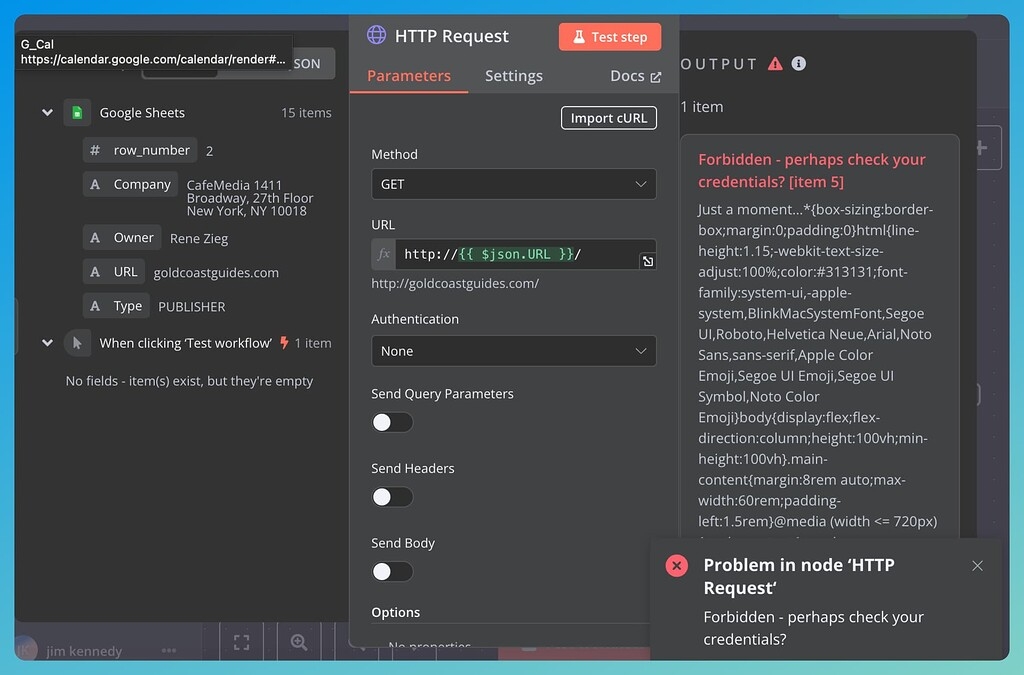
Welcome to the club. You've just been blocked by anti-bot protection.
Why Your n8n HTTP Request Is Not Working
When your n8n HTTP Request returns a "Forbidden" error, it's not because your credentials are wrong. The website has detected that your request is coming from an automated tool, not a real browser.
Here's the core problem: the HTTP Request node sends simple HTTP requests that lack the characteristics of a real browser. Modern websites check for several things that the HTTP Request node simply cannot provide.
- Missing Browser Fingerprint. Real browsers send hundreds of identifying signals including JavaScript capabilities, canvas fingerprints, WebGL data, installed fonts, screen resolution, and timezone information. The HTTP Request node sends none of these because it's not a browser – it's just an HTTP client.
- No JavaScript Execution. Many modern websites require JavaScript to render content or pass security challenges. Sites protected by Cloudflare, for example, often present a JavaScript challenge that must be solved before accessing the content. The HTTP Request node cannot execute JavaScript, so it fails these challenges immediately.
- IP Reputation. When you run n8n on a server, your requests come from data center IP addresses. These IPs are well-known to anti-bot systems and are often flagged or blocked by default. Websites trust residential IPs far more than data center IPs.
- No Cookie/Session Handling. Real browsing sessions involve complex cookie management. Anti-bot systems track session behavior, and requests without proper cookie handling look suspicious.
You might try adding more headers, using a different User-Agent, or even adding delays between requests. These workarounds sometimes help with basic protection, but they don't solve the fundamental problem: you're not a real browser, and modern anti-bot systems know it.
The Complete Solution: BrowserAct Node for n8n
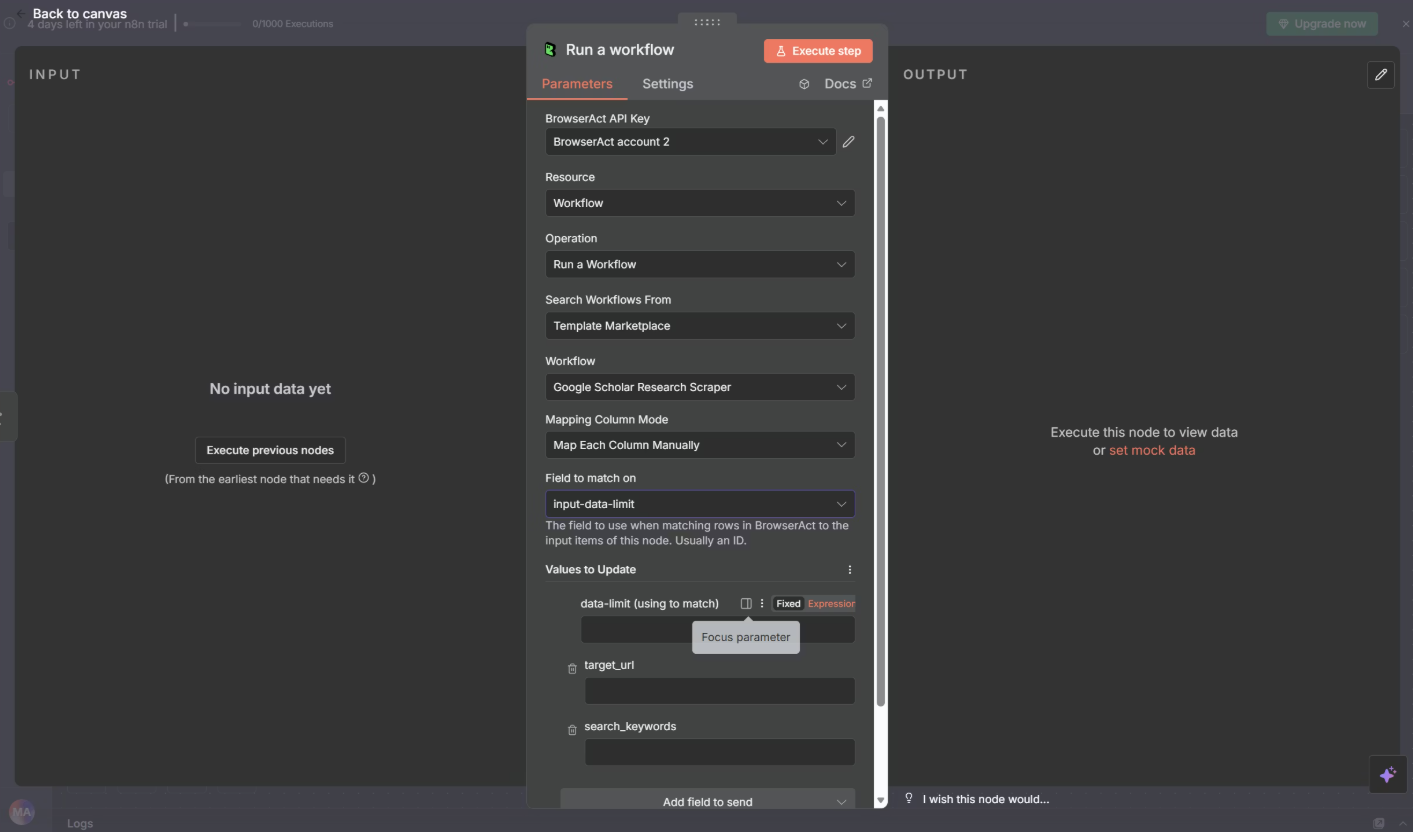
If you want reliable web scraping that doesn't get blocked, you need to use a real browser. That's exactly what BrowserAct provides – and it integrates directly with n8n as an official node.
How It Works
The integration flow is simple:
Your Data Source (Sheets, Webhook, Database) → n8n (triggers and orchestrates) → BrowserAct (runs browser automation) → Results back to n8n → Your Destination (Email, Slack, Database, etc.)
BrowserAct uses fingerprint browser technology to make your automated requests indistinguishable from real human browsing. Here's what makes it different:
- Real Browser Simulation. BrowserAct doesn't just send HTTP requests – it controls an actual browser. This means every request includes a complete browser fingerprint with all the characteristics websites expect to see. It mimics actual user behavior patterns, making detection extremely difficult.
- Automatic JavaScript Rendering. Because BrowserAct uses a real browser automation, it handles dynamic content seamlessly. JavaScript challenges, Cloudflare protection, reCAPTCHA, hCaptcha – BrowserAct can navigate through all of these automatically. No manual scripting required.
- Built-in Anti-Bot Protection. The fingerprint browser technology specifically targets anti-bot detection systems. It maintains consistent browser profiles, handles canvas fingerprinting, manages WebGL signatures, and presents all the signals that legitimate browsers send. This significantly reduces the likelihood of triggering security measures.
- Global IP Infrastructure. BrowserAct includes built-in IP rotation with access to residential IPs worldwide. You don't need to set up separate proxy services or worry about IP blocking. The global infrastructure ensures your requests appear to come from real users in various locations.
- Smart Cookie Management. Sessions are handled automatically. BrowserAct maintains proper cookie state throughout your scraping workflow, ensuring that multi-page scraping sessions work smoothly without manual configuration.
- Complex Page Handling. Modern websites use sophisticated layouts with infinite scroll, dynamic loading, pop-ups, and constantly changing structures. BrowserAct processes these automatically and adapts to page structure changes, so your workflows don't break when websites update their design.
Ready to try it out? BrowserAct offers a variety of ready-to-use templates that you can integrate into your n8n workflows immediately. Browse our template collection on n8n to find workflows for common scraping tasks – no setup required, just pick one and start automating.
HTTP Request Node vs. BrowserAct: When to Use Each
Both tools have their place in your n8n toolkit. Here's a quick comparison:
Feature | HTTP Request Node | BrowserAct Node |
Simple API calls | ✅ Excellent | ✅ Simple |
Static websites | ✅ Works | ✅ Works |
Protected websites | ❌ Often blocked | ✅ Reliable |
JavaScript content | ❌ Not supported | ✅ Full support |
Anti-bot bypass | ❌ No | ✅ Yes |
IP rotation | ❌ Manual setup | ✅ Built-in |
Cookie management | ⚠️ Manual | ✅ Automatic |
Speed | ✅ Fast | ⚡ Varies by complexity |
Cost | ✅ Free | ✅ Free trial available |
Use the HTTP Request node when:
- You're calling public APIs with proper authentication
- The website doesn't have anti-bot protection
- You're accessing internal or trusted endpoints
- Speed is critical and the source allows automated access
Use BrowserAct when:
- You're getting "Forbidden" or 403 errors
- The website uses Cloudflare or similar protection
- Content requires JavaScript to render
- You need reliable scraping without constant maintenance
- IP blocking is an issue
How to Set Up BrowserAct Web Scraping Node in n8n
Getting started with BrowserAct in n8n only takes a few minutes. Here's how:
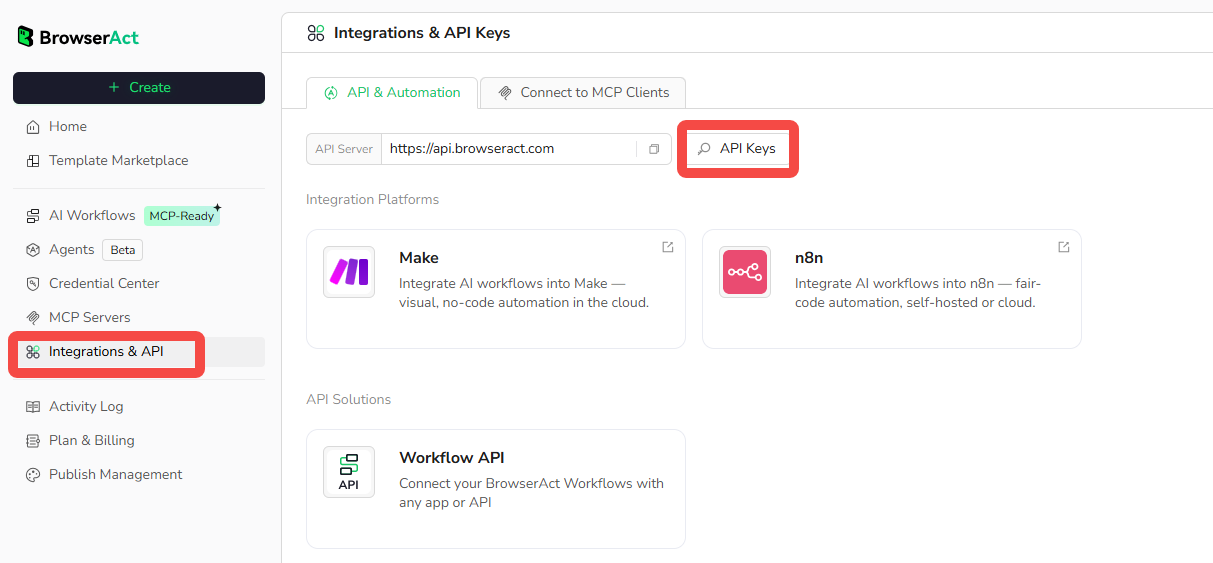
Step 1: Get Your BrowserAct API Key
Log in to your BrowserAct account and go to Settings → Integrations & API → click "Generate API Key" and copy it. Make sure you have at least one published workflow ready to use.
Step 2: Add BrowserAct Node
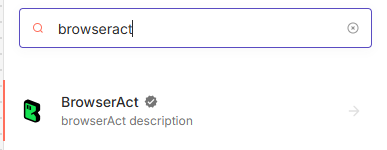
Open your n8n workflow, click the + button, search for "BrowserAct", and add it to your workflow.
Step 3: Connect Your API Key
In the BrowserAct node, find the Credentials section and click "Create New Credential". Paste your BrowserAct API key and save. Click "Test" to verify the connection – you should see "Connection successful".
Step 4: Choose Your Workflow
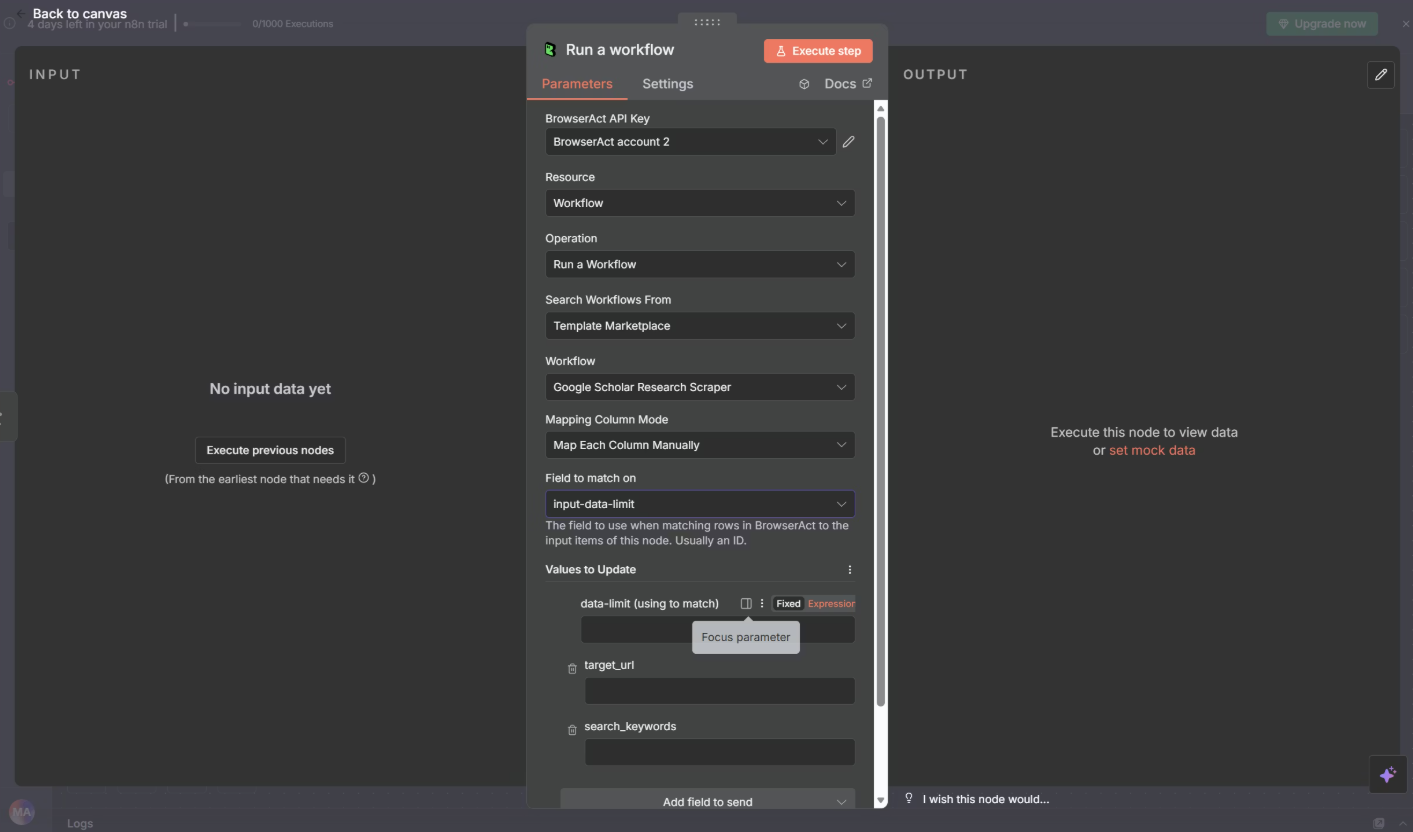
Set Resource to "Workflow" and Operation to "Run a workflow". Choose from "My Workflows" (your own) or "Template Marketplace" (pre-built templates), then select your workflow from the dropdown.
Step 5: Map Your Input Parameters
After selecting a workflow, n8n shows all required input parameters. Map data from previous nodes to each parameter. For example: BrowserAct param "URL" ← Google Sheets column "website".
Step 6: Test and Save
Click "Test" to run your workflow with test data. Check the output panel for results. If everything works, click "Save". You can then add downstream nodes (Google Sheets, Slack, Email, Database) to process the scraped data.
For detailed setup instructions and troubleshooting, check out our complete n8n integration guide.
Conclusion
The n8n HTTP Request node is a powerful tool, but it has real limitations when it comes to scraping modern, protected websites. The "Forbidden" errors you're seeing aren't a bug or a configuration issue – they're the result of sophisticated anti-bot systems that can easily detect automated HTTP requests.
BrowserAct solves this problem at its core by using real browser simulation with fingerprint technology. Instead of trying to trick websites with headers and proxies, it presents itself as a genuine browser with all the characteristics websites expect. Combined with global IP infrastructure and automatic JavaScript rendering, it provides a reliable foundation for web scraping workflows.
Ready to stop fighting with blocked requests? Start your free trial with BrowserAct and experience reliable web scraping in n8n. Browse our ready-to-use templates to get started in minutes, or check out the integration documentation for a complete setup guide.


