How to Build an Automated Competitor Tracking System in N8N

Learn how to build automated competitor tracking workflows with N8N. Monitor competitor news, pricing, and ads with AI-powered analysis delivered to your inbox.
Manual competitor tracking is a drain on productivity. Marketing and strategy teams often spend hours each week visiting competitor websites, copying updates into spreadsheets, and compiling fragmented data into analysis reports. This repetitive process not only consumes valuable time but also leads to inconsistent reporting and delayed insights.
There is a better approach. With N8N, an open-source automation platform, it is possible to build a competitor monitoring workflow that automatically scrapes competitor news, pricing changes, ad campaigns, and product launches—then analyzes the data using AI and delivers a professionally formatted weekly report directly to the inbox. Once configured, the system runs on autopilot, ensuring that competitive intelligence arrives on schedule every week.
This tutorial provides a step-by-step guide to building such a competitor tracking system, using Ulta Beauty as the example competitor. No coding expertise is required; the process is designed to be accessible for users of all technical backgrounds.
What Does N8N Competitor Tracking Workflow Accomplish?
This N8N competitor tracking tool solution completes the following tasks automatically:
- Scheduled Trigger: Initiates the task manually or on a predetermined schedule
- Data Collection: Accesses the competitor's website or API to retrieve the latest updates—this example uses press releases and news, but the same approach works for pricing data, product catalogs, promotional campaigns, or any other publicly available information
- Data Processing: Parses raw API data, cleans it, sorts it, and formats it into a structured layout
- AI Analysis: Sends organized news headlines to an LLM (such as DeepSeek) to generate a briefing based on a custom template
- Format Enhancement: Converts the AI-generated Markdown report into a professionally designed HTML email
- Auto-Send: Delivers the complete weekly report to specified email addresses
The entire process is fully automated, with the core logic handled by six connected nodes.
Step-by-Step Guide: Building the Competitor Monitoring Workflow
Each N8N node functions like a building block—each handles a specific function, and connecting them creates a complete automation pipeline.
Step 1: Configure the Schedule Trigger
The workflow begins with a Schedule Trigger node configured to run automatically every Monday at 10:00 AM.
Key Configuration Notes:
- For workflows involving scheduled runs, cloud deployment is strongly recommended
- For local deployments, replace this node with a Manual Trigger node
- Ensure the workflow is activated (toggle from inactive to the green icon)
- Set the timezone to the appropriate local time in Settings to ensure correct execution times
Step 2: Collect Competitor Data
An HTTP Request node sends a request to the competitor's API endpoint. This node configuration includes:
- URL: The competitor's data endpoint—this could be a press release API, product feed, pricing page, or any other data source depending on monitoring objectives
- Request Headers: Browser user-agent mimicking to avoid detection and blocking
- Request Body: Query parameters including category codes, page numbers, and other filters derived from analyzing actual network requests
Important Technical Consideration:
Many modern websites use JavaScript dynamic loading. Direct HTTP GET requests may return empty pages or JavaScript code instead of actual content. Use browser developer tools (Network tab, then filter by XHR) to identify the actual API address.
Challenges with HTTP Request Scraping
While the HTTP Request method functions adequately for some sites, it presents several significant challenges:
- IP Blocking: Websites frequently detect and block automated requests
- CAPTCHA Challenges: Many sites implement bot protection that proves difficult to bypass programmatically
- Complex Environment Setup: Handling cookies, sessions, and authentication requires substantial configuration
- Dynamic Content Issues: JavaScript-rendered content fails to load properly with standard HTTP requests
Recommended Alternative: BrowserAct Node
For more reliable data extraction in competitor price tracking and general competitor monitoring, consider using the BrowserAct scraping node instead of HTTP Request. BrowserAct offers several advantages:
- Real Browser Simulation: Mimics actual user behavior to avoid detection
- Automatic JavaScript Rendering: Handles dynamic content seamlessly
- Built-in Cookie Management: No manual session configuration required
- Anti-Bot Protection: Significantly reduces the likelihood of triggering security measures
- Global IP Infrastructure: Built-in IP rotation eliminates concerns about blocking
- Complex Page Handling: Processes sophisticated layouts and automatically adapts to page structure changes
- Official N8N Integration: Available as an official N8N node for easy implementation
BrowserAct also provides ready-to-use competitor tracking templates that can be imported directly, such as:
- Monitor Shopify Stores for New Products with Slack Alerts
- Real-Time Competitor Price Tracking and Violation Alerts
- Monitor Competitor Ad Activity via Telegram with Gemini
- Filter Real-Time News with Gemini AI for Telegram Channels
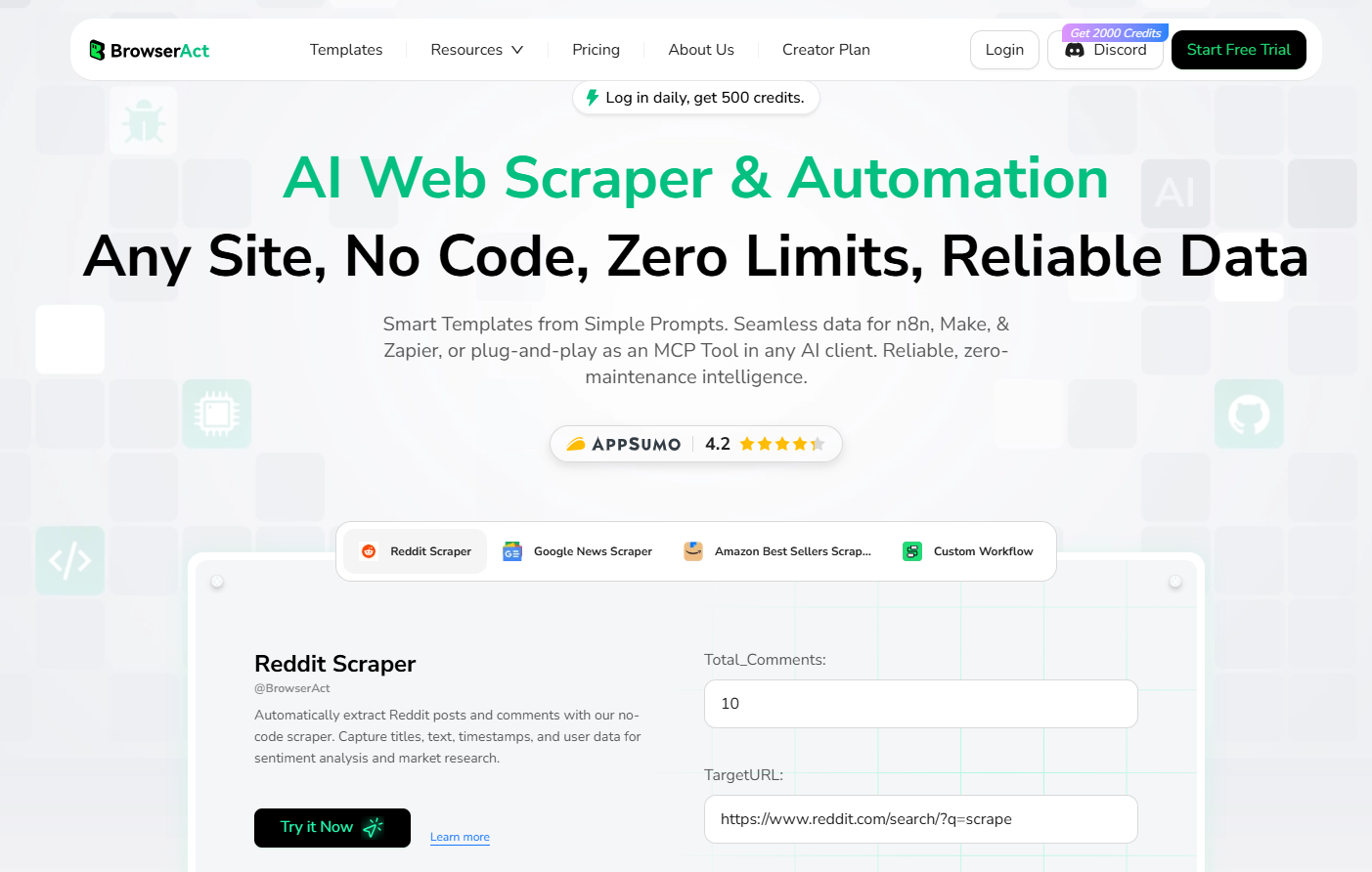
Ready to start tracking competitors? Import these templates or use BrowserAct for data extraction to build automated competitor monitoring workflows in minutes.
Step 3: Parse and Clean the Data
Raw data requires parsing and organization. A Code node (named "Parse API Response") handles this critical transformation using JavaScript:
Processing Functions:
- Data Extraction: Pulls the news list array from the raw response
- Field Mapping: Maps API-returned fields (Title, Url, Time) to standardized names and constructs complete URL links
- Title Cleaning: Removes unnecessary characters such as
\r\nfrom headlines - Chronological Sorting: Arranges news items from newest to oldest
- Metadata Generation: Counts total news items, calculates the monitoring date range, and timestamps report generation
Sample Code:
javascript
// Code Node: Parse competitor API data

const rawResponse = $input.first().json.data;

try {
  const parsedData = JSON.parse(rawResponse);

  if (parsedData.status === 1 && parsedData.data) {
    const newsList = parsedData.data.map(item => {
      const url = item.Url || '';
      const image = item.Image || '';

      return {
        title: (item.Title || '').replace(/\r\n/g, ' ').trim(),
        url: url,
        image: image,
        time: item.Time || '',
        alt: item.Alt || '',
        fullUrl: url ? `https://www.competitor-domain.com${url}` : '',
        fullImage: image ? `https://www.competitor-domain.com${image}` : ''
      };
    });

    // Additional sorting and metadata generation included in full workflow JSON

  }
} catch (error) {
  return [{ json: { error: "JSON parsing failed", message: error.message } }];
}
After processing, the data transforms into a cleanly structured { meta: {...}, news: [...] } object ready for AI analysis.
Step 4: AI-Powered Competitor Analysis
The cleaned data passes to a Chain LLM node for intelligent analysis. The node's prompt provides precise instructions to the AI:
Prompt Components:
- Role and Task Definition: Specifies that this is a competitor monitoring weekly report
- Input Data: Uses
{{}}template syntax to injectmetaandnewsdata from the previous step - Analysis Framework: Defines the required report structure
- Output Requirements: Specifies word count limits, format requirements (English Markdown), and instructions to analyze only based on headlines without fabricating details
Report Structure Requirements:
The prompt instructs the AI to generate reports with the following sections:
- Dynamic Overview
- Key Event Analysis (3-5 most important items)
- Trend Observations
- Implications for Competitors (e.g., Walmart, Costco, Amazon)
- Suggested Focus Points (short-term, mid-term, long-term)
This node connects to the preferred AI service. Common options include OpenAI (GPT-4), Google Gemini, or any other LLM supported by N8N. API credentials are required—for example:
- OpenAI: platform.openai.com/api-keys
- Google AI Studio: aistudio.google.com/apikey
Complete Prompt Template:
markdown
# Ulta Beauty Competitor Monitoring Weekly Report

## Data Overview
- Monitoring Period: {{new Date().toLocaleDateString('en-US')}}
- News Count: {{$json.meta.total}} items
- Monitoring Range: {{$json.meta.dateRange.start}} to {{$json.meta.dateRange.end}}

## News Headlines List
{{JSON.stringify($json.news.map(n => `${n.time}: ${n.title}`), null, 2)}}

## Analysis Requirements
Based on the above news headlines, analyze Ulta Beauty's recent activities:

### Report Structure:

#### I. This Period's Activity Overview (100 words)
Briefly summarize Ulta Beauty's main activities this period.

#### II. Key Event Analysis (Select 3-5 most important items)
Analyze in order of importance:

1. **[Event Title]**
   - **Key Information**: Key details extracted from the headline
   - **Strategic Significance**: Impact on Ulta Beauty's strategy
   - **Industry Impact**: Impact on beauty retail industry

2. **[Event Title]**
   - **Key Information**: Key details extracted from the headline
   - **Strategic Significance**: Impact on Ulta Beauty's strategy
   - **Industry Impact**: Impact on beauty retail industry

#### III. Trend Observations (Based on news publication timeline)
1. **Publication Frequency**: Analysis of how densely news is being released
2. **Event Types**: Main areas covered (stores, products, partnerships, etc.)
3. **Geographic Distribution**: Which cities or regions are involved

#### IV. Implications for Competitors
Analyze the impact and insights these activities have for the following competitors:
- **Sephora**:
- **Amazon Beauty**:
- **Target Beauty**:

#### V. Suggested Focus Points
1. **Short-term Focus** (within 1 week):
2. **Mid-term Tracking** (within 1 month):
3. **Long-term Monitoring** (within 1 quarter):

## Output Requirements
1. Use English Markdown format
2. Word count: 500-600 words
3. Stay objective, analyze based on headlines only, do not fabricate details
4. Use appropriate formatting to enhance readability

## Note
Since full article content was not scraped, analysis should be based on headlines only.
Step 5: Convert to HTML Email Format
AI outputs plain text Markdown, which requires conversion to HTML for optimal email presentation. A Code node (named "Convert Format to HTML") handles this transformation.
Processing Functions:
- Title Cleanup: Removes redundant main titles that AI generates to avoid duplication
- Markdown to HTML Conversion: Transforms Markdown syntax (
##,**, lists) into corresponding HTML tags with inline CSS styles - Email Template Construction: Embeds converted content into a professionally designed HTML template
Template Features:
- Branded header bar with report title and date
- Structured content area with proper typography
- Professional footer with data source attribution
- Responsive design for various email clients
Sample Template Structure:
html
<!-- Header Bar -->
<div class="header">
    <h1>Target Competitor Monitoring Weekly Report</h1>
    <p class="subtitle">Report Date: ${formattedDate} | Auto-generated</p>
</div>

<!-- Content Area -->
<div class="content">
    ${htmlContent}
</div>

<!-- Footer -->
<div class="footer">
    <p>This report was auto-generated by N8N automation system</p>
    <p>Data source: Target official website</p>
    <p>To adjust monitoring settings, access the N8N dashboard</p>
</div>
Step 6: Configure Email Delivery
The final Email Send node delivers the formatted report. Configuration requires SMTP service credentials.
Gmail SMTP Configuration:
- Host: smtp.gmail.com
- Port: 587
- Security: STARTTLS
- Authentication: App Password (not regular account password)
App Password Setup Process:
- Access Google Account settings
- Navigate to Security section
- Enable 2-Step Verification if not already active
- Generate App Password under Security > 2-Step Verification > App passwords
- Use generated 16-character password in N8N credentials
Benefits of Automated Competitor Tracking
Implementing an automated competitor tracking software solution delivers advantages that extend well beyond time savings.
Save Time and Reduce Manual Work
- Automate Repetitive Tasks: Eliminate hours spent on manual data collection and report compilation
- Free Up Team Resources: Allow marketing and strategy teams to focus on analysis and decision-making rather than data gathering
- Deliver Consistent Results: Ensure reports arrive on schedule without relying on manual execution
Build a Reusable System
The workflow serves as a template that can be adapted for multiple use cases:
- Monitor Multiple Competitors: Duplicate the Ulta Beauty workflow to track Sephora, Amazon Beauty, or any other competitor
- Customize Data Sources: Swap out the data collection node to monitor competitors across different channels—websites, social media, or product feeds
- Update Without Rebuilding: Modify individual nodes as needs evolve without recreating the entire workflow
Maintain Consistent Reporting Standards
The AI prompt ensures every report follows the same structure:
- Uniform Format: All reports use identical sections and organization
- Reliable Quality: Analysis output maintains a consistent level of detail
- Enable Comparisons: Standardized reports make it easy to compare trends across competitors and time periods
Expand Capabilities Over Time
The foundational workflow supports additional features as requirements grow:
- Connect to Knowledge Bases: Automatically save insights to Notion, Google Sheets, or other documentation tools
- Set Up Real-Time Alerts: Configure Slack or Microsoft Teams notifications when significant competitor activity is detected
- Broaden Distribution: Send reports to multiple stakeholders automatically
- Add Pricing Intelligence: Incorporate competitor price tracking by connecting to pricing data sources
- Integrate Existing Tools: Link the workflow to other competitor tracking tools already in use
Important Considerations and Limitations
Data Accuracy Constraints
- AI analysis quality depends on the data provided
- When using only headlines, the prompt instructs the AI not to fabricate details
- Analysis depth is limited by the information available in the scraped content
Note: Using BrowserAct for data collection addresses this limitation. BrowserAct can extract full article content, detailed product information, and source links—providing the AI with richer data for more comprehensive analysis.
AI Output Variability
- Generated content varies slightly between executions
- Occasional "hallucination" (fabrication of information) may occur
- For critical business applications, treat AI output as a draft requiring human review
- Consider adding a human approval node for sensitive reporting workflows
Compliance Requirements
- Respect website robots.txt protocols when scraping public data
- Implement appropriate request frequency limits to avoid server strain
- Ensure email functionality serves legitimate business reporting purposes
- Review legal requirements for data collection in relevant jurisdictions
Conclusion
N8N automation transforms competitor monitoring from a manual, time-consuming task into a streamlined, hands-off process. With the right workflow configuration, teams can receive timely competitive intelligence without dedicating hours to data collection each week.
This tutorial covered the foundation for building a competitor tracking system. The same approach can be extended to additional use cases, including competitor price monitoring across e-commerce platforms, ad campaign tracking to analyze promotional strategies, product launch monitoring to stay ahead of market changes, and social media monitoring for brand sentiment analysis.
A variety of ready-to-use N8N templates are available to accelerate implementation and help teams get started quickly with different competitor tracking scenarios. For the most reliable results, use BrowserAct as the data extraction node in N8N workflows. Its browser simulation capabilities, built-in IP infrastructure, and automatic handling of dynamic content make it the recommended choice for building robust competitor monitoring systems.
Related reading: Build an AI-Powered Social Media Monitoring System with Brow
Related reading: For practical examples, implementation details, and trade-offs, continue with Automated Release Monitoring AI Guide for Teams.


