Clawdbot (Moltbot) Is Blowing Up—Is This the Real Future of AI Assistants?

Discover Clawdbot,(Moltbot) the open-source AI agent running locally on your Mac. Control it via Telegram or Slack. Full setup guide + BrowserAct integration tips.
Over the past year, we've all gotten comfortable chatting with ChatGPT or Claude. But AI is evolving fast—from a "chatbot in a text box" to an "executor living inside your operating system."
Today, I want to introduce you to an open-source project that's absolutely exploding on GitHub: Clawdbot.
This isn't just another chatbot. It's an AI agent that runs locally on your device, has "hands and feet," and actually remembers what you tell it.
What Is Clawdbot?
Clawdbot is an open-source project created by Peter Steinberger. It positions itself as a Personal AI Assistant, but the community has started calling it "Jarvis living inside your computer."
(Quick note: Anthropic asked the creator to rename it from Clawdbot to Moltbot to avoid marketplace confusion with Claude Code. For consistency, I'll stick with "Clawdbot" here.)
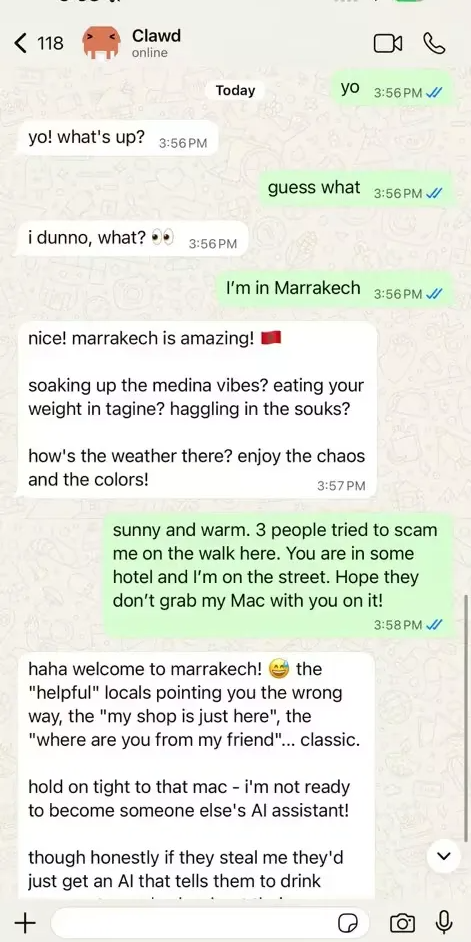
Unlike web-based AI tools, Clawdbot uses a local-first architecture. It runs on your Mac or server and connects through messaging apps you already use—Telegram, Slack, Teams, or even iMessage—to control your local files, terminal, and browser directly.
Why Is This Different From Every Other AI App?
Here's the thing: most AI products force you to come to them. You open a tab, type in a box, and copy-paste responses back into your workflow.
Clawdbot flips the script. It comes to you—through the apps already on your phone or desktop. No new interface to learn. No context-switching. Just message your AI the way you'd message a coworker.
Clawdbot vs. Traditional AI Apps: Head-to-Head Comparison
Feature | Traditional AI Apps | Clawdbot Agent |
|---|---|---|
Interface | Must open a dedicated website/app | Any messaging app you already use (Telegram, Slack, iMessage) |
Persistent Memory | Lost when chat closes (or stored only in cloud) | Local Markdown storage with long-term "life memory" |
Execution Capability | Can only give suggestions or write code | Directly executes code, manages files, controls browser |
Privacy & Security | Data flows to third-party servers | All config and private data stored physically on your device |
Proactivity | Passive response only | Proactive execution: scheduled reports, system monitoring, automated tasks |
How to Set Up Clawdbot (Quick Start Guide)
Ready to try it yourself? Here's a straightforward deployment walkthrough.
Step 1: Prepare Your Environment
Make sure your machine (Mac, Linux, or WSL2) has these tools installed:
- Node.js v20+ – Clawdbot is built with TypeScript
- Bun (optional but recommended) – Faster runtime performance
- LLM API Key – Anthropic (Claude), OpenAI, or Gemini
- Messaging App – Start with Telegram for the simplest setup
Step 2: Clone and Install
bash
git clone https://github.com/clawdbot/clawdbot.git
cd clawdbot
bun install
Step 3: Configure Environment Variables
Create a .env file in the root directory:
bash
# Core LLM Config (using Claude as an example)
ANTHROPIC_API_KEY=your_api_key_here

# Messaging Channel Config (using Telegram)
TELEGRAM_BOT_TOKEN=your_botfather_token
TELEGRAM_ALLOWED_USER_IDS=your_user_id
Pro tip: The ALLOWED_USER_IDS setting is critical. Without it, anyone can send commands to your bot and burn through your API credits—or worse, access your files.
Step 4: Launch the Local Agent
bash
bun run devStep 5: Connect Your Messaging Gateway
This is the magic step—connecting your phone to your local machine.
Telegram Setup (Recommended):
- Find @BotFather on Telegram and create a new bot
- Copy the token into your
.envfile - Start your agent and send "ping" to your bot
- If it replies "pong," you're connected
iMessage/WhatsApp Options: These require additional setup through the clawd-gateway or specific Mac configurations. If you're new to this, nail the Telegram workflow first.
Step 6: Unlock the "Hands and Feet" (Skills)
Clawdbot's real power comes from MCP (Model Context Protocol) skills.
Want it to browse the web, manage files, or automate browser actions? Check the skills directory for available capability packs and enable them in your config.
Test it: Message your bot: "List all files on my Desktop containing 'Confidential'."
The skills library is extensible. This means Clawdbot grows more capable over time as the community builds new integrations.
Common Gotchas to Avoid
- Storage location: Clawdbot creates a hidden
~/.clawdfolder for memory and logs. Want a fresh start? Delete this folder. - Network requirements: The agent makes frequent API calls to Anthropic/OpenAI. Make sure your deployment environment has stable internet.
- Security: Never run this on a public server without
ALLOWED_USER_IDSconfigured. You're basically handing over file system access to anyone who finds your bot.
Why Clawdbot Matters: Product-Level Insights
As someone who thinks a lot about product strategy, I'm sharing this project because it offers a genuinely different answer to the question: How should AI and humans work together?
The Best UI Is No UI
Most AI products trap you inside a chatbox. You have to leave your workflow to use them.
Clawdbot does the opposite: it has no dedicated app. It runs as a background process and talks to you through Telegram, Slack, or iMessage.
Product insight: What if future AI isn't a destination you visit, but a layer that exists everywhere? This "interface-free" approach dramatically reduces the friction of getting AI involved in your tasks.
And here's a bigger question: if this entry point works so well on computers, what's the hardware equivalent for daily life? Are we getting closer to a real-life Jarvis?
From Conversation to Execution
Traditional AI use is about Q&A. You ask, it answers.
Clawdbot, with MCP integration, actually gets a ticket into your operating system. It doesn't just write code—it can:
- Run
git statusin your terminal - Automate browser tasks like filling out expense reports
- Read and organize your local files
From a product perspective, this transforms AI from "advisor" to "digital employee." The success metric isn't how smart the model is—it's how many tools and workflows it can connect to.
And because skills are modular and updatable, Clawdbot has unlimited growth potential. That kind of extensibility is essential for any AI entry point that wants to stay relevant long-term.
Local-First: Your Data, Your Rules
Many AI products handle memory in a black box—stored in some company's cloud database.
Clawdbot made a hardcore product decision: all memory and configuration is stored locally as Markdown files.
This means:
- Transparency: You can read your AI's "thought process" like flipping through notes
- Privacy: Naturally sidesteps the data privacy debates that plague enterprise AI adoption
- Longevity: It's not a single conversation—it compounds knowledge about your work and life habits over time
Integrating BrowserAct for Powerful Browser Automation
Here's where things get really interesting for power users.
Clawdbot can connect to external tools via MCP. One of the most powerful combinations? Pairing it with BrowserAct.
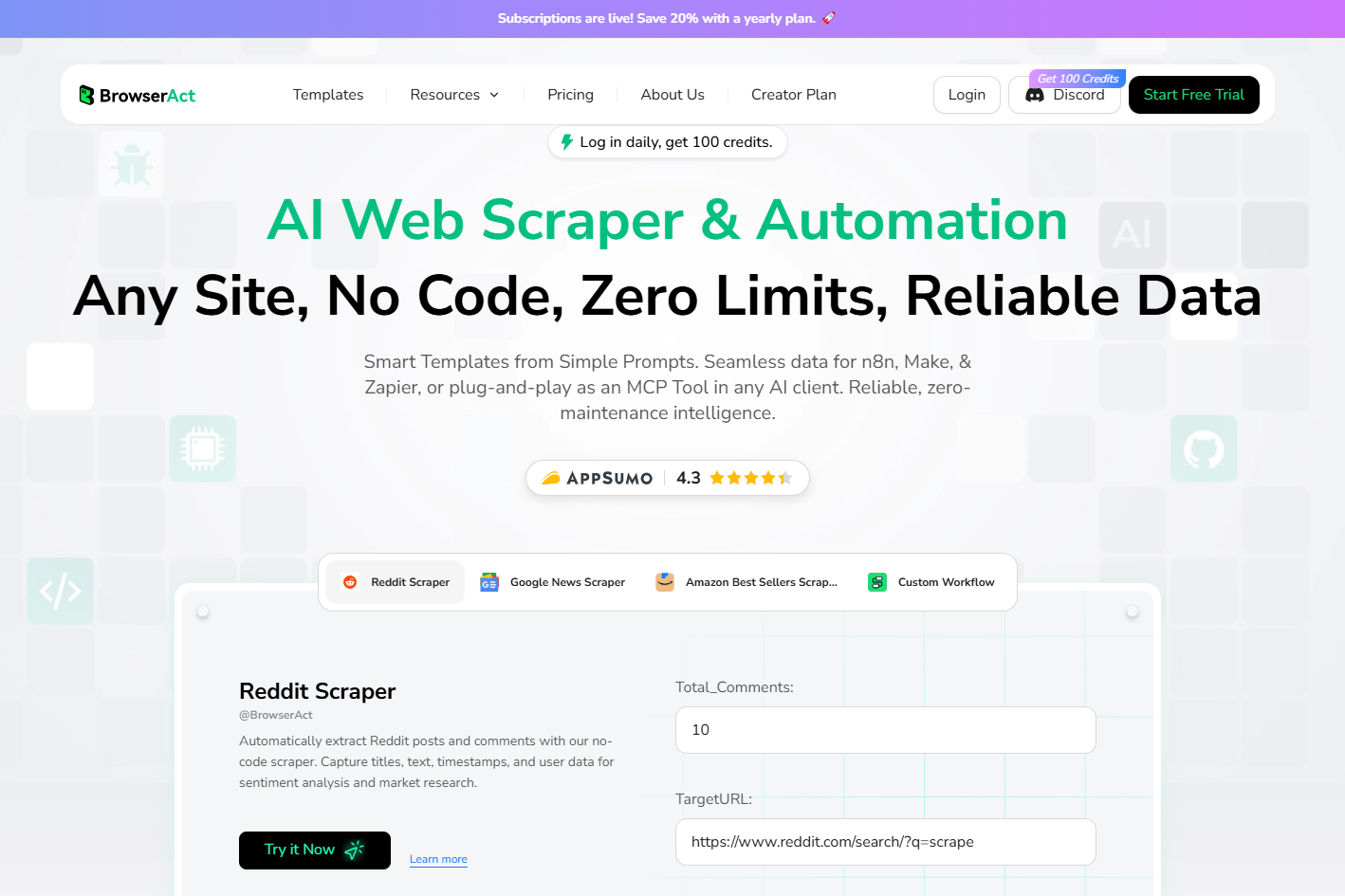
What Is BrowserAct?
BrowserAct is a browser automation and AI-powered web scraping platform with some serious capabilities:
- No-code workflow builder – Build scrapers without writing a line of code
- CAPTCHA bypass – Gets through human verification challenges automatically
- Global IP pool – Access content from any region
- Fingerprint browser – Simulates real human browsing behavior to avoid detection
- API access – Connect directly to Clawdbot via API
Why This Combo Is a Game-Changer
Imagine telling your Clawdbot: "Monitor competitor pricing on Amazon every morning and summarize changes."
Without BrowserAct, you'd need to build a custom scraper, handle anti-bot detection, manage proxies, and maintain the whole thing yourself.
With BrowserAct's API piped into Clawdbot, you just describe what you want. BrowserAct handles the browser automation; Clawdbot handles the intelligence layer and delivers results to your phone via Telegram.
Use cases:
- Automated price monitoring across e-commerce sites
- Lead generation from LinkedIn or directories
- Content aggregation for research or SEO
- Form filling and data entry at scale
Security Warning: Handle With Care
Clawdbot showcases the massive potential of fully autonomous AI agents. But let's be real: it's also a high-privilege proxy with access to your keyboard, screen, and identity.
If you misconfigure it:
- API keys can be drained
- Files can be accessed or leaked
- Your entire network could be compromised
Treat this as a high-risk experiment until security best practices and usage patterns mature. Enable ALLOWED_USER_IDS, run it on isolated machines when possible, and monitor activity logs.
Final Thoughts
Clawdbot isn't reinventing the wheel on AI technology. But from a product design perspective, it's delivering a genuine surprise to the industry.
The enthusiastic response from the developer community signals something important:
Users still rely heavily on existing communication platforms. They're not looking to adopt yet another standalone AI app. Instead, they want powerful AI capabilities integrated into the tools they already use—delivering real output, not just conversation.
Maybe the real AI entry point isn't a new app at all. Maybe it's invisible infrastructure that meets users where they already are.
Get Started Today
Ready to build your own local AI assistant?
- Clone Clawdbot: github.com/clawdbot/clawdbot
- Supercharge browser automation with BrowserAct: browseract.com
- Join the community: discord.gg/clawd
Try BrowserAct Free → – No-code web scraping with CAPTCHA bypass, global IPs, and API access. The perfect companion for your Clawdbot setup.
Appendix: Resources
- Official Site: clawd.bot
- GitHub: github.com/clawdbot/clawdbot
- Documentation: docs.clawd.bot
- Skills Marketplace: clawdhub.com
- Discord Community: discord.gg/clawd
- BrowserAct (Browser Automation): browseract.com


