How to Scrape YouTube Data Without the API: Videos, Channels, Comments, and Search

If you need to scrape YouTube without API access, the real question is not “can a scraper read YouTube?” It is “which visible data do you need, how often, and what should the workflow do when YouTube asks for login, hides comments, changes layout, or returns only partial results?” That is why this guide starts with the decision, not the tool pitch. Use the official YouTube Data API when you need sanctioned endpoints, stable IDs, OAuth-backed access, or a compliance-friendly engineering integrati
-
1
Scrape YouTube without APIsearchers usually want to avoid API keys, quota setup, endpoint limits, or code maintenance—not to bypass private content. - 2The safest no-API workflow is public-data only: videos, channel pages, search results, visible comments, descriptions, timestamps, view counts, URLs, and stop reasons.
- 3BrowserAct is strongest when the field list is still changing: test the prompt in Agent, save the repeatable path as Workflow, then run approved jobs through CLI.
- 4The official YouTube Data API is still the better route for sanctioned endpoint access, OAuth-backed account data, app reviews, and engineering-owned integrations.
- 5For large repeatable extraction, compare three routes before choosing: BrowserAct browser workflow, ready-made actors such as Apify, and custom code/API infrastructure.
Why teams look for a YouTube scraper with no API key
The YouTube topic workbook separated this topic from the broader “best YouTube scraper” cluster because the intent is different. Queries such as scrape YouTube without API, YouTube scraper no API key, and no code YouTube scraper point to a constraint: the reader has a data job, but the API route feels slow, limited, or too technical.
Google’s own YouTube Data API documentation is the right starting point. The current YouTube Data API quota calculator says every request costs quota, even invalid requests, and additional result pages cost quota again. It also now separates search.list and videos.insert into their own daily buckets, while the broader API pool is still documented separately for other endpoints.
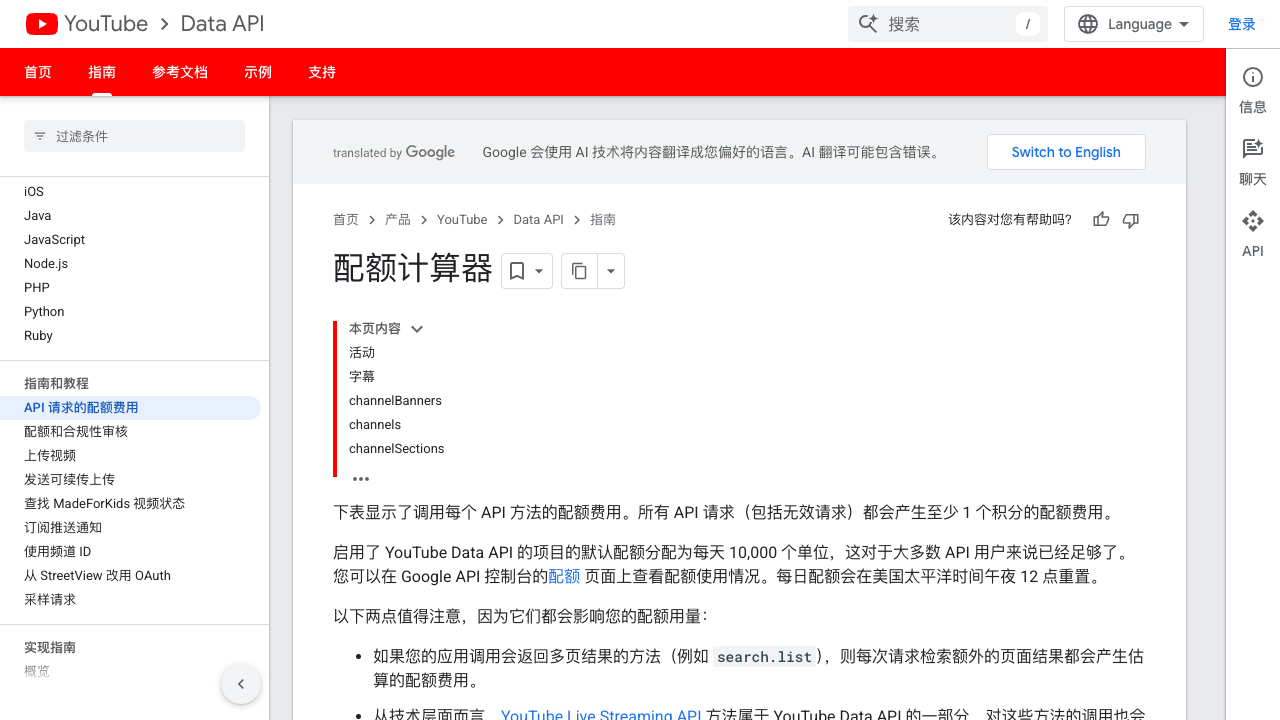
That matters because YouTube research workflows often begin with search and pagination: find 100 videos for each keyword, open channels, collect metadata, sample comments, and repeat weekly. Even when the official API is available, the research workflow can outgrow a neat endpoint-first plan.
Pro Tip: Do not position “no API” as “no rules.” In the prompt, write the stop conditions first: stop on login, CAPTCHA, 2FA, payment, private videos, deleted videos, age restrictions, or any page where access is unclear.
What “without API” should mean
In this article, “without API” means a browser-based workflow that reads public or authorized pages the way a researcher would: open a page, observe visible fields, collect source-linked rows, dedupe, and export a table.
It does not mean:
- breaking into private videos, private comments, or restricted creator data;
- bypassing login, CAPTCHA, 2FA, payment, or membership gates;
- auto-posting comments, liking videos, subscribing to channels, or changing account state;
- promising that every page will load the same way forever.
The goal is a controlled research workflow, not a magic pipe. That is also where BrowserAct is useful: the Agent can pause when a session needs manual handling, keep screenshots and source URLs, and make failed rows visible instead of hiding them behind a silent API error.
Decide first: official API, no-API browser workflow, actor, or code
Route | Best fit | What it handles well | Watch out for |
Official YouTube Data API | Engineering teams that need sanctioned endpoints | IDs, endpoint contracts, OAuth-backed resources, API governance | Quotas, setup, fields not matching visible-page research, endpoint-specific limits |
BrowserAct no-API workflow | Research, marketing, SEO, creator, and growth teams | Prompt-first field testing, real browser context, screenshots, source URLs, repeatable Workflow, CLI handoff | Must stay public/authorized and stop on restricted access |
Ready-made actor marketplace | Teams that know the actor fits their field list | Prebuilt YouTube video, channel, comment, and search exports | Actor quality, pricing, and coverage vary |
Custom code / scraping API | Engineering-owned pipelines | Control over parser, infra, queues, proxy/rendering, storage | Maintenance, layout changes, anti-bot handling, on-call burden |
What YouTube data can you collect without starting from the API?
Think in objects, not in “all YouTube data.” A no-API workflow is easier to validate when each run has one target type and one output schema.
Data object | Useful visible fields | Typical use case | BrowserAct fit |
Video pages | title, URL, channel, publish date, views, description, hashtags, visible transcript status | Product review tracking, content catalogs, creator research | Agent validates fields; Workflow repeats the same schema |
Channel pages | channel URL, handle, subscriber count if visible, video list, latest upload dates, descriptions | Competitor monitoring, influencer discovery, niche mapping | Use a channel template or prompt-led Agent run |
Comments | comment text, author, timestamp, like count, reply count, source video URL | Voice-of-customer, sentiment, launch feedback, pain-point mining | Good when comments are public and visible |
Search results | keyword, video title, channel, URL, visible views/date, ranking position | SEO research, topic discovery, trend monitoring | Good for recurring keyword snapshots |
Playlists / Shorts / transcripts | playlist entries, Shorts metadata, transcript availability, visible captions | Content repurposing, research libraries, trend review | Validate field availability before automating |
commentThreads.list endpoint returns comment threads by channel, ID, or video and documents parameters such as part, videoId, maxResults, order, and pageToken.
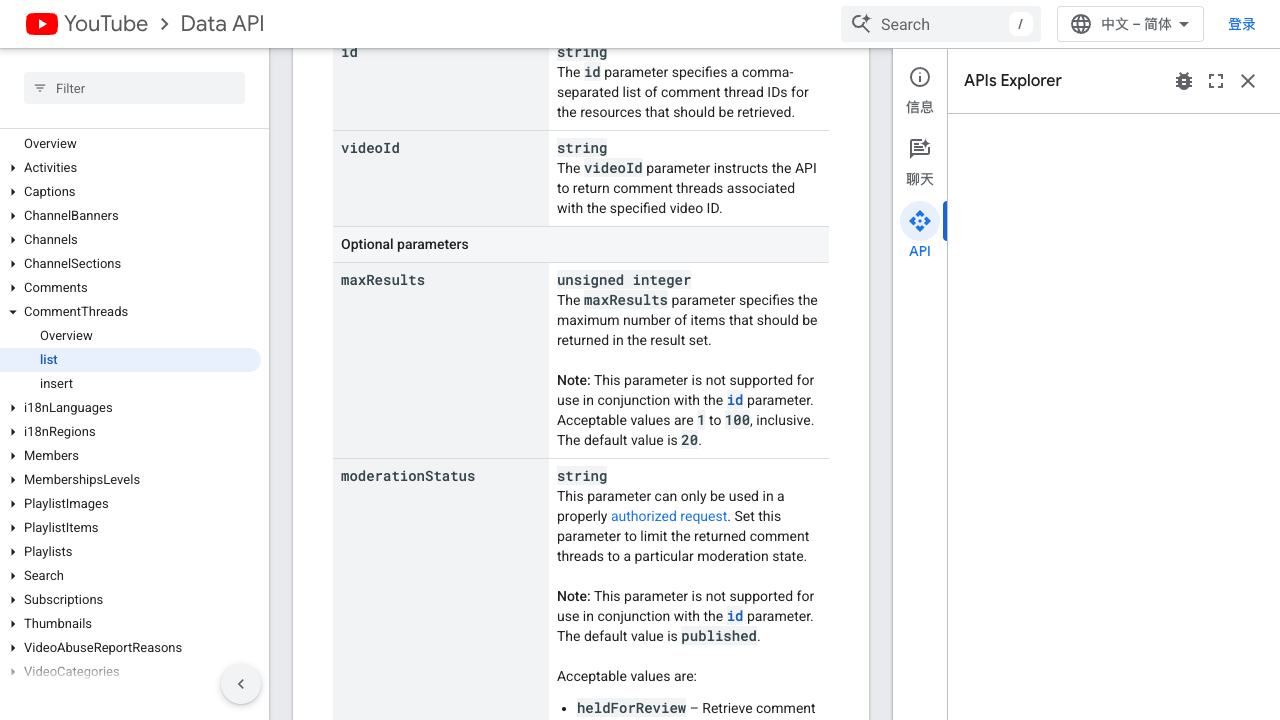
The point is not that the API is bad. The point is that visible-page research often includes columns that are easier to verify in the browser: source URL, page state, visible count, missing-field reason, screenshot evidence, and analyst notes.
A no-code BrowserAct workflow for YouTube scraping
Use this BrowserAct workflow when you want a small, reviewable YouTube dataset before deciding whether the job deserves code or a dedicated API integration.
1. Open BrowserAct Dashboard
Click the left-side + button to create your own Bot, start from Quick start, or paste the prompt directly into the center Agent input to begin building.
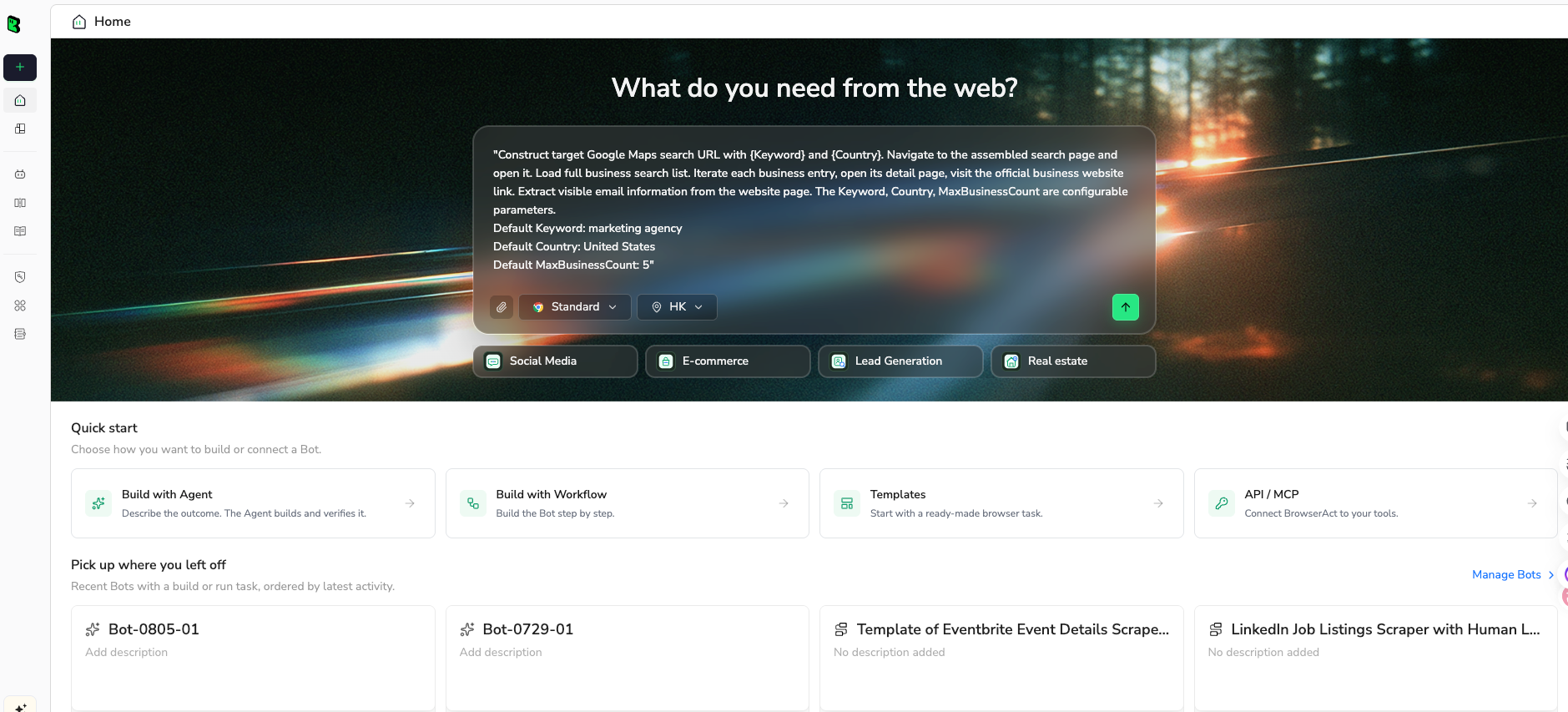
2. Copy the complete prompt
Start with one target type. Do not ask for videos, channels, comments, transcripts, and search results in the same first run. Validate one schema, then expand.
Go to the public YouTube target I provide below and collect a source-linked dataset without using the official YouTube API.

Target:
- Type: YouTube channel video list, YouTube video comments, or YouTube search results
- URL or search query: [paste the exact public URL or query here]

Collect up to 50 visible records.

For video/search rows, return:
- video title
- video URL
- channel name
- channel URL if visible
- publish date or visible age
- view count if visible
- description snippet if visible
- ranking position or source section
- screenshot/evidence note

For comment rows, return:
- comment text
- author display name
- author URL if visible
- timestamp or visible age
- like count if visible
- reply count if visible
- source video URL
- row status

Rules:
- Use only public or already authorized visible data.
- Do not post, like, subscribe, message, or change account settings.
- Stop and mark the row as restricted if login, CAPTCHA, 2FA, payment, age restriction, membership approval, unavailable video, or unclear access appears.
- Deduplicate by source URL plus title for videos, and by source video URL plus author plus comment text for comments.
- Return a CSV-ready table with source URLs and a final summary of missing fields, stopped pages, and recommended next run.
Scrape data from any website.
Describe the data you need. Get a Bot — a reliable, reusable scraper.
Prompt preview: collect public YouTube videos, comments, channel rows, search results, source URLs, stop states, and CSV-ready fields. Private session · Choose your region before you run
Get your Bot — Free3. Handle login only when asked
If BrowserAct pauses for login, CAPTCHA, 2FA, account confirmation, or access approval, handle it manually only when you are allowed to use that session for the research task. If the page is private, paid, age-restricted, or unavailable, do not force it. Mark the row as restricted and move on.
This is where a browser workflow is easier for non-engineering teams to audit. A failed row is not just “empty.” It has a reason: comments disabled, restricted, login required, unavailable, blocked by manual review, or not enough visible data.
4. Review, dedupe, and export
Before turning the run into a Workflow, review the first table. Remove duplicates, check whether the same field means the same thing across videos, and keep the source URL in every row. Export to CSV, JSON, Markdown, or a Sheets-ready table only after the schema is stable.
Because I do not have a fresh logged-in BrowserAct export screenshot for this exact YouTube run, this article does not fake one. Use the table below as the export schema to verify your own run.
Field | Why it belongs in the export |
| Lets reviewers trace every row back to YouTube |
| Separates video, channel, comment, search, or transcript rows |
| Makes partial rows auditable |
| Distinguishes complete, partial, restricted, unavailable, duplicate, or needs review |
| Records the visual evidence state without overclaiming |
Use BrowserAct templates when the target is already obvious
If the goal is not exploratory, a template can be faster than writing a fresh prompt. BrowserAct already has YouTube assets that match common no-API jobs.
YouTube Comment Scraper is the better starting point when the job is comment export, replies, visible timestamps, and source video links.
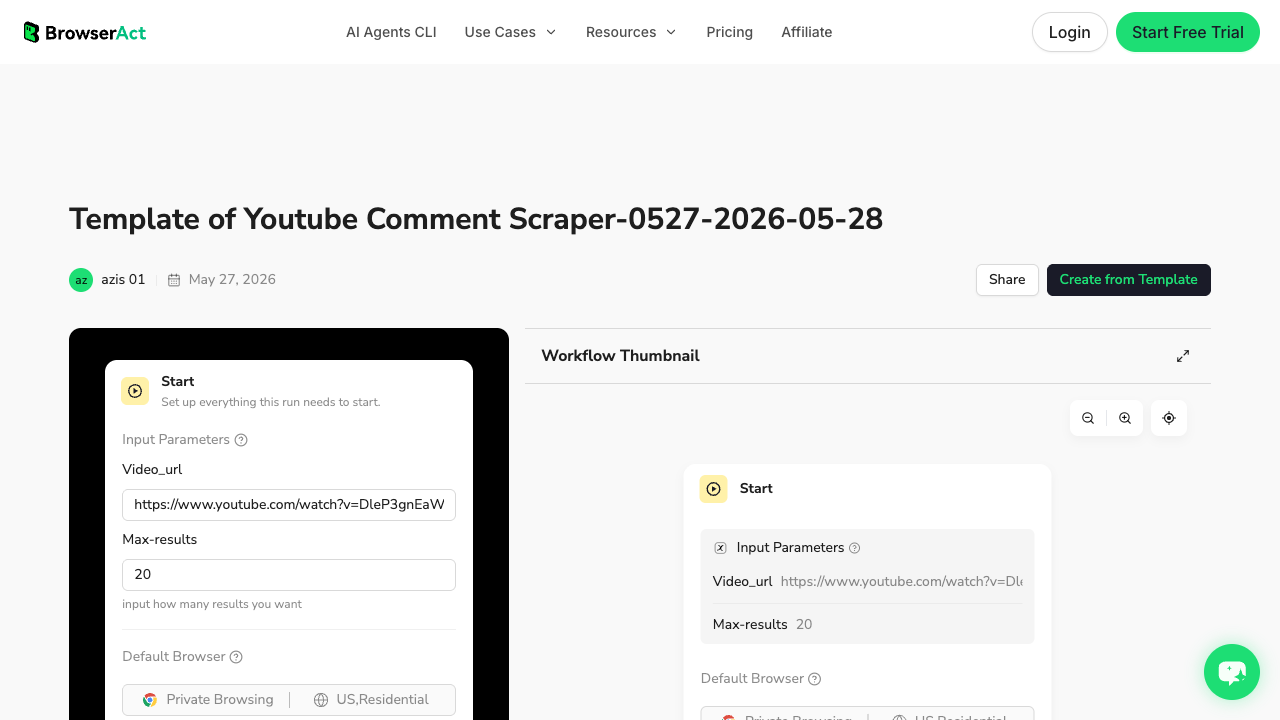
Extract Videos From a YouTube Channel is the better starting point when the job is channel-level video metadata and competitor monitoring.
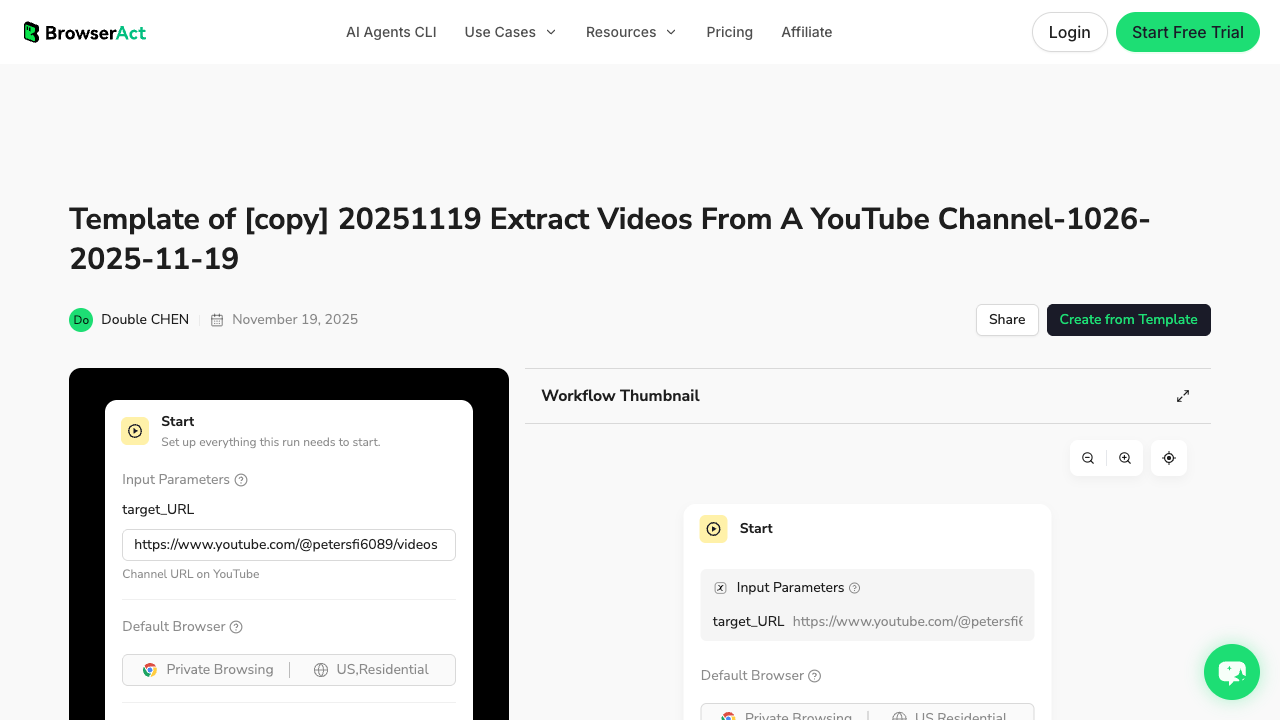
Use Agent when the brief is still messy. Use a template when the job is already a known pattern. Use Workflow when the pattern should repeat. Use CLI when the approved Workflow needs to run from a controlled reporting stack.
When a ready-made actor is enough
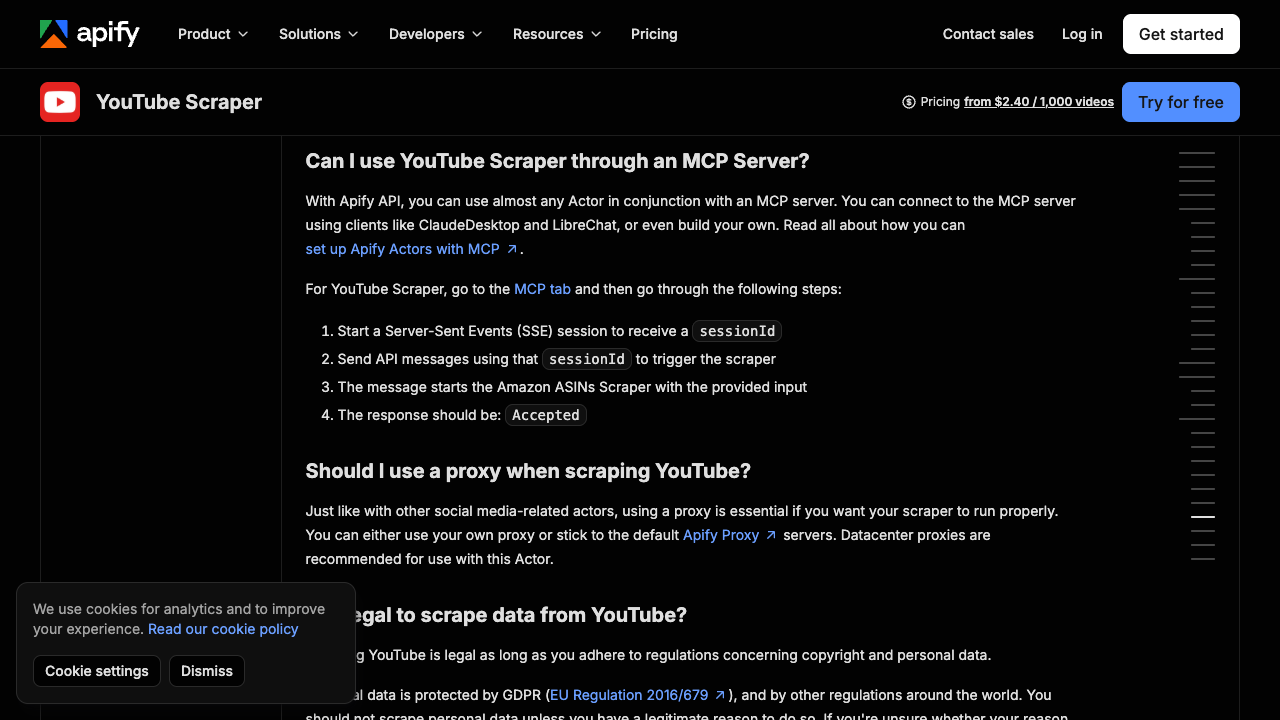
Apify is useful when the actor already matches the job. Its YouTube Scraper page describes extraction across video titles, descriptions, metadata, views, comments count, playlists, streams, search results, and exports such as JSON, CSV, Excel, or HTML.
For comments, the Apify YouTube Comments Scraper page focuses on public comment data such as comment text, author name, posting date, vote count, reply count, and total comment count.
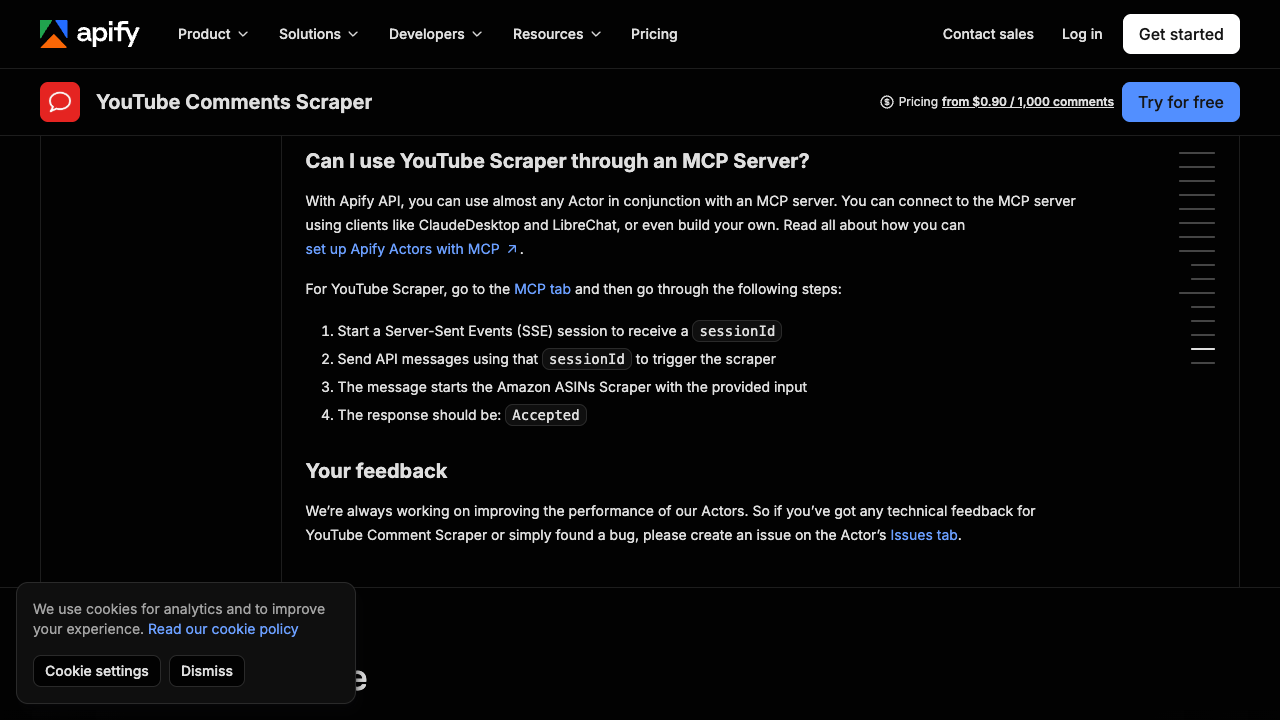
This route is good when the workflow is already packaged and you mainly need exports. BrowserAct is a better fit when the field list is still being negotiated by a marketer, researcher, analyst, or founder who wants to test the collection path before committing to a prebuilt actor or code route.
When custom code makes sense
Custom code is worth it when you own the full lifecycle: parser updates, queueing, rate control, monitoring, storage, alerts, and incident response. Scrapfly’s YouTube scraping guide is a useful example of the code-first path: it shows programmatic scraping with Python, request handling, parsing, and extraction logic.
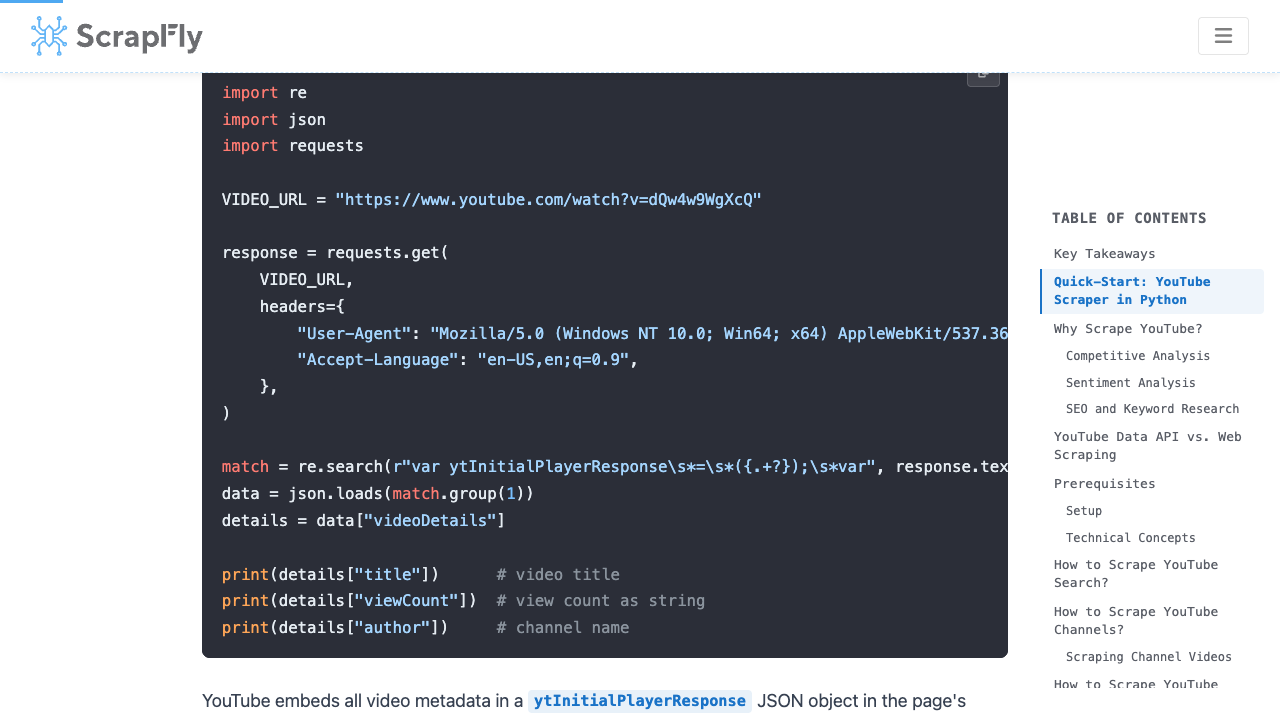
Code is not wrong. It is just a different ownership model. If a developer is ready to maintain selectors, parsing rules, retries, and tests, code gives control. If a non-technical team is still asking “which columns do we actually need?” start with BrowserAct Agent and graduate later.
Pro Tip: A strong no-API process often starts no-code and ends semi-automated. First prompt it, then save it, then schedule it. Do not write brittle code before the dataset shape is stable.
Three example workflows by search intent
1. Competitor channel monitoring
Run a weekly Workflow against public competitor channels. Collect recent videos, publish dates, titles, URLs, visible views, description snippets, and sponsor/product mentions. Trigger it through BrowserAct CLI if the output feeds a dashboard.
Best BrowserAct shape: Agent for first channel sample, Workflow for weekly refresh, CLI for scheduled export.
2. Voice-of-customer from comments
Start with 10–20 product-review or launch videos. Export visible comments, author names, timestamps, likes, replies, and source video URLs. Add row_status so disabled comments and hidden replies do not disappear from the analysis.
Best BrowserAct shape: YouTube Comment Scraper template when the video URLs are known; Agent when the comments need filtering, dedupe, or screenshot notes.
3. YouTube SEO search snapshots
For each keyword, collect visible search-result rows: rank, title, channel, URL, visible view/date information, Shorts/video indicator, and title pattern. Repeat weekly to detect ranking shifts.
Best BrowserAct shape: Agent for the first keyword set, Workflow for fixed keyword runs, CLI when the snapshot belongs in a larger SEO reporting pipeline.
Common failure states and how to handle them
Failure state | What the scraper should do | Why it matters |
Login prompt | Pause for manual handling or mark restricted | Avoids pretending private or unclear data is public |
CAPTCHA / bot check | Stop and record the reason | Keeps the workflow auditable |
Comments disabled | Mark | Prevents false “zero comments” conclusions |
Video unavailable | Mark | Useful for competitor tracking |
Missing field | Leave blank and record | Avoids filling invented metrics |
Duplicates from pagination | Deduplicate by stable source keys | Keeps CSV exports clean |
Layout change | Save screenshot note and rerun a small validation set | Finds breakage before a scheduled job pollutes reports |
Final recommendation
If your team already has a YouTube Data API integration and it returns the fields you need, keep it. It is the cleanest route for sanctioned endpoint access.
If your team is trying to answer a business question from public YouTube pages, start with BrowserAct Agent. Describe the dataset, run a small browser test, inspect the rows, and only then decide whether the work should become a BrowserAct Workflow, a CLI-triggered reporting job, an Apify actor, or custom code.
That is the practical way to scrape YouTube without API setup: not by ignoring constraints, but by making the constraints visible in the workflow.
Further reading: YouTube data collection
Frequently Asked Questions
Can I scrape YouTube without API keys?
Yes, for public or authorized visible pages, but the workflow should stop on login, CAPTCHA, payment, private, restricted, or unclear-access states.
Is the YouTube Data API still useful?
Yes. Use it for sanctioned endpoints, OAuth-backed access, stable IDs, governance, and engineering-owned products.
What data can a no-code YouTube scraper collect?
Common public fields include video titles, URLs, channels, dates, visible views, descriptions, comments, timestamps, replies, and search-result positions.
Is BrowserAct better than Apify for YouTube scraping?
BrowserAct is better for prompt-first field discovery; Apify is better when a ready-made actor already matches your target and export format.
Can I scrape YouTube comments without the API?
Often yes, when comments are public and visible, but disabled, restricted, or hidden comments should be marked as stop states rather than forced.
How do I automate a no-API YouTube scraper?
Validate the prompt in BrowserAct Agent, save the stable path as Workflow, and trigger approved repeat runs through BrowserAct CLI.
What is the safest first YouTube scraping project?
Start with 20–50 public video or comment rows, include source URLs and row statuses, and review the export before scheduling repeat runs.


