Instagram Follower Scraper: Export Followers, Following, and Audience Signals to CSV

An Instagram follower scraper sounds like one simple tool: enter a profile, get the followers, export a CSV. In practice, the search intent is messier. Some teams want a complete followers list. Some want the following list. Some only need follower growth over time. Others are trying to answer a business question: is this creator’s audience relevant, is a competitor gaining traction, or are the visible followers worth adding to a research shortlist? Those are different jobs. If you treat them as
- 1“Instagram follower scraper” usually hides four different needs: followers/following CSV export, follower growth snapshots, audience research, and lead or creator shortlisting.
- 2A full follower or following identity list is harder and less reliable than a follower-count snapshot, especially for large accounts, private accounts, login prompts, and rate limits.
- 3Use BrowserAct Agent when the extraction needs custom fields, source-linked review, human stop states, and repeatable browser evidence; use fixed exporters only when the target and schema are simple.
-
4A good follower export keeps
source_status,profile_url, dedupe rules, and partial-export notes, so the spreadsheet does not pretend to be more complete than it is.
First decide what “followers data” means
Before choosing a scraper, separate the user job. A follower list is not the same as follower count, and neither is the same as audience quality.
User job | What the reader is probably trying to do | Better data shape |
Export followers | Get visible follower usernames from a profile into CSV or Excel | row-level list with username, profile URL, status |
Export following | See which accounts a profile follows | row-level list with profile URL, bio, category notes |
Track growth | See whether a creator or competitor is growing | daily or weekly snapshots of follower count |
Audience research | Find whether visible followers match a campaign or segment | sampled profiles with bio, follower count, verification, topic labels |
Lead discovery | Build a reviewable list from public profiles | source URL, visible contact fields, reviewer status, do-not-contact notes |
This is also why API answers are confusing. Meta’s Instagram Platform documentation frames the official API around supported business and creator-account workflows, while a 2026 KeyAPI explainer makes a practical distinction that searchers often miss: follower count, follower growth, account comparison, and a full follower/following identity list are not the same request. The practical answer for a simple full followers-list API is often “no,” while count and account-level workflows are more realistic.
What fields should an Instagram follower scraper export?
Start with a narrow schema. Add enrichment only after the first export is useful.
Field | Why it matters |
| The Instagram profile being inspected. |
|
|
| The row-level account handle. |
| The source URL for human review. |
| Helps reviewers recognize brands, creators, or people. |
| Useful for audience fit, lead research, and creator categorization. |
| Helps prioritize influential accounts, but can be stale or hidden. |
| Useful for rough quality checks and account context. |
| A signal for brands, creators, public figures, and official accounts. |
| Important access boundary; do not treat hidden profiles as available data. |
| Creator, brand, fan account, customer, reseller, agency, spam, unknown. |
| Complete, partial, login required, private, rate limited, unavailable. |
| Human notes before outreach, CRM import, or campaign decisions. |
BrowserAct workflow: build a prompt-first Instagram follower scraper
Use this when the job is not a simple “one username, one CSV” task. BrowserAct is a better fit when the research brief changes: a campaign shortlist, competitor audience review, creator vetting, follower-growth snapshot, or public-profile sample with custom labels.
Build the scraper with BrowserAct Agent
- Open BrowserAct Dashboard: Click the left-side + button to create your own Bot, start from Quick start, or paste the prompt directly into the center Agent input to begin building.
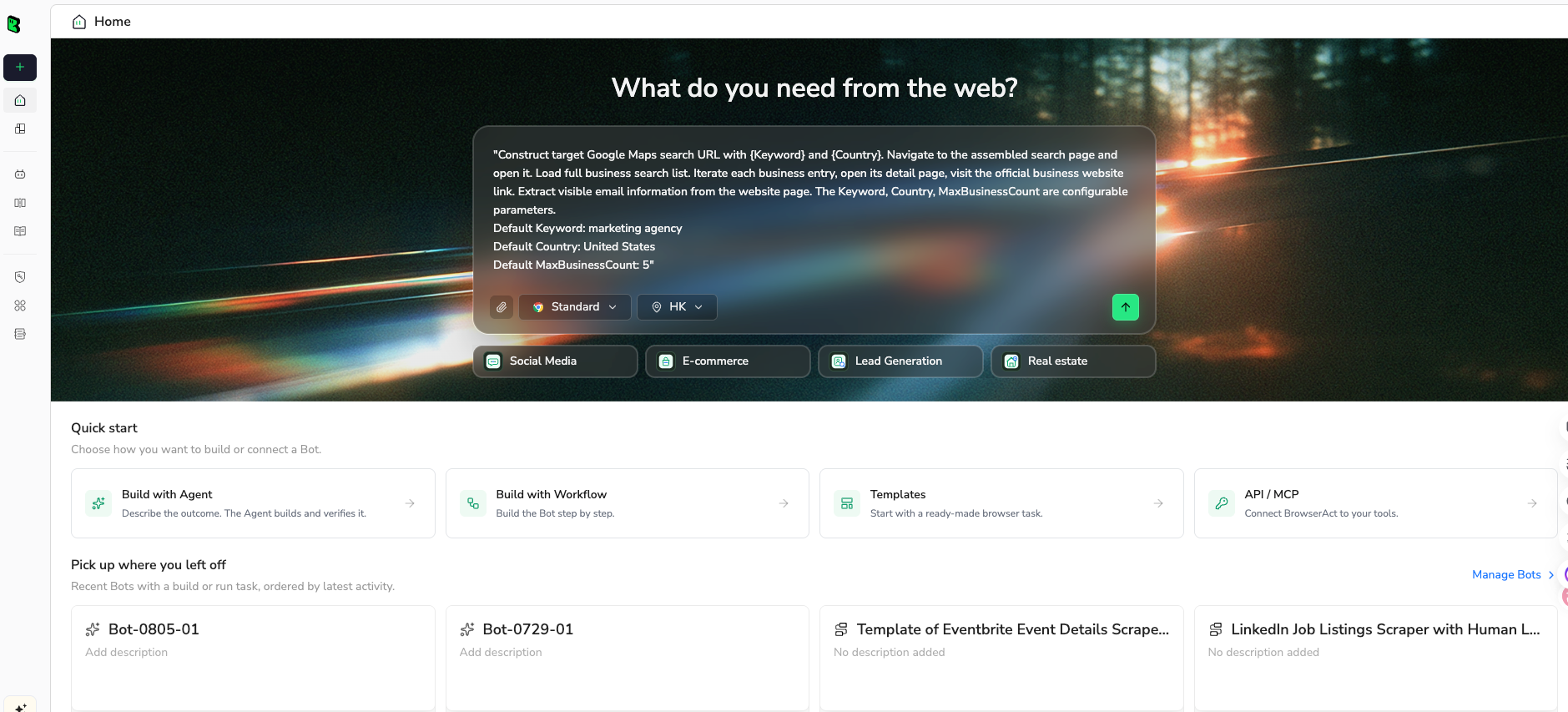
- Copy the complete prompt: Edit the target profile, list type, fields, and limit only when needed.
Go to this public Instagram profile and collect a structured sample of visible followers:

TARGET:
https://www.instagram.com/REPLACE_WITH_PUBLIC_PROFILE/

LIST TYPE:
followers

Return up to 500 visible rows.

For each row, extract:
- target_profile_url
- list_type
- username
- profile_url
- full_name if visible
- bio if visible after opening the public profile
- follower_count if visible
- following_count if visible
- is_verified if visible
- is_private if visible
- category_label: creator, brand, fan account, customer, reseller, agency, spam, or unknown
- source_status: complete, partial, login_required, captcha_required, private, rate_limited, unavailable
- reviewer_notes if anything needs human checking

Deduplicate by profile_url first, then by username.

Keep the run read-only. Do not follow, unfollow, like, comment, message, save, or change account settings.
If Instagram asks for login, CAPTCHA, 2FA, private access, or permission you do not have, pause and report the stop reason instead of bypassing it.

Export the final result as a clean table suitable for CSV and Google Sheets.
Scrape data from any website.
Describe the data you need. Get a Bot — a reliable, reusable scraper.
Prompt preview: export visible Instagram followers with profile URLs, row status, and CSV-ready fields. Private session · Choose your region before you run
Get your Bot — Free- Handle login only when asked: If Instagram shows login, CAPTCHA, 2FA, account confirmation, private content, or rate limiting, BrowserAct should pause. A human decides whether the task is allowed to continue.
- Review, dedupe, and export: Check structured rows, remove duplicates, mark partial exports, and export CSV, JSON, Markdown, or a Google Sheets-ready table.
The Agent run is the test. Do not schedule anything until the row quality is clear. If the same profile set and schema need to run again, move the stable path into BrowserAct Workflow. If the approved run belongs in an internal job, reporting stack, or scheduler, use BrowserAct CLI.
Choose the right route
There is no single best Instagram follower scraper for every job. The right route depends on whether you need a quick export, an API-style service, a custom browser run, or a repeatable reporting pipeline.
Route | Best for | Watch-outs |
Official Instagram / Meta API | Owned or professional account workflows, follower count, account insight, business discovery | Usually not a simple arbitrary full follower-list export |
Chrome extension exporter | One-off follower/following CSV from visible accounts | Extension trust, session risk, account limits, partial exports |
Scraper API service | Standardized fields and scale when the tool fits exactly | Pricing, black-box completeness, policy review |
BrowserAct Agent | Custom schema, browser evidence, source URLs, stop rules, changing target lists | Requires prompt and QA discipline |
BrowserAct Workflow | Weekly or campaign-based repeat runs after the first path is proven | Should not be created before the Agent run is validated |
BrowserAct CLI | Controlled internal reporting jobs and scheduled snapshots | Needs logging, owner, retention policy, and failure handling |
Those pages prove the market, but they also reveal the risk. If the user’s real requirement is “export every follower from any profile, forever, with no limits,” no serious article should promise that. A better article explains how to test the path, mark partial rows, and decide whether a smaller sample or growth snapshot is enough.
How to check whether the export is usable
A follower export can fail quietly. It may return the first visible rows, miss older rows, duplicate usernames after scrolling, or stop when Instagram limits the session.
Use this QA checklist before using the data:
- Record the target profile URL and list type.
- Compare the visible follower or following count with exported rows, if a count is visible.
- Mark the export as a sample when it is not complete.
- Deduplicate by
profile_url; use username only as a fallback. - Keep rows for failures with
source_status, instead of deleting them. - Separate private profiles from unavailable profiles.
- Sample rows from the beginning, middle, and end of the run.
- Do not import rows into a CRM until a human reviews source context and permission boundaries.
For large accounts, the most useful output may be a sample, not a complete list. For weekly reporting, a follower-count snapshot can be more stable than an identity export.
Follower list vs follower growth: choose the less noisy metric
Many teams ask for a follower list because it sounds richer. But the actual decision may be:
- Did the creator grow after the campaign?
- Is this account still gaining relevant attention?
- Which competitor is growing fastest this month?
- Which profile belongs in our next creator shortlist?
Those questions do not always require follower identities. A simple snapshot table can be cleaner:
Date | Profile | Follower count | 7-day change | Source status | Notes |
2026-08-01 |
| 82,410 | — | complete | baseline |
2026-08-08 |
| 84,020 | +1,610 | complete | launch week |
2026-08-15 |
| 83,970 | -50 | complete | growth paused |
Safety boundaries
Instagram follower data can include personal data. Treat it as sensitive, even when it is publicly visible.
Document these rules before running any scraper:
- Use only public or authorized data.
- Do not scrape private accounts or relationship lists you are not allowed to view.
- Do not automate following, unfollowing, liking, commenting, messaging, saving, or account changes.
- Stop on login, CAPTCHA, 2FA, private content, blocked sessions, or unclear permission.
- Do not claim legal certainty; platform rules and data laws vary by use case and location.
- Do not store personal data longer than needed.
- Do not use follower lists for spam outreach.
The Reddit thread about safe follower export is useful because it shows the real anxiety: users are not only asking “which tool exports to Excel?” They are asking whether the method could risk the account. Your workflow should answer that concern directly.
Recommended workflow
Use this sequence for real projects:
- Write the business question first: list export, growth tracking, audience fit, or lead review.
- Choose the smallest useful dataset.
- Test 1–3 public profiles with BrowserAct Agent or a fixed exporter.
- Check completeness, duplicate rate, source status, and row usefulness.
- Decide whether you need full lists, samples, or growth snapshots.
- Save the proven path as a BrowserAct Workflow only after review.
- Move to BrowserAct CLI only when the run has an owner, schedule, logs, and retention rules.
That keeps the workflow useful. The goal is not to scrape the biggest list possible. The goal is to produce a spreadsheet that a marketer, analyst, or partnerships lead can trust.
Further reading: Instagram data collection
Frequently Asked Questions
What is an Instagram follower scraper?
An Instagram follower scraper extracts visible follower or following data from Instagram profiles into a structured format such as CSV, Excel, JSON, or Google Sheets. Useful fields include username, profile URL, full name, bio, follower count, verification status, and source status.
Can I export Instagram followers to Excel?
Yes, many tools and browser workflows can export visible followers to CSV or Excel. The important question is whether the export is complete, authorized, deduplicated, and marked with stop states such as private, login required, or rate limited.
Can the Instagram API return a full follower list?
For many standard Instagram Graph API workflows, a simple arbitrary full follower or following identity list is not what the official API is built to provide. Official APIs are more useful for authorized professional account workflows, account insights, follower count, and business discovery-style data.
Can I scrape followers from a private Instagram account?
Do not treat private accounts as scrape targets. If you do not have permission to view the data, your workflow should stop and mark the row as private or restricted.
Why is my Instagram follower export incomplete?
Common reasons include large accounts, login prompts, scrolling limits, temporary rate limiting, private profiles, deleted accounts, duplicate rows, and changes in Instagram’s page behavior. Keep source_status so partial exports are visible.
When should I use BrowserAct instead of a Chrome extension?
Use a Chrome extension when you need a simple follower/following CSV and trust the extension. Use BrowserAct when you need custom fields, source URLs, screenshots, human stop states, repeatable workflows, and a prompt-first browser run that can be reviewed before automation.


