Instagram Reels Scraper: Collect Play Counts, Captions, Comments, and Audio Signals

An Instagram Reels scraper is useful when it answers a concrete research question: which public Reels are getting attention, what did they say, what audio or topic did they use, and how should your team compare them against its own content or competitors? That is different from simply downloading videos. Most teams searching for an Instagram Reels scraper are trying to build a repeatable content intelligence workflow. They want Reel URLs, captions, hashtags, creator context, play or view counts,
- 1An Instagram Reels scraper should collect source-linked public Reel data for content research, not promise hidden analytics or private-account access.
- 2The core dataset usually includes Reel URL, profile URL, caption, timestamp, play or view count, likes, comments, shares when visible, hashtags, mentions, audio/title clues, transcript if available, and collection status.
- 3Official API routes are best for authorized Business or Creator accounts, while marketplace actors, open-source scripts, and BrowserAct workflows solve different public-data research jobs.
- 4Use BrowserAct Agent for the first prompt-based field discovery run, BrowserAct Workflow for repeat monitoring, and BrowserAct CLI when the approved Reels report needs logs, scheduling, and handoff.
- 5A good Reels workflow keeps stop reasons, source URLs, dedupe keys, and reviewer notes so AI summaries and trend calls do not lose evidence.
What people actually want from Reels data
Searches around “Instagram Reels scraper” usually hide one of five jobs.
Reader job | What they need | Why a plain downloader is not enough |
Trend discovery | Reels above a play-count or engagement threshold | Needs filtering, timestamps, captions, hashtags, and source URLs |
Competitor content research | Reels from selected profiles over time | Needs repeat runs and comparable fields |
Creator research | Reels, audience response, and content themes from potential partners | Needs profile context plus reviewer notes |
Comment mining | Comments on high-performing Reels | Needs comment text, author context, and moderation boundaries |
AI summarization | Captions, transcripts, comments, and metadata for clustering | Needs clean schema and dedupe, not just media files |
There is also visible market proof. The Apify Instagram Reel Scraper page shows a 4.0 rating from 101 reviews and pricing from $1.00 per 1,000 reels, while the older Stack Overflow video-view-count question shows more than 10,000 views. Those numbers are not a full keyword model, but they do show that Reels metrics are a real, recurring data job rather than a made-up content angle.
The fields worth collecting
Before choosing a tool, define the table. For most Reels research, start with these columns.
Field | Why it matters |
| The profile, hashtag, keyword, competitor list, or manual URL set that found the Reel |
| The source URL every insight must point back to |
| Lets a reviewer inspect creator or competitor context |
| Creator or brand handle |
| Topic, offer, hook, CTA, and keyword evidence |
| Needed for velocity, recency, and campaign windows |
| The main Reels performance signal when visible or authorized |
| Engagement signal, but weaker without view context |
| Conversation signal and a pointer to deeper qualitative research |
| Useful when available, but not always visible or supported |
| Topic, niche, and discovery signal |
| Brand, collaborator, or partner signal |
| Useful for trend research and repeatable creative formats |
| Helpful for AI clustering when available |
| complete, partial, login_required, captcha_required, unavailable |
| Human judgment before the row becomes a recommendation |
Pro Tip: Keep source_status even when the row looks successful. Six weeks later, it helps explain whether a missing view count was truly absent, hidden behind login, or skipped by the collection rule.
Official API vs public Reels scraping
The official Instagram platform is important, but it is not the same thing as broad public Reels research. Meta’s IG Media reference documents fields for media objects and includes view count for Reels. That matters when you are working with authorized Business or Creator account media.
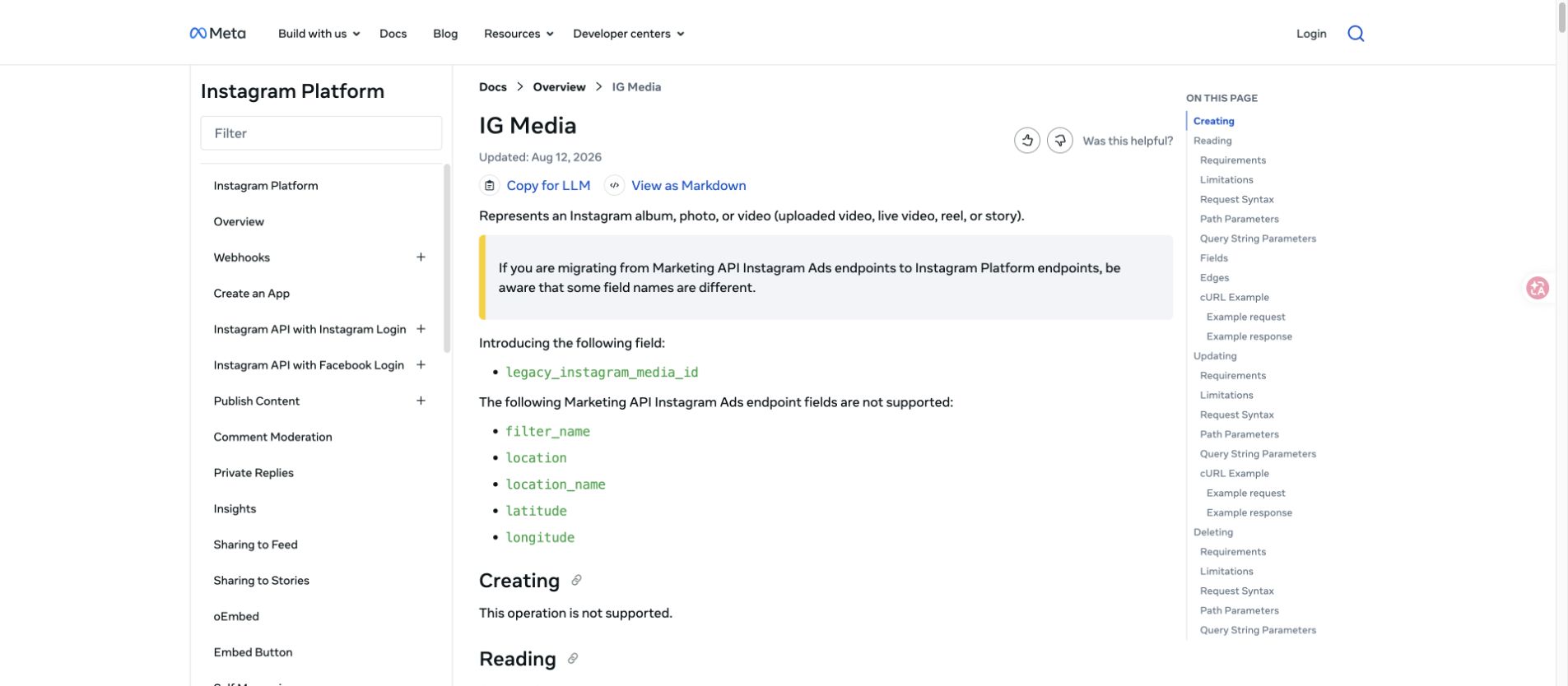
But many marketing teams are not only analyzing their own authorized account. They may want to compare public competitor Reels, inspect creator shortlists, or monitor niche hashtags. That is where teams start comparing marketplace actors, APIs, open-source scripts, and prompt-first browser workflows.
Use this decision rule:
Route | Best fit | Watch-outs |
Official Instagram API | Owned or authorized Business / Creator account workflows | Permissions, account type, review, and field availability |
Marketplace actors | Fast structured extraction from known public profiles or Reel URLs | Actor maintenance, pricing, black-box completeness |
Open-source scripts | Developer experiments and self-hosted control | Breakage, sessions, dependencies, field drift |
BrowserAct Agent | First-run prompt testing when the brief is still changing | Needs clear limits and human review |
BrowserAct Workflow | Repeat Reels monitoring after the path is approved | Needs stable inputs, schema, and stop rules |
BrowserAct CLI | Scheduled or governed reporting pipelines | Needs an owner and retention policy |
Tool route 1: marketplace Reels scrapers
Apify’s Instagram Reel Scraper is a useful example of the marketplace actor category. Its page positions the actor around profile or Reel URL inputs and fields such as caption, timestamp, transcript, hashtags, mentions, tagged users, comments, likes, shares, views, duration, media download, export, scheduling, API, and AI workflow integration.
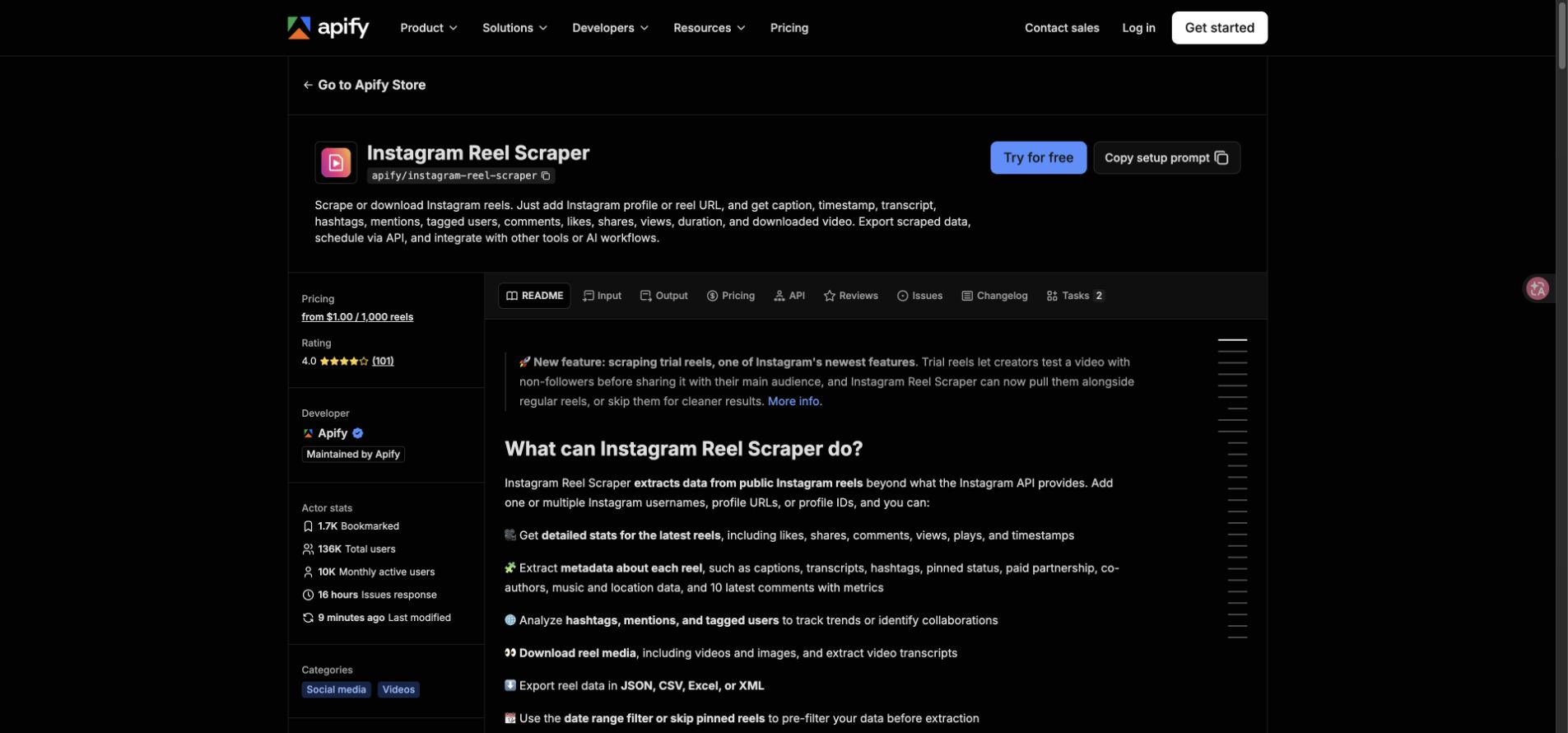
This category is attractive when you already know the profile list or Reel URLs and want fast structured rows. The tradeoff is that your process depends on the actor’s maintenance, output schema, pricing, and how clearly it reports partial or failed rows.
BrowserAct does not replace every actor. It is stronger when the research path needs browser judgment: inspect a public profile, open visible Reels, collect only fields that fit the brief, stop on restricted access, and return a source-linked table for review.
Pro Tip: If you test a marketplace actor, export 20 rows first and check field coverage manually. A tool can say it supports views, comments, transcript, and audio, but your actual target profiles may expose only some of those fields.
Tool route 2: open-source Reels scripts
Open-source scripts show what developers are trying to automate. The GitHub project instagram-reels-scraper describes an Instagram Reels data extractor, which maps closely to the workbook evidence around play counts, comments, and metadata.
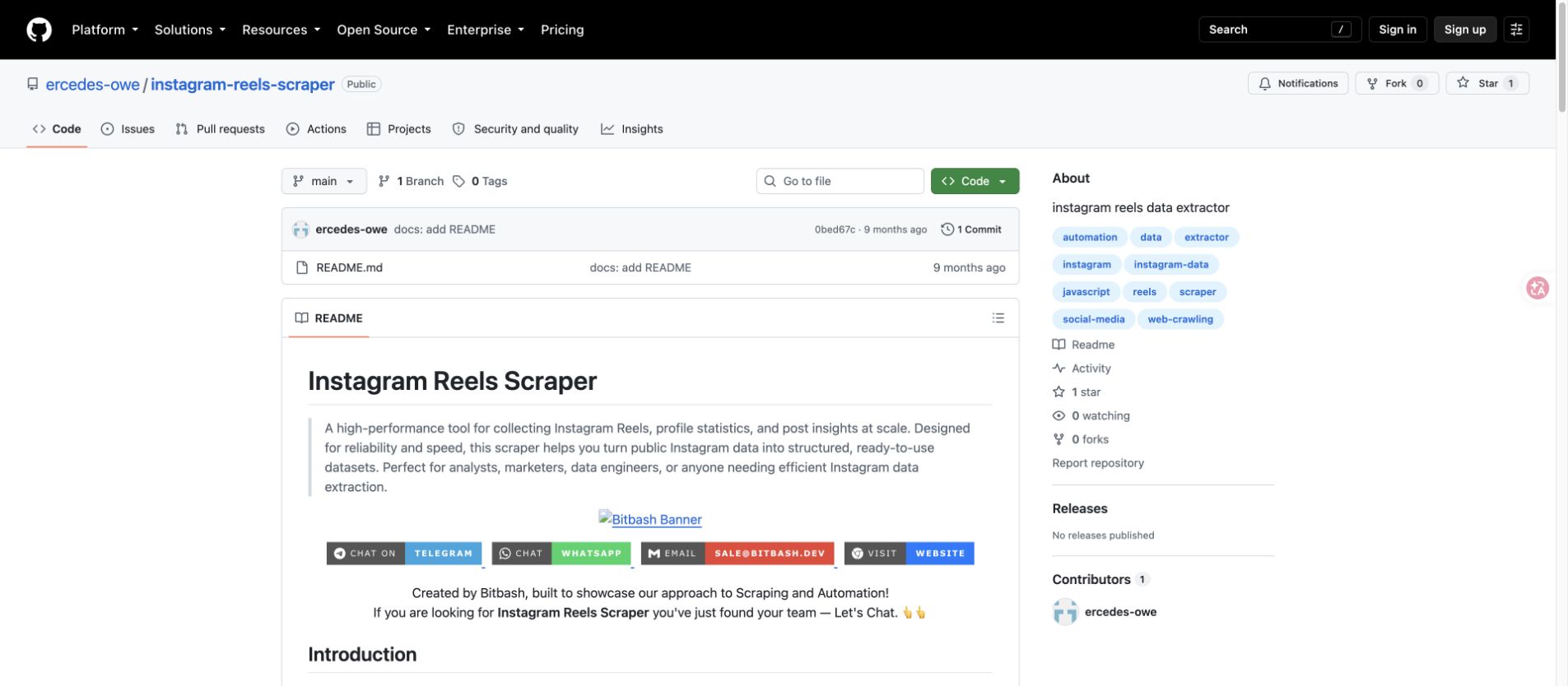
This route is useful for technical teams that want to own the code, inspect dependencies, and adapt the parser. It is not usually the best route for a content or growth team that mainly needs a repeatable research workflow. Instagram surfaces change, sessions expire, and a field that worked last month can disappear.
If the team wants developer control without turning every change into a scraper rewrite, keep the code-owned parts downstream. Use BrowserAct CLI to run the approved browser workflow and hand clean rows into your controlled pipeline.
Tool route 3: Reels data into n8n and AI workflows
The Reels use case becomes more valuable after collection. A GitHub project called n8n-ai-instagram-scraper frames the downstream job clearly: collect Instagram Reels, extract audio and descriptions, summarize and categorize the content, then store information for later review.
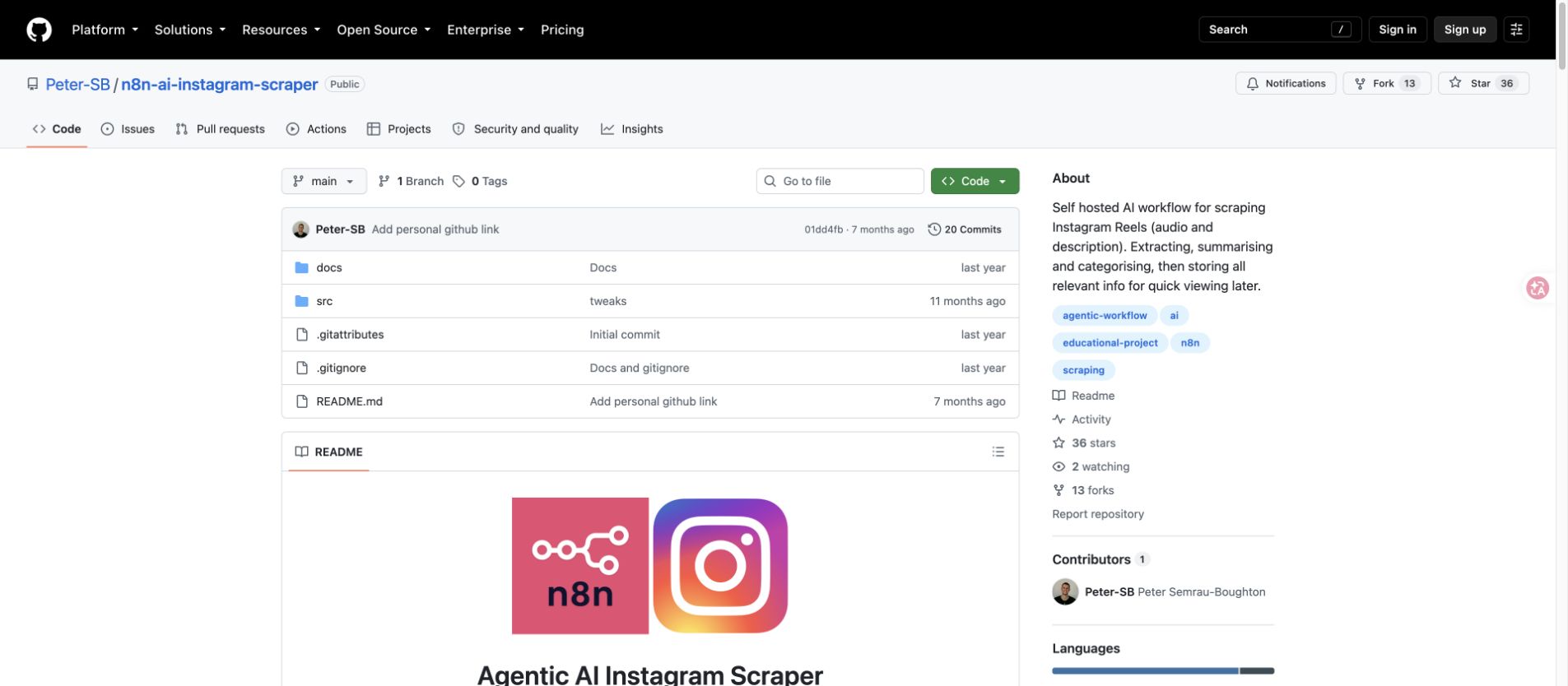
That is the right direction. Do not stop at “we scraped 500 Reels.” Decide what the AI should produce:
- top hooks by niche
- common caption patterns
- recurring audio or format signals
- creator shortlist candidates
- competitor content themes
- comments that reveal objections or buying intent
- Reels above a view threshold that deserve manual review
BrowserAct Workflow fits this middle layer when the collection path is stable. BrowserAct CLI fits the last mile when the approved run should feed n8n, Sheets, a data warehouse, or a weekly content-intelligence report.
Pro Tip: Put AI summaries in a separate column from raw captions and comments. When a summary becomes a recommendation, the reviewer should still be able to inspect the original Reel and source text.
Build a prompt-first Instagram Reels scraper with BrowserAct
Use this workflow when you need a small, reviewable Reels dataset before choosing a scaled tool or committing to a recurring monitor. Start with 30–100 public Reels, not thousands.
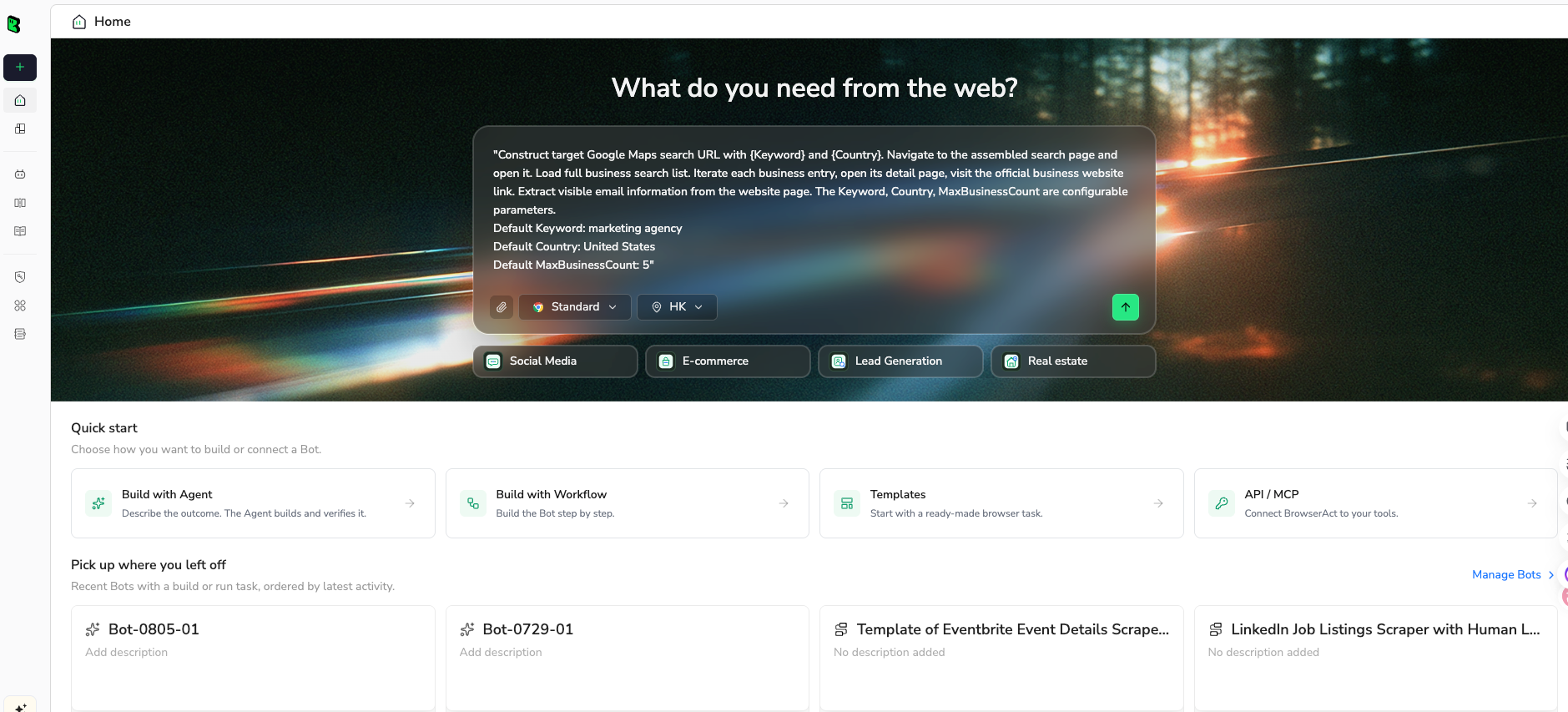
1. Open BrowserAct Dashboard
Click the left-side + button to create your own Bot, start from Quick start, or paste the prompt directly into the center Agent input to begin building.
2. Copy the complete prompt
Edit the target profiles, hashtags, field list, and limit before running.
Go to Instagram and build a public Reels research sample.

TARGET:
Collect public Reels from these sources:
- profile URLs: https://www.instagram.com/example_brand/
- optional hashtag or topic: #skincaretips
- optional competitor list: add one profile URL per line

LIMIT:
Return up to 75 relevant Reel rows.

For each public Reel, collect:
- source_query
- reel_url
- profile_url
- username
- caption
- posted_at if visible
- play_count or view_count if visible
- like_count if visible
- comment_count if visible
- share_count if visible
- hashtags
- mentions
- audio_title or audio clue if visible
- transcript_or_summary if available from visible page text; otherwise leave blank
- thumbnail_or_media_url only if visible and allowed
- source_status: complete, partial, login_required, captcha_required, unavailable
- review_note: one short sentence explaining why this Reel is relevant

Rules:
- Use public or authorized data only.
- Keep the task read-only.
- Do not follow, like, comment, save, message, post, download private media, or change any account setting.
- Do not access private accounts, hidden analytics, DMs, or restricted pages.
- If Instagram asks for login, CAPTCHA, 2FA, account confirmation, private access, or anything unclear, pause and report the stop reason.
- Deduplicate by reel_url.
- Keep partial rows if the Reel is relevant, but mark source_status clearly.

Output:
Return a clean table suitable for CSV or Google Sheets.
Add a short summary with profiles checked, Reels collected, rows with visible play/view count, rows with comments, duplicates removed, and stop reasons.
Scrape data from any website.
Describe the data you need. Get a Bot — a reliable, reusable scraper.
Prompt preview: collect public Instagram Reels, play counts, captions, comments, audio clues, source URLs, and review notes. Private session · Choose your region before you run
Get your Bot — Free3. Handle login only when asked
If Instagram shows login, CAPTCHA, 2FA, private content, account warnings, or unavailable media, BrowserAct should pause. Keep the partial rows and mark source_status. Do not ask the automation to bypass the boundary.
4. Review, dedupe, and export
Before the data becomes a content recommendation:
- dedupe by
reel_url - keep the source profile and source query
- separate visible metrics from inferred notes
- label unavailable fields instead of filling guesses
- manually review any “viral” or “winner” claim
- export CSV, JSON, Markdown, or a Sheets-ready table
Once the first run is trusted, save the path as a BrowserAct Workflow. When the same report should refresh on a schedule or feed an internal stack, run it with BrowserAct CLI.
A practical Reels analysis workflow
Collection is only the first step. A useful report should answer a sharper question.
1. Define the content set
Pick one of these:
- last 20 Reels from each competitor
- Reels above a visible play-count threshold
- Reels from a hashtag over the past week
- Reels from creator candidates in one niche
- Reels linked from a campaign or launch
Do not mix every source at the beginning. A small clean set is easier to inspect and improve.
2. Normalize the fields
Use one row per Reel. If you collect comments, keep them in a second table with reel_url as the join key. That keeps Reel-level metrics from becoming messy.
3. Add AI summaries carefully
AI is good at clustering captions and comments, but it can overclaim. Keep the raw caption, source URL, and visible metrics beside the summary. If a summary says “users are asking about price,” the reviewer should be able to click the Reel or comment source.
4. Compare within the same context
Do not compare a brand’s paid campaign Reel against an organic creator Reel as if they were the same unit. Keep account type, posting window, niche, and source query visible.
5. Turn findings into experiments
The final output should not be “top Reels.” It should be an experiment backlog:
- hooks to test
- caption structures to try
- audio formats to watch
- creator categories to contact
- comment questions to answer in future content
- competitor themes to monitor weekly
Common mistakes
Mistake 1: Treating play count as the whole story
Play count is useful, but it does not explain why the Reel worked. Pair it with caption, audio, comments, posting window, and profile context.
Mistake 2: Mixing owned insights with public observation
Owned account analytics and public competitor observation are different. Keep authorized API metrics, public visible metrics, and inferred notes in separate columns.
Mistake 3: Building a giant dataset before validating the schema
Run 30–100 Reels first. If your team cannot use the sample, a larger scrape will only create a larger cleanup problem.
Mistake 4: Losing source URLs
Every row should point to the Reel URL and profile URL. If the data cannot be audited, it should not drive a content decision.
Mistake 5: Ignoring stop states
Login walls, unavailable media, partial fields, private profiles, and CAPTCHA prompts are part of the workflow. Mark them instead of hiding them.
When BrowserAct is the best fit
BrowserAct is strongest when your Reels research brief is still evolving:
- “Find Reels from these 12 competitors where visible play count is above a threshold.”
- “Collect captions, audio clues, and comments from skincare tutorial Reels.”
- “Compare public creator Reels before shortlisting partners.”
- “Build a weekly content research table with source URLs and reviewer notes.”
Use BrowserAct Agent when the prompt, target list, and fields are still being tested. Use BrowserAct Workflow when the same run should repeat. Use BrowserAct CLI when the approved workflow should run with logs, schedule, and downstream handoff.
If the job is a fixed, high-volume extraction from known Reel URLs, a marketplace actor may be enough. If the job is code ownership, a GitHub scraper may be appropriate. If the job is “turn a changing content-research brief into a browser-verified table,” BrowserAct is the cleaner fit.
Further reading: Instagram data collection
Frequently Asked Questions
What is an Instagram Reels scraper?
An Instagram Reels scraper collects structured data from public or authorized Instagram Reels, such as Reel URLs, captions, timestamps, play or view counts, comments, hashtags, mentions, audio clues, profile URLs, and source status.
Can I scrape Instagram Reels without the official API?
Public-data workflows can collect visible Reels information through browser-based or marketplace tools, but they should not promise hidden analytics, private-account access, or bypasses. Use the official API for authorized Business or Creator account media when that fits your use case.
Can BrowserAct collect Reels play counts?
BrowserAct can collect visible fields from public or authorized pages when Instagram exposes them in the browser session. If a play or view count is not visible, restricted, or blocked by login/CAPTCHA/private access, the workflow should mark the row as partial instead of guessing.
What fields should I export from Instagram Reels?
Start with reel_url, profile_url, username, caption, posted_at, play_count or view_count, like_count, comment_count, hashtags, mentions, audio_title, source_status, and review_note.
Is an Instagram Reels scraper good for competitor analysis?
Yes, if you keep source URLs, collection windows, profile context, and field availability clear. A good competitor report compares similar sources and turns findings into testable content experiments.
Should Reels comments be in the same table?
Usually no. Keep one table for Reels and a second table for comments, joined by reel_url. That keeps Reel-level metrics clean while still allowing sentiment or objection analysis.
When should I use BrowserAct Agent, Workflow, or CLI?
Use BrowserAct Agent for the first prompt and field-discovery run, BrowserAct Workflow for repeat Reels monitoring, and BrowserAct CLI when the approved workflow needs to run inside a scheduled or governed pipeline.


