Web Scraping API vs DIY: How to Choose the Right One in 2026

Web scraping API vs DIY: Use APIs for web scraping when you need speed, anti-bot handling, and low maintenance. Choose DIY only for simple static sites.
Every business needs data, but most valuable information sits on websites without official APIs. You can't just call an endpoint to get Amazon product prices, Google Maps business listings, or competitor website content—these sites don't offer structured data feeds. That's the problem web scraping APIs solve.
A web scraping API is a service that extracts data from websites and delivers it through REST endpoints, handling all the complexity: proxy rotation, CAPTCHA solving, JavaScript rendering, and anti-bot detection. Instead of building and maintaining scrapers yourself, you make a simple API call and receive clean, structured data.
Better yet, modern platforms let you turn any scraping workflow into a custom data API. You define what to extract once, publish it, and get a production-ready endpoint that anyone can call. This guide explains how web scraping APIs work, when to use them, and how to build your own data APIs without code.
What is a Web Scraping API?
A web scraping API automates data extraction from websites through programmatic interface. You send a request with a target URL and extraction parameters, and the API returns structured data in JSON, CSV, or XML format.
Unlike traditional APIs that access databases directly, web scraping APIs retrieve data by actually browsing websites like a human would:
- Load the target page in a real browser
- Execute JavaScript to render dynamic content
- Navigate through pages, click buttons, fill forms
- Extract specific data using selectors or AI
- Return clean, formatted results
The key advantage: you don't manage infrastructure. No proxy pools, no CAPTCHA services, no browser automation code. Everything runs through one API call.
Why Use a Web Scraping API?
The alternative is building scrapers yourself. Here's the reality check:
Aspect | DIY Scraping | Web Scraping API |
Setup time | 2-4 weeks | Minutes |
Anti-bot handling | Manual setup | Built-in |
Maintenance | Constant—breaks with updates | AI auto-adaptation |
Cost (monthly) | $200-500 + dev time | $50-300 |
Use a web scraping API when:
- Speed matters: you need data today, not next month
- You're scraping protected sites (e-commerce, social media...)
- You don't have in-house scraping expertise
- You'd rather focus on using data than collecting it
Key Features of the Best Web Scraping API
- Anti-Bot Infrastructure: Residential proxies, automatic CAPTCHA solving, browser fingerprinting. Look for 95%+ success rates on protected sites.
- Async Task Management: Webhooks push results automatically. Polling lets you check status on-demand. Proper queuing handles concurrent jobs.
- Data Format Flexibility: JSON by default, plus CSV, XML exports. Direct API consumption for real-time processing or file downloads for batch operations.
- Complex Site Handling: Full JavaScript rendering, automatic infinite scroll, multi-step workflows (navigate → interact → extract), session management to stay logged in.
- Developer Experience: Clear documentation, code examples, intuitive REST endpoints, integrations with automation tools (n8n, Make, Zapier).
Common Use Cases
- E-commerce Intelligence: Monitor competitor prices across thousands of products. Track inventory and discount patterns.
- Lead Generation: Extract business info from Google Maps, directories. Scrape property listings before they hit MLS.
- News Aggregation: Track brand mentions across thousands of sites. Aggregate competitor content for trend analysis.
- Market Research: Analyze product reviews from Amazon and Trustpilot. Extract pricing data for competitive benchmarking.
How to Build Your Own Data API
Here's where it gets interesting. Instead of just using someone else's generic scraping API, you can build custom data APIs for your exact needs—without coding.
- Traditional way: Spend weeks building REST API infrastructure, browser automation, proxy management, CAPTCHA solving, task queues, webhooks, monitoring...
- Modern way: With BrowserAct, you only need to describe what you want to scrape, publish it, get an API endpoint. Infrastructure handled automatically.
The Modern Approach with BrowserAct
BrowserAct delivers all the features of the best web scraping APIs—residential proxies, automatic CAPTCHA solving, JavaScript rendering, webhook support, multiple data formats—but lets you build custom workflows instead of being limited to pre-configured endpoints.
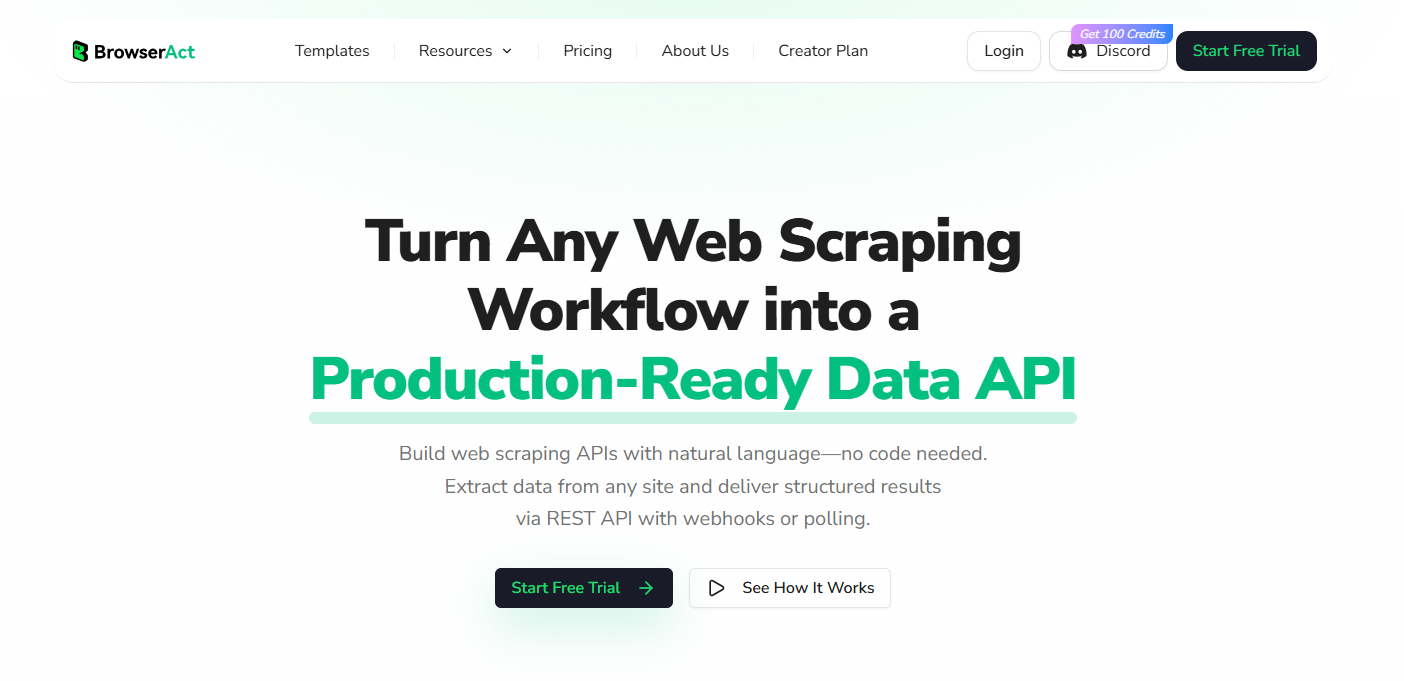
Here's how it works:
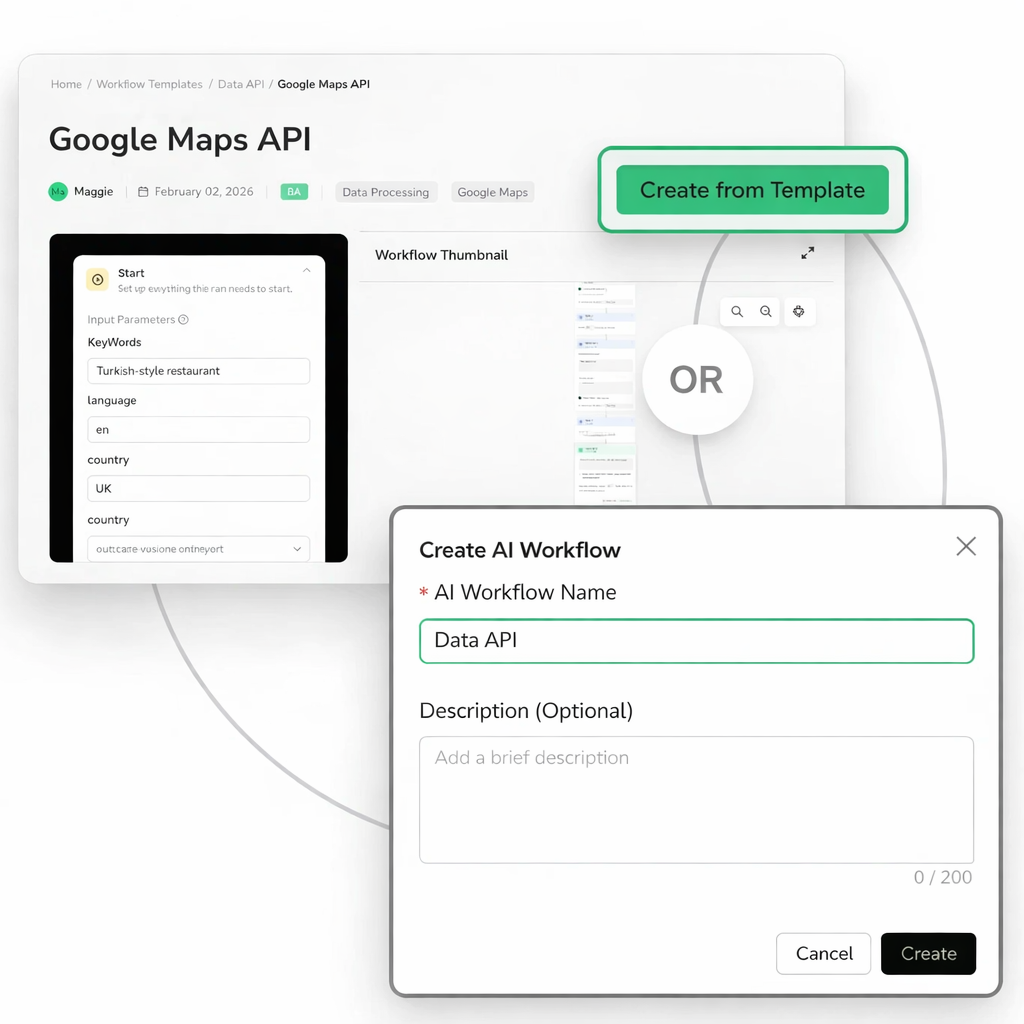
Step 1: Start from Template or Build Workflow (5 minutes)
Choose pre-built templates:
- Amazon Product API: Extract titles, prices, ratings, reviews
- Google Maps API: Business names, addresses, hours, ratings, contact info
- Google News API: Headlines, sources, publish times, article links
- Or view more ready to use data API templates!
Or build custom workflows visually: drag navigate, click, extract, loop nodes. No code needed. Just describe the workflow in plain English or point-and-click through actions.
Step 2: Publish and Get Your API Endpoint
Click "Publish." BrowserAct generates a unique workflow_id and provisions infrastructure automatically: browser workers, proxy rotation, CAPTCHA solving, task queuing, webhook delivery.
Your workflow is now a REST API endpoint.
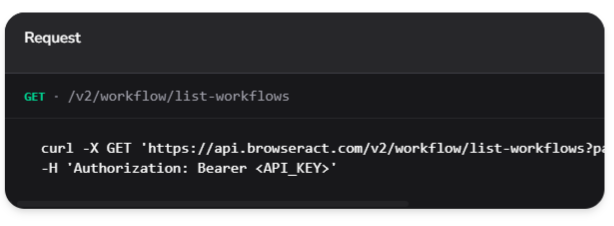
Step 3: Call Your API
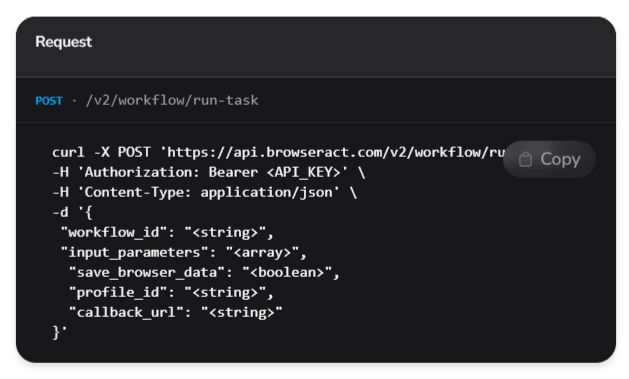
Trigger scraping tasks by making a simple REST API call with your workflow ID and input parameters. Configure webhooks for automatic result delivery or use polling to check status on demand.
Submit jobs with:
workflow_id- Your published workflow identifierinput_parameters- Dynamic inputs like URLs or search terms- Optional:
callback_url,status_change_callback_urlfor webhook delivery - Optional:
profile_idto reuse browser sessions
Step 4: Receive Data
Via webhook (automatic push) or polling (check status anytime). Get extracted data, execution logs, browser screenshots, error diagnostics.
Step 5: Use Data
Access via output.string for direct API consumption or output.files for CSV/JSON downloads.
Why This Approach Wins
- Faster than DIY: Deploy in minutes vs weeks. No infrastructure setup.
- More Flexible than Generic APIs: Build exactly the workflow you need. Pause for manual verification with Human Interaction nodes when automation hits edge cases.
- Lower Maintenance: AI adapts when sites change layouts. You're not constantly fixing selectors.
- Production-Grade: Detailed logs, screenshots at every step, comprehensive error diagnostics.
- Seamless Integrations: Works with n8n, Make. Expose as MCP tools for AI assistants like Claude and ChatGPT to call directly.
No-code platforms like BrowserAct are 5-10x cheaper than DIY and more flexible than generic APIs—while delivering enterprise-grade reliability.
Start your free trial and build your first data API in 5 minutes.
Conclusion: Choose Based on Your Situation, Not Hype
The choice is simple: build scrapers yourself or use a web scraping API.
DIY makes sense if you're scraping one or two static sites that rarely change and you have engineers with time to spare. For everyone else, the math is clear—a $56/month API that delivers reliable data beats spending 10+ hours per month debugging broken scrapers and managing infrastructure. Your competitive advantage isn't proxy rotation expertise; it's what you do with the data once you have it.
If you need more than generic scraping endpoints, BrowserAct offers a no-code approach to building custom data APIs. Choose from ready-to-use templates for Amazon, Google Maps, Google News, and more—or build your own workflows visually in minutes. Each published workflow becomes a production-ready REST API endpoint with built-in proxy rotation, CAPTCHA solving, and webhook delivery.
Start your free trial and turn any scraping workflow into a data API in 5 minutes.
Related reading: For practical examples, implementation details, and trade-offs, continue with Logged-In Dashboard Scraping vs API-First: Which Approach Actually Works?.


