TikTok Trending Sounds Tracker: Catch Audio Trends Before They Peak

A TikTok trending sounds tracker should not just list popular songs. It should show whether a sound is still accelerating: rank movement, UGC videos per day, country spread, creator spread, recent top videos, related hashtags, and whether the sound is safe for a brand account to use. That distinction matters. A sound can be popular and already saturated. Another sound can be smaller but climbing quickly inside one niche, one country, or one creator cluster. The second one is usually the research
-
1
TikTok trending sounds trackeris a timing query: readers want to know which sounds are accelerating before every brand and creator copies the same audio. - 2The useful categories are discovery sources, sound-level metrics, recent-video validation, saturation checks, and commercial-use safety—not a generic list of “viral songs.”
- 3Track rank, sound title, author, country, UGC count, videos/day, recent top videos, creator niches, related hashtags, and brand-safe status before recommending a sound.
- 4BrowserAct is best for building a source-linked watchlist from public or authorized pages, then saving the repeatable path as a Workflow or running it through CLI.
- 5Do not promise that a trending sound guarantees reach. Audio is one signal; hook, format, offer, creator fit, timing, and licensing still decide whether the trend is usable.
Why sound tracking is a timing problem
Most teams find trending sounds too late. By the time a sound appears in every “viral audio” post, the easy upside is often gone. The better question is not “what is popular?” It is “what is gaining adoption fast enough to test this week, but not so saturated that the format already feels tired?”
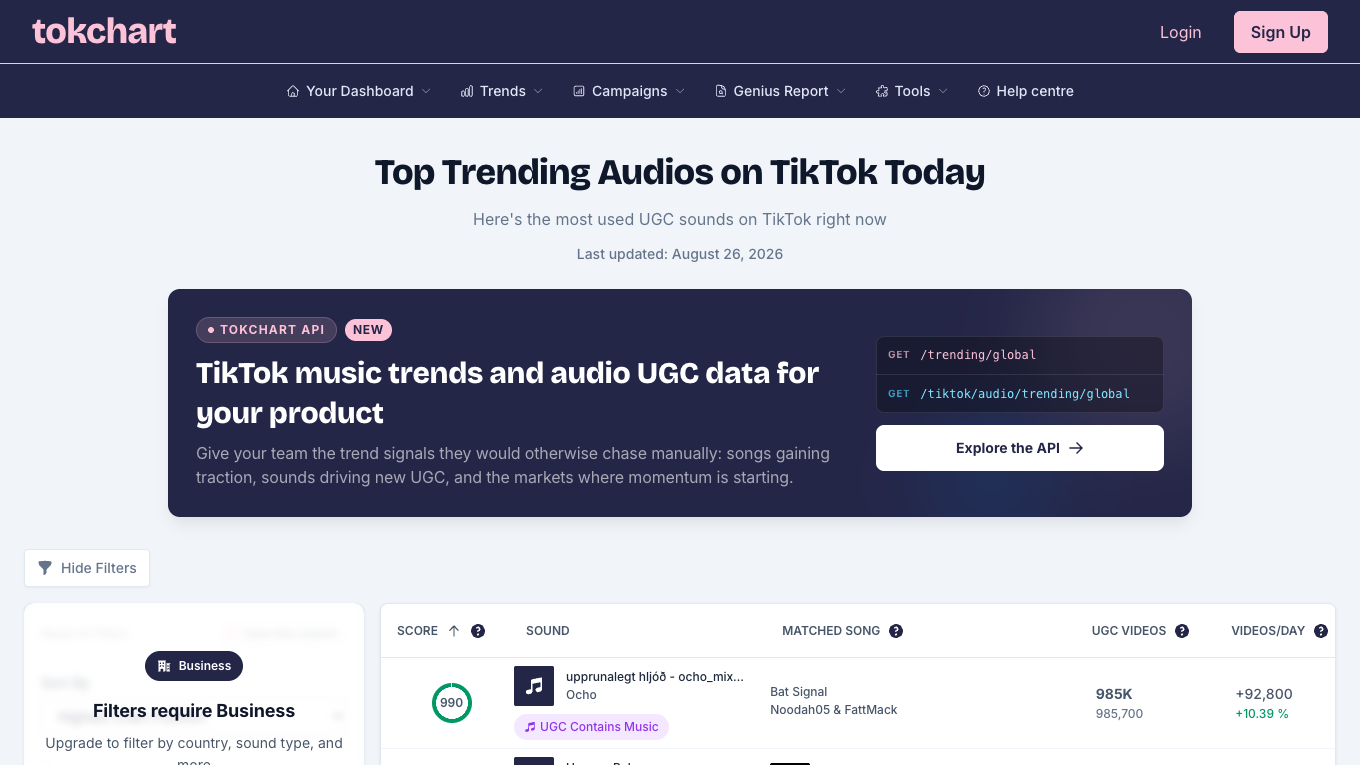
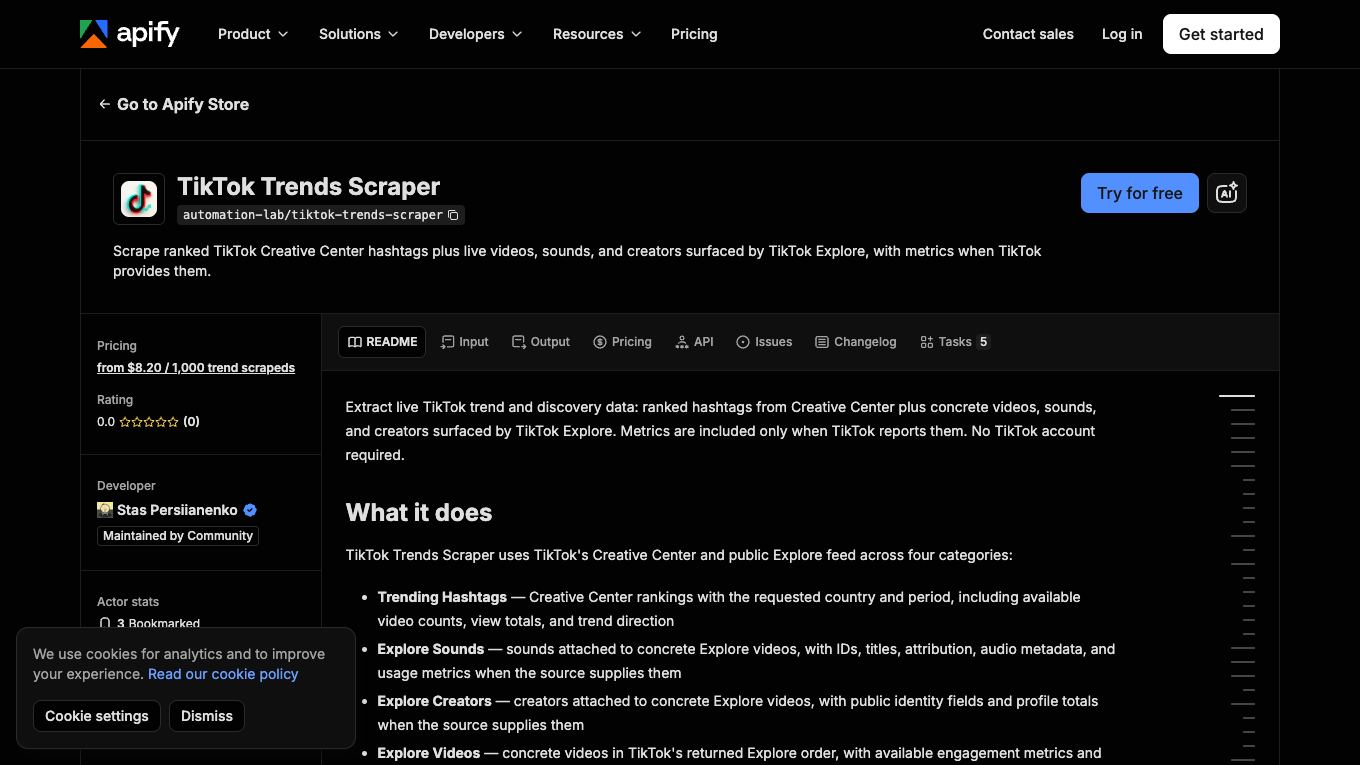
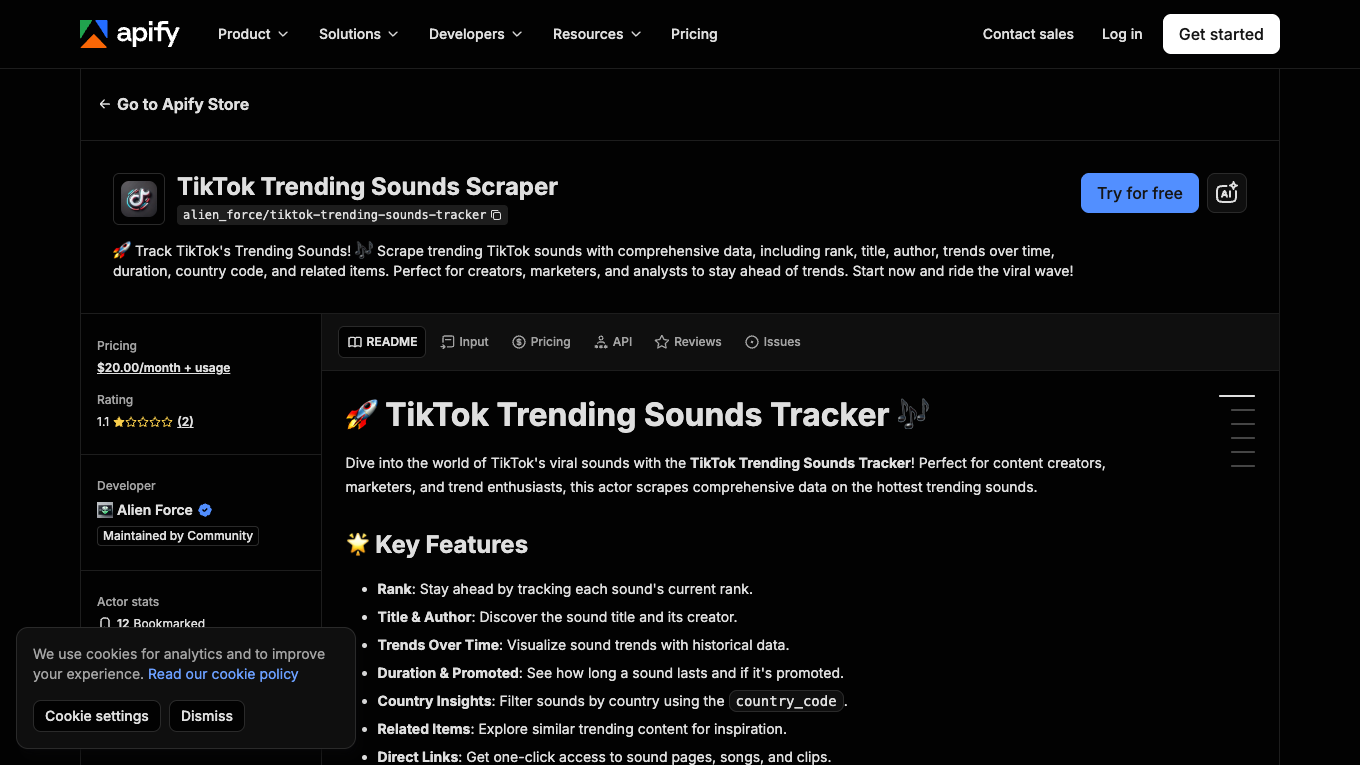
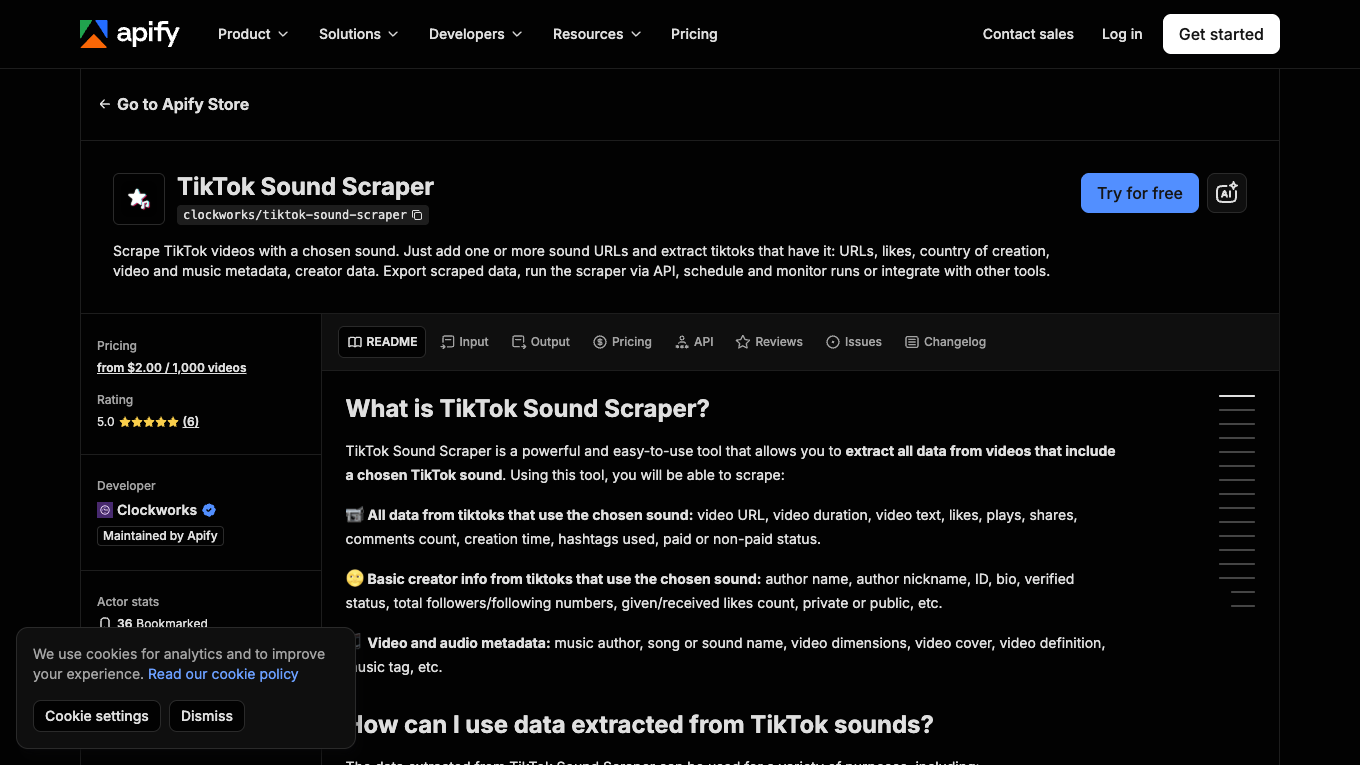
The search evidence points in that direction. Tokchart’s public page frames the job around “top trending audios,” UGC sounds, songs gaining traction, and markets where momentum is starting. Apify sound/trend actors expose similar demand from the automation side: rank, title, author, trend over time, duration, country code, related items, videos using a sound, creator data, and exportable rows.
That is the job of a tracker: keep enough history to see movement, not just take one screenshot of a chart.
The five signals that matter
Do not judge a sound by one number. Use a small scoring model that separates raw popularity from early momentum.
Signal | What to measure | Why it matters |
Rank movement | current rank, previous rank, new-to-list status | Shows whether the sound is rising or stale |
Velocity | UGC videos/day or short-window usage growth | Finds sounds gaining traction before they become obvious |
Creator spread | number and diversity of creators using it | Avoids sounds driven by one creator or one isolated post |
Recent top videos | upload recency and engagement of top videos | Shows whether the trend is still alive |
Brand-safe status | commercial use availability or legal review status | Prevents a “viral” sound from becoming unusable for a brand |
Where to find trending TikTok sounds
Use multiple sources because each one sees a different slice of the platform.
TikTok Creative Center
TikTok Creative Center is useful for marketers because it provides trend discovery surfaces and business-oriented filters. Industry guides often recommend Creative Center’s song trend view, short time windows, breakout filters, and commercial-use checks for brand workflows.
The limitation is just as important: some user-generated meme sounds or dialogue clips may not appear where professionally generated music appears. Do not assume Creative Center alone covers every sound a creator sees in the app.
Sound analytics tools
Tokchart and similar tools are useful when the team wants daily/weekly trend views, country filters, UGC counts, and sound-level analytics without manually checking TikTok every hour.
Marketplace actors and APIs
Apify’s TikTok Trends Scraper describes four trend categories: hashtags, sounds, creators, and videos. Its sound mode is positioned around Explore videos, audio metadata, available usage stats, and structured export. A dedicated TikTok Trending Sounds Scraper page lists rank, title, author, trend over time, duration, country code, and related items.
Marketplace tools are useful when the schema fits. BrowserAct is useful when the team is still deciding which sources, filters, fields, and stop states actually matter.
TikTok app and competitor feeds
The TikTok app still matters because the “sound is trending in this niche” signal can be more local than any public chart. Check competitor posts, creator clusters, and the upload recency of top videos using the sound.
Commercial Music Library
For brands, a sound is not usable just because it is trending. TikTok’s Commercial Music Library help page says businesses should use the Commercial Music Library for commercial TikTok activities, including organic content, ads, and branded content. If a brand wants to use a general-library or user-created sound, legal review may be needed.
This is where a tracker should include commercial_use_status, not just is_trending.
Build a TikTok trending sounds tracker with BrowserAct
Use this workflow when you want a repeatable, source-linked watchlist instead of a one-off list of viral sounds.
- Open BrowserAct Dashboard
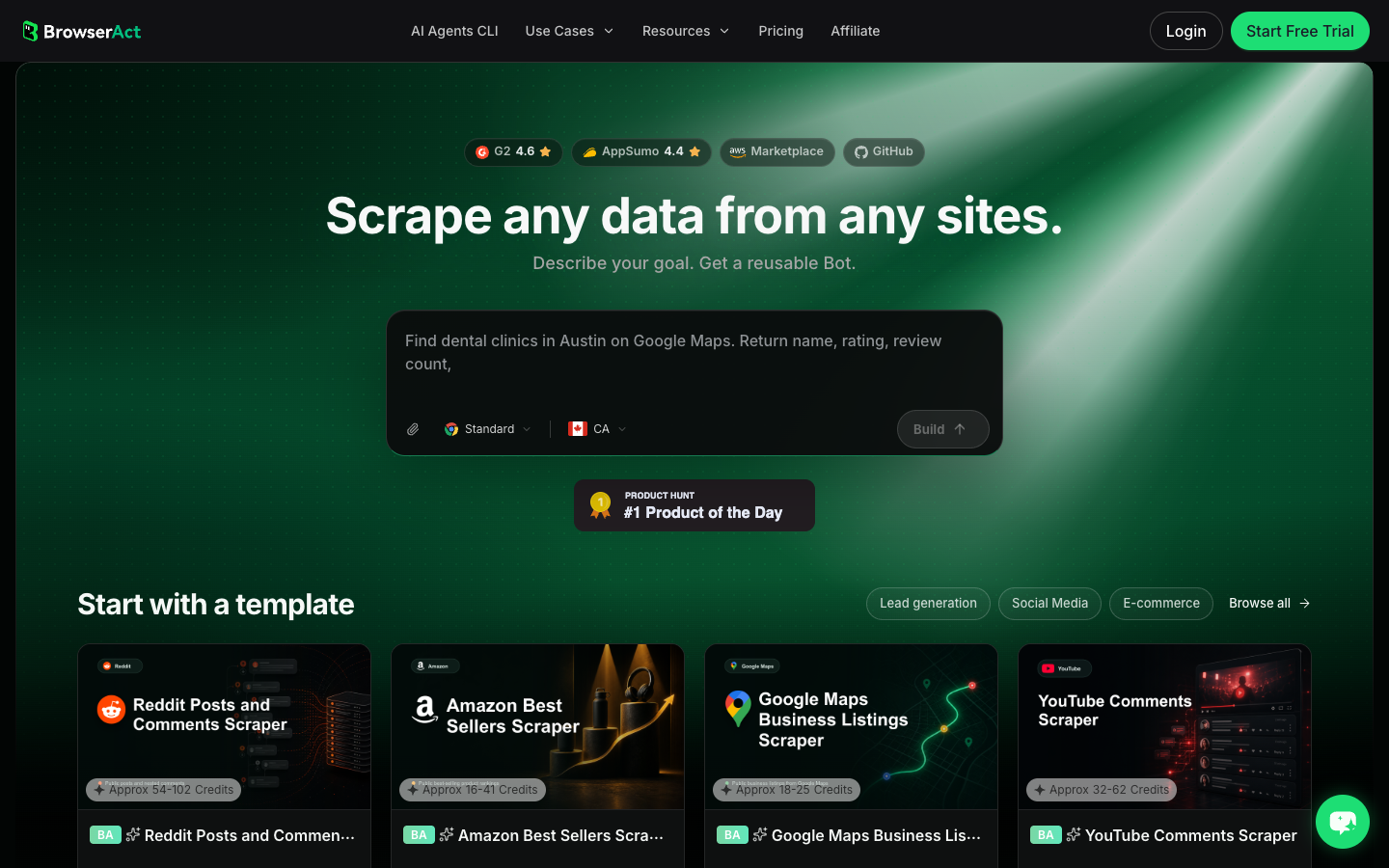
Click the left-side + button to create your own Bot, start from Quick start, or paste the prompt directly into the center Agent input to begin building.
- Copy the complete prompt
Replace the niche, country, and source list. Keep the stop rules and commercial-use fields.
Build a TikTok trending sounds tracker from public or authorized sources.

Target niche:
- Replace with niche, category, competitor set, or campaign theme.

Markets:
- Replace with country or region list.

Sources to inspect:
- TikTok Creative Center trend or song pages when accessible
- public TikTok sound pages or videos using the sound
- public competitor or creator videos in the target niche
- approved third-party trend pages I provide

Collect up to 60 candidate sounds. Do not keep scrolling forever.

For each sound, capture:
- sound_title
- sound_author_or_artist
- sound_url when visible
- source_url
- country_or_market
- current_rank when visible
- previous_rank or rank_change when visible
- new_to_chart or breakout flag when visible
- UGC_video_count when visible
- videos_per_day or short_window_growth when visible
- recent_top_video_urls
- recent_top_video_upload_dates when visible
- creator_handles using the sound
- creator_niche_note
- related_hashtags
- commercial_use_status: approved_for_business, needs_review, personal_use_only, unknown
- saturation_status: early, rising, crowded, saturated, unknown
- collected_at
- source_status: complete, partial, login_required, captcha_required, restricted, unavailable
- reviewer_note explaining why the sound is or is not worth testing

Deduplicate by sound_url plus sound_title plus author. If the same sound appears in multiple markets or sources, keep source_context for each appearance.

Stay read-only. Do not post, like, follow, comment, message, save sounds, change account settings, purchase, bypass login, bypass CAPTCHA, or access private or restricted content.

If login, CAPTCHA, 2FA, age gate, account confirmation, private content, payment, or restricted access appears, pause and record the stop reason instead of continuing automatically.

Export the result as a source-linked table suitable for CSV, JSON, Markdown, or Google Sheets.
Scrape data from any website.
Describe the data you need. Get a Bot — a reliable, reusable scraper.
Prompt preview: collect TikTok sounds, rank changes, UGC counts, recent videos, creator spread, and commercial-use status. Private session · Choose your region before you run
Get your Bot — Free- Handle login only when asked
If BrowserAct pauses on login, CAPTCHA, 2FA, age gate, account confirmation, private content, payment, or restricted access, treat it as a human checkpoint. A sound tracker should not automate around a stop state.
- Review, dedupe, and export
Inspect the first table. Merge duplicate sounds, separate country appearances, keep commercial_use_status, and export to CSV, JSON, Markdown, or a Sheets-ready table. If the watchlist should refresh every Monday, save the proven path as BrowserAct Workflow. If engineering needs to run it from a campaign pipeline, trigger it with BrowserAct CLI.
No fake live export screenshot is shown here. The tracker depends on your markets, sources, and authorized pages; until a live run exists, the honest artifact is the prompt, schema, and source-linked table design.
The tracker schema
Your spreadsheet should answer three questions at a glance: is the sound rising, is it still usable, and is it safe for this account?
Field | Why it matters |
| Human-readable sound name |
| Helps identify duplicates and licensing context |
| Makes the sound auditable |
| Shows where the signal came from |
| Separates local momentum from global noise |
| Captures chart position |
| Shows movement |
| Measures adoption scale |
| Measures velocity |
| Lets a human verify format and freshness |
| Helps detect saturation |
| Shows spread beyond one account |
| Connects sound to content themes |
| Prevents brand misuse |
| Early, rising, crowded, saturated, or unknown |
| Turns raw data into a recommendation |
How to score a trending sound
Use a simple score so the team does not argue from vibes.
Score component | Weight | What earns points |
Velocity | 30% | usage or rank is climbing in the last short window |
Niche relevance | 20% | recent top videos match the audience or product category |
Creator spread | 15% | multiple relevant creators use it, not one isolated account |
Freshness | 15% | top videos are recent, not mostly old posts |
Brand-safe status | 10% | commercial-use status is approved or reviewable |
Format fit | 10% | the sound supports the planned hook, pacing, or product story |
Pro Tip: Keep a “why rejected” column. Rejected sounds teach the team what not to copy: wrong niche, old top videos, licensing risk, weak hook fit, or too many saturated examples.
When a sound is already too late
A sound is probably crowded when:
- the same format appears across unrelated niches;
- top videos are several weeks old and still dominate;
- UGC count is high but videos/day is flat;
- every competitor has already posted the obvious version;
- comment sections are making jokes about the trend being over;
- the only way to use it is to copy the same hook everyone else used.
That does not mean the sound is useless. It means the team needs a twist: a different opening line, product angle, visual structure, creator, or market.
BrowserAct vs APIs vs manual sound research
Choose based on the bottleneck.
Job | Best fit |
One creator needs inspiration today | Manual TikTok app search |
A music or social team wants daily sound charts | Tokchart or sound analytics platform |
Engineering needs fixed sound URLs and JSON output | Sound scraper API or Apify actor |
A marketer is testing sources and fields | BrowserAct Agent |
A team needs a repeatable weekly watchlist | BrowserAct Workflow |
A pipeline needs logs, schedules, and downstream reporting | BrowserAct CLI |
Common mistakes
Treating audio as the whole creative
The sound helps distribution and recognition, but the hook, scene, offer, and edit still carry the video.
Ignoring commercial-use status
Brands should not treat every viral audio as usable. Add a licensing or commercial-use review before production.
Tracking only global charts
Local, niche, and creator-cluster trends often matter more than global rank.
Forgetting recency
If top examples are old, the audience may already feel the trend is stale.
Removing source URLs
If the team cannot reopen the source sound or recent videos, the tracker becomes a rumor spreadsheet.
Conclusion
A TikTok trending sounds tracker is useful when it separates acceleration from popularity. Track rank movement, velocity, creator spread, recent examples, country context, saturation risk, and commercial-use status before you recommend a sound.
Use BrowserAct Agent when you are still testing sources and fields. Save the working watchlist as BrowserAct Workflow when the same check should repeat. Use BrowserAct CLI when the approved tracker belongs inside a campaign, reporting, or creative-intelligence pipeline.
Further reading: TikTok research
Frequently Asked Questions
What is a TikTok trending sounds tracker?
It is a source-linked watchlist that tracks sound rank, growth, country, creator spread, recent videos, saturation risk, and commercial-use status.
How do I find TikTok sounds before they go viral?
Watch short-window growth, new-to-chart status, creator spread, recent top videos, and niche relevance instead of relying only on already-popular audio lists.
Are trending TikTok sounds always safe for brands?
No. Brands should check commercial-use status and legal review needs before using general-library or user-generated sounds in organic or paid content.
What fields should a TikTok sound scraper export?
Export sound title, author, URL, country, rank, rank change, UGC count, videos per day, recent videos, creator handles, hashtags, and review notes.
Should I use BrowserAct or a TikTok sound API?
Use BrowserAct when sources and fields are still changing; use an API when sound URLs, schema, and refresh cadence are already stable.
Does using a trending sound guarantee more views?
No. A trending sound is only one signal. Hook quality, format fit, timing, audience, creator trust, and licensing all affect performance.


