YouTube Sentiment Analysis: Analyze Comments for Brand and Product Insights

YouTube sentiment analysis gets messy fast because comments are not survey answers. They are jokes, complaints, requests, spam, emoji reactions, creator replies, product objections, and sometimes full customer interviews hiding under a video. The weak version of this workflow exports comments, asks an AI model for positive/neutral/negative labels, and ships a colorful chart. The useful version keeps the evidence: video URL, comment text, author signal if visible, timestamp, theme, entity, confid
-
1
YouTube sentiment analysisshould answer a business question, not just label comments positive, neutral, or negative. - 2The core workflow is: collect public comments → clean and dedupe → classify sentiment, theme, and entity → preserve quote evidence → trend or alert on changes.
- 3Use social listening platforms when YouTube is one channel in a wider brand-monitoring job; use YouTube comment analyzers for fast single-video summaries; use workflow tools when comments need to move into Sheets, OpenAI, or BI.
- 4BrowserAct fits when the team needs a custom, public, source-linked comment dataset first: Agent for the first prompt, Workflow for repeat runs, CLI for approved pipelines.
- 5Keep it read-only. Collect public or authorized visible data, stop at login/CAPTCHA/2FA/private access, and never automate replies, likes, subscriptions, messages, or account changes without separate approval.
What is YouTube sentiment analysis?
YouTube sentiment analysis is the process of collecting YouTube comments or mentions and classifying what people feel, request, praise, criticize, or misunderstand. The simplest output is positive, neutral, negative, mixed, or unclear. The more valuable output connects each sentiment label to a theme, a brand or product entity, and a source quote.
That last part is where many sentiment reports fall apart. If a dashboard says "negative sentiment increased by 18%" but cannot show which video, which comments, which product feature, and which repeated complaint drove the change, the team cannot act on it.
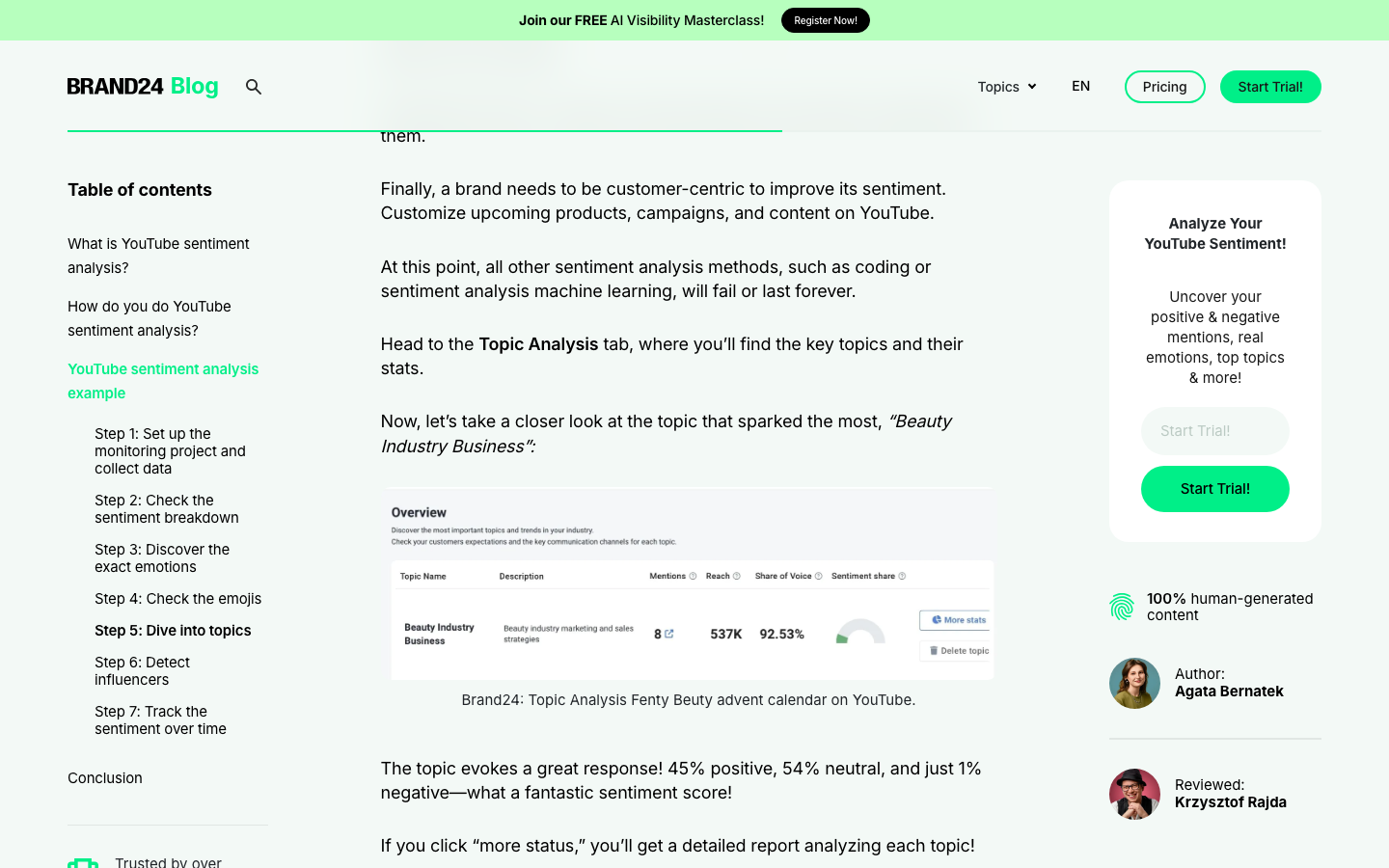
Brand24's YouTube sentiment analysis guide frames the job as understanding attitudes behind posts, comments, and interactions, then monitoring topics, emotions, influencers, and changes over time. That is useful for brand monitoring, especially when YouTube is only one part of the conversation. But if your team needs a custom row-level dataset for a specific product launch, campaign, creator segment, or competitor video set, you need the raw comment layer before the chart.
Pro Tip: Do not start with sentiment labels. Start with the decision the team needs to make. "Are viewers angry?" is vague. "Which pricing objections repeated under our launch videos this week, and which comments should product marketing quote?" is usable.
The dataset matters more than the model
Sentiment analysis usually fails for boring reasons. The model is not always the problem. The comment dataset is incomplete, duplicated, missing video context, or stripped of the source URL that would let a human verify the claim.
Here is the minimum schema I would use before trusting a YouTube sentiment report:
Field | Why it matters |
| Makes weekly or campaign comparisons auditable. |
| Keeps every comment tied to the video context. |
| Explains why the same phrase may mean different things. |
| Separates owned, competitor, creator, or partner videos. |
| The raw evidence. Never discard it. |
| Lets a reviewer check the source. |
| Useful for launch windows and spike analysis. |
| A weak but helpful proxy for resonance. |
| Prevents English-only models from misreading multilingual comments. |
| Connects sentiment to the right entity. |
| Positive, neutral, negative, mixed, or unclear. |
| Low, medium, or high. Confidence is not decoration; it controls review. |
| Pricing, quality, support, feature request, confusion, comparison, spam, etc. |
| The exact phrase that justifies the label. |
| Complete, partial, duplicate, spam, gated, or needs review. |
| What happened during collection. |
Four routes for YouTube sentiment analysis
The right tool depends on whether the job is monitoring, creator operations, research, or a repeatable data pipeline.
Route | Best for | Strength | Limitation |
Social listening platform | Brand teams monitoring YouTube plus other channels | Alerts, mention volume, sentiment trends, reports | Less flexible for custom row-level datasets |
YouTube comment analyzer | Creators or marketers analyzing specific videos | Fast summaries, topics, repeated questions | Scope may stay inside YouTube or one video |
Workflow automation | Teams moving comments into Sheets, OpenAI, BI, or alerts | Repeatable pipeline and customizable analysis | Requires stable inputs and credentials |
BrowserAct Agent → Workflow → CLI | Teams needing custom public comment collection with evidence | Prompt-first extraction, source-linked rows, repeatable browser runs | Needs review before scheduling and downstream analysis |
Route 1: Social listening platforms
Use social listening when the question is bigger than one video. A brand launch might start in a YouTube review, then spill into Reddit, X, TikTok, blogs, or news comments. In that case, tools such as Brand24 are useful because they are built around monitoring projects, alerts, reporting, and cross-channel context.
The trade-off is that social listening platforms are optimized for monitoring and reporting. They may not give your analyst the exact custom schema, row-level review status, or comment collection route required for a product research project.
Pro Tip: Social listening is best for "what changed?" BrowserAct-style extraction is better for "show me the exact source rows behind this specific research question."
Route 2: YouTube comment analyzers
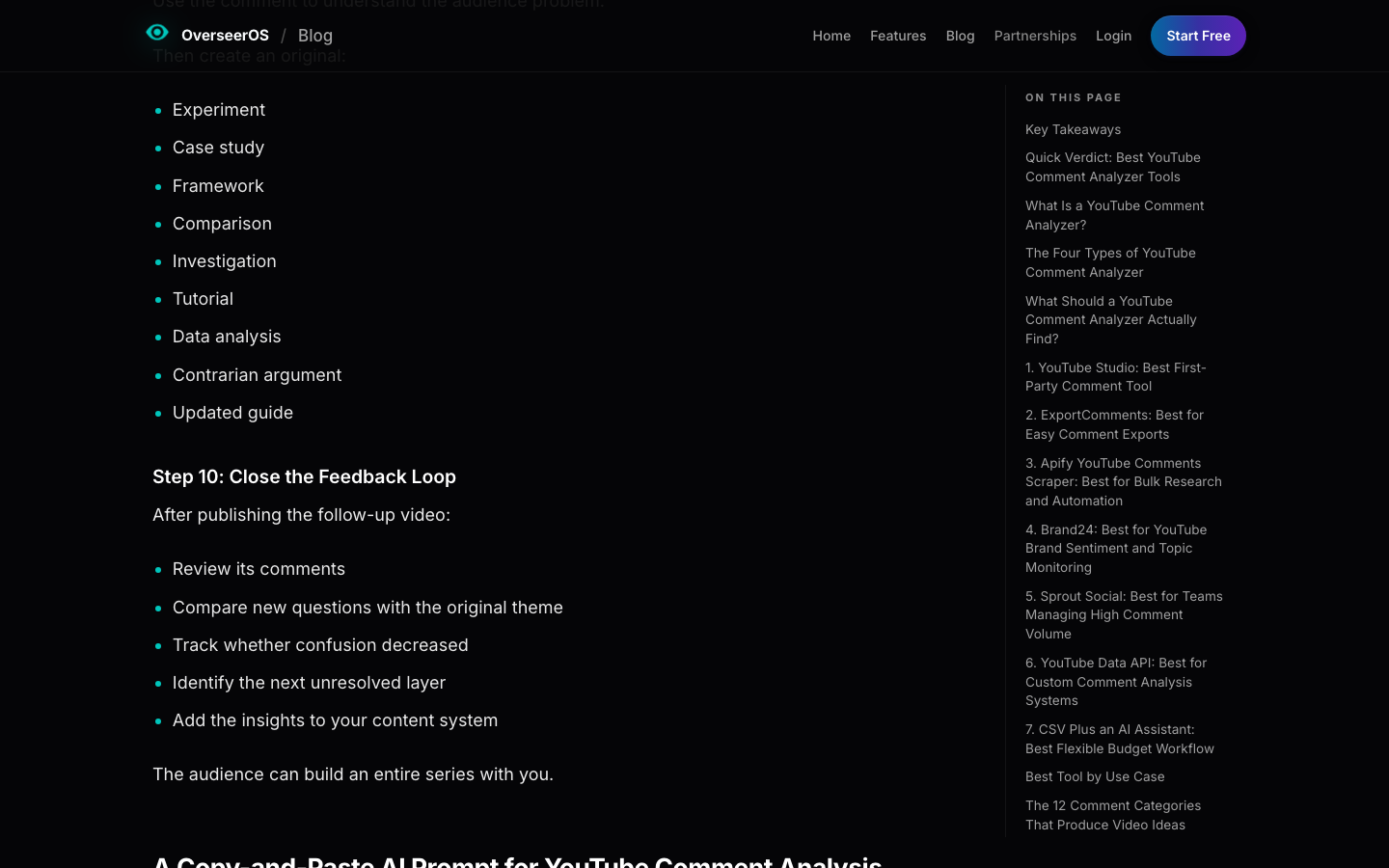
YouTube comment analyzer tools sit closer to creator and channel workflows. OverSeerOS describes a comment analyzer as a tool or workflow that collects, filters, categorizes, summarizes, or measures comments, including sentiment, topics, repeated questions, complaints, purchase intent, brand mentions, competitor mentions, and changes over time.
That category is useful when the team needs a fast read on a video, channel, or campaign. It becomes less useful when the research brief changes every week: different seed videos, custom brand entities, a special confidence rule, or a need to export uncertain rows for manual review.
Route 3: Workflow automation
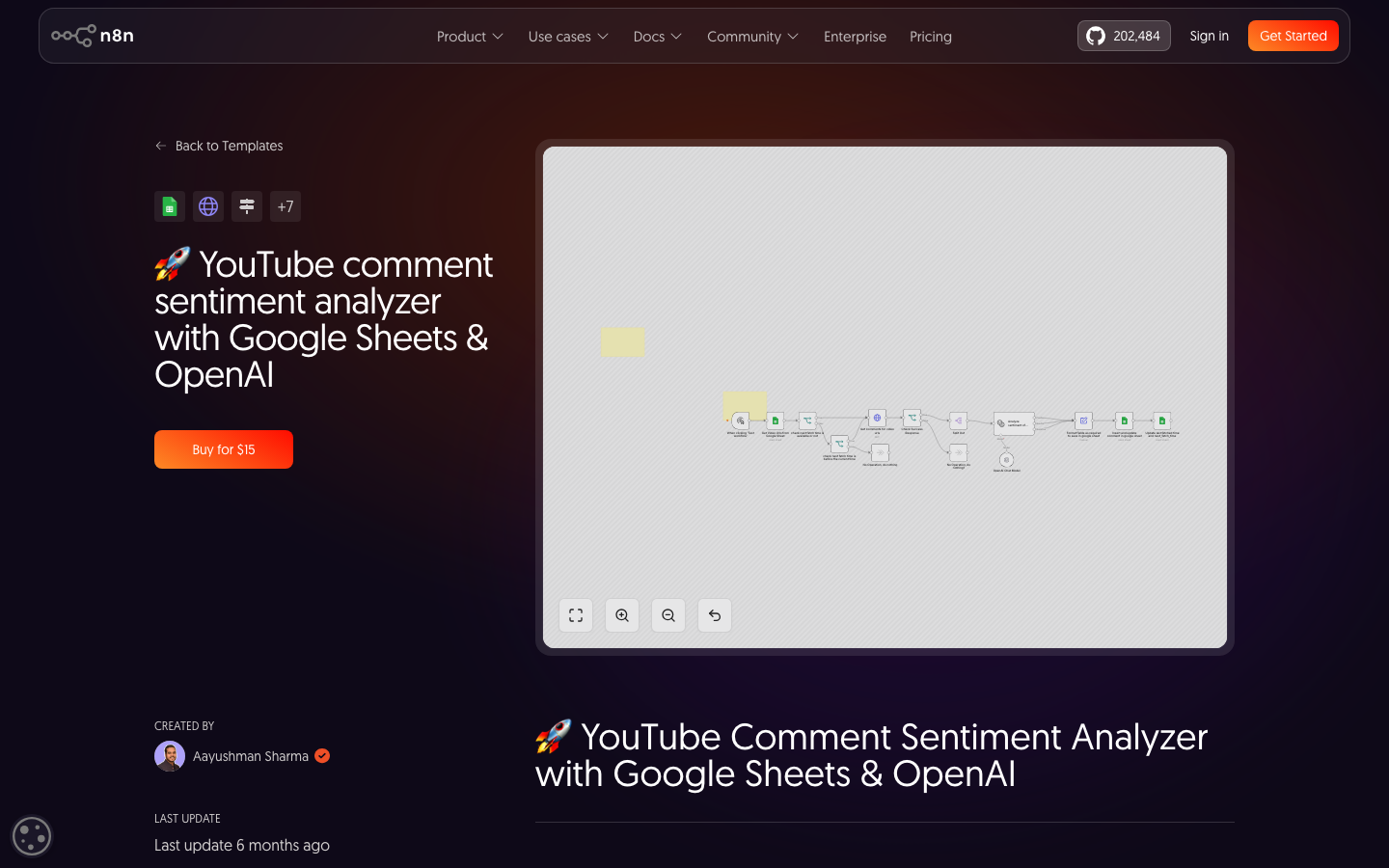
Workflow tools are attractive when the team already knows the pipeline: fetch comments, classify sentiment, write rows to Google Sheets, and trigger a report or alert. The n8n workflow template for YouTube comment sentiment analysis, for example, connects comment fetching, OpenAI classification, metadata capture, and Google Sheets storage.
That pattern is strong once the system is stable. The hidden work is upstream: choosing the right video URLs, deciding which comments qualify, deduping rows, marking partial access, and validating whether the sentiment labels are credible.
Route 4: BrowserAct for custom comment datasets
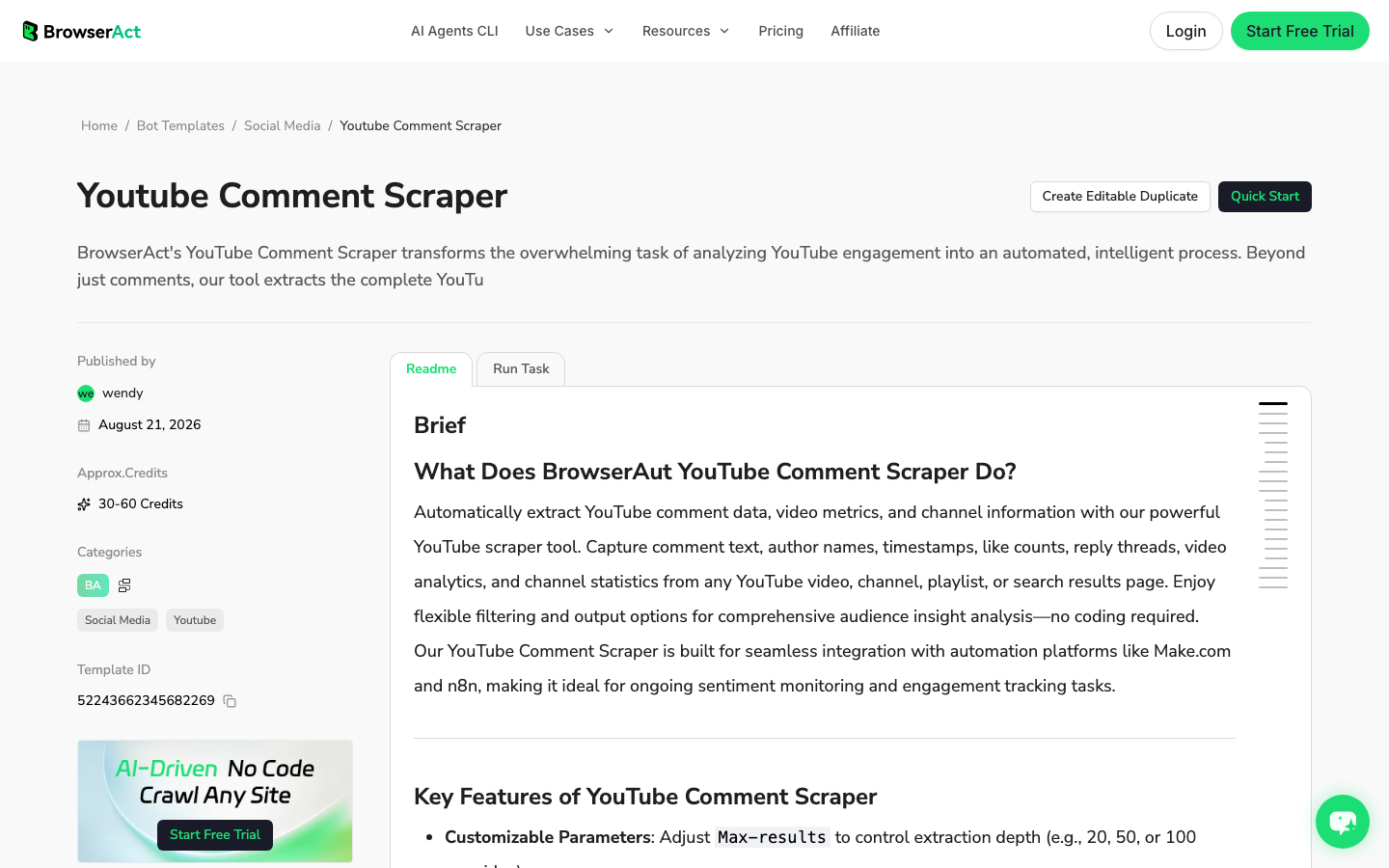
BrowserAct is not trying to replace every sentiment engine. Its best fit is the collection layer: turn a natural-language brief into a browser-run dataset that preserves public source evidence. If you want a ready-made starting point, the BrowserAct YouTube Comment Scraper template is built around public comment extraction before downstream analysis.
Use BrowserAct Agent when the analyst is still testing the question: "collect up to 100 public comments from these three competitor launch videos and tag pricing objections." Save it as BrowserAct Workflow when the same brief should refresh weekly. Use BrowserAct CLI when the approved workflow belongs inside a controlled campaign, BI, or research stack.
A prompt-first YouTube sentiment analysis workflow
This BrowserAct workflow is for collecting a clean comment dataset that can be analyzed downstream. It is not a promise to bypass private data, hidden comments, login walls, or platform restrictions.
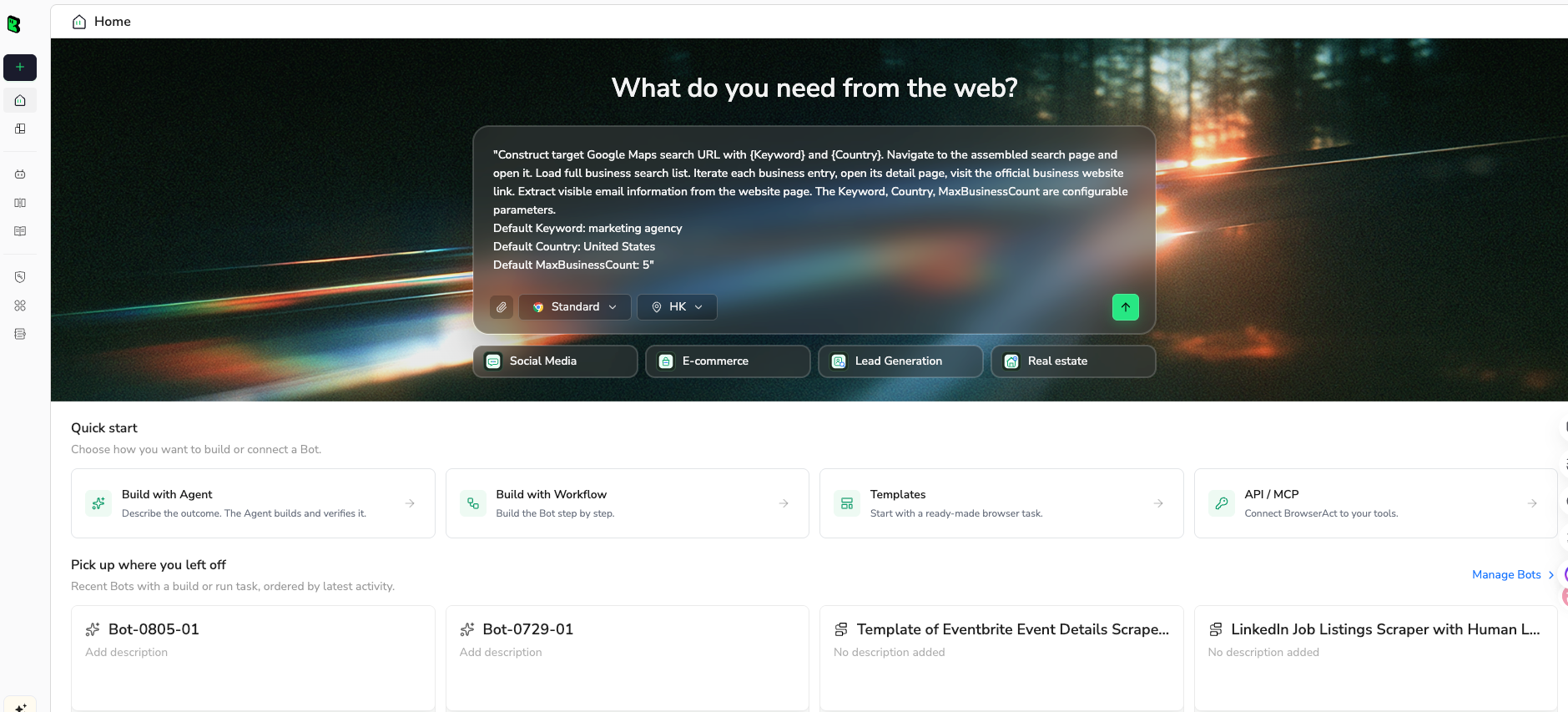
1. Open BrowserAct Dashboard
Click the left-side + button to create your own Bot, start from Quick start, or paste the prompt directly into the center Agent input to begin building.
2. Copy the complete prompt
Edit the target videos, brand/product entities, comment limit, and fields. Keep the safety rules intact.
Build a read-only YouTube sentiment analysis dataset from public or authorized visible pages.

Target:
[PASTE ONE]
- a YouTube video URL
- a public channel URL
- a playlist URL
- a search results URL for a brand, product, or campaign query
- a seed list of public video URLs

Research question:
Analyze how viewers discuss [BRAND / PRODUCT / FEATURE / CAMPAIGN / COMPETITOR].

Return up to 100 relevant public comments for the first test.

Fields:
- run_date
- source_video_url
- video_title
- channel_name
- comment_text
- author_display_if_visible
- comment_url_or_anchor_if_visible
- timestamp_if_visible
- like_count_if_visible
- reply_count_if_visible
- language_guess
- mentioned_brand_or_product
- sentiment_label: positive, neutral, negative, mixed, unclear
- sentiment_confidence: low, medium, high
- theme: pricing, quality, support, feature_request, confusion, comparison, creator_feedback, spam, other
- pain_point_or_request
- quote_evidence
- row_status: complete, partial, duplicate, spam, gated, needs_review
- source_note

Rules:
1. Use only public or authorized visible data.
2. Do not log in unless I manually approve and complete the login step.
3. Stop and ask for manual help if YouTube shows login, CAPTCHA, 2FA, age confirmation, payment, private access, or restricted access.
4. Do not subscribe, like, comment, reply, message, report, or change account settings.
5. Deduplicate by source_video_url + author_display_if_visible + comment_text.
6. Do not invent author names, timestamps, like counts, URLs, sentiment, or themes.
7. If sentiment is ambiguous, mark sentiment_label as unclear or mixed and set confidence to low.
8. Preserve the exact quote that supports each sentiment label.

Output:
- CSV-ready table
- 5-bullet summary of the strongest themes
- list of rows that need manual review before reporting
Scrape data from any website.
Describe the data you need. Get a Bot — a reliable, reusable scraper.
Prompt preview: collect public YouTube comments, preserve source evidence, classify sentiment and themes, and export a review-ready dataset. Private session · Choose your region before you run
Get your Bot — Free3. Handle login only when asked
If YouTube shows login, CAPTCHA, 2FA, age confirmation, payment, private access, or another restricted state, BrowserAct should pause. Complete that step manually only when the account and target are authorized. The workflow should stay read-only: no subscribing, liking, commenting, replying, messaging, reporting, or account changes.
4. Review, dedupe, and export
Review the first run before saving it as a workflow. The useful output is not just a sentiment chart; it is a dataset with evidence and review status.
run_date | source_video_url | comment_text | mentioned_brand_or_product | sentiment_label | confidence | theme | row_status |
2026-08-27 | video-url-1 | "The setup was easy but the pricing page confused me." | Example Product | mixed | medium | pricing, confusion | complete |
2026-08-27 | video-url-2 | "This finally fixed the export issue I had last month." | Example Product | positive | high | quality | complete |
2026-08-27 | video-url-3 | "Is there a cheaper plan for small teams?" | Example Product | neutral | medium | pricing, feature_request | needs_review |
How to classify comments without fooling yourself
Sentiment analysis is easy to automate and easy to overtrust. Add a review layer for the cases that machines handle badly.
Sarcasm and jokes
YouTube comments often use praise to mean criticism: "Great, another feature nobody asked for." A plain sentiment model may label that positive unless it reads context. Mark sarcasm candidates as mixed or unclear and send them to manual review.
Spam and copy-paste comments
Spam can create fake positivity or negativity. A giveaway video may have thousands of repetitive comments that say little about the product. Deduplication and row_status matter more than the sentiment model here.
Missing video context
The same comment can mean different things under different videos. "This is expensive" under a pricing announcement is a pricing objection. Under a competitor comparison, it may be about the competitor. Keep source_video_url and video_title in the dataset.
Multilingual comments
Do not run all comments through an English-only prompt and call the result done. Add language_guess, route low-confidence rows for review, and separate languages before trending sentiment.
Low sample size
Ten comments are not a trend. They are clues. Use small samples for qualitative discovery, not percentage charts. Trend charts need stable collection rules and enough comments per time period to compare.
Pro Tip: Make sentiment_confidence operational. Low-confidence negative comments should not trigger an alert by themselves. They should trigger review.
How teams use YouTube sentiment analysis
Brand and reputation monitoring
Brand teams use sentiment analysis to detect whether YouTube discussions are moving toward praise, confusion, anger, or advocacy. This is where social listening tools can help, especially when YouTube is part of a wider public conversation.
Product feedback mining
Product marketers and PMMs use comments to find objections, missing features, confusion points, and exact customer language. For this job, the quote matters more than the percentage. A few repeated comments can turn into landing page copy, help docs, or roadmap evidence.
Competitor launch analysis
Competitor videos are often loaded with reactions your team cannot get from official marketing copy. Track what viewers praise, doubt, compare, or request after a launch. BrowserAct works well here when the target set is specific: selected videos, public comments, custom fields, and a repeatable export.
Creator and campaign evaluation
Influencer teams can analyze sponsor videos to understand whether audience sentiment is supportive, skeptical, confused, or conversion-oriented. This is not a replacement for campaign analytics, but it gives qualitative texture that raw views cannot.
A practical tool-selection rule
Choose the tool route based on the question:
If the question is... | Use this route |
"How is our brand being discussed across YouTube and other channels?" | Social listening platform |
"What did viewers say under this video?" | YouTube comment analyzer |
"Can this run weekly into Google Sheets and OpenAI?" | Workflow automation |
"Can we collect a custom evidence-backed comment dataset from these public videos?" | BrowserAct Agent → Workflow |
"Can the approved workflow feed our reporting stack?" | BrowserAct CLI |
Conclusion
YouTube sentiment analysis is useful when it turns messy comments into decisions: what customers praise, what confuses them, what objections repeat, what competitor claims land, and which quotes are worth bringing into product or marketing discussions.
Start with the dataset. Preserve comment text, source URL, video context, entity, theme, confidence, and quote evidence. Then choose the analysis layer. If your team needs a custom public comment dataset first, use BrowserAct Agent for the first prompt, save repeatable logic as BrowserAct Workflow, and use BrowserAct CLI once the workflow belongs in a controlled pipeline.
Further reading: YouTube data collection
Frequently Asked Questions
What is YouTube sentiment analysis?
It is the process of collecting YouTube comments or mentions and classifying the attitude, emotion, theme, and evidence behind them.
How do I analyze sentiment in YouTube comments?
Collect public comments, dedupe rows, keep video context, classify sentiment and themes, preserve quote evidence, and manually review low-confidence rows.
What fields should a YouTube sentiment dataset include?
Include video URL, title, comment text, timestamp if visible, brand or product entity, sentiment label, confidence, theme, quote evidence, and row status.
Is YouTube sentiment analysis accurate?
It can be useful, but sarcasm, spam, multilingual comments, missing context, and small samples require confidence scoring and human review.
Can BrowserAct scrape YouTube comments for sentiment analysis?
BrowserAct can collect public or authorized visible YouTube comments into a structured dataset; sentiment analysis can then run in a model, spreadsheet, or BI workflow.
Should I use a social listening tool or a comment scraper?
Use social listening for cross-channel monitoring; use a scraper workflow when you need custom source-linked rows from specific public YouTube videos or channels.


