Instagram Scraper GitHub Guide: Open-Source Tools That Still Matter in 2026

Searching for an Instagram scraper GitHub repo usually means one of three things: you want a free starting point, you want to avoid another monthly scraper subscription, or you already tried a script and it broke on login, pagination, 401, 429, or missing fields. That last part matters. GitHub is full of Instagram scraping code, but “has stars” is not the same as “safe to run in production.” On August 26, 2026, instaloader/instaloader had 13,236 stars and was still actively maintained. subzeroid
- 1The useful way to compare Instagram scraper GitHub projects is by category: media downloaders, unofficial API wrappers, multi-site downloaders, OSINT shells, GUI wrappers, and small niche scripts.
- 2Instaloader is still the main open-source starting point for profile media, captions, comments, hashtags, and controlled Python/CLI jobs; it is not a magic answer to login, 2FA, or rate limits.
- 3instagrapi is powerful, but it touches unofficial/private API behavior, so treat it as higher-risk infrastructure and use only with accounts, permissions, and boundaries you control.
- 4Archived repos are still useful for learning patterns, but they should not be the foundation for a 2026 monitoring workflow.
- 5BrowserAct fits when the job needs a real browser, prompt-to-data setup, screenshots, stop states, scheduling, and less scraper-maintenance work.
The six categories of Instagram scraper GitHub repos
Category | Typical repo pattern | Best fit | Main risk |
Media/profile downloader | Instaloader-style Python CLI | Public profile media, captions, comments, hashtags | Login/checkpoint/rate-limit handling |
Unofficial API wrapper | instagrapi-style private API library | Authenticated automation research under controlled accounts | Policy, account trust, session risk |
Multi-site downloader | gallery-dl-style downloader | Downloading visible media across many sites | Less Instagram-specific analytics structure |
OSINT shell | Osintgram-style account investigation shell | Authorized investigation and training labs | Misuse risk; requires strict boundaries |
GUI wrapper | DMI Instascraper-style UI over Instaloader | Non-programmers and research classrooms | Often stale or archived |
Niche 2026 script | Single-purpose Reel/comment/profile scripts | One narrow field set | Unknown maintenance, low community signal |
Instagram scraper GitHub is not served by a flat list of repos. They need to know which failure mode they are buying into.
1. Instaloader — best open-source baseline for Python and CLI scraping
Instaloader is still the first repo to check because it has community gravity, real documentation, and a clear Python/CLI workflow. The GitHub API showed 13,236 stars, 1,577 forks, MIT license, and a July 26, 2026 push when checked on August 26, 2026.
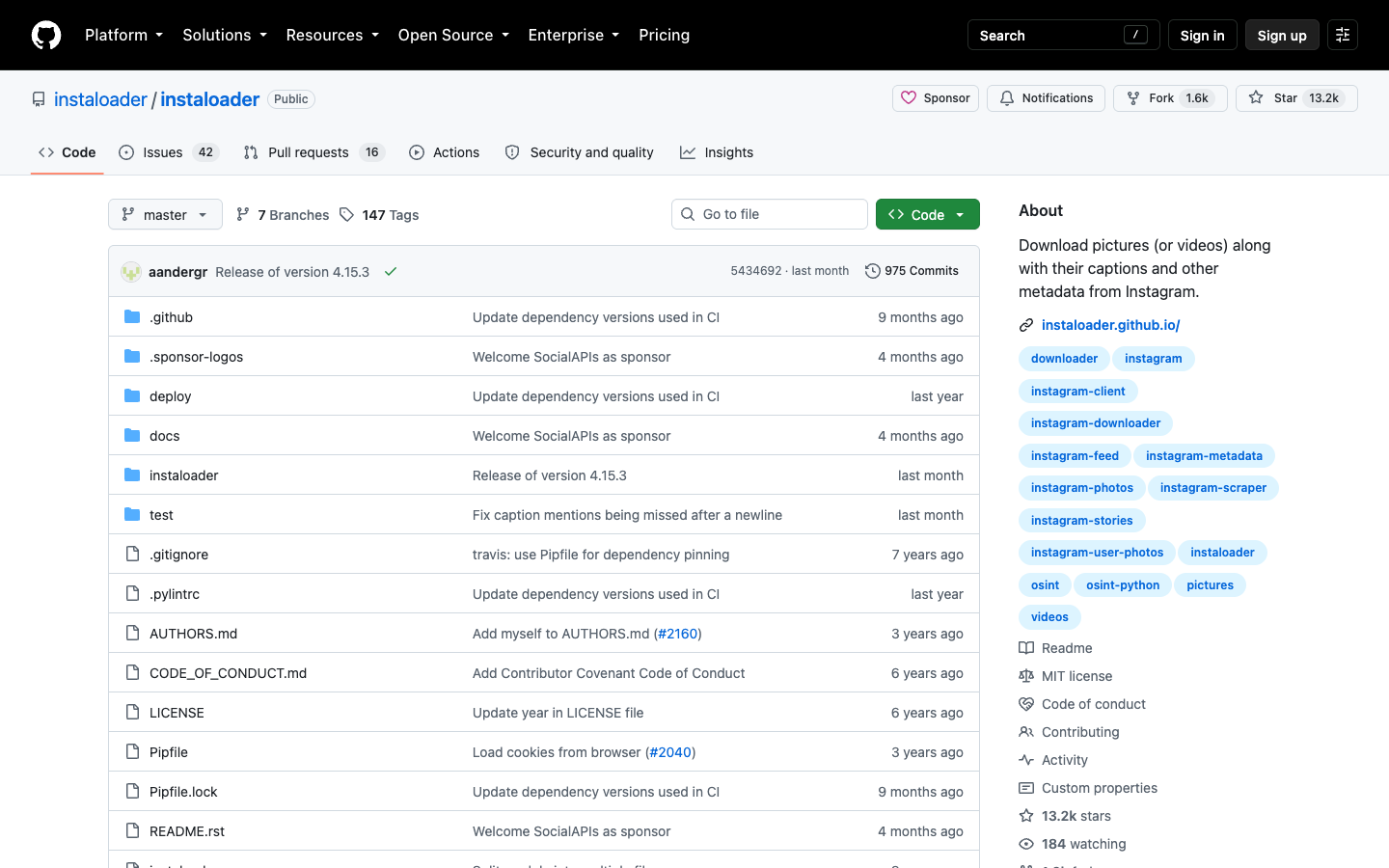
Instaloader is strongest for controlled jobs around profiles, posts, captions, comments, hashtags, geotags, and media downloads. It can run as a command-line tool or a Python library, which makes it useful for technical users who want to own the full scraping environment.
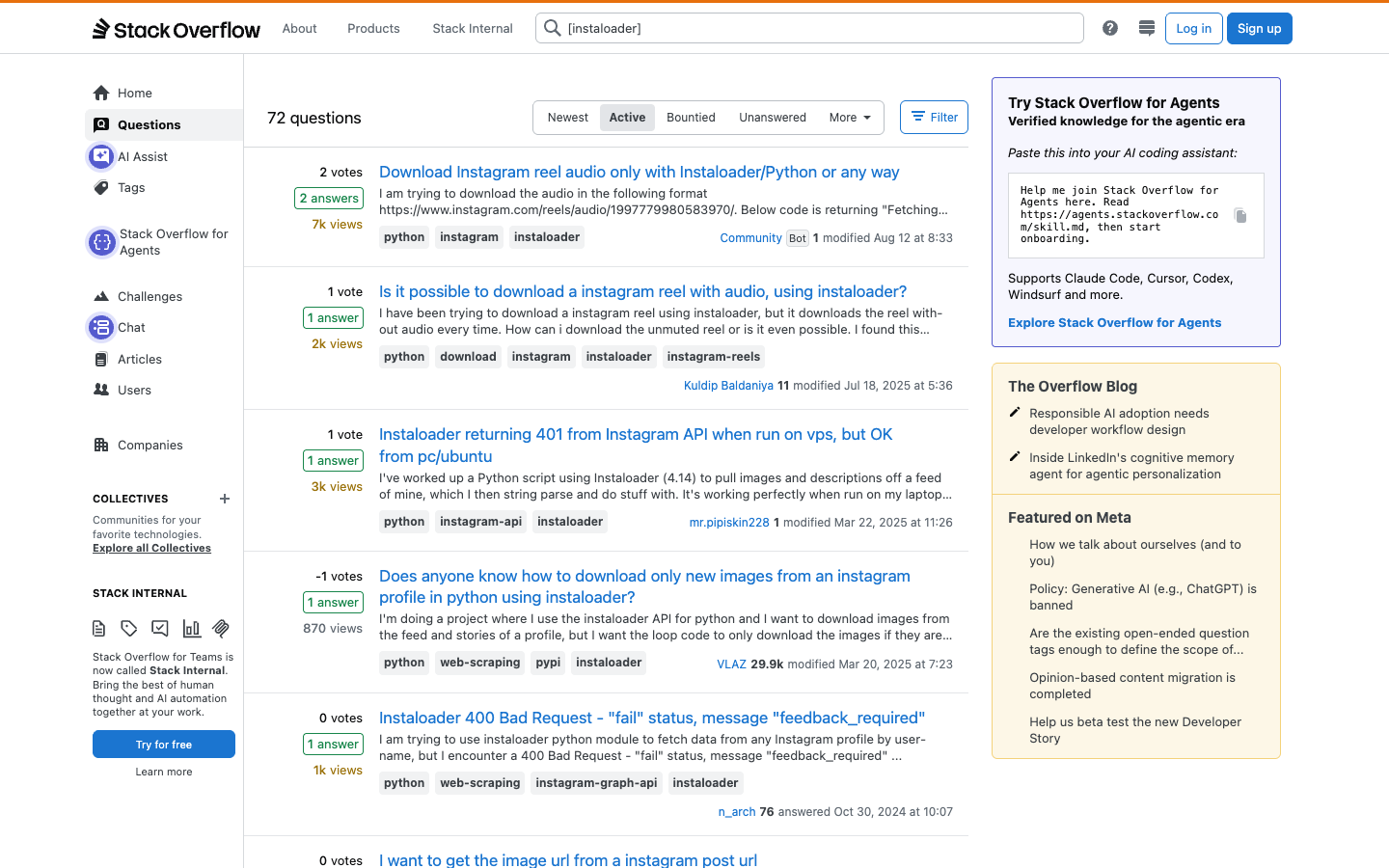
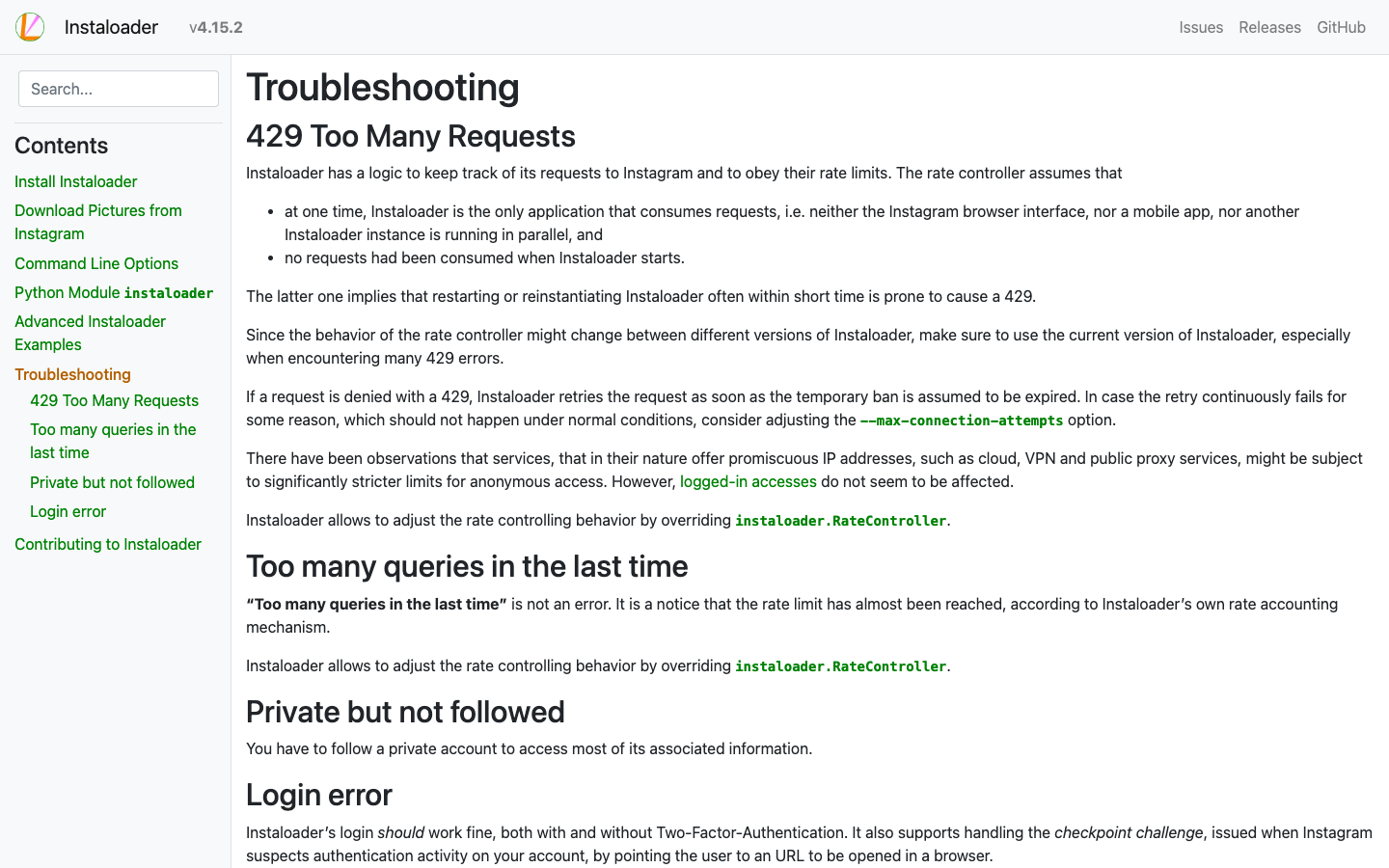
Where it gets painful is not the first command. It is the second month. Stack Overflow’s active Instaloader tag shows recurring questions around login, 401 errors, 429 rate limits, 404 JSON query errors, and incomplete follower data. The project’s own troubleshooting documentation discusses login, two-factor authentication, checkpoints, and 429 behavior, which is exactly what production teams need to plan for.
Best fit: researchers and developers who can run Python, control request volume, inspect failures, and accept maintenance.
Not a fit: teams that need non-technical teammates to describe a dataset and get a reviewed table without owning scraper code.
Pro Tip: If you use Instaloader, log target, source_url, run_time, row_status, stop_reason, and last_success_at. A CSV with no stop reason is not a reliable dataset.
2. instagrapi — powerful, but higher-risk because it uses unofficial/private API flows
instagrapi is a different category. It is not just a simple page scraper. Its README positions it as a fast Python library for Instagram private API workflows. The GitHub API showed 6,713 stars, 970 forks, and a push on August 26, 2026.
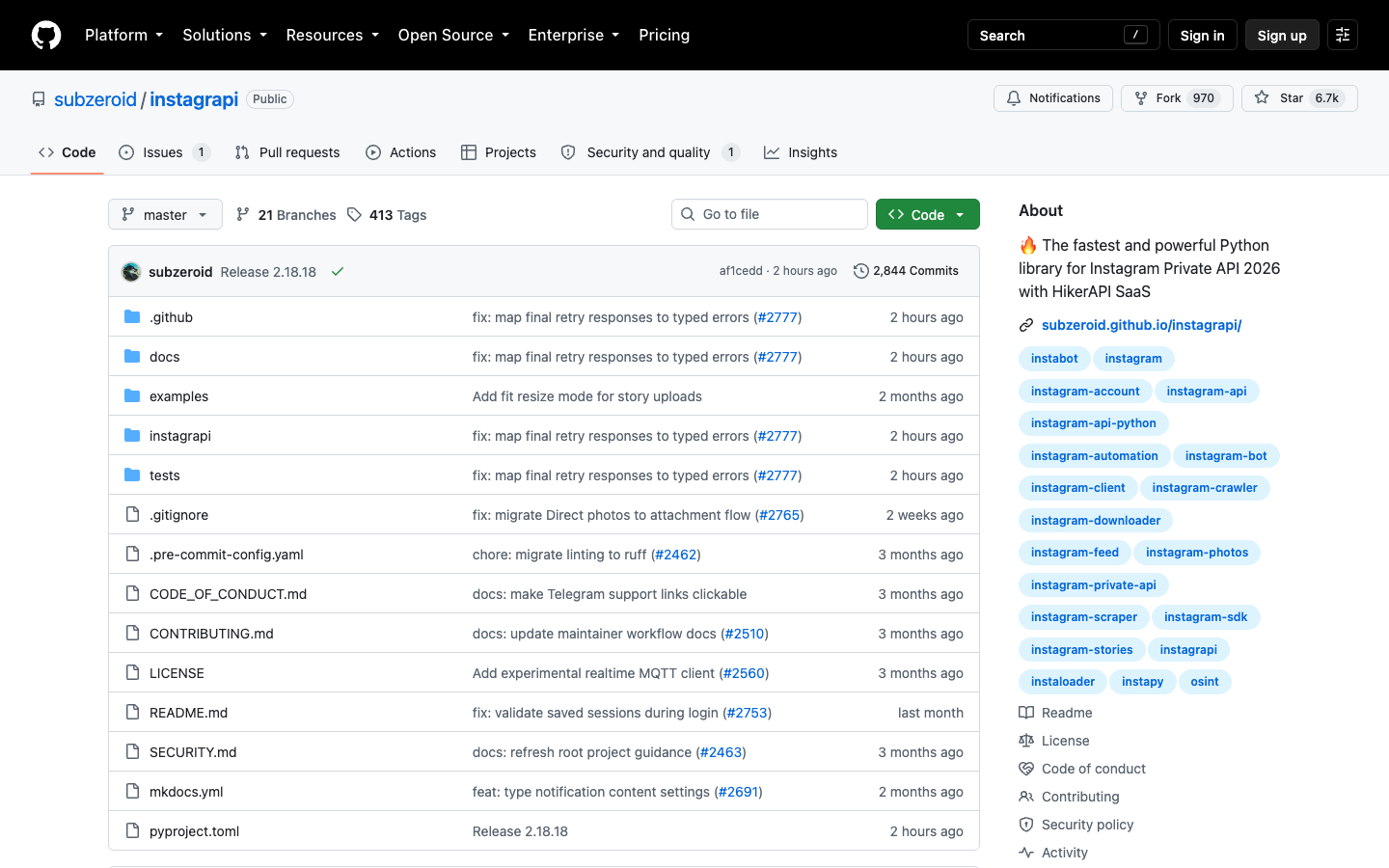
That activity is a positive signal, but the product risk is different from Instaloader. A private or unofficial API wrapper can expose more actions and surfaces than a public-page scraper. That means the boundary has to be tighter: use only accounts you control, avoid actions that change account state unless explicitly authorized, and do not treat DMs, hidden analytics, private accounts, or restricted surfaces as fair game for scraping.
Best fit: technical teams testing authenticated Instagram automation under a controlled account and a clear risk policy.
Not a fit: marketers who only need public profile, post, comment, hashtag, or Reel research. For that, a browser-run workflow is easier to review.
Pro Tip: If a library can like, follow, upload, message, or access private surfaces, separate “data collection” from “account actions” in your architecture. The scraper should not accidentally become an account-operation bot.
3. gallery-dl — strong downloader, broader than Instagram
gallery-dl is not Instagram-only, but it belongs in the comparison because Reddit and GitHub searchers often recommend it when the job is downloading visible media from many sites. The GitHub API showed 19,328 stars, 1,464 forks, GPL-2.0 license, and an August 1, 2026 push.
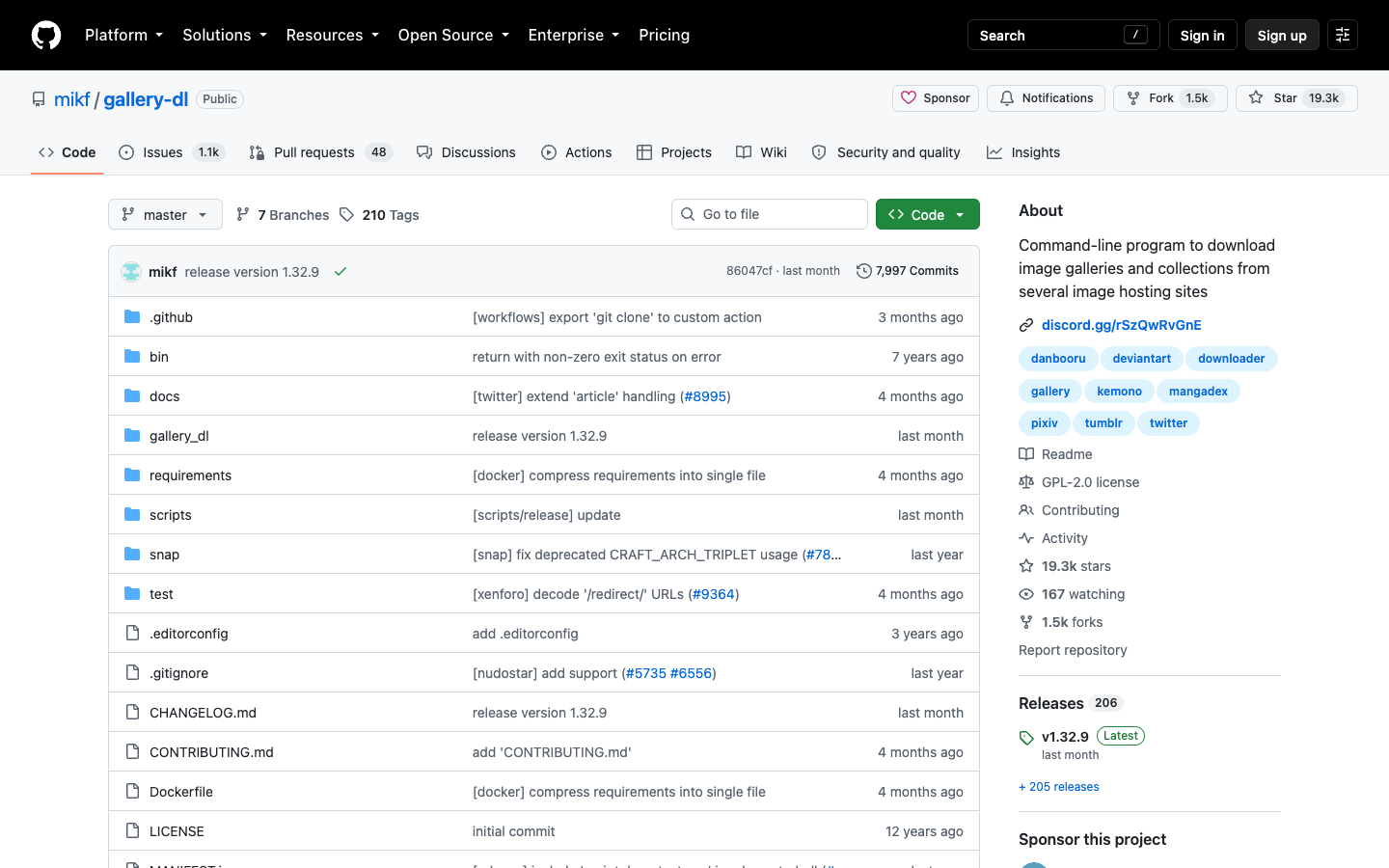
Its strength is media collection, not marketing analytics. If you need a local archive of visible posts or media, gallery-dl may be a practical tool. If you need a table with profile bio, follower count, comment count, caption, hashtag, post URL, Reel metadata, row status, and dedupe key, you will likely build extra logic around it.
Best fit: technical media-download workflows where Instagram is one source among many.
Not a fit: repeatable competitor-analysis or creator-research workflows that need business fields, review states, and downstream reporting.
4. Osintgram and OSINT shells — useful only with strict authorized-use boundaries
Osintgram has a large community footprint: the GitHub API showed 14,139 stars and 3,051 forks, with a 2025 push. It is an OSINT-style interactive shell, not a simple “export Instagram comments to CSV” tool.
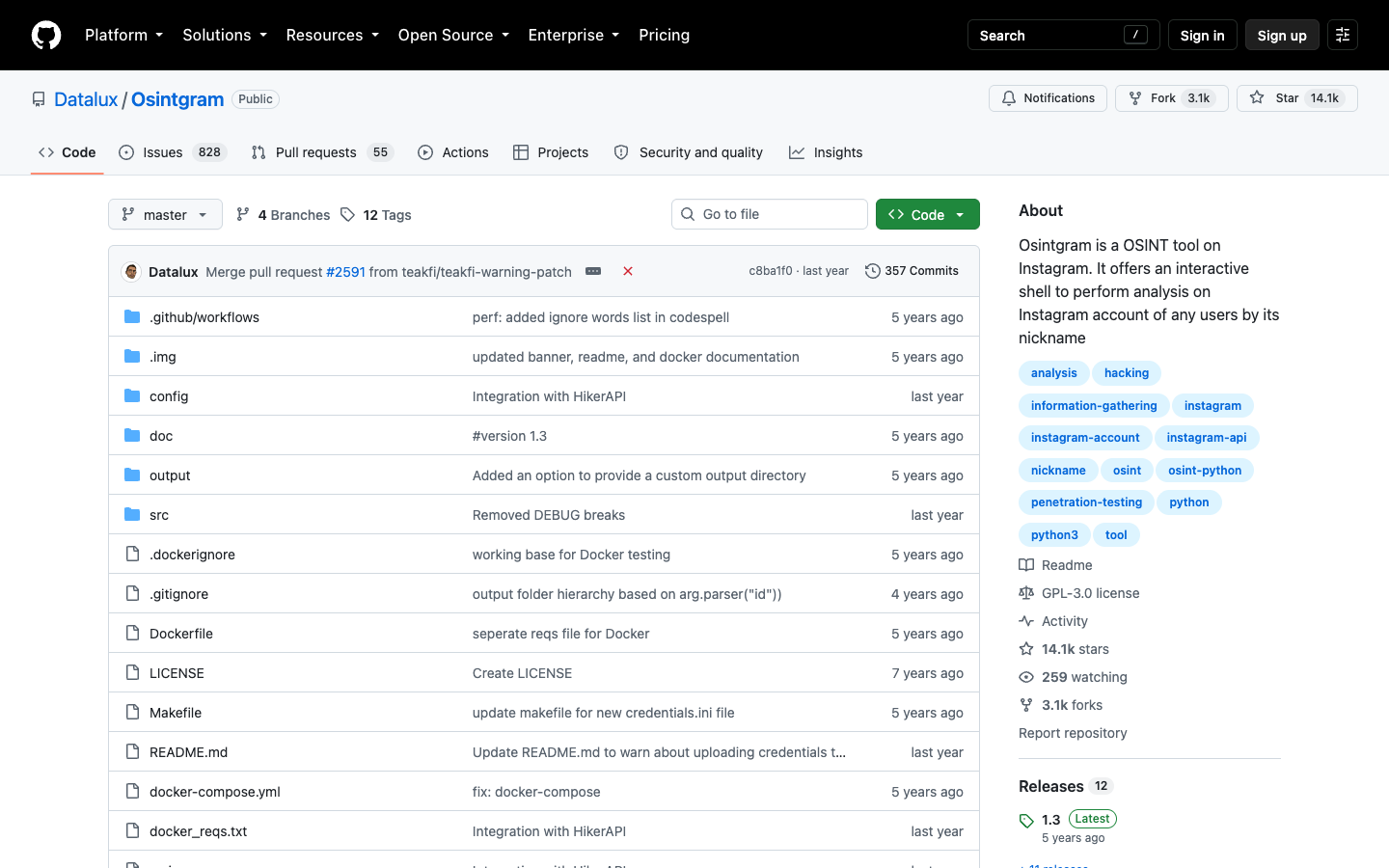
That distinction matters. OSINT tooling can be legitimate for authorized investigations, security training, journalism workflows, and internal risk work. It can also be misused. For a BrowserAct business-data article, the safe framing is simple: use OSINT-style repos only where you have authorization, clear scope, and a human review process.
Best fit: controlled OSINT labs, security research, and authorized investigations.
Not a fit: growth teams trying to build lead lists or competitor dashboards.
5. Archived GUI wrappers and older Python libraries — useful for learning, risky for production
Archived repos are common in Instagram scraping. The GitHub API showed chris-greening/instascrape as archived, with 663 stars and its last push in 2023. digitalmethodsinitiative/dmi-instascraper was also archived, with 29 stars and its last push in 2021.
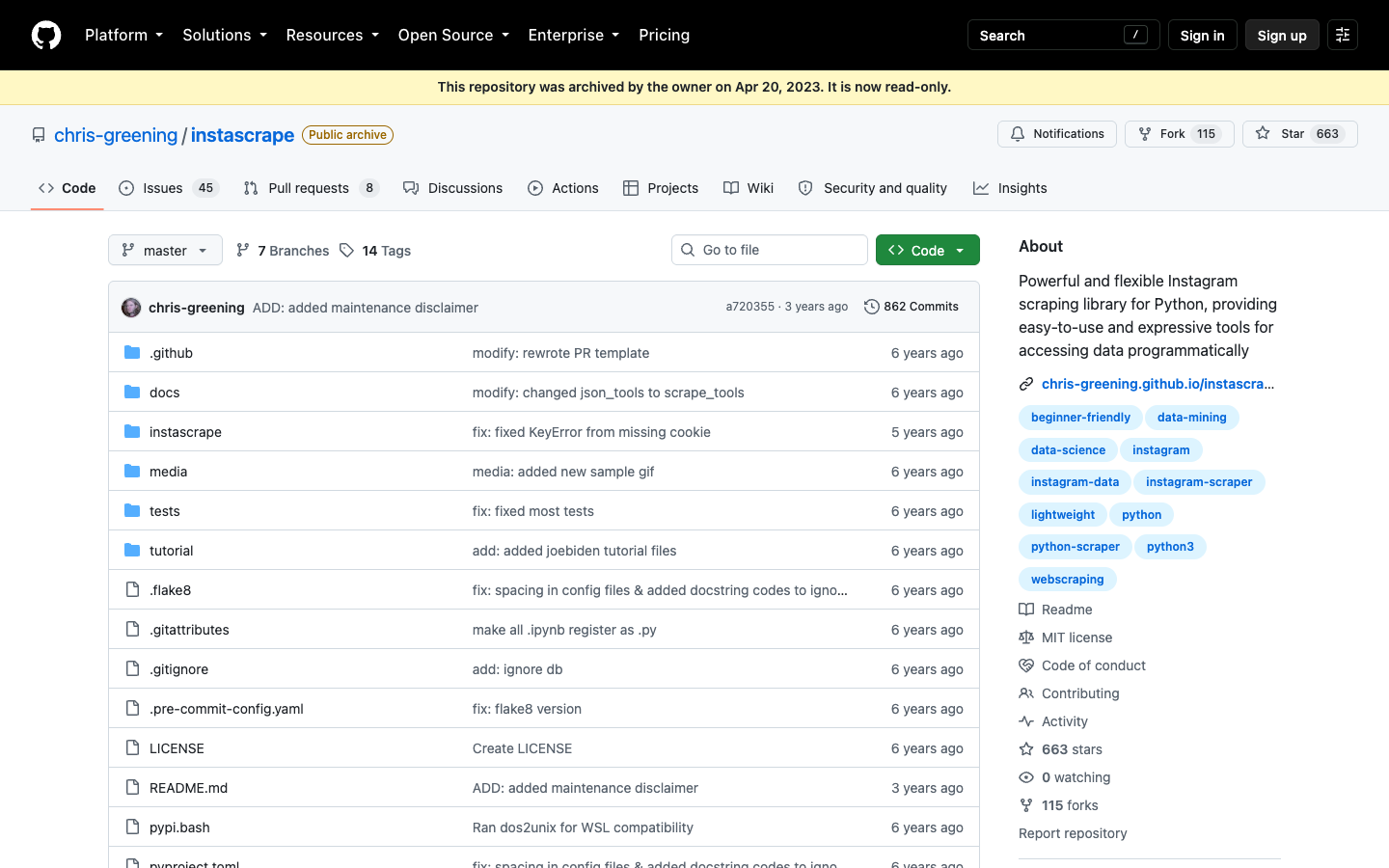
That does not make those projects worthless. They can teach patterns: selectors, field models, CSV output, or how a GUI wrapped Instaloader for non-programmers. But the phrase “archived GitHub repo” should trigger a production stop sign. Instagram changes too often for an unmaintained scraper to be the foundation of weekly reporting.
Best fit: learning, classroom demos, code archaeology, and migration planning.
Not a fit: scheduled monitoring, client deliverables, or any workflow where missing data creates business risk.
6. New niche scripts — evaluate by maintenance, not hype
GitHub Topics and search results show many narrow scripts: Reel comment downloaders, profile scrapers, Crawlbase-backed examples, Playwright demos, and account crawlers. Some are genuinely useful for one task. Some are content-marketing wrappers around a paid API. Some are weekend projects.
Use this scorecard before adopting one:
Check | Good signal | Risk signal |
Last push | Recent commits that change real code | README-only updates |
Issues | Maintainer answers failures | Issues ignored or disabled |
Scope | Narrow and honest | Claims every private/public field |
Auth handling | Clear login/checkpoint behavior | “Bypass” language without detail |
Rate limits | Backoff and stop states | Infinite retries |
Export | CSV/JSON with source URL and row status | Raw blobs with no provenance |
License | Clear license | Missing or unclear reuse rights |
This is where BrowserAct often becomes the less expensive path. Use GitHub scripts when the technical team wants ownership. Use BrowserAct when the business team wants a prompt, a browser run, a reviewed table, and a repeatable workflow without rebuilding anti-breakage logic from scratch.
When GitHub is enough — and when BrowserAct is the better fit
Job | GitHub scraper | BrowserAct Agent | BrowserAct Workflow | BrowserAct CLI |
Learn how Instagram pages behave | Good | Good | Not needed yet | Not needed yet |
Download visible media from a few public profiles | Good if technical | Good for quick testing | Useful if repeated | Useful for scheduled runs |
Build a creator or competitor research table | Possible, but custom work | Strong first step | Strong repeat path | Strong pipeline handoff |
Handle login/checkpoint review | Manual code burden | Human handoff in browser | Repeat with stop states | Log and trigger approved runs |
Run weekly monitoring | Requires maintenance | Good for validation | Better for repeatability | Best for controlled automation |
Avoid owning selectors/proxies/session logic | Weak | Strong | Strong | Strong |
Use BrowserAct Workflow after you know the target, fields, dedupe key, stop states, and review rules. That is the point where a one-off scrape becomes a reusable research asset.
Use BrowserAct CLI when engineering wants to call the approved workflow from a controlled stack, scheduler, or internal data pipeline. If your original reason for searching GitHub was API access, compare the tradeoff in the Instagram API alternative guide before committing to an unofficial wrapper.
A practical prompt to test before you write code
If the GitHub repo comparison is really a proxy for “Can I get this Instagram dataset?”, test the dataset shape first. Use a small, public target and a conservative result limit:
Go to the public Instagram profile or hashtag URL I provide.

Collect up to 30 visible public posts or Reels.

Return a table with:
- profile or hashtag searched
- username
- post or Reel URL
- caption summary
- timestamp if visible
- visible likes or play count if visible
- visible comment count if visible
- hashtags mentioned
- media type
- row status
- source URL

Do not log in unless I manually approve it.
Stop if the page asks for CAPTCHA, 2FA, payment, private-account access, or restricted content.
Do not like, follow, comment, message, or change the account.
Deduplicate by post URL and export the final rows as a CSV-ready table.
This prompt is not a promise that every field will be visible. It is a reality check. If the browser can only see 12 rows and no timestamps, your workflow should say that. A good scraper tells you what it could not collect.
Migration path: from open-source script to managed browser workflow
Many teams do not need to abandon GitHub. They need to stop treating GitHub as the whole workflow.
- Use an open-source repo to understand field names and failure modes.
- Test the same target with BrowserAct Agent to see what a real browser can observe.
- Decide the schema: source URL, row status, target, timestamp, visible metrics, media type, notes.
- Save the validated path as BrowserAct Workflow.
- Trigger the approved run through BrowserAct CLI or your scheduler.
- Keep the GitHub script only if it still saves engineering time.
This is the approach that works: use code where code is the advantage, and use BrowserAct where browser-state handling, screenshots, review, and repeatability are the advantage.
Decision checklist
Before you choose an Instagram scraper GitHub repo, answer these:
- Is the repo actively maintained, or only the README changed?
- Does the repo explain login, 2FA, checkpoints, and rate limits?
- Can it export source URLs and row-level status?
- Does it stop safely on private or restricted content?
- Does it separate read-only collection from account-changing actions?
- Can a non-developer review the result before it enters reporting?
- Will your team still want to maintain this script after Instagram changes again?
If the answer is mostly yes, GitHub may be enough. If the answer is mostly no, start with BrowserAct Agent and move the validated path into Workflow or CLI only after the field logic is stable.
Further reading: Instagram data collection
Frequently Asked Questions
What is the best Instagram scraper GitHub repo in 2026?
Instaloader is the strongest baseline for many Python and CLI jobs because it is active, documented, and widely used. The best repo still depends on whether you need media downloads, authenticated workflows, OSINT research, or a repeatable business dataset.
Is an open source Instagram scraper safe to use?
It can be safe for public or authorized data if you respect login boundaries, rate limits, private accounts, and platform rules. Avoid tools that promise hidden data, private account access, or account-changing actions without clear authorization.
Why do Instagram scraper GitHub projects stop working?
They usually break because Instagram changes endpoints, page structure, login checks, rate limits, or access rules. Old JSON and GraphQL shortcuts are especially fragile.
Is Instaloader still useful?
Yes, especially for technical users who need profile/media/caption/comment/hashtag workflows and can manage Python, sessions, rate limits, and troubleshooting. It is not a zero-maintenance business workflow.
When should I use BrowserAct instead of a GitHub scraper?
Use BrowserAct when you want to describe the dataset in a prompt, test the target in a real browser, capture screenshots and stop states, save a repeatable workflow, and trigger approved runs without maintaining scraper code.
Can BrowserAct replace Python scripts completely?
Sometimes. For prompt-first public-data research, BrowserAct may replace the script. For custom analytics, internal joins, or advanced transformations, BrowserAct can collect the source-linked rows and your Python stack can process them afterward.
Can I scrape private Instagram accounts or DMs?
No. This workflow is for public or authorized data only. Stop on private accounts, DMs, hidden analytics, restricted pages, CAPTCHA, 2FA, payment, or unclear access boundaries.


