Instagram Scraper n8n Workflow: Send Public Data to AI Agents and Reports

An Instagram scraper n8n workflow only works when each layer has a clear job. The scraper collects source-linked public or authorized rows. n8n routes, dedupes, stores, and schedules them. The AI model summarizes, classifies, scores, or flags them. When those roles blur, the workflow turns into a fragile pile of HTTP nodes and wishful thinking. The demand is already visible. The Instagram topic workbook includes a GitHub project for a self-hosted AI workflow that scrapes Instagram Reels, summari
- 1An Instagram scraper n8n workflow should separate three layers: BrowserAct or a provider for public/authorized collection, n8n for orchestration and storage, and AI for summaries, sentiment, visual analysis, scoring, and alerts.
- 2The best workflow starts with schema design: source URL, username, profile URL, caption/comment text, media type, visible metrics, captured time, source status, dedupe key, AI label, confidence, and reviewer note.
- 3Use n8n for what it is good at: schedules, Google Sheets, Data Tables, Slack, email, Airtable, webhooks, retries, approvals, and routing. Do not hide unstable scraping logic inside a tangle of HTTP nodes.
- 4BrowserAct fits the custom collection layer: Agent validates the first prompt, Workflow repeats the approved browser path, and CLI lets n8n trigger the run after the path is trusted.
- 5Keep the workflow read-only unless a human separately approves another operation. Do not automate follows, likes, comments, DMs, saves, posting, payment, or private-account access from this pipeline.
The useful architecture: collect, normalize, analyze, route
The simplest durable architecture has four steps.
Layer | Owner | What it should do | What it should not do |
Collection | BrowserAct, official API, Apify, or data provider | Fetch public or authorized Instagram rows with source URLs and stop states | Pretend private or restricted data is available |
Normalization | n8n | Map fields, dedupe, validate schema, store in Sheets/Data Tables | Invent missing metrics or overwrite source evidence |
AI analysis | OpenAI, Gemini, Claude, or local model | Summarize, classify sentiment, tag topics, score leads, extract hooks | Replace the original caption/comment/source URL |
Routing | n8n | Send alerts, reports, approvals, CRM updates, or dashboards | Auto-engage with Instagram users without approval |
Evidence from real n8n and AI workflows
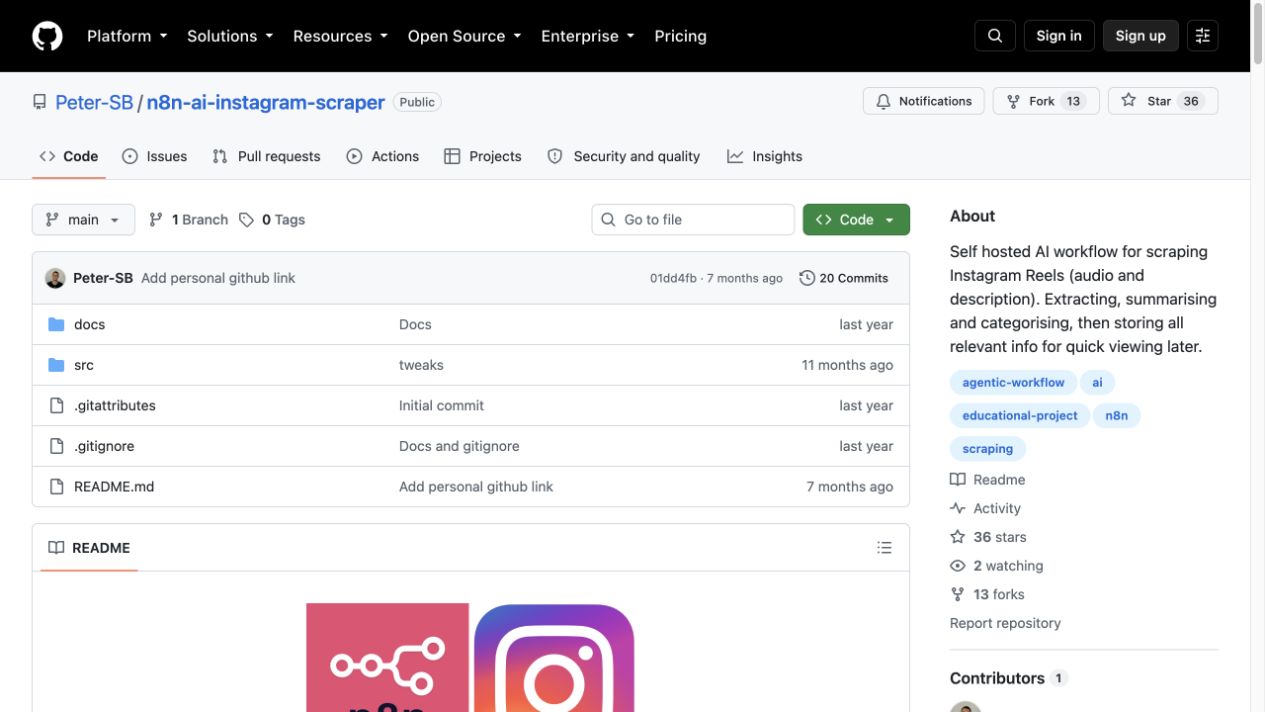
The GitHub project Peter-SB/n8n-ai-instagram-scraper describes a self-hosted AI workflow for scraping Instagram Reels audio and description, extracting, summarizing, categorizing, and storing relevant information for quick viewing later.
n8n’s template for qualified Instagram leads from hashtags reads hashtags from Google Sheets, scrapes Instagram posts with Apify, analyzes caption content and language, compiles unique usernames, and filters lead candidates.
Another n8n template for Instagram visual analysis with Apify scraping, OpenAI GPT-5, and Google Sheets uses a Google Sheet of target usernames, calls Apify’s Instagram Profile Scraper, fetches recent posts, downloads images, and passes them to a vision-capable model for structured analysis.
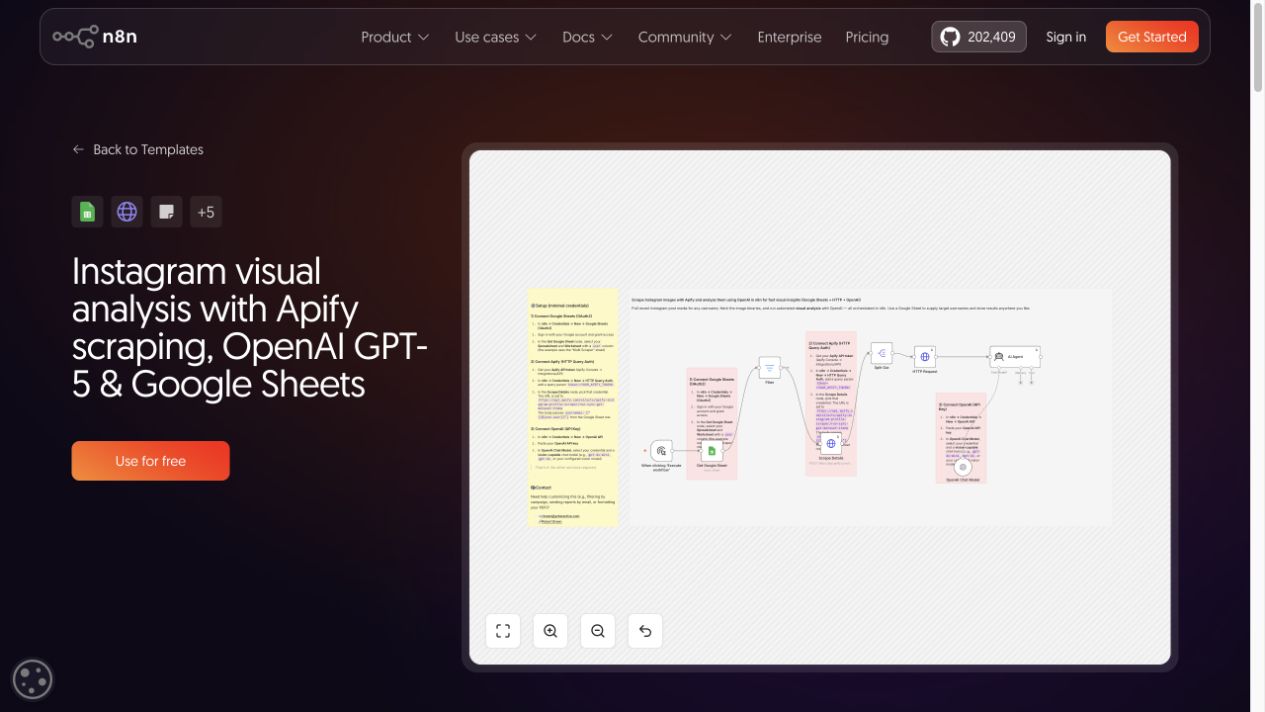
The pattern is consistent: Instagram data becomes useful after it is normalized, deduped, enriched, and routed.
Pro Tip: Start with one target list and one output table. If the first workflow mixes profiles, Reels, comments, hashtags, and DMs, debugging will be miserable and the AI labels will be hard to trust.
Where Apify or a data API fits
Apify’s n8n Instagram Scraper integration positions the route as extracting posts, profiles, and hashtag data from public accounts and connecting it to n8n for influencer monitoring.
This route is a good fit when:
- the target is already supported by an actor;
- the field set matches your downstream table;
- pricing and maintenance are acceptable;
- n8n mainly needs to schedule, store, and notify;
- the workflow owner wants a provider API rather than a custom browser run.
It is weaker when the target path changes often, the schema is still being designed, or you need the workflow to pause cleanly on login, CAPTCHA, 2FA, private accounts, or unexpected screens. In those cases, test the collection layer with BrowserAct Agent before packaging it.
Where n8n should own the workflow
n8n is best at orchestration. It should own:
- schedule triggers;
- Google Sheets or Data Tables reads and writes;
- dedupe checks;
- retries and error branches;
- AI calls for summaries, sentiment, topic labels, lead scoring, or visual analysis;
- Slack, email, webhook, Airtable, CRM, or BI handoff;
- human review and approval gates.
An n8n community thread about an Instagram scraper with minimum views describes a practical hybrid idea: use Instagram Graph API where it works, add a caching layer in Google Sheets, and avoid re-scraping the same posts. That is the kind of architecture thinking most teams need.
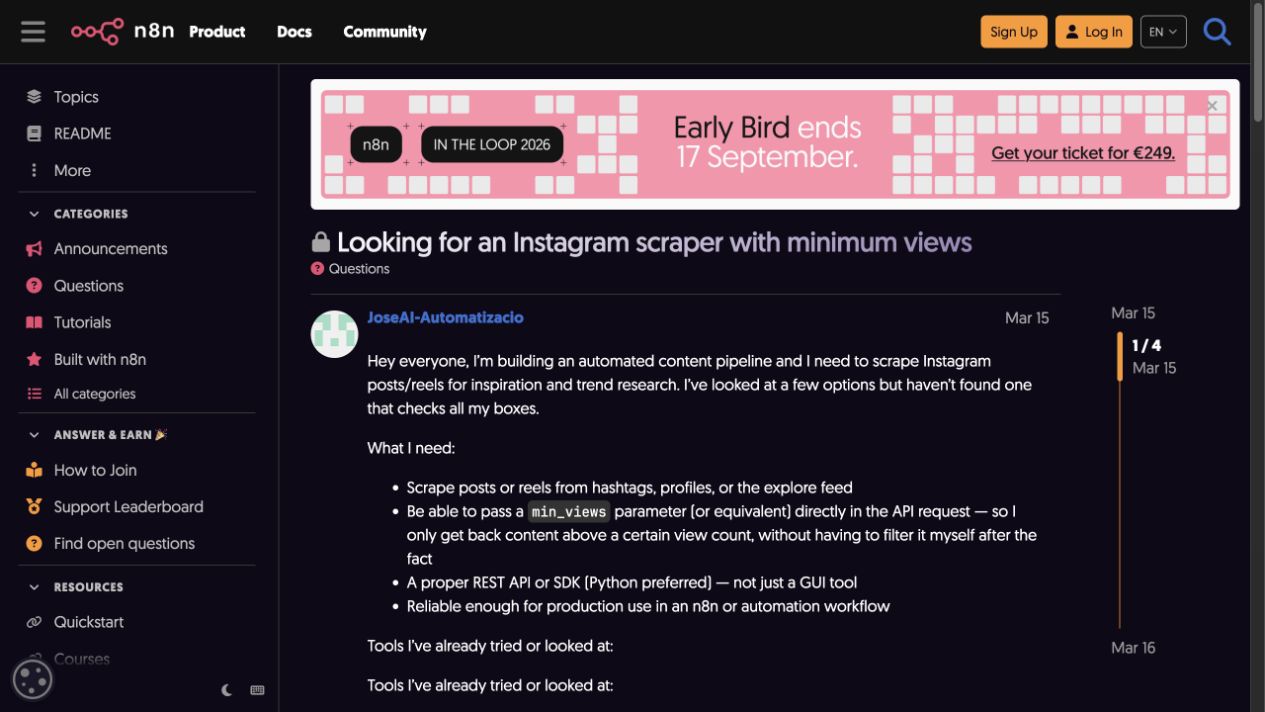
Do not force n8n to be the browser. If the site interaction is dynamic, fragile, or access-boundary sensitive, let a browser automation layer collect the rows and let n8n handle everything after that.
Where BrowserAct fits
BrowserAct fits between manual browsing and a rigid API provider. It is most useful when the collection task starts as a natural-language research brief:
- “Collect public Reels from these profiles and extract captions, visible plays, comments count, audio clues, and source URLs.”
- “Check these hashtags weekly, save the top posts, dedupe by URL, and send new rows to Sheets.”
- “Export comments from these public posts, then label sentiment and recurring complaints.”
- “Monitor competitor public profiles and stop if access becomes private or unclear.”
Use the product layers this way:
BrowserAct layer | Use it when | n8n role |
Agent | The prompt, fields, and target list are still being tested | Store the sample output and route review |
Workflow | The path and schema are approved for repeat runs | Schedule, dedupe, store, and notify |
CLI | The approved workflow should run inside a controlled stack | Trigger the run, collect logs, pass output onward |
The table schema to use
Instagram-to-AI workflows fail when the output is just a caption blob. Use a schema the AI can read and a human can audit.
Field | Purpose |
| Connects every row to a scheduled run |
| profile, post, Reel, hashtag, comment, Story reference |
| Evidence link for every downstream claim |
| Account handle |
| Account source |
| Raw text for analysis |
| Comment text when analyzing replies |
| image, video, Reel, carousel, unknown |
| likes, comments, plays, views, followers when visible |
| Topic and campaign signals |
| Brand, creator, partner, or competitor signals |
| Timestamp for repeat monitoring |
| Usually source URL + username + captured window |
| complete, partial, login_required, private, captcha_required, unavailable |
| Short generated summary |
| positive, neutral, negative, mixed, unclear |
| campaign, complaint, product, creator, trend, lead, other |
| AI confidence or review status |
| Human judgment before action |
Build the BrowserAct-to-n8n sample
Use this module when you want BrowserAct to collect rows and n8n to orchestrate storage, AI, and reports.
1. Open BrowserAct Dashboard
Click the left-side + button to create your own Bot, start from Quick start, or paste the prompt directly into the center Agent input to begin building.
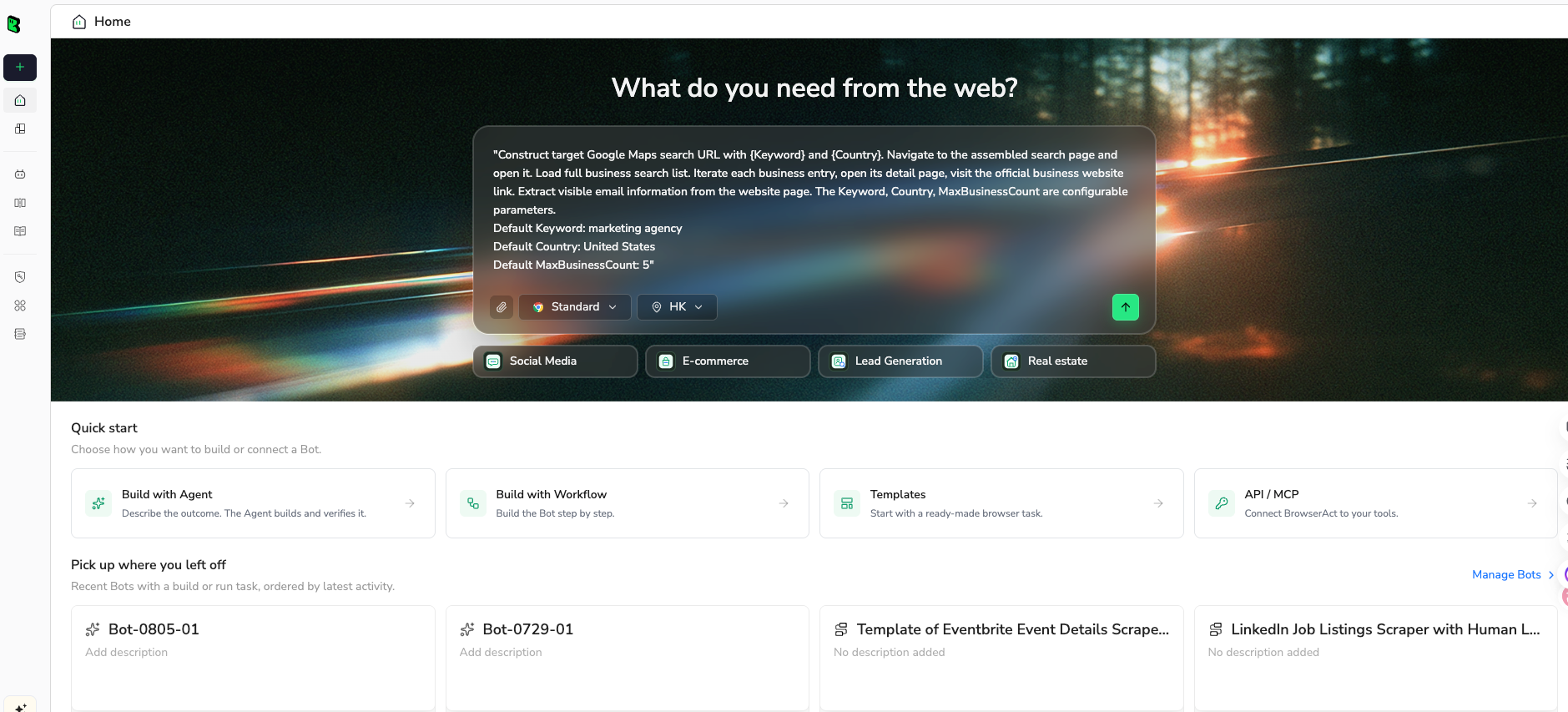
2. Copy the complete prompt
Edit the target URLs, fields, and limit. Keep the read-only and stop-state rules.
Go to Instagram and collect a public or authorized dataset for an n8n AI analysis workflow.

TARGET:
Use these public or authorized targets:
- https://www.instagram.com/examplebrand/
- https://www.instagram.com/explore/tags/exampletopic/
- one public post or Reel URL provided by the user

LIMIT:
Return up to 100 rows total. If the target cannot be accessed safely, return a stop row with source_status and stop_reason.

FIELDS:
- run_id
- source_type: profile, post, reel, hashtag, comment, story_reference, other
- source_url
- username
- profile_url
- bio_or_caption_text
- comment_text if applicable
- media_type
- visible_metrics: likes, comments, plays, views, follower_count where visible
- hashtags
- mentions
- captured_at
- dedupe_key
- source_status: complete, partial, login_required, private, captcha_required, restricted, unavailable
- stop_reason
- reviewer_note

RULES:
- Use public or authorized data only.
- Keep the task read-only.
- Do not follow, like, comment, save, message, post, download private media, or change account settings.
- Do not access private accounts, DMs, hidden analytics, or restricted pages.
- If Instagram asks for login, CAPTCHA, 2FA, account confirmation, private access, payment, or anything unclear, pause and report the stop reason.
- Deduplicate by dedupe_key.
- Keep partial rows only when source_url and source_status are clear.

OUTPUT:
Return a clean CSV/Google-Sheets-ready table for n8n.
Add a short run summary with targets checked, rows collected, duplicate rows removed, stop states, and recommended next n8n nodes for storage, AI analysis, and reporting.
Scrape data from any website.
Describe the data you need. Get a Bot — a reliable, reusable scraper.
Prompt preview: collect public Instagram rows for n8n, with source URLs, dedupe keys, visible metrics, stop states, and AI-ready fields. Private session · Choose your region before you run
Get your Bot — Free3. Handle login only when asked
If Instagram asks for login, CAPTCHA, 2FA, account confirmation, private access, payment, or anything unclear, BrowserAct should pause and report the stop reason. n8n should store that stop state instead of retrying blindly.
4. Review, dedupe, and export
Before the data enters the AI branch:
- dedupe by
dedupe_key; - keep
source_urlbeside every AI result; - split raw data and AI labels into separate columns;
- store stop states as rows, not invisible failures;
- review a sample manually before enabling the schedule;
- export CSV, JSON, Markdown, or a Sheets-ready table.
Once the sample is approved, package it as a BrowserAct Workflow and let n8n trigger it through BrowserAct CLI.
A practical n8n flow after collection
After BrowserAct or a provider returns rows, the n8n workflow can stay clean:
- Schedule trigger or webhook.
- Run BrowserAct CLI or call the selected provider.
- Parse rows and validate required fields.
- Check Google Sheets/Data Table for existing dedupe keys.
- Append only new rows.
- Send raw text or images to the AI model.
- Write AI labels into separate columns.
- Filter high-priority rows.
- Send Slack/email/Feishu summary.
- Require human approval before outreach or campaign action.
That final approval step matters. The workflow should recommend actions; it should not silently interact with people on Instagram.
Common failure modes
Failure 1: n8n retries access problems forever
Login walls, private accounts, CAPTCHA, 2FA, and unavailable posts are not normal retry errors. Store them as stop states and alert the owner.
Failure 2: AI labels overwrite source data
Keep caption, comment_text, and source_url intact. Put ai_summary, sentiment_label, and topic_label in separate fields.
Failure 3: dedupe happens after AI analysis
Dedupe before sending data to the model. Otherwise you pay to classify the same post or comment repeatedly.
Failure 4: every workflow becomes a lead-outreach machine
Instagram data can support lead research, creator discovery, and market monitoring. It should not automatically trigger DMs, comments, follows, or scraping of private contact data.
Failure 5: no owner for schema changes
Instagram surfaces change. Assign an owner for field checks, stop-state review, and sample QA before schedules run unattended.
When BrowserAct is the best fit
Use BrowserAct when the collection question is too custom for a fixed n8n template:
- public competitor profile monitoring;
- Reels hooks and audio trend extraction;
- comment sentiment datasets;
- hashtag-to-creator discovery;
- Story evidence while visible and authorized;
- weekly campaign monitoring;
- sample datasets for AI prompt testing.
Use n8n when the collection step is already trusted and the real work is orchestration: storing rows, enriching them, sending alerts, and keeping the workflow auditable.
Further reading: Instagram data collection
Frequently Asked Questions
Can n8n scrape Instagram by itself?
n8n can orchestrate scraping workflows, but it is usually better to use a dedicated collection layer such as BrowserAct, an official API, Apify, or a data provider, then let n8n handle storage, AI analysis, and routing.
What is the best Instagram scraper n8n setup?
The best setup separates collection, normalization, AI analysis, and routing. BrowserAct or a provider collects rows; n8n dedupes and stores them; AI labels or summarizes; humans approve actions.
Can I send Instagram data from BrowserAct to n8n?
Yes. Use BrowserAct Agent to test the first dataset, save the approved path as a BrowserAct Workflow, then trigger it with BrowserAct CLI or a webhook-style handoff from n8n.
What fields should I send to AI?
Send source URL, raw caption or comment text, username, profile URL, media type, visible metrics, captured time, source status, and dedupe key. Add AI summary and sentiment in separate fields.
Should an Instagram n8n workflow automate DMs or comments?
Not by default. Keep research workflows read-only and require human approval before outreach, comments, follows, DMs, saves, or posting.
How do I avoid duplicate Instagram rows in n8n?
Create a dedupe key from source URL, username, media ID when visible, and capture window. Check it before AI analysis and before appending to Sheets or Data Tables.
Is this better than an Instagram data API?
Use a data API when the endpoint and schema already fit. Use BrowserAct plus n8n when the question is custom, the workflow needs visible evidence, or the team wants to validate the schema before buying or building an API integration.


