
Multi-Platform Job Scraper
The Multi-Platform Job Scraping Tool is a no-code solution for extracting job data—including titles, descriptions, and salaries—from platforms like Himalayas.app, and The Muse.
Published by
Br
BrowserAct
October 29, 2026
Approx.Credits
60-100 Credits
Categories
BA
Job SearchSimplyhired
Template ID
51715488021025629

Brief
BrowserAct Multi-Platform Job Scraping Tool is a powerful no-code solution for extracting job data like titles, descriptions, salaries, and company details from platforms such as Indeed, Himalayas.app, FlexJobs, and The Muse. By automating job scraping, it eliminates the need for manual data collection, enabling users to quickly analyze the latest remote job trends.
Whether you're a recruiter, HR professional, data analyst, job seeker, or market researcher, Multi-Platform Job Scrape helps you discover remote opportunities, perform market analysis, and stay ahead in the global job market.
Workflow Purpose
Business Objective:
Automate job information extraction from multiple platforms to streamline data collection, eliminate manual searches, and enhance overall efficiency.
Key Benefits:
- Streamline Recruitment Processes
Automates job searching, filtering, and data collection, reducing manual effort while improving speed and accuracy for HR teams and recruiters. - Access Real-Time Job Opportunities
Supports real-time data extraction across platforms, enabling users to quickly browse the latest job postings by switching URLs, ensuring timely decision-making and reducing missed opportunities. - Gain Actionable Market Insights
Enables bulk data analysis to uncover hiring trends, popular roles, and market changes, helping users stay informed and competitive. - Enhance Precision and Competitiveness
AI-driven filters allow customized searches by keywords, location, salary, and more, delivering accurate results aligned with recruitment needs or job-seeking goals.
Target Users
Primary User Groups
- Recruiters: Ideal for gathering industry-specific talent requirements and salary benchmarks to optimize recruitment strategies.
- HR Professionals: Perfect for collecting job data to support industry research and workforce planning.
- Data Analysts: Enables bulk data extraction to monitor trends and gather competitive intelligence.
- Job Seekers: Quickly find jobs that match specific criteria without repetitive searches.
- Labor Market Researchers: Leverage bulk data collection to analyze employment trends and market dynamics.
Technical Requirements:
No coding experience required—basic understanding of process workflows and fundamental web browsing skills are enough to get started easily.
Use Cases:
Daily job searches
Employment market research reports
Job salary analysis reports
Recruitment strategy planning
Multi-Platform Job Scraping Tool: Inputs, Outputs, and Features
Input Parameters
Parameter | Required | Description | Example |
target-url | Yes | The target website URL for scraping. | https://www.simplyhired.com/ |
Data_Limit | no | The number of job postings to scrape in one run. | 10 |
Location | Yes | The location of the job (city, country, or remote) | remote |
Keywords | Yes | Search keywords to define job types | "Customer Service" |
These parameters allow for reusable configurations and quick adjustments, enabling your Multi-Platform Job Scraping Tool to adapt seamlessly to different tasks.
Output Data
Core Data Fields:
- Job Title: The title of the job posting., e.g., "Customer Service."
- Job Description – A detailed description of the job, including responsibilities and requirements.
- Company Name:The name of the company posting the job. e.g.,"Google"
- Company Location:The location of the company
- Salary: The salary range offered for the job. e.g., "80000--120000" .
- Salary Unit: Normalized to one of "Hourly", "Monthly", or "Yearly" based on the posting.
- Job Type: The type of job (e.g., full-time, part-time, contract).
- Location: The location of the job (city, country, or remote).
- Education : academic requirements, such as high school or above
- Posting Date: When the job was listed, formatted as 'YYYY-MM-DD'; missing data as "N/A."
- Experience: The required experience level for the job.
Export Formats:
CSV,JSON,XML,Markdown (MD)
Scope and Limitations of Multi-Platform Job Scraping
- Supported Websites/Platforms:
This workflow currently supports data scraping from the following platforms:
Himalayas.app:https://himalayas.app/jobs
The Muse:https://www.themuse.com/search
SimplyHired:https://www.simplyhired.com/
- Data Types: Structured job data, including job titles, descriptions, employer names, salaries, and requirements.
- Geographical Restrictions: No specific restrictions, but browser IP can be configured to match the target region.
- Data Volume: Optimized for medium to large datasets (50–500 records per execution).
Workflow Construction Details
Parameters and Browser Configuration
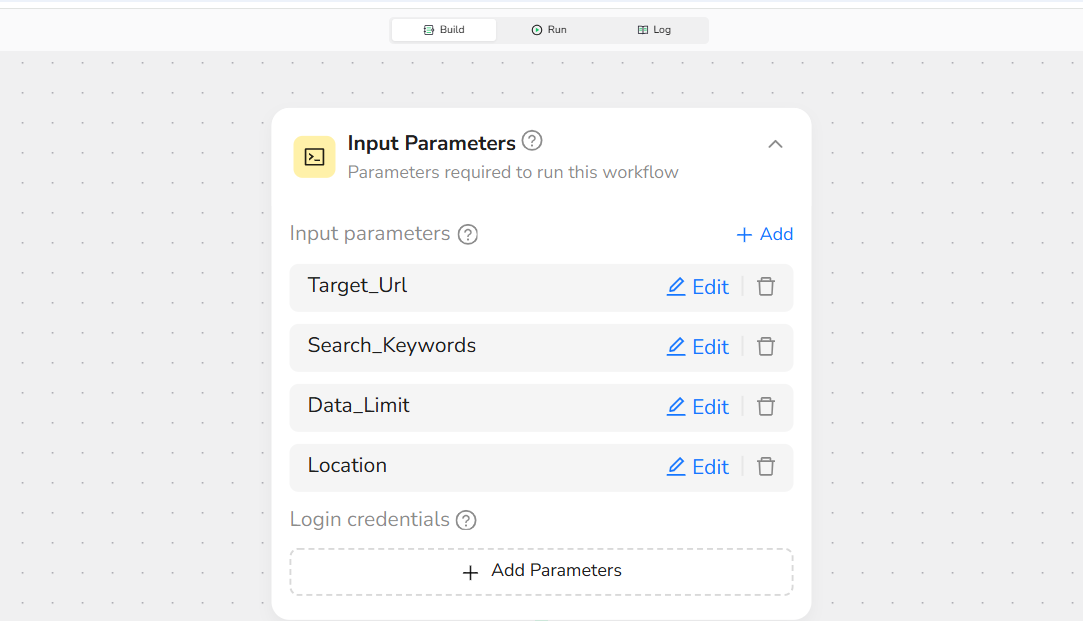
1.Core Parameter Settings
Define the fields that will be used as variables for customization. Key parameters include:
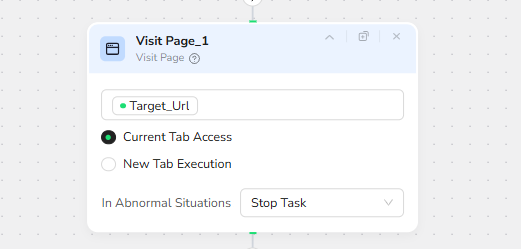
- Target_Url:The platform URL to scrape, specifying the job search page.
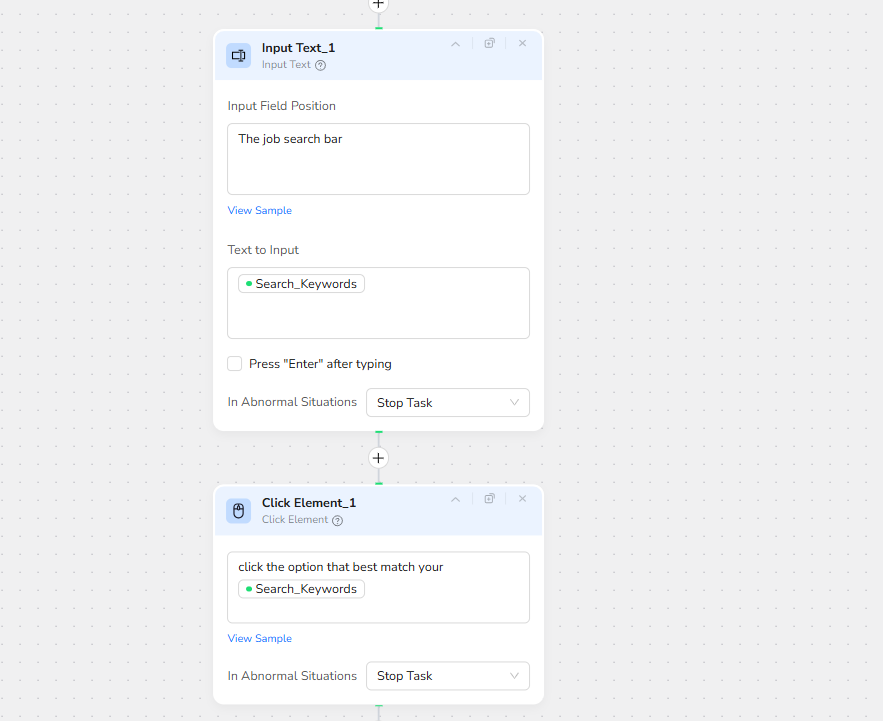
- Search_Keywords: The job types or roles to scrape, such as "Customer Service"
- Location: Specify the location for the job search. This can include cities, states, countries, or "Remote" for remote-only jobs.
- Data_Limit:The maximum number of job postings to collect per execution (up to 100)
Use default values for quick runs, such as setting Data_Limit to "10" for testing without manual changes.
2.Browser Configuration
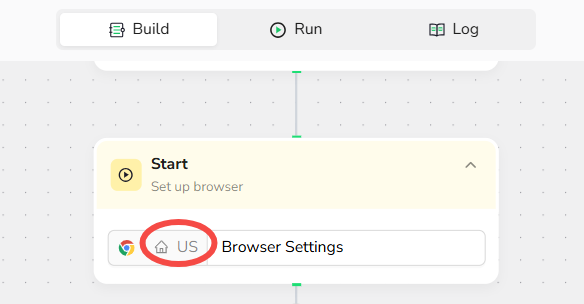
Automatically optimize browser settings for the Multi-Platform to enable seamless scraping, including configurations like User-Agent customization.
Workflow Process
1.Parameter Setup
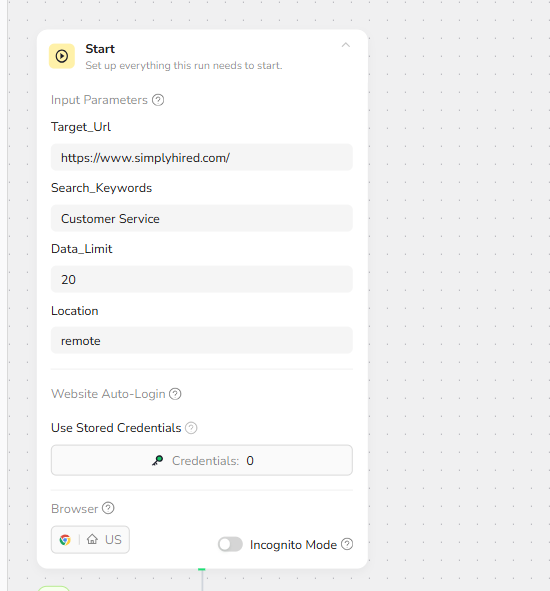
Input Parameters:
├── Target_URL: "https://www.simplyhired.com/
├── Search_Keywords: "Customer Service"
├── Location:"Remote"
├── Data_Limit: 10
2.Browser Initialization
- Start: Launch the browser with settings optimized for the Platform.
- User-Agent Configuration: Set an appropriate User-Agent string to ensure smooth platform access.
3.Search and Navigation
- Visit Page: Navigate to the Platform website.
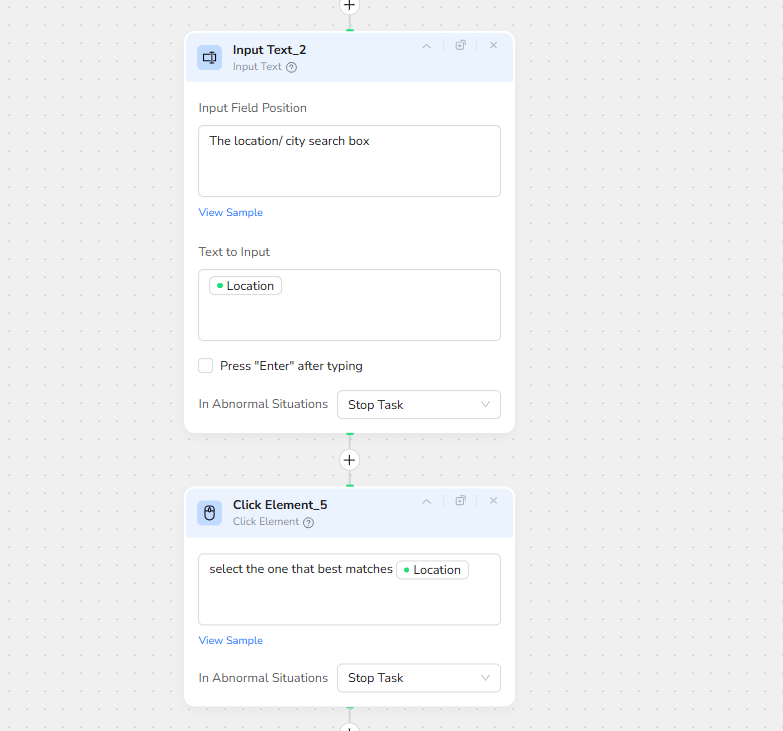
- Input Text1: Enter job keywords into the search bar.
- Input Text_2: Enter location into the search bar
- Condition:
- Determine if the page has a search button : Does the page have a search button?
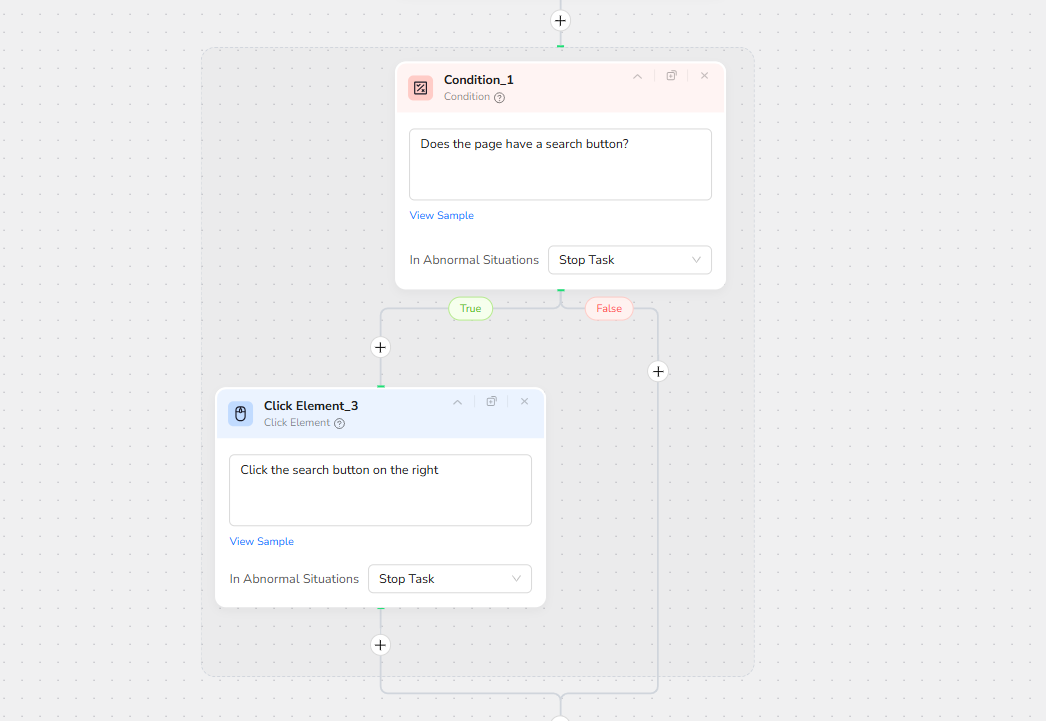
- Click Element
Click the search button on the right
4.Data Collection Loop
Loop Control: Continuously execute the following steps until reaching the Data_Limit or the maximum number of iterations.
Steps:
- Extract Metadata:
Extract the following fields from the current page
Job Title:
Job URL
Job Description:
Company Name:
Job Schedule/Type/PAY SCALE
Salary/Payroll:
Salary Unit:
- Next page: Go to the next page to continue search results
Loop Termination Criteria
- Stop the loop when either:
- The
data_limitis reached. - The maximum set number of iterations is completed.
- The
5. Data Export
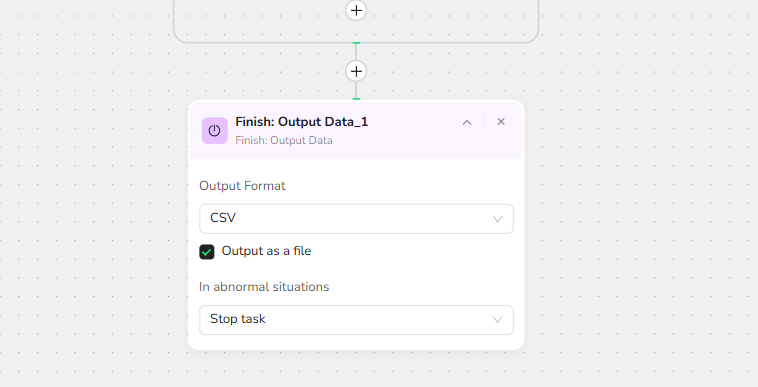
- Data Validation: Verify completeness and accuracy
- Format Export: Generate CSV, JSON, XML,Markdown (MD)
- Quality Report: Provide summary statistics
Quick Start Guide
5-Minute Setup Experience
1.Register Account:
Create a free BrowserAct account using your email.
2.Select Template:
Find " Multi-Platform Job Scraper" in the template library,Click to Use.
3.Configure Parameters
Target_Url: "https://remotive.com/"Search_Keywords:MakingLocation: remoteData_Limit: 10
4.Start Workflow:
Click the "Start" button to launch the scraping process.
5.Download Results:
Export data in CSV, JSON, XML,Markdown (MD)
Typical Application Scenarios
Business Data Analysis
Industry Reports: Collect job market data to analyze employment trends and market conditions.
Competitor Analysis:Scrape data regarding salary policies and job requirements from competitors in the same industry.
Employment Guidance: Gather job posting data to assess the current employment environment and guide job seekers effectively.
Technical Integration
- API Integration with Make:
Use Browser Act to integrate with the Make (formerly Integromat) automation platform.
- Common Integration Patterns:
Update Reminders: Automate the weekly collection of job postings matching specific criteria.
Impact Monitoring: Monitor references to specific job postings or research reports for monthly performance evaluation.
For detailed integration steps, visit our API Integration Guide
Start Scraping Multi-Platform Job
🚀 Start Using Today! 🚀
- Create Free Account - Quick registration with immediate credits
- Try Job Scraper - Experience search automation
💡Need Custom Workflows?
Contact Options:
- Email Contact: service@browseract.com
Feedback Channels
- Email Feedback: support@browseract.com