
Google News Scraper
Automate scraping Google News for article titles, publishers, authors, and more to easily monitor trends.
Published by
Ch
Chiyee
December 22, 2025
Approx.Credits
25-50 Credits
Categories
BA
Content CollectionGoogle News
Template ID
49178078240325201

Brief
What Does BrowserAct Google News Scraper Do?
BrowserAct Google News Scraper is a powerful, no-code tool that automates scraping Google News for article titles, publishers, authors, and more related news to easily monitor trends, allowing you to scrape Google News effortlessly without manual effort. It solves the exhaustion of manually compiling data from countless pages, enabling journalists, researchers, and analysts to uncover trends, monitor coverage, and gain a competitive edge through automated Google News data extraction.
Key Features of Google News Scraper
- Customizable Parameters: Adjust Data_Limit to control extraction depth (e.g., 10, 50, or 100 news items).
- Flexible Article Selection: Set limits for top stories, searches, or specific topics to scrape Google News efficiently.
- Multi-Level Extraction: Captures main article metadata and related stories for full context.
- Search & Topic Support: Compatible with searches, top stories, and category pages on Google News.
- No-Code & Free to Use: Runs directly in your browser in one click; no installation or coding required.
- Reliable Data Collection: Avoids blocks with a built-in IP management system, ensuring complete and uninterrupted scraping.
- Flexible Data Export: Download collected data in standard, analysis-ready formats like CSV, JSON, XML and Markdown (MD).
What Data Can You Scrape from Google News?
With BrowserAct's Google News Scraper, you can pull a wide range of publicly available data for analysis. Here's a breakdown:
Google News Articles
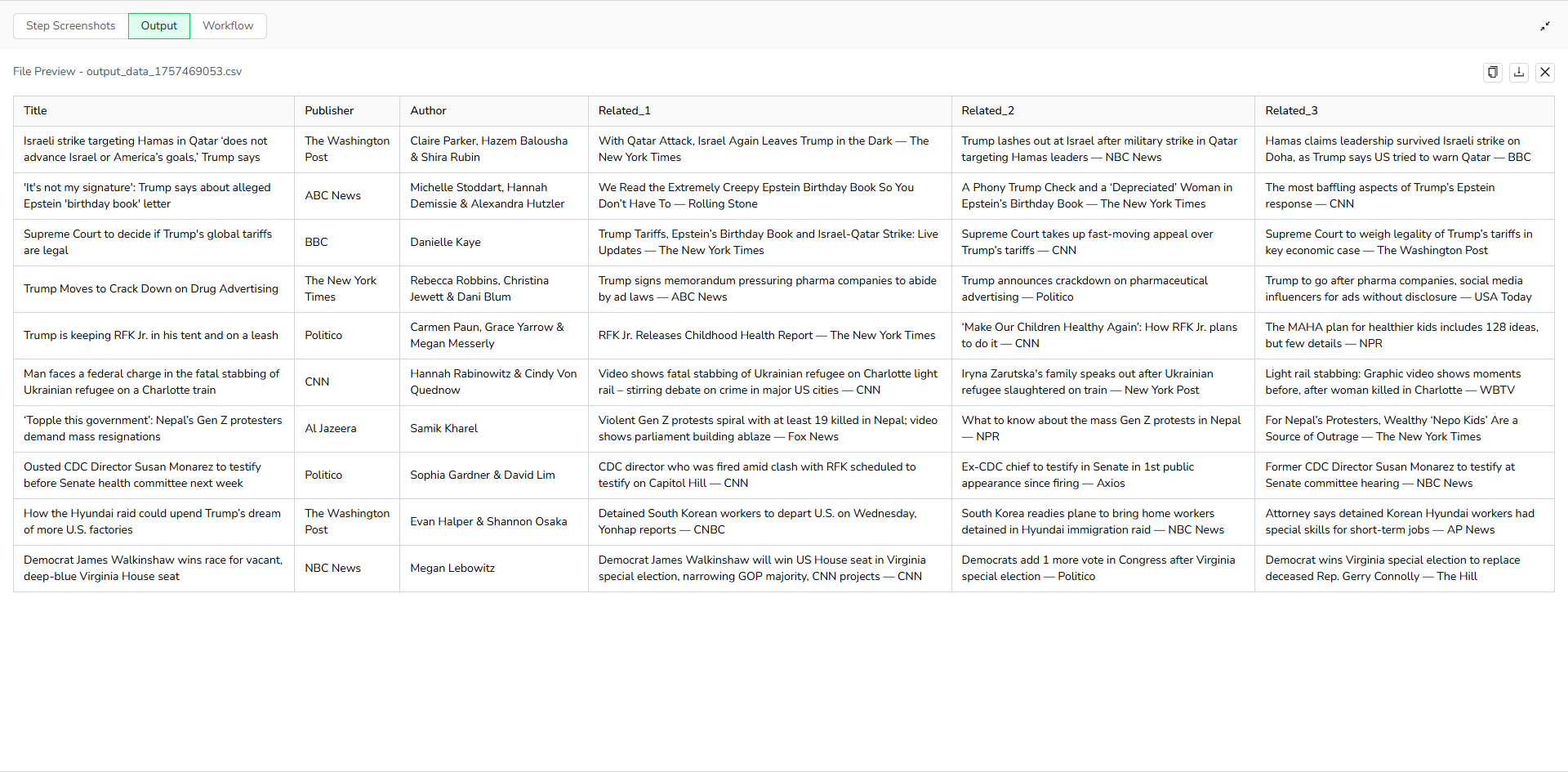
- Titles
- Publishers
- Authors
- Up to three related news items (each formatted as Title + Publisher)
This is the default setup. If you want to scrape more content, you can copy this template to your backend and customize it yourself, such as adding extraction for news links.
How to Scrape Google News?
Quick Guide: Use Google News Scraper in One Click
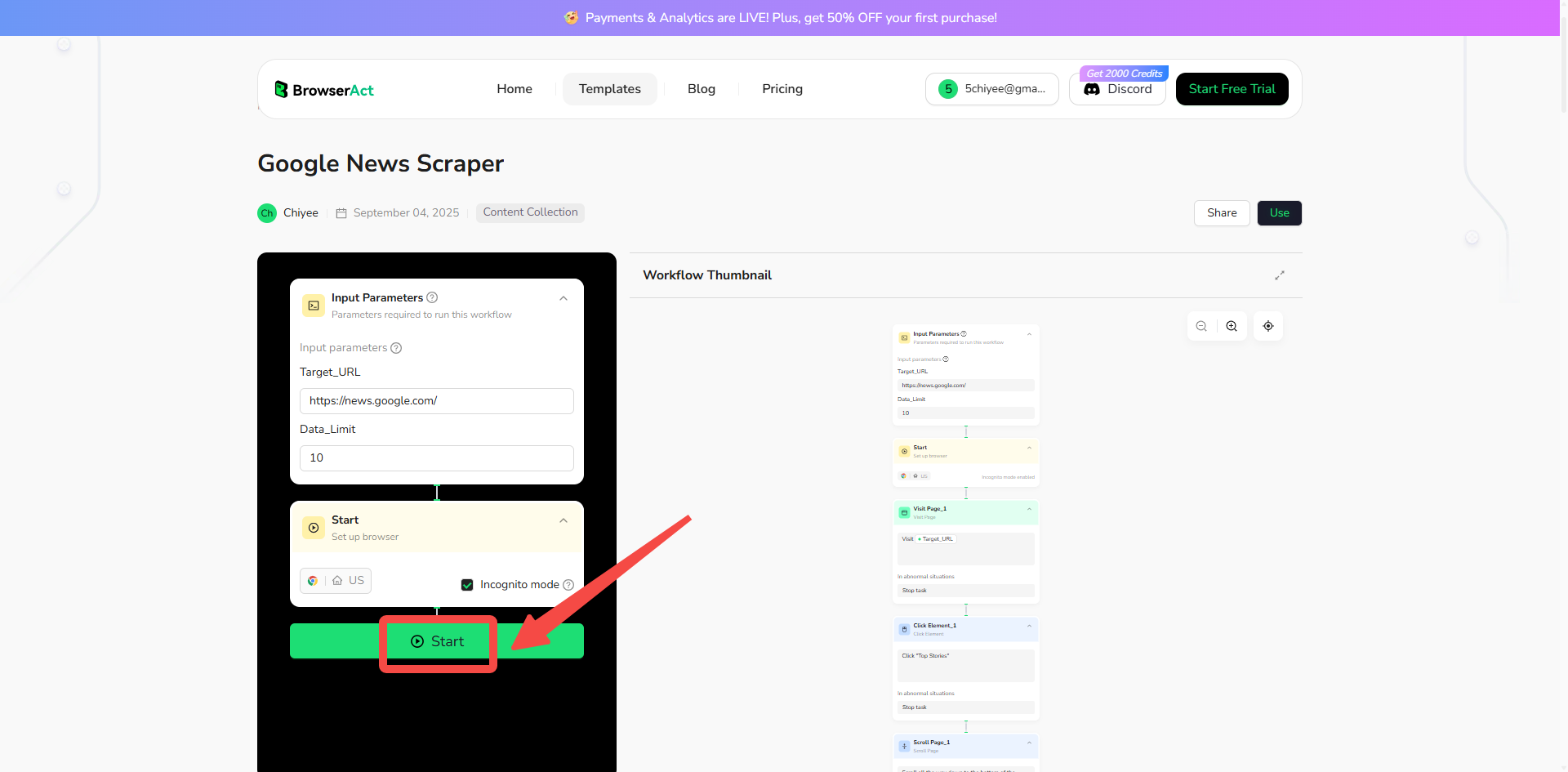
If you want to quickly start experiencing scraping Google News, simply use our pre-built "Google News Scraper" template for instant setup and start scraping Google News effortlessly.
- Register Account: Create a free BrowserAct account using your email.
- Configure Input Parameters: Fill in necessary inputs like target_url (e.g., "https://news.google.com/") and data_limit (e.g., 50) – or use defaults to learn how to scrape Google News quickly.
- Start Web Scraping: Click "Start" to run the workflow.
- Download Data: Once complete, download the results file from Google News scraping.
Why Scrape Google News?
Scraping Google News allows you to systematically collect and analyze aggregated news data from global sources. This process is valuable for gathering specific information that can be used for business, research, and analysis. Here are the primary reasons to scrape Google News:
- Track Trends and Topics: Monitor real-time news in categories like U.S., World, Business, or Technology to detect shifts and uncover emerging trends before they become mainstream.
- Gather Public Opinion: Extract headlines and related stories to understand sentiment on specific topics, events, or brands. This data provides aggregated insights from multiple publishers.
- Conduct Market Research: Collect coverage from various outlets to identify audience interests, emerging narratives, and opportunities within your industry.
- Monitor Brand Mentions: Systematically find and log every mention of your brand, products, or competitors across aggregated news feeds.
- Build Datasets for Analysis: Create structured datasets from Google News' public content for use in machine learning, academic research, or detailed statistical analysis.
Scraping automates the data collection process, enabling you to efficiently gather large volumes of information from top stories or search queries for structured analysis.
How to Build a Google News Scraper Workflow: Step by Step
Google News Scraper workflow building with BrowserAct requires no coding skills—it's automation-ready and easy to set up. Follow these step-by-step instructions to get started.
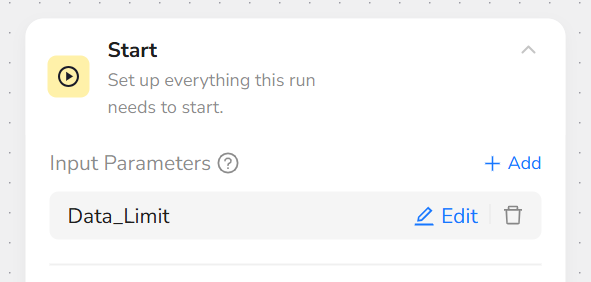
Step 1: Parameter Setup
- Data_Limit: Number of news items to scrape (e.g., "50").
Use default values for quick runs, such as setting Data_Limit to "10" for testing without manual changes.
Step 2: Add Visit Page Node
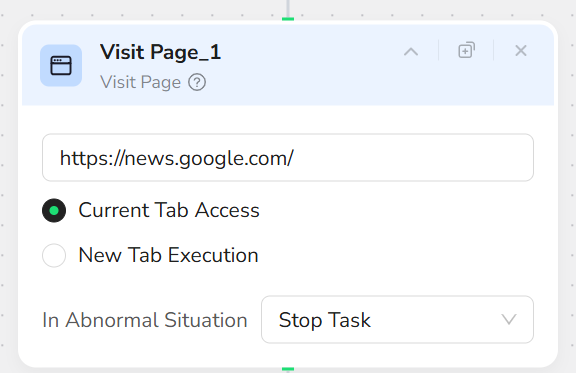
Add a "Visit Page" node and input the URL “https://news.google.com/”. This will navigate to the Google News homepage.
Step 3: Add Click Element Node
Add a "Click Element" node and input the prompt: “Click 'Top Stories'”. This selects the Top Stories section for scraping.

Step 4: Add Scroll Page Node
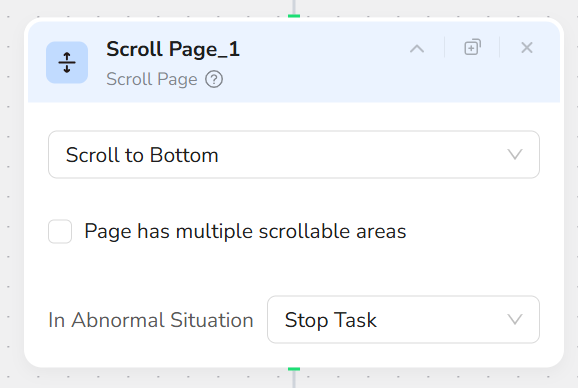
Add a "Scroll Page" node and select "Scroll to Bottom". This ensures all news items on the page are loaded.
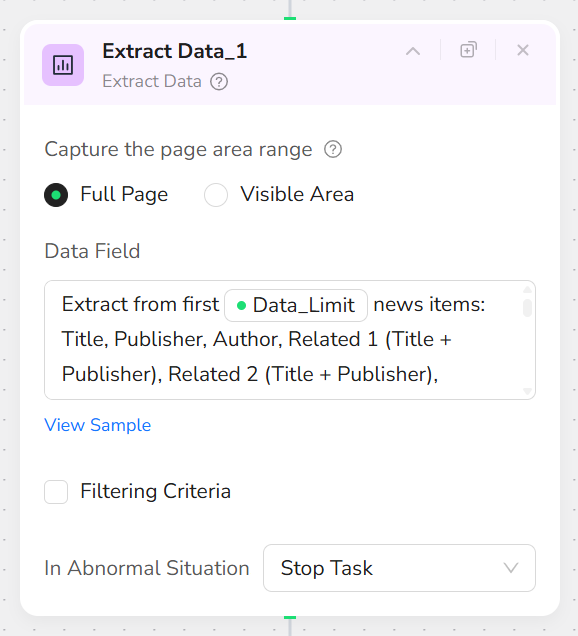
Step 5: Add Extract Data Node
Add an "Extract Data" node and input the prompt: “Extract from first /Data_Limit news items: Title, Publisher, Author, Related 1 (Title + Publisher), Related 2 (Title + Publisher), Related 3 (Title + Publisher).
Format:
- Title: the large-font main news headline; use 'N/A' if missing
- Publisher: the media outlet name shown above the title; use 'N/A' if missing
- Author: the byline shown as “By …”; strip the leading “By”; use 'N/A' if missing
- Related items: capture up to three right-side related pieces, each as “Title — Publisher”; if fewer than three, fill missing with 'N/A'
Missing data: 'N/A'”.
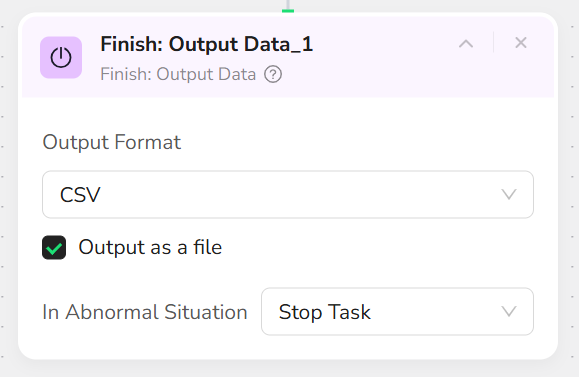
Step 6: Add Finish: Output Data Node
Add a "Finish: Output Data" node. Select "CSV" as the output format and check "Output as a file" for easy downloading. You can also choose to export in JSON, XML, or Markdown (MD) formats.
Who Can Use Google News Scraper?
Google News Scraper is designed for anyone needing quick, reliable access to aggregated news data. It's ideal for a variety of users, including:
- Journalists: Perfect for monitoring breaking stories, sources, and trends to enhance reporting and stay ahead.
- Researchers: Ideal for tracking topics, articles, and related insights to support in-depth studies.
- Content Marketers: Great for analyzing news patterns, publishers, and sentiment to refine marketing strategies.
- News Analysts: Useful for bulk data extraction to support trend monitoring and competitive intelligence.
- Small Businesses and Startups: Conduct affordable competitive research without needing advanced technical skills.
- Academics and Students: Research topics like politics, technology, or health through aggregated news data.
- Hobbyists and Everyday Users: Explore topics of personal interest, track global events, or archive news for personal projects.
No matter your background, if you're looking to scrape Google News without hassle, this tool is accessible and effective for both individuals and teams.
How Many Results Can You Scrape?
Our Google News Scraper offers complete flexibility, giving you full control over the scale of your data extraction. By default, it is set to capture up to 10 news items, which is ideal for quick sampling and testing. However, these numbers are fully customizable in the settings, allowing you to scrape hundreds or even thousands of items depending on credit usage. Ultimately, there are no hard limits—the tool is built to scale with your needs.
Just keep in mind that scraping a larger volume of data will naturally require more time to run and will consume more of your platform credits.
Need Help? Contact Us
- 📧 Discord: [Discord Community]
- 💬 E-mail: service@browseract.com
 What can we do for you