TikTok Ad Monitoring: Track Competitor Creatives Weekly

TikTok ad monitoring is the weekly process of checking competitor brands, product keywords, ad-library results, and Creative Center-style examples so your team can see what changed before the next creative planning meeting. The useful output is not a folder of screenshots. The useful output is a source-linked table: new creative, advertiser, market, hook, CTA, format, visible metrics, first-seen date, source URL, source status, and recommended next action. This guide shows how to build that work
-
1
TikTok ad monitoringshould answer one weekly question: what new competitor creatives appeared, what changed, and which ideas deserve a test brief. - 2This workflow separates five jobs: source refresh, new-creative detection, hook tagging, CTA/offer review, and weekly action planning.
- 3TikTok Creative Center and Top Ads are useful for creative inspiration and filters; TikTok Commercial Content Library is useful for visible ad-library evidence and source URLs.
- 4Use [BrowserAct Agent](https://www.browseract.com/agent?co-from=blogbottiktok) for the first competitor brief, [BrowserAct Workflow](https://www.browseract.com/workflow?co-from=blogbottiktok) for weekly refreshes, and [BrowserAct CLI](https://www.browseract.com/cli?co-from=blogbottiktok) when approved rows need to move into Sheets, Slack, or BI.
- 5Keep the workflow read-only. Do not click ads, submit lead forms, download restricted creative assets, log into advertiser accounts, change settings, or infer hidden spend and targeting data.
What should a weekly TikTok ad monitoring workflow catch?
Weekly monitoring is about change detection, not collecting everything.
Signal | What to capture | Why it matters |
New creative | source URL, advertiser, first seen date | proves the competitor is testing something new |
Hook shift | first 3 seconds, opening claim, visual pattern | informs creative testing |
CTA or offer change | discount, trial, shop CTA, lead magnet | shows funnel pressure |
Format shift | Spark Ad, creator-style clip, product demo, UGC, comparison | reveals production direction |
Market or region filter | country, region, language, industry | keeps comparisons fair |
Source status | complete, partial, login_required, popup_blocked | protects the evidence quality |
Pro Tip: Start with 10–30 priority competitors. Monitoring 200 brands sounds powerful, but it usually creates a noisy sheet nobody reviews.
Which TikTok sources should you monitor?
TikTok Creative Center and Top Ads
TikTok’s Creative Center help page frames Creative Center as a public resource for trends, ad examples, best practices, and creative tools. The Top Ads surface is useful when the team wants inspiration, creative triggers, filters, and examples of high-performing ads.
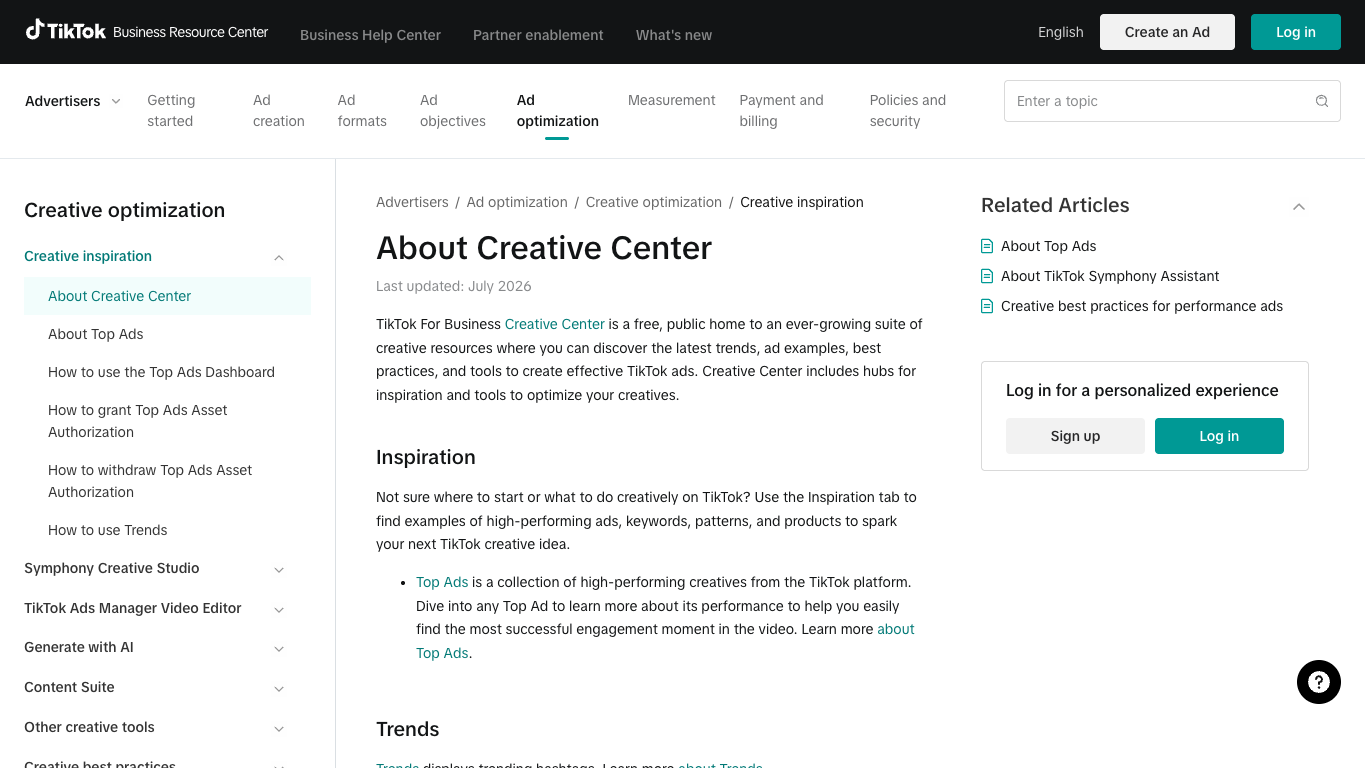
Use it when the job is creative learning: hooks, CTAs, formats, category patterns, market examples, and what to add to the next swipe-file review.
TikTok Commercial Content Library
TikTok’s Commercial Content Library is better when the team needs ad-library evidence. The live interface exposes fields such as ad target country, last shown date, and advertiser name or keyword search.
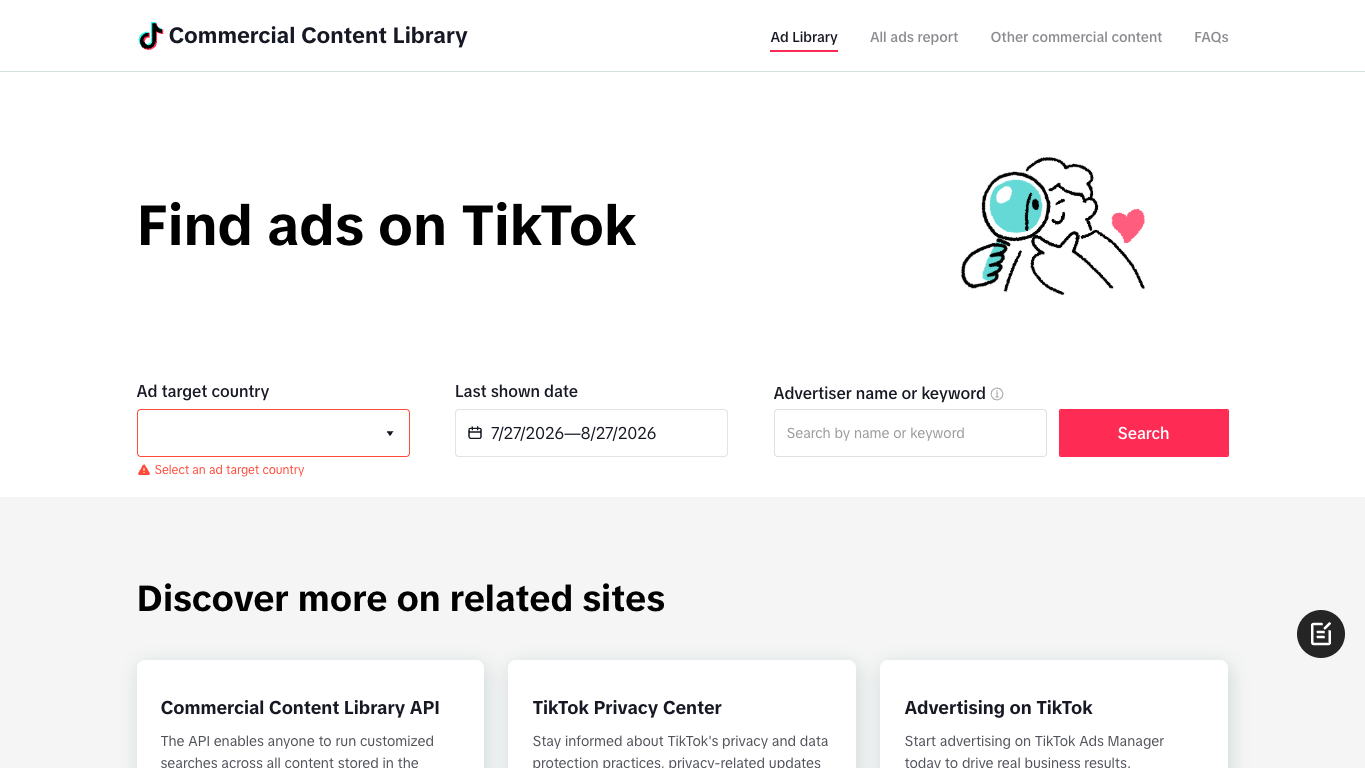
Use it when the job is competitor evidence: whether a brand appears in visible ad-library results, which source URL supports that finding, and what date window was reviewed.
Third-party ad intelligence tools
Third-party ad intelligence tools can be useful, but they should not replace your source discipline. If a tool gives richer search, history, or download workflows, keep the tool name and source URL in the row. Do not mix third-party claims with official TikTok evidence unless the source column makes the difference clear.
Weekly cadence
Day | Task | Output |
Monday | Refresh the saved competitor list | new rows and missing-source notes |
Tuesday | Tag hooks and first-frame patterns | hook categories and creative angles |
Wednesday | Review CTAs, offers, and landing intent | offer map and funnel notes |
Thursday | Compare against last week | new, repeated, paused, or changed creative |
Friday | Pick test ideas | creative brief, watchlist, or ignore decision |
Build the dataset schema
Field | Description |
| creative_center, top_ads, commercial_content_library, third_party_tool, other |
| evidence URL for the row |
| competitor or brand name |
| country, region, language, or industry filter |
| when your team collected the row |
| ISO week or Monday date |
| short neutral description |
| problem, demo, proof, before_after, creator_reaction, comparison, offer |
| visible CTA, discount, trial, shop link, lead action |
| creator video, product demo, UGC, Spark-style, comparison, unknown |
| likes, reach, CTR bucket, or exact visible wording |
| new, repeated, changed, paused, unclear |
| save, monitor, remix, brief_test, escalate, ignore |
| complete, partial, login_required, popup_blocked, unavailable |
change_type separate from recommended_action. “New” is evidence. “Brief a test” is a decision.
Build the workflow with BrowserAct
Use this BrowserAct module when you need to refresh competitor TikTok creative sources every week and export a source-linked review table.
- Open BrowserAct Dashboard
Click the left-side + button to create your own Bot, start from Quick start, or paste the prompt directly into the center Agent input to begin building.
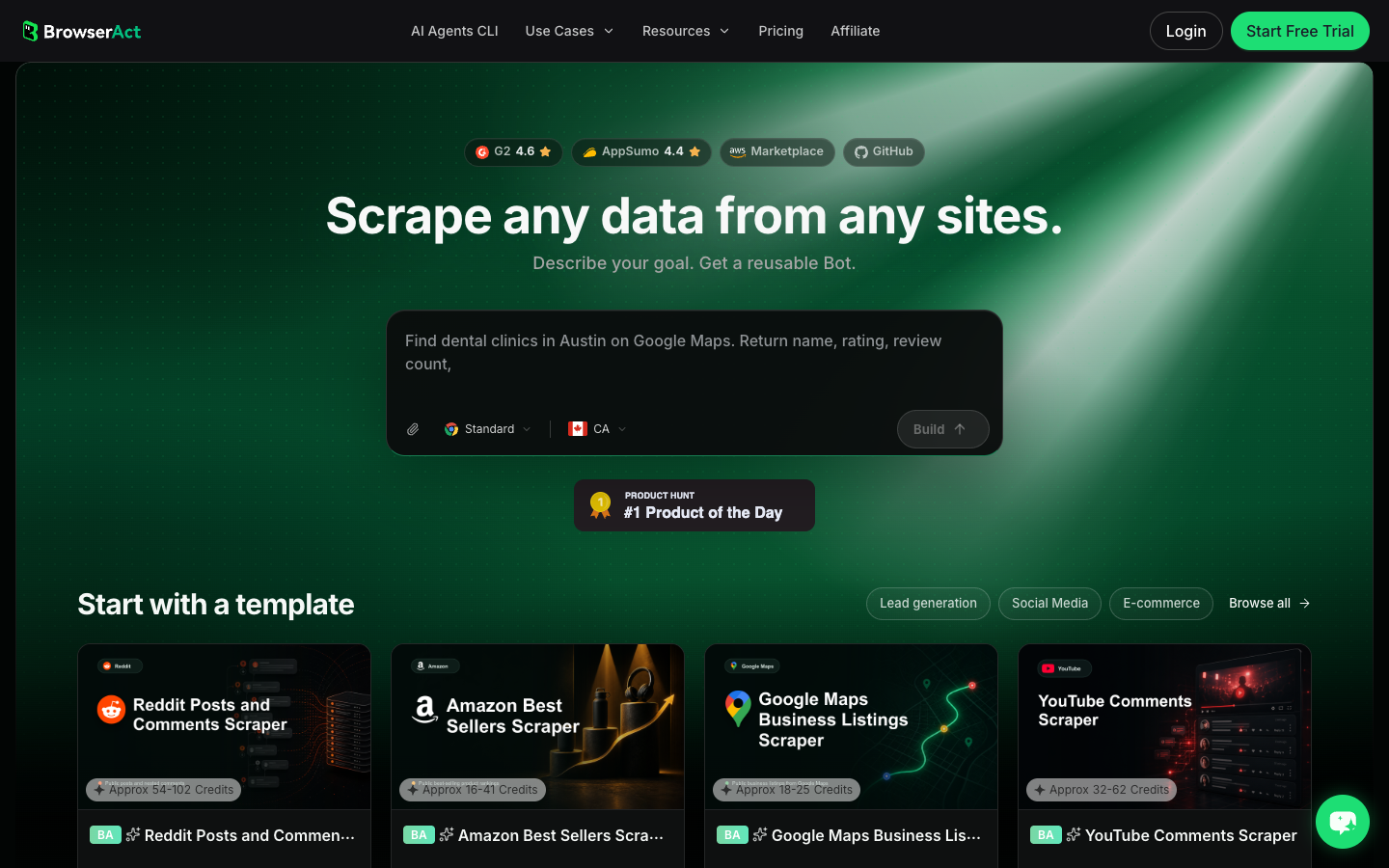
- Copy the complete prompt
Replace the competitor list, markets, source URLs, and weekly window. Keep the stop rules.
Build a weekly TikTok ad monitoring table from public or authorized sources.

Sources:
- TikTok Creative Center / Top Ads: https://ads.tiktok.com/business/creativecenter/inspiration/topads/pc/en
- TikTok Commercial Content Library / Ad Library: https://library.tiktok.com/ads
- Any additional public competitor creative sources supplied by the user.

Competitors:
- Replace with the competitor brands, product names, advertiser names, or keywords supplied by the user.

Weekly window:
- Use this week's review window by default.
- Compare against last week's exported table if the user provides one.

Collect up to 150 relevant rows. Do not keep scrolling forever.

For each visible result, capture:
- source
- source_url
- advertiser_or_brand
- keyword_or_query
- market_or_region
- date_seen
- first_seen_week
- last_shown_date when visible
- creative_summary
- hook_pattern
- cta_or_offer
- format
- visible_metrics exactly as shown
- change_type: new, repeated, changed, paused, unclear
- recommended_action: save, monitor, remix, brief_test, escalate, ignore
- source_status: complete, partial, login_required, popup_blocked, private_or_restricted, unavailable

Deduplicate by source_url plus advertiser_or_brand plus normalized creative_summary. If the same creative appears in multiple sources, keep the strongest evidence row and note the secondary source.

Stay read-only. Do not click ads, submit forms, log into advertiser accounts, purchase anything, message accounts, download restricted assets, bypass access controls, or make account changes.

If login, CAPTCHA, 2FA, popup gating, private content, payment, or restricted access appears, pause and record the stop reason instead of continuing automatically.

Export the result as a CSV-ready weekly review table with source URLs, source_status, and recommended_action preserved.
Scrape data from any website.
Describe the data you need. Get a Bot — a reliable, reusable scraper.
Prompt preview: monitor competitor TikTok creatives weekly, keep source URLs, tag hooks and CTAs, and export a review-ready table. Private session · Choose your region before you run
Get your Bot — Free- Handle login only when asked
If BrowserAct pauses on login, CAPTCHA, 2FA, account confirmation, popup gating, private content, payment, or restricted access, treat it as a human checkpoint. Record the stop reason instead of forcing the run.
- Review, dedupe, and export
Check that every row has a source URL, source label, source status, and recommended action. Export to CSV, JSON, Markdown, or a Sheets-ready table. Save the approved process as BrowserAct Workflow for weekly refreshes, and use BrowserAct CLI when rows need to feed Slack, Sheets, BI, or campaign planning.
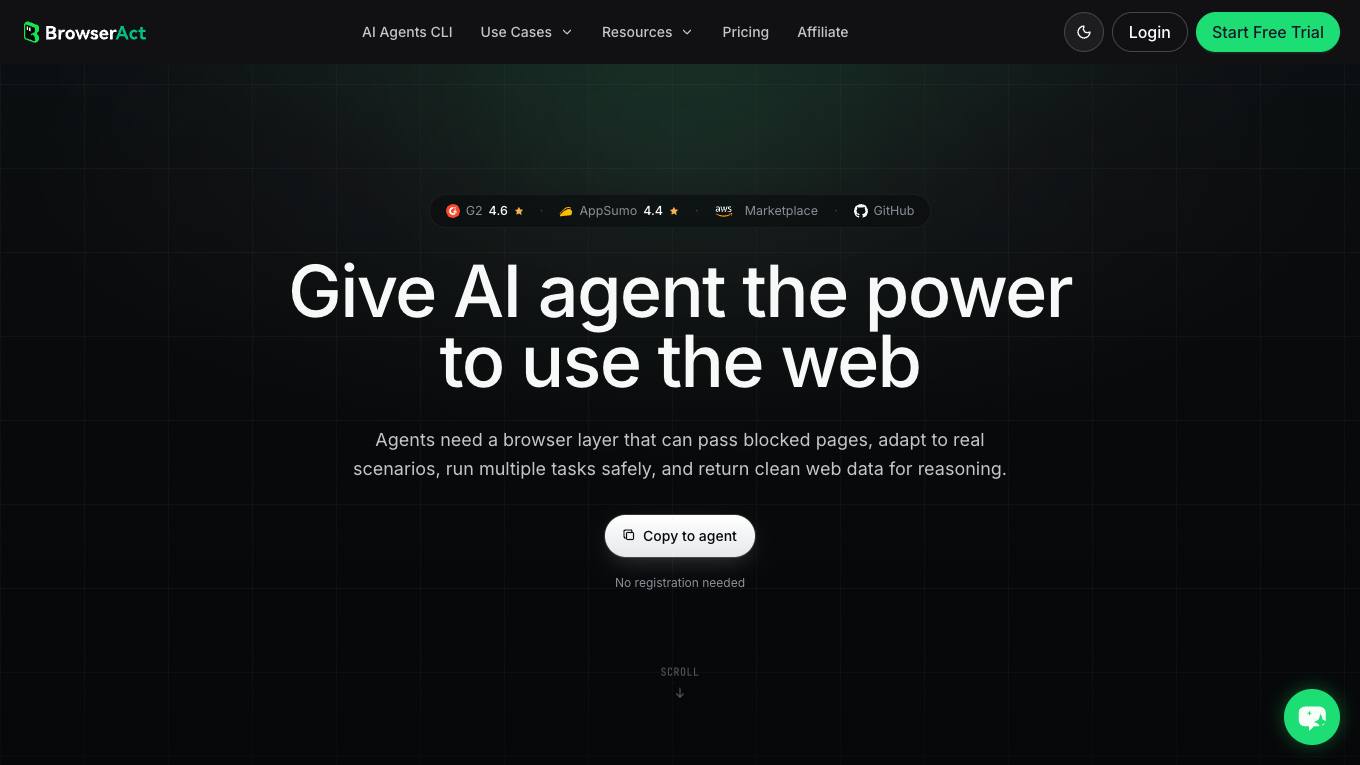
No fake export screenshot is shown here. Until your team runs the actual competitor list and weekly window, the honest artifact is the prompt, schema, real Dashboard screenshot, and CLI handoff path.
How to review the weekly output
Do not ask the spreadsheet to make the strategic decision. Use it to make the review sharper.
Review question | What to look for | Action |
Which competitor launched new creative? |
| add to watchlist |
Which hook keeps repeating? | same | brief a variant |
Which offer changed? | new CTA, discount, trial, shop angle | alert growth team |
Which source is incomplete? |
| review manually |
Which rows are noise? | low relevance or weak source | ignore or archive |
Common mistakes
Mistake 1: Tracking screenshots instead of source-linked rows
Screenshots are useful, but a source URL, date, source label, and source status make the row auditable.
Mistake 2: Combining every market into one sheet
Country and region filters change the meaning of the creative. Separate markets when the creative team or media buying plan is market-specific.
Mistake 3: Treating visible examples as spend data
Creative examples, Top Ads, and ad-library surfaces do not automatically reveal spend, targeting, or conversion data. Preserve visible metrics only.
Mistake 4: Monitoring too many competitors
Start with the brands that change your creative decisions. Expand only after the first two weekly reviews produce useful test ideas.
Mistake 5: Automating actions
Collection can be automated. Clicking ads, submitting forms, downloading restricted assets, messaging advertisers, or changing accounts should not be.
Conclusion
TikTok ad monitoring works when it turns scattered creative research into a weekly decision system. Start with official TikTok sources, define a small competitor list, capture source URLs, tag hooks and CTAs, and compare the same fields every week.
Use BrowserAct Agent to prove the first brief, BrowserAct Workflow to repeat the approved run, and BrowserAct CLI to hand cleaned rows into the rest of your reporting stack.
Frequently Asked Questions
What is TikTok ad monitoring?
It is a recurring workflow for tracking competitor TikTok creatives, hooks, CTAs, formats, source URLs, and weekly changes.
Which TikTok source should I monitor first?
Use Creative Center and Top Ads for creative inspiration, and Commercial Content Library when you need visible ad-library evidence.
How often should I monitor competitor TikTok ads?
Weekly is usually enough for creative planning; daily monitoring is only useful for crisis, launch, or high-spend competitive periods.
Can BrowserAct monitor TikTok ads automatically?
BrowserAct can collect public or authorized visible fields into a table and schedule repeat checks, but it should pause on login, CAPTCHA, or restricted access.
What fields should a TikTok ad monitoring export include?
Include source, source URL, advertiser, market, date seen, creative summary, hook, CTA, format, visible metrics, change type, source status, and recommended action.


