How to Build and Use Skills in Hermes Agent (+ 10 Ready-Made Skills You Need)

"Build me a skill that checks Amazon prices for these 5 products every morning."
Hermes Agent spent 12 minutes generating a skill file. It saved neatly to ~/.hermes/skills/amazon_price_check.md. It looked clean. It even had error handling.
Skill files are plain markdown in ~/.hermes/skills/ — version them in git; when a site changes, diff and patch the skill instead of regenerating from scratch.
Then it ran the skill.
"I navigated to Amazon and attempted to extract pricing data. The page returned a CAPTCHA challenge. Retrying... The page returned a different CAPTCHA. I was unable to complete the task."
Twelve minutes to build a skill that fails on the first real attempt. And it'll fail the same way tomorrow, and the day after — because the skill doesn't know how Amazon actually serves its data or how to get past its defenses.
Hermes Agent skills are genuinely innovative. The self-improving loop is one of the best ideas in the AI agent space. But there's a gap between "generating a skill file" and "having a skill that works against modern websites."
This guide covers both sides: how to get the most out of Hermes' native skill system, and what to reach for when native skills aren't enough.
- 1 Hermes Agent's skill loop is genuinely innovative — auto-generated, self-improving markdown skills that compound over time. No other open-source agent does this.
- 2 Native skills excel at text processing, formatting, and workflow orchestration — but fail against websites with anti-bot protection.
- 3 BrowserAct Skills fill the browser gap — pre-researched, site-specific extraction paths with stealth fingerprints, CAPTCHA solving, and residential proxies.
- 4 Use both together: Hermes for orchestration + messaging, BrowserAct for data extraction from protected websites.
- 5 10 essential ClawHub Skills cover the most requested data sources — Amazon, Google Maps, YouTube, Google News, and more.
How Hermes' Self-Improving Skill Loop Works
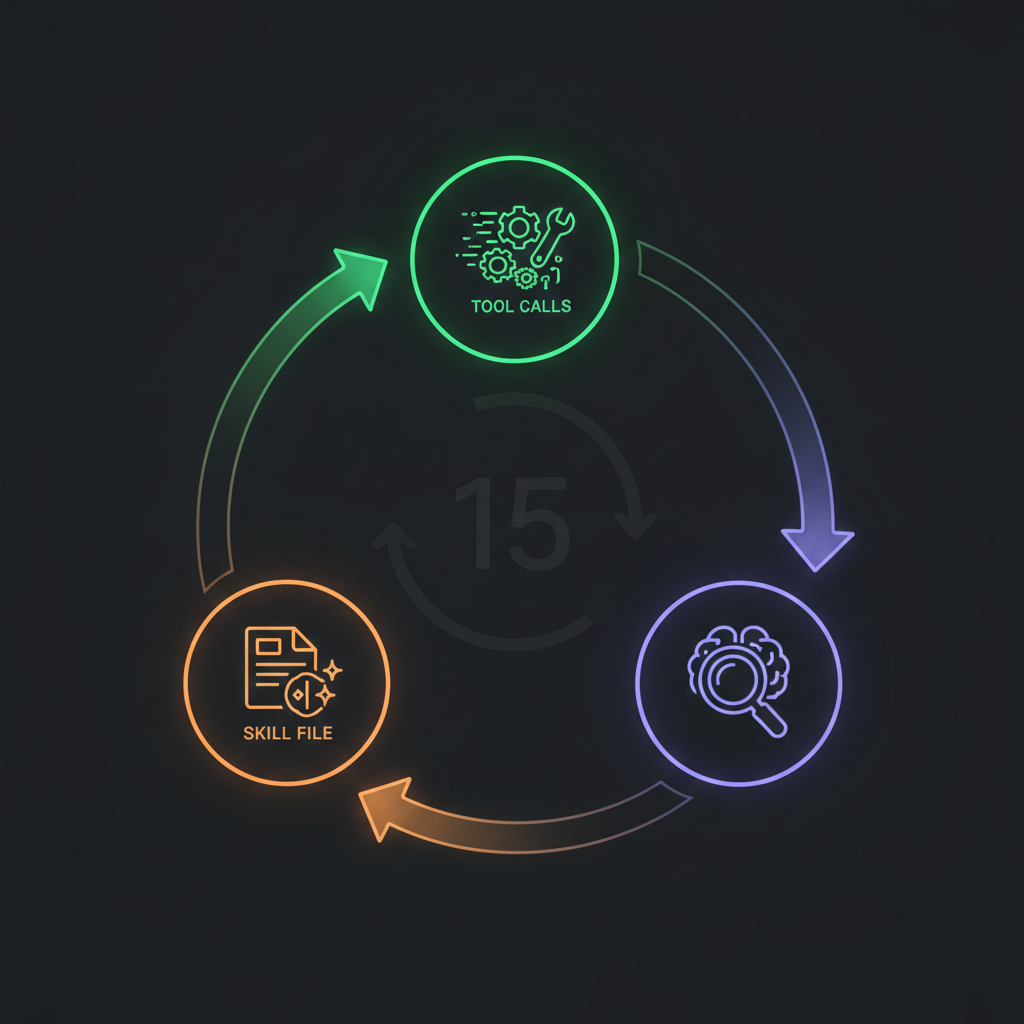
Before diving into limitations, it's worth understanding why Hermes Agent skills matter. This isn't hype — the learning loop is a genuinely useful mechanism that no other open-source agent matches.
The 15-Call Reflection Cycle
Every ~15 tool calls, Hermes pauses and runs a reflection:
1. What worked? Which tool calls produced useful results?
2. What failed? Which approaches wasted tokens or returned errors?
3. What pattern should be saved? The working approach gets written to a skill file
These skill files live in ~/.hermes/skills/ as plain markdown. They're human-readable, editable, and deletable. No black box.
Why This Matters
Day one with Hermes, you get generic responses — the same quality as any LLM with tool access. Day thirty, you get responses tailored to your specific workflows, preferences, and formatting expectations.
A user on Discord described it: "I asked Hermes to format a report the way I like it. First time, it was generic. Third time, it nailed it without me saying anything about format. The skill file had saved my preferences."
That's real compounding value. For tasks that repeat — especially text processing, formatting, data transformation, messaging — the skill loop is a genuine differentiator.
What the Skill File Looks Like
# Skill: weekly_report_format

## Trigger
When user asks for "weekly report" or "status update"

## Steps
1. Collect data from specified sources
2. Format as markdown with H2 sections
3. Include bullet points for key metrics
4. Add comparison to previous week
5. Send via Telegram with inline formatting

## Learned preferences
- User prefers percentages over absolute numbers
- Include "Action Items" section at the end
- Keep total length under 500 words
Simple. Readable. And it accumulates over time.
Your First Custom Skill (Step-by-Step)
You don't have to wait for the learning loop. You can create skills manually — and for repeatable tasks, you should.
Step 1: Identify the Repeating Pattern
Good candidates for skills:
- Any task you run more than twice a week
- Any task with a consistent input → output structure
- Any task where you have corrected Hermes’ approach before
Bad candidates:
- One-off creative tasks
- Tasks that change every time
- Tasks requiring real-time judgment calls
Step 2: Write the Skill File
Create a new file in ~/.hermes/skills/:
# Skill: competitor_price_check

## Trigger
"check competitor prices" or "price monitoring"

## Required inputs
product_urls (list)

## Steps
1. For each URL in product_urls:
   a. Navigate to the page
   b. Wait for price element to render
   c. Extract product name, current price, and availability
2. Format results as a comparison table
3. Highlight price changes above 5% from the last check
4. Send the summary via Telegram

## Output format
Markdown table: Product | Price | Change | Status
Stop getting blocked. Start getting data.
- ✓ Stealth browser fingerprints — bypass Cloudflare, DataDome, PerimeterX
- ✓ Automatic CAPTCHA solving — reCAPTCHA, hCaptcha, Turnstile
- ✓ Residential proxies from 195+ countries
- ✓ 5,000+ pre-built Skills on ClawHub
Step 3: Test and Iterate
Run the skill once manually. Watch what Hermes does with it. The first run often reveals:
- Steps that need more detail
- Edge cases the skill does not handle
- Formatting preferences to add
After 2–3 manual iterations, the skill stabilizes. Then let the learning loop refine it further from actual usage.
Where Hermes Skills Hit Their Limits
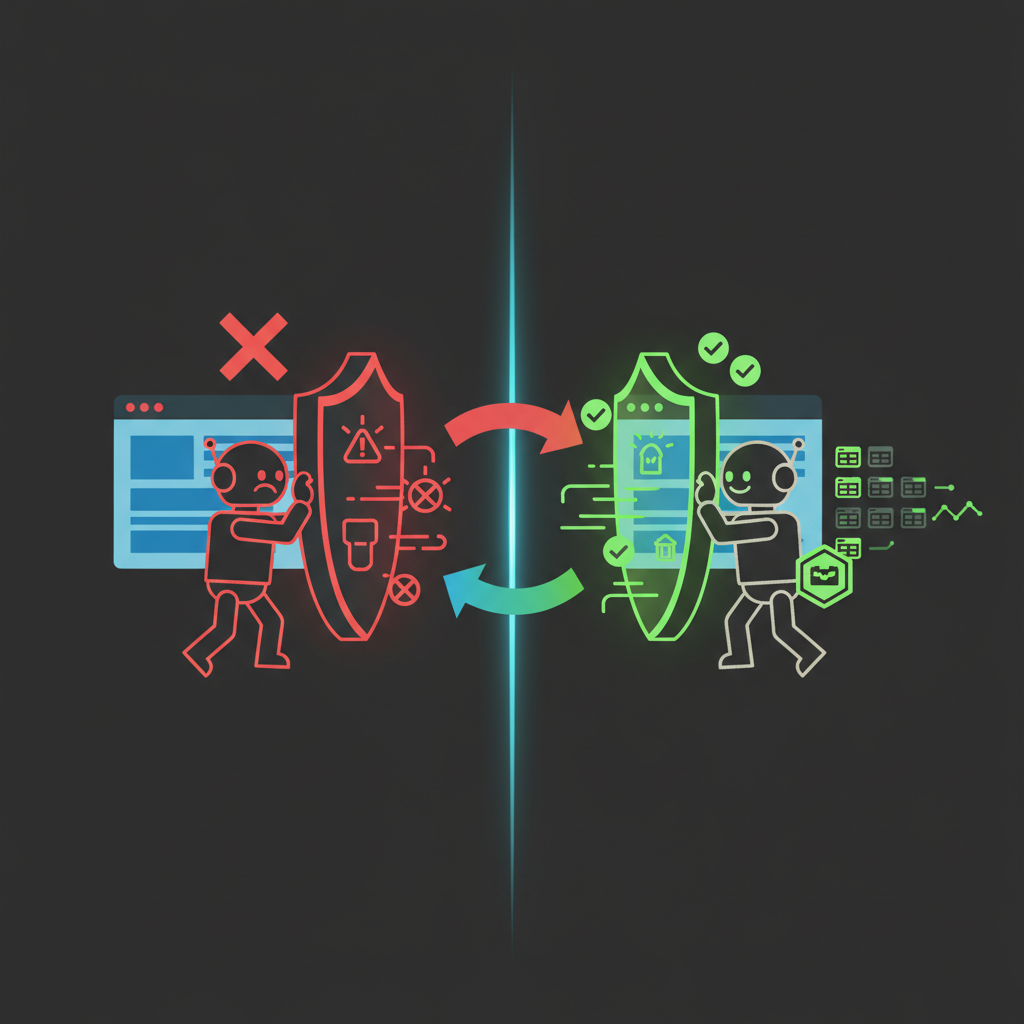
Here's where honesty matters. The skill loop is great for tasks that stay within Hermes' existing capabilities. But for browser automation against real websites, native skills hit a wall.
The Skill Knows What to Do — But Can't Execute
A perfectly written Hermes skill for scraping Amazon might include every correct step: navigate, wait for rendering, extract prices, format output. The problem isn't the instructions — it's the execution environment.
What the Skill Says | What Actually Happens |
"Navigate to the product page" | Amazon returns a CAPTCHA |
"Wait for price to render" | Page loads a bot-detection interstitial |
"Extract the price element" | Element doesn't exist — Amazon served a different layout to bots |
"Retry with different approach" | Same CAPTCHA, same block, same failure |
The skill is smart. The browser is dumb. Without anti-detection fingerprints, CAPTCHA solving, and residential proxies, the skill's instructions are worthless against protected sites.
The Learning Loop Can't Learn What It Can't See
Hermes' reflection cycle learns from successes and failures. But against anti-bot protection, every attempt fails the same way — there's no successful variation to learn from. The loop generates skill files that encode different approaches to the same blocked request.
It's like a chess player trying to improve by replaying only lost games where they never made a legal move. There's nothing to learn when the entire board is inaccessible.
Static Sites vs. Modern Websites
Site Type | Hermes Native Skills | Enough? |
Simple HTML pages | Works fine | Yes |
Internal dashboards | Works fine | Yes |
Public APIs | Works fine | Yes |
JavaScript-rendered sites | Partial | Sometimes |
Cloudflare-protected | Fails | No |
CAPTCHA-gated | Fails | No |
Rate-limited with IP checks | Fails | No |
For the top row, Hermes skills are sufficient. For everything else — which is an increasing percentage of the web — you need a different kind of skill.
Choose how to extend a Hermes Skill
Use the marketplace when the workflow already exists, the CLI when Hermes still needs to explore the live site, and a managed Bot when the finished path should run repeatedly.
Start from a reusable workflow
Browse reusable BrowserAct Skills before writing another browser workflow from scratch.
Browse BrowserAct Skills →Build with BrowserAct
Promote a proven Hermes workflow into a managed Bot with scheduled, reviewable runs.
Build your Bot →Give your agent a browser
Explore the real website with BrowserAct CLI before freezing the procedure into a Skill.
Install BrowserAct CLI →10 Ready-Made BrowserAct Skills That Fill the Gap
BrowserAct Skills are a fundamentally different approach to the same problem. Instead of the agent learning through trial and error, someone has already figured out the correct extraction path for a specific website — and encoded it.
Each Skill handles the full chain: stealth browser → anti-detection → CAPTCHA solving → site-specific extraction → structured data output.
Here are 10 that solve the most common requests Hermes users run into:
E-commerce & Product Data
1. Amazon Product Search API — Search products, extract titles, prices, ratings, ASINs. Handles Amazon's dynamic rendering and anti-bot protection automatically.
2. Amazon Reviews API — Pull review text, ratings, dates, verified purchase status. Structured data ready for sentiment analysis.
3. Amazon Competitor Analyzer — Competitive pricing intelligence across product categories. The kind of data that takes hours manually.
Local Business & Maps
4. Google Maps API — Extract business listings, ratings, addresses, phone numbers, operating hours. Clean structured output from Google's heavily protected maps interface.
5. Google Maps Reviews API ��� Pull individual reviews with text, ratings, and dates. Essential for reputation monitoring and local SEO.
Video & Content
6. YouTube Video API — Video metadata, view counts, engagement metrics, descriptions. Works regardless of YouTube's frequent UI changes.
7. YouTube Channel API — Channel statistics, subscriber counts, upload history. No official API key required.
8. YouTube Comments API — Extract comments at scale for sentiment analysis, audience research, or content ideation.
News & Search
9. Google News API — Real-time news monitoring by keyword, topic, or source. Structured headlines, snippets, publication dates.
10. Google Image API — Image search results with source URLs, dimensions, and metadata. Useful for visual content research and competitive analysis.
All 10 are available on ClawHub — install in one click, works with Hermes via API or MCP.
Hermes Skills + BrowserAct Skills: Using Both Together
This isn't an either/or choice. The best Hermes setups use both skill systems — each for what it's good at.
How They Complement Each Other
Dimension | Hermes Native Skills | BrowserAct Skills |
Best for | Text processing, formatting, workflow orchestration | Browser automation against protected websites |
Learning | Self-improving from usage | Pre-researched by experts |
Execution | Uses Hermes' built-in tools | Uses BrowserAct's stealth browser |
Anti-detection | None | Fingerprinting + proxies + CAPTCHA |
Setup | Auto-generated or manual markdown | One-click install from ClawHub |
Customization | Edit markdown files directly | Fork and customize via Skill Factory |
The Integration Pattern
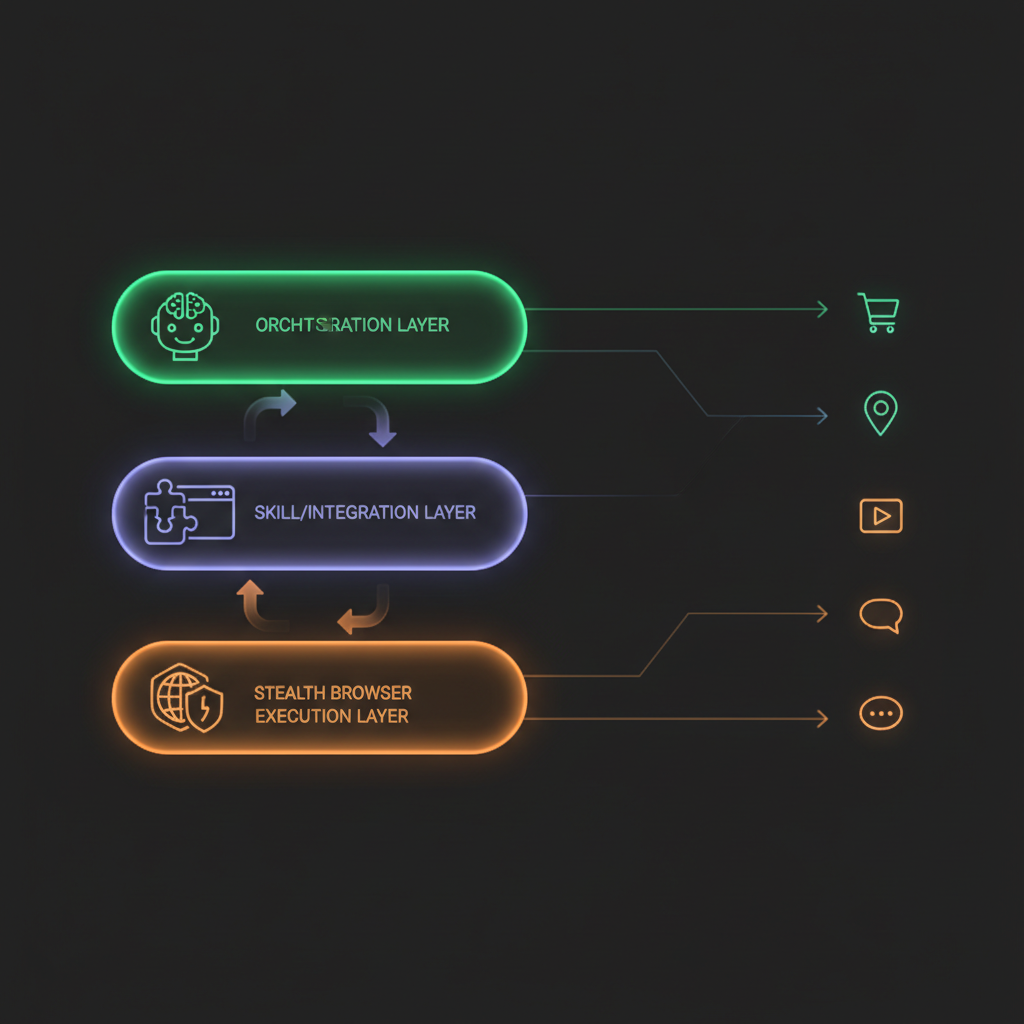
Hermes Agent (orchestration + messaging)
  ├── Native Skill: Format and send weekly report
  ├── Native Skill: Summarize and translate content
  ├── BrowserAct Skill: Extract Amazon competitor prices
  ├── BrowserAct Skill: Pull Google Maps business data
  └── Native Skill: Compare results + alert on Telegram
Hermes handles the workflow logic, scheduling, and messaging. BrowserAct handles the browser-based data extraction. The native skills process and format the data. The BrowserAct Skills get the data in the first place.
Connecting BrowserAct to Hermes via MCP
One configuration line in your Hermes setup:
MCP Server: BrowserAct
Endpoint: https://www.browseract.com/mcp
Auth: Your BrowserAct API key
Once connected, every BrowserAct Skill becomes available to Hermes as a tool. The agent doesn't need to know how the Skill works internally — it just calls it and gets structured data back.
Skill Management Best Practices
Whether you're using native Hermes skills, BrowserAct Skills, or both — a few patterns keep things clean.
1. Name Skills by Outcome, Not Process
Good: competitor_price_report, weekly_youtube_metrics
Bad: scrape_amazon_page, browser_navigate_and_extract
The skill name should describe what you get, not how it works.
2. Test Before Trusting
The learning loop generates skills optimistically. A skill that "worked once" isn't the same as a skill that works reliably. Run each new skill 3-5 times before depending on it for anything important.
3. Version Your Skills
Hermes' skill files are just markdown. Put them in a git repo. When a skill breaks (and it will — websites change), you can diff what changed and fix it specifically.
4. Know When to Switch to BrowserAct
The signal is simple: if a native skill fails on the same website more than twice, stop iterating. The issue isn't the skill logic — it's the browser layer. Check ClawHub for a ready-made BrowserAct Skill before spending another hour debugging.
5. Keep the Learning Loop Running
Even with BrowserAct handling browser tasks, the learning loop improves everything else — formatting preferences, reporting structure, communication style, workflow sequencing. Don't disable it.
Automate Any Website with BrowserAct Skills
Pre-built automation patterns for the sites your agent needs most. Install in one click.
Turn a useful Hermes workflow into a reusable browser Skill.
Build the real workflow first, verify the failure paths, and package it only after the agent can repeat the result.
Frequently Asked Questions
What are Hermes Agent skills?
Auto-generated markdown instruction files that Hermes creates through its self-improving learning loop, stored in ~/.hermes/skills/ and refined with each use.
How does Hermes Agent's learning loop work?
Every ~15 tool calls, Hermes reflects on what worked and what failed, then auto-generates or updates a skill file encoding the successful approach.
Can Hermes skills scrape websites with anti-bot protection?
No. Native Hermes skills use basic browser tools that get blocked by Cloudflare, CAPTCHAs, and fingerprinting. BrowserAct Skills handle these protections.
What's the difference between Hermes skills and BrowserAct Skills?
Hermes skills are self-generated workflow instructions. BrowserAct Skills are pre-researched, expert-built browser automation paths with anti-detection built in.
How do I connect BrowserAct to Hermes Agent?
Through MCP protocol — one configuration line connecting Hermes to BrowserAct MCP server. All ClawHub Skills become available as Hermes tools.
Where can I find ready-made Skills for Hermes Agent?
ClawHub (clawhub.ai) has 5,000+ community-built Skills for Amazon, Google Maps, YouTube, Reddit, and more — all compatible with Hermes via API or MCP.
Should I use native Hermes skills or BrowserAct Skills?
Both. Use native skills for text processing, formatting, and workflow logic. Use BrowserAct Skills for browser-based data extraction from protected websites. Browse ClawHub or build a Skill.


