Hermes Agent Browser Automation: Web Workflows as Memory

Hermes Agent is strong inside the developer workflow. It can read a project, follow instructions, reason across files, and turn a messy request into an executable plan. Then the task crosses into a real website. The useful page may require login. The data may render after JavaScript. The button may be hidden behind a role check. A filter may change the result set. A CAPTCHA, 2FA screen, or account selector may appear at the worst possible moment. The agent can understand the goal and still fail
- 1Hermes can plan the workflow, but BrowserAct is what lets it operate authenticated, rendered, or protected pages.
- 2Start with the lightest reliable method: direct source, protected-page extraction, then full browser operation only when the page needs interaction.
- 3Keep browser identity explicit. One account, one BrowserAct session, one output file, one evidence package.
- 4Treat login, 2FA, CAPTCHA, destructive buttons, payments, publishing, and account changes as approval boundaries.
- 5Once the route works twice, save it as a Skill so the next run does not rediscover the same website from scratch.
What Hermes already does well
Hermes describes Skills as on-demand knowledge documents that use progressive disclosure and are compatible with the agentskills.io open standard.
Hermes stores Skills under ~/.hermes/skills/ and can also scan external directories such as ~/.agents/skills/.
Hermes exposes installed Skills as slash commands, supports stacking multiple Skills in one command, and provides /learn to turn sources or a demonstrated workflow into a reusable Skill.
Hermes documentation describes agent-managed Skills as procedural memory: after a complex task succeeds, the agent can save the approach for future reuse.
That is exactly why BrowserAct fits here. A Skill can teach Hermes when and how to use BrowserAct, but the browser layer itself handles the messy part: live page state.
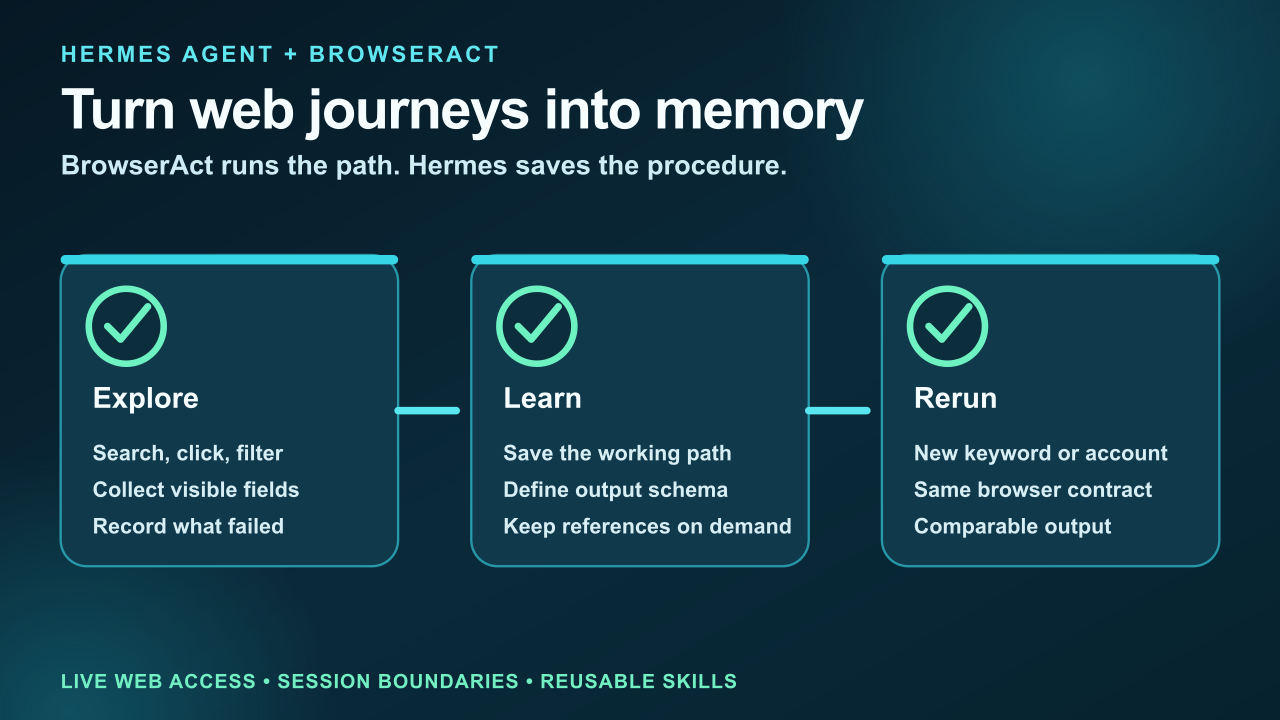
BrowserAct runs the path. Hermes saves the procedure.
Without BrowserAct, Hermes often hits the same four failure modes:
- the first run works only because the agent improvised through a fragile page path;
- the second run wastes tokens rediscovering the same filters, selectors, pagination, and login state;
- source conditions are lost, so the final report cannot explain where each value came from;
- a block or CAPTCHA becomes a dead end instead of a recoverable step in the procedure;
Those are not reasoning failures. They are execution failures.
Pro Tip: Put BrowserAct in the first browser-related paragraph of the Skill. If the agent has to infer whether it should fetch, search, or operate a real page, the workflow will drift.
The practical workflow
A growth team asks Hermes to monitor competitor pricing, social launches, app-store positioning, and government procurement notices every Monday. Search finds sources, but the useful values sit behind filters, infinite scroll, login state, or anti-bot checks. BrowserAct lets the first successful path become an asset instead of another one-off chat.
The prompt should describe the result, the identity, and the boundary:
Use BrowserAct to run the competitor-pricing discovery path.

Input: competitors.csv
Goal: collect plan name, visible price, billing period, limits, source URL, and retrieved_at.
Rules:
1. Try direct source or protected-page extraction first.
2. Use an isolated browser when tabs, filters, scrolling, or login are required.
3. Save blocked pages with reason and screenshot.
4. Return a normalized CSV plus a brief explaining the route.
5. If the route works twice, draft a Hermes Skill for reruns.
This is the difference between “please check the site” and a browser workflow that can be reviewed. BrowserAct returns the final URL, screenshots, visible page state, and blocked reasons. Hermes can then decide whether the job is done, failed, or waiting for a human step.
Route every page by cost and risk
Do not open a full browser for every URL. Do not rely on raw fetch for every page either. A useful agent workflow has a ladder:
- Use a direct source when the HTML, API, document, or public page contains the required field.
- Use BrowserAct protected-page extraction when normal fetch is incomplete, blocked, or missing rendered content.
- Use a real BrowserAct browser when the page requires clicks, filters, forms, scrolling, login, downloads, or screenshots.
- Use human handoff when the next step is a trust boundary, not a technical obstacle.
Page or task | BrowserAct route | Evidence returned |
First discovery | BrowserAct extraction + browser | Find the working route |
Failure recovery | Named session + handoff | Capture block reason |
Skill creation | Hermes /learn or skill_manage | Save the verified procedure |
Scheduled rerun | Same Skill, new input | Comparable weekly output |
Pro Tip: This routing pattern keeps the agent fast on simple pages and reliable on difficult pages. More importantly, it keeps risk visible. A blocked page is not a license to guess. A sensitive action is not a read-only extraction task.
Where BrowserAct changes the outcome
The BrowserAct advantage is not “it has a browser.” The advantage is that browser work becomes a repeatable contract:
- identity is named before the task starts;
- sessions are isolated so state cannot leak between jobs;
- the agent can escalate from extraction to interactive browsing without changing tools;
- screenshots and final URLs are attached to the output;
- CAPTCHA, 2FA, and sensitive approvals can pause and resume in the same session;
- the successful route can become a Skill.
That contract matters across the scenarios your team actually runs:
- competitive research;
- price monitoring;
- source-verified content research;
- public tender tracking;
- social trend monitoring;
For example, a government search workflow should preserve query filters and the final source URL. An e-commerce workflow should preserve shipping region, coupon state, seller, and screenshot. A social-media research workflow should explicitly forbid likes, follows, reposts, messages, and publishing. A finance or medical workflow should mark fields as verified, partial, conflict, blocked, or not found instead of smoothing over gaps.
Pro Tip: A browser agent should return blocked reasons as first-class output. “Blocked by 2FA” is useful operational data; a guessed answer is not.
Give your agent a real browser, then turn the workflow into a Skill.
- 1. Use browser-act when an agent needs to open, click, scroll, extract, or inspect a live site.
- 2. Use browser-act-skill-forge when the workflow should become reusable across runs and agents.
- 3. Keep the operational boundary simple: automate what the user can already do in the browser.
Choose the right BrowserAct path for Hermes
Start with the surface that matches the job: a managed Bot for repeatable outcomes, the CLI for live browser exploration, or a reusable Skill for a path that already works.
Give your agent a browser
Give Hermes a browser command layer for live pages, login state, screenshots, and DOM inspection.
Install BrowserAct CLI →Build with BrowserAct
Turn a recurring Hermes web task into a managed Bot with sessions, evidence, and review.
Build your Bot →Start from a reusable workflow
Start from a reusable agent Skill when the browser workflow pattern already exists.
Browse BrowserAct Skills →Turn the working path into a Skill
The first run is exploration. The second run should be procedure.
Create a focused Skill after the browser path produces valid evidence twice. Keep the Skill small and operational:
hermes-agent-browser-automation-workflow/
├── SKILL.md
├── allowed-identities.md
├── output-schema.json
├── blocked-reasons.md
└── report-template.md
The Skill should define:
- when Hermes should use BrowserAct;
- which browser identity or session type is allowed;
- which fields must be collected;
- which pages or buttons are forbidden;
- what counts as PASS, FAIL, BLOCKED, and NEEDS_APPROVAL;
- where screenshots, CSV files, JSON files, and notes should be saved.
Use BrowserAct Skill Forge when a successful website path should become a reusable scraper or workflow Skill. Use the base browser-act Skill when the task still needs exploration.
A concrete example: from one browser run to a repeatable system
Imagine the first run finishes with:
{
  "status": "PASS",
  "method": "browseract-browser",
  "identity": "readonly-session",
  "records_verified": 18,
  "records_blocked": 2,
  "human_handoffs": 1,
  "artifacts": ["evidence.json", "screenshots.zip", "blocked.json"]
}
That is not just a report. It is the seed of a reusable workflow. The next version of the Skill can say: if a record is blocked by login expiry, request handoff; if a required field is hidden behind a filter, open the browser lane; if a public source is enough, stay in extraction mode.
Now Hermes is not merely “using a browser.” It is operating a known procedure with evidence.
When not to use BrowserAct
BrowserAct should not replace every tool. If the target provides a clean official API, use it. If the task only needs a static document, fetch the document. If the user asks for strategy, planning, or code review, keep the workflow inside Hermes.
Use BrowserAct when success depends on the live website:
- logged-in state;
- JavaScript-rendered content;
- forms, filters, tabs, or pagination;
- page evidence and screenshots;
- anti-bot or verification boundaries;
- repeatable browser workflows that should become Skills.
For the broader decision, read How to Install BrowserAct, Web Scraping vs Browser Automation for AI Agents, and How to Reduce MCP Token Usage in Browser Automation.
Conclusion
Hermes Agent does not need another abstract capability list. It needs a reliable way to complete web work that happens outside the repository and outside plain text.
BrowserAct gives Hermes that missing layer: a real browser when the page requires interaction, extraction when the page only needs data, session isolation when tasks run in parallel, human handoff when the next step belongs to a person, and Skill solidification when the route should run again.
Start with BrowserAct when your agent needs to move from planning a web task to completing it with evidence.
Give Hermes a browser workflow it can actually run.
Describe the web outcome, bind it to the right browser session, and keep screenshots and structured evidence for review.
Related reading: For practical examples, implementation details, and trade-offs, continue with OpenCode Skills Browser Automation: Reusable Web Workflows.
Further reading: Coding agent integrations
Frequently Asked Questions
What is Hermes Agent browser automation?
Hermes Agent browser automation means using Hermes Agent to coordinate a task while BrowserAct operates the real web page: opening URLs, reusing an authorized session, extracting rendered content, clicking through workflows, and returning evidence.
Why not just use web search or fetch?
Search and fetch are useful when the source is public and complete. They fail when the value depends on JavaScript, login, filters, scrolling, anti-bot checks, or a visible browser state.
Can BrowserAct use logged-in websites safely?
Yes, when the workflow uses an authorized browser identity and separates read-only tasks from sensitive actions. Do not paste passwords, cookies, or one-time codes into prompts.
What should trigger human handoff?
Use human handoff for 2FA, CAPTCHA that should not be automated, account selection, payments, publishing, irreversible settings, data deletion, medical decisions, financial trades, and any action outside the approved scope.
Should the workflow become a Skill?
Yes, after it succeeds at least twice with the same output schema and recovery rules. A Skill should encode the route, allowed identities, blocked reasons, output format, and approval boundaries.
Can BrowserAct help with scraping too?
Yes. Start with protected-page extraction, then escalate to browser operation only for pages that need interaction. For repeatable scraping workflows, use BrowserAct Skill Forge.
Where should I start?
Install the browser-act Skill, run one read-only workflow, verify the evidence, then decide whether the path should become a reusable Skill.


