Cartesia Founders and Leadership: Four Official Profiles

Cartesia’s company page lists four founders: Karan Goel, Albert Gu, Arjun Desai and Brandon Yang. It identifies Goel as CEO & Founder and Gu as Chief Scientist & Co-founder. The other two profiles use Co-founder without assigning an additional executive title.
Verified October 7, 2026. Four founders and the titles actually displayed on Cartesia’s company page.
Who founded Cartesia?
The official company page names the four founders and describes how the team met at Stanford AI Lab. It connects the founding story to research in State Space Models.
That background is the company’s account of its history. It does not, by itself, establish comparative product performance or the detailed responsibilities of every founder.
| Founder | Published title |
|---|---|
| Karan Goel | CEO & Founder |
| Albert Gu | Chief Scientist & Co-founder |
| Arjun Desai | Co-founder |
| Brandon Yang | Co-founder |
CEO, chief scientist and co-founder are different labels
Karan Goel’s profile supplies the CEO title. Albert Gu’s profile supplies Chief Scientist. Arjun Desai and Brandon Yang are identified as co-founders without an additional executive title on this page.
A research database should preserve those distinctions. Do not guess that a co-founder must be CTO, COO or president because another company uses that structure.
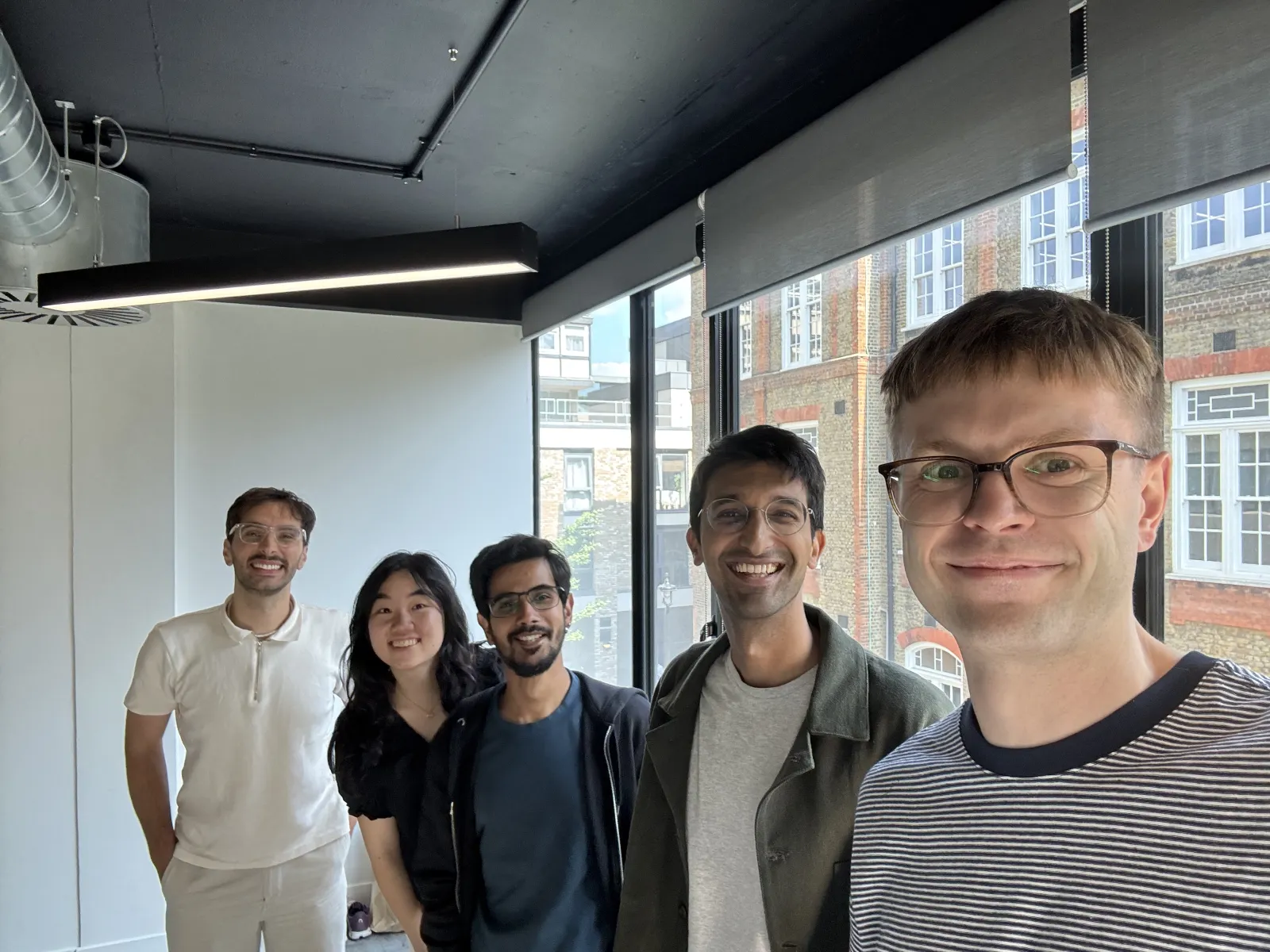
What the London office photo shows
The company page labels the image below as its London office. It provides context for the company’s published workplace presence, rather than identifying a specific founder in the image.
The photo label does not provide a street address, a headquarters designation or the photography date. Those fields are deliberately left unresolved in the source-linked workbook.
A founder list is not a complete leadership directory
The four profiles support a founder-focused guide. They do not establish that Cartesia has only four leaders or four employees. A broader management directory would require additional current profiles.
The download contains four founder records and two company-context records. The page is undated, so the October 7, 2026 check date should not be interpreted as a founding date or appointment date.
Download the Cartesia research spreadsheet
Four founders and the titles actually displayed on Cartesia’s company page. The worksheets retain source URLs, source dates, verification dates and specific evidence gaps. Blank amounts, dates or addresses mean the reviewed source did not establish them.
Download Cartesia research Excel
Update Cartesia research with BrowserAct
Start a custom Bot with the official sources below. Keep each fact connected to its source and date, then review the structured output before adding it to your company-research file.
Use Agent Built for a custom source and field list. A relevant BrowserAct template can provide a starting point when its target and output match your task. The cloud Bot is the main workflow here; CLI access is optional for developers connecting their own Agent.
- 1Open BrowserAct Dashboard
Click the left-side + to create a Bot, choose Build with Agent or an available Quick start entry, or paste your request into the center Agent input.
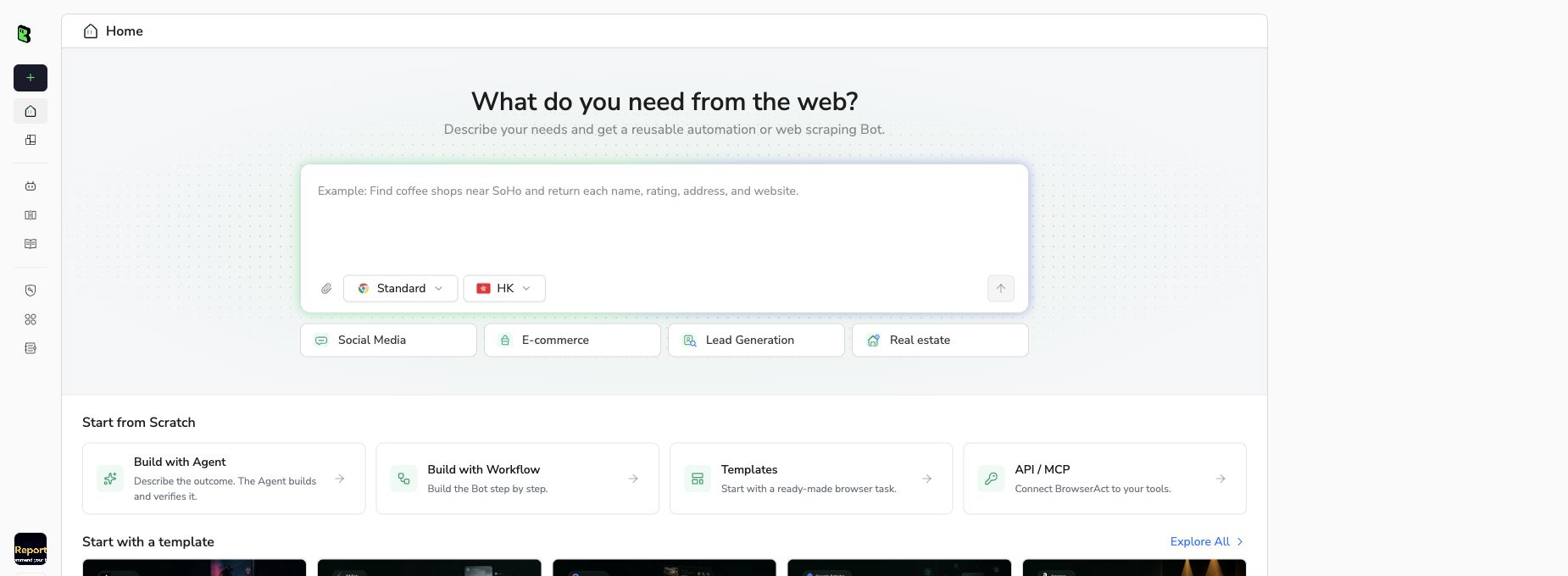
BrowserAct Bot creation screen, captured September 10, 2026. Interface labels may change.
- 2Copy the complete prompt
Review the exact target, result limit, and fields before running the Bot.
Scrape data from any website.
Describe the data you need. Get a Bot — a reliable, reusable scraper.
- 3Handle login only when asked
If the site requests login, CAPTCHA, 2FA or account confirmation, pause and complete the required step manually. Do not bypass restricted access.
- 4Review, dedupe, and export
Compare each row with its source, remove duplicates, and keep missing fields blank. Export CSV or JSON, then open the data in Excel or Google Sheets. Review changes before replacing your previous snapshot.
FAQ
Who is Cartesia’s CEO?
Karan Goel is listed as CEO & Founder.
Who is Cartesia’s chief scientist?
Albert Gu is listed as Chief Scientist & Co-founder.
Who are the other published co-founders?
Arjun Desai and Brandon Yang.
Does the page identify a CTO?
The reviewed founder profiles do not establish a CTO title.
Is this the entire management team?
No. It is the four-founder set published on the company page.
Does the London photo establish headquarters?
No. It is labeled London office without a headquarters or street-address designation.


