Best TikTok Scraper Tools in 2026

The best TikTok scraper is not one universal product. It depends on the job you are actually trying to finish: compare tools, export public creator profiles, monitor trending videos, collect comments for voice-of-customer research, feed JSON into a data pipeline, or hand a repeatable workflow to an internal agent. That is why this guide compares TikTok scraper tools by category, not by logo. A prompt-first workflow such as BrowserAct Agent is useful when the dataset is still being defined. A Bro
-
1
Best TikTok scraperis a tool-selection query: readers need to choose between prompt-first agents, ready-made templates, scraper APIs, marketplace actors, official APIs, and open-source scripts. - 2The main decision is data object first: profiles, videos, hashtags, search results, sounds, comments, transcripts, TikTok Shop data, or ad/creative intelligence.
- 3BrowserAct is strongest when the workflow starts as a natural-language brief: use Agent for the first live test, Workflow or templates for repeatable cloud runs, and CLI when engineering wants controlled execution.
- 4Apify is strong for marketplace actors; Bright Data is strong for enterprise scraper API delivery; SocialCrawl and ScrapeBadger fit developer API workflows; the official TikTok Research API fits approved research access, not general marketing scraping.
- 5Keep the workflow read-only, source-linked, public or authorized, and bounded. Stop on login walls, CAPTCHA, 2FA, private content, payment, messaging, following, liking, or account-changing actions unless a human explicitly approves the next step.
Start with the TikTok data job, not the vendor
Most bad scraper decisions happen because the team asks for “a TikTok scraper” before naming the output. TikTok data jobs split into very different workflows.
TikTok data job | Typical fields | Best-fit category |
Trend discovery | video URL, caption, creator, likes, comments, shares, views, hashtags, sound | BrowserAct template, marketplace actor, scraper API |
Creator research | handle, bio, follower count, recent videos, engagement signals, profile URL | BrowserAct Agent, TikTok influencer template, API |
Comment export | comment text, author, timestamp, likes, parent/reply relationship, source video URL | Dedicated comment scraper, API, BrowserAct prompt test |
Hashtag monitoring | hashtag, related videos, rank, visible metrics, region/time window | BrowserAct Hashtag Scraper, API, actor |
Competitive content research | profile list, new videos, hooks, captions, engagement deltas, reviewer notes | BrowserAct Workflow, API, BI pipeline |
Developer-owned pipeline | JSON schema, cursor pagination, retries, cache status, logs | Scraper API, BrowserAct CLI, open-source stack |
Academic or policy research | fields permitted by TikTok Research API, eligibility rules, codebook-defined objects | Official TikTok Research API |
Pro Tip: Before comparing prices, write the output schema. If you cannot name the columns, start with a small browser run in BrowserAct Agent or a ready-made template. If you already know the JSON endpoints and cursor logic, compare scraper APIs.
Quick comparison: best TikTok scraper categories
Category | Representative tools | Best fit | Main watch-out |
Prompt-first browser workflow | BrowserAct Agent, Workflow, CLI | Custom TikTok research where the schema changes by campaign | Needs a precise prompt and review before repeat runs |
BrowserAct TikTok templates | TikTok Scraper, TikTok Hashtag Scraper, TikTok Comments Scraper, TikTok Influencer Scraper | Known no-code jobs with reusable cloud Bots | Pick the right template; do not force one template into every data job |
Marketplace actor | Apify TikTok Scraper | Broad no-code actor runs with exports, scheduling, API, and webhooks | Actor cost and reliability vary by maintainer and input |
Enterprise scraper API | Bright Data TikTok Scraper API | High-volume data delivery into storage or warehouse systems | Heavier procurement and setup |
Developer scraper API | SocialCrawl, ScrapeBadger, Data365, SociaVault-style APIs | Product teams that want JSON endpoints and stable schemas | Requires developer integration and API governance |
Official API | TikTok Research API and TikTok developer APIs | Approved research or authorized platform features | Not a general-purpose marketing scraper |
Open-source scripts | Playwright/Puppeteer/Python libraries/custom crawlers | Engineering teams that want ownership | Breakage, sessions, proxies, tests, and repair cost |
1. BrowserAct — best for prompt-first TikTok scraper workflows
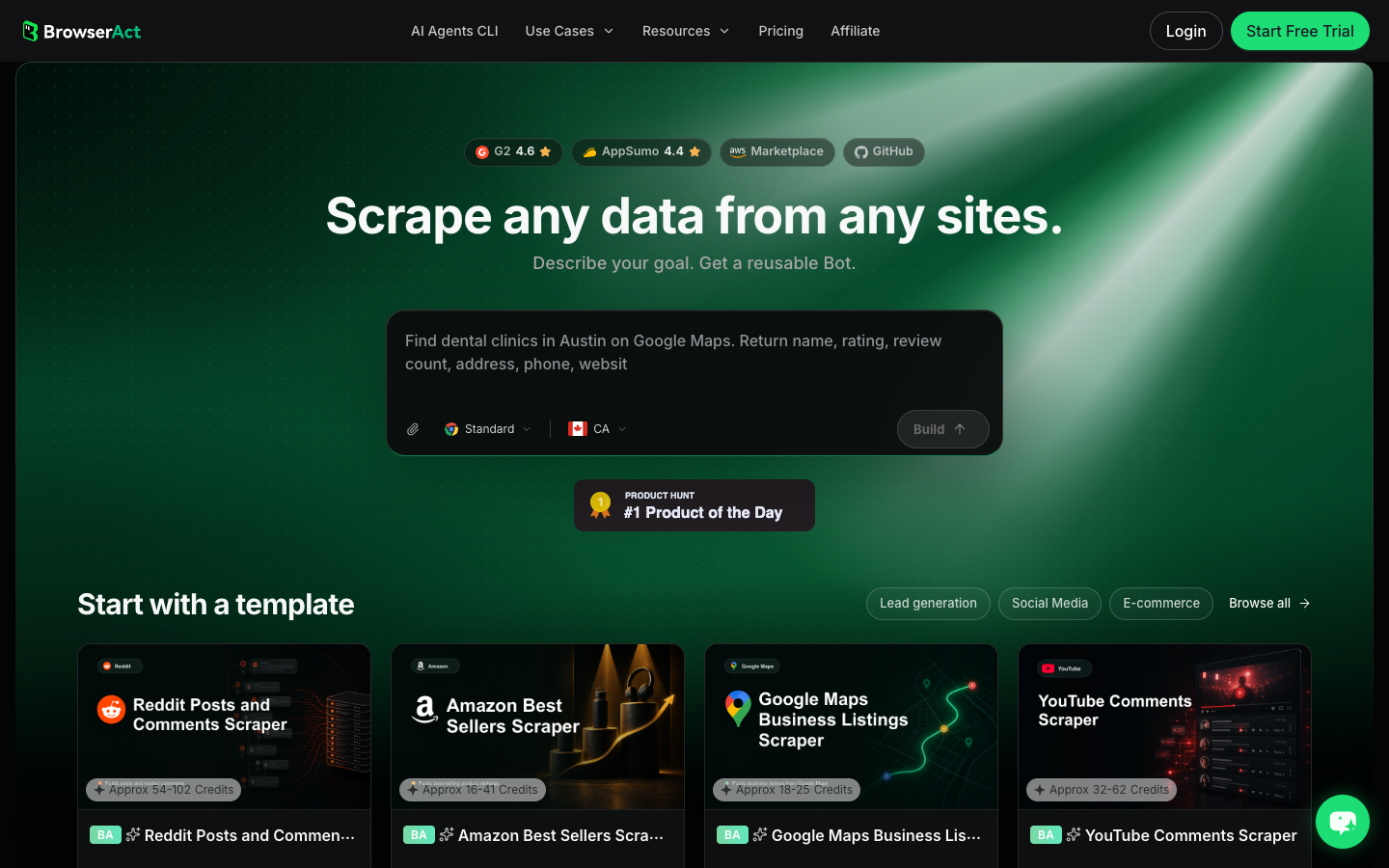
BrowserAct Agent is the best fit when the TikTok workflow is not fully defined yet. A marketer may ask for “viral skincare videos in the US this week,” while the actual dataset needs caption hooks, creator handles, visible engagement, source URLs, sound names, and a reviewer note. A fixed actor can run fast, but it will not help you discover the right schema.
BrowserAct’s advantage is the progression:
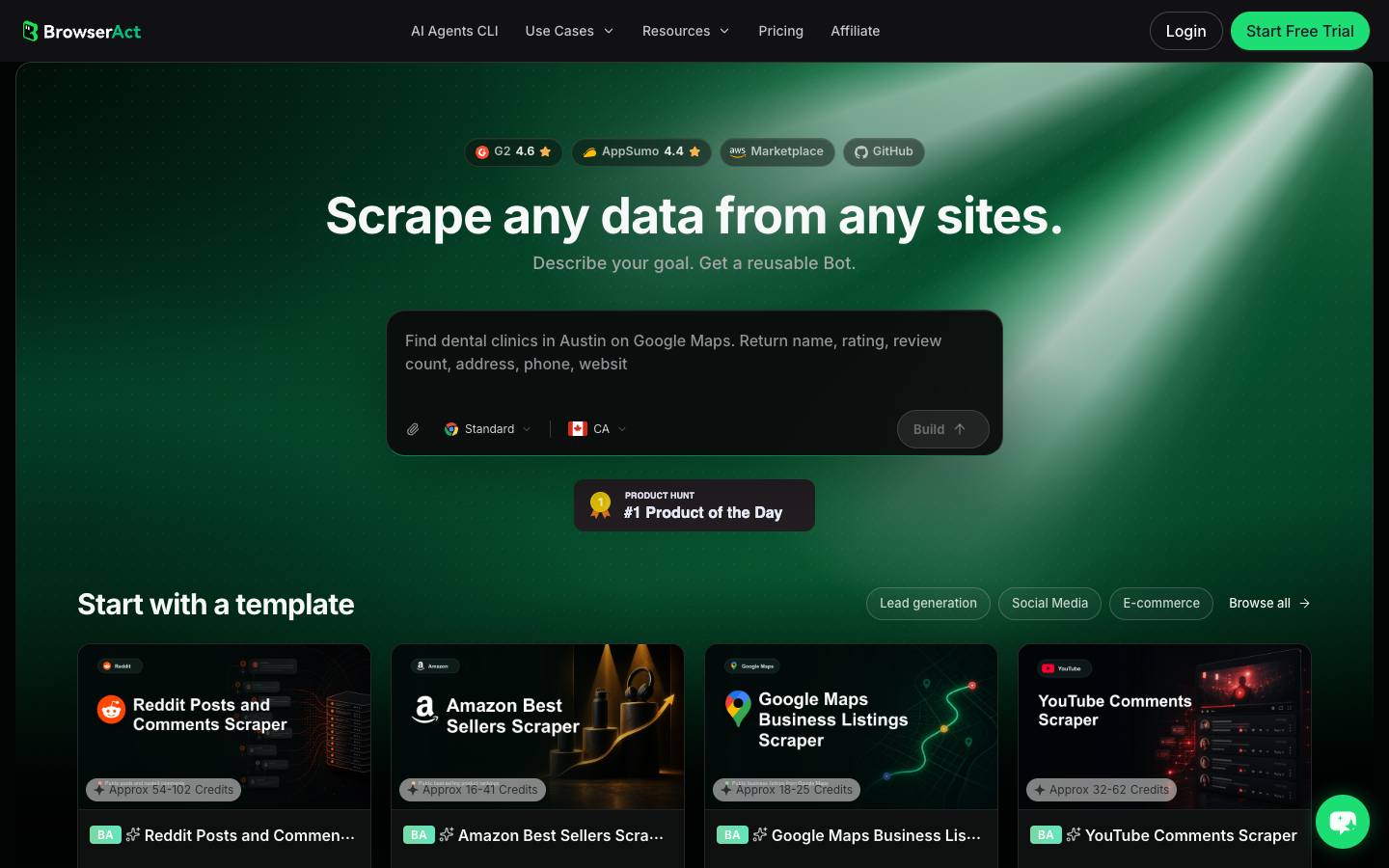
- Use Agent to describe the data job in plain language and test the workflow in a real browser.
- Save the approved path as a reusable BrowserAct Workflow or choose a matching TikTok template.
- Use BrowserAct CLI when engineering wants controlled runs, logs, and handoff into an internal stack.
Use BrowserAct when:
- the input changes by campaign, hashtag, creator list, product category, or market;
- the team needs source URLs and reviewer notes, not only raw counts;
- a human should approve stop conditions before login, CAPTCHA, or account-changing actions;
- the first run is exploratory but the successful version should become a scheduled Bot;
- engineering may later trigger the same approved workflow through CLI.
BrowserAct is not always the fastest option when a fixed TikTok API endpoint already returns exactly what you need. The fit is strongest when the data job starts as a question, not as a finished JSON schema.
Evaluation point | BrowserAct fit |
How it works | Describe the TikTok data job, run it in a real browser, review the structured output, then turn the approved path into a Workflow, template run, or CLI-triggered job. |
Strengths | Prompt-first schema discovery, visible browser execution, human checkpoints, reusable cloud workflows, CLI handoff. |
Limitations | Less direct than an API when the endpoint and schema are already fixed. |
Pricing signal | Check the current BrowserAct pricing page before buying; this article does not quote a plan price. |
Best for | Custom TikTok market research, creator discovery, trend monitoring, competitor research, and Agent → Workflow → CLI progression. |
2. BrowserAct TikTok templates — best when the job is already known
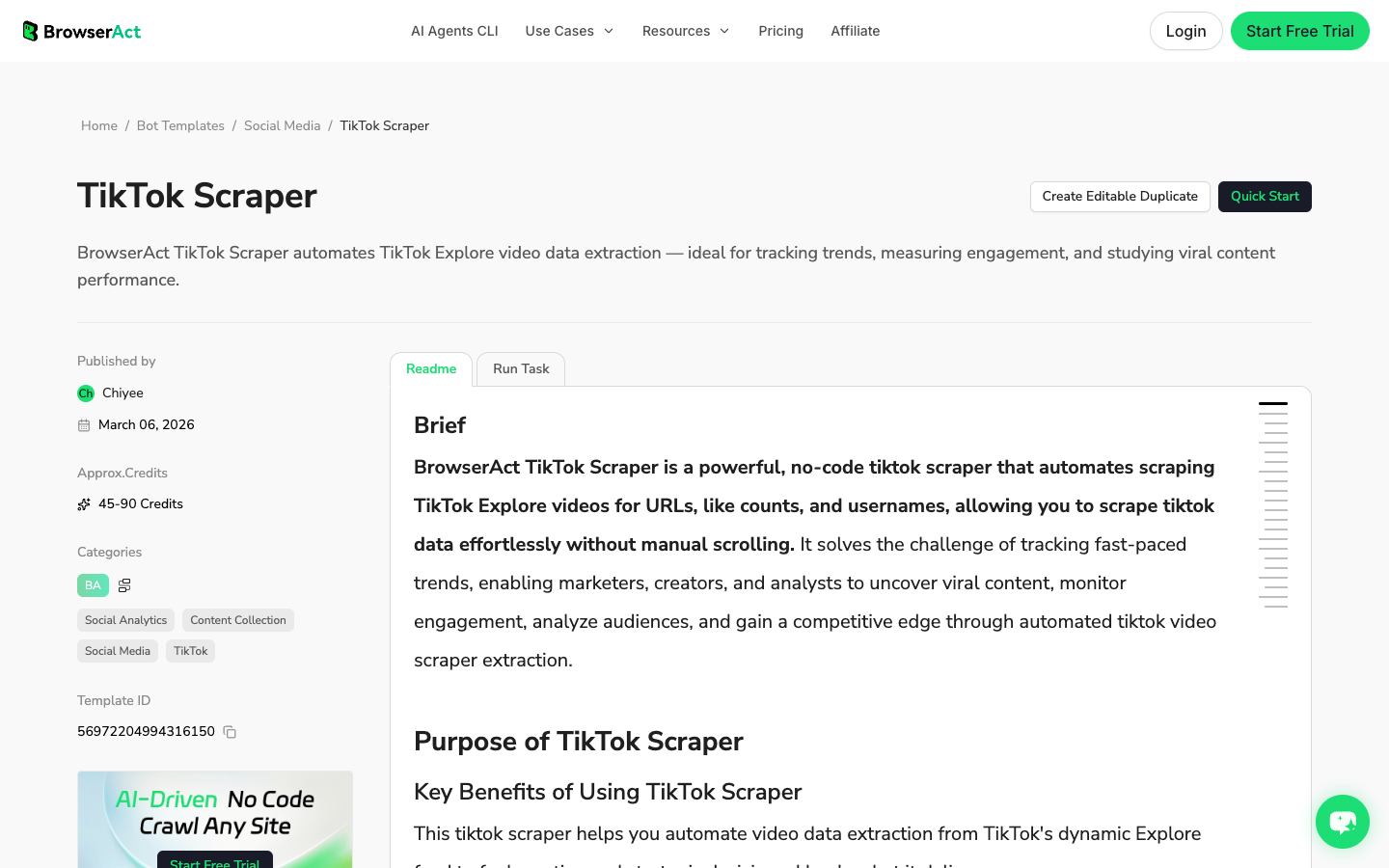
If you already know the job, start with a template instead of a blank prompt. BrowserAct currently has TikTok-specific templates for Explore video extraction, hashtag research, comments, and influencer discovery. The official TikTok Scraper template describes a no-code workflow for extracting TikTok Explore video URLs, like counts, and usernames, with JSON, CSV, XML, and Markdown export options.
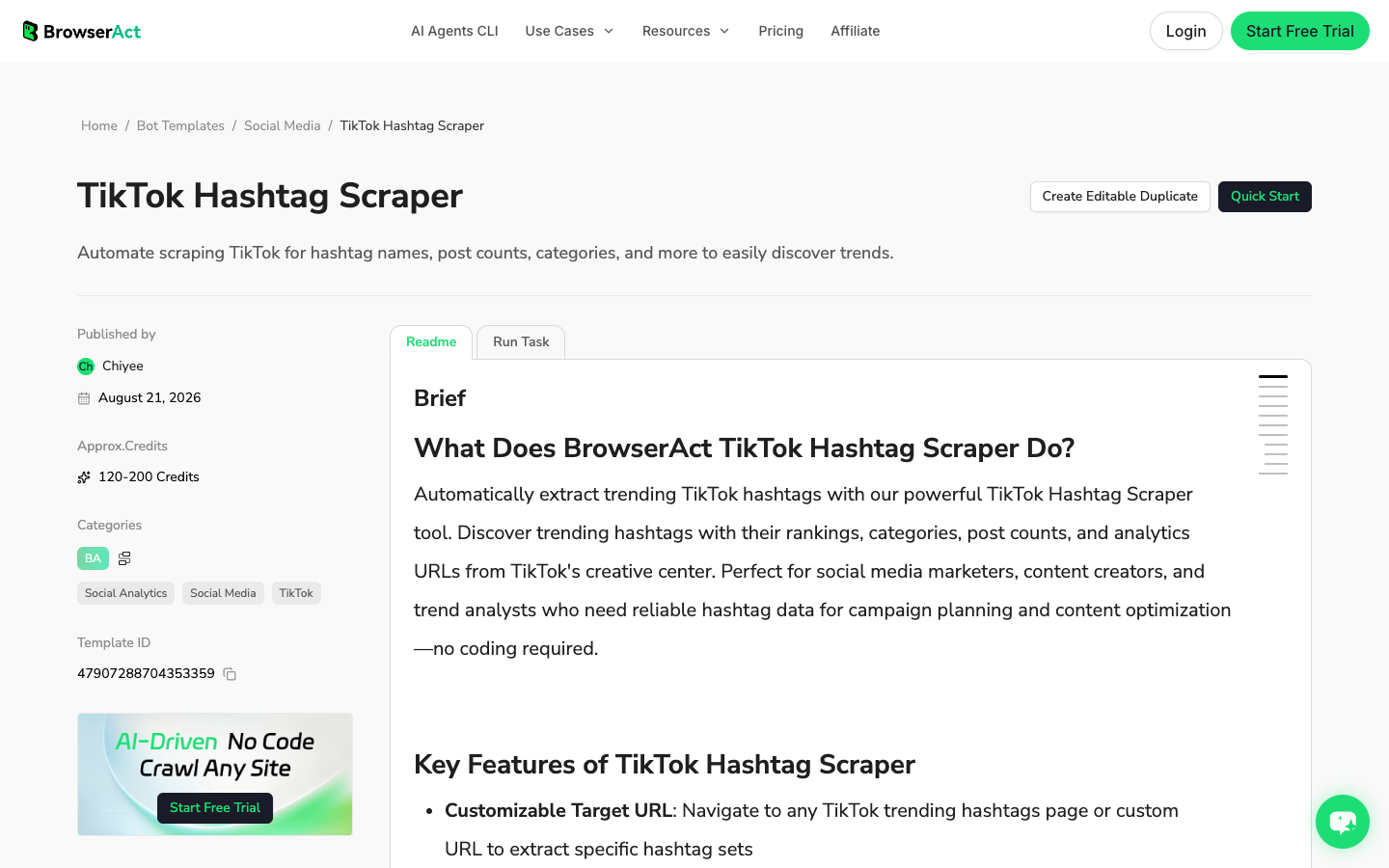
The TikTok Hashtag Scraper is better when the research starts from a hashtag or Creative Center-style trend surface. The TikTok Comments Scraper is better when the value is voice-of-customer language under specific videos. The TikTok Influencer Scraper is better when you are building a creator shortlist.
This is the cleanest BrowserAct path for non-developers: choose the closest template, configure the target and limit, run the Bot, inspect the output, then schedule or adapt only if the schema fits.
Evaluation point | BrowserAct TikTok templates fit |
How it works | Choose a TikTok template, configure the input, run the cloud Bot, and export structured results. |
Strengths | Faster than starting from scratch, no-code setup, clear use-case fit, reusable execution. |
Limitations | A template should not be stretched beyond its intended data object. Use Agent when the rules are custom. |
Pricing signal | Templates use BrowserAct credits; verify current credit ranges on the live template page. |
Best for | TikTok hashtag research, Explore/video monitoring, comment export, and creator discovery when the template already matches the job. |
3. Apify TikTok Scraper — best marketplace actor
Apify’s TikTok Scraper is the clearest representative of the marketplace-actor category. Its official page says it can extract data from TikTok videos, hashtags, and users; supports URLs or search queries; and can export scraped data, run via API, schedule runs, monitor runs, or integrate with other tools.
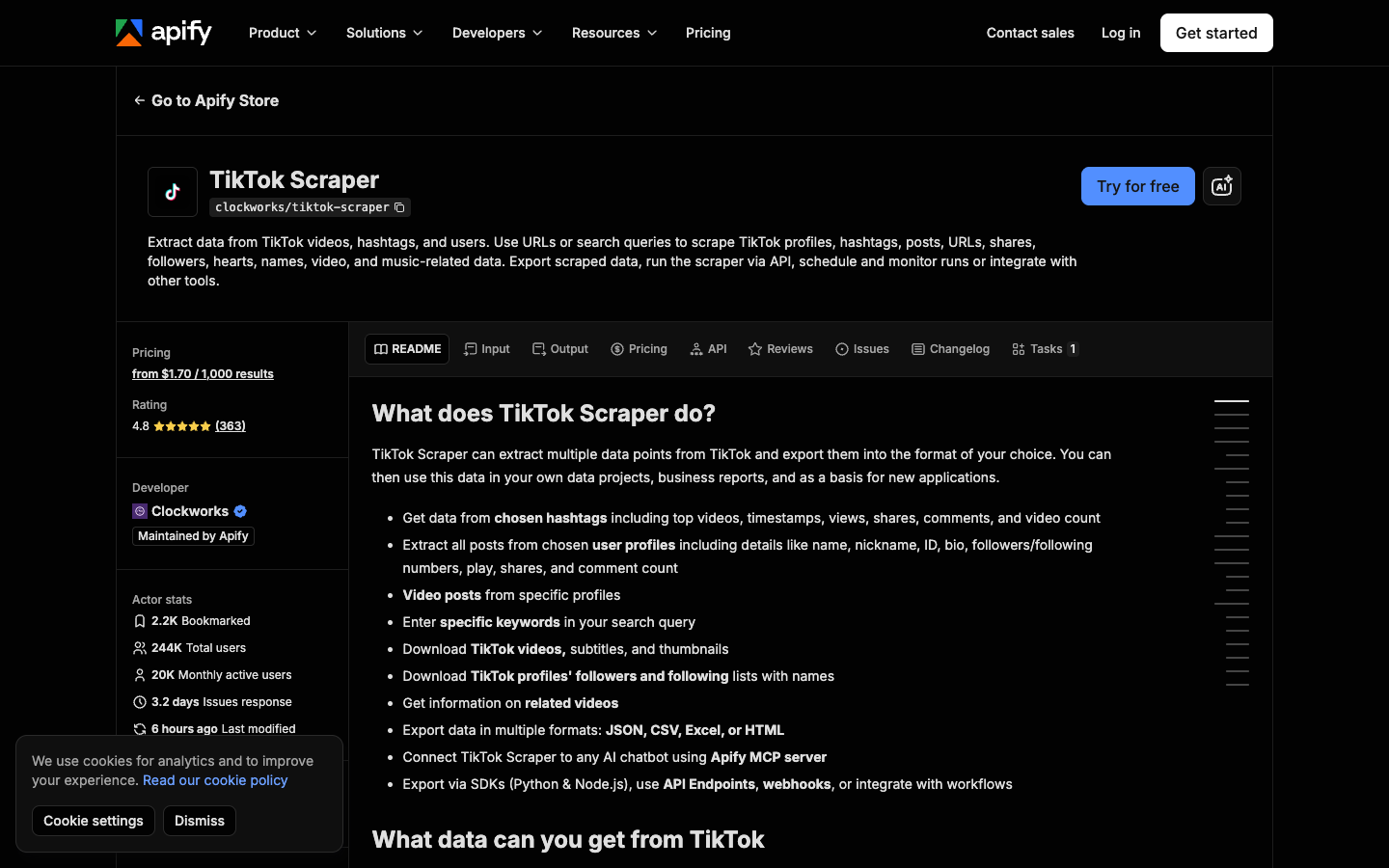
The same page lists fields such as profile names, likes, shares, plays, video URLs, profile URLs, descriptions, subtitles, followers/following counts, hashtags, sponsored/ad signals, location of creation, and music metadata. It also shows pricing from $1.70 per 1,000 results at the time checked.
Apify is useful when a maintained Actor already matches your TikTok job. It is especially friendly for analysts who want an interface, storage, exports, scheduling, API access, SDKs, and webhooks without building infrastructure.
The watch-out is operational fit. Actors are packaged workflows maintained by their publishers. When TikTok changes a surface, you depend on the Actor’s maintainer, input design, and pricing model. For a custom campaign brief, it can be smarter to prototype the schema with BrowserAct Agent first, then decide whether Apify’s Actor output is enough.
Evaluation point | Apify fit |
How it works | Choose a TikTok Actor, enter hashtags, profiles, search terms, or URLs, run the Actor, then export or integrate the dataset. |
Strengths | Marketplace UI, broad TikTok field coverage, API, scheduling, webhooks, SDKs, export formats. |
Limitations | Actor schema and maintenance are not fully under your control. Cost can vary by input and run behavior. |
Pricing signal | Official page showed pricing from $1.70 per 1,000 results when checked; verify before scaling. |
Best for | Marketing and data teams that want a ready-made TikTok Actor with broad coverage. |
4. Bright Data TikTok Scraper API — best enterprise scraper API
Bright Data’s TikTok Scraper API documentation positions the product as a structured TikTok API for profiles, posts, comments, and Shop products. The docs say a request can send a TikTok URL and receive structured JSON, with Bright Data handling proxies, CAPTCHAs, and parsing.
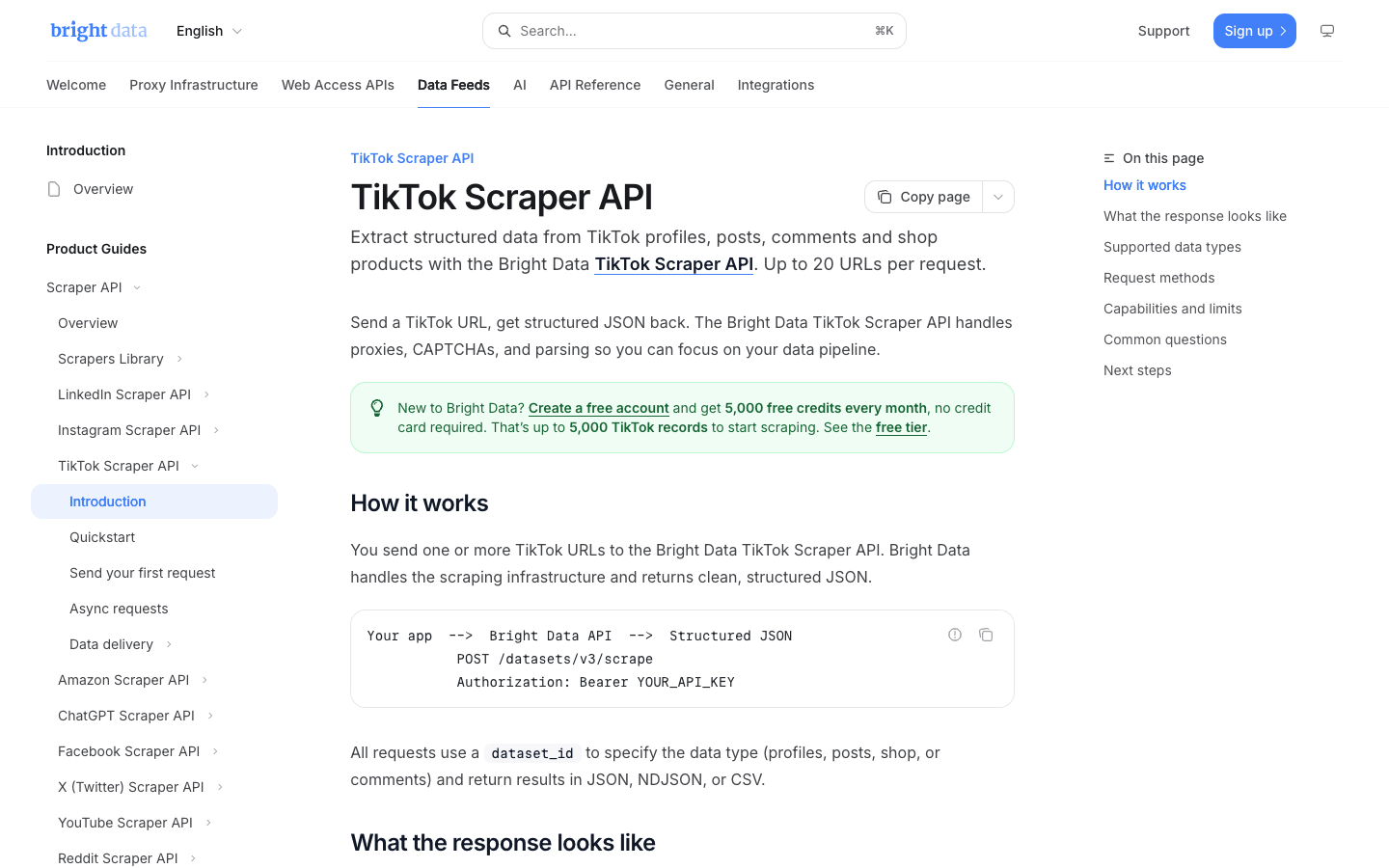
That makes Bright Data stronger for enterprise delivery than for a one-off research spreadsheet. It belongs on the shortlist when the buyer needs vendor support, managed infrastructure, predictable delivery patterns, and procurement-friendly controls.
The tradeoff is setup weight. If a social or growth team still needs to decide which hashtags, creators, comments, or metrics matter, a smaller BrowserAct prompt test can validate the schema before the company commits to an enterprise data pipe.
Evaluation point | Bright Data fit |
How it works | Send TikTok URLs to a managed scraper API and receive structured records for supported TikTok data objects. |
Strengths | Managed infrastructure, proxy/CAPTCHA/parsing layer, enterprise procurement fit, structured JSON. |
Limitations | Heavier setup and buying motion than a no-code template or exploratory browser workflow. |
Pricing signal | Verify live Bright Data pricing and contract terms; public listicles often quote changing plan and record prices. |
Best for | Enterprise teams that need managed TikTok data delivery at scale. |
5. SocialCrawl — best developer API for normalized social data
SocialCrawl’s TikTok page says it fetches public TikTok profiles, videos, comments, sounds, and search as structured JSON with one API key. It also lists active endpoints for profile, full profile, profile videos, post, post comments, post transcript, search, hashtag search, sound, and trending.
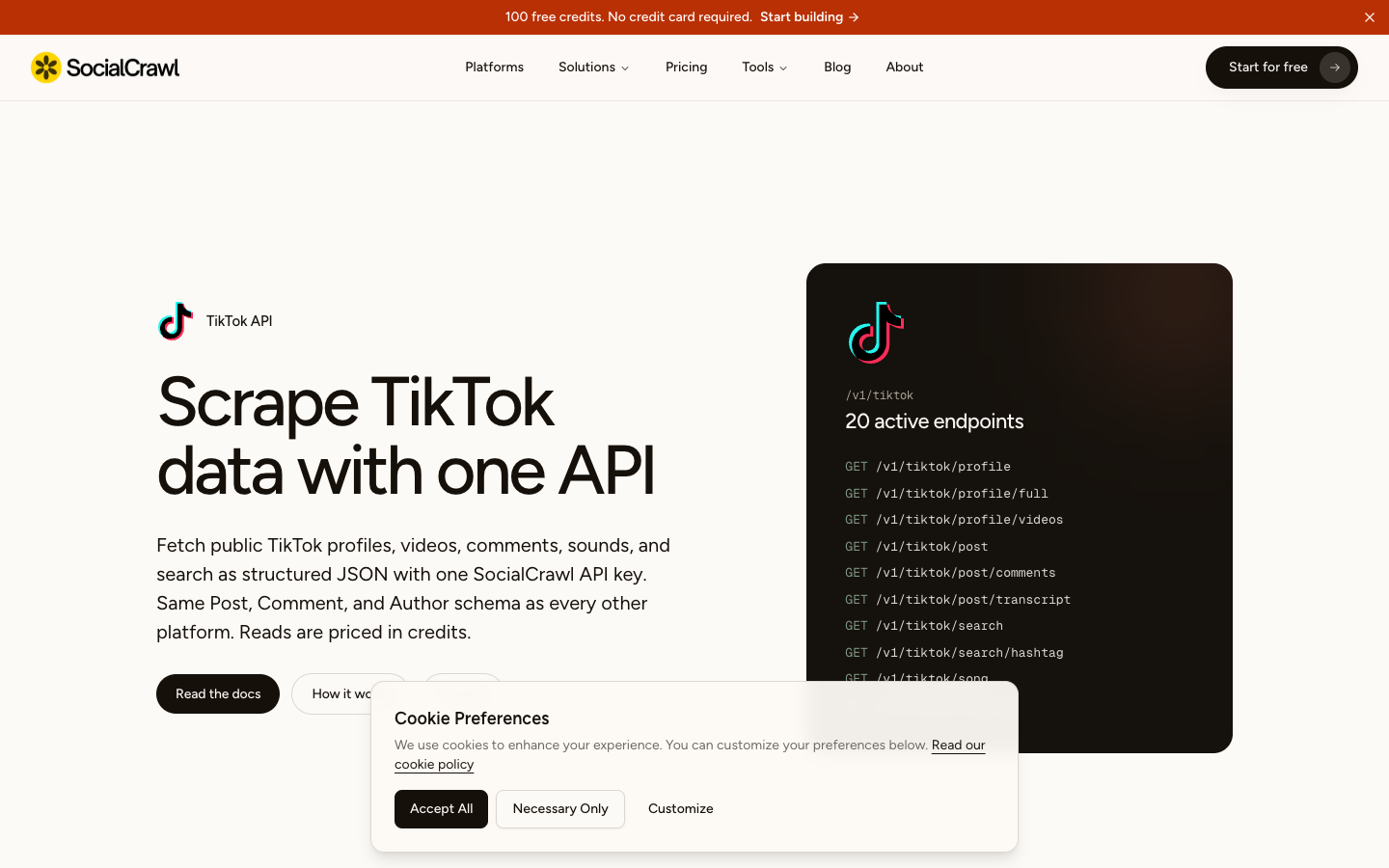
This is a different buying motion from BrowserAct or Apify. SocialCrawl is for developers who want API calls, normalized schemas, request IDs, credits, caching, and endpoint composition. It is especially relevant when a product or internal analytics workflow needs the same interface across multiple social platforms.
The limitation is that it is still an API. Someone needs to design the job, write the integration, handle failures, store records, and decide what to do with gaps. If the workflow owner is a marketer or researcher, BrowserAct Agent or a template may be a cleaner first pass.
Evaluation point | SocialCrawl fit |
How it works | Call TikTok endpoints with an API key and receive structured JSON for profiles, posts, comments, transcripts, search, and trends. |
Strengths | Developer-friendly endpoints, normalized social schema, caching/credits model, multi-platform consistency. |
Limitations | Requires integration work and API governance. Less visual for non-technical users. |
Pricing signal | SocialCrawl describes a credit model; verify current credits and route costs before production use. |
Best for | Product and data teams that want a TikTok JSON API rather than a browser workflow. |
6. ScrapeBadger — best for API-first TikTok coverage comparison
ScrapeBadger’s TikTok scraping API comparison is useful because it frames a buyer question many teams forget: API-first tools, no-code actor marketplaces, enterprise providers, and social-data specialists are not the same thing. Its 2026 comparison discusses Apify, Bright Data, Data365, SociaVault, and ScrapeBadger with attention to data model, endpoints, and workflow fit.
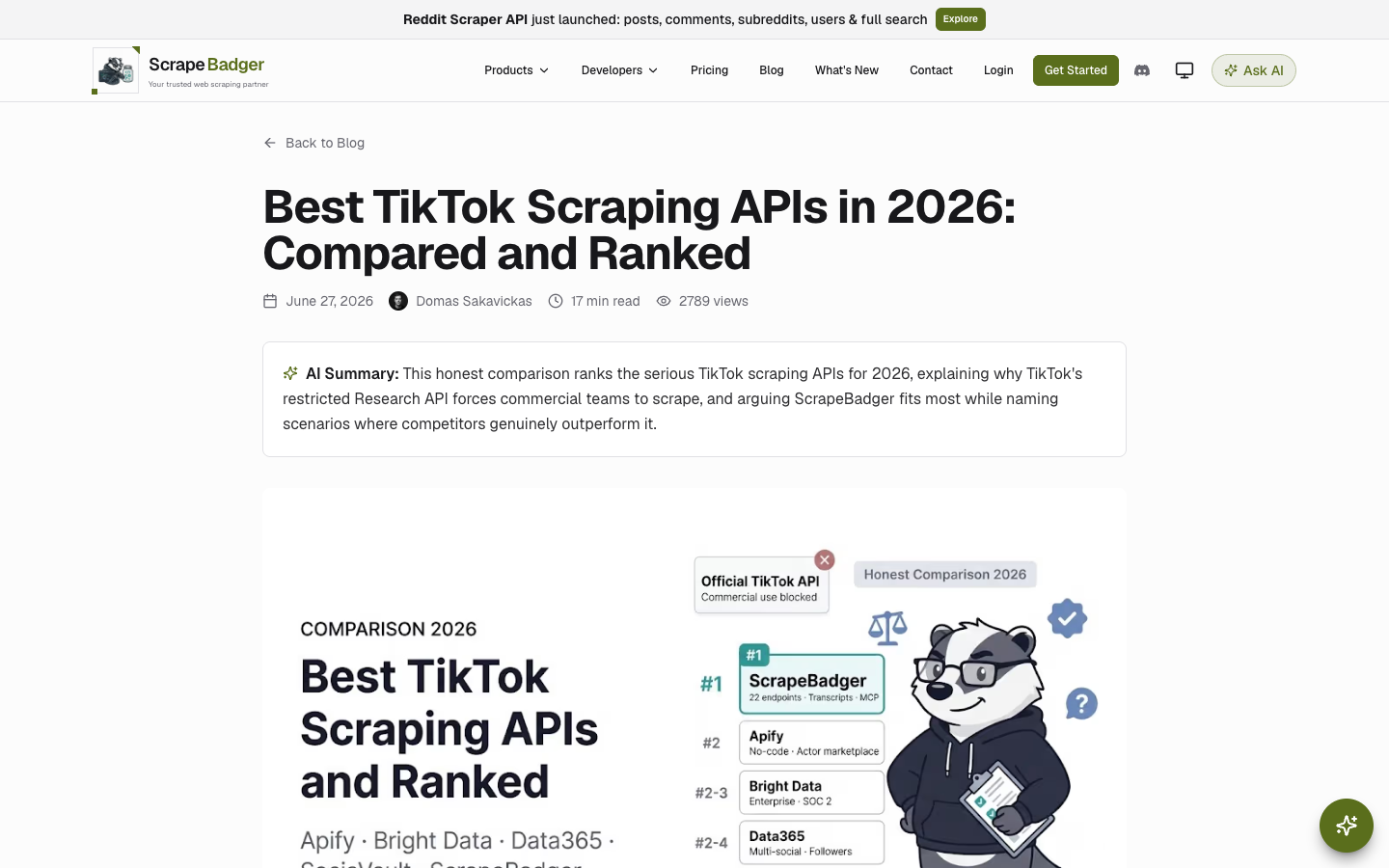
Use ScrapeBadger’s article as SERP evidence and a category benchmark, not as the only buying source. Because it is also a vendor comparison, verify every claim against official product pages before making a purchase decision.
For teams evaluating BrowserAct, the useful takeaway is category separation. If you need a developer API, compare API vendors. If you need a prompt-to-Bot workflow that a non-developer can inspect, BrowserAct is a different category. If you need a prebuilt marketplace Actor, Apify is different again.
Evaluation point | ScrapeBadger fit |
How it works | API-first TikTok data access and vendor comparison around endpoints, data coverage, and developer workflows. |
Strengths | Helpful API category framing, developer-oriented comparison, clear separation from no-code dashboards. |
Limitations | Vendor-authored comparisons should be verified with official pages. |
Pricing signal | Check live pricing and endpoint docs before buying; listicle tables age quickly. |
Best for | API buyers comparing TikTok data providers and endpoint coverage. |
7. Official TikTok Research API — best for approved research access
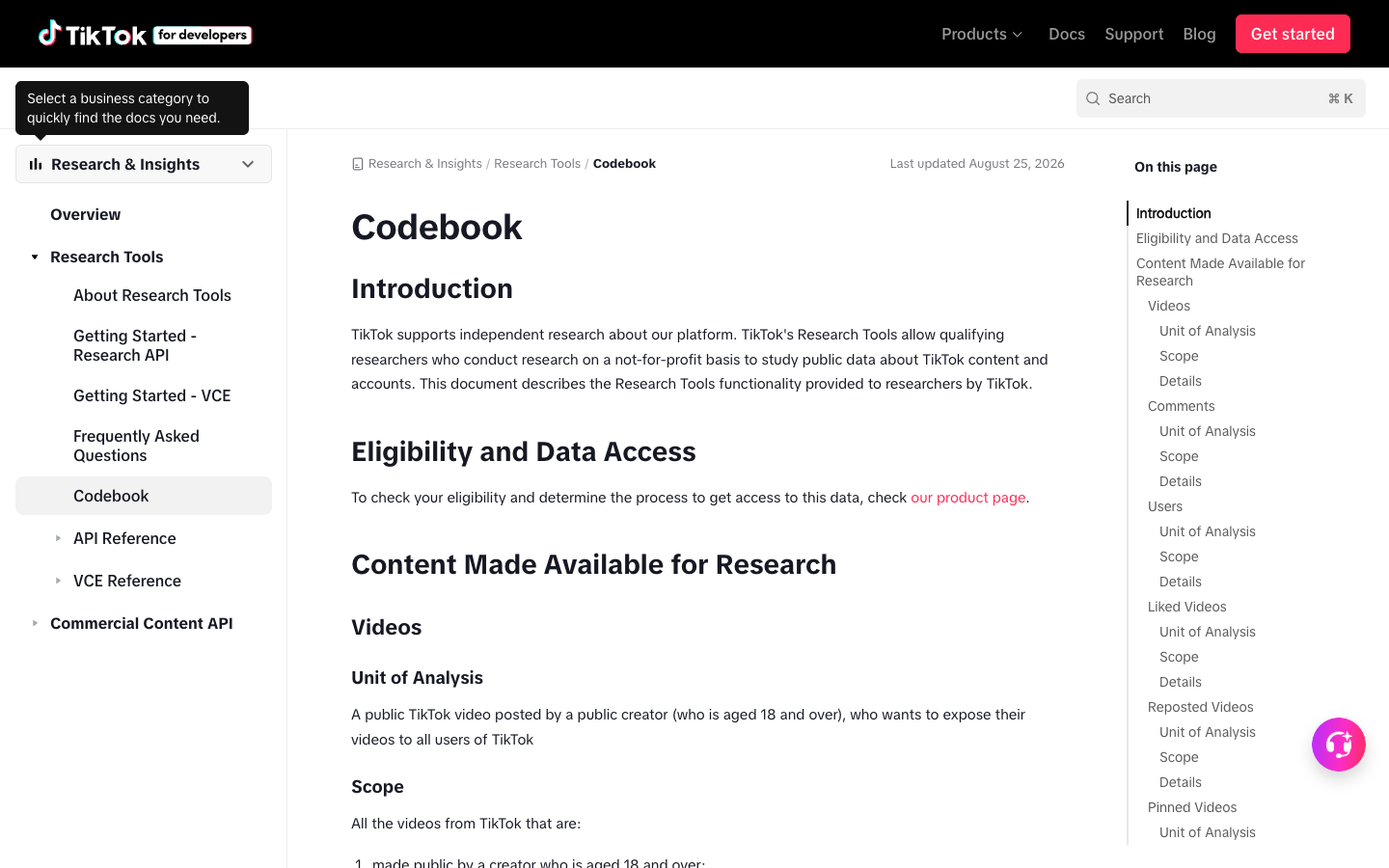
The official TikTok Research API is not a generic growth-marketing scraper. It is the right route when your organization qualifies for the access model and the data you need matches the official scope. TikTok’s codebook defines units such as videos, comments, users, hashtags, and voice-to-text, with careful privacy boundaries. For example, the comment section says the unit of analysis is a comment or reply on a public video and that privacy-protective fields are removed.
Use official APIs when you need authorized platform features, approved research access, or functionality that requires user consent. Do not treat “official” as a shortcut for every scraping use case. Official APIs usually have scopes, eligibility, quotas, and review requirements.
BrowserAct and scraper APIs fit a different lane: public-data collection, research workflows, competitive monitoring, and structured exports where the user has permission to collect the target data and the workflow stays read-only.
Evaluation point | Official TikTok API fit |
How it works | Apply for or configure official TikTok developer access, then use the approved endpoints and fields. |
Strengths | Official documentation, defined data objects, policy-aligned access model. |
Limitations | Not a general no-code scraper; eligibility, scopes, quotas, and review can limit access. |
Pricing signal | Official API costs and quotas depend on the program and endpoint; verify current developer terms. |
Best for | Academic, policy, or authorized app use cases that match TikTok’s official API scope. |
8. Open-source TikTok scrapers — best for engineering ownership
Open-source scripts are the right category only when engineering wants to own the scraper. A custom Playwright, Puppeteer, Python, or browser-control stack can be powerful, especially for narrow internal jobs. But it also means your team owns selectors, sessions, rate boundaries, proxy decisions, storage, monitoring, and repair when TikTok changes.
This is where BrowserAct CLI fits naturally. If an Agent run proves the flow and a Workflow or template makes it repeatable, BrowserAct CLI gives technical teams a cleaner way to trigger approved browser automation from an internal environment without turning every new TikTok request into a fragile one-off script.
Use open source when:
- the job is narrow and your engineers will maintain it;
- you need custom fields not covered by templates or APIs;
- you can write tests around output quality and page changes;
- you can handle sessions, retries, storage, and monitoring responsibly;
- you accept that “free code” still has engineering and infrastructure cost.
Evaluation point | Open-source fit |
How it works | Engineers run or modify scripts, manage browser/session behavior, parse output, and maintain the workflow. |
Strengths | Full control, custom fields, self-hosted storage, testable logic when maintained. |
Limitations | Breakage risk, maintenance burden, session/proxy decisions, and compliance review. |
Pricing signal | Code may be free, but engineering time and operations are the real cost. |
Best for | Engineering teams that want ownership and accept repair work. |
Which TikTok scraper should you choose?
Use this shortcut if the category decision still feels fuzzy.
Your situation | Choose this category |
“We know the business question, but not the schema yet.” | BrowserAct Agent |
“We need a no-code TikTok trend, hashtag, comment, or creator workflow now.” | BrowserAct TikTok templates |
“We want a ready-made scraper with UI, exports, scheduling, webhooks, and API access.” | Apify TikTok Actor |
“We need managed infrastructure and enterprise delivery.” | Bright Data |
“We are building a product or analytics system around TikTok JSON.” | SocialCrawl, ScrapeBadger, Data365, SociaVault-style APIs |
“We qualify for official research or authorized platform access.” | TikTok official APIs |
“Our engineers want to own every line of scraper logic.” | Open-source scripts or BrowserAct CLI-assisted workflows |
- Use BrowserAct Agent to test the exact TikTok research brief.
- If the job is common, move it to a BrowserAct TikTok template or Workflow.
- If the job becomes a production data service, compare API vendors or hand the approved workflow to engineering with BrowserAct CLI.
- If official access is required, use the TikTok developer route instead of scraping.
Build a TikTok scraper from the actual brief.
Describe the TikTok data you need, test it in a real browser, and turn the approved run into a reusable Bot.
Prompt preview: collect public TikTok video URLs, creators, captions, visible metrics, hashtags, comments, source URLs, and stop reasons. Private session · Choose your region before you run
Get your Bot — FreeSafety boundaries for TikTok scraping
TikTok data collection should stay boring, documented, and bounded. That is not legal advice; it is an operating standard for teams that want fewer surprises.
Use these rules before you schedule anything:
- collect public or authorized data only;
- keep the workflow read-only;
- store source URLs next to every row;
- set result limits and time windows;
- record missing fields instead of inventing values;
- avoid private content, DMs, account actions, or follower/like/comment automation;
- stop for login, CAPTCHA, 2FA, payment, policy warnings, or unclear access;
- review platform terms, privacy obligations, and internal compliance requirements before outreach, profiling, or sensitive analysis.
Pro Tip: A good scraper output includes a source_url, collected_at, query_or_input, and status field. Those columns make the dataset auditable when a stakeholder asks where a number came from.
Frequently Asked Questions
What is the best TikTok scraper in 2026?
The best TikTok scraper depends on the workflow. BrowserAct is strongest for prompt-first research and reusable Bots, Apify for marketplace actors, Bright Data for enterprise scraper API delivery, SocialCrawl-style APIs for developer JSON workflows, and TikTok’s official APIs for approved research or authorized use cases.
Can TikTok data be scraped without an API?
Yes, public TikTok pages can be collected through browser automation when the workflow is read-only and bounded. BrowserAct Agent and BrowserAct templates are useful for no-code or prompt-first browser workflows. Use official APIs when the use case requires authorized platform access.
What TikTok data can a scraper collect?
Depending on the tool and access path, TikTok scraper workflows may collect public profile fields, video URLs, captions, visible engagement metrics, hashtags, sound metadata, comments, search results, trending feeds, and source URLs. Always verify the current tool’s supported fields before buying.
Is a TikTok scraper API better than a no-code TikTok scraper?
Use a TikTok scraper API when engineers need JSON endpoints, cursor pagination, logs, retries, and predictable integration. Use a no-code or prompt-first scraper when marketers, researchers, or operators need to define the job, inspect results, and schedule a workflow without writing code.
Is TikTok scraping legal?
This article is not legal advice. Treat TikTok data collection as a read-only, public or authorized-data workflow; respect TikTok’s terms, privacy rules, and regional data-protection obligations; and stop on private content, login walls, CAPTCHA, 2FA, or account-changing actions unless a human explicitly approves the next step.
How does BrowserAct fit with TikTok scraper tools?
BrowserAct fits the workflow-design layer. Use Agent to test a plain-English TikTok data brief, templates for known TikTok jobs, Workflow for repeat runs, and CLI when engineering wants to trigger approved browser automation from a controlled stack.


