Best AI Voice Generators 2026

This article reviews five popular AI voice generators—ElevenLabs, Hume, Speechify, WellSaid Labs, and DupDub. It compares their key features, pricing, and pros & cons to help you choose the right tool. With expert tips, you’ll also learn how to make your AI voices sound more natural and professional.
introduction
Finding the best voice generator can feel overwhelming. With so many tools promising lifelike audio, fast results, or quirky effects, it’s hard to know where to start. That’s why we’ve put together this guide—to help you cut through the noise and focus on what really matters.
At its core, a voice generator is about turning text into speech. Simple, right? But the way it’s used today has gone far beyond robotic announcements. From polished podcast narrations to viral TikTok clips, AI voices are shaping how we create and share content online.
Here’s why people are talking about them everywhere:
- Time‑saver: No need for expensive voice actors or endless recording sessions.
- Creative flexibility: From a professional narrator to a playful robot voice generator, you can switch styles instantly.
- Trend‑friendly: Platforms like the TikTok voice generator make it easy for creators to ride the latest viral wave.
- Entertainment value: Voices such as the Trump AI voice have become part of meme culture, giving content a humorous edge.
Whether you’re a content creator, a marketer, or simply curious about AI tools, this article will help you understand how voice generators work, what to look for, and which ones are worth your time. Think of it as advice from a friend who’s already tested the options—and is here to point you toward the best fit.
What Is a Voice Generator?
At its core, a voice generator is software that transforms text into speech. You write the words, the AI instantly reads them out loud. While the idea is simple, the technology—and how we use it—has evolved a lot.
Here’s a closer look at how voice generators have changed:
- The Early Days: Mechanical and Robotic
In the beginning, most tools produced what we now call a robot voice generator.
- How it sounded: Flat, monotone, and a little artificial—great if you wanted to sound futuristic, but robotic if you wanted to sound human.
- Where it was used: Automated telephone menus, GPS navigation systems, or computer alerts.
- Why it still matters: That robotic style hasn’t disappeared. Creators still use it today in gaming videos, sci‑fi projects, or even for humor because it feels quirky and recognizable.
- Modern Reality: Natural and Lifelike
Fast forward to today—AI has transformed TTS into something far more convincing.
- Natural intonation: Instead of mechanical sounds, modern voice generators mimic pauses, emphasis, and even emotions.
- Range of styles: You can choose a calm voice for an audiobook, a confident narrator for a business video, or a friendly tone for a tutorial.
- Practical benefits: Businesses save money and time by skipping expensive recording sessions, while creators can add polished narration with just a few clicks.
This shift has made people wonder if they’re listening to a person or a machine—often, you can’t even tell the difference.
- Customization: Beyond Just “Reading Aloud”
The real power of AI voice tools today lies in personalization.
- Control over sound: Adjust pitch, pacing, accents, or gender.
- Playful options: Want to generate a parody of a famous figure? Tools offering something like a Trump AI voice make that possible, though you need to use them responsibly.
- Platform‑specific uses: Some tools are built right into apps. For instance, the TikTok voice generator lets you instantly voice your caption text, making it part of the video trend culture.
In short, a voice generator isn’t just about technology anymore—it’s about creativity and flexibility. Whether you want robotic nostalgia, human‑sounding storytelling, or custom voices that fit your brand, there’s a tool built for it.
Why Are Voice Generators Everywhere?
Voice generators have exploded in popularity—and it’s not just tech lovers who are using them. From casual TikTok creators to global companies, people are finding new ways to add AI voices into their content. Why? Because they’re fast, flexible, and fun.
Let’s break down the main reasons:
Content Creation Made Simple
For creators, efficiency matters. Recording your own audio isn’t always possible—you might not like the sound of your voice, or you might not have the right recording setup.
- Instant voiceovers: Type your script, pick a style, and hit “generate.” Done in seconds.
- Professional polish: Tools like Murf.ai or PlayHT make it sound like you had a trained voice actor record your script.
- Creative freedom: Want a robot voice generator for a gaming video, or a natural narrator for YouTube? You can get both without extra cost.
Entertainment and Meme Culture
AI voices aren’t just about saving time—they’re fun.
- Meme voices: The Trump AI voice has become iconic in internet culture, often used in parody clips, comedy sketches, and trend videos.
- Quirky sound effects: Old‑school robotic voices are still beloved in gaming and sci‑fi communities.
- Shareability: Funny AI voices spread quickly on social media, making them perfect for building engagement.
In short, AI speech is part of how internet humor communicates today.
Social Media Trends
If you’ve scrolled through TikTok or Instagram Reels, you’ve already heard them: AI‑generated voices narrating recipes, travel guides, or life hacks.
- TikTok voice generator: This built‑in feature is possibly the biggest reason AI voices are now mainstream. Creators love it because it’s fast and recognizable.
- Consistency: Even if English isn’t your first language, you can sound clear and fluent with a chosen AI voice.
- Viral factor: A good voice style can instantly make your video stand out on the “For You” page.
Other Industries Adopting AI Voices
The rise of AI voices isn’t limited to short‑form video culture.
- Education: Online courses and e‑learning platforms use them to make lessons more engaging.
- Audiobooks & podcasts: Indie creators can publish without hiring expensive narrators.
- Customer support: Companies use AI voices in chatbots and phone systems for consistent service.
What Makes the Best Voice Generator?
At first glance, it might seem easy to decide if a voice generator is good or not: you listen once, and you know if it sounds “robotic” or “natural.” But the truth is, once you test a few tools back‑to‑back, you realize the difference between average and outstanding is all about subtle details—like how smooth the pauses are, or whether you have enough control to fine‑tune tricky pronunciations.
Choosing the best voice generator for your needs means looking beyond the surface. Here’s how we think about it:
How We Test
Instead of relying on marketing pages or demo clips, we put each tool through the same process:
- One script, many voices. We ran the exact same text through every app, which made differences in tone, pacing, and clarity much easier to notice.
- Hands‑on with controls. Pitch, speed, emphasis, pronunciation fixes, and even emotion toggles were all tested to see how much flexibility each tool really provides.
- Different scenarios. Quick TikTok captions, longer YouTube narrations, and even a few audiobook passages helped us see which platforms adapt best to different types of content.
- Real listening tests. We listened to exports both with high‑quality headphones and on phone speakers—the way a real audience would. Cracks in audio quality tend to show up fast this way.
This practical process cuts through buzzwords and shows how these platforms perform when you actually create with them.
Key Features to Look For a Great Voice Generator
From all of that testing, a few benchmarks stood out as essential. If you keep these in mind, you’ll quickly know if a voice generator is worth your time:
- Realism that feels human. The best tools don’t just “speak”—they capture natural rhythm, subtle pitch changes, and believable intonation. You shouldn’t feel distracted by the voice; you should feel drawn into the content.
- Control in your hands. Sometimes you need to slow down a technical sentence, or fix how a brand name is pronounced. Great platforms let you adjust pitch, pacing, pauses, and stress on specific words—without burying you in complexity.
- High‑quality audio output. Voices should sound crisp and professional, ready to drop straight into your project. Low‑bitrate or noisy audio makes editing harder and leaves a poor impression on your audience.
- A library of choices. No one's voice fits every scenario. A good generator offers a wide range of accents, genders, and languages so you can pick the tone that matches your story, your platform, or your brand personality.
- Extras that make a difference. Little features go a long way: subtitle exports that save hours of work, phoneme‑level pronunciation to handle tricky words, or emotional performance sliders that add life to your narration. The goal isn’t just voice generation—it’s making the whole creative process smoother.
Popular Voice Generators Worth Trying
The best AI voice generators at a glance
Tool | Pros | Cons | Starting Price |
|---|---|---|---|
Lifelike voices; full audio suite (voices, dubbing, music) | Sound effects sometimes inconsistent; learning curve with advanced features | Free (10 mins); Paid from $5/month | |
Create custom voices from text prompts; real‑time emotion adaptation | Limited to English/Spanish; results can be unpredictable | Free (10 mins); Paid from $3/month | |
Natural cadence and rhythm; extras like slides and music | Emotional delivery varies; celebrity voices not exportable | Free (600 credits); Paid from $11.58/month | |
Detailed word‑by‑word control; integrates with Adobe tools | Limited emotional range; steeper learning curve | 7‑day free trial; Paid from $50/month | |
750+ voices in 90 languages; phoneme‑level pronunciation | Mobile version limited; slightly less natural than top rivals | Free 3‑day trial; Paid from $11/month |
ElevenLabs — Best All‑in‑One Voice and Sound Platform
Pros
- Lifelike voices with an impressive range of languages
- Full audio suite: voice, sound effects, and even background music
Cons
- Some inconsistency with sound effect generation
- Takes time to learn the many advanced features
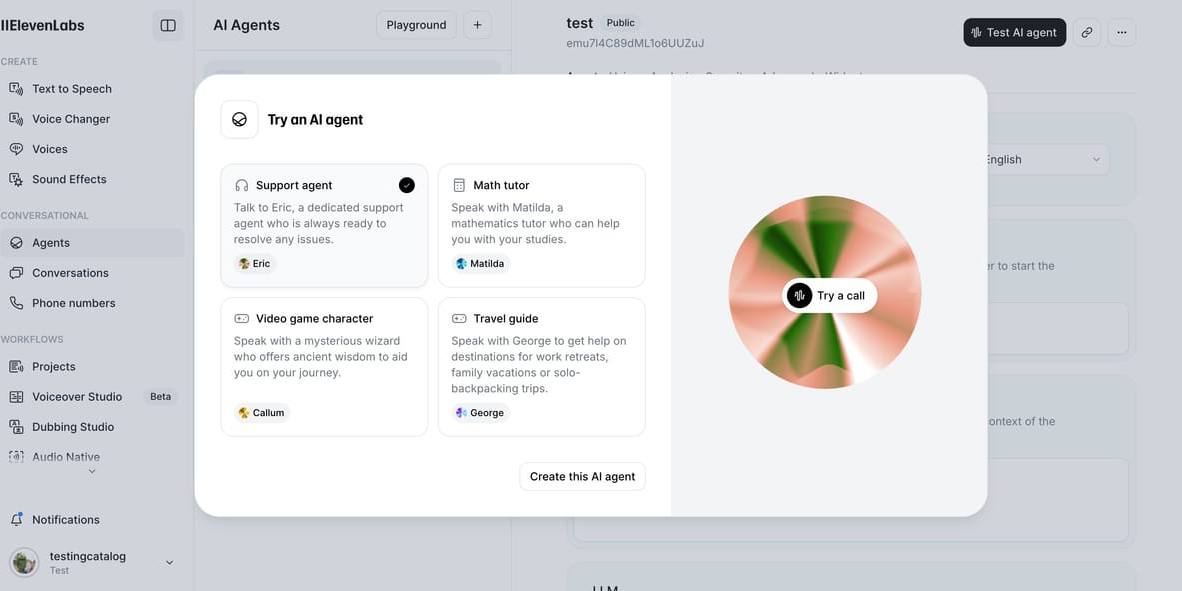
ElevenLabs has quickly become the poster child for modern voice tech. Originally just a text‑to‑speech service, it has now grown into a full audio creation hub. Whether you need a narrator for an audiobook, natural dialogue for a video dub, or even a subtle background music track, ElevenLabs promises to handle it all in one clean interface.
The platform stands out with its v3 alpha model, which lets you embed tone directions directly into your script. Imagine typing “[whispered]” into your text, and the AI actually delivers it convincingly. It feels closer than ever to directing a real actor, though like any creative tool, it can take a bit of experimentation to get right.
Another highlight is automation power. For teams, ElevenLabs connects seamlessly with Zapier, meaning you can send a script from Google Docs, have ElevenLabs turn it into a polished narration, and automatically store it in Dropbox—no manual steps required. If you’re running a content team or working with clients, these workflow automations are gold.
Of course, realism is the most important metric. Voices are consistently clear, expressive, and believable, setting a bar most competitors still chase. According to Statista, the AI voice market is expected to grow rapidly alongside global AI adoption, and ElevenLabs’ ability to combine realism and versatility makes it well‑positioned for that surge.
If you’re curious about how voice tech fits into larger creative tools, check out our guide on the best AI video generators or our overview of AI writing tools to see how everything connects.
Pricing: Free plan with 10 minutes/month. Paid plans start at $5/month.
Hume — Best for Designing a Voice from a Prompt
Pros
- Create unique, custom voices from scratch with text prompts
- Emotionally intelligent features that adjust voices in real time
Cons
- Limited language support (English and Spanish only)
- Voice results can be unpredictable until you get the hang of prompts
Hume is where voice generation gets personal. Instead of picking from a preset library of voices, you can design one yourself using a simple descriptive prompt. Want a “deep but energetic British radio host” voice? Type it in, and within seconds, Hume generates something close to your idea. It’s refreshing for creators or brands who need a voice that doesn’t sound like everyone else.
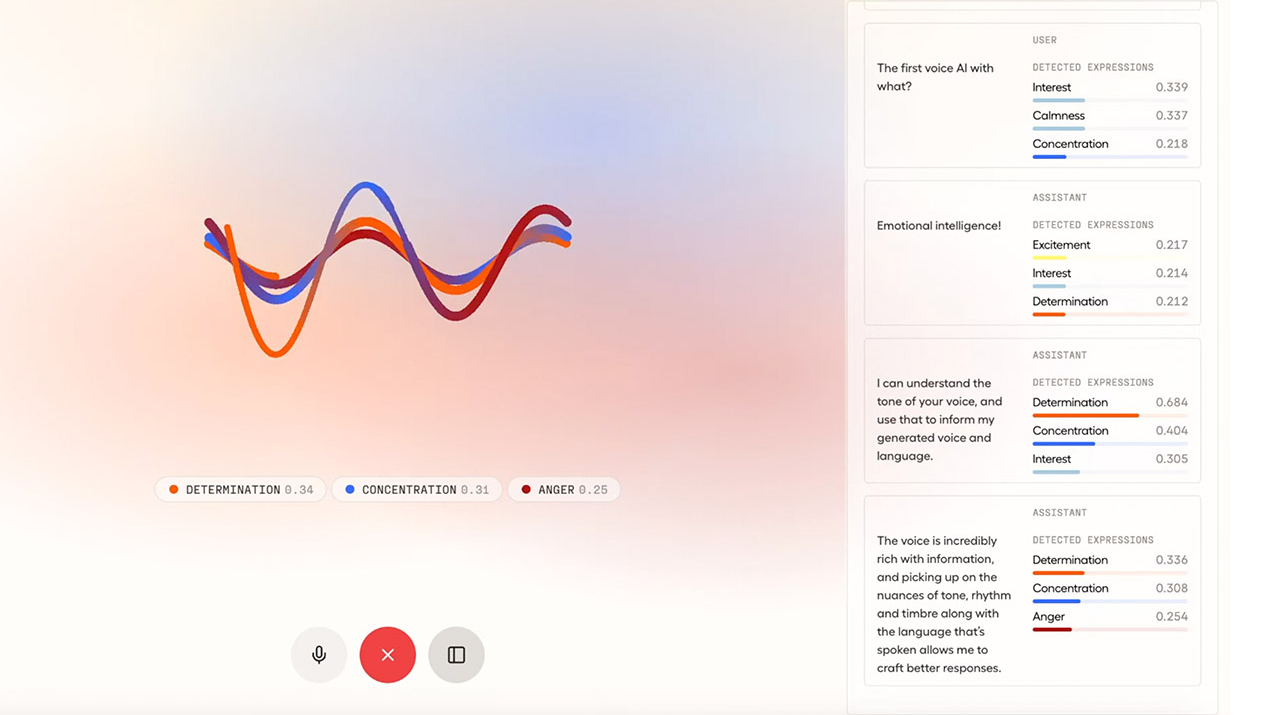
But Hume doesn’t stop at generation—it leans into emotional intelligence. The platform can measure moods like joy, sadness, or determination, and tune its voice output accordingly. There’s even experimental facial analysis that detects your mood from your webcam and adapts the agent’s speaking tone. While still early‑stage, it feels like a glimpse of voice assistants and customer support bots of the future.
For now, most users will focus on designing and using custom voices for narration and video work. It may not have the polish or control of WellSaid Labs, but what it lacks in predictability, it makes up for in creativity. Testers often find the results a bit uneven, but with practice, Hume can deliver voices that sound truly one of a kind.
If you’re experimenting with AI for brand identity, Hume is worth a try. As Gartner reports in its AI adoption insights, personalization is one of the strongest drivers of AI use—exactly what Hume is designed for.
Pricing: Free tier includes 10 minutes/month; paid plans start at $3/month.
Speechify — Best for Human‑Like Cadence
Pros
- Voices have natural rhythm and pacing
- Built‑in extras for creating slides, videos, and audio projects
Cons
- Emotional delivery varies depending on the voice
- Famous celebrity voices aren’t available for export
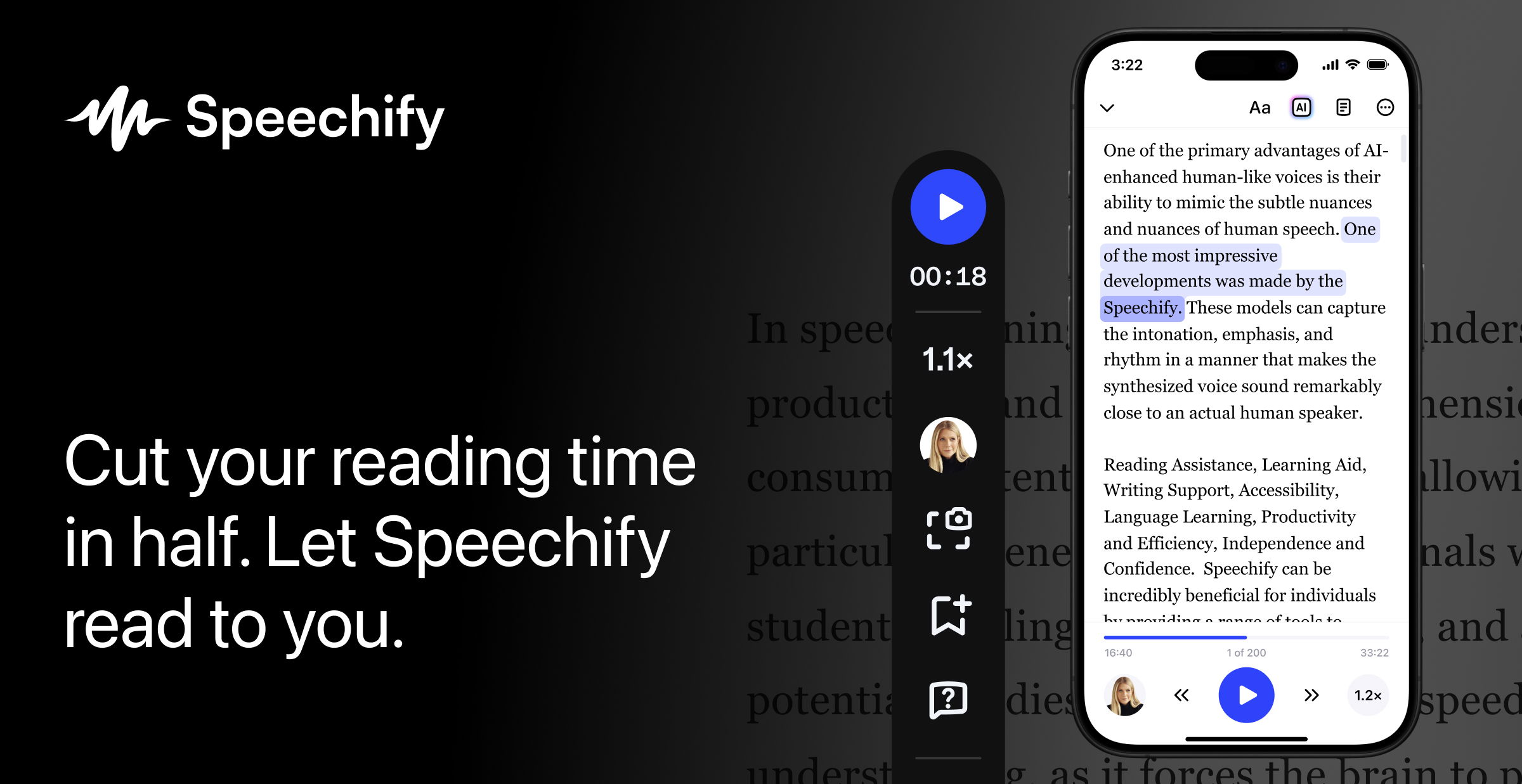
Speechify might be best known as an app that reads your text while you drive or walk, but creators shouldn’t ignore its Studio mode. What makes Speechify stand out is cadence—the rhythm of voices as they flow through a passage. Unlike some platforms where every sentence sounds equally paced, Speechify naturally adjusts timing and pauses, giving your narration a “performer’s touch” right out of the box.
For content creators, that means videos and podcasts sound polished without endless tweaking. You can set pauses, adjust speed, or modify pitch, but you rarely need to do much: the voices are consistent, lively, and audience‑friendly. And for those who like a more integrated workflow, Speechify offers tools to add background music, create simple slide‑based videos, and export directly.
Its weakness lies in emotional consistency. Some voices sound great across moods; others feel flat. But given the range of over 1,000 voices, it’s usually easy to find one that fits your tone. A fun extra: you can even add your own voice to the platform for cloning.
The AI content industry keeps expanding—according to PwC’s AI forecast, AI could contribute up to $15.7 trillion to the global economy by 2030. Speechify, with its focus on productivity plus creativity, is clearly tapping into that momentum.
To see how audio tools like this pair with other creative AI apps, don’t miss our roundup of AI productivity tools.
Pricing: Free tier with 600 monthly credits; Studio plans from $11.58/month.
WellSaid — Best for Precision and Pronunciation Control
Pros
- Detailed, word‑by‑word control over delivery
- Professional integration with Adobe tools
Cons
- Limited emotional range
- Higher learning curve for new users
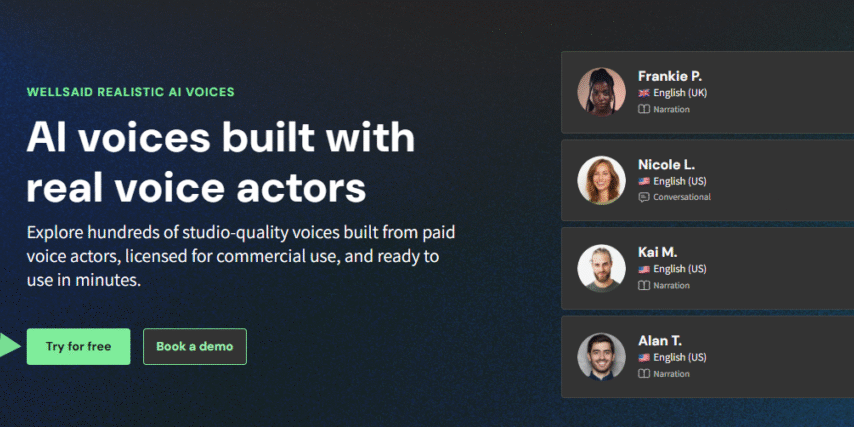
WellSaid Labs is the go‑to choice if you care about precision. For training videos, explainer content, or educational material, consistency is vital—your audience must clearly understand complex terms without distractions. WellSaid shines here.
Inside the editor, you can adjust every pause, word, and syllable. Words can be slowed down or emphasized, punctuation marks can be given longer or shorter breaths, and tricky terms can be custom‑spelled using a special replacement system. It does take some trial and error, but once you dial it in, you get a result you can trust every time.
While voices sound realistic, WellSaid doesn’t excel at emotional acting. If you need theatrical range (like a character reading), you might find it stiff. But if what you want is reliable, sharp, “corporate‑ready” narration, this tool serves perfectly.
Another plus: it’s fully compliant with SOC 2 and GDPR, making it a safe choice for companies with strict data requirements. Integrations with Adobe Premiere Pro and Express help producers drop clean audio directly into video projects.
In industries like e‑learning, where according to Docebo’s market analysis demand is skyrocketing, tools like WellSaid are becoming essential for scalable production.
Curious about how this could pair with visual content? See our article on AI video tools for businesses.
Pricing: Free 7‑day trial (no downloads). Paid plans start at $50/month.
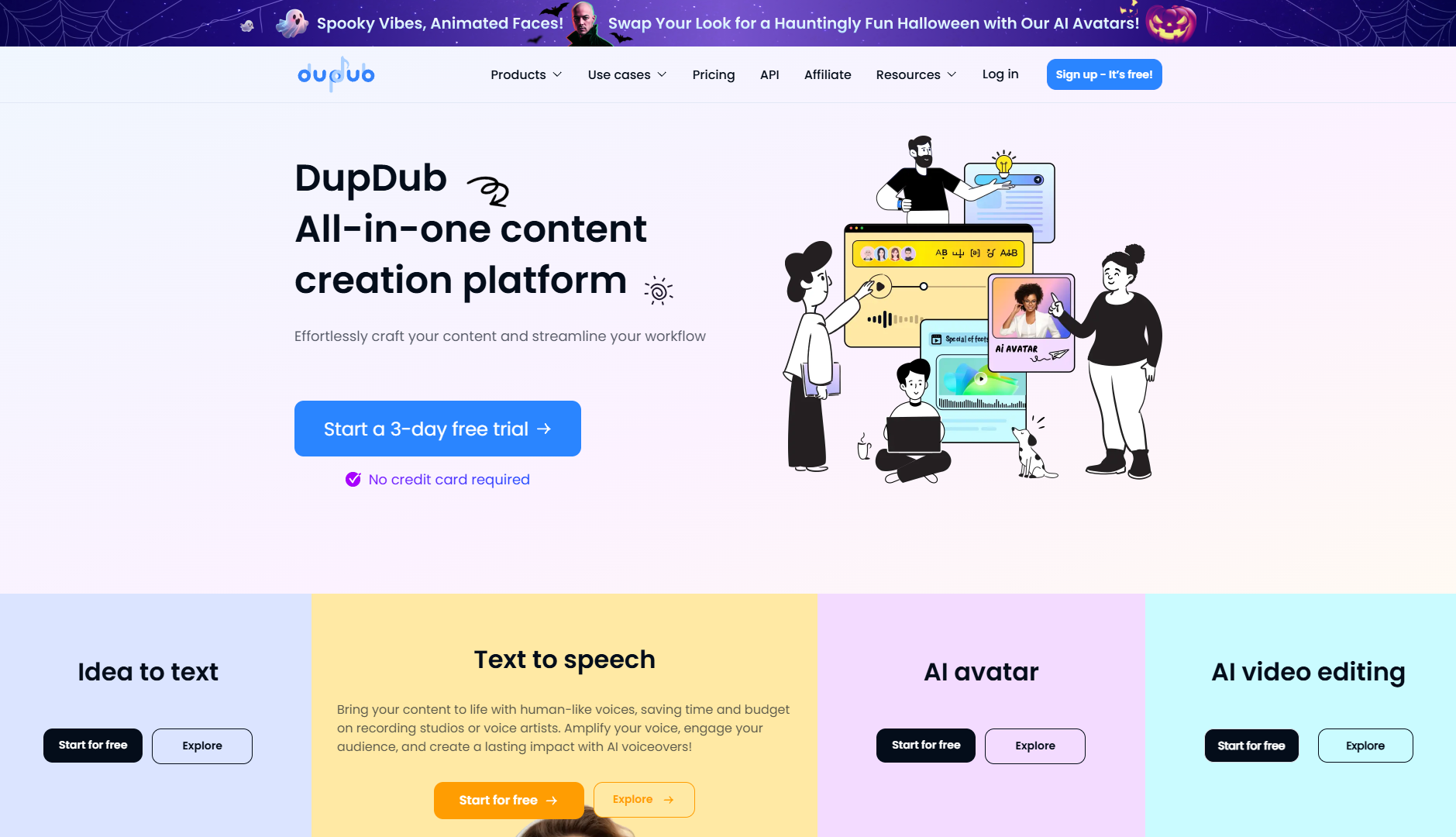
DupDub — Best for Multilingual Accuracy
Pros
- 750+ voices across 90 languages
- Phoneme‑level control for tricky words and acronyms
Cons
- Mobile version offers fewer controls
- Slightly less natural realism than top competitors
DupDub is built for global projects. While some generators stumble over technical jargon or foreign brand names, DupDub lets you edit at the phoneme level—basically spelling out how a word should sound. That means no more awkward attempts at pronouncing “Xiaomi” or “Kubernetes.”
This level of control is particularly valuable for technical content, multilingual marketing, or international training. Add in 90 languages and 1,000+ styles, and you can make content that feels truly localized. Voices may not always match ElevenLabs on natural “performance,” but for accuracy, DupDub is hard to beat.
The platform also offers a built‑in video editor, letting you script, generate voiceovers, and assemble visuals in one place. It won’t replace dedicated editing software for bigger projects, but for quick tutorials or multilingual explainers, it saves a lot of tool‑switching.
Accuracy in pronunciation is more than convenience—it’s a matter of trust. Research from Nielsen shows that localized, correctly delivered content consistently leads to higher audience trust and engagement. DupDub’s design makes hitting that standard far easier for small teams and big companies alike.
Looking to pair precise voiceovers with productivity workflows? We recommend checking our roundup of best AI tools for marketing.
Pricing: Free 3‑day trial; personal plan at $11/month, with pay‑as‑you‑go options.
Pro Tips for Using Voice Generators
Once you’ve picked a voice generator you like, the real magic happens in how you use it. Even the best AI voice sounds flat without thoughtful setup. Here are some tried‑and‑tested tips to help you get the most out of your tool:
- Write for the ear, not the eye
Scripts for AI narration should be clear and conversational. Avoid long, winding sentences. They confuse both machines and listeners. Break complex ideas into shorter sentences to keep the rhythm natural and easier for your audience to follow.
- Make pauses your friend
Pauses add breathing space and emphasis. Most platforms let you insert commas, ellipses, or custom pause codes. A well‑placed pause can make your narration sound ten times more human.
- Fine‑tune tricky words
Brand names, acronyms, or industry jargon often get mispronounced. Use phonetic spellings, phoneme editors (like in DupDub), or “respelling” features (like in WellSaid) to teach the AI the right pronunciation up front.
- Test on multiple devices
What sounds great in headphones may lose clarity on a phone speaker. Always replay your narration on cheap earphones or your smartphone to catch pacing or volume issues before publishing.
- Match tone to context
An upbeat, energetic tone fits TikTok, but probably not a corporate training video. Play with emotional settings, pitch, and speed until you find a delivery that matches the purpose and platform.
- Don’t forget editing
Think of AI voices as raw takes. Light editing—adjusting background music, trimming silences, or balancing volume—goes a long way toward making audio sound professional and polished.
- Use voices strategically
If you create a lot of content, stick to one or two voices consistently. This helps build brand identity and audience familiarity rather than confusing listeners with different narrators each time.
Conclusion
AI voice generators are no longer just novelties—they’re becoming essential tools for creators, educators, and businesses. Whether you need lifelike narrations from ElevenLabs, custom‑made voices with Hume, or multilingual accuracy from DupDub, today’s platforms give you more control than ever.
The real secret, though, isn’t just choosing the right tool—it’s learning to use it well. By writing for the ear, adjusting cadence, and fine‑tuning tricky details, you can turn even basic text into audio that sounds natural, professional, and engaging.
Voice technology will only keep evolving. Now’s the perfect time to experiment, refine your process, and find the voice—literally—that helps your content stand out.


