

Zillow Property Details Scraper is a reusable BrowserAct template for collecting structured records from public Zillow pages. Configure the run inputs, start the Bot, and receive consistent output for research, monitoring, enrichment, or downstream automation without writing selectors or scraper code.
What Does BrowserAct Zillow Property Details Scraper Do?
The Bot starts from your configured inputs, opens the relevant public Zillow page, loads the requested records, extracts the visible fields, and returns structured results. The default example uses https://www.zillow.com/homedetails/1265-Huron-St-London-ON-N5Y-4L6/464287832_zpid for Listing URL, but the input can be changed before each run.
Key Features of Zillow Property Details Scraper
- Configurable public-page inputs without rebuilding the Bot.
- Structured records returned in a consistent
resultsarray. - Public, non-login extraction path.
- Reusable runs for new keywords, URLs, locations, or limits.
- Output ready for review, export, API use, or automation.
What Data Can I Extract from Zillow?
| Field | Description |
|---|---|
page_url |
Publicly visible page url value for the record, when available. |
price |
Publicly visible price value for the record, when available. |
full_address |
Publicly visible full address value for the record, when available. |
listing_status |
Publicly visible listing status value for the record, when available. |
listing_description |
Publicly visible listing description value for the record, when available. |
bedrooms |
Publicly visible bedrooms value for the record, when available. |
bathrooms |
Publicly visible bathrooms value for the record, when available. |
area |
Publicly visible area value for the record, when available. |
property_type |
Publicly visible property type value for the record, when available. |
year_built |
Publicly visible year built value for the record, when available. |
facts_and_features |
Publicly visible facts and features value for the record, when available. |
price_history_records |
Publicly visible price history records value for the record, when available. |
main_image_url |
Publicly visible main image url value for the record, when available. |
broker_or_agent |
Publicly visible broker or agent value for the record, when available. |
How to Use Zillow Property Details Scraper
Quick Start Guide
- Click Run task.
- Keep the default inputs for a first test or enter your own public-page values.
- Click
Run. - Review the structured records after the run completes.
- Download the result or connect it to another workflow.
Input Parameters
| Parameter | Required | Default | Description |
|---|---|---|---|
Listing URL |
Yes | https://www.zillow.com/homedetails/1265-Huron-St-London-ON-N5Y-4L6/464287832_zpid |
Controls the listing url used for this run. |
Example Output
The table below uses records preserved from the validated Bot run. Up to the first 5 records are shown, and long values are shortened in this documentation preview.
| page_url | price | full_address | listing_status | listing_description | bedrooms | bathrooms | area | property_type | year_built | facts_and_features | price_history_records |
|---|---|---|---|---|---|---|---|---|---|---|---|
| https://example.com/public-record | null | Example value | Example value | Example value | null | null | null | Example value | Example value | Example value | null |
How Does it Work?
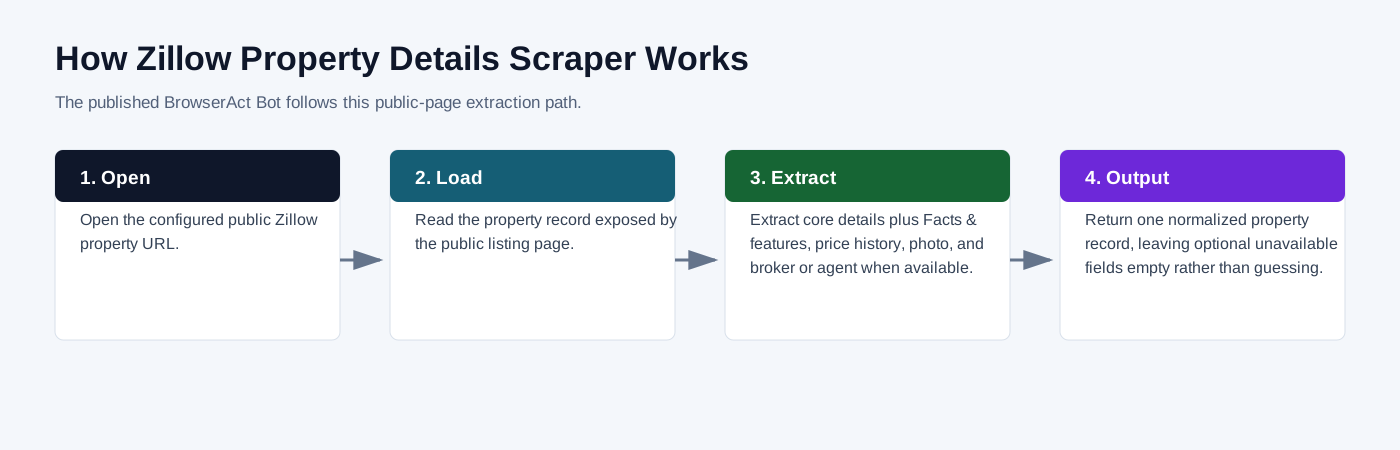
- Open the configured public Zillow property URL.
- Read the property record exposed by the public listing page.
- Extract core details plus Facts & features, price history, photo, and broker or agent when available.
- Return one normalized property record, leaving optional unavailable fields empty rather than guessing.
How to Build a New Scraper Bot with Agent Built
Step 1: Describe the data you need
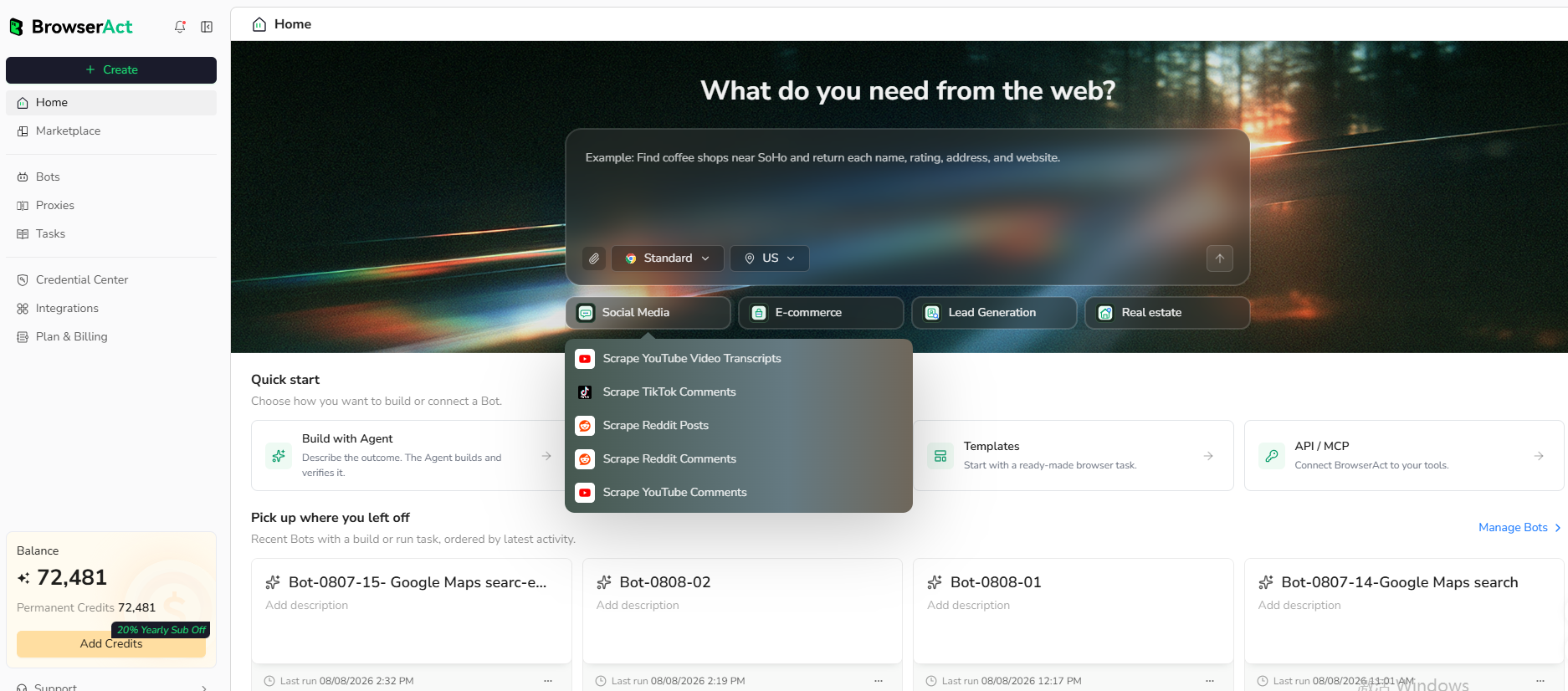
Open BrowserAct and start Agent Built from the Home prompt box or from Create -> Build with Agent. Describe the public website, records, inputs, fields, and result limit.
Step 2: Let BrowserAct build and test the Bot
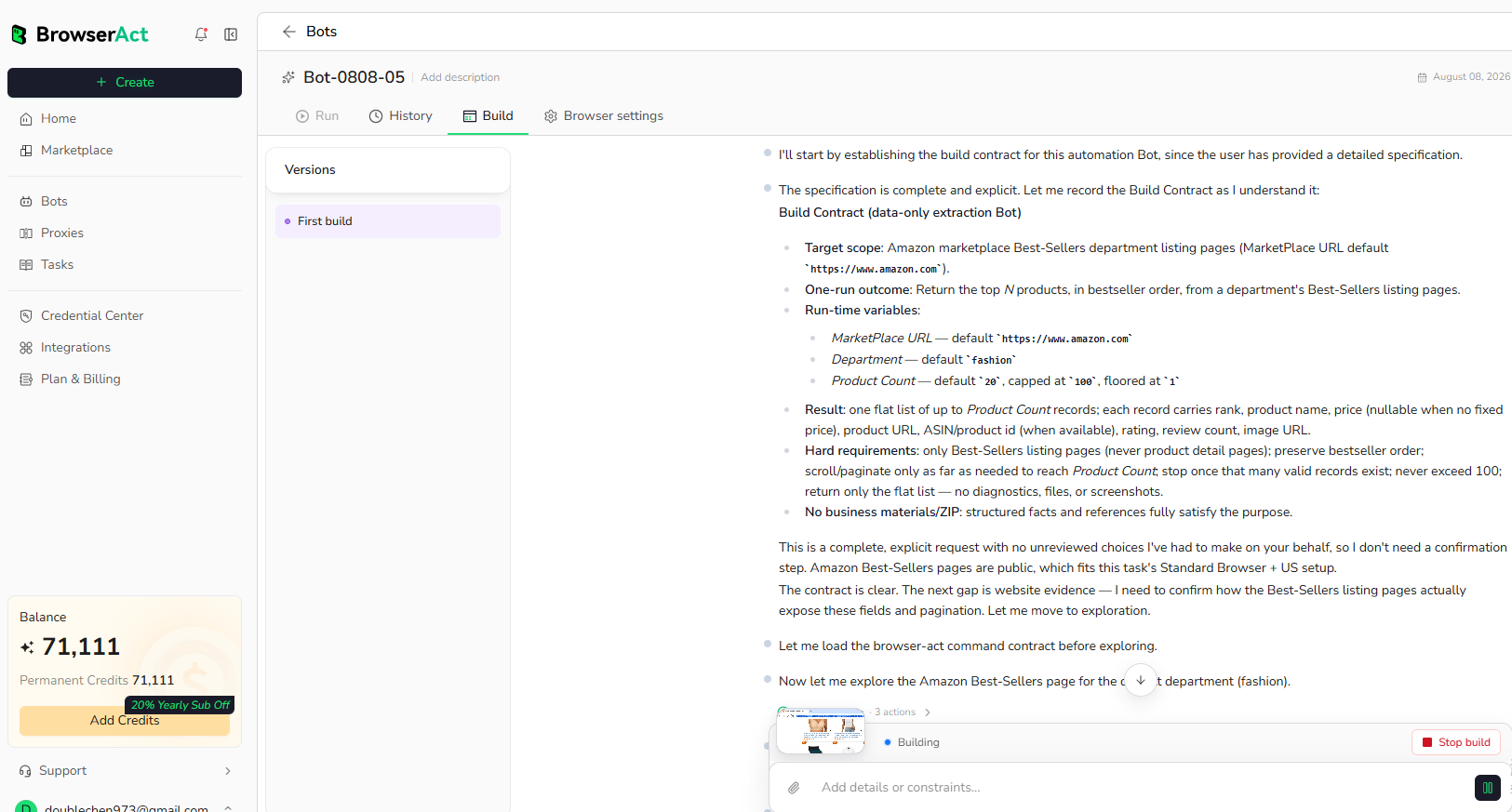
BrowserAct explores the live website, determines the navigation and extraction path, and validates the result. Reply in the same build conversation if the Agent requests a missing public URL, field, or expected output.
Step 3: Run the Bot and review the result
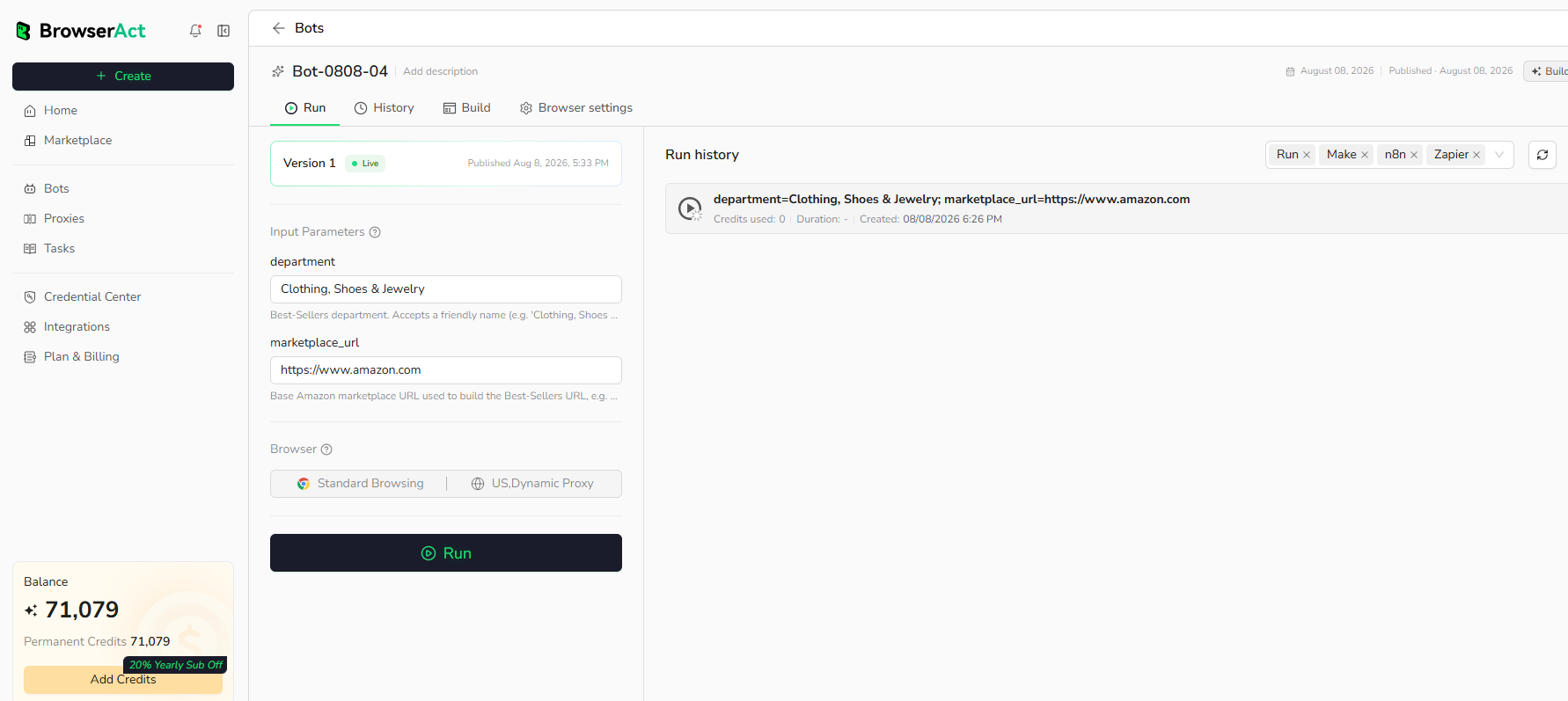
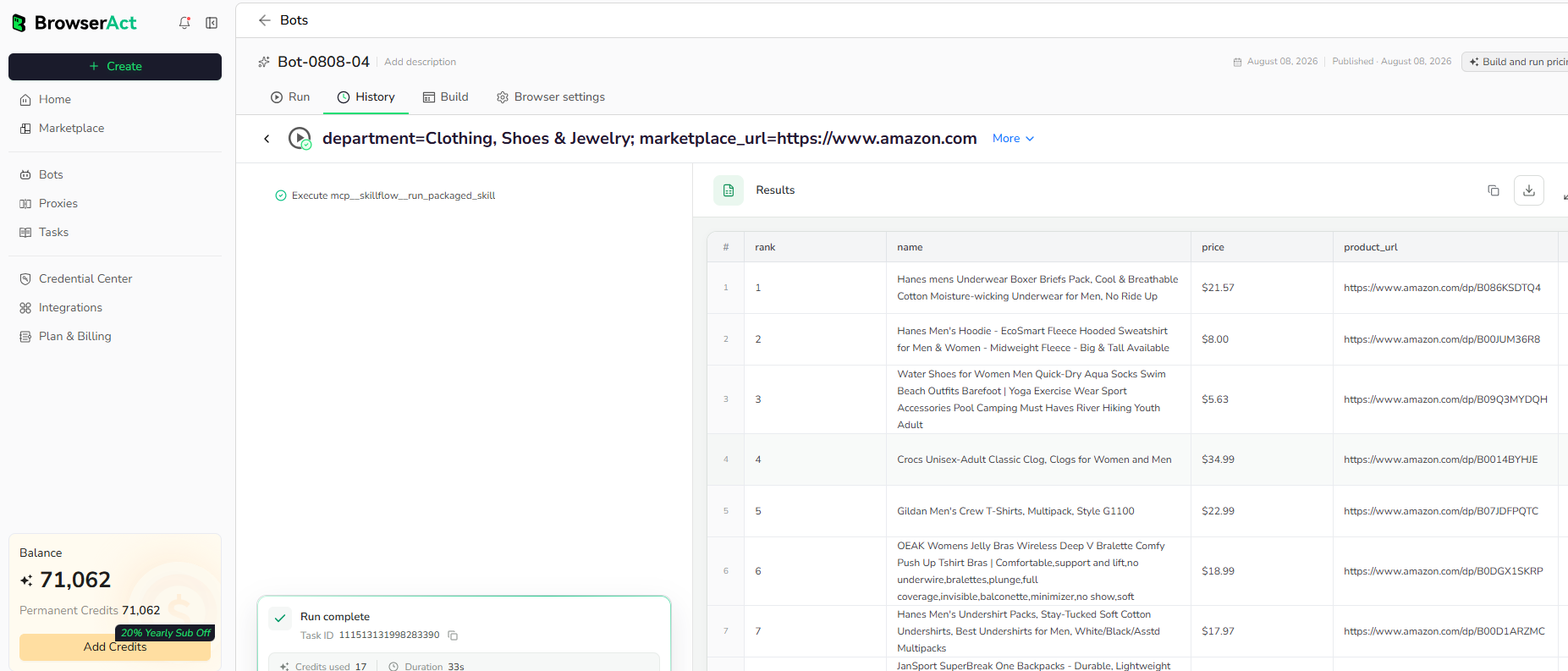
Run the completed Bot with default inputs. Check record count, source URLs, and required fields before reusing it with new inputs.
Why Use Zillow Property Details Scraper?
- Replace repetitive copying from public Zillow pages.
- Keep the same output structure across repeated runs.
- Send public records into research, reporting, enrichment, or monitoring workflows.
Who Can Use Zillow Property Details Scraper?
- Researchers and analysts collecting public web data.
- Marketing, sales, and operations teams preparing structured datasets.
- Automation builders connecting BrowserAct output to other tools.
- Developers who need reusable browser-collected JSON records.
Automation and Export
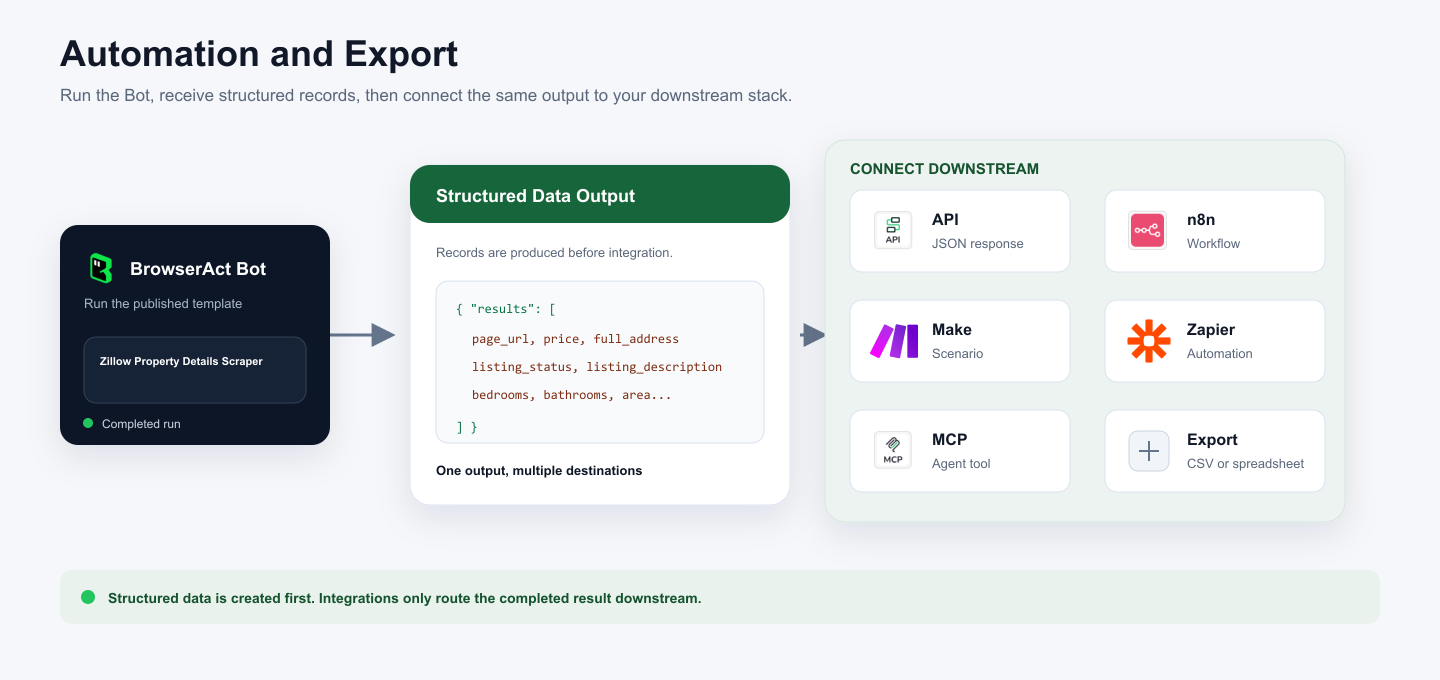
BrowserAct returns structured records first. You can then use that output through API JSON responses, n8n workflows, Make scenarios, Zapier automations, MCP-based agent workflows configured from the Bot's Integrations tab, or manual spreadsheet export.
Need Help?
Contact us at
Discord: Discord Community
E-mail: service@browseract.com
