
YouTube Channel API
Extract structured channel profile data from YouTube keyword channel results with optional recency filtering via a single API call. Built for creator discovery and influencer research.
Published by
Ma
Maggie
September 10, 2026
Approx.Credits
240-300 Credits
Categories
BA
YouTube APIVideo ContentData ProcessingSocial MediaYoutube
Template ID
82306405322792301

Brief
⭐ Copy and send this to your Agent:
 Install this skill for me:
https://github.com/browser-act/skills/tree/main/youtube-channel-api-skill
What is YouTube Channel API?
BrowserAct’s YouTube Channel API lets you extract structured channel data from YouTube search results through a single API request.
You provide KeyWords and optionally filter by Upload_date. BrowserAct automatically runs the workflow in the background, traverses the channel results list for that keyword, opens each channel detail page, and returns clean, ready-to-use channel data directly via API.
This tool is designed for creator discovery, influencer sourcing, competitive landscape mapping, and channel database building.
What data can you get through YouTube Channel API?
The API extracts structured fields from each channel page, including:
- channel_title: Channel name displayed on YouTube
- channel_link: Channel page URL
- verified: Whether the channel is verified (when visible)
- handle: Channel handle e.g. @Openclaw
- subscribers: Subscriber count displayed on the channel
- description: Channel description text (when available)
- thumbnail: Channel avatar or thumbnail image URL (when available)
Why YouTube Channel API is right for you
One-call integration
Send channel results directly into your CRM, BI tools, database, or automation workflows via API.
Search-to-channel discovery
Find and capture channels related to a topic keyword and filter by recent activity.
Freshness control
Upload_date helps prioritize channels that have published content within a defined time window.
Production-ready output
Consistent fields designed for automated enrichment, filtering, and monitoring.
In short
Search → Filter → API call → Channel data delivered
API Parameters
Parameter | Description | Default | Supported values (examples) |
KeyWords | Search keywords used to find YouTube channels | AI | Any keyword or phrase e.g. Openclaw, AI agent, automation |
Code to Integrate
Click Get code, replace the API key, and run the code directly in your application.
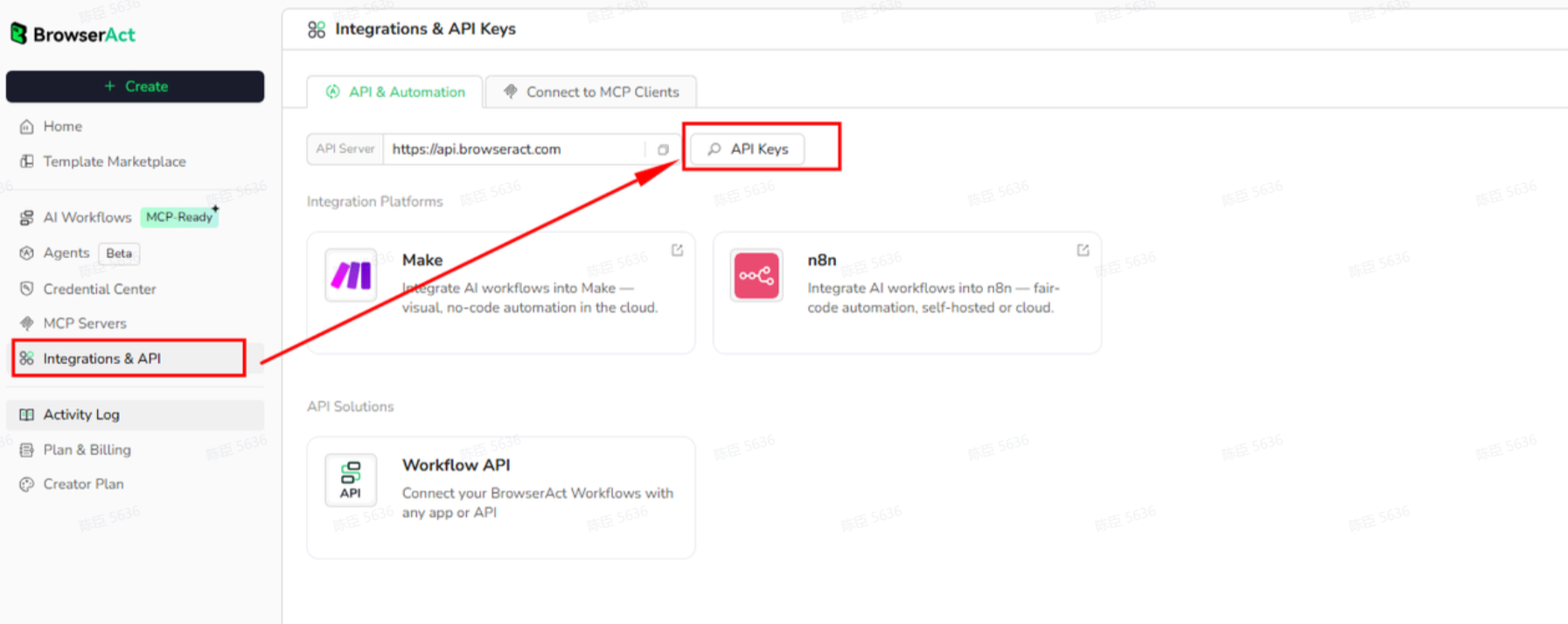
API Key, get from:
# https://www.browseract.com/reception/integrations
API_KEY = os.getenv("BROWSERACT_API_KEY", "app-abcdefghijklmn")
You only need to replace:
app-abcdefghijklmn
with your own API key, and the code will run successfully.
Your API key can be found in the API & Integrations section of the BrowserAct dashboard.
API Example
Input
KeyWords: AI
Upload_date: This week
Steps
- Click Get the Code
- Run the request
- Receive structured channel results via API
API Results
{
"channel_title": "AI",
"channel_link": "https://www.youtube.com/@Al_ID",
"handle": "@Al_ID",
"subscribers": "340K subscribers",
"description": "More about this channel...more",
"thumbnail": "https://yt3.googleusercontent.com/CYlXfGWoqzZ15GaPIDwW2tGXU3Q6g1-9y54YyFSYOm_l1G-0ingpRsxVLr0ZkFgFndY17Iaz=w1707-fcrop64=1,00005a57ffffa5a8-k-c0xffffffff-no-nd-rj"
},
{
"channel_title": "Hanycita",
"channel_link": "https://www.youtube.com/@hanycita",
"subscribers": "16.8K subscribers",
"thumbnail": "https://yt3.googleusercontent.com/9ZBm-VIeicKqgBhe9nJZL12uuIAdL-2EgZU0VrcxuvzQAto0M5bFR38MJ9P8sbzUc6f8eEUR69M=s176-c-k-c0x00ffffff-no-rj-mo"
}
Create Your Own YouTube Channel API
To create your own YouTube Channel API, start from a prebuilt template.
- Click Create from Template in the top-right corner
- Complete the setup
- You’ll receive a callable workflow_id
Once created, you can use the BrowserAct API to invoke your workflow programmatically and retrieve channel data directly in your application.
Need help? Contact us at
Discord: [Discord Community]
E mail: service@browseract.com
 What can we do for you