

TikTok Profile Video Captions Scraper is a reusable BrowserAct template for collecting structured public video records from a TikTok profile. Enter a username and result count, run the Bot, and receive complete captions with dates, engagement metrics, pinned status, and canonical video links. The Bot only reads public profile data and does not require login.
What Does BrowserAct TikTok Profile Video Captions Scraper Do?
The Bot constructs the public TikTok profile URL from the username, collects the profile's video data, removes duplicate video IDs, and orders results by the real publication date. This means pinned videos are identified but do not incorrectly replace newer posts in the latest-video result set.
Key Features
- Accepts a TikTok username instead of requiring a pasted platform URL.
- Extracts complete captions rather than shortened grid snippets.
- Returns public views, likes, comments, hashtags, and publication dates.
- Identifies pinned videos and sorts every record by its actual date.
- Supports up to 50 videos in one run with scrolling when needed.
- Uses a public, non-login extraction path.
What Data Can I Extract from TikTok Profiles?
| Field | Description |
|---|---|
username |
Normalized TikTok username. |
profile_url |
Canonical public profile URL. |
video_url |
Canonical public video URL. |
caption |
Complete public video caption. |
hashtags |
Hashtags present in the caption, when available. |
published_date |
Video publication time in ISO format. |
view_count |
Public video view count at run time. |
like_count |
Public video like count at run time. |
comment_count |
Public video comment count at run time. |
is_pinned |
Whether TikTok marks the video as pinned. |
scraped_at |
UTC timestamp for the collected record. |
How to Use TikTok Profile Video Captions Scraper
- Click Run task.
- Enter the public TikTok username without the
@sign. - Set the number of latest videos to return.
- Click
Runand review the structured result. - Export the records or connect the Bot to a downstream automation.
Input Parameters
| Parameter | Required | Default | Description |
|---|---|---|---|
username |
Yes | tiktok |
Public TikTok handle. A leading @ is accepted and normalized. |
video_count |
Yes | 10 |
Number of latest videos to return, from 1 to 50. |
Example Output
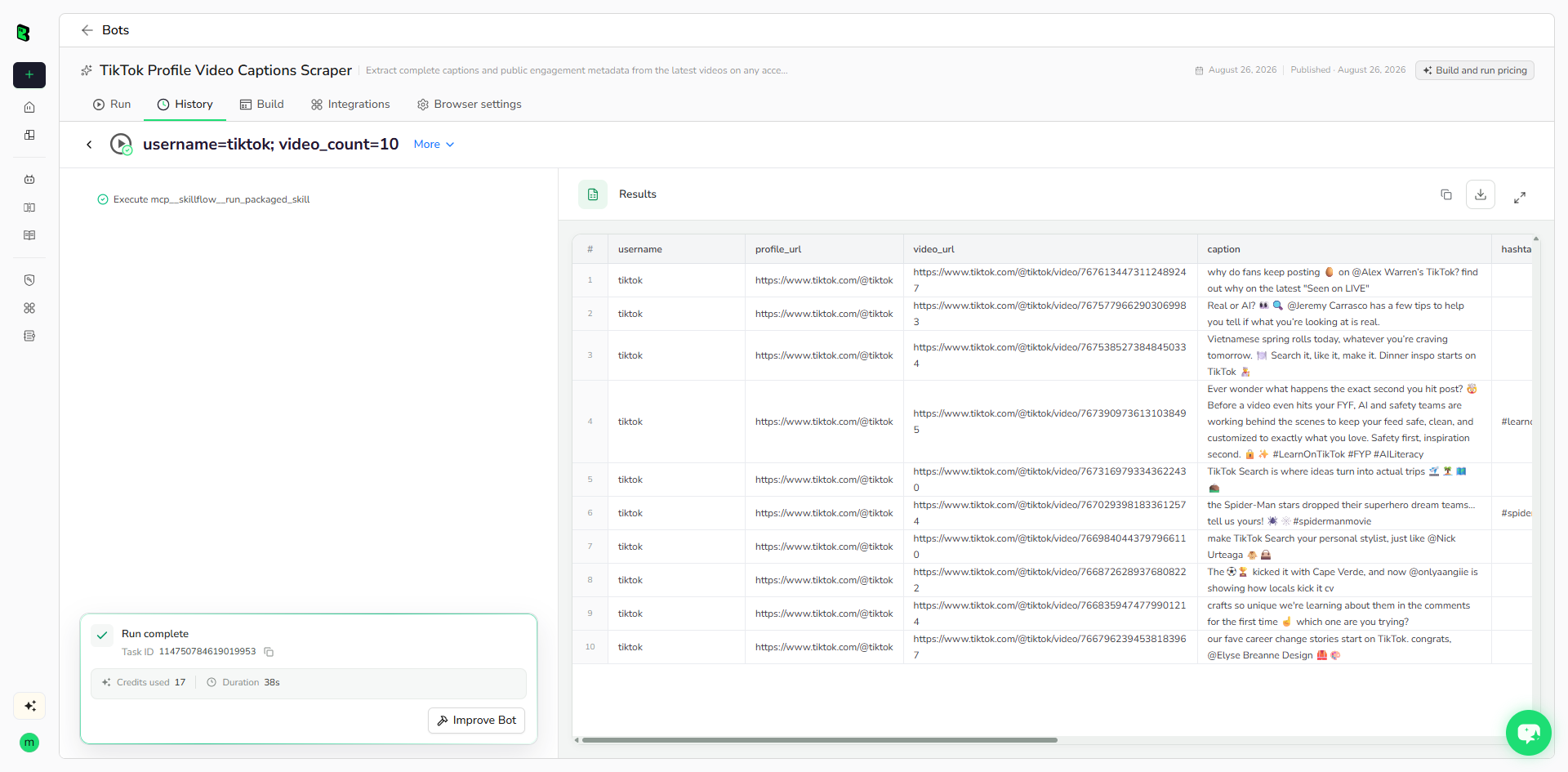
The table below shows up to the first 5 records from the validated run. Long values are shortened in this preview for readability; the completed task keeps the full structured output.
| username | profile_url | video_url | caption | hashtags | published_date | view_count | like_count | comment_count | is_pinned | scraped_at |
|---|---|---|---|---|---|---|---|---|---|---|
| tiktok | https://www.tiktok.com/@tiktok | https://www.tiktok.com/@tiktok/video/7676134473112489247 | why do fans keep posting 🥚 on @Alex Warren’s TikTok? find out why on the latest "Seen on LIVE" | null | 2026-08-20T15:22:21Z | 451800 | 7495 | 2232 | false | 2026-08-26T07:17:52Z |
| tiktok | https://www.tiktok.com/@tiktok | https://www.tiktok.com/@tiktok/video/7675779662903069983 | Real or AI? 👀🔍 @Jeremy Carrasco has a few tips to help you tell if what you’re looking at is real. | null | 2026-08-19T16:25:30Z | 167600 | 5911 | 899 | false | 2026-08-26T07:17:52Z |
| tiktok | https://www.tiktok.com/@tiktok | https://www.tiktok.com/@tiktok/video/7675385273848450334 | Vietnamese spring rolls today, whatever you’re craving tomorrow. 🍽️ Search it, like it, make it. Dinner inspo starts on TikTok 👨🍳 | null | 2026-08-18T14:55:19Z | 203200 | 5337 | 929 | false | 2026-08-26T07:17:52Z |
| tiktok | https://www.tiktok.com/@tiktok | https://www.tiktok.com/@tiktok/video/7673909736131038495 | Ever wonder what happens the exact second you hit post? 🤯 Before a video even hits your FYF, AI and safety teams are working behind the scenes to keep your feed safe, clean, and ... | #learnontiktok #fyp #ailiteracy | 2026-08-14T15:29:26Z | 513800 | 14800 | 3262 | false | 2026-08-26T07:17:52Z |
| tiktok | https://www.tiktok.com/@tiktok | https://www.tiktok.com/@tiktok/video/7673169793343622430 | TikTok Search is where ideas turn into actual trips 🛫🏝️🗺️⛰️ | null | 2026-08-12T15:37:54Z | 317400 | 8354 | 1414 | false | 2026-08-26T07:17:52Z |
How Does it Work?
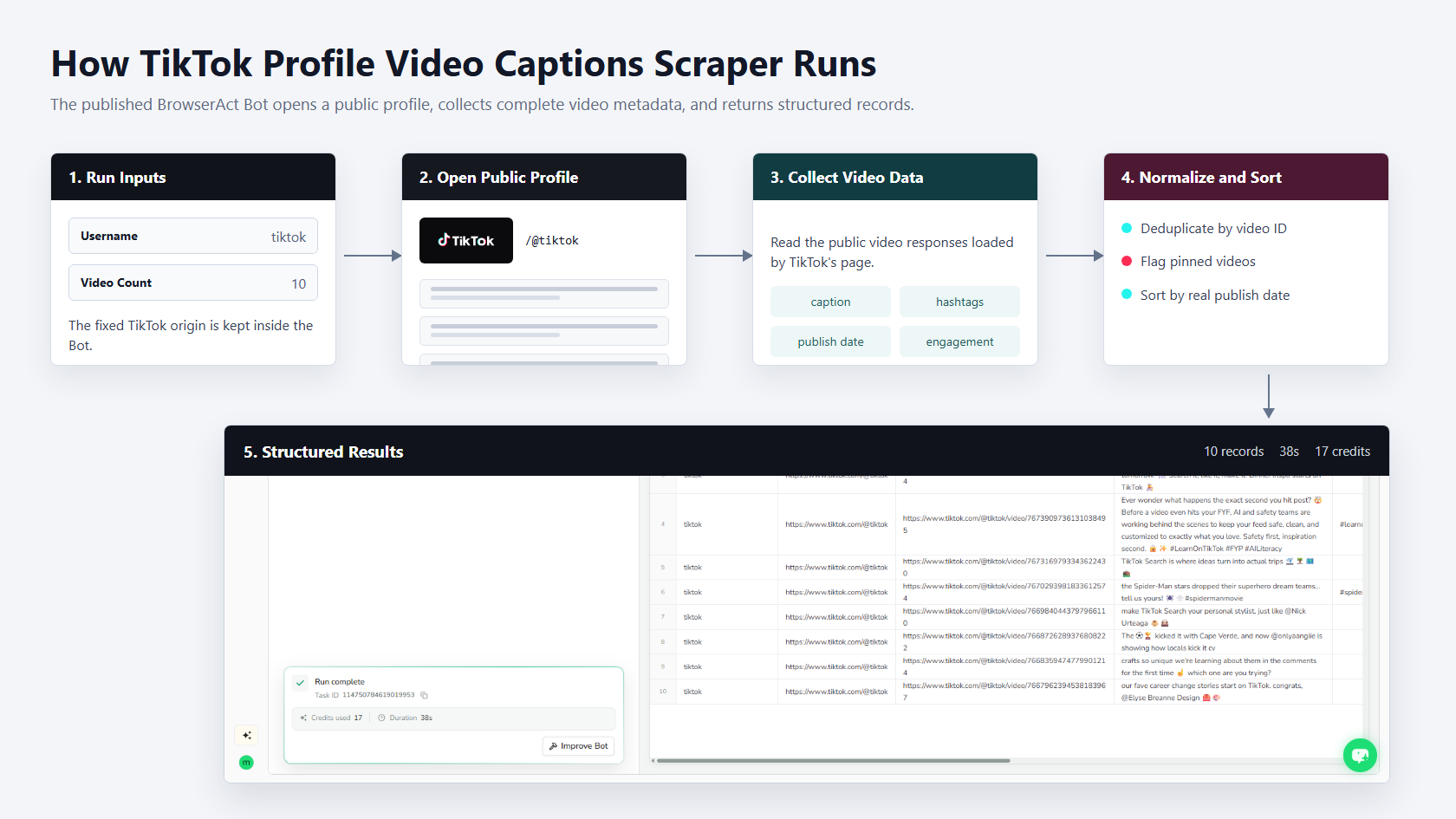
- Normalize the username and open the public TikTok profile.
- Read TikTok's public profile video responses as the page loads and scrolls.
- Collect full captions, hashtags, timestamps, engagement metrics, and pinned flags.
- Deduplicate by video ID and sort by real publication date.
- Return the requested number of structured video records.
How to Build a New Scraper Bot with Agent Built
Step 1: Describe the Data You Need
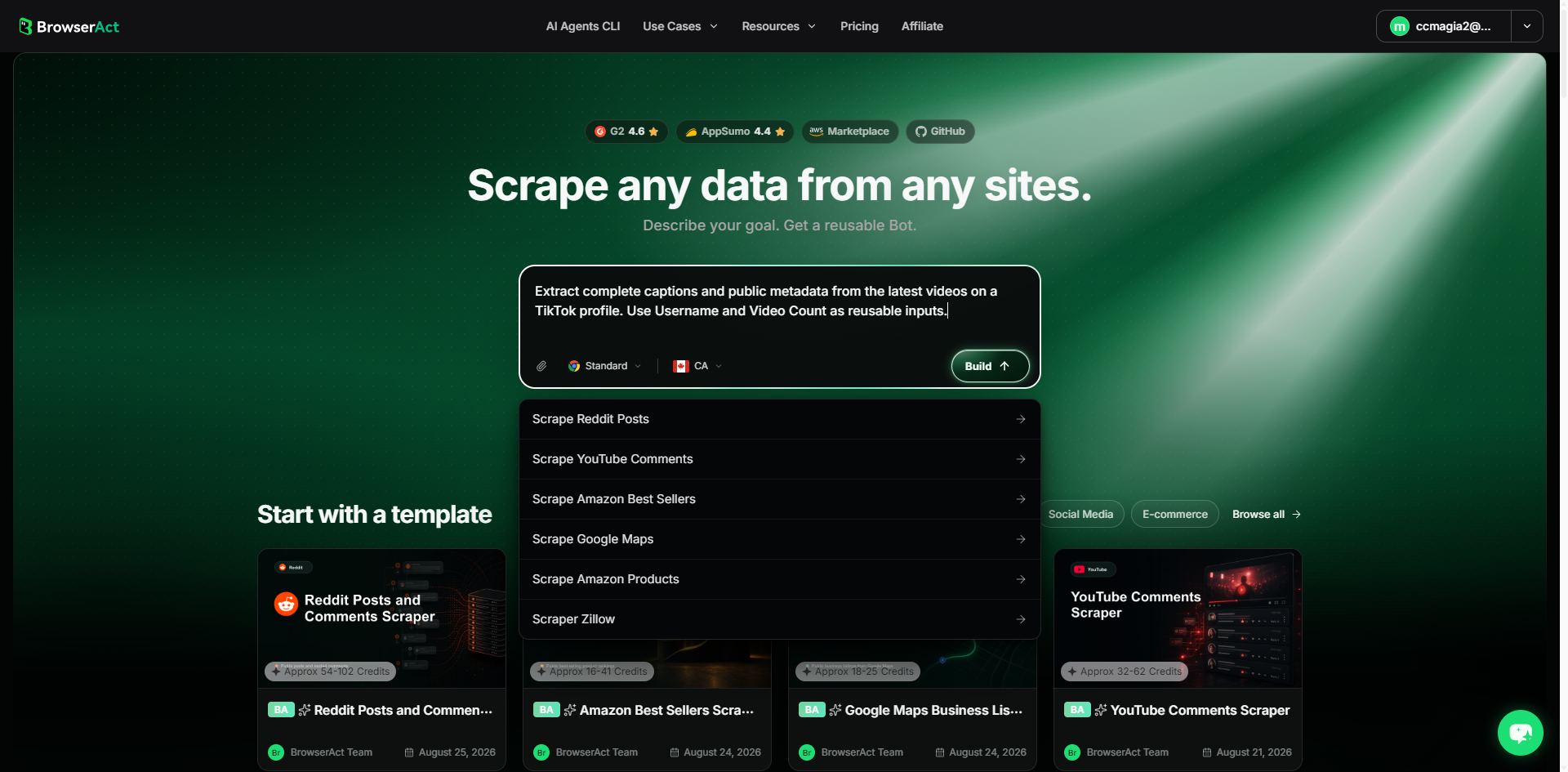
Open BrowserAct and start Agent Built from the Home prompt box or from Create -> Build with Agent. Describe the public website, records, reusable inputs, output fields, and result limit.
Step 2: Let BrowserAct Build and Test the Bot
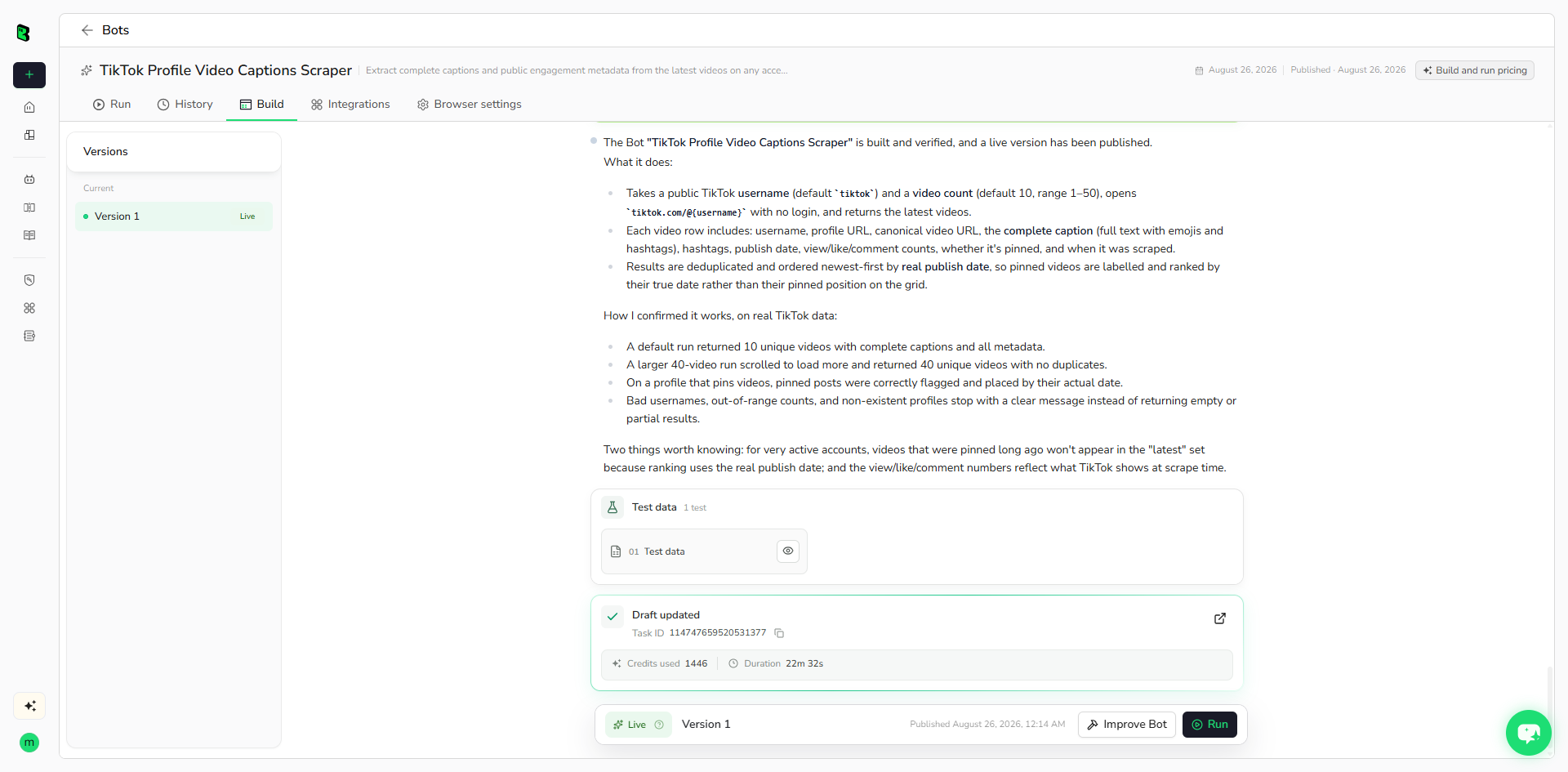
BrowserAct explores the live website, determines the navigation and extraction path, and validates the structured result. Add missing constraints in the same build conversation when needed.
Step 3: Run the Bot and Review the Result
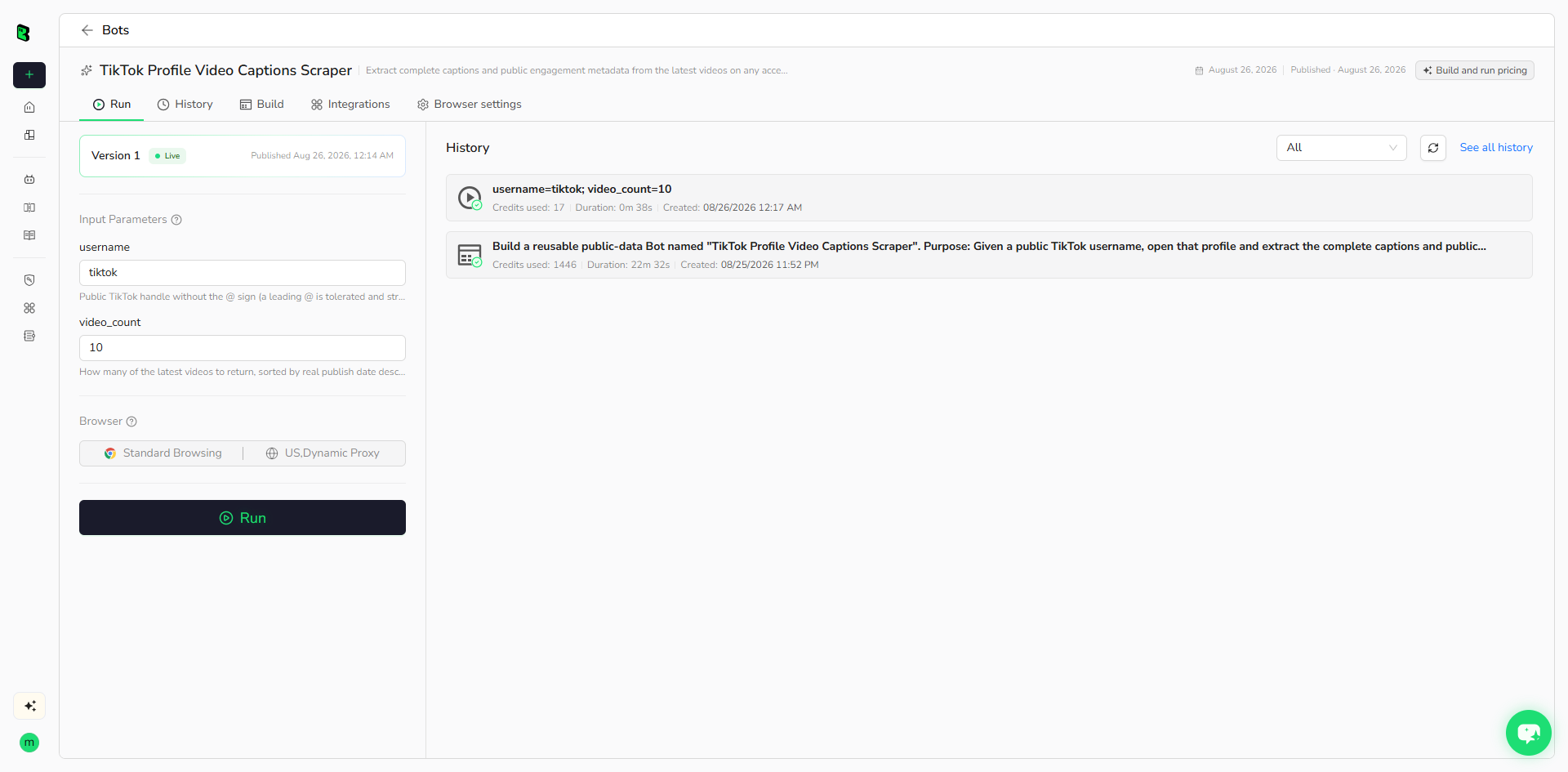
Run the published Bot with its default inputs. Check record count, source URLs, required fields, and optional empty values before reusing it with another input.
How Many Results Can You Scrape?
The default run returns 10 videos. Set video_count from 1 to 50. The Bot scrolls when the requested count exceeds the first visible batch and returns fewer records only when the public profile has fewer accessible videos.
Why Use TikTok Profile Video Captions Scraper?
- Monitor the latest public captions from selected TikTok accounts.
- Collect engagement metrics in a consistent structure.
- Build content, trend, competitor, or creator research datasets.
- Avoid manually opening and copying individual video pages.
Who Can Use This Template?
- Social media and content teams.
- Creator and influencer researchers.
- Brand, competitive, and market intelligence teams.
- Automation builders and developers working with structured public video data.
Automation and Export
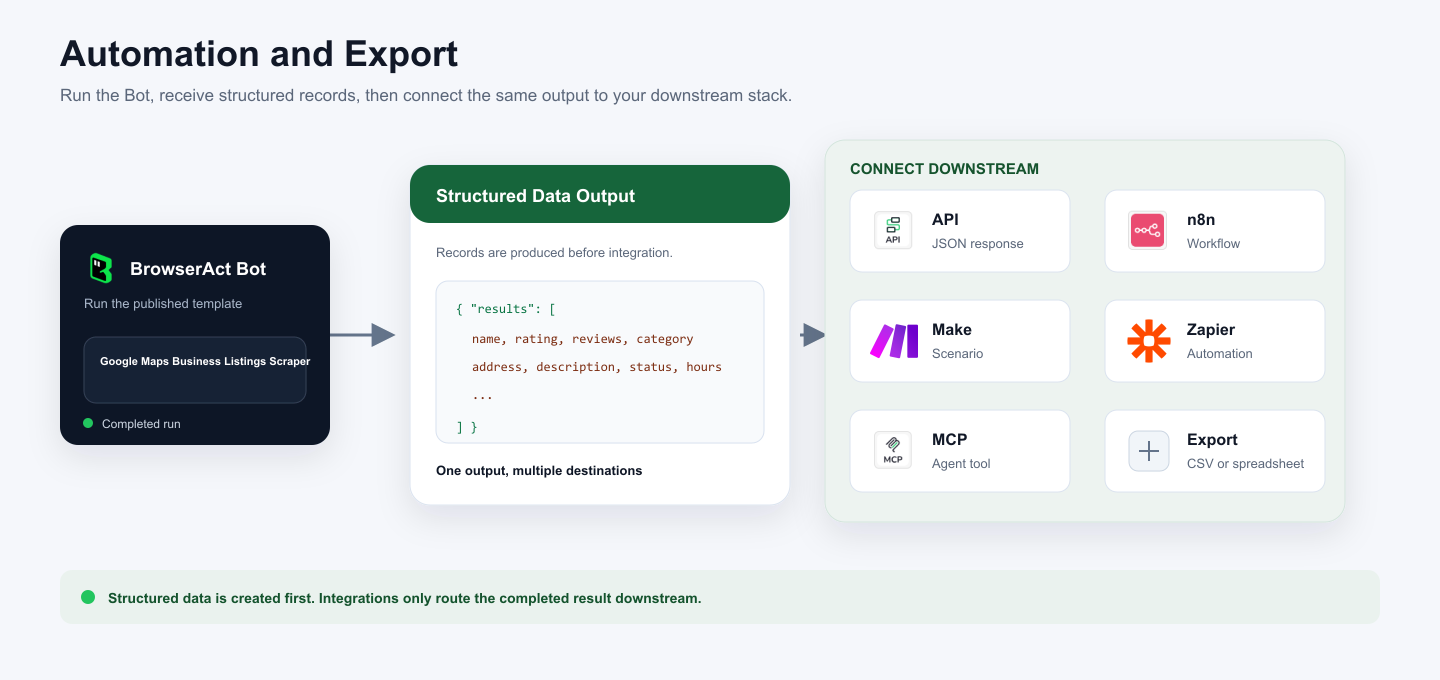
BrowserAct returns structured records first. You can then use the output through API JSON responses, n8n workflows, Make scenarios, Zapier automations, MCP-based agent workflows configured from the Bot's Integrations tab, or manual spreadsheet export.
Need Help?
Discord: Discord Community
E-mail: service@browseract.com
