

TicketSMS Events Scraper converts public TicketSMS event listings into structured records. Choose only site-supported categories, destination cities, and date ranges, set a result count, and receive official event URLs with venue, schedule, availability, image, and price data. The Bot only reads public event pages and does not require login.
What Does BrowserAct TicketSMS Events Scraper Do?
The Bot searches TicketSMS's public listings, applies verified filters, paginates in listing order, opens public event details, and returns one record per event without selecting seats or purchasing tickets.
Key Features
- Site-supported dropdowns for category, destination, and date range.
- Public no-login extraction from official TicketSMS pages.
- Pagination up to the requested event count.
- Official event URLs and public image assets.
- Venue, schedule, availability, and starting-price fields.
- Deduplication by canonical event URL.
What Data Can I Extract from TicketSMS?
| Field | Description |
|---|---|
event_name |
Public event title. |
event_type |
TicketSMS event category. |
venue_name |
Public venue name. |
location |
City or location displayed for the event. |
event_date |
Event date. |
event_time |
Event start time. |
event_url |
Official TicketSMS event URL. |
image_url |
Public event image URL. |
availability |
Public availability state. |
price_from |
Lowest published ticket price. |
currency |
Published price currency. |
scraped_at |
Extraction timestamp. |
How to Use TicketSMS Events Scraper
- Click Run task.
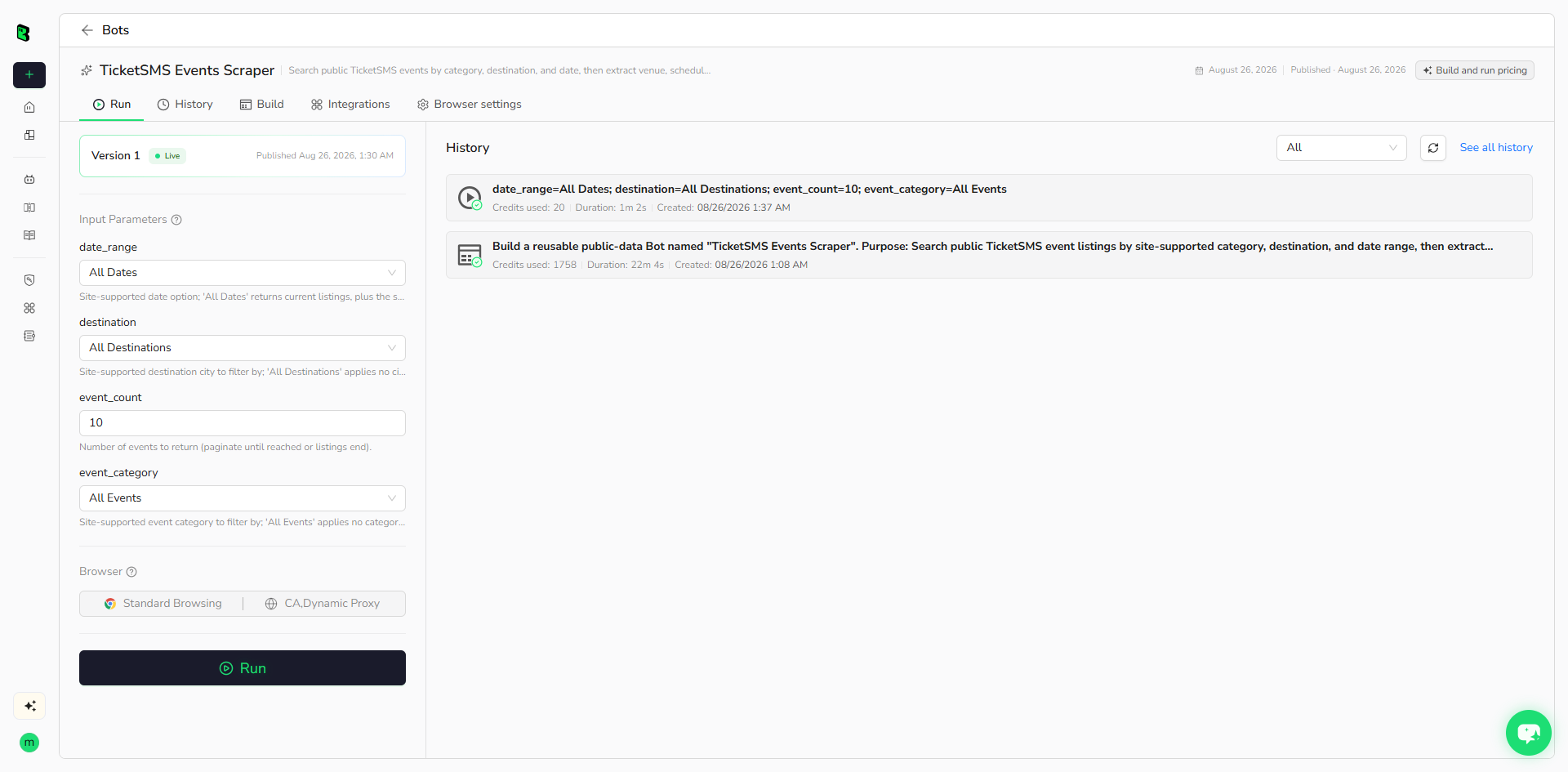
- Select an event category, destination, and date range.
- Set the maximum event count.
- Run the Bot and review the structured records.
- Export the result or connect it to an automation.
Input Parameters
| Parameter | Type | Required | Default | Description |
|---|---|---|---|---|
event_category |
Dropdown | Yes | All Events |
TicketSMS category or all events. |
destination |
Dropdown | Yes | All Destinations |
TicketSMS destination city or all destinations. |
date_range |
Dropdown | Yes | All Dates |
All Dates, Next Weekend, or Past Events. |
event_count |
Integer, 1-50 | Yes | 10 |
Maximum event records to return. |
Example Output
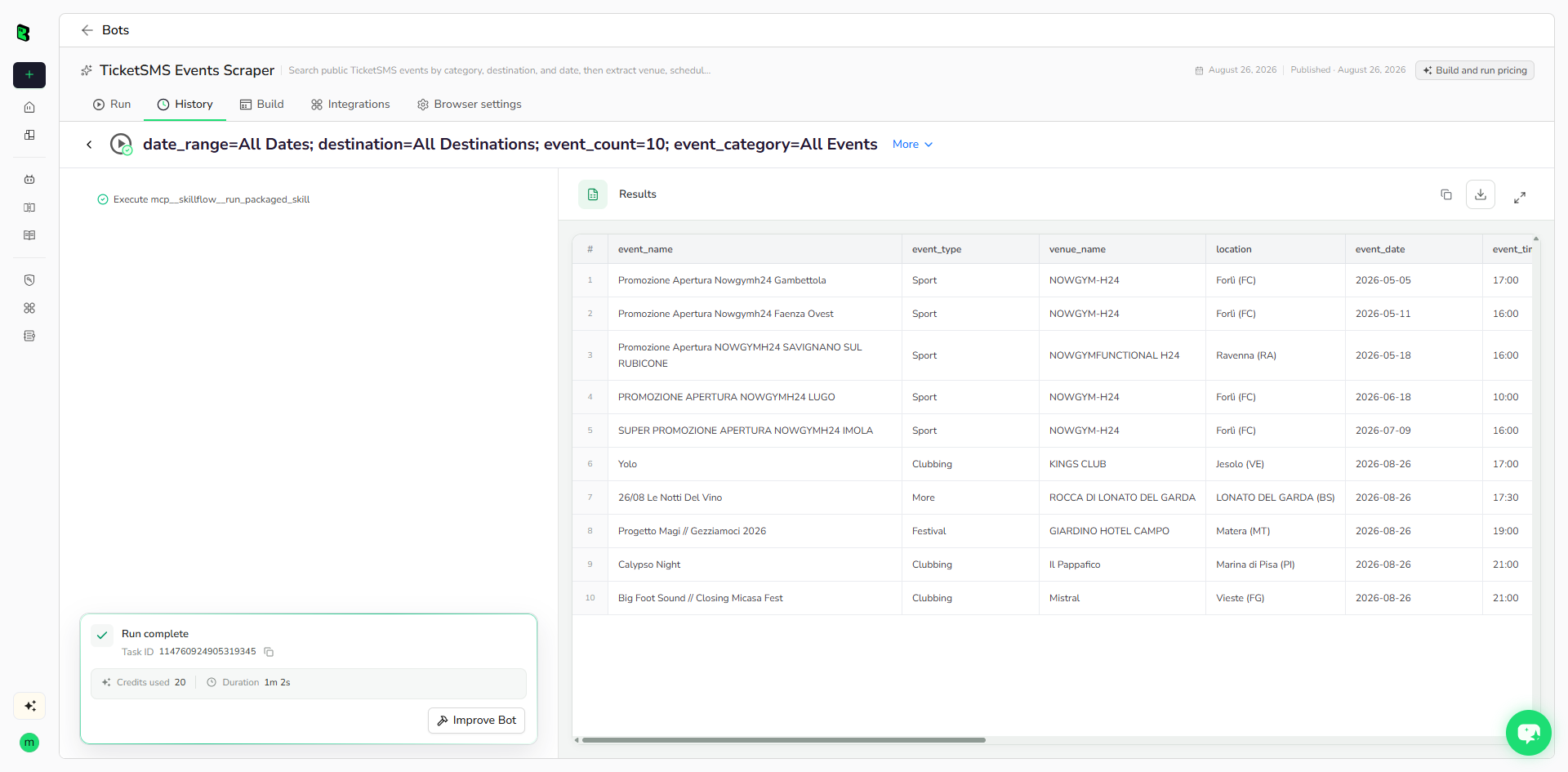
The table below shows up to the first 5 records from the validated run. Long values are shortened in this preview for readability; the completed task keeps the full structured output.
How Does it Work?
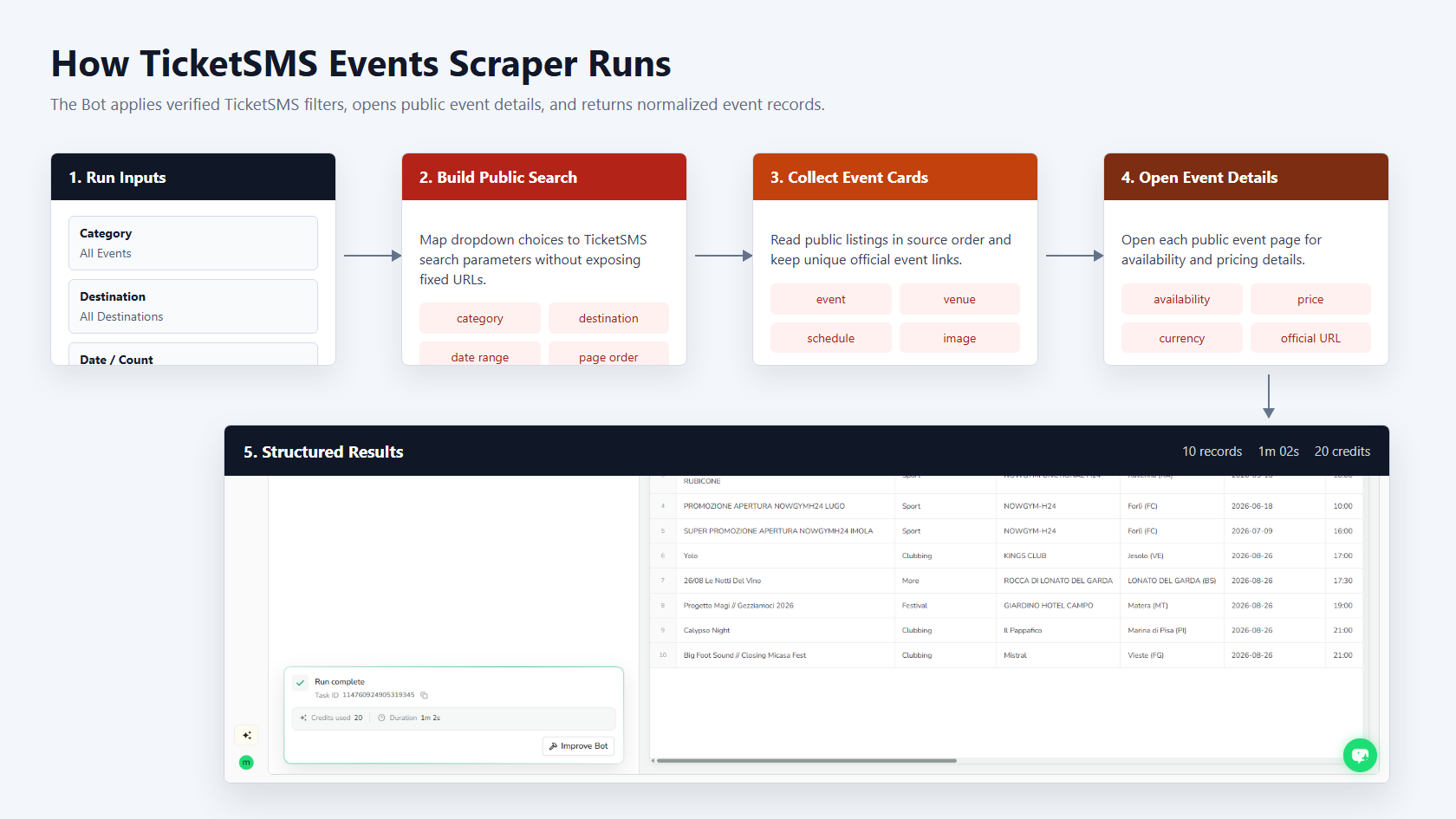
The Bot maps each selected dropdown value to TicketSMS's public search parameters, paginates public listings, verifies event detail URLs, enriches each row with public event details, and returns normalized records.
How to Build a New Scraper Bot with Agent Built
Step 1: Describe the data you need
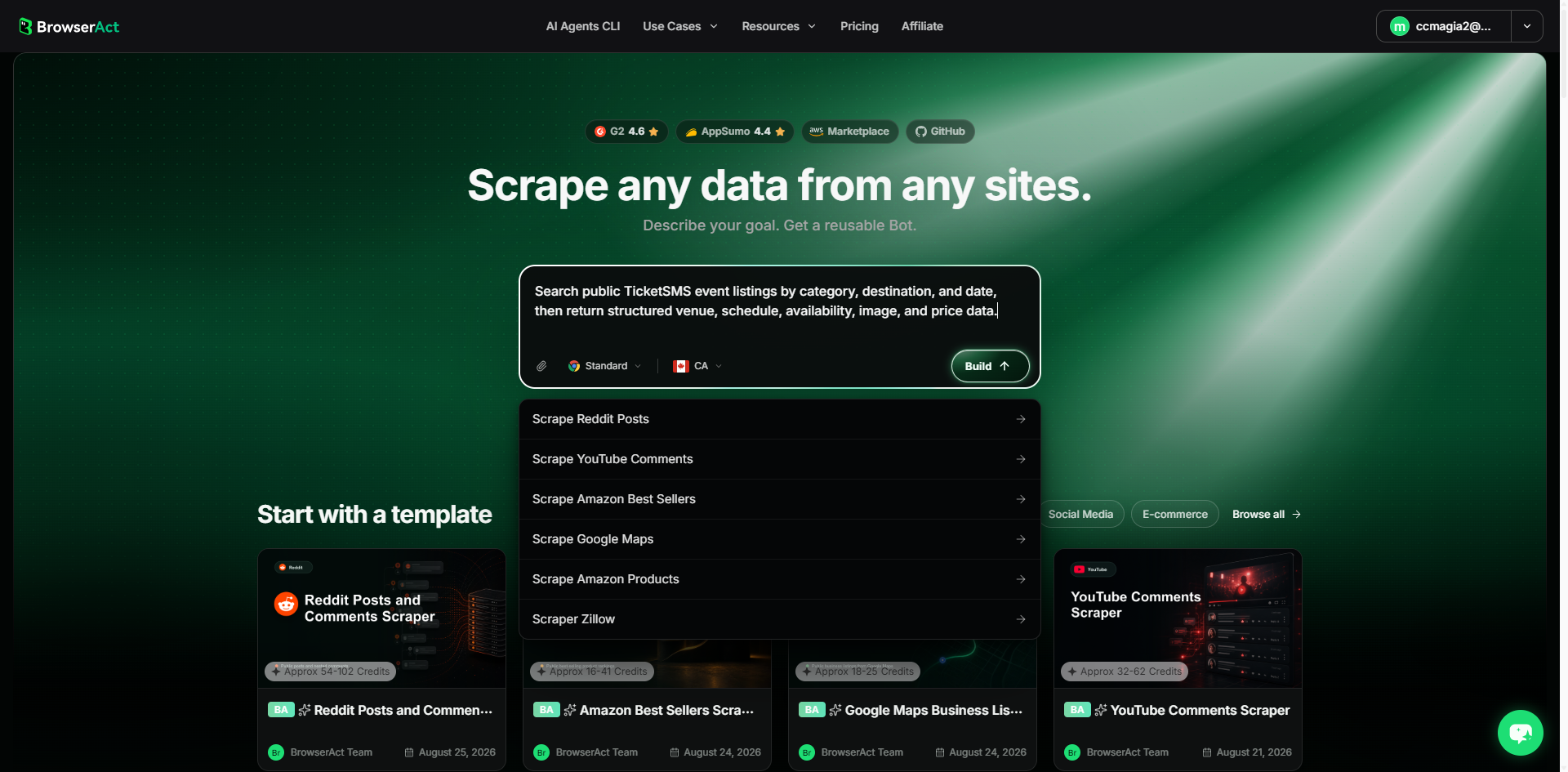
Open BrowserAct and start Agent Built from the Home prompt box or Create -> Build with Agent. Describe the public website, reusable inputs, filters, result limit, and exact output fields.
Step 2: Let BrowserAct build and test the Bot
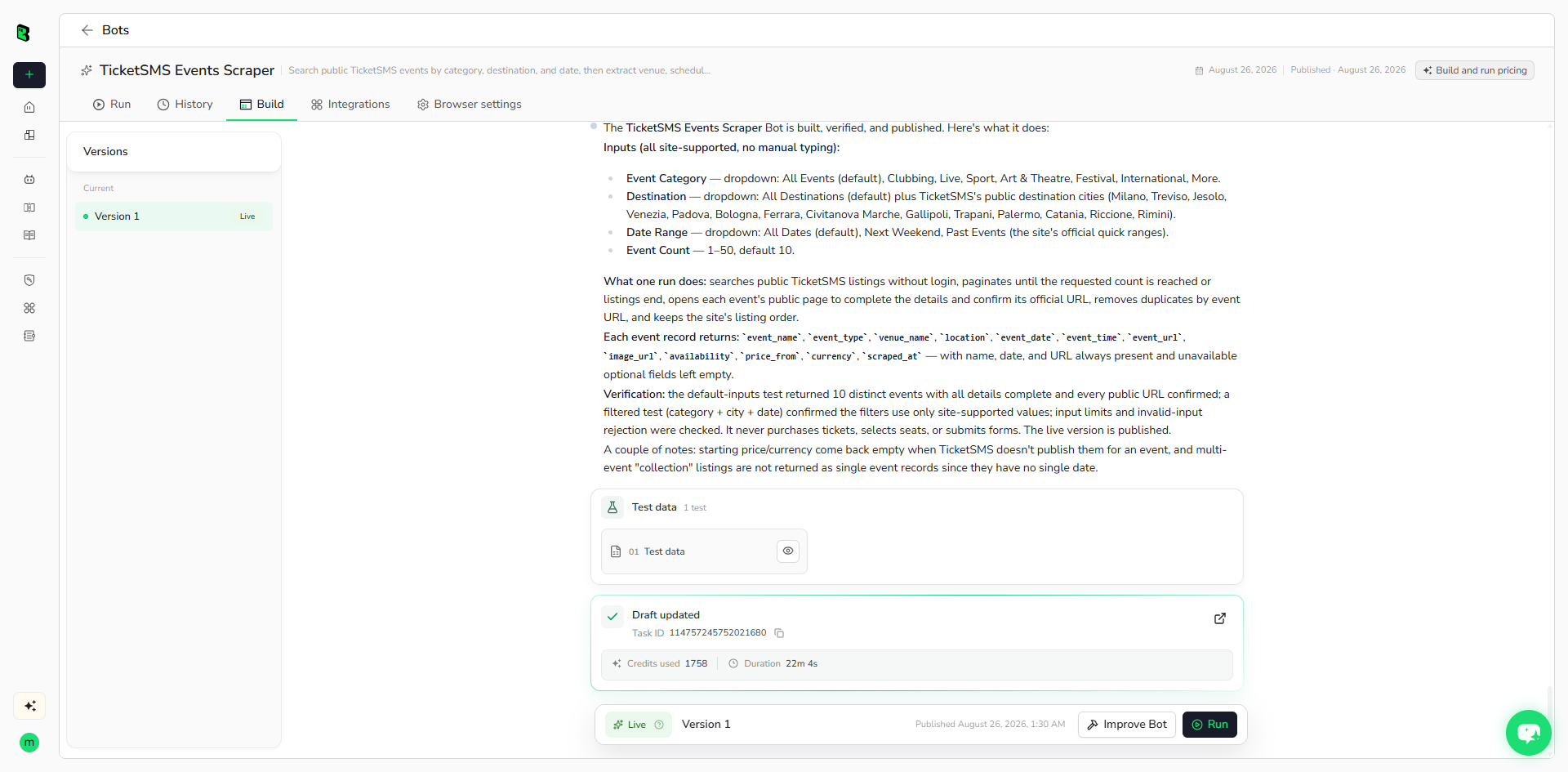
BrowserAct explores the live website, identifies supported filters and public detail paths, builds the extraction workflow, and validates representative records.
Step 3: Run the Bot and review the result
Run the published Bot with default inputs. Review official URLs, field completeness, optional nulls, and row count before reusing the template.
Why Use TicketSMS Events Scraper?
It replaces repetitive event browsing with reusable structured data while keeping every row traceable to an official TicketSMS event page.
Who Can Use It?
- Event discovery and calendar teams
- Tourism and destination publishers
- Venue and nightlife researchers
- Ticketing market analysts
- Automation and data-integration teams
How Many Results Can You Scrape?
Each run supports 1 to 50 public event records. Availability depends on the selected filter combination and current TicketSMS listings.
Automation and Export
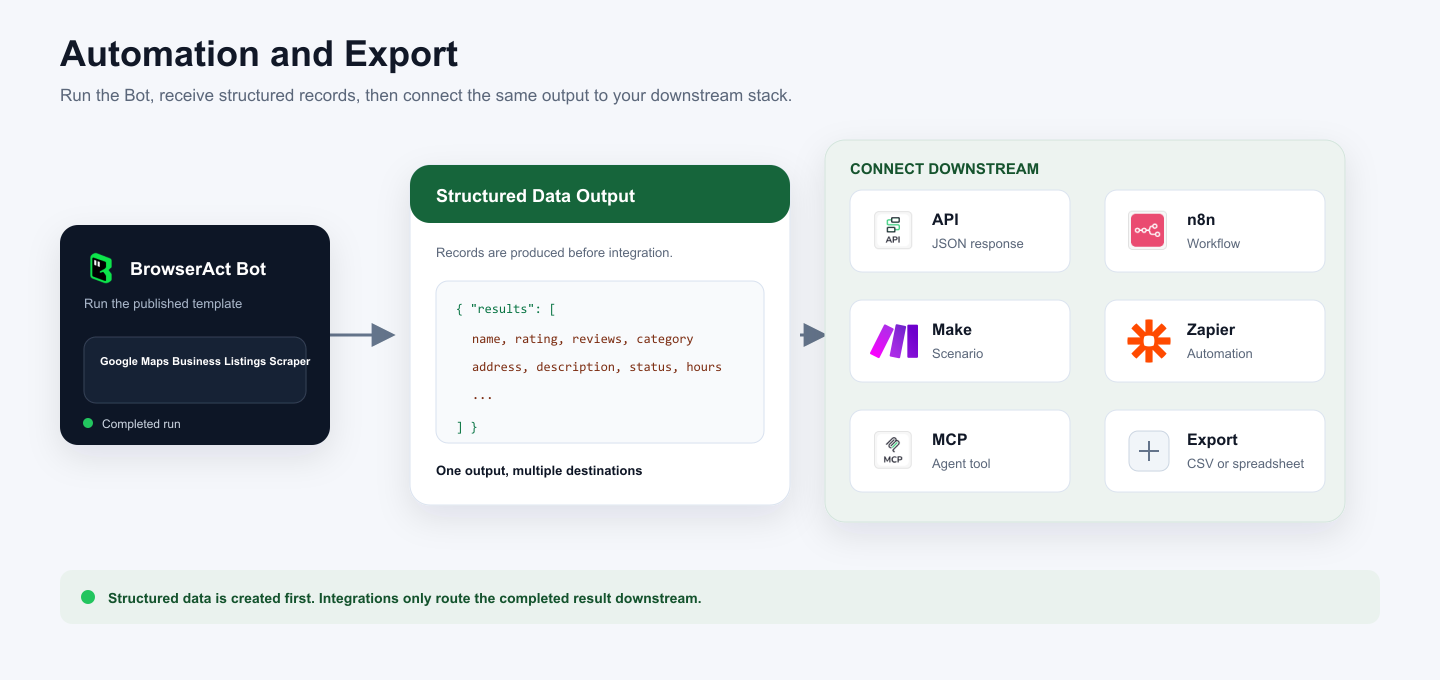
BrowserAct produces structured data first. Connect the output to an API, n8n, Make, Zapier, an MCP agent workflow, or a manual spreadsheet export.
Need Help?
If TicketSMS changes its filters or event detail structure, use Improve Bot and validate the default and one filtered run again.
